Odoo App · Security & Access
Portal Access Management & Audit Logs
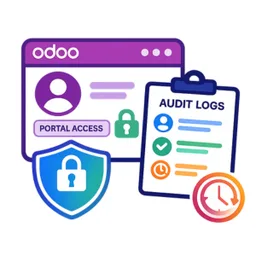
Grant, revoke and restrict customer and vendor portal access from Odoo Contacts, with a read-only log of every login and change.

Overview
In standard Odoo, portal access is granted through a wizard and there is little record of who changed what. This module puts portal account management on the contact form and records every action in a read-only audit log.
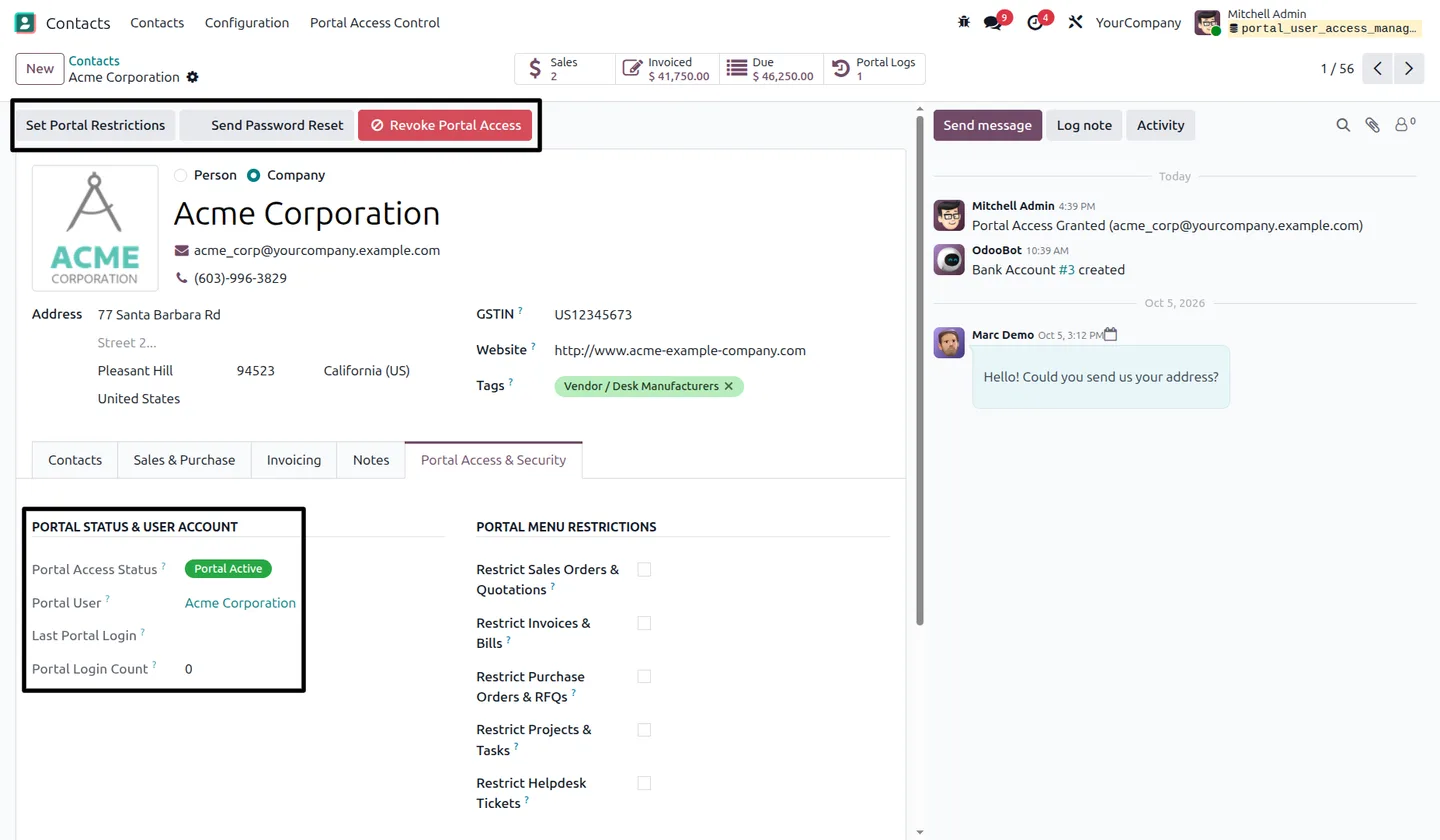
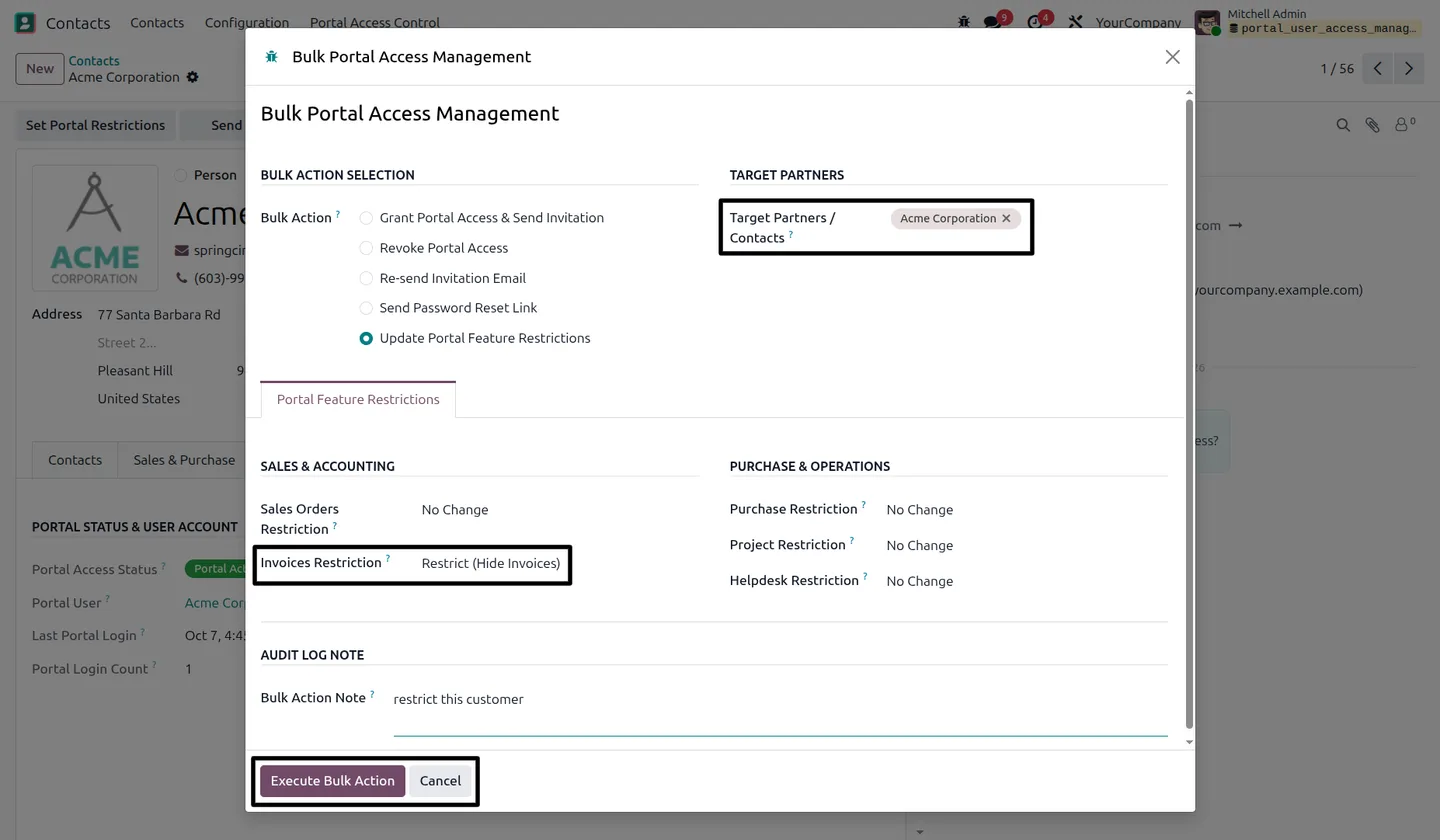
From a contact you can grant access, send a password reset or revoke access. Revoking deactivates the portal user but keeps the account and its history, so granting again reactivates the same account. A bulk wizard handles the same actions, plus restriction updates and invitation resends, for many contacts at once, with an optional audit note.
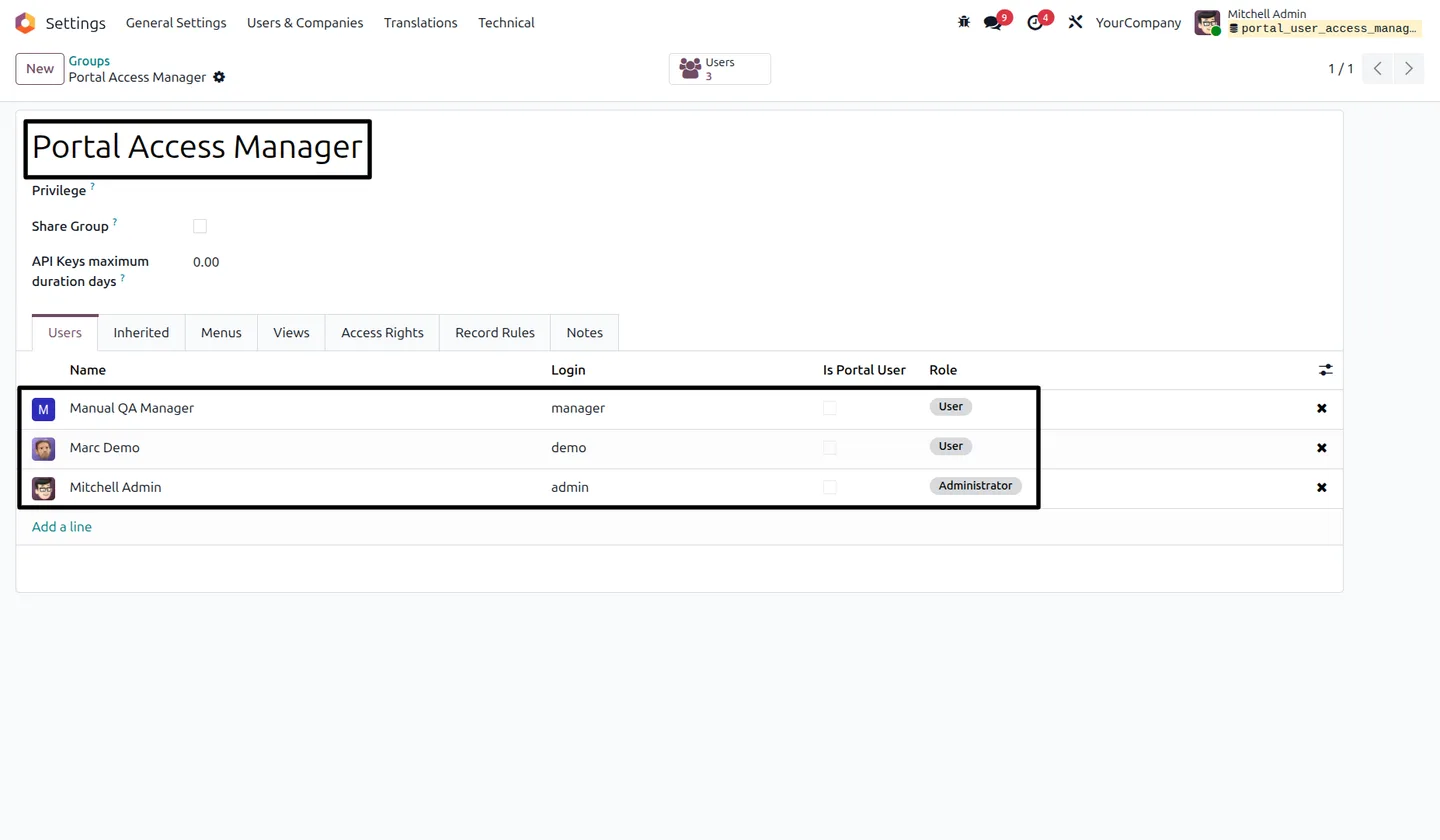
Restrictions hide supported document categories (sales orders and quotations, invoices and bills, purchase orders and RFQs, projects and tasks, and Helpdesk tickets) when those apps are installed. A restriction on the commercial parent company applies to its linked contacts. Designated staff get a Portal Access Manager group, so they can manage portal accounts without general user administration rights.
Key features
-
Individual portal access
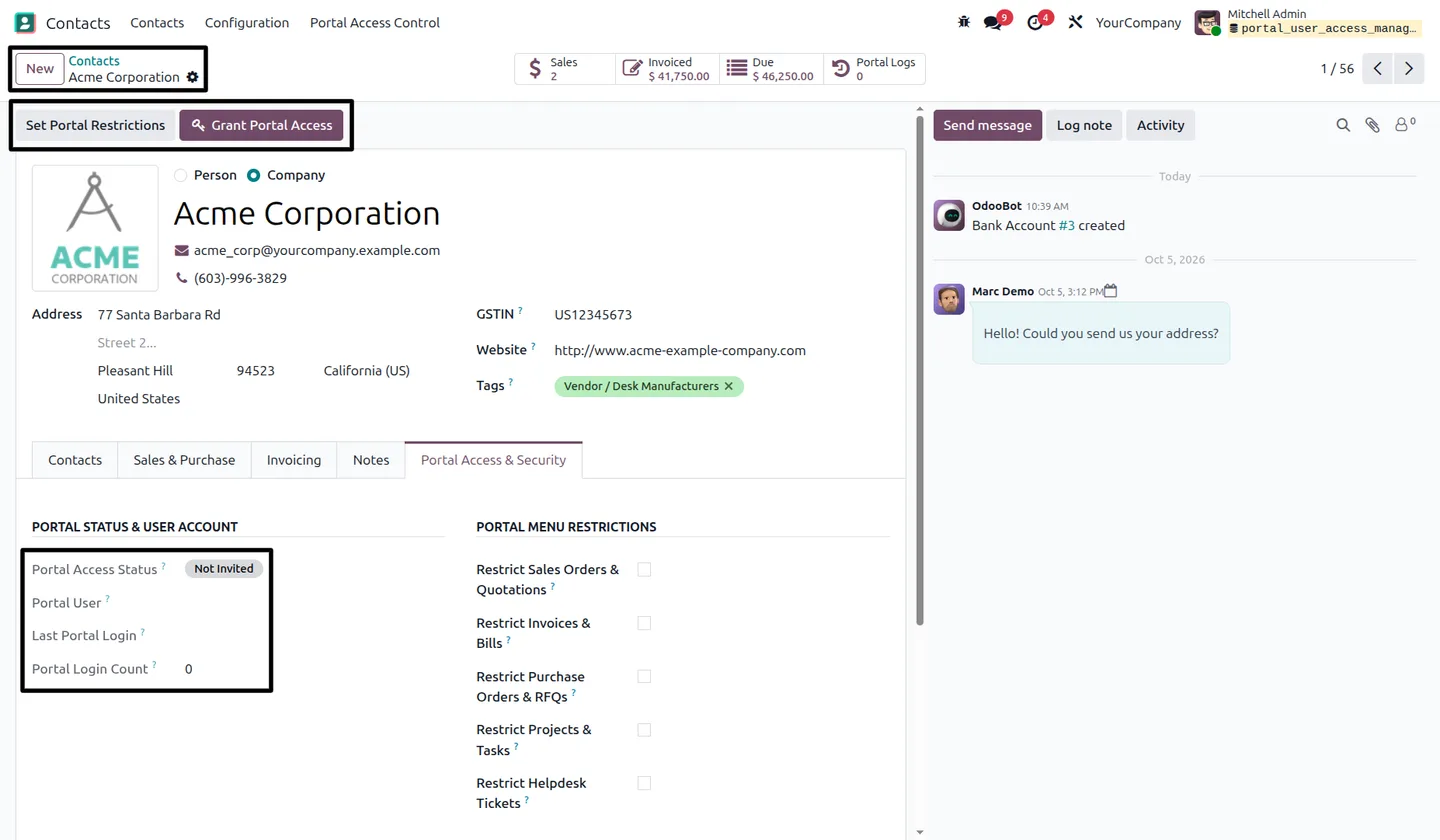
Grant, revoke or restore portal access from the contact record. Revoked accounts stay linked and can be reactivated without creating a new user.
-
Bulk portal operations
Grant or revoke access, resend invitations, request password resets and update restrictions for many selected contacts in one wizard.
-
Portal document restrictions
Restrict Sales, Invoice, Purchase, Project and Helpdesk document categories separately. Their portal entries are hidden and the restriction is enforced on supported access paths.
-
Company-level inheritance
A restriction on the commercial parent company applies to its linked portal contacts. Allowing access on the child does not override it.
-
Portal Access Manager role
Designated internal users manage portal accounts and restrictions on contacts they can access, without general user administration or unrestricted contact editing.
-
Invitations and password resets
Request portal invitations and password-reset emails through Odoo's standard account workflow, individually or in bulk.
-
Automatic activity logs
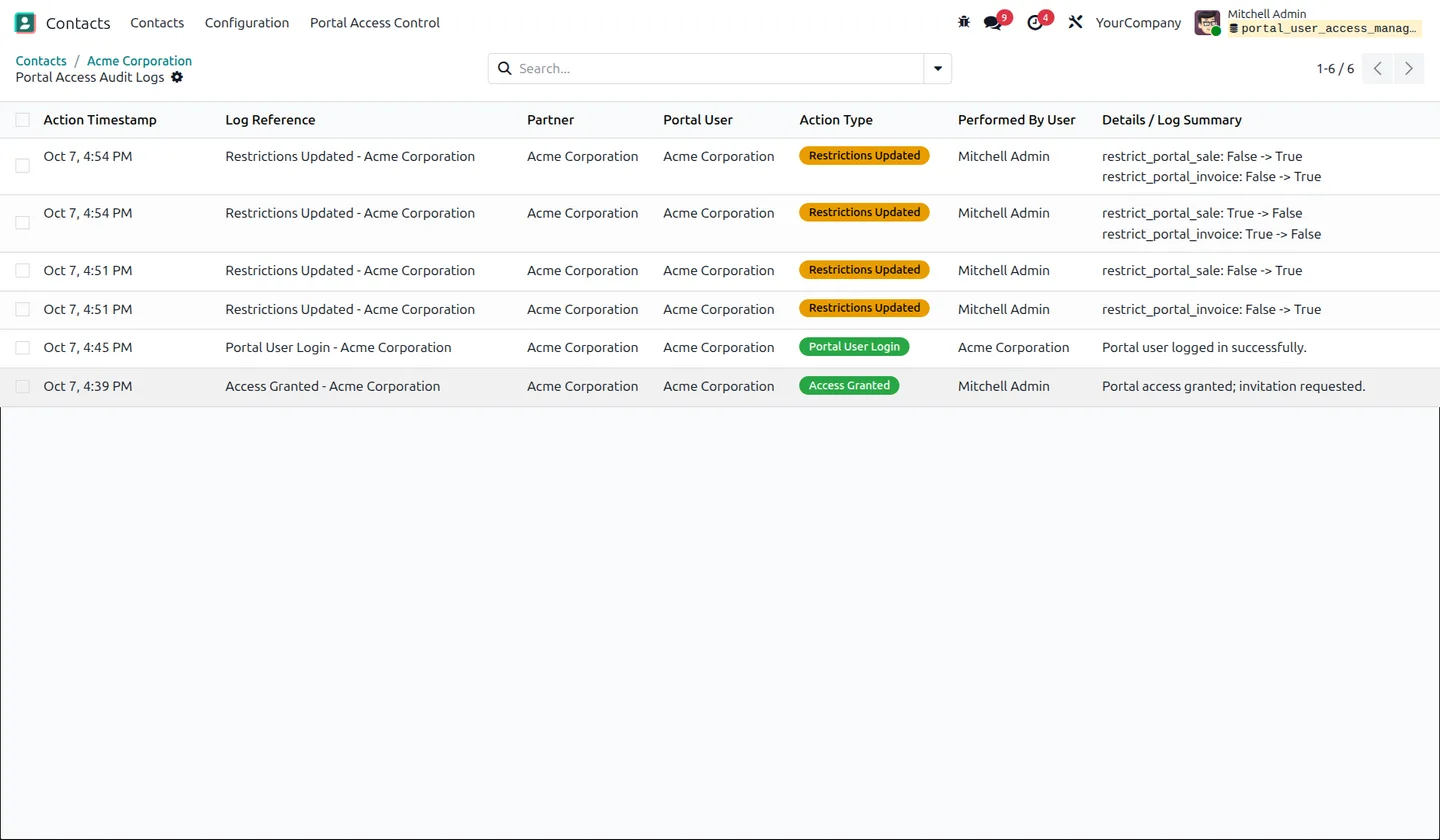
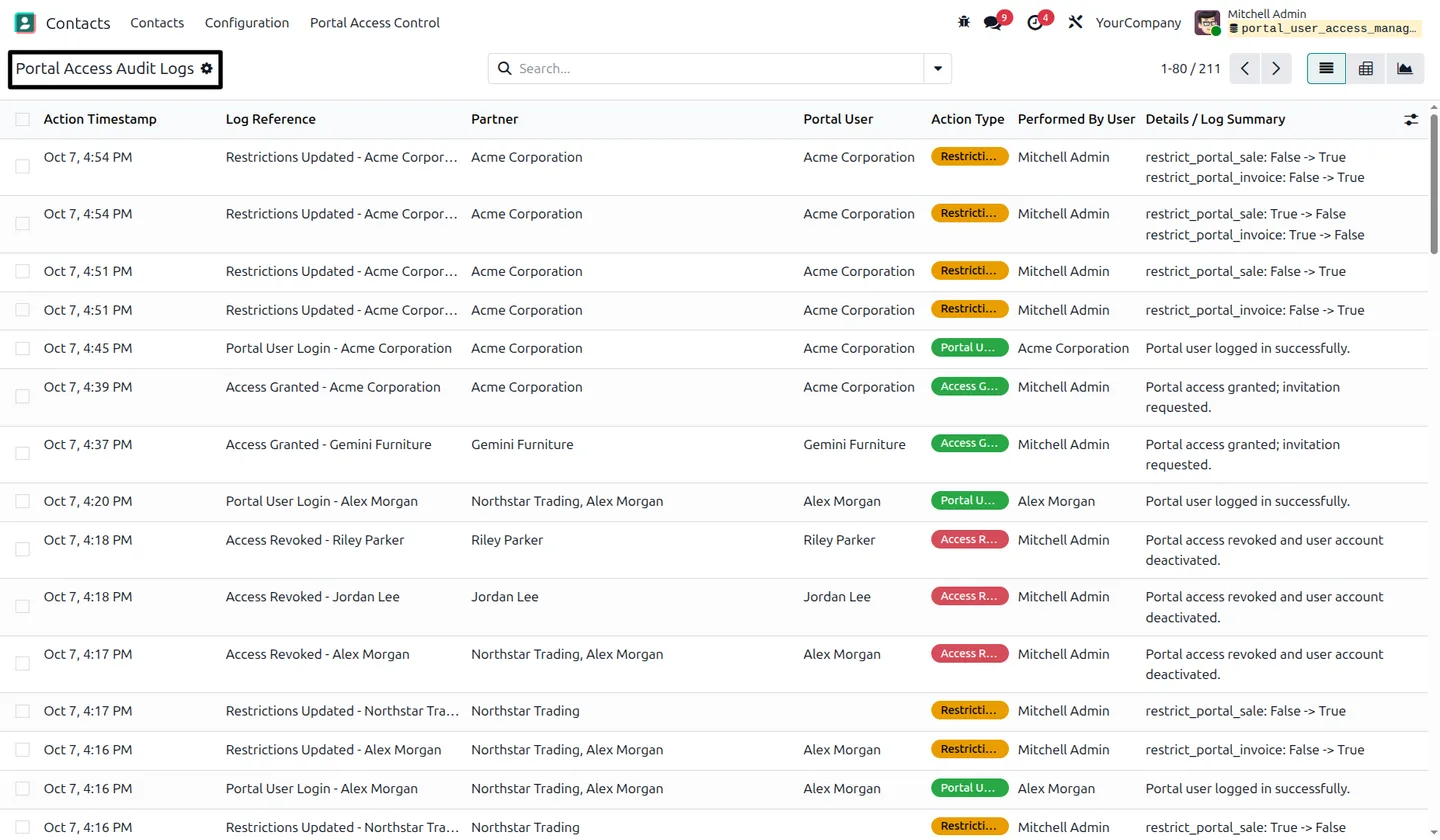
Access grants, revocations, invitation and password-reset requests, successful logins and restriction changes are logged with the contact, portal user, timestamp and acting user.
-
Status and login tracking
The contact shows the linked portal user, access status, last successful login and login count, with a Portal Logs smart button for that contact's history.
Watch Portal Access Management & Audit Logs in use
A four-minute walkthrough of Portal Access Management & Audit Logs in Odoo Contacts: granting and revoking portal access per contact or in bulk, hiding sales, invoice, purchase, project and helpdesk documents from the portal, and reviewing the audit log of every access change and login.
Portal Access Management & Audit Logs in Odoo
Every screen, in the order you meet it — configuration first, then the module in use.
Technical details
Specification
- Publisher
- TechUltra Solutions Private Limited
- Technical name
- portal_user_access_management
- Odoo versions
- 16.0, 17.0, 18.0, 19.0, 20.0
- Lines of code
- 854
- Restrictable documents
- Sales orders & quotations, invoices & bills, purchase orders & RFQs, projects & tasks, Helpdesk tickets (when installed)
- Security group
- Portal Access Manager
- License
- Odoo Proprietary License v1.0 (OPL-1)
- Price
- $30.07 (one-time)
Deployment
- Odoo Online
- Odoo.sh
- On-premise
Odoo dependencies
- Contacts
- Discuss
Support
90 days of bug-fix support plus 5 hours of free configuration help (additional hours billable), Monday to Friday (10:00–19:00 IST). Raise a ticket at support@techultra.in.
Setup & configuration
From install to first call — here is the path.
- 1
Assign the Portal Access Manager group
Add the staff who will handle portal accounts to the Portal Access Manager group in Settings → Users & Companies → Groups.
- 2
Configure outgoing email
Make sure Odoo email delivery works and contacts have email addresses, so invitations and password resets arrive.
- 3
Grant access and set restrictions
Open a contact, click Grant Portal Access, and tick the document restrictions on the Portal Access & Security tab.
- 4
Use the bulk wizard for many contacts
Open Contacts → Portal Access Control → Bulk Portal Operation, pick the action and the target contacts, add an audit note and execute.
- 5
Review the logs
Use the Portal Logs smart button on a contact, or Portal Access Control → Portal Audit Logs for every contact.
Frequently asked questions
-
What does Portal Access Management add to Odoo?
Portal account administration, document-category restrictions, login tracking and activity logs in Odoo Contacts. Administrators and designated managers can work on one contact or a selected group.
-
How do I grant or revoke portal access?
Open a contact and use Grant Portal Access or Revoke Portal Access. For several contacts, use the bulk wizard under Contacts → Portal Access Control, or the action in the contact list.
-
What configuration is required?
Assign the Portal Access Manager group to staff who need it, give contacts email addresses and configure Odoo email delivery. Documents still need the normal sharing and access setup of their own apps.
-
How do company restrictions affect child contacts?
A portal contact is restricted when its own flag or its commercial parent company's flag is on. Allowing access on the child does not override a company restriction, and the inherited restriction is evaluated without being copied into the child's settings.
-
Can I restore access without losing the account or audit history?
Yes. Revoking deactivates the portal user but keeps its portal membership and contact link. Granting access again reactivates that account, and existing restrictions and audit history remain.
-
Can portal users chat with us from the portal?
Not with this module. Portal User Chatter adds messaging for portal users, and Portal Quotation Editing lets them change quantities on quotations.
Listing verified against the Odoo App Store:
Related services
Get the most out of this module with senior TechUltra consultants.
-
Odoo Customization Services
Odoo customization from a Gold Partner: custom modules, workflows, reports and Studio changes, upgrade-safe and quoted at a fixed scope. Free scoping call.
-
Hire Odoo Developers
Hire Odoo developers from a Gold Partner: an AI Engineering Pod from USD 1,800 a month, or a dedicated developer for 70–160 hours. Request a proposal today.
-
Odoo Support Services & Maintenance
Odoo support services from a Gold Partner: functional and technical support plus server cover for Enterprise and Community, 30-minute P1 response, 24/7 option.