
Odoo 20 features: what's new, module by module
Ten changes that matter, what's new for US, UK and European companies, what to check before you upgrade, and how long the upgrade takes. Read from Odoo's own release notes.
Last reviewed:
What's new in Odoo 20?
- 01
AI agents you can trigger and audit
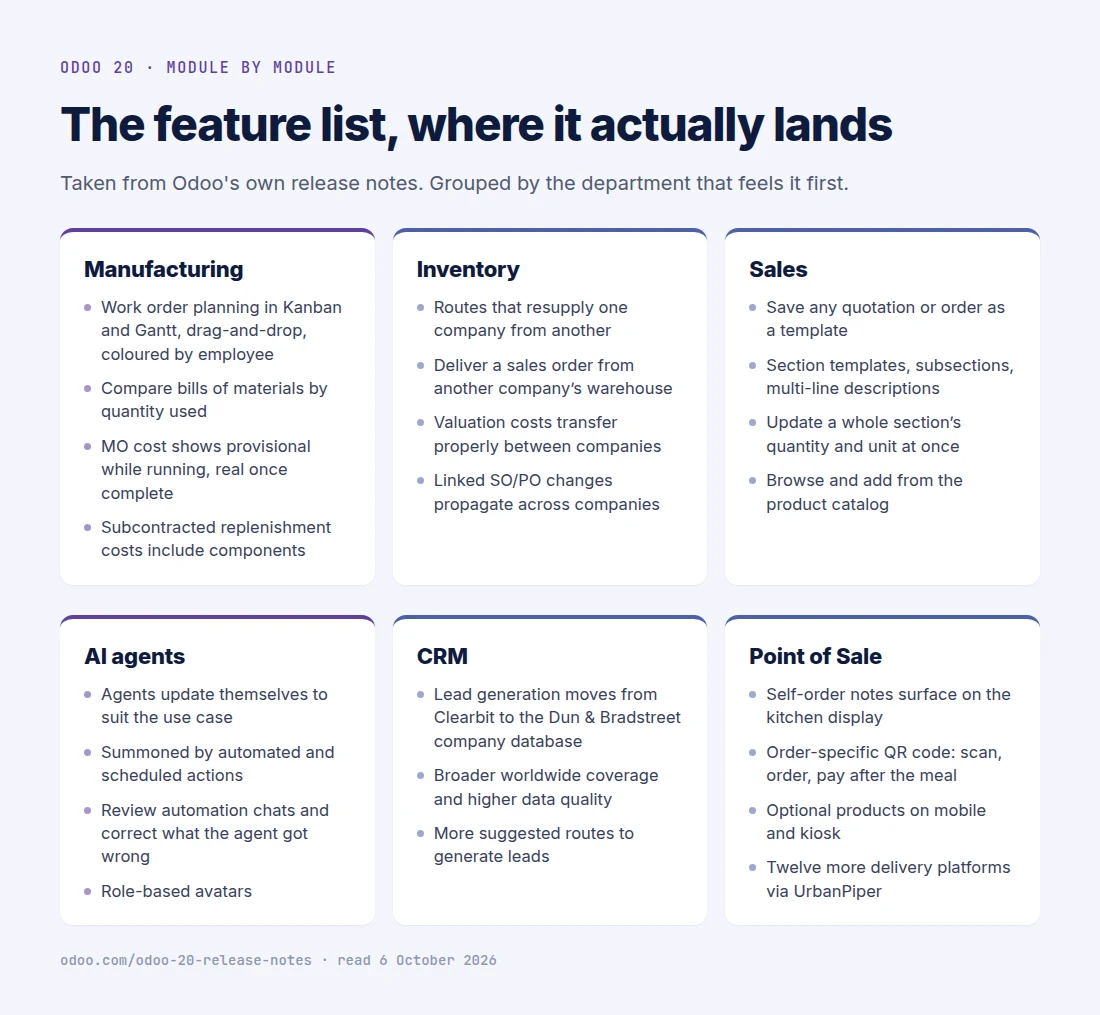
Agents now update themselves to suit their use case, can be summoned by automated and scheduled actions, and keep an automation chat you can read to see how a task was handled and ask for corrections. They create and update records (including from PDF uploads), answer questions about files, filter by period, generate images and take voice requests.
Impact: An agent that runs on a trigger and leaves a readable trail is one you can put near real work: document intake, follow-ups, record updates. One you cannot audit stays a demo.
Note: Odoo's release notes state that all AI features now need credits, bought via In-App Purchase. The capability is included; usage is metered.
AI for Odoo — what we build - 02
Connect Odoo to other systems through MCP
Odoo 20 can connect to external tools through MCP (Model Context Protocol), the open standard AI assistants use to call business systems. Agents also get default prompts with dynamic values and model-bound agents suggested per record type.
Impact: AI assistants and agents outside Odoo can work with your Odoo data through a standard interface rather than a one-off integration.
Note: Treat it like any integration: scope which data and actions are exposed, and to whom, before switching it on.
- 03
Accounting that matches, predicts and pays
Configurable bill and invoice matching rules with tolerance and order; bill line prediction learned from your history and labels; every bank-affecting entry must originate from a bank transaction; double-payment detection; paying bills directly from Odoo through PISP (payment initiation services); parent accounts replacing account groups; a cumulative translation adjustment line for foreign currency.
Impact: Month-end moves from matching lines by hand to reviewing exceptions. For most mid-market finance teams this cluster is the most valuable part of the release.
Odoo Accounting - 04
Multi-company inventory without workarounds
Inter-company resupply routes, delivering a sales order from another company's warehouse, valuation that moves correctly between companies, and price and quantity changes that sync across linked orders. Inventory valuation can now also run without the Inventory app.
Impact: Groups running several legal entities on one database lose a category of month-end corrections and custom code.
- 05
Manufacturing planning on Kanban and Gantt
Work orders get Kanban and Gantt views with drag-and-drop scheduling, colour coding and planning by employee rather than work centre. The MO cost shows a provisional figure while the order runs and the actual once it completes; subcontracted replenishment costs include components; and you can compare two bills of materials by the quantities they consume.
Impact: Planners schedule in Odoo instead of a spreadsheet, and costing stops meaning two different things at two different times.
Odoo Manufacturing - 06
Faster quotations
Save any quotation or sales order as a template, save sections as reusable templates, update a whole section's quantity in one action, and add from the product catalog with the unit of measure or packaging. Orders and invoices switch between tax-included and tax-excluded pricing.
Impact: Sales teams with repeatable bundles build quotes in minutes rather than line by line.
- 07
Offline mode and a better mobile app
Create, edit, archive and delete records while offline, and rerun previous searches. Mobile gets a redesigned login, swipe-down command palette, touch-first forms and file sharing from the phone to digitise bills.
Impact: Field service, warehouse and site teams keep working where signal is unreliable.
- 08
CRM enrichment on Dun & Bradstreet
Lead generation and contact enrichment move from Clearbit to the Dun & Bradstreet company database. Contacts also take multiple identifiers, such as a DUNS number.
Impact: Better company data coverage outside North America and Western Europe. Re-test your enrichment hit rate before renewing a separate data subscription.
- 09
Point of Sale order-and-pay by QR
Customers scan an order-specific QR code to order and pay after the meal; self-ordering notes reach the kitchen display; optional products appear on mobile and kiosk ordering; more delivery platforms connect through UrbanPiper.
Impact: Restaurants and multi-branch food chains take orders and payment with fewer staff steps.
- 10
Localization updates in 50+ countries
Odoo 20 updates accounting, e-invoicing and payroll localizations across more than 50 countries, from new base localizations to e-invoicing flows and statutory reports.
Impact: If you pay for a partner module to stay compliant today, check whether version 20 now covers it. The USA, UK and European items are listed below.
E-invoicing with Odoo
What's new for US, UK and European companies?
A selection from the localization section of the release notes, for the markets we work in most. The full list covers more than 50 countries.
United States
- "Avalara Included" integration option, with tax parameters set automatically
- Redesigned US Sales Tax Report with multi-jurisdiction, state summary and exemptions
- Payroll support for 11 more states (Georgia, Iowa, Kansas, Kentucky, Michigan, Mississippi, Missouri, New Jersey, South Carolina, Tennessee, Utah), plus New York City and Yonkers local taxes
- Expanded default US time-off types; dedicated depreciation and expense accounts per asset model
United Kingdom
- HMRC authorisation per company instead of per user
- Multi-company VAT return submission without re-authenticating
Belgium
- Payroll: Dimona flow automation, joint committees, CP302 flexi-jobs, holiday pay and employer contribution automation, meal voucher reports, profit sharing bonus
France
- Pre-configured annual report templates (plaquettes) under the PCG standard
- Automatic SIREN endpoint detection in the e-invoicing directory (annuaire)
Rest of Europe
- Italy: notes (causale) and attachments (allegati) on e-invoices
- Romania: eFactura CPV codes, SAF-T stock, D300 VAT export
- Hungary: NAV vendor-bill sync; Luxembourg payroll Decsal/Decmal reports
- Peppol GLN support for delivery contacts
Middle East and India
- Saudi Arabia: ZATCA sync from the Send wizard with pre-checks, batch processing, outage handling, GOSI payroll integration
- UAE: FTA VAT audit file, IFRS-aligned chart of accounts, WPS and Emiratization payroll reports
- India: composition taxpayer (CMP-08, GSTR-4), bill of entry for imports, flexible TDS, RCM self-invoices
What should you check before upgrading?
Standard Odoo is adjusted for each of these. The risk sits in custom modules, reports, integrations and audit processes built on the old behaviour.
-
Tracking values are removed
The chatter's tracking message is generated on the fly instead of stored. Odoo rebuilt the standard features that relied on it and ships a module for admins who still need stored values. Check custom reports, third-party modules and audit obligations that read change history.
-
Accounting structure changes
Depreciation models replace asset models, parent accounts replace account groups, account codes become optional, and bank-affecting entries must come from bank transactions. Payment statuses are renamed: "In Process" becomes "Paid" and "Paid" becomes "Reconciled".
-
Access rights are simplified
Record rules are replaced by a domain on access rights. Any custom security built on record rules needs review.
-
AI usage is metered
All AI features need credits bought via In-App Purchase. Estimate usage against your real document and request volumes before you plan an AI rollout.
We cover this in detail in Upgrading to Odoo 20: what changes, what breaks, and what the new licence prices mean in Odoo 20 pricing: what the increase buys.
How long does an Odoo 20 upgrade take?
| From version | Duration | Notes |
|---|---|---|
| Odoo 18 or 19 | 4–8 weeks typical | A short hop. Most of the calendar is testing custom modules, reports and integrations against 20 on a copy of your database. |
| Odoo 16 or 17 | 8–14 weeks typical | One project, several steps: the database passes through each version in order. Custom modules are ported and tested once, on the final version. |
| Odoo 15 or older | Scoped individually | More versions of data change to pass through and more custom code to port. Start with an assessment before committing to a timeline. |
Our Odoo 20 upgrade service starts with a free written assessment of your modules and a fixed quote. Comparing versions? See Odoo 20 vs Odoo 19 or the Odoo 19 features reference.
Frequently asked questions
-
When is Odoo 20 released?
Odoo 20 was presented at Odoo Experience on 24 September 2026 and reaches general availability in mid-October 2026. Odoo releases one major version a year.
-
What is the most important new feature in Odoo 20?
For most mid-market companies, the accounting automation: matching rules, bill line prediction, bank consistency and paying bills from Odoo. For groups with several legal entities, the multi-company inventory flows. For AI adoption, agents that run on triggers and leave an auditable chat, plus connecting Odoo to other tools through MCP.
-
Do Odoo 20 AI features cost extra?
Odoo's release notes state that all AI features now need credits, which are bought via In-App Purchase. The features are part of the product; their usage is metered, so estimate credits against your real volumes.
-
What changed for US companies in Odoo 20?
An "Avalara Included" integration option with automatic tax parameters, a redesigned US Sales Tax Report with multi-jurisdiction and state summaries, payroll support for 11 more states plus New York City and Yonkers local taxes, and expanded default US leave types.
-
What does Odoo 20 remove or change that could break my setup?
Stored tracking values are removed, depreciation models replace asset models, parent accounts replace account groups, record rules are replaced by a domain on access rights, and payment statuses are renamed. Standard Odoo is adjusted for all of these; custom modules, reports and integrations that rely on the old behaviour need review.
-
How long does an upgrade to Odoo 20 take?
Our published ranges are 4–8 weeks from Odoo 18 or 19 and 8–14 weeks for a longer jump or a heavily customised system. The database passes through each version in order, but you test only the final Odoo 20 system.
-
Should I upgrade to Odoo 20 now or wait?
Move now if month-end, multi-company stock or AI agents are decisive for you, or if you are on Odoo 17 or older, which is outside Odoo's three-version support window once 20 is out. If you are stable on 18 or 19 and nothing here is decisive, waiting for the first update release is reasonable.
Sources & references
Feature claims are read from Odoo S.A.'s release notes, re-read on 12 October 2026. Upgrade durations are our own published ranges.
- Odoo 20 release notes
Odoo S.A.
The full change list for Odoo 20, including the AI credits statement, localizations and the technical changes.
- Odoo standard and extended support
Odoo S.A.
Which versions receive bug and security fixes.
- Odoo 20.0 documentation
Odoo S.A.
User and developer documentation for Odoo 20.