Odoo App · Website & eCommerce
Product Personalizer
Web-to-Print studio inside Odoo — customers design products and Sales gets the print-ready file.
Overview
Product Personalizer turns Odoo eCommerce into a complete Web-to-Print studio. Print shops, promotional-product sellers, and apparel brands give shoppers a drag-and-drop editor on the product page — add text, upload artwork, pick a template — and the system generates a print-ready file for production.
Built by TechUltra Solutions, the module is 100% native to Odoo. There is no third-party design platform to license, no separate dashboard to log into, and no manual file handover. The customer's finished design is saved against the variant they ordered, and a high-resolution SVG, PNG, or JPG attaches to the sales order line for the operations team to pick up.
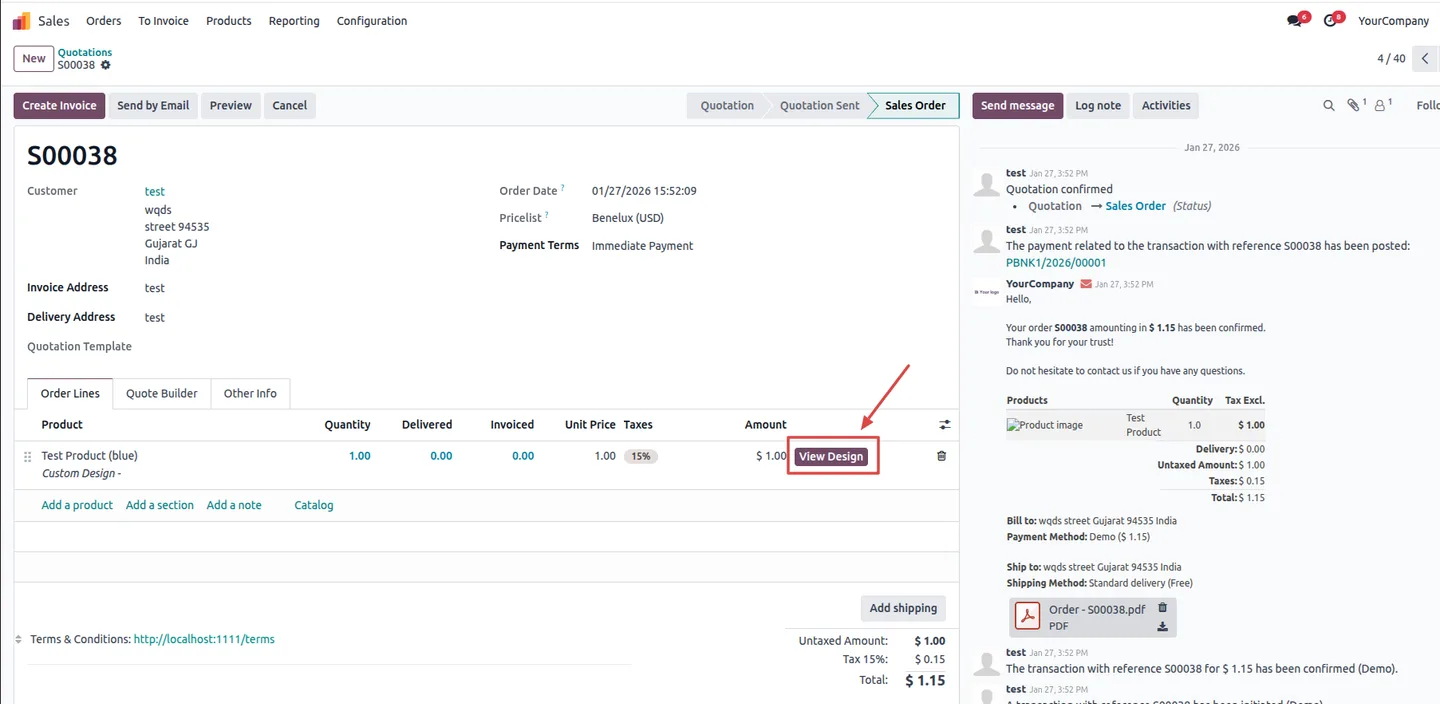
Sales managers see exactly what the customer ordered through a View Design button on the order line. Product-specific print zones, variant-level design overrides, and a design-history log keep both the storefront experience and back-office workflow tidy at scale.
Key features
-
Drag-and-drop product editor
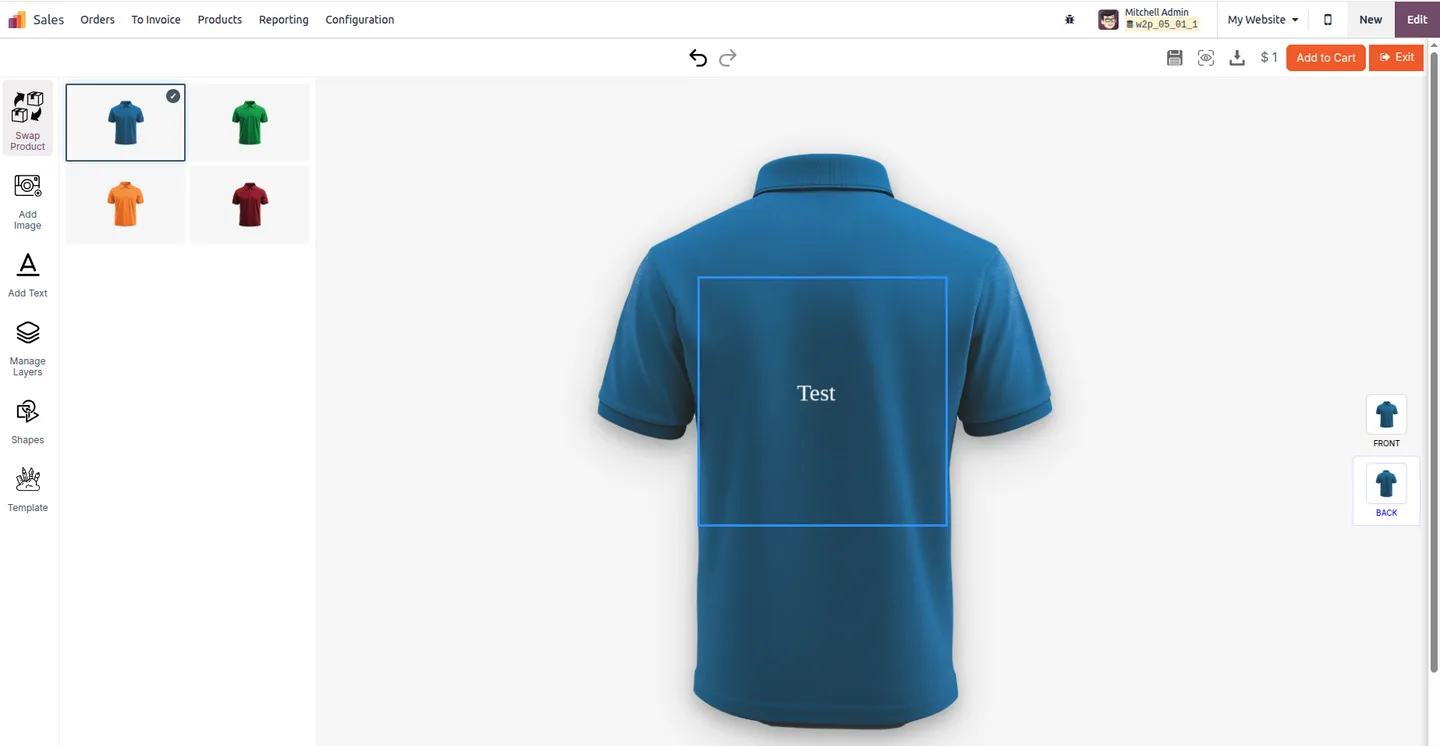
Shoppers customize a product directly on the storefront — add text, upload an image, place shapes, and reorder layers in a responsive, mobile-friendly editor.
-
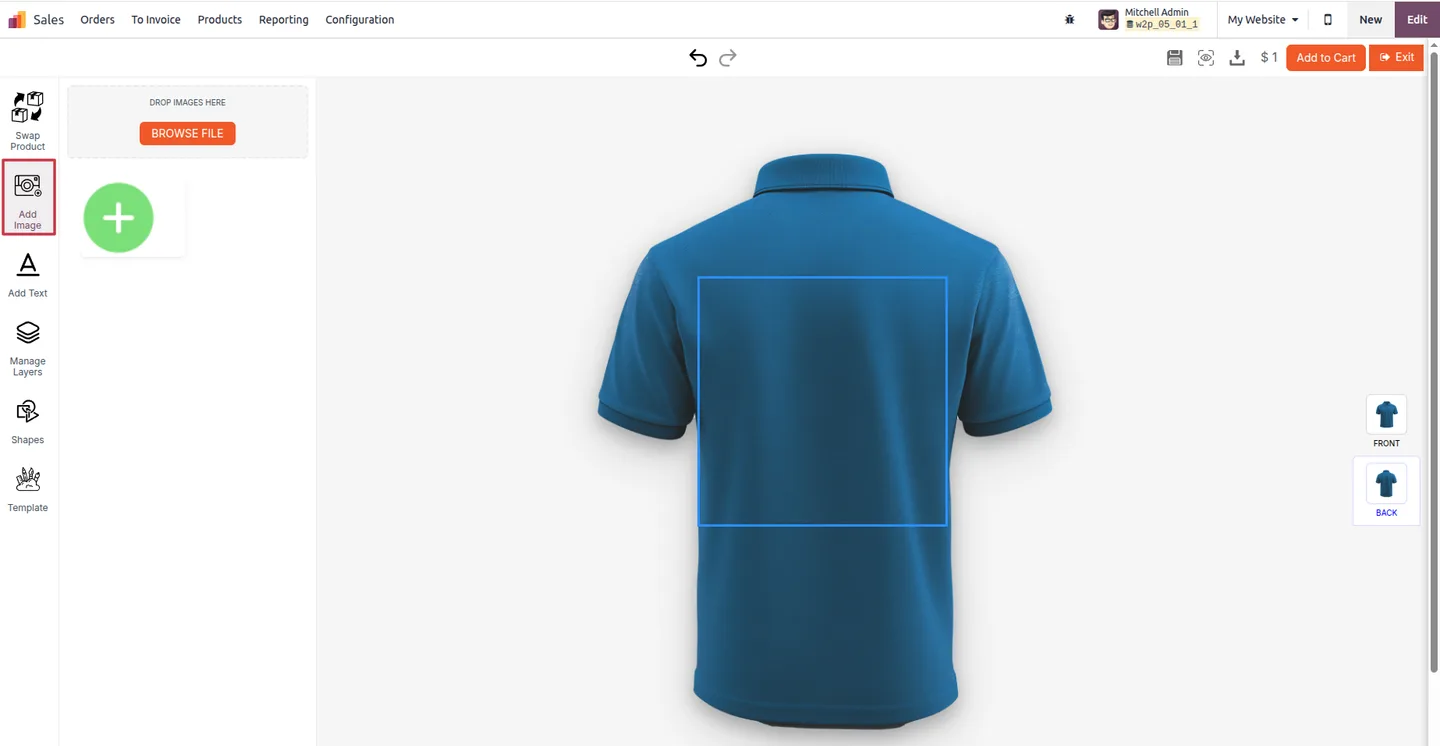
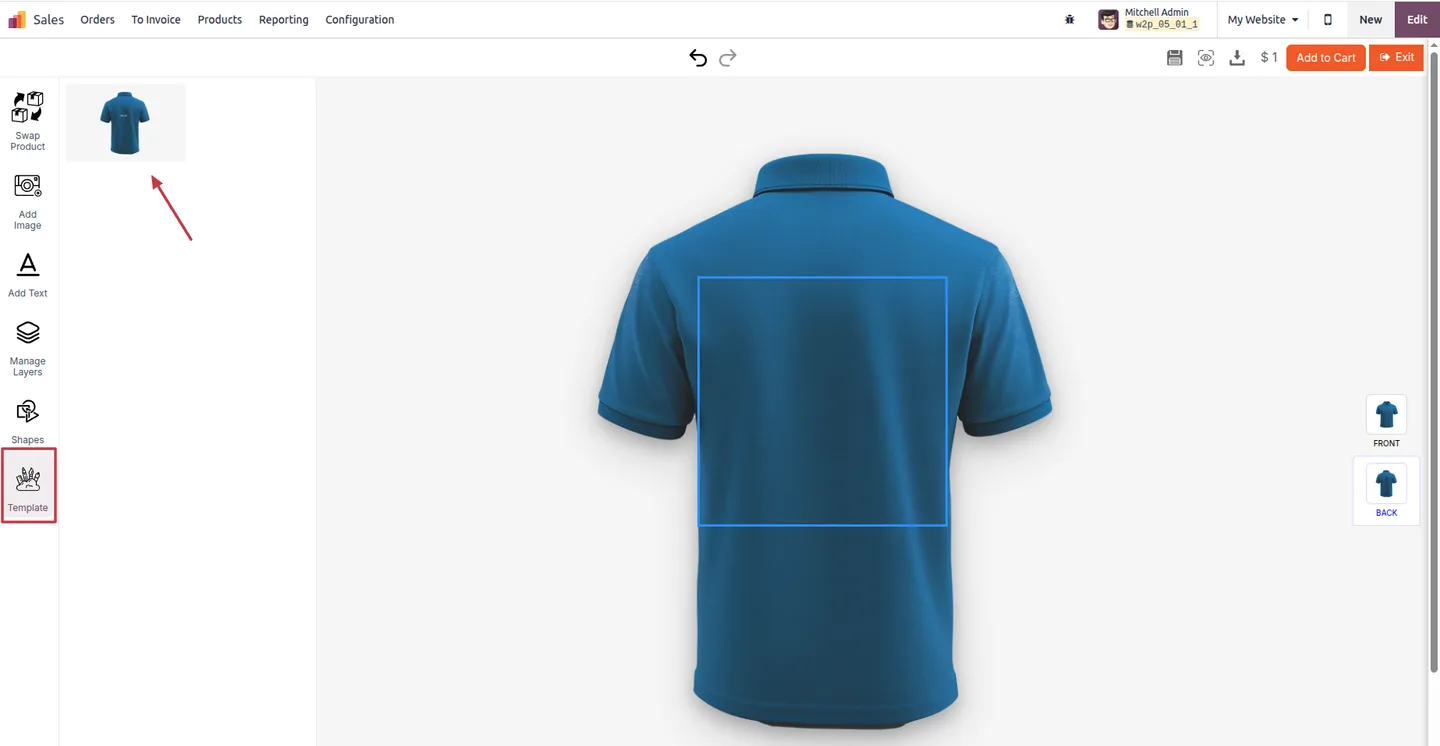
Upload artwork or edit a template
Customers either upload a ready-to-print design or start from an editable template, so you can serve both DIY shoppers and ones who want a head start.
-
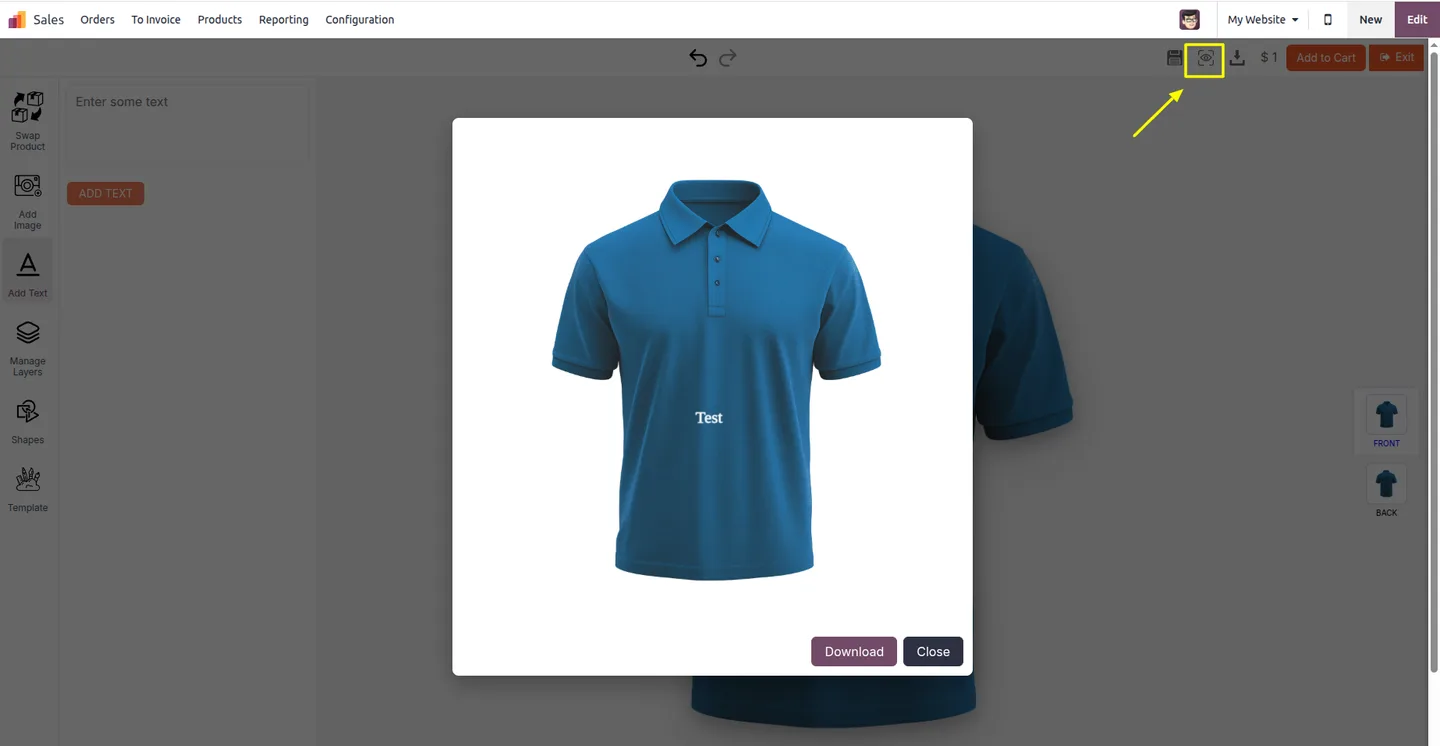
Live preview on the product
The editor renders the design on the product image in real time, so customers see exactly how the finished item will look before paying.
-
Print-ready file generation
The system automatically generates a high-resolution SVG, PNG, or JPG suitable for production once the design is saved — no manual export, no resolution guessing.
-
Product-specific print zones
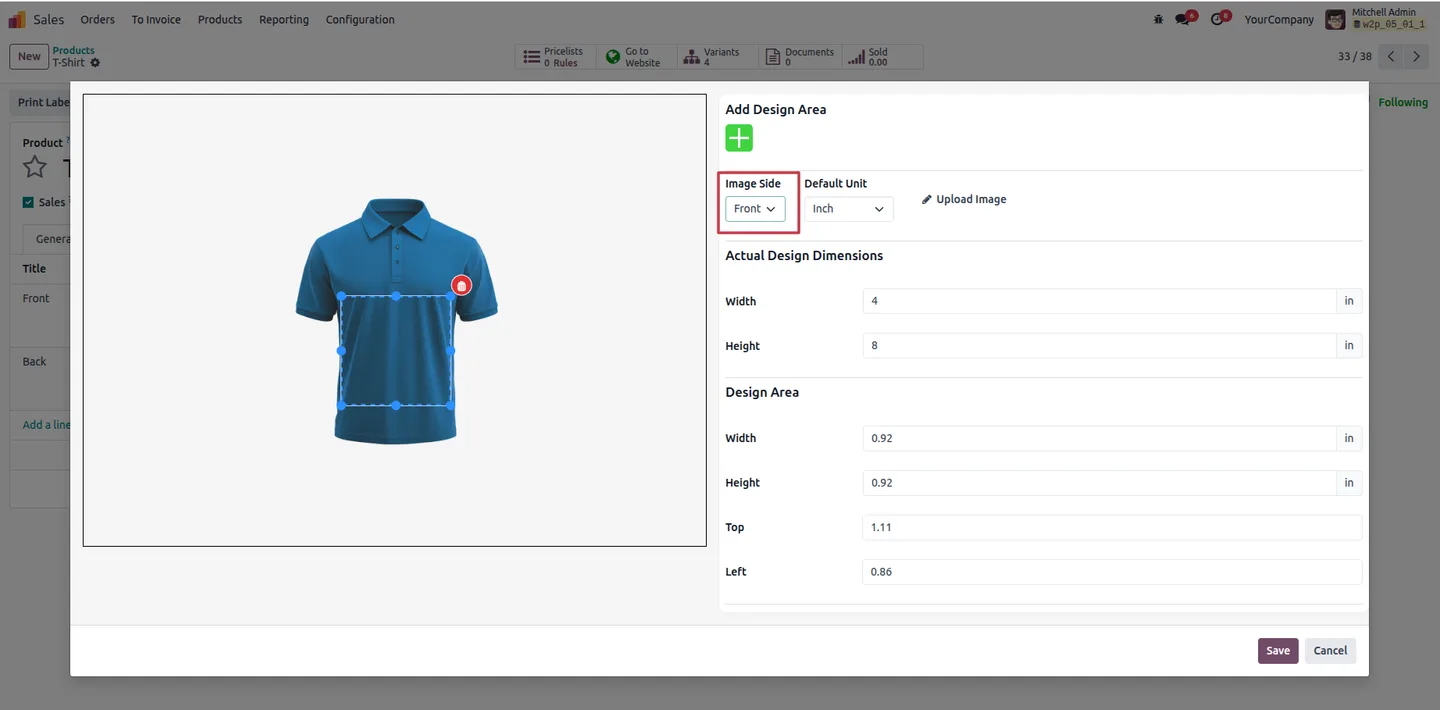
Define customizable areas — height, width, and design region — per product so designs are constrained to printable space on T-shirts, mugs, business cards, and more.
-
Variant-level designs
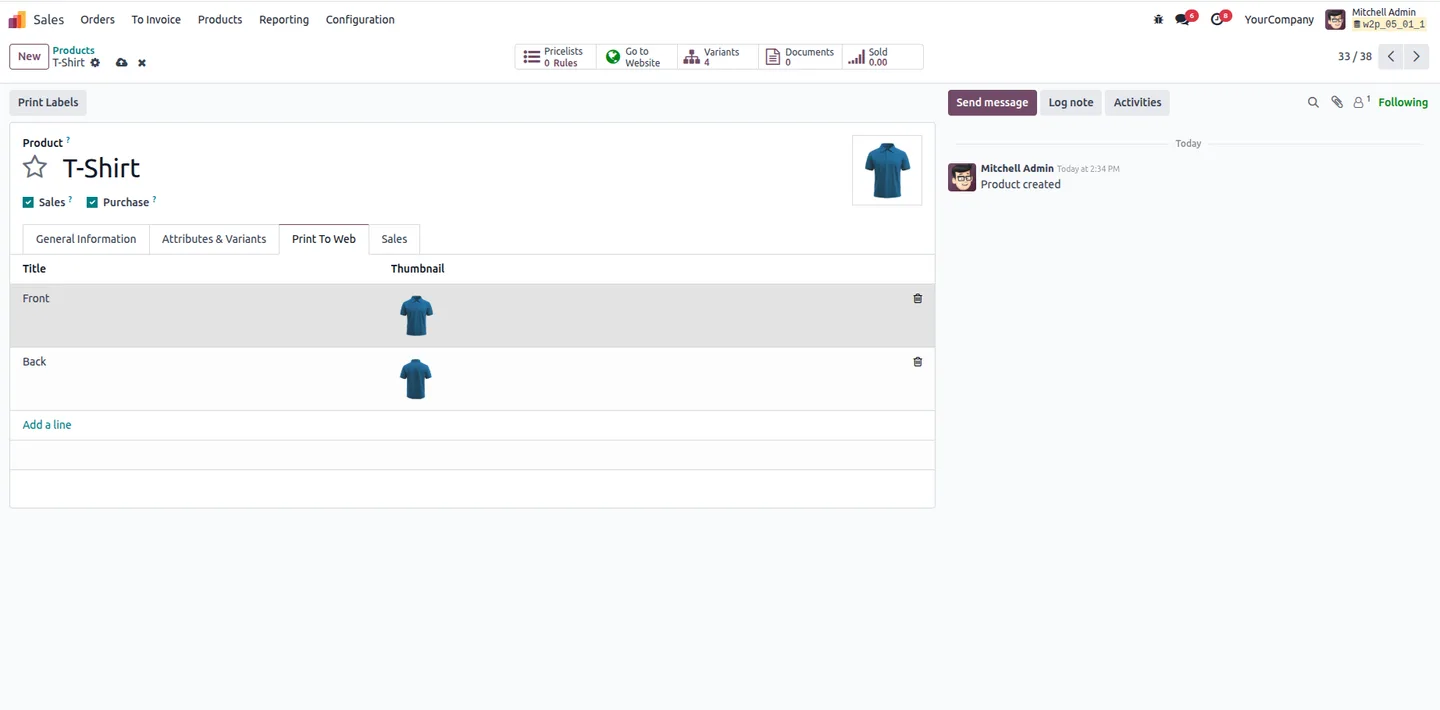
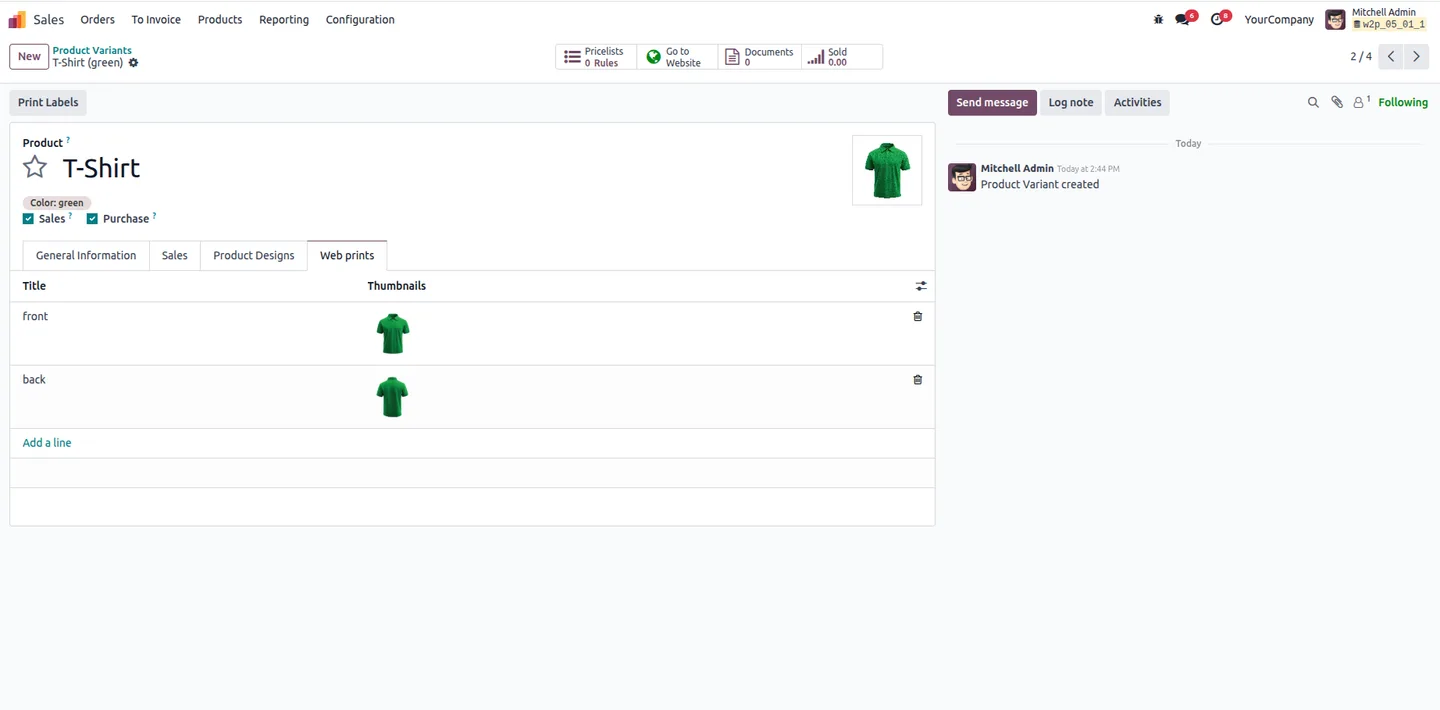
Upload design images per product variant and let customers swap variants mid-edit. Designs carry over or update for the chosen variant cleanly.
-
Auto-attach to sales orders
When checkout completes, the finished design attaches to the matching sales-order line automatically — no email handoff, no chasing customers for the file.
-
Design history per product
Every uploaded and customized design is kept in a log on the product, so support and operations can re-print or re-issue without re-doing the work.
-
View Design on the order line
Sales managers open the customer's design directly from the sales order with a View Design button — no inbox digging or attachment renaming.
-
Google Fonts support
Plug in a Google Fonts API key to expose the full font library inside the editor, so text designs match brand guidelines without uploading custom fonts.
-
100% Odoo native
Built specifically for Odoo Sales, eCommerce, Website, and Invoicing — no external Web-to-Print platform, no monthly SaaS subscription on top.
Product Personalizer in Odoo
Every screen, in the order you meet it — configuration first, then the module in use.
Technical details
Specification
- Publisher
- TechUltra Solutions Private Limited
- Technical name
- tus_product_personalizer
- Odoo versions
- 15.0, 16.0, 17.0, 18.0, 19.0
- Lines of code
- 29,544
- License
- Odoo Proprietary License v1.0 (OPL-1)
- Price
- $699 (one-time)
Deployment
- Odoo Online
- Odoo.sh
- On-premise
Odoo dependencies
- Sales
- eCommerce
- Website
- Invoicing
- Discuss
Support
90 days of bug-fix support, Monday to Friday (10:00–19:00 IST). Raise a ticket at support@techultra.in.
Setup & configuration
From install to first call — here is the path.
- 1
Install the module
In Odoo, open Apps, remove the Apps filter, search for “Product Personalizer”, and click Install. The module pulls in Sales, eCommerce, Website, Invoicing, and Discuss as dependencies.
- 2
Configure print zones on the product
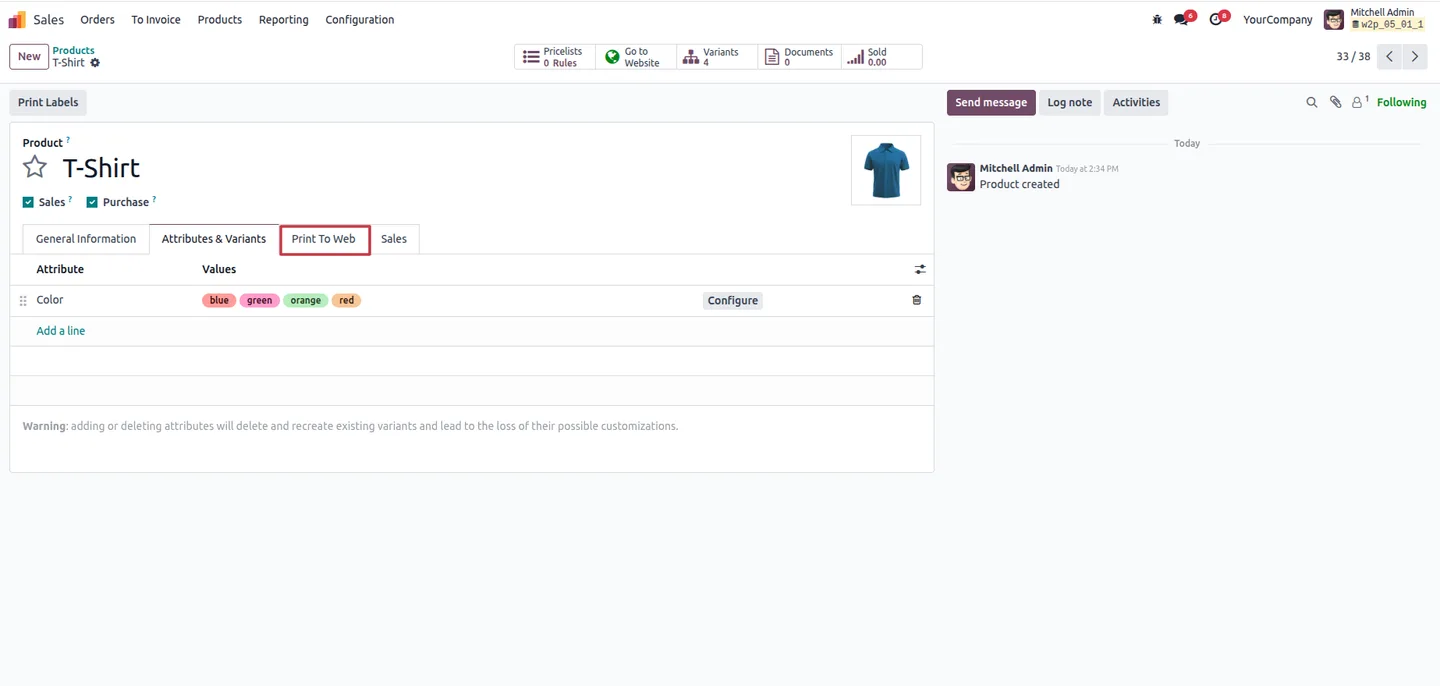
Go to Sales → Products → Products, open a customizable product, and use the Print to Web tab to define print zones — height, width, and design area — and to upload base template images.
- 3
Add design templates and variants
In the same tab, upload editable design templates customers can start from. For products with variants, open Product Variants and add per-variant design images so each colour or size has the right base.
- 4
Optional — connect Google Fonts
Add your Google Fonts API key in the editor configuration to expose the full Google Fonts library inside the customer-facing editor.
- 5
Publish and test on the storefront
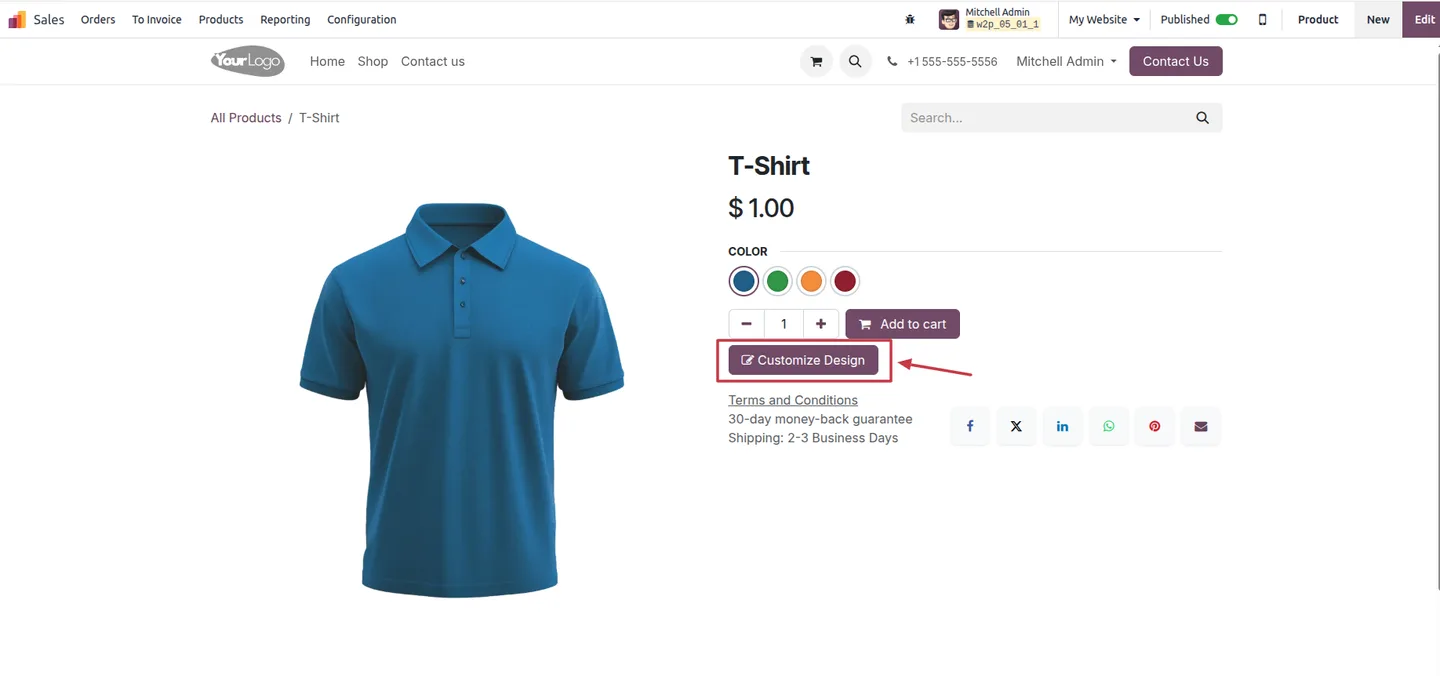
Publish the product on the website, click Customize Design, and step through the editor: upload an image, add text, save the logo, and download the preview to confirm the print zone behaves correctly.
- 6
Hand off the print-ready file
Place a test order, open the resulting sales order, and click View Design on the order line. The SVG, PNG, or JPG attached to the line is the file your production team will print.
Frequently asked questions
-
What kinds of products can customers personalize?
Any printable product: T-shirts and apparel, mugs, business cards, posters, signage, packaging, gifts, and other items where you let shoppers add text or artwork to a defined print zone.
-
Do customers need to install anything?
No. The editor runs in the browser on the Odoo eCommerce product page. It is responsive and works on mobile, tablet, and desktop without a plug-in.
-
Can shoppers upload their own design?
Yes. The Direct Image Upload flow accepts ready-to-print files for shoppers who already have artwork. Customers who don't can pick a template and edit it.
-
What file formats does the module produce?
It generates high-resolution SVG, PNG, or JPG files suitable for production, automatically attached to the matching sales-order line at checkout.
-
How do print zones work?
On each product, you set a printable area with height, width, and position. The editor constrains the customer's design to that zone so you never receive artwork that runs off the printable region.
-
Can the same product have different designs per variant?
Yes. You upload base design images per product variant — for example, a different base for each colour — and customers can swap variants mid-edit while keeping their work.
-
Does the module use any third-party Web-to-Print service?
No. Product Personalizer is 100% native to Odoo. There is no external SaaS to license and no extra dashboard for your team to learn.
-
What does production see when an order comes in?
The sales-order line carries a View Design button that opens the customer's finished artwork, plus the print-ready file attached on the order, so production can pick it straight up.
Related solutions
Whole-platform solutions that complement Product Personalizer.
Shopify + Odoo Integration
Native Shopify-to-Odoo bidirectional sync. Products, inventory, orders, customers, refunds, accounting entries in real time. Multi-store, multi-currency, B2B.
WooCommerce + Odoo Integration
Native WooCommerce-to-Odoo bidirectional sync. Products, inventory, orders, refunds, subscriptions, accounting entries. WP-Cron-free, reliable, B2B-ready.
Amazon (Seller / Vendor Central) + Odoo Integration
Native Amazon-to-Odoo sync — Seller Central (FBM/FBA), Vendor Central, multi-marketplace. Orders, inventory, fees, reimbursements reconciled to Odoo accounting.
Related services
Get the most out of this module with senior TechUltra consultants.
Odoo Customization Services
Tailored Odoo customizations from a Gold Partner — 200+ projects, upgrade-safe patterns, fixed-scope quotes, senior consultants. Free demo consultation.
Hire Odoo Developers
Hire certified Odoo developers from a Gold Partner — 400+ implementations, 92% satisfaction, Odoo since 2016. Silver / Gold / Platinum packages, free trial.
Odoo Support & Maintenance
Odoo Gold Partner support — 24/7 functional, technical, and server coverage for Enterprise and Community editions. Fast turnaround, free consultation.