Odoo App · Marketing
Social Marketing Community
Schedule and manage Facebook and Instagram posts from Odoo Community Edition.
Overview
Social Marketing Community brings social media management to Odoo Community Edition, where the feature is otherwise reserved for the Enterprise version. It lets teams plan, schedule, and publish posts without leaving Odoo.
Built by TechUltra Solutions, the module connects Facebook and Instagram accounts and supports multiple accounts at once. From a single dashboard, marketing teams create posts with images or video, add hashtags, schedule them ahead of time, and post to more than one platform together.
Beyond posting, the module covers campaigns, post analytics, engagement and click tracking, and a social feeds dashboard. It supports multiple users, marketing-team collaboration, and approval workflows, and can display social feeds and sharing buttons directly on an Odoo Website.
Key features
-
Facebook and Instagram integration
Connect Facebook and Instagram accounts to Odoo, including multiple accounts, so all your social activity runs from one place.
-
Post creation and scheduling
Create social posts inside Odoo and schedule them to publish at a chosen time, so your team can plan content in advance.
-
Multi-platform posting
Publish a single post to more than one connected platform at once, instead of recreating the same content for each account.
-
Media and hashtag support
Add images and video to posts, include hashtags, and use URL preview support so links display cleanly when published.
-
Campaign management
Group posts into campaigns and track them, giving structure to ongoing marketing activity rather than one-off posts.
-
Analytics and engagement tracking
Post analytics, engagement tracking, and click tracking show how content performs so you can refine future posts.
-
Social feeds dashboard
A social feeds dashboard and social stream management bring incoming social activity into one view inside Odoo.
-
Team collaboration and approvals
Multi-user support, marketing-team collaboration, activity tracking, and approval workflows let a team review posts before they go live.
-
Website social widgets
Show social feeds, social widgets and snippets, and social sharing buttons on an Odoo Website to extend reach.
-
AI-ready captions and WhatsApp sharing
The module supports AI-ready captions and WhatsApp sharing integration, with a mobile-responsive UI for managing posts on the go.
Social Marketing Community in Odoo
Every screen, in the order you meet it — configuration first, then the module in use.
Technical details
Specification
- Publisher
- TechUltra Solutions Private Limited
- Technical name
- odoo_social_marketing
- Odoo versions
- 17.0
- Lines of code
- 3,705
- License
- Odoo Proprietary License v1.0 (OPL-1)
- Price
- $59 (one-time)
Deployment
- Odoo Online
- Odoo.sh
- On-premise
Odoo dependencies
- Discuss
- Website
Support
90 days of bug-fix support, Monday to Friday (10:00–19:00 IST). Raise a ticket at support@techultra.in.
Setup & configuration
From install to first call — here is the path.
- 1
Install the module
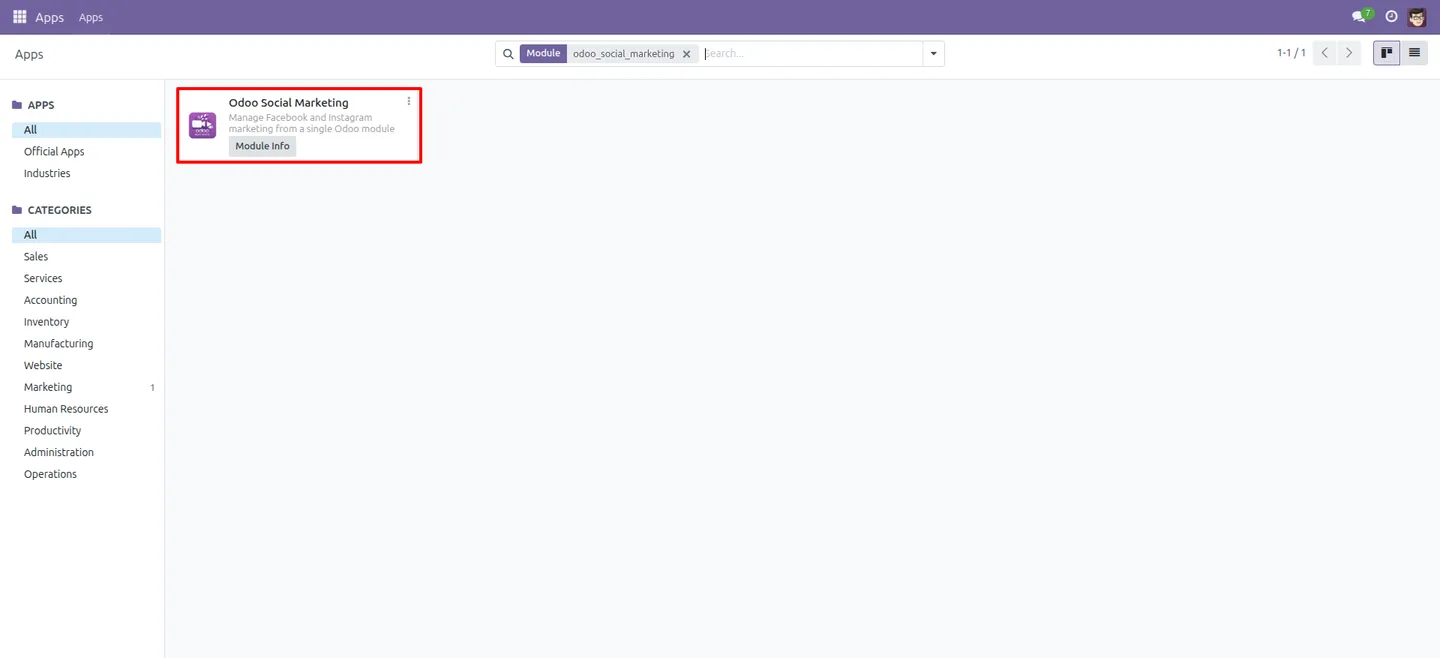
In Odoo, open Apps, remove the Apps filter, search for “Social Marketing Community”, and click Install.
- 2
Connect your social accounts
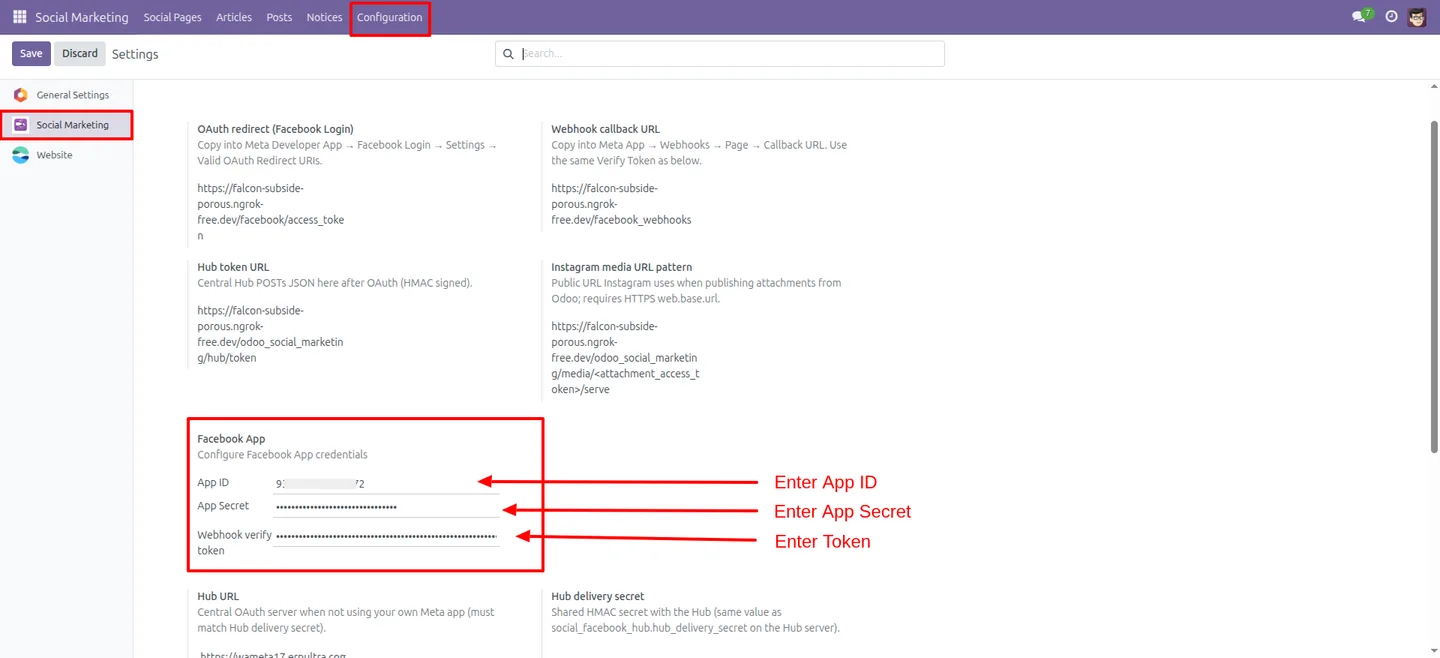
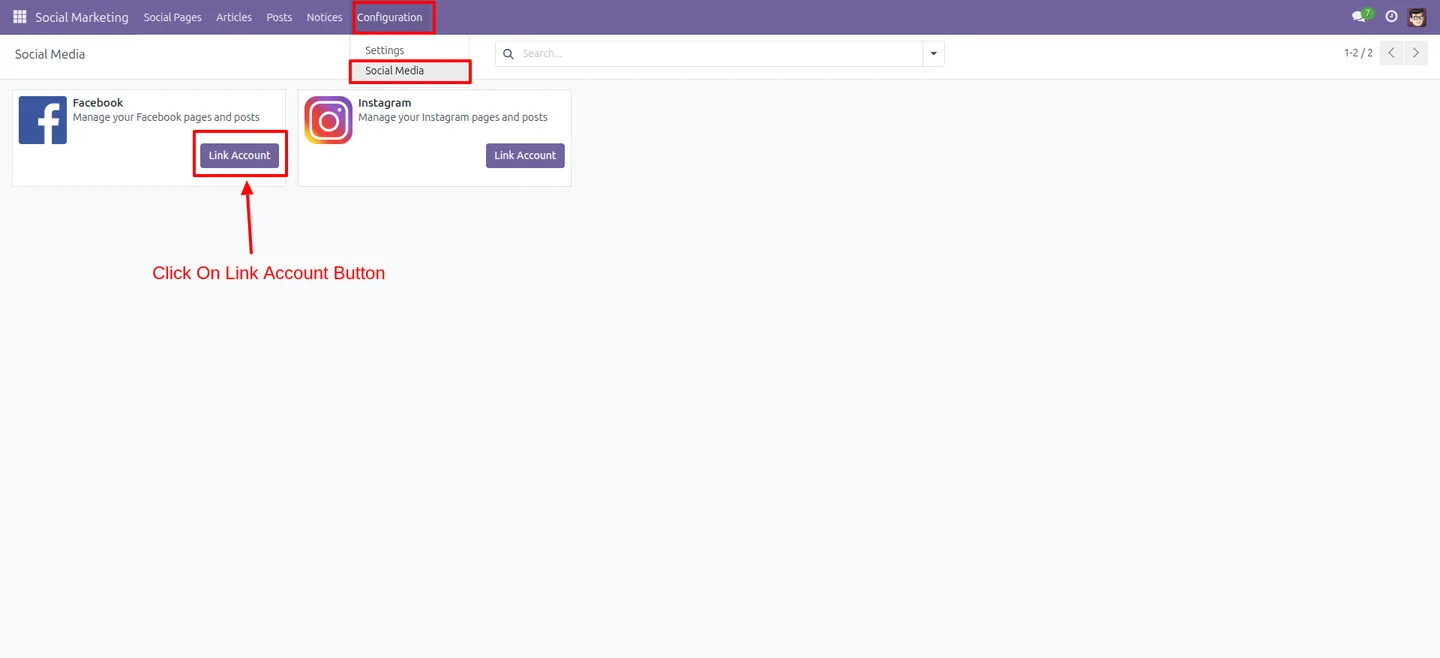
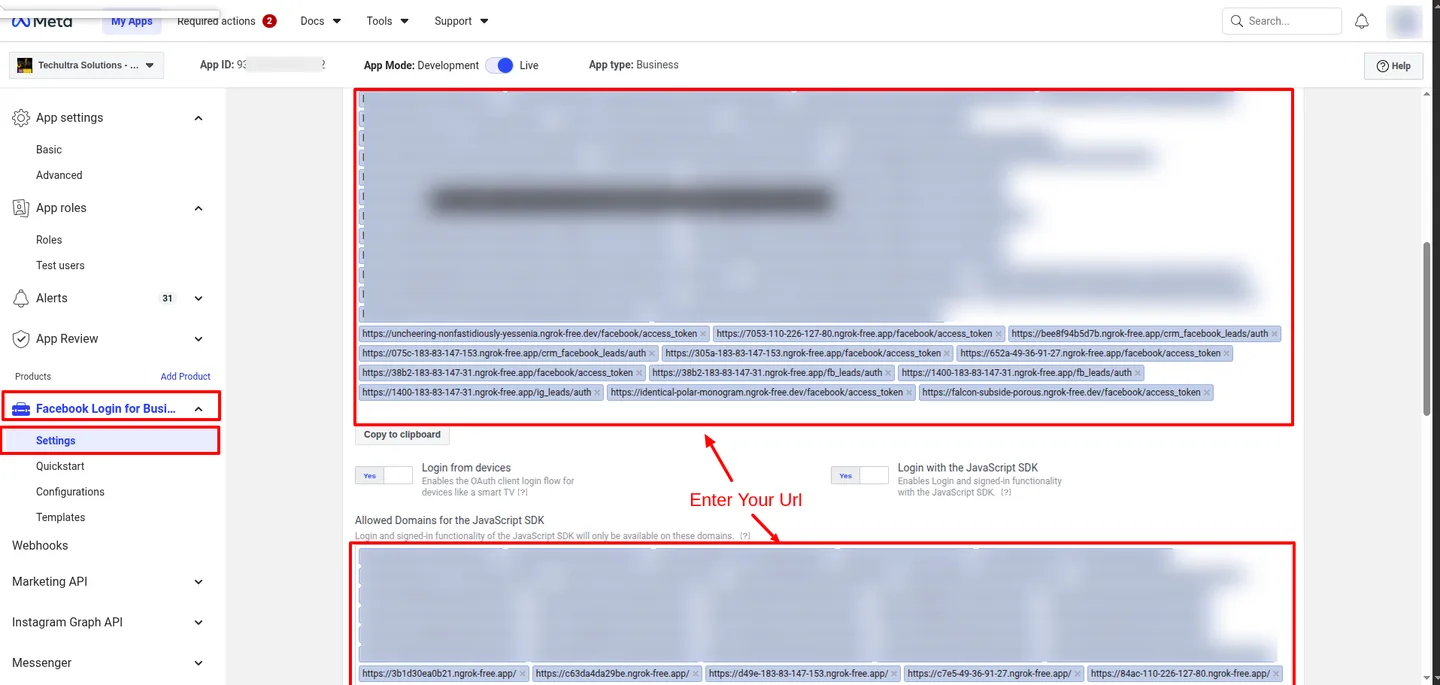
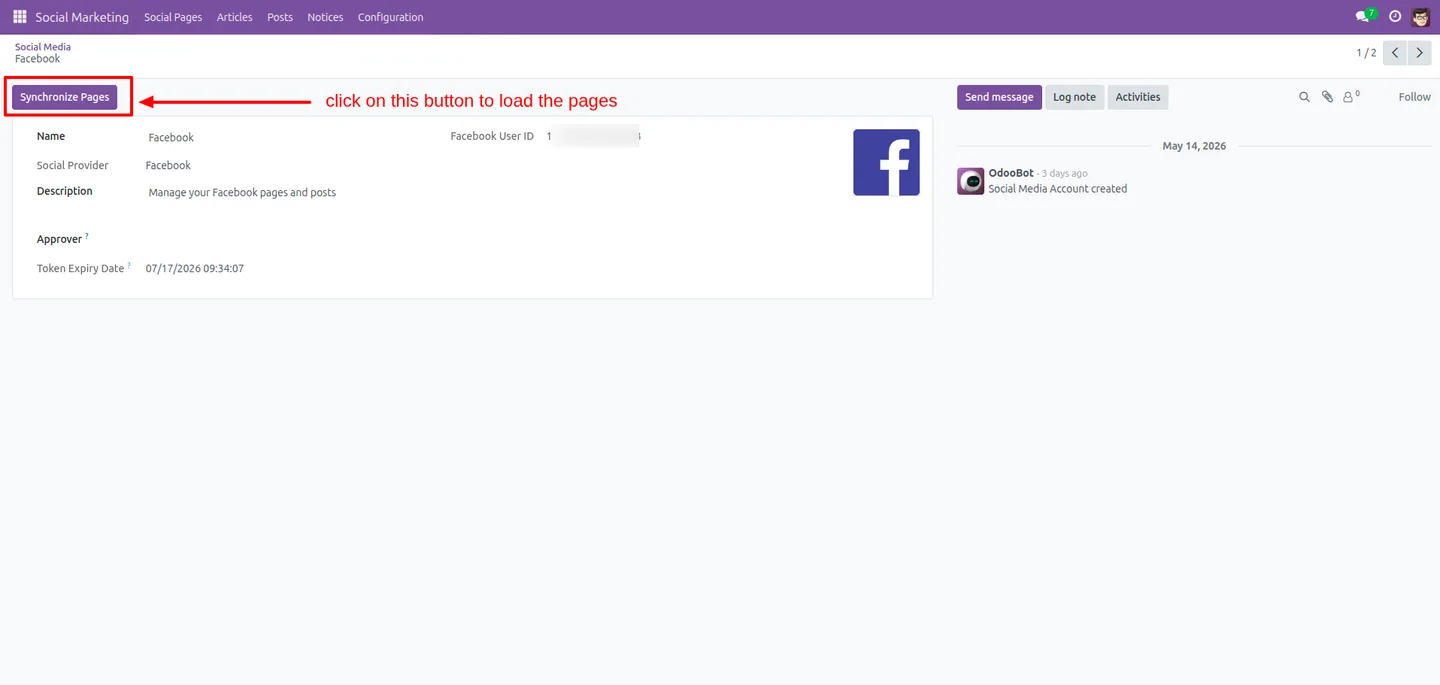
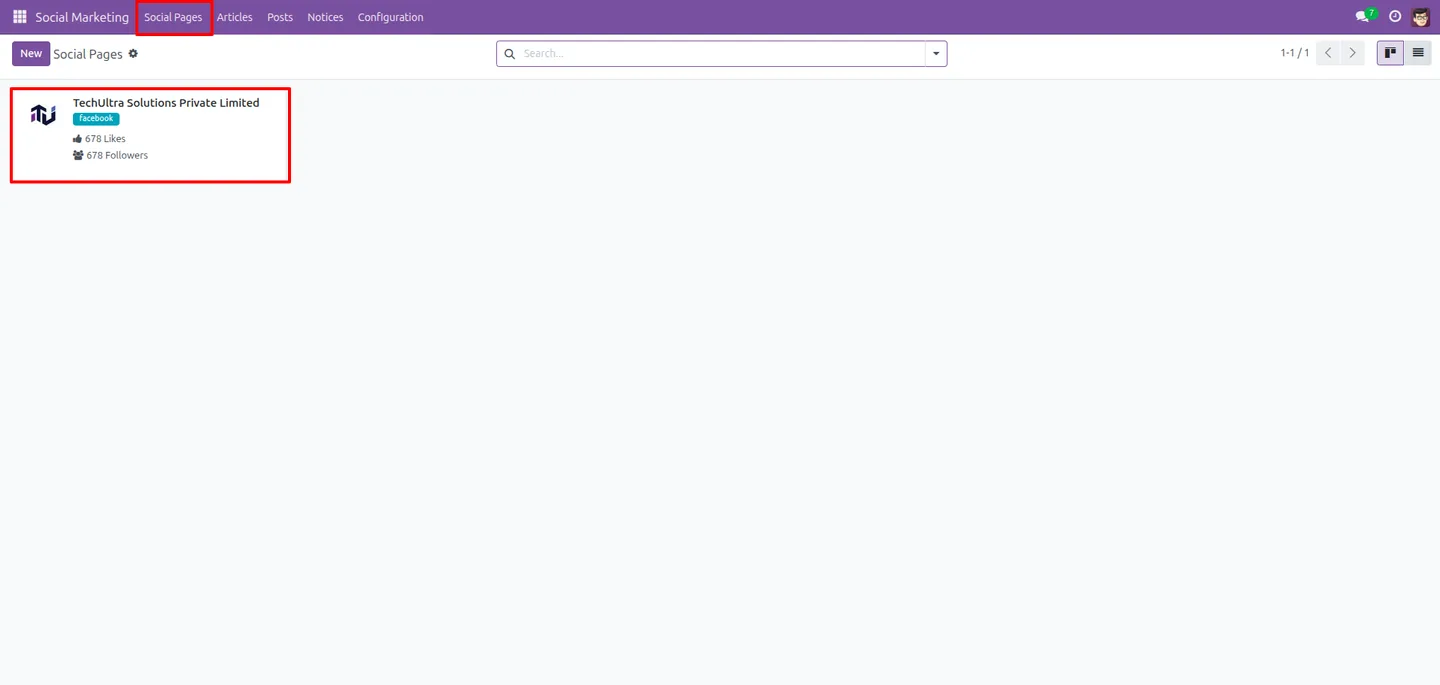
Open the Social Marketing configuration and connect your Facebook and Instagram accounts. Add more than one account if you manage several pages.
- 3
Set up your marketing team
Add the marketing-team members who will create posts and, if you use approvals, decide who reviews content before it publishes.
- 4
Create and schedule a post
Compose a post with text, media, and hashtags, choose the platforms, and schedule it for a future time or publish it immediately.
- 5
Review campaign analytics
Open the analytics views to track engagement and clicks, and use the social feeds dashboard to monitor activity across accounts.
Frequently asked questions
-
What does Social Marketing Community do?
It adds social media management to Odoo Community Edition. You connect social accounts, create and schedule posts, run campaigns, and track engagement from a single dashboard inside Odoo.
-
Which social platforms are supported?
The module integrates Facebook and Instagram, with support for multiple accounts. It is built so a marketing team can manage those channels directly from Odoo.
-
Why use this if Odoo Enterprise already has Social Marketing?
Odoo's built-in Social Marketing is an Enterprise feature. This module brings comparable posting, scheduling, and analytics to Community Edition at a one-time price of $59.
-
Can I schedule posts ahead of time?
Yes. You create posts inside Odoo and schedule them to publish at a chosen time, so the team can plan a content calendar in advance.
-
Does it support team approvals?
Yes. The module includes multi-user support, marketing-team collaboration, activity tracking, and approval workflows so posts can be reviewed before going live.
-
Which Odoo version does it support?
The App Store listing supports Odoo 17.0. It depends on the Discuss and Website modules.
-
Can I show social feeds on my website?
Yes. The module can display social feeds, widgets and snippets, and social sharing buttons on an Odoo Website to extend your reach.
-
Is support included?
Yes. The module includes 90 days of bug-fix support, Monday to Friday, 10:00–19:00 IST. Raise a ticket at support@techultra.in.
Listing verified against the Odoo App Store:
Related services
Get the most out of this module with senior TechUltra consultants.
Odoo Customization Services
Tailored Odoo customizations from a Gold Partner — 200+ projects, upgrade-safe patterns, fixed-scope quotes, senior consultants. Free demo consultation.
Hire Odoo Developers
Hire certified Odoo developers from a Gold Partner — 400+ implementations, 92% satisfaction, Odoo since 2016. Silver / Gold / Platinum packages, free trial.
Odoo Support & Maintenance
Odoo Gold Partner support — 24/7 functional, technical, and server coverage for Enterprise and Community editions. Fast turnaround, free consultation.