
OCR AI
OCR AI Purchase Order
Auto-extract internal purchase requests, vendor quotations, and PO acknowledgements from PDFs and email — converted into Odoo purchase records with vendor matching and approval routing.
Last reviewed:

What it is
An AI pipeline that ingests procurement documents (internal purchase requests from email, vendor quotations, PO acknowledgements) and converts them into structured Odoo records — RFQs become Odoo RFQs, vendor quotations attach against the right RFQ for comparison, and PO acknowledgements update existing POs with confirmed delivery dates and any vendor-side changes flagged.
Why it matters
Procurement teams juggle three document streams: internal purchase requests (email from operations, often with screenshots or attached specs), vendor quotations (PDFs in response to RFQs), and PO acknowledgements (vendor-side confirmation often with revised delivery dates). All three currently land in someone's inbox and get manually transferred. Automation cuts request-to-PO time substantially and surfaces vendor-side delivery-date changes that would otherwise be missed.
Features
| Capability | What it does |
|---|---|
| Three document types | Internal purchase requests, vendor quotations against RFQs, and PO acknowledgements — all flow through the same pipeline with type-specific routing in Odoo. |
| RFQ-quotation matching | Vendor quotations auto-attach to the right RFQ (matching by RFQ number or by SKU/quantity). Side-by-side comparison view enabled in Odoo. |
| Vendor matching | Matches against existing vendor master by name, GST, address, or bank details. New vendors flagged for one-time creation with required-document checklist. |
| Acknowledgement reconciliation | PO acknowledgements compared against original PO; differences (delivery date, price, quantity) flagged for buyer review with the discrepancy highlighted. |
| Multi-currency support | Vendor quotations in any currency converted to your base currency at the live FX rate. Currency variance reports for hedging decisions. |
| Approval routing | Purchase requests route to approvers based on amount, category, or department. Approver sees the original document alongside structured data. |
| Spec attachment handling | Internal purchase requests often include spec documents (product datasheets, drawings). These attach to the Odoo RFQ as references for the vendor outreach phase. |
| Continuous learning | Every procurement-team correction feeds back to the model. Accuracy improves week-over-week without manual retraining. |
How it works
-
Install the module
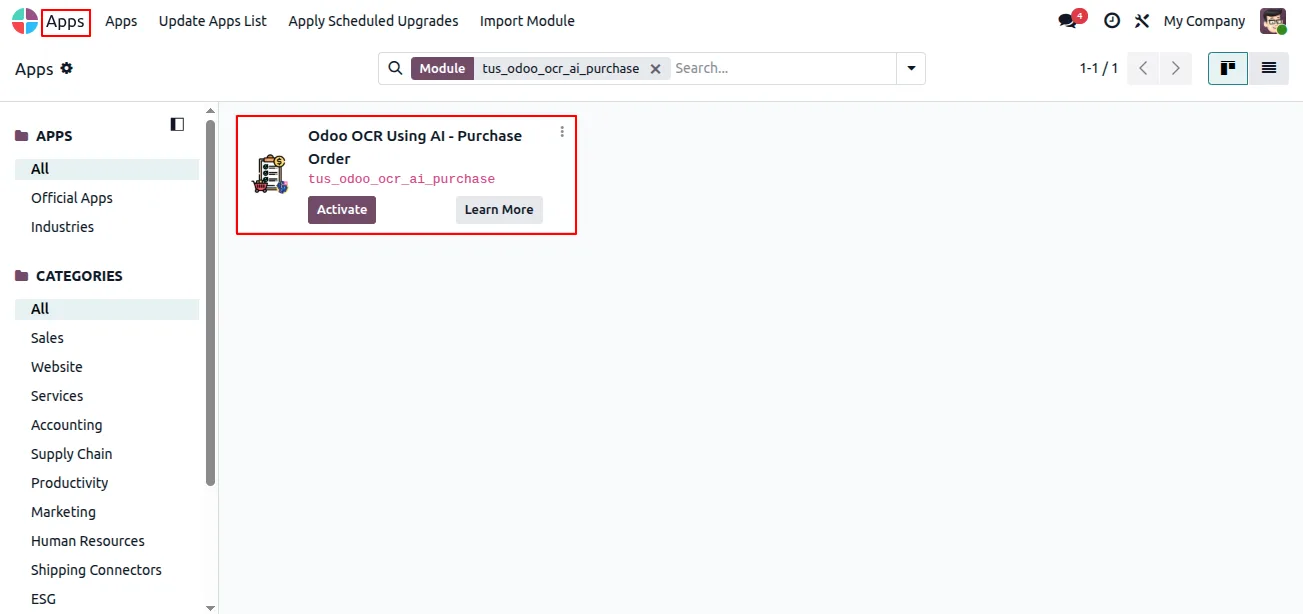
In Odoo, open Apps, remove the Apps filter, search for “Odoo OCR AI — Purchase Orders”, and click Install. The shared Odoo OCR AI Base module installs with it.
-
Create an OCR AI account
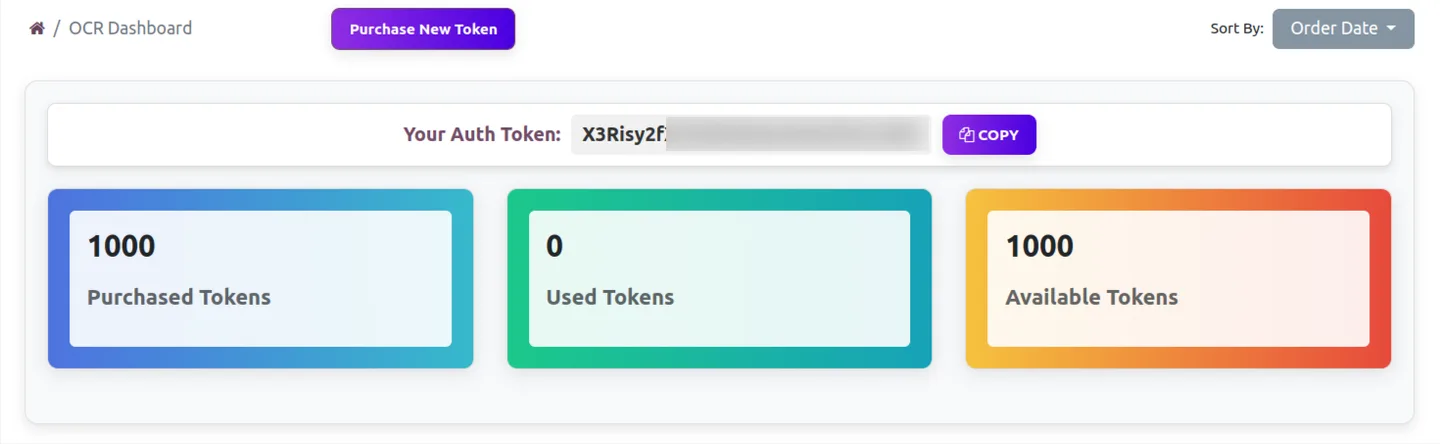
Register at ai.fynix.app and copy your authentication key from the OCR dashboard. Each company in a multi-company Odoo database can use its own token.
-
Buy OCR tokens
Purchase OCR tokens from ai.fynix.app/shop — 2 million tokens for $20 USD. Tokens are consumed per page as documents are processed; a typical quote uses a few thousand tokens.

-
Configure the connection
Enable developer mode, go to Settings → OCR AI Integration, paste the company authentication token, and set the server URL to https://ai.fynix.app/tus_ocr_api.
-
Map the purchase order fields
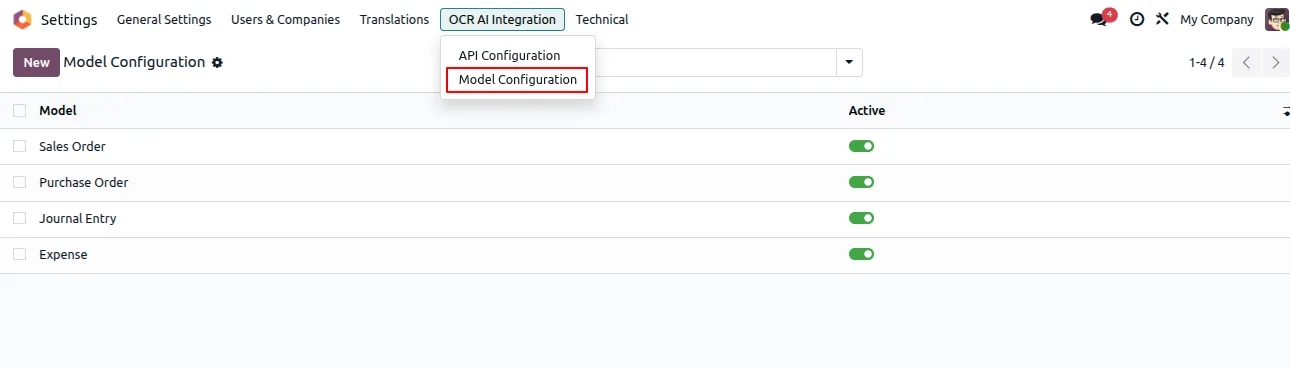
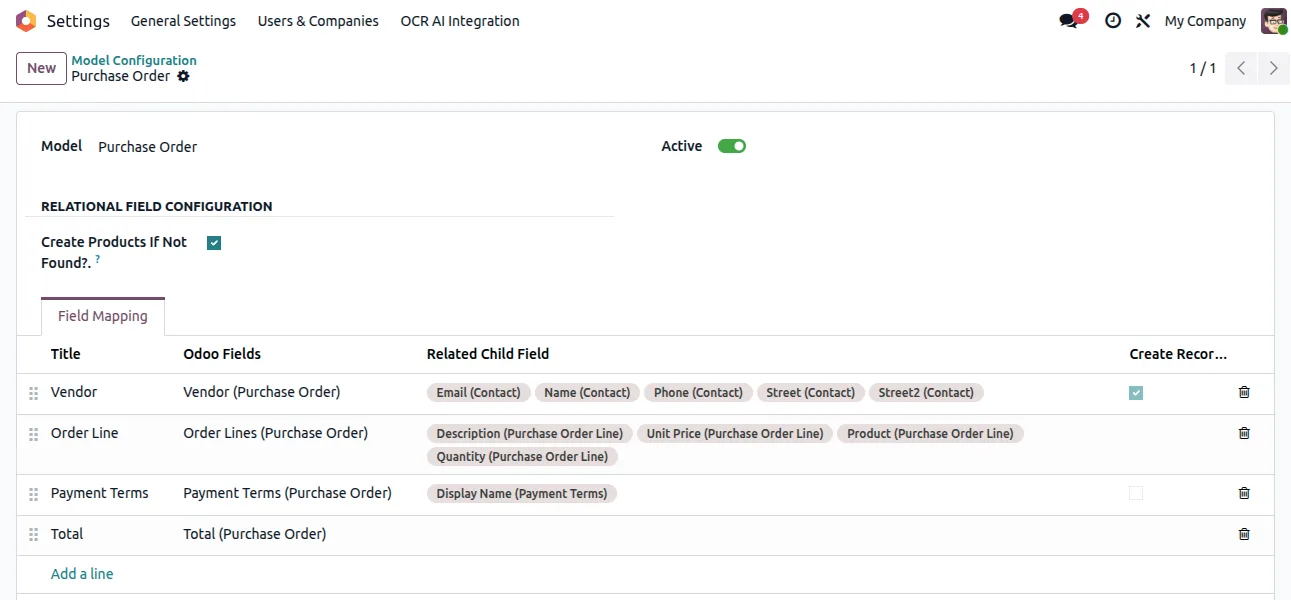
Open Settings → OCR AI Integration → Model Configuration and map the extracted fields onto the Purchase Order model.
-
Upload and create
Upload a supplier quotation or order document as a PDF or image, let the AI read it, and create the Odoo purchase order with a single click.
Deployment timeline
Standard deployment is 6–10 weeks. Existing OCR Invoice deployments share infrastructure — sister deployments save 2 weeks. The bottleneck is usually the spread of document formats across the three types; consolidating templates with vendors before deployment helps.
Best for
Procurement teams on Odoo 16, 17, 18, or 19 (Community or Enterprise) that want to remove manual supplier-quote data entry without commissioning a custom OCR pipeline. Especially useful when suppliers send PDFs of quotations and proformas via email in many different layouts, since the AI is layout-agnostic and does not need per-supplier templates. The free module + per-token extraction backend ($20 USD for 2 million tokens, fractions of a cent per document) means the unit economics work at low volume — no minimum quote count is needed to justify the spend. Multi-company Odoo databases are supported via per-company OCR tokens.
Frequently asked questions
-
How is this different from OCR AI Invoice?
OCR Invoice handles vendor invoices (the document the vendor sends asking to be paid). OCR Purchase Order handles the documents around buying — internal purchase requests, vendor quotations, and PO acknowledgements. Same underlying technology, different document types and downstream workflow.
-
What's a PO acknowledgement and why does it matter?
When you send a vendor a PO, they often respond with a written acknowledgement confirming delivery date and pricing. Sometimes they revise the delivery date (lead time was longer than the PO assumed) or split the order across multiple shipments. If those changes are missed, production schedules slip without anyone noticing — until the part doesn't arrive.
-
Can it handle vendor quotations in multiple currencies?
Yes — quotations in any currency convert to your base currency at the live FX rate. Currency variance reports help finance hedge or lock pricing for high-value orders. Multi-currency RFQ comparisons work natively.
-
Does it work with our existing approval workflow?
Yes — Odoo's standard approval workflow handles routing based on amount, category, department, or custom rules. Our pipeline creates draft purchase records; existing approval logic takes over.
-
Can vendors send quotations directly?
Yes — we set up a quotations email address that routes attachments through the pipeline. Vendor sends quotation; pipeline extracts data and attaches it to the right RFQ in Odoo. Procurement team sees the comparison view without manual data entry.
-
What about EDI for vendor quotations?
EDI handles vendor relationships at scale, but most mid-market vendors don't support EDI for quotations (they support 850 POs and 856 ASNs but not 843 quotations). OCR AI fills the gap. Mixed environments work fine — EDI where supported, OCR for everyone else.
-
Implementation timeline?
6–10 weeks. Faster (4–6 weeks) if you're also deploying OCR Invoice — shared infrastructure cuts duplicated discovery and integration work.