
AI solution
The part of your operation Odoo's AI cannot see.
Odoo's AI reads and writes records. It does not know where the pallet is, that the forklift cannot turn in aisle 7, or that the scanner loses signal in the cold room.
Last reviewed
AI solution
- Odoo App Store module
- Free calculator
What the records hold, and what they leave out
What Odoo’s AI can read
- FRM-2040 WH/A/12/3 ×4
- PNL-0117 WH/C/04/1 ×12
- BRK-8830 WH/A/03/2 ×2
- SLD-4402 WH/D/21/4 ×6
- CAP-1290 WH/B/09/1 ×24
A location code names a place without describing one. Nothing here says how far A/12 is from C/04, which aisle a forklift cannot turn in, or where the scanner drops signal.
What the digital twin adds
The same five lines, placed in the building, with the walk between them measured. Sequencing a list and routing through a space are different problems.
Everything Odoo's AI does happens in the database. That is genuinely useful — it can read a document, create a record, answer a question about stock on hand. What it cannot do is reason about the building, because the building is not in the database.
A 3D digital twin puts the space itself into Odoo: zones, aisles, racks and bins as a live spatial model, with pick paths computed across the real geometry and stock levels shown where the stock physically is. That is a different class of problem from the one Odoo's AI solves, and Odoo has no roadmap for it.
We build it as an Odoo module rather than a separate system, so the spatial model reads from the same stock records everything else does.
- 30–45 percentage points accuracy gap between generic built-in AI and a model trained on a company's own historical data, on business forecasting Source: Odoo partner AI services analysis 2026 (opens in a new tab)
The product behind it
Published on the Odoo App Store, versioned and priced. Every figure below is the module's own.
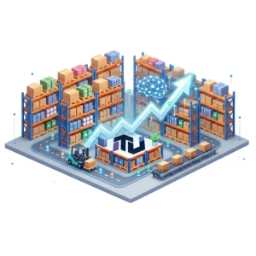
Odoo 3D Warehouse — Digital Twin, AI Layout & Picking Routes
Turn Odoo stock locations into an interactive 3D warehouse map with capacity heatmaps, shortest-path picking, and on-map barcode scanning.
- Price
- $248.99
- Odoo
- 19.0
- Technical name
- techultra_warehouse_3d
- Runs on
- Odoo OnlineOdoo.shOn-premise
Questions we get asked
-
Can Odoo optimise warehouse pick paths on its own?
Only in the sense that it sequences picks from your location hierarchy. Odoo does not know the distance between two bins, that a forklift cannot turn in a particular aisle, or where a scanner loses signal — because the building is not in the database. Sequencing a list is not the same as routing through a space.
-
What is a warehouse digital twin?
A live spatial model of the building held inside Odoo: zones, aisles, racks and bins with real geometry, stock shown where it physically sits, and pick paths computed across that geometry. It reads from the same stock records as everything else, so it is not a second system to reconcile.
-
Do we need Odoo Enterprise for this?
No. This is a TechUltra module rather than a native Odoo AI feature, so the Enterprise requirement that governs Odoo's own AI does not apply to it. Odoo's native AI features are a separate question, and the eligibility checker answers that one in twenty seconds.
Want this scoped for your operation?
A 30-minute conversation with someone who has configured Odoo's AI in production — including the parts that did not work.