HR and payroll in Odoo
HR and payroll software for India, on Odoo
What Odoo's Indian payroll computes, the statutory reports it produces, a month of payroll step by step, and what still needs setting up.
Last reviewed:
What does Odoo's Indian payroll calculate?
These are the salary rules in the India: Regular Pay structure of Odoo 20's Indian Payroll module (l10n_in_hr_payroll). Interns are paid on a separate Stipend structure.
| Salary rule | Code | How it is worked out |
|---|---|---|
| Basic Salary | BASIC | Basic pay, set as a percentage of the wage on the employee's contract |
| House Rent Allowance | HRA | A percentage of basic |
| Standard, Leave Travel and Fixed allowances, Performance Bonus | STD · LTA · SPL · P_BONUS | Each a percentage of basic, switched on per contract |
| Phone, internet, meal vouchers, company transport | MOB · INT · MEAL · CAR | Fixed amounts from the contract |
| Professional Tax | PT | Looked up from the state slab chosen on the contract, by gross salary |
| Provident Fund, employee and employer | PF · PFE | Percentages of basic, for employees with PF switched on |
| Employees' State Insurance, employee and employer | ESICS · ESICF | Percentages of gross, applied only while gross is under the ESI wage ceiling |
| Labour Welfare Fund, employee and employer | LWFE · LWF | Contract amounts, deducted in the months set by the deduction cycle on the contract |
| Gratuity | GRATUITY | A percentage of basic on each payslip, for contracts with gratuity switched on |
| Tax Deducted at Source | TDS | Projected from the employee's annual income and tax declaration, spread monthly, quarterly or half-yearly |
The TDS rate chart in the module carries the income-tax slabs in force from 1 April 2025: nil up to ₹4 lakh, then 5% steps to 30% above ₹24 lakh, with surcharge bands on top. Rates, ceilings and state Professional Tax slabs are rule parameters, so a budget change is a dated update rather than new code.
Which statutory reports and files does it produce?
- EPF report and EPF summary for a month, exported to Excel.
- ESIC report for a month.
- Form 138, the quarterly TDS statement, built from your TDS challans and exported as a text file.
- Payment Advice (PDF or Excel) and an ENet CSV for NEFT or RTGS salary transfers from your bank.
- Salary register, monthly salary statement and yearly salary by employee.
- Labour Welfare Fund report and a gratuity calculation report.
- Each employee's tax declaration for the financial year, with the TDS worked out.
Employee records hold the UAN, PAN, ESIC number and PF and LWF account numbers, and Odoo rejects a duplicate UAN, PAN or ESIC number. For registers in the formats Indian payroll teams ask for (PF with UAN, ESI with IP numbers, state-wise Professional Tax, LWF and a TDS summary), our own HR India Reports app adds them on Odoo 19 and 20.
What does a month of payroll look like in Odoo?
Screens are from an Odoo 20 demo database with a US company and dollar amounts. An Indian company sees the same screens with the India: Regular Pay structure and amounts in rupees. Click a screenshot to open it full size.
-
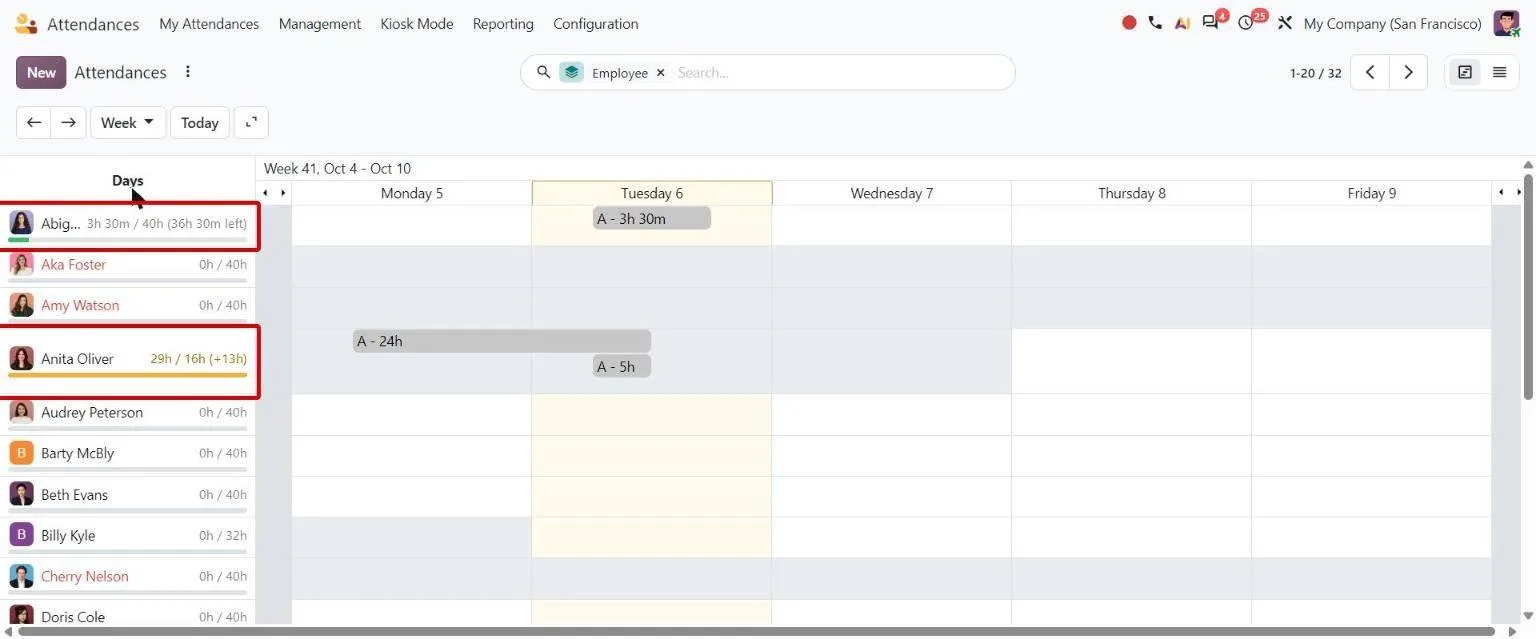
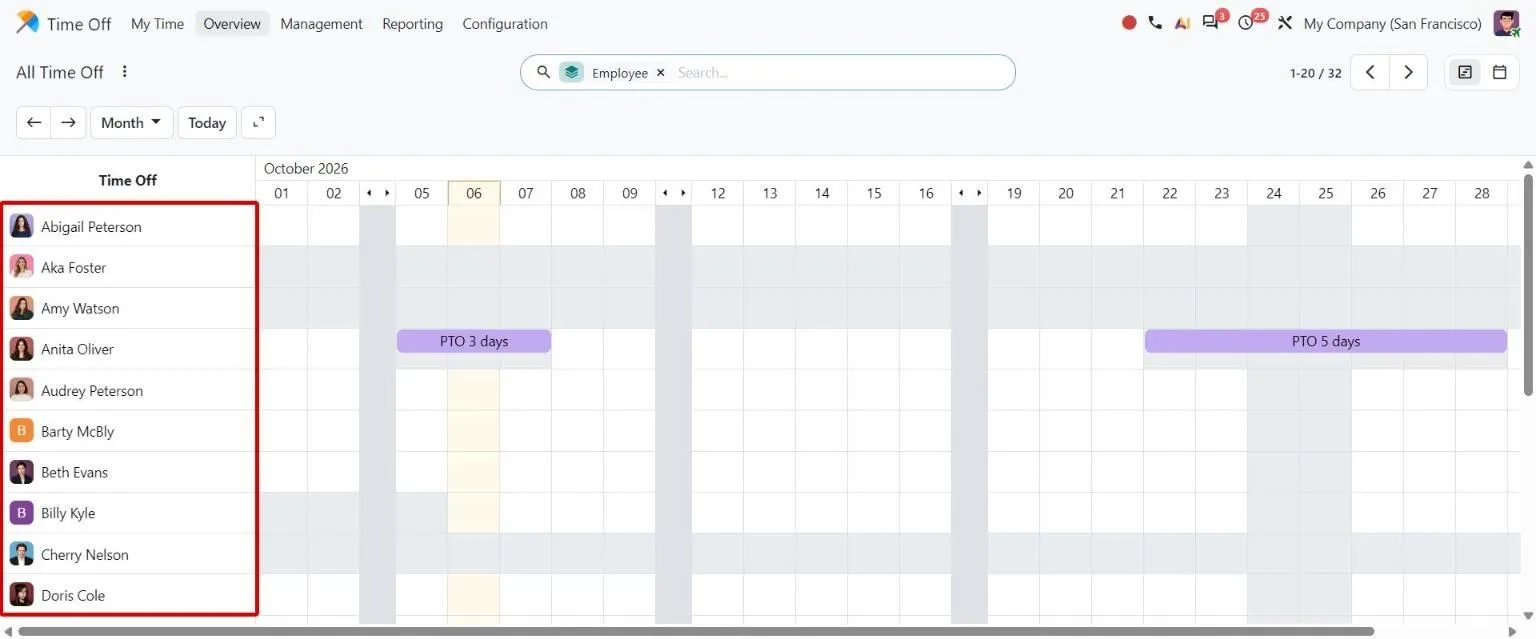
Attendance and time off come in
Employees check in through Attendances and request leave in Time Off. Managers approve leave in the app. Approved leave, and attendance for contracts paid on attendance, feed the payslip's worked days.
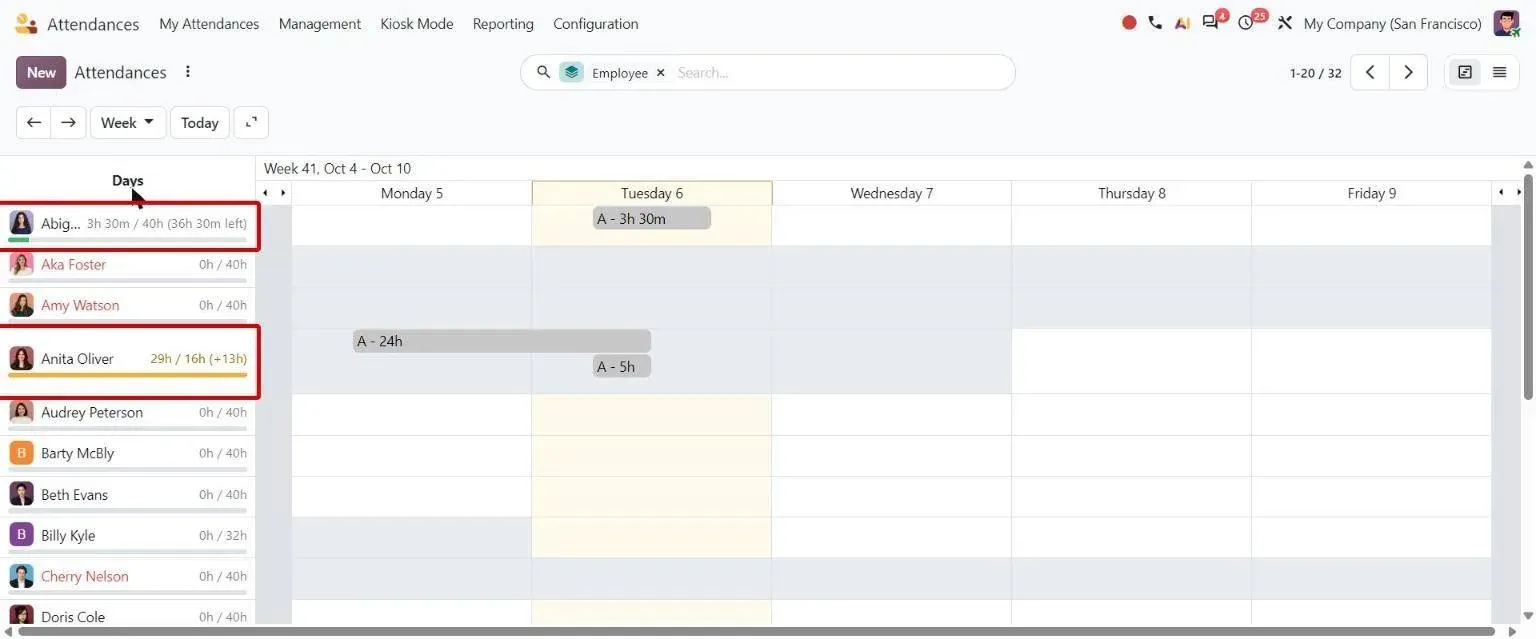
Odoo 20 Attendances Gantt view: one row per employee, with hours colour-coded green when under the schedule and orange for overtime -
Contract and salary structure set the pay
Each employee's contract carries the wage, the India: Regular Pay structure (or Stipend for interns), the allowance percentages and the PF, ESI, Professional Tax and LWF switches.
-
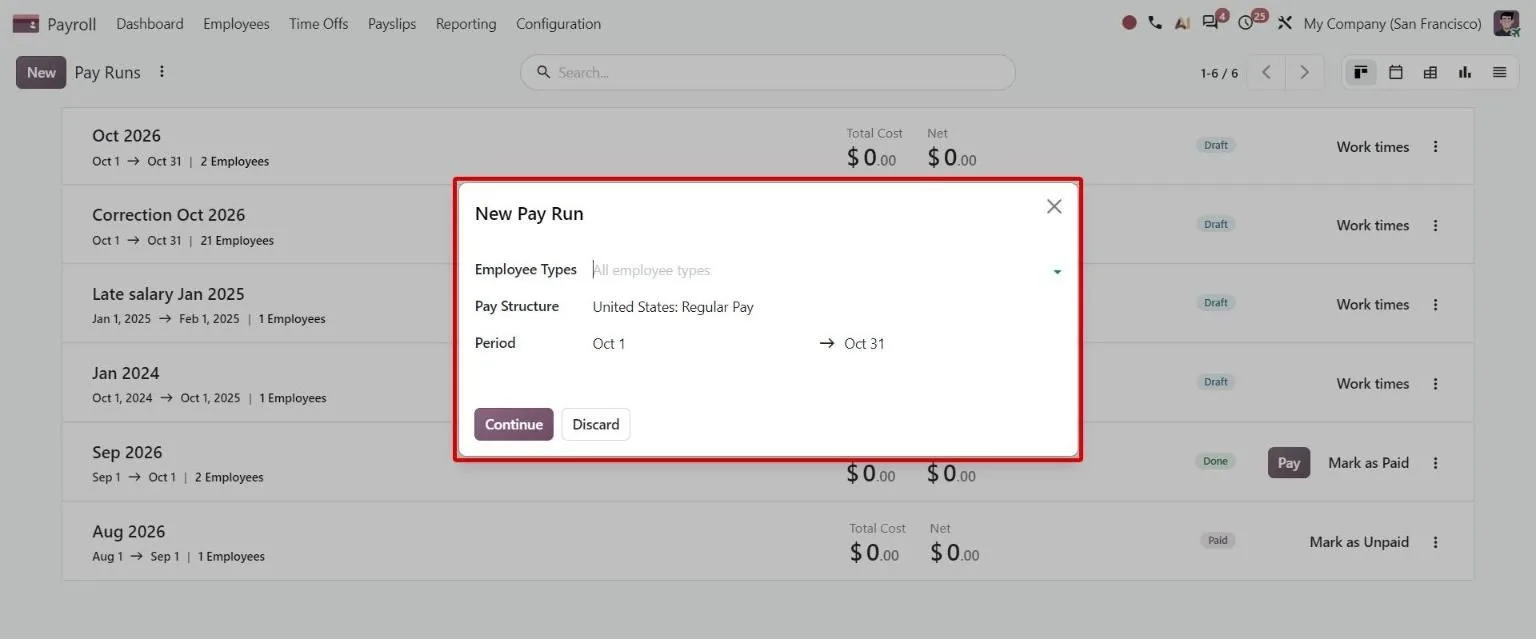
Run payroll for the month
Start a pay run for the period. Odoo computes every payslip: basic, allowances, then PF, ESI, Professional Tax, LWF and TDS lines.
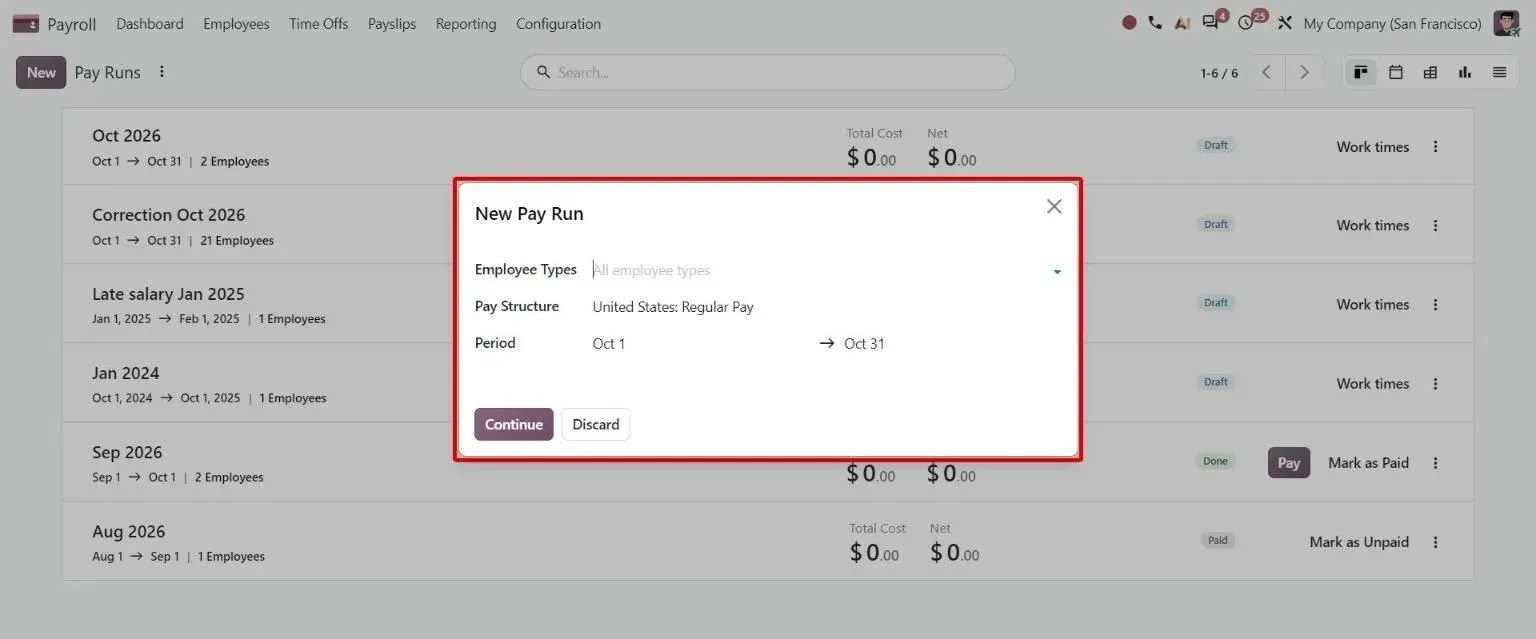
Odoo 20 Payroll Pay Runs list with the New Pay Run dialog open, asking for employee types, pay structure and the pay period -
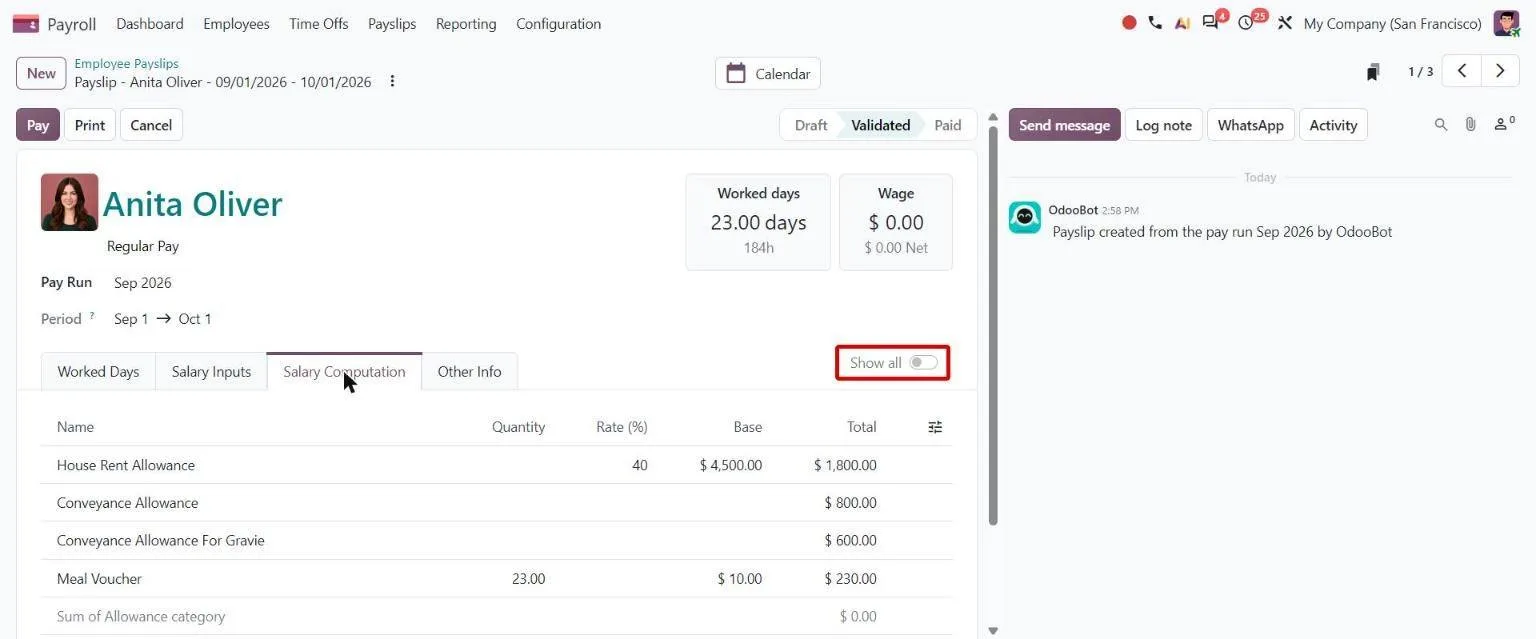
Review and validate
Payroll checks each payslip's salary computation, corrects inputs such as advances or salary attachments, then validates the run.
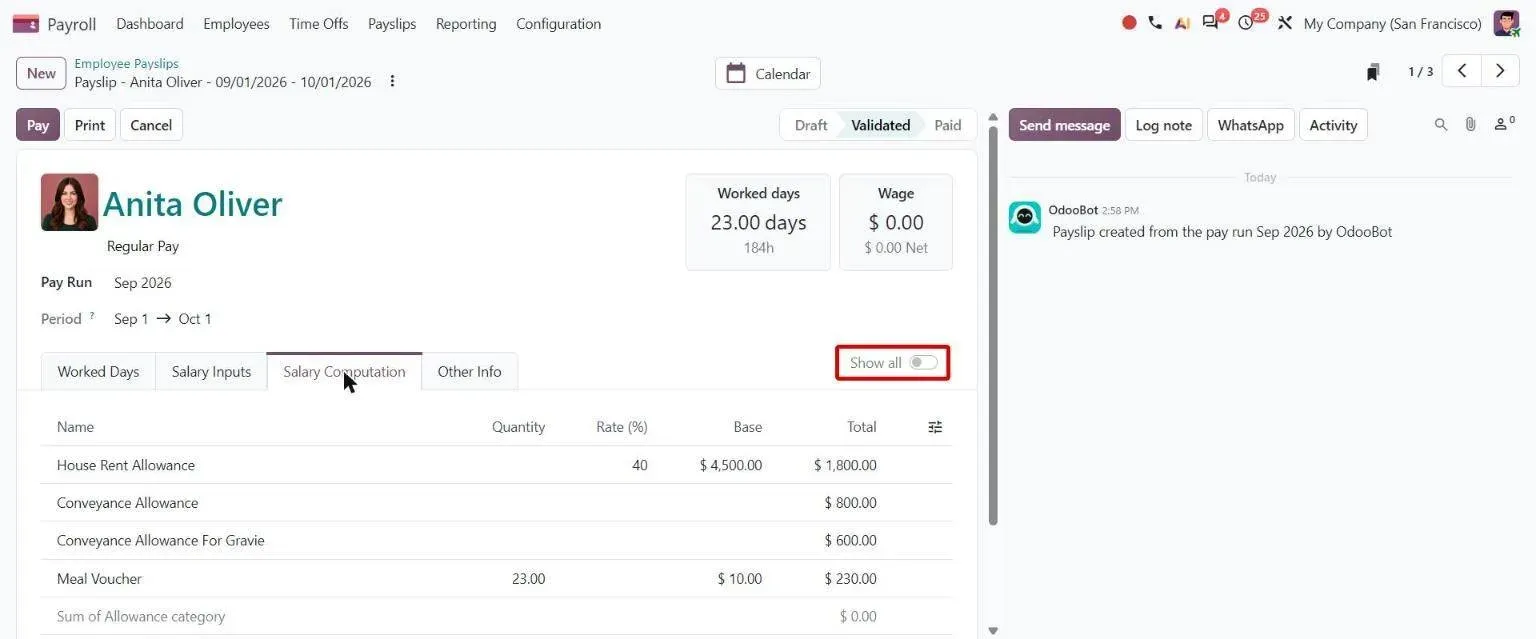
Odoo 20 validated payslip showing worked days, wage and the Salary Computation tab listing allowance lines with rate, base and total -
Pay salaries and post the entry
Export the Payment Advice or ENet CSV for your bank and mark the run paid. With Payroll linked to Accounting, the run posts its journal entry.
-
File the statutory returns
Pull the EPF and ESIC reports for the month, record TDS challans, and build Form 138 at quarter end.
-
Employees get their payslips
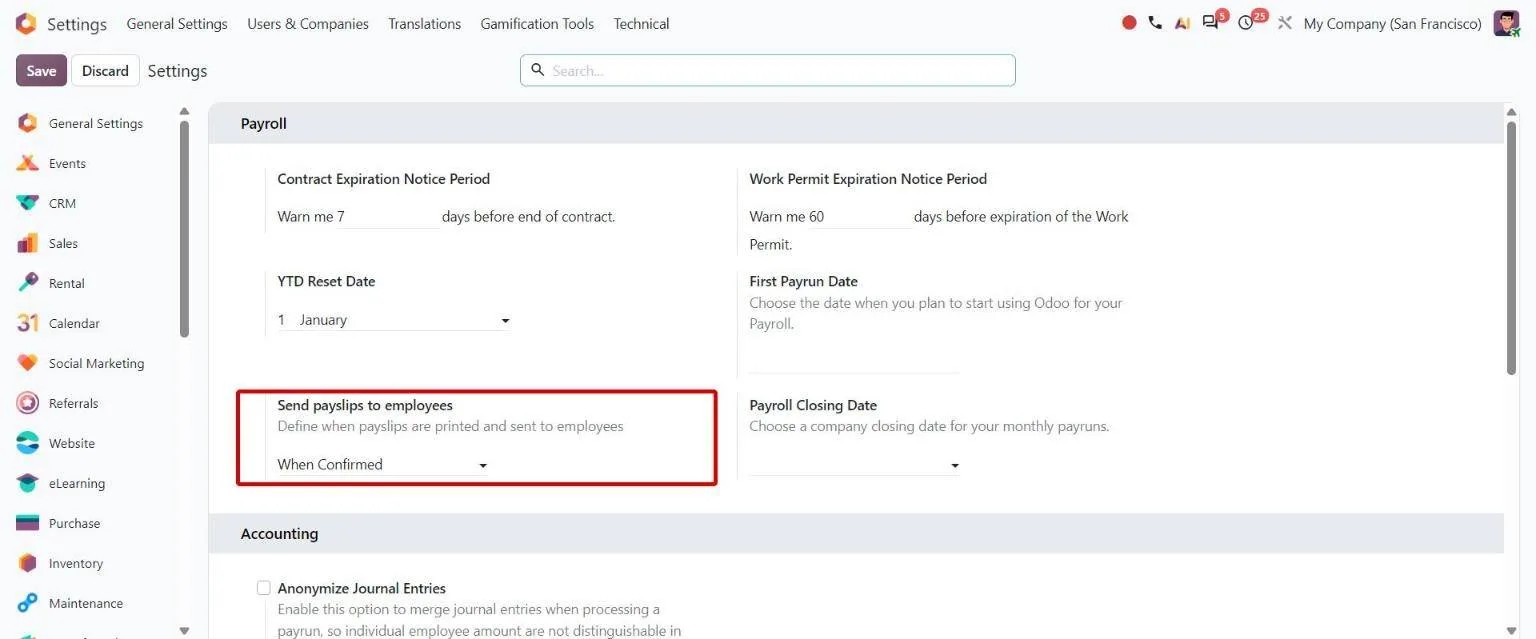
Odoo emails each employee that a new payslip is ready as a PDF in their employee portal. You choose whether that happens when payslips are confirmed, when they are paid, or manually.
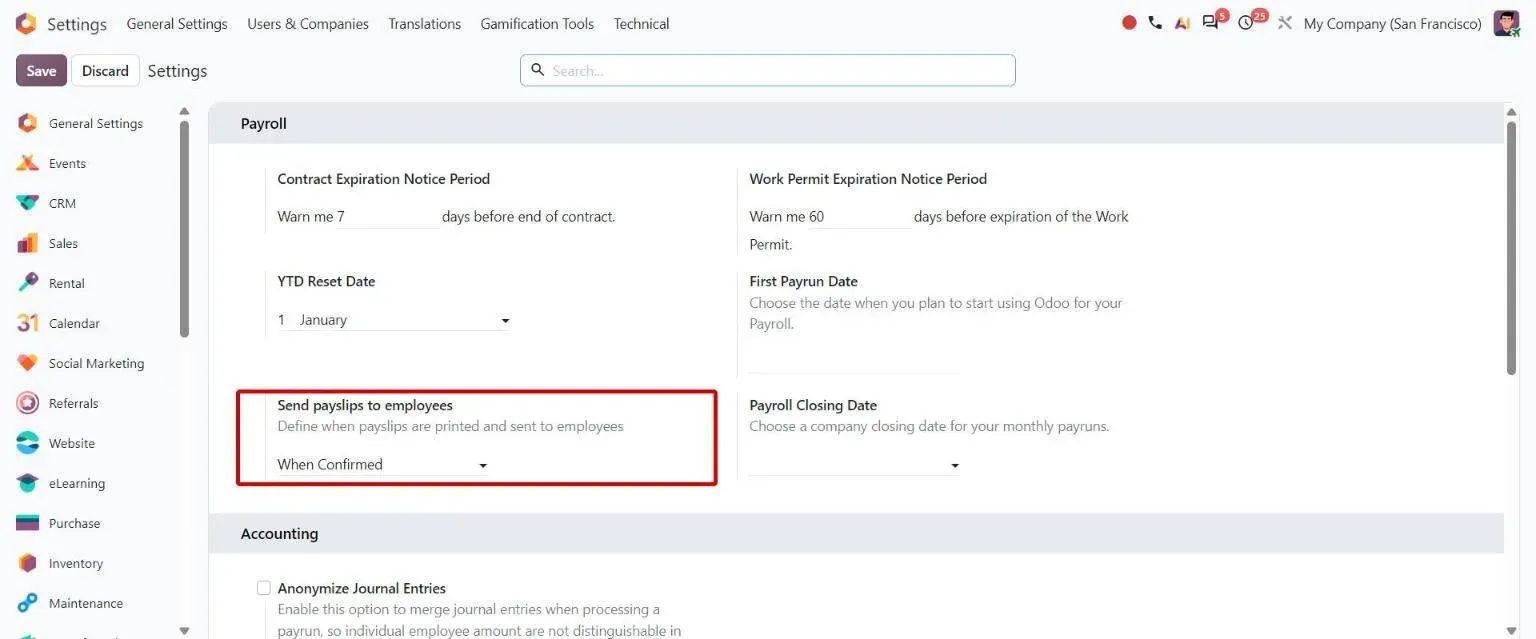
Odoo 20 Payroll settings with the Send payslips to employees option set to When Confirmed
What needs setting up or customising?
- Form 16: the Odoo 20 India payroll module has no Form 16 report. We agree with your CA how it will be issued before go-live.
- Old tax regime: the module's TDS rate chart carries the slabs in force from 1 April 2025, and we found no separate old-regime table. Tell us at scoping if some employees use the old regime.
- Shifts that cross midnight, biometric devices and grace rules: standard Attendances is check-in and check-out. For Duke Pipes we built a shift master and a daily attendance engine on top of it.
- Company-specific salary components, such as canteen deductions or performance-linked increments, are added as salary rules for your structure.
Where have we done this?
At Duke Pipes, a pipe manufacturer in Gujarat running rotating and night shifts, we built a gross-based Indian salary structure splitting the wage into Basic, HRA, TRA, Education and Medical, with PF handling and monthly adjustments. Attendance comes from biometric devices, Excel and a self-service portal, and payslip PDFs go to employees by email.
HR and payroll sit inside the wider hire-to-retire process in Odoo. The full module scope, including recruitment, appraisals and expenses, is on Odoo HR + Payroll. If you would rather we ran payroll for you, our CA-led team handles payroll with PF, ESI and TDS as part of Odoo accounting services. Payroll can be added to any of our India packages, alongside GST e-invoicing.
Odoo payroll in India: common questions
-
Does Odoo have payroll for India?
Yes. Odoo Enterprise includes an Indian Payroll module (l10n_in_hr_payroll) with an India: Regular Pay structure and a Stipend structure. It computes basic, HRA and other allowances, Provident Fund, ESI, Professional Tax by state, Labour Welfare Fund, gratuity and TDS, and produces EPF and ESIC reports, Form 138 and bank payment files.
-
Is there free HRMS software for India in Odoo?
Partly. Odoo Community is free and includes Employees, Time Off and Attendances. Payroll, including the Indian Payroll module, is an Enterprise app with a paid licence. Staff who only use time off, attendance or expenses can be Light Users at ₹195 a month on Odoo's India price list (read 22 October 2026), so you pay full seats only for HR and payroll users.
-
Does Odoo calculate PF, ESI, Professional Tax and TDS?
Yes. PF is a percentage of basic for employee and employer, ESI a percentage of gross that applies only under the wage ceiling, Professional Tax comes from the state slab on the contract, and TDS is projected from annual income and the employee's tax declaration. Each appears as its own line on the payslip.
-
Can Odoo generate Form 16?
Not out of the box. The Odoo 20 Indian Payroll module produces Form 138, the quarterly TDS statement, from your TDS challans, but it has no Form 16 report. We settle how Form 16 will be issued with your CA during scoping.
-
How do employees see their payslips?
Odoo emails each employee when a new payslip is available, and the PDF is in their employee portal. In Payroll settings you choose whether payslips go out when confirmed, when paid or manually. Leave requests go through the Time Off app and attendance through Attendances.
-
How long does an Odoo HR and payroll implementation take?
A single-country HR and payroll implementation takes 6–10 weeks. Before cutover, Odoo and your current system produce payslips side by side for one to three cycles and the results are reconciled. See Odoo HR + Payroll for the full scope.
Planning payroll on Odoo?
Chat on WhatsApp