
Workforce visibility
TUS Activity Tracker
Cross-platform desktop activity monitoring that reports into Odoo. A tray-resident agent records foreground activity and periodic screenshots, queues them offline, and syncs into the same Odoo where you already manage employees.
Last reviewed:
What it is
A lightweight system-tray agent (Windows 10/11, Linux 22.04+, macOS) paired with an Odoo module. The agent records foreground activity and periodic screenshots, queues them when the machine is offline, and syncs into Odoo. Managers open dashboards, timelines and daily summaries where they already manage people — policy, retention and access stay in Odoo Settings.
Why it matters
Hybrid and remote work made “are people working?” harder to answer fairly. Spreadsheets and spot checks miss most of the day; generic spyware erodes trust and sits outside the systems you already run. Leaders need active versus idle time, the applications behind the work, and optional screenshot context — without standing up a monitoring empire outside Odoo.
Features
Manager dashboard
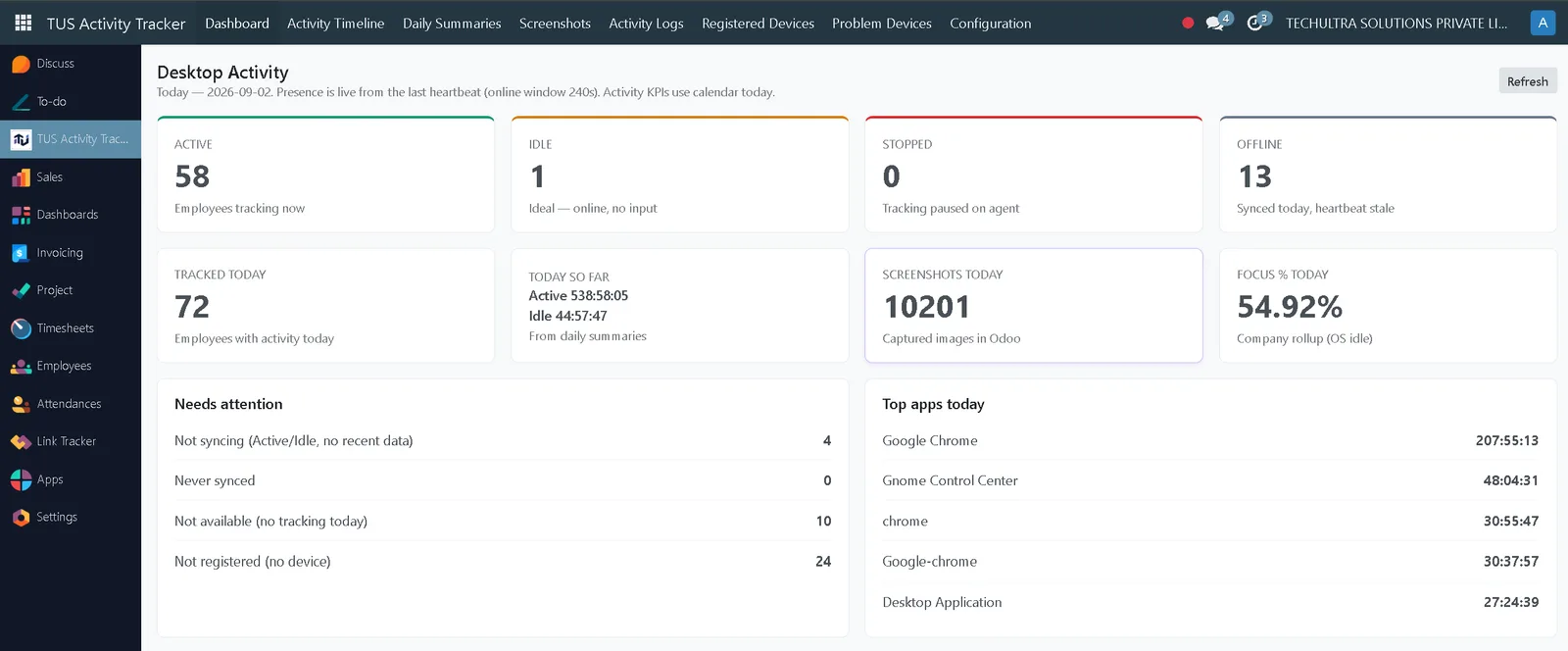
Four presence states in one row — active, idle, stopped and offline — over the day's tracked time, screenshots captured, and a company focus percentage. A Needs attention panel counts the devices that are not syncing, have never synced, have no activity today, or were never registered at all. Presence reads from the last heartbeat; the activity figures are calendar-day totals.
Activity Timeline
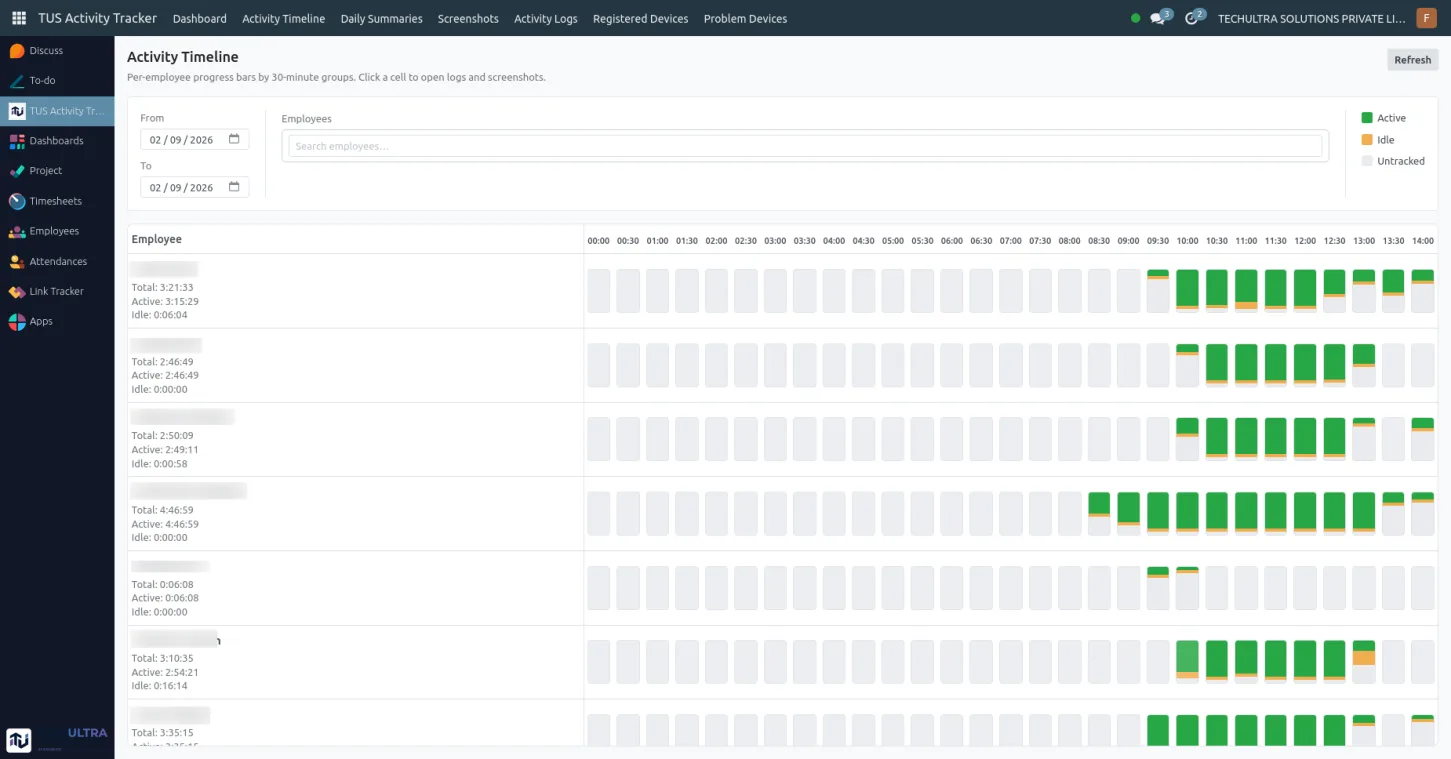
Configurable time buckets for active, idle and untracked periods, per employee, so a day reads as a sequence rather than a single score.
Daily summaries and application usage
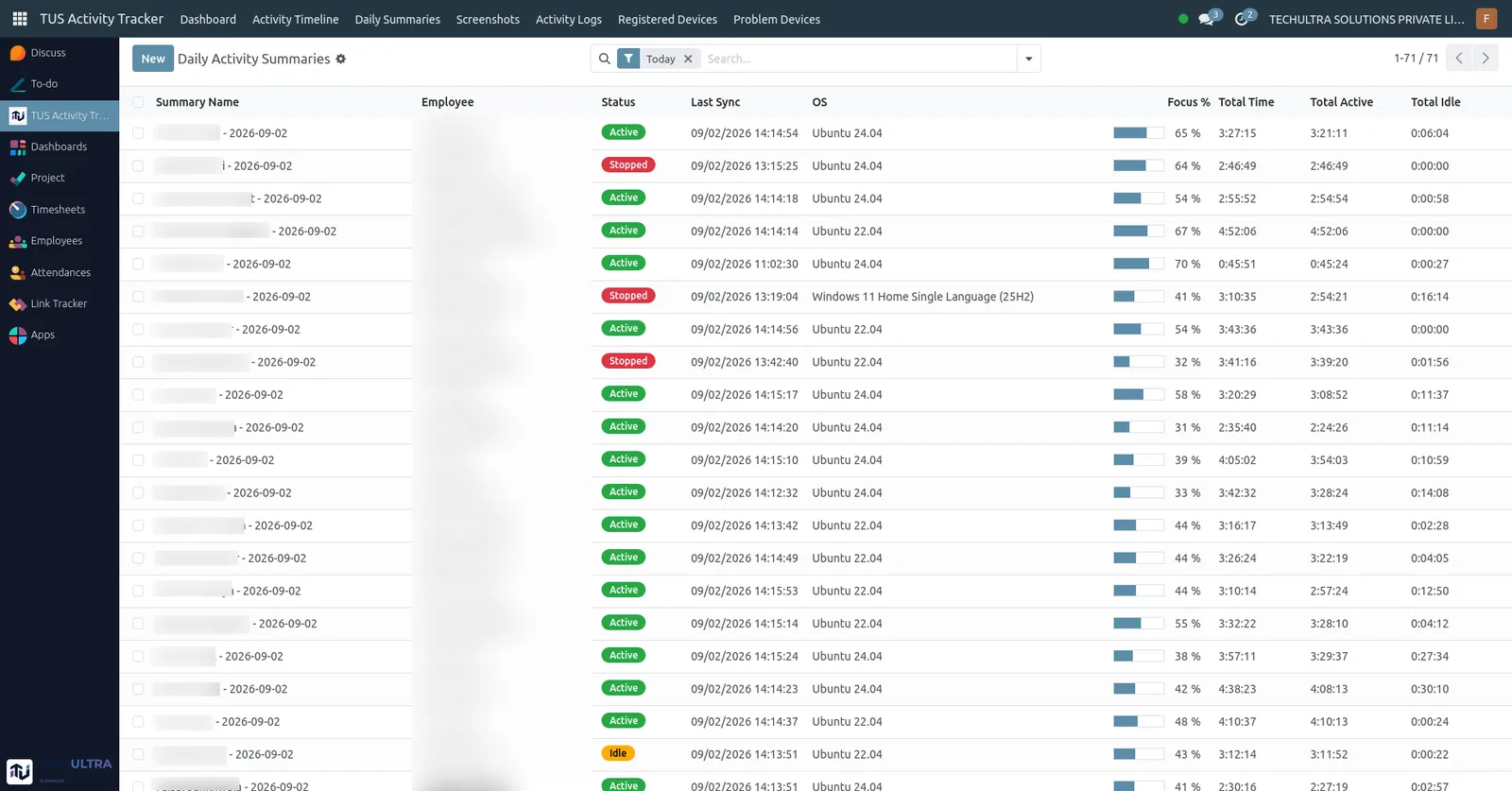
Which applications consumed the day and how focused that time was, rolled up ready for review, with the retention period you set in Odoo.
Screenshots
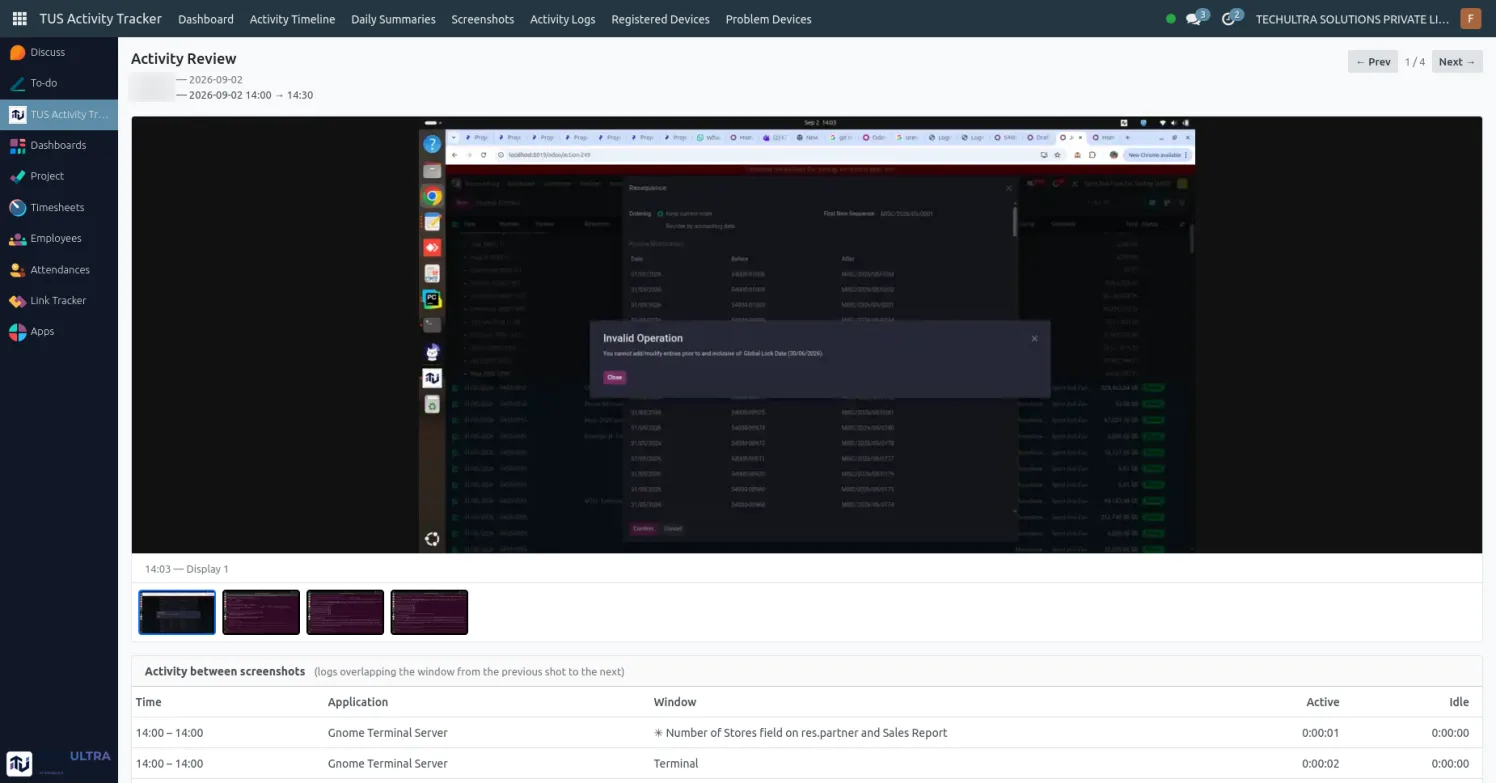
Periodic multi-monitor captures, with User, Manager and Admin access rules deciding who can open them.
How it works
-
Install the module and set one policy
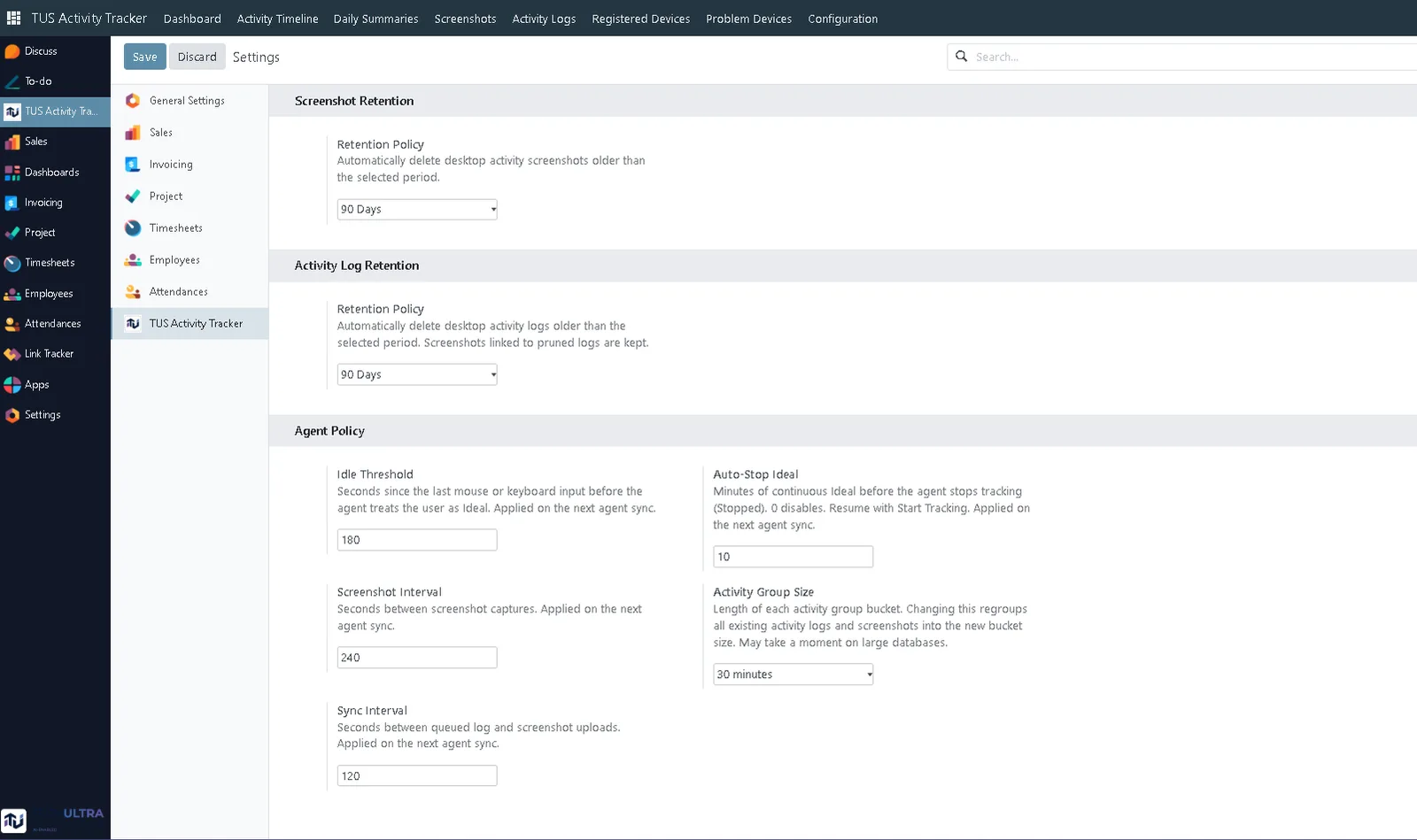
Install TUS Activity Tracker in Odoo and configure Settings — idle threshold, screenshot interval, sync behaviour and retention. These live only in Odoo, so one policy applies to every machine.
-
Assign access groups
Assign User, Manager or Admin groups, and make sure each employee record is linked to their Odoo user. Screenshot access follows the group, which is what keeps personal captures private to the employee.
-
Deploy the agent
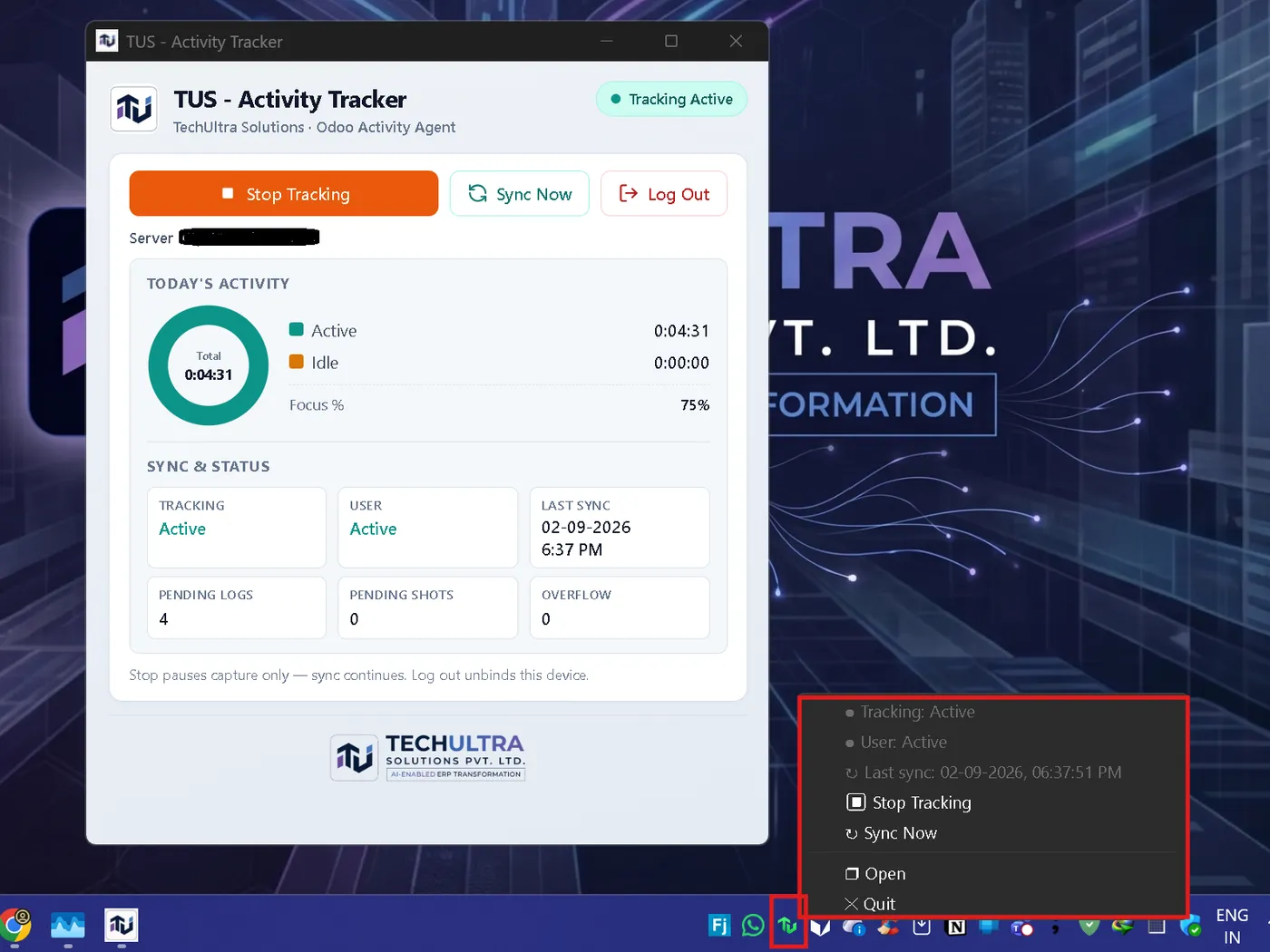
Roll out the TUS - Activity Tracker agent to Windows 10/11, Linux 22.04+ and macOS workstations. With the window closed it typically sits at around 0% CPU and 15–40 MB RAM, and the tray menu gives the employee Stop Tracking and Sync Now without opening it. The window itself shows today's active and idle split, the last sync time, and how many logs and screenshots are still queued.
-
Employees enrol once
Employees enrol from the tray a single time. Tracking then continues in the background while managers follow progress in Odoo.
Deployment timeline
Install and configure in a day. Agent rollout runs at your own pace — employees enrol themselves once from the tray.
Best for
HR teams that want one company policy for idle thresholds, screenshot intervals and retention; people managers who need to see who is active, idle or offline and open the detail behind it; and directors who want a live operational view of desktop work across sites and home offices, grounded in the Odoo HR data they already trust.
Frequently asked questions
-
Is this silent monitoring?
No. It is a visible tray application. Employees can Start and Stop Tracking themselves, and an idle auto-stop can pause tracking after a long period of inactivity. Device tokens are shown once at enrolment and Odoo stores only a hash.
-
Who can see the screenshots?
Access is scoped by Odoo security group. The usual configuration keeps personal screenshots private to the employee while giving managers the oversight they need for coaching and compliance. You decide the split when you assign User, Manager and Admin groups.
-
How much does the agent slow a machine down?
With the window closed the agent typically sits at around 0% CPU and 15–40 MB RAM. It is a tray-resident process, not a background service that indexes the disk.
-
What happens when a laptop goes offline?
The agent queues activity and screenshots locally and syncs them to Odoo when the connection returns, so a day worked on a train is not a gap in the record.
-
Which operating systems does the agent support?
Windows 10 and 11, Linux 22.04 and later, and macOS.
-
Which Odoo version does this run on?
Ask us for the current supported version before you plan a rollout — we will confirm it against your Odoo edition and the modules you already run, including whether Enterprise is required for the Field Service work described below.
-
Can tracked time become project hours?
That is in progress. The plan is for employees to pick a specific Odoo Project task in the agent and start or stop work on it the way they already start and stop tracking. On stop, the agent asks for a short description and records the elapsed time on the task's timesheet, matching how Odoo Timesheets already expect time and a description on a task.