
Odoo Gold Partner — Integration
Odoo Integration Services
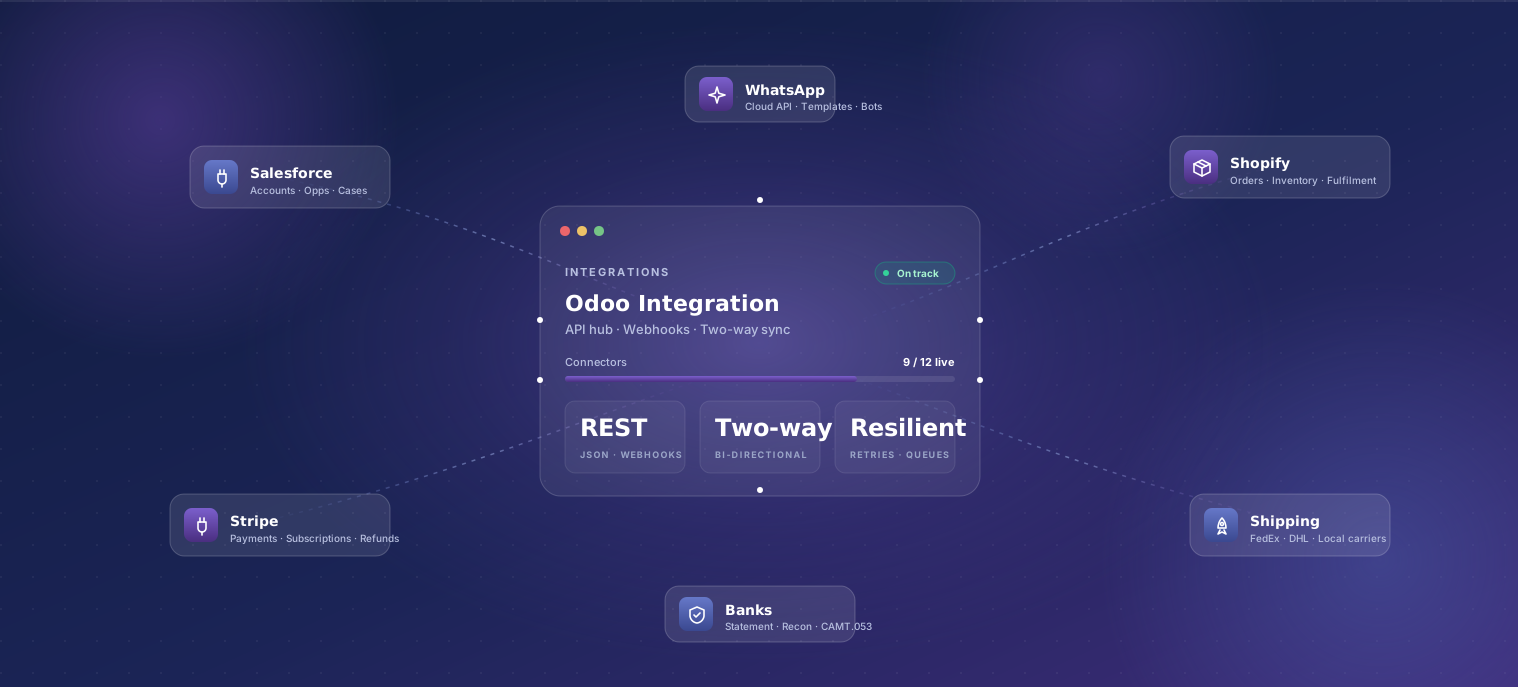
Connect Odoo with Magento, Shopify, Salesforce, Amazon, QuickBooks, payment gateways, shipping carriers, and the rest of your stack. Two-way sync, structured error handling, and centralized data — delivered by a Gold Partner with 200+ shipped integrations across India, the USA, the UK, Italy, and France.
Last reviewed:
What's included
-
Integration scoping
Half-day workshop to map data flows, identify the system of record per object, and design the sync strategy (real-time, batched, hybrid).
-
Two-way sync
Customer, order, invoice, payment, and inventory sync between Odoo and your third-party system. Conflict resolution rules documented and tested.
-
Auth and security
OAuth, API key rotation, and per-environment credentials. Secrets stored in your secret manager (1Password, AWS Secrets Manager, Doppler) — not in code.
-
Reconciliation reports
Daily and weekly reconciliation reports highlight any drift between systems. Most issues are auto-resolved; the rest go to a triage queue with clear ownership.
-
Error handling and retries
Transient failures (rate limits, timeouts) retry automatically with exponential backoff. Permanent failures route to a queue with structured error context.
-
Observability
Structured logs and metrics for sync throughput, error rates, and lag. Alerting wired into Slack/PagerDuty so issues surface within minutes, not days.
-
Webhook handlers
Webhook receivers in Odoo for real-time events from third parties — with replay capability, idempotency keys, and signature verification.
-
Documentation
Per-integration architecture doc, data-flow diagrams, runbook for common issues, and an admin guide for the people who'll watch the syncs in production.
Our process
- 01 Integration audit 3–5 days
- 02 Architecture and quote 1 week
- 03 Build 2–4 weeks per integration
- 04 Staging validation 2 weeks
- 05 Production rollout 1–2 weeks
- 06 30-day stabilization 30 days
-
Integration audit
3–5 daysCatalog of all systems Odoo needs to talk to, current state (manual? broken? half-built?), and recommended sync strategy per integration.
-
Architecture and quote
1 weekSync strategy, conflict-resolution rules, retry policy, and observability plan. Fixed-scope quote per integration with a clear effort estimate.
-
Build
2–4 weeks per integrationIntegration code lands behind feature flags. Each integration ships with auth, reconciliation, retries, and observability from day one — not bolted on later.
-
Staging validation
2 weeksTwo-week parallel-run against staging to catch edge cases. Sync runs on real data with reconciliation reports — gaps fixed in code, not in spreadsheets.
-
Production rollout
1–2 weeksPer-integration phased rollout — canary cohort first (1–2 days), then full. Feature flags let us turn off any integration without redeploying.
-
30-day stabilization
30 daysDaily reconciliation review during the first 30 days. Issues uncovered in production are fixed under the engagement; new feature requests are quoted separately.
Typical timeline
Each integration is roughly 2–4 weeks of build time. Simple integrations (e.g. Stripe payments → Odoo) are at the lower end; complex two-way sync with conflict resolution (e.g. Salesforce ↔ Odoo for accounts and opportunities) is at the higher end. Multi-integration projects build sequentially or in parallel depending on team capacity. The 2-week staging parallel-run is non-negotiable — it's how we catch the rate-limiting and edge-case behavior third-party APIs only show under real load.
What affects the price
Every engagement is fixed-scope after a paid one-week discovery. These are the levers that move a quote up or down.
-
Number of integrations
Each integration has its own scope, build, test, and rollout. We quote per integration — not as a package — so you can right-size and prioritize.
-
Sync direction (one-way vs. two-way)
One-way pulls (e.g. Stripe → Odoo) are fastest. Two-way sync with conflict resolution is the most expensive — needs explicit rules for who wins when both systems have changed.
-
Third-party API quality
Modern REST/GraphQL APIs with good docs are fast. Legacy APIs (SOAP, fixed-format files, screen-scraping) add 1–2 weeks per integration.
-
Volume and frequency
Real-time sync (webhook-driven) costs more than batched daily sync. Higher volumes (10k+ records/day) need rate-limiting, batching, and queue architecture decisions.
-
Existing custom code
Integrations into clean Odoo are fast. Integrations on top of legacy partner-built customization sometimes need cleanup work first — quoted separately after audit.
Who this is for
Teams running Odoo alongside other systems where data needs to flow both ways. Common shapes: a sales team on Salesforce that wants opportunities + accounts in Odoo for billing, a finance team that wants Stripe charges auto-reconciled in Odoo, a retail business with Shopify storefronts feeding Odoo inventory + orders, or a manufacturing team where shop-floor systems need to push production data into Odoo. If you're standing up a brand-new Odoo system, integrations happen during Implementation; this engagement is for adding new integrations to an existing instance.
Why TechUltra for odoo integration
-
Reconciliation by default
Every integration ships with daily and weekly reconciliation reports. Most teams discover their existing integrations have been silently dropping records for months — we surface that on day one.
-
Production-grade error handling
Transient failures retry with exponential backoff. Permanent failures route to a triage queue with structured context. No 'silent fail and hope nobody notices' patterns.
-
Observability you can debug from
Structured logs, metrics, and alerting wired into Slack/PagerDuty. Your ops team can debug a stuck sync without paging us.
-
200+ shipped integrations
We've shipped Odoo integrations with most modern SaaS platforms. The integration playbook for Stripe / Shopify / Salesforce / HubSpot / Razorpay / Shiprocket / FedEx / Klaviyo is reusable and battle-tested.
Featured case studies
- Apparel Retail / Fashion
Koskii
A complete apparel retail setup on Odoo 17 for a 150-year-old Indian fashion brand — four disconnected systems consolidated into one, with 22+ stores live on POS.
Read case study22+
Stores live on POS
- Specialty Food Retail / D2C
The Miller Stores
Replatformed a specialty food retailer with 7+ outlets from a custom ERP to Odoo 17 Enterprise — 6 modules in 14 weeks.
Read case study7+
Retail shops
- Furniture & Home Furnishings (DTC)
CABA Design
Odoo 18 Enterprise behind a Shopify storefront for a DTC home-furnishings group — sale-line manufacturing, US and China 3PL, multi-carrier shipping, inbound containers, and after-sales on one platform.
Read case study
Frequently asked questions
-
How long does an Odoo integration take to build?
Each integration runs roughly 2–4 weeks. Simple integrations like Stripe → Odoo (one-way payment sync) are at the lower end; complex two-way sync with conflict resolution like Salesforce ↔ Odoo (accounts and opportunities) is at the higher end. The 2-week staging parallel-run period is non-negotiable — it's how we catch edge cases that only show under real load.
-
Do you do real-time or batched sync?
Both, depending on the integration. Real-time (webhook-driven) for events that need immediate consistency — payments, order status. Batched (every 5–60 minutes) for high-volume objects where eventual consistency is fine — inventory, customer attributes. We pick the strategy per integration during scoping.
-
What happens when an integration fails?
Transient failures (rate limits, timeouts) retry automatically with exponential backoff. Permanent failures route to a triage queue with structured context — affected records, error message, timestamp, retry count. Most teams configure Slack/PagerDuty alerts so issues surface within minutes.
-
Can you do two-way sync with conflict resolution?
Yes — that's our most common pattern for Odoo ↔ Salesforce, Odoo ↔ HubSpot, and Odoo ↔ vertical SaaS. Conflict-resolution rules are documented per object during scoping (e.g. 'when both systems have changed account name in the last hour, Salesforce wins'). Rules are explicit, not magic.
-
Will integrations survive an Odoo upgrade?
Yes — we use Odoo's recommended integration patterns (deferred jobs, REST endpoints, OWL widgets) specifically so they survive major-version upgrades. We test integrations against the Odoo CI image before each major version release.
-
What about integrations our previous partner built?
We audit them before quoting changes. Many partner-built integrations have no reconciliation, no error handling, and no observability — fixing those is often quicker than rebuilding from scratch. We share the audit before any work so you can decide.
-
Can we sync historical data, not just new records?
Yes — backfill of historical data is a standard part of integration scoping. Backfills run as separate idempotent jobs that you can re-run as many times as you need against staging before flipping the switch in production.
-
Do you handle the third-party-side configuration?
Yes for systems your team owns (your Stripe account, your Shopify store, your Salesforce instance). For systems owned by partners, we work with their team — but the engagement still completes against an agreed scope, not 'when their team eventually configures their side'.