
Education
Odoo for Education
Odoo for K-12 schools, higher education, and ed-tech operators — admissions, fees, accounting, HR, and operations on one platform with optional LMS integration.
Last reviewed:
Education
- Odoo modules mapped
- 6 Odoo modules mapped
- pain points covered
- 4 pain points covered
- India DPDP Act 2023
- FERPA
- UK GDPR / EU GDPR
Pain points & how Odoo solves them
| Challenge | How Odoo addresses it |
|---|---|
| Admissions data lives in Google Forms + spreadsheets | Online admissions portal feeds Odoo CRM. Application status, document collection, and entrance-test scheduling all in one workflow. |
| Fee collection involves payment vendors, bank reconciliation, and Excel | Online fee payments integrated with payment gateways; auto-reconciliation against invoices; installment-plan tracking with reminders. |
| Trust + school structure splits accounting across 3 systems | Multi-company multi-currency native — trust, individual schools, and education-services entities share data with consolidated reports. |
| Faculty payroll handled outside ERP creates reconciliation gaps | Odoo HR + Payroll covers attendance, leave, contracts, and tax-aware payroll for faculty and admin staff. |
Which education providers run Odoo with TechUltra?
This company lists TechUltra as their Odoo partner on Odoo's partner directory under the industry label shown on the card (read on 5 November 2026). Work we delivered through other Odoo partners is credited to them and is not listed here.
- Dmatic Education Odoo label: Education
Recommended Odoo modules
-
Sales + CRM
Admissions workflow with stages, document collection, and follow-up.
-
Accounting
Multi-entity (trust + school structure), fee collection, donations.
-
HR + Payroll
Faculty contracts, leave, attendance, statutory compliance for payroll.
-
Inventory
Library cataloging, lab consumables, AV equipment tracking.
-
Helpdesk
Parent/student support tickets, IT helpdesk for staff.
-
Project
Capital projects (new building, IT rollouts), with budget vs. actual tracking.
Which Odoo 20 apps do education providers need?
| Odoo app | Module (edition) | What it holds |
|---|---|---|
| CRM | crm (Community) | Admissions enquiries as leads, with stages and follow-up |
| eLearning | website_slides (Community) | Online courses, opened from the student's portal |
| Events | event (Community) | Events with tickets and registrations |
| Appointments | appointment (Enterprise) | Bookable meetings, such as admissions or parent-teacher slots |
| Accounting | account (Community) | Fee invoices, payments and reconciliation |
| Payment follow-up | account_followup (Enterprise) | Reminder levels for overdue fees |
| Payroll | hr_payroll (Enterprise) | Payslips and salary rules by country |
What does Odoo 20 look like for education providers?
Screens from Odoo 20 that education providers use every day, from our Odoo 20 feature guide. Each one shows where to find it in Odoo and why it matters.
-
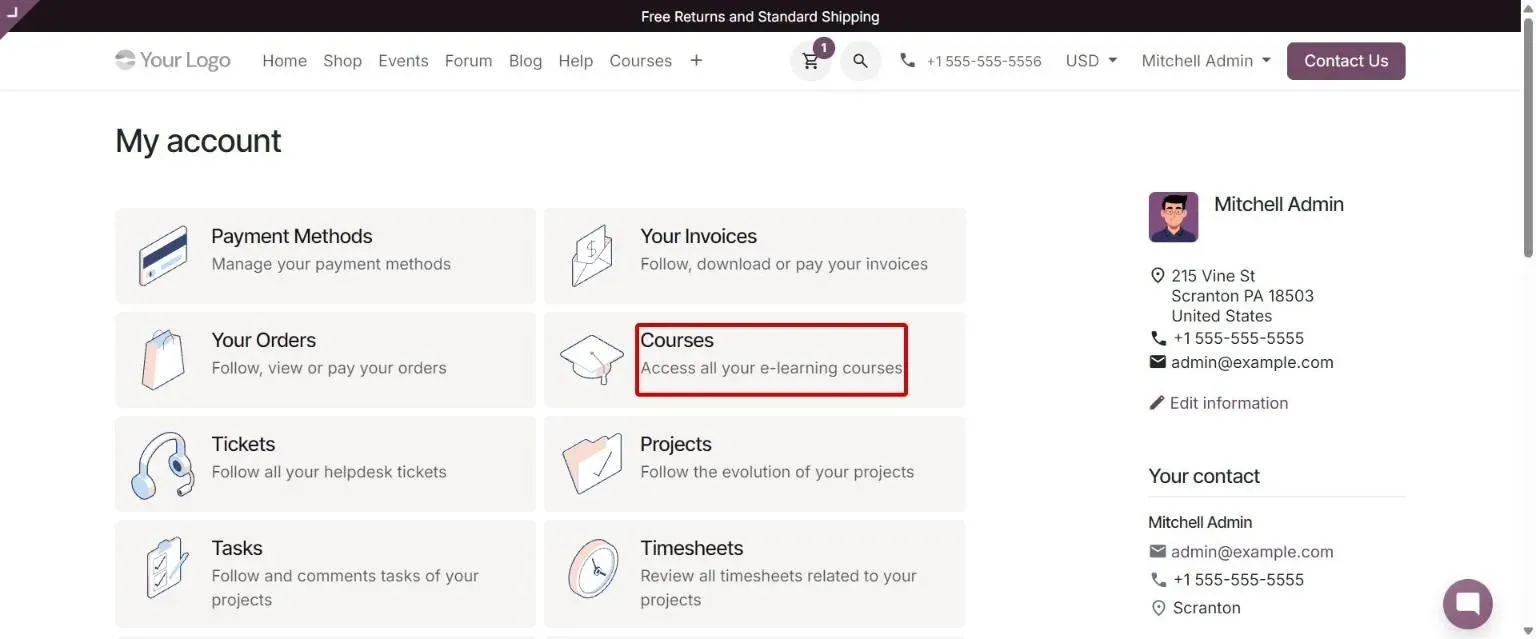
My Account portal with new Courses card for enrolled courses Odoo 20 · eLearning
Course access from portal
Website > My Account (/my)
Helps learners reach their enrolled courses directly from their portal account page.
Course access from portal: how to use it in Odoo 20 -
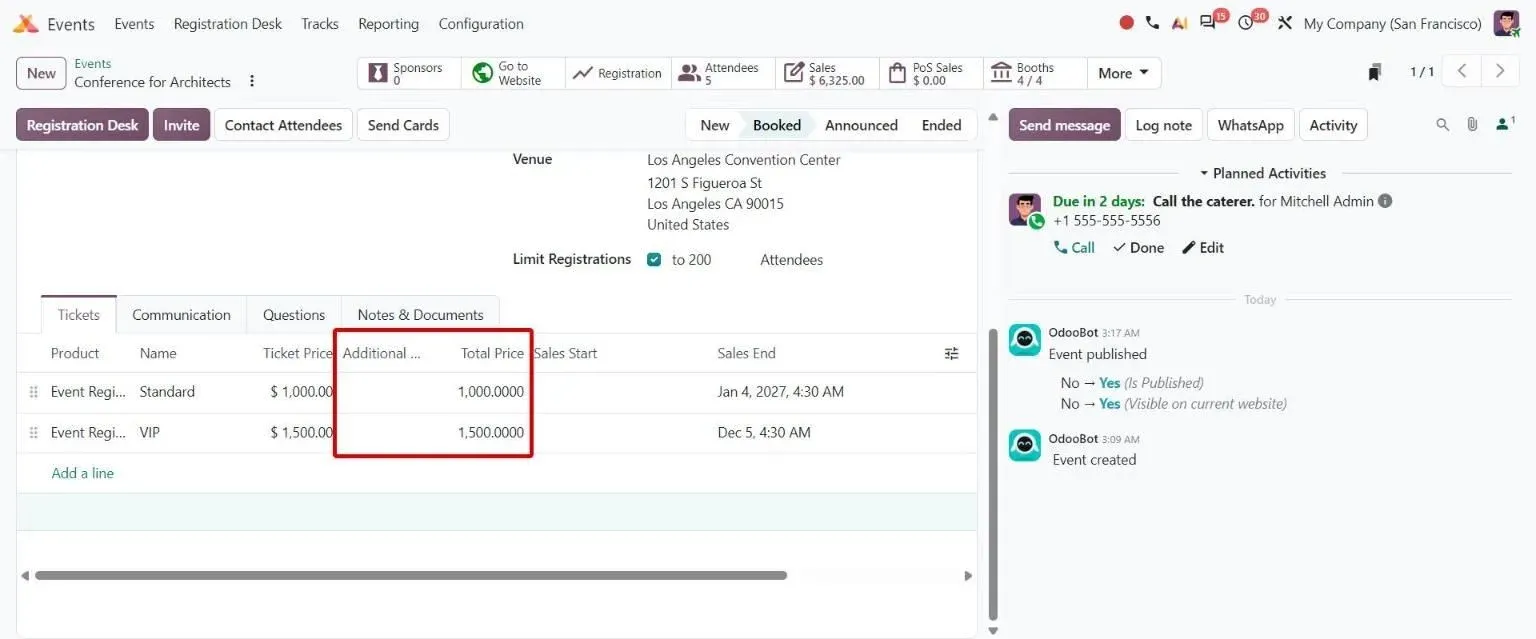
Event Tickets tab with Additional Products and Total Price columns Odoo 20 · Events
Event combos
Events > event > Tickets tab
Lets organizers sell registrations bundled with food or drinks while keeping correct VAT per item.
Event combos: how to use it in Odoo 20 -
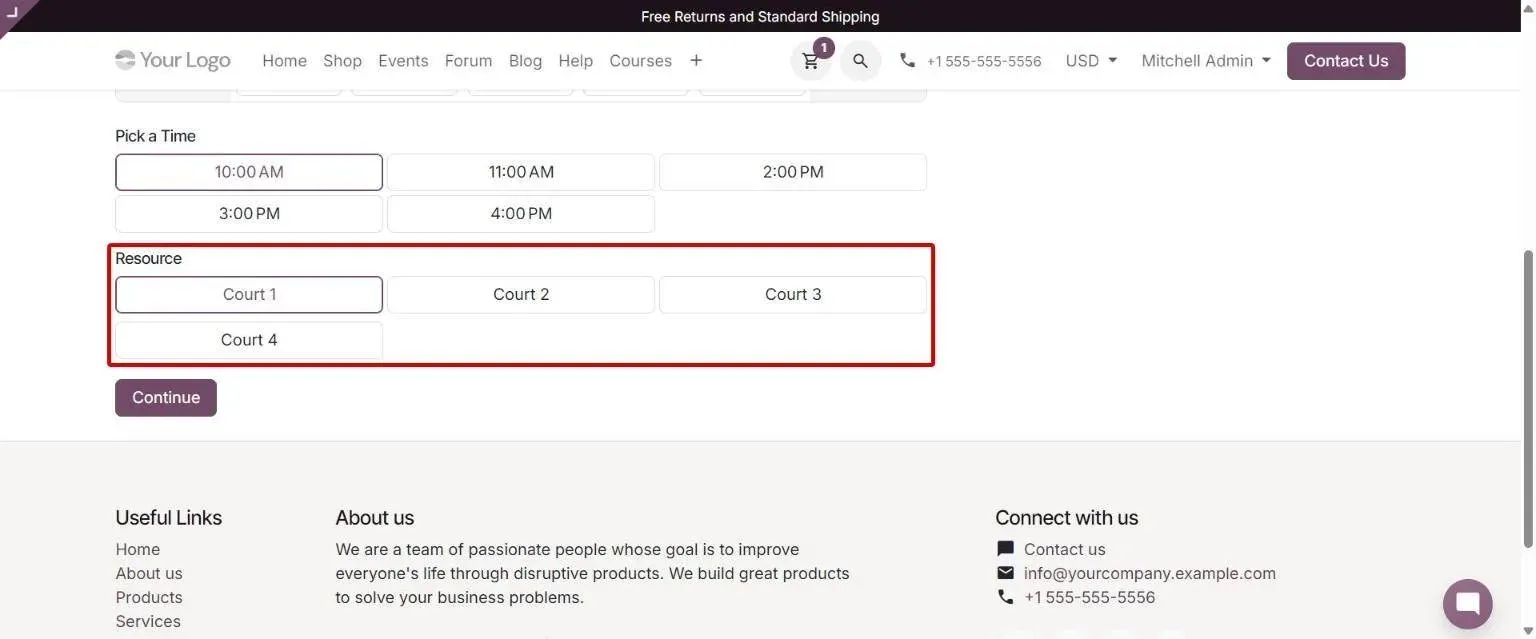
Resource selection on the same page as date and time slots Odoo 20 · Appointments
Appointment booking flow
Website > /appointment > [type with manual assignment]
Helps customers book faster by choosing a user or resource on the date and time page.
Appointment booking flow: how to use it in Odoo 20 -
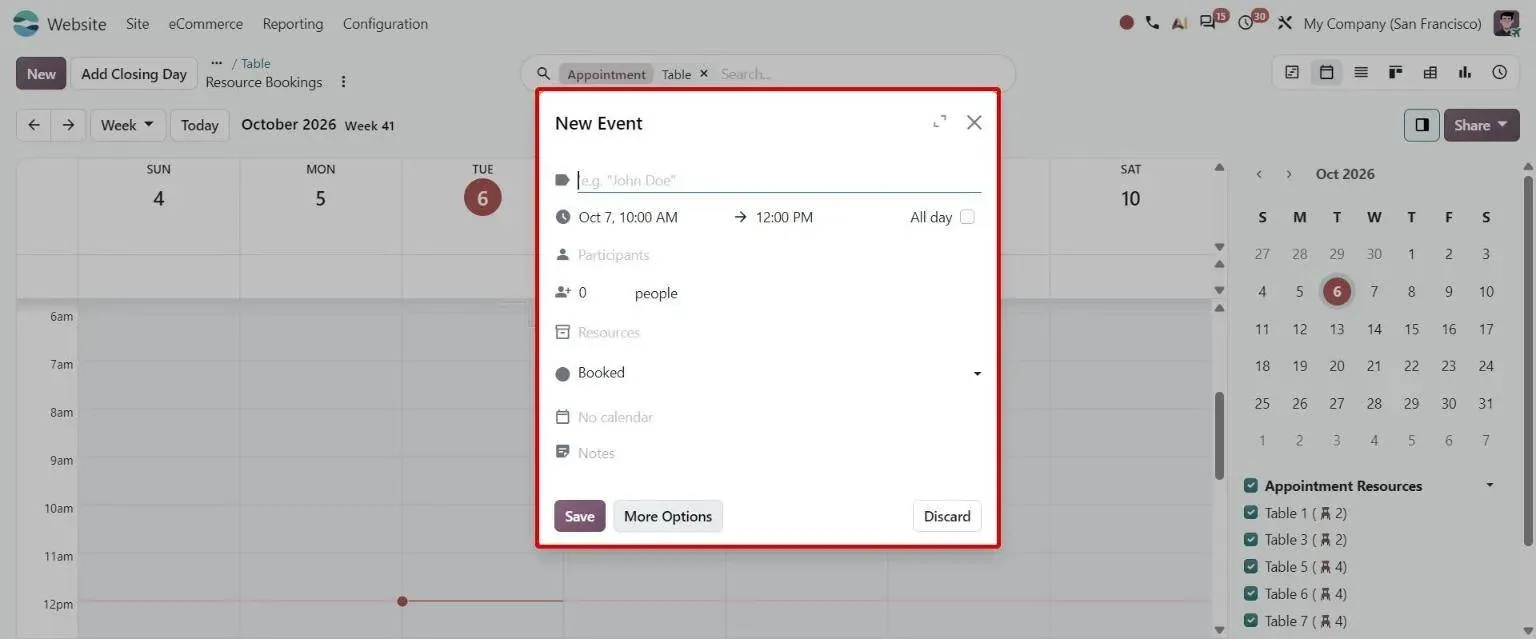
Creating a booking from the Resource Bookings calendar with people and resources Odoo 20 · Appointments
Appointments calendar view
Appointments > Schedule > Resource Bookings > Calendar
Lets staff create bookings for any appointment type and assign resources or users from the calendar.
Appointments calendar view: how to use it in Odoo 20 -
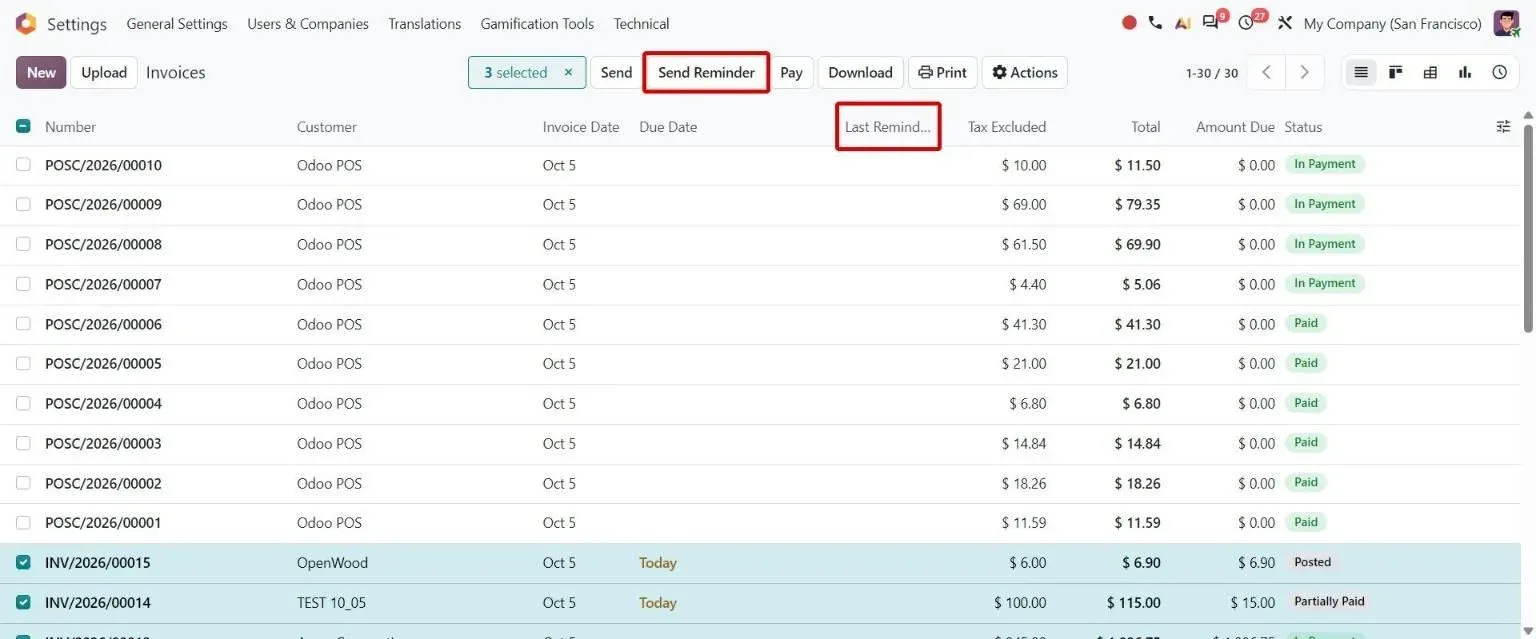
Invoice list with Send Reminder button and Last Reminder column Odoo 20 · Accounting
Customer invoice reminders
Accounting > Customers > Invoices; Accounting Settings
Helps collect payments by sending invoice reminders manually or automatically.
Customer invoice reminders: how to use it in Odoo 20 -
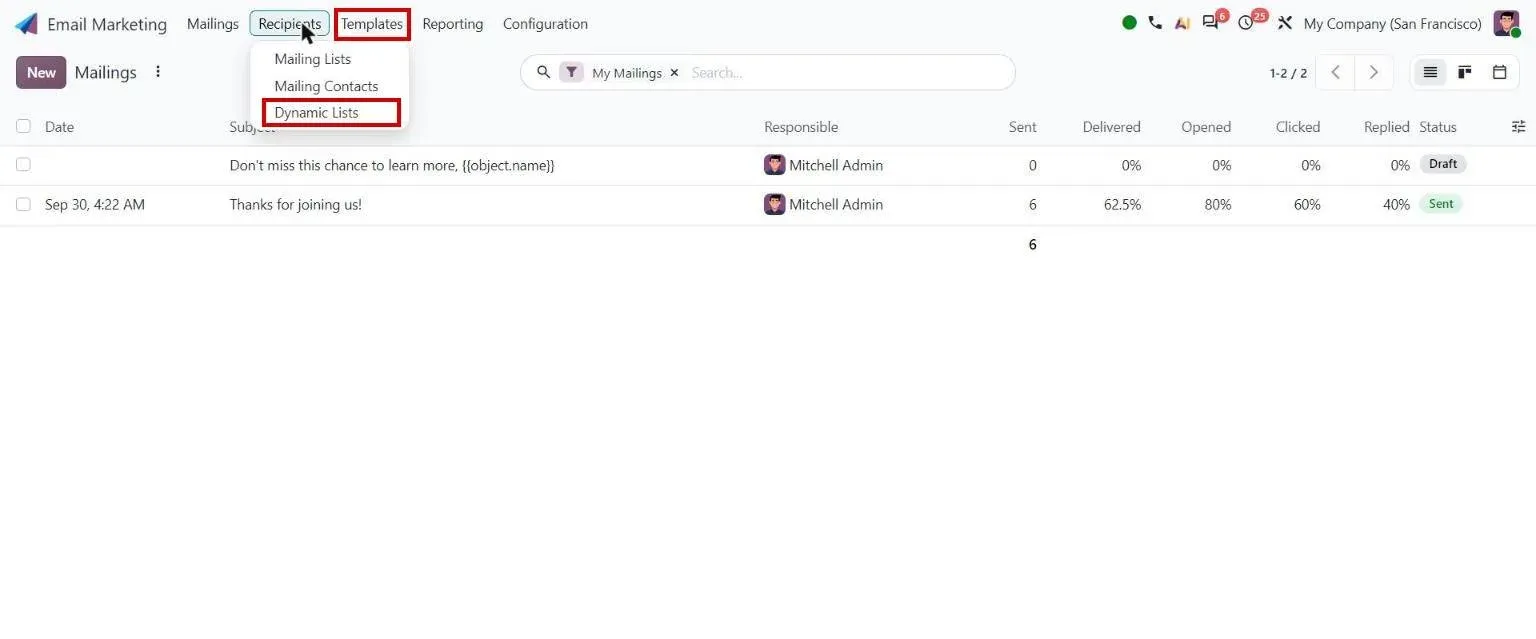
Email Marketing menu: Dynamic Lists Odoo 20 · Email Marketing
Dynamic mailing lists
Email Marketing > Mailings > New > Recipients > Dynamic Lists
Keeps mailings targeted by computing recipients when the mailing is sent.
Dynamic mailing lists: how to use it in Odoo 20
Sample features
- Online admissions portal with application stages and document upload
- Online fee payment with installment plans and scholarship adjustments
- Auto-reconciliation of bank deposits against fee invoices
- Faculty contracts + leave + payroll with statutory deductions
- Library cataloging with check-out / check-in and overdue alerts
- Lab equipment tracking with maintenance schedules
- Multi-entity trust + school accounting with consolidated reports
- Donation tracking with donor segmentation and acknowledgement
Use cases for education providers
- AI AI WhatsApp chatbot A WhatsApp chatbot grounded in your Odoo data for ordering, support, FAQs and lead qualification, with handover to a person. Open
- Integration WhatsApp and Odoo Two-way WhatsApp chat, templates, invoices and payment links from Odoo, on Meta's official Cloud API. Open
- Solution Odoo Subscriptions Recurring billing with prorations, dunning and usage-based charges, native to the ERP. Open
- TechUltra app Ageing Alerts for Customers and Vendors Overdue customer invoices and vendor bills turned into risk-graded alerts in Odoo. Open
- AI AI dashboards A question in plain English, an Odoo dashboard back, with the record list under every chart so each number can be checked. Open
- Odoo 20 guide Odoo 20 website and eCommerce guide Every Odoo 20 change in Website, eCommerce, Appointments, Blog, eLearning and Events, with screenshots. Open
- Odoo 20 guide Odoo 20 marketing guide Every Odoo 20 change in Email Marketing, Social Marketing, Marketing Automation and Marketing Card, with screenshots. Open
Compliance & regulatory
| Standard | What it requires |
|---|---|
| India DPDP Act 2023 | Student and guardian personal data is protected data under the Digital Personal Data Protection Act. Consent records, purpose limitation, and erasure requests handled through Odoo's data-subject workflows rather than a spreadsheet. |
| FERPA (USA) | Education records and directory information carry disclosure restrictions. Role-based record rules in Odoo control which staff see grades, disciplinary records, and guardian contact details. |
| UK GDPR / EU GDPR | Applies to any institution enrolling students in the UK or EU. Lawful basis per processing activity, retention schedules per record type, and subject-access export from the student record. |
| PCI DSS (fee collection) | Tuition and fee payments must not put card data in the ERP. Odoo integrates a tokenised payment provider so card numbers never reach your database, which keeps you out of the widest PCI scope. |
Frequently asked questions
-
Does Odoo replace our LMS?
No — Odoo isn't a learning management system. We keep your LMS (Canvas, Moodle, Google Classroom, custom) and integrate where data needs to flow: enrolled students from admissions, attendance from LMS into HR, faculty assignments from HR into LMS.
-
Can Odoo handle our trust + multiple schools structure?
Yes — multi-company multi-currency is native. Trust runs as parent entity, each school as a child entity. Shared chart of accounts; consolidated financials run in real time. Inter-entity transactions (trust funding a school) handled cleanly.
-
How does fee collection work?
Online fee payment integrated with gateways (Razorpay, Stripe, equivalents). Installment plans tracked per student with auto-reminders for upcoming and overdue payments. Bank deposit reconciliation auto-matches against open invoices. Receipts emailed automatically; collection reports live for finance team.
-
Can we track scholarships and waivers?
Yes — fee structures support per-student adjustments (scholarships, sibling discounts, staff-child waivers, financial-aid plans). Adjustments are auditable with approval workflows; reporting shows gross fees vs. realized fees vs. write-offs.
-
Is there a parent portal?
Yes — Odoo's customer portal provides parents with fee statements, payment history, and document access. We can extend it for school-specific needs (announcements, attendance, report cards) or integrate with your existing parent communication tool.
-
Implementation timeline for a school or university?
Single school (1,000–3,000 students): 12–16 weeks. Multi-school trust: 16–22 weeks. University with multiple departments: 18–24 weeks. LMS integration adds 2–4 weeks. Donation/fundraising scope adds 2–3 weeks if it's a major focus.