
Migration playbook
Migrate from Zoho to Odoo
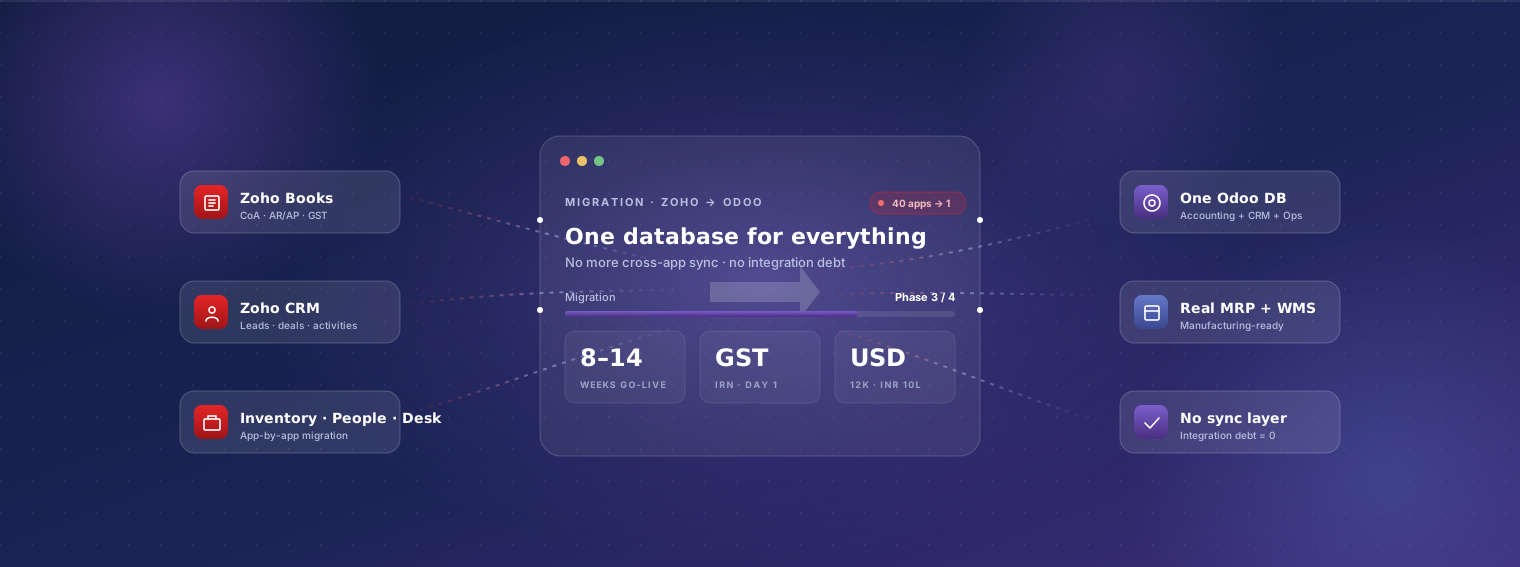
Zoho One is brilliantly priced for SMBs starting out — and that pricing comes with the price you pay later: 40+ apps that mostly work together but each ages at its own pace, integrations that break across version bumps, and a platform that's optimised for simple business needs. The moment you need real operations — multi-warehouse, multi-entity, real manufacturing, end-to-end e-commerce, regulated finance — Odoo's unified architecture wins. Here's the migration playbook.
Last reviewed:
- Weeks end-to-end
- 8–14Weeks end-to-endBooks-only is 8–10
- Fixed-price range
- $12–40kFixed-price rangeUSD; INR 10–32 lakh
- Weeks parallel run
- 2–3Weeks parallel runboth systems live
Why businesses migrate from Zoho to Odoo
-
App sprawl creates integration debt
Zoho One includes 40+ apps. Most growing businesses end up using 8–15 of them. Each app is its own database; integrations between them work but version-bump occasionally and need maintenance. Customer record exists in Zoho CRM, copies in Zoho Books, copies in Zoho Inventory — sync delays cause reconciliation issues. Odoo has one database for everything.
-
Multi-entity complexity
Zoho Books handles multiple organisations but each is essentially a separate Zoho Books instance with manual consolidation. Inter-company transactions are not native. Real multi-entity groups (3+ legal entities) end up doing month-end consolidation in spreadsheets. Odoo's multi-company is native with real-time consolidation.
-
Inventory and warehouse depth
Zoho Inventory covers basic multi-warehouse but lacks: batch / serial tracking depth (especially in regulated industries), advanced putaway rules, replenishment automation beyond min/max, real WMS workflows. Odoo Inventory handles all of this natively in Enterprise.
-
Manufacturing — BOMs, work orders, MRP
Zoho Inventory has 'composite items' which is essentially a bundled BOM — fine for assembly-on-fulfilment, not real manufacturing. Multi-level BOMs, routings, work orders, MRP runs, quality control — none of this exists. Odoo Manufacturing is native.
-
Subscription billing complexity
Zoho Subscriptions handles basic subscriptions but billing complexity (usage-based, multi-tier with overages, complex prorations, revenue recognition under ASC 606) hits limits. Odoo Subscriptions on Enterprise handles ASC 606 and complex billing patterns natively.
-
E-commerce and channel integration
Zoho Commerce is competitive for SMB e-commerce but loses to Shopify / Magento / WooCommerce when channels scale. Odoo eCommerce is native to the ERP database (no sync) and integrates cleanly with all major external e-commerce platforms when needed.
-
Deep customisation needs
Zoho's customisation via Deluge scripting works but is sandbox-limited and platform-specific. Odoo's Python customisation has full framework access and a broad partner ecosystem. Deeply customised Zoho deployments often run cheaper on Odoo after migration.
-
Regulatory compliance lagging in some regions
Zoho Books has good Indian GST coverage but international compliance (Saudi ZATCA Phase 2, France 2026 e-invoicing, Mexico CFDI 4.0, EU CSRD) often arrives later or via Zoho-specific add-ons. Odoo's localisation coverage and update cadence are typically more current.
What survives the migration
Zoho stack → one Odoo instance
Before · 5 systems
- Zoho Books — accounting
- Zoho CRM — customers
- Zoho Inventory — stock
- Zoho Subscriptions — recurring billing
- Zoho Desk — support
After · 1 system
- Odoo — one database, one customer record
Typical Zoho One usage: most growing businesses run 8–15 of the 40+ apps, each its own database. The customer record exists in CRM with copies in Books and Inventory — which is the reconciliation problem this page describes.
Plain-English breakdown of what we move, what we re-map, and what gets rebuilt in Odoo's framework rather than ported.
| Data category | Coverage | Detail |
|---|---|---|
| Contacts (customers + vendors from Zoho Books / CRM) | Fully migrated | Customer and vendor records from Zoho Books migrated as Odoo contacts with addresses, contacts, tax IDs (GSTIN, VAT, EIN, etc.), payment terms, opening AR/AP balances. Zoho CRM contacts merged with Zoho Books contacts during migration — de-duplication is a standard sub-task. |
| Items (Zoho Books + Zoho Inventory) | Fully migrated | Items / products with SKUs, descriptions, prices, costs, tax codes, HSN codes (India), reorder points. Composite items (Zoho's bundled BOMs) become Odoo BOMs or kits depending on intent. |
| Chart of accounts | Partial / mapped | Zoho Books CoA mapped to Odoo's CoA with structural review. Zoho's default CoA is typically usable as-is but most businesses have added accounts that benefit from cleanup during migration. |
| Opening balances | Fully migrated | Bank, cash, AR, AP, fixed assets, opening stock — reconciled to cutover date. Multi-organisation Zoho Books setups: balances reconciled per organisation. |
| Sales pipeline (Zoho CRM) | Fully migrated | Leads, deals/opportunities, accounts, contacts, activities, tasks, calls, meetings, custom modules migrated to Odoo CRM. Pipeline stages and sales funnel preserved. Custom Zoho CRM fields mapped to Odoo CRM custom fields. |
| Subscriptions (Zoho Subscriptions / Zoho Billing) | Fully migrated | Active subscriptions, customers, plans, addons, billing cycles, invoice history migrated to Odoo Subscriptions. Open invoices and recurring billing schedules preserved. |
| Projects (Zoho Projects) | Partial / mapped | Project structure, tasks, timesheets, billing-rate-by-role migrated to Odoo Project + Timesheets. Detailed project history (closed projects) summarised for archive; only active and recent projects detailed. |
| Employees (Zoho People) | Fully migrated | Employee records, departments, designations, leave balances, attendance migrated to Odoo HR. Payroll data migrates to Odoo Payroll's country-specific module (India, UK, US, etc.). |
| Helpdesk tickets (Zoho Desk) | Partial / mapped | Open tickets, ticket history (1–2 years), departments, agents, SLA configuration migrated to Odoo Helpdesk. Closed tickets older than 2 years stay in Zoho Desk archive. |
| E-commerce (Zoho Commerce) | Fully migrated | Product catalog, customer records, order history, payment configurations migrated to Odoo eCommerce. Storefront URL structure preserved where possible to maintain SEO. |
| Stock balances (Zoho Inventory) | Fully migrated | Opening stock by item by warehouse with cost. Batch and serial tracking preserved where Zoho recorded it. |
| Transactional history | Partial / mapped | 1–3 years of invoices, bills, payments, journal entries migrated for historical reporting. Older history stays in Zoho Books read-only — Zoho Books subscription can downgrade to a low-tier plan for archive. |
| Deluge scripts and custom workflows | Rebuild in Odoo | Deluge scripts and custom Zoho workflows don't port. Inventoried during discovery, classified, rebuilt as Odoo automated actions or Python customisations. Most rebuilds are smaller than originals. |
| Custom reports (Zoho Analytics) | Rebuild in Odoo | Custom reports rebuilt as Odoo native reports, dashboards, or Spreadsheet views. Document each report's actual usage; rebuild only what's load-bearing. |
| Users and roles | Rebuild in Odoo | Zoho One licenses span 40+ apps with separate role configurations. Consolidated to Odoo's unified RBAC during migration. Usually a meaningful permission cleanup. |
Our phased approach
-
Discovery week
1 week, fixed-priceSenior consultant audits your Zoho One footprint — which apps you actually use, integrations between them, custom Deluge code, user count. Output: written migration plan + fixed-price quote. App-by-app migration plan is the key output.
-
Sandbox migration
4–6 weeksMigration scripts built per Zoho app (Books, CRM, Inventory, Subscriptions, etc.) — each app has its own API. Sandbox Odoo loaded and reconciled. Your finance + sales teams validate per-app data.
-
Odoo configuration in parallel
3–5 weeks (overlapping)Country localisation (India GST + e-invoicing, UK MTD VAT, US sales tax, etc.). Subscription billing, manufacturing, projects, helpdesk, e-commerce — whichever Zoho apps you use get their Odoo equivalents configured.
-
User training
1–2 weeksRole-based training in sandbox Odoo. Zoho users often appreciate Odoo's unified database — no more remembering which Zoho app holds which record. Hands-on time with sandbox data.
-
Cutover weekend
1 weekendAll Zoho apps stop accepting new transactions Friday evening. Final migration runs Saturday. Reconciliation Sunday. Monday morning: team starts in Odoo across all functions.
-
Parallel-run period
2–3 weeksBoth Odoo and Zoho accessible. New transactions in Odoo only; Zoho read-only. Monitor every flow, fix anything that surfaces, validate one month-end close in Odoo before decommissioning Zoho.
-
Stabilisation
30 days post go-liveOn-call engineering. Weekly status. By day 30 the team is comfortable on Odoo and we transition to normal support.
Typical timeline
8–14 weeks end-to-end for typical migrations. Variables: (1) which Zoho apps are in scope — Books-only is fastest (8–10 weeks); full Zoho One (Books + CRM + Inventory + Subscriptions + People + Desk + Commerce) is slowest (12–14 weeks); (2) Deluge customisation depth; (3) multi-organisation Zoho Books setups add 1–2 weeks per additional org. Discovery week confirms timeline.
Indicative cost
USD 12,000–40,000 / INR 10–32 lakh fixed-price for end-to-end migration + Odoo go-live. Zoho Books only: USD 12,000–22,000 / INR 10–18 lakh. Full Zoho One (5+ apps): USD 25,000–40,000 / INR 21–32 lakh. Discovery week: USD 1,800–3,000 / INR 1.5–2.5 lakh fixed, deductible. Compare to Zoho One ongoing for 50 users: ~USD 22,200/year (~INR 18 lakh/year). Odoo Enterprise Custom 50 users: ~USD 22,800/year (~INR 19 lakh/year). License-side roughly comparable; the win is in unification, capability, and customisation flexibility.
Risks and mitigations
-
Risk: Contact de-duplication across Zoho apps
Mitigation: Same customer record often exists in Zoho CRM, Zoho Books, Zoho Inventory — sometimes with subtle differences (different email, different name spelling). De-duplication is a discrete sub-task in sandbox phase. We use fuzzy matching + manual review for high-confidence merges.
-
Risk: Deluge script behaviour changes in rebuild
Mitigation: Deluge scripts often encode subtle business logic that wasn't documented. Discovery week inventories each script with the author / owner where possible. Rebuilds are tested side-by-side against Zoho in sandbox phase before cutover.
-
Risk: Zoho CRM custom modules with many fields
Mitigation: Heavily customised Zoho CRM with dozens of custom modules requires Odoo CRM custom module / field setup. Discovery week inventories all custom fields and modules; we replicate the structure in Odoo CRM during configuration phase.
-
Risk: India GST e-invoicing continuity
Mitigation: Indian customers above e-invoicing threshold need IRN generation continuity. We provision Odoo's GST e-invoicing during migration; first IRN-stamped invoice from Odoo issued within hours of go-live. GSTR-1 / 3B filing migrates to Odoo from the first month.
-
Risk: Zoho Subscriptions billing cycles mid-period
Mitigation: Active subscriptions can't have a billing-cycle gap. We migrate subscriptions to align billing on the same dates; first Odoo-issued subscription invoice continues from the last Zoho-issued one. Customers see no change in their billing pattern.
-
Risk: Zoho Mail being deeply integrated
Mitigation: Some customers use Zoho Mail (Zoho's email service) deeply. Odoo integrates with any IMAP/SMTP mail server, including Zoho Mail. We typically configure the existing Zoho Mail as Odoo's email integration so users keep their existing email seamlessly.
-
Risk: Zoho Analytics dashboards that decision-makers rely on
Mitigation: Critical dashboards rebuilt as Odoo native dashboards / Spreadsheet views during migration. Discovery includes a dashboard inventory: which leaders use which dashboard weekly. Anything decision-critical rebuilt with priority.
-
Risk: Zoho Commerce SEO continuity
Mitigation: If Zoho Commerce hosts customer-facing pages with established SEO, we preserve URL structure during the migration to Odoo eCommerce. Redirects from old Zoho URLs to new Odoo URLs prevent SEO loss. Pre-cutover SEO audit identifies any URL conflicts.
Who should migrate
Businesses (15–250 users) running Zoho One or multiple Zoho apps where the app sprawl is creating operational friction.
- Indian SMBs / mid-market businesses graduating from Zoho Books + Inventory to needing real manufacturing or multi-warehouse
- international businesses on Zoho One where integration debt between apps is eating finance team time
- multi-entity groups consolidating across Zoho organisations
- businesses hitting Zoho Subscriptions complexity ceilings. Not always a fit: very small businesses (under 10 users) running 2–3 Zoho apps simply — Zoho is genuinely competitive for that segment
Frequently asked questions
-
Which Zoho apps can you migrate from?
All commonly-used Zoho apps: Books, CRM, Inventory, Subscriptions / Billing, Projects, People, Desk, Commerce, Forms, Analytics. Less-common Zoho apps (Mail, Cliq, Connect, etc.) are operationally separate from ERP — they continue as-is or migrate to alternative tools depending on customer choice.
-
What about Zoho One pricing vs Odoo Enterprise?
Zoho One: USD 37/user/month all-apps = USD 22,200/year for 50 users. Odoo Enterprise Custom: USD 38/user/month = USD 22,800/year for 50 users. License-side roughly comparable. The migration value isn't licensing savings; it's: (1) one database vs 40, (2) customisation flexibility, (3) capability ceiling, (4) integration debt elimination.
-
Will my Zoho CRM custom modules and fields survive?
Yes — replicated as Odoo CRM custom modules and fields during configuration. Some Zoho CRM modules are operationally lighter than Odoo's defaults (e.g. Zoho's 'Custom Module' is a lighter Odoo 'model'); we recommend simplifying where it makes sense rather than 1:1 porting.
-
What about Zoho Books' multi-organisation feature?
Multi-organisation Zoho Books setups migrate cleanly to Odoo's multi-company. Each Zoho organisation becomes an Odoo company. Inter-company transactions and consolidation re-implemented natively in Odoo (which is significantly cleaner than Zoho's manual consolidation approach).
-
Does Odoo handle India GST as well as Zoho Books does?
Yes — Odoo's India localisation handles GST e-invoicing (IRN, e-way bill), GSTR-1 / 3B / 9 returns, TDS / TCS, and HSN code management. Both platforms are GSTN-compatible. Odoo's localisation is updated alongside Zoho's; capability is comparable for India compliance.
-
What's the regional fit?
Zoho's strongest user base is India; Odoo's India delivery (TechUltra HQ in Ahmedabad) means Zoho → Odoo migrations are routine for us. International Zoho One customers (US, UK, Europe, Middle East) also migrate to Odoo with the same playbook; TechUltra's UK / Italy / Peru / South Africa offices cover those time zones.
-
Will Zoho subscriptions / recurring billing continue uninterrupted?
Yes. We migrate active subscriptions to Odoo Subscriptions with their existing billing cycle dates. First Odoo-issued subscription invoice continues from the last Zoho-issued one — same customer, same date, same amount. No billing gap.
-
What about Zoho Commerce stores?
Zoho Commerce sites migrate to Odoo eCommerce during the project. Product catalog, customer records, order history, storefront content migrate. URL structure preserved where possible to retain SEO. Most ex-Zoho Commerce customers find Odoo eCommerce more flexible for theming and customisation.
-
How does Odoo CRM compare to Zoho CRM?
Comparable functional coverage for SMB and mid-market sales pipelines. Odoo CRM is unified with the rest of the ERP (sales pipeline → quotes → orders → invoices → projects all share data without sync). Zoho CRM requires sync layer to Zoho Books. For complex enterprise sales motions, neither beats Salesforce — but at mid-market scope, Odoo CRM is genuinely sufficient.
-
What about Zoho Analytics for BI?
Zoho Analytics dashboards rebuilt as Odoo native dashboards + Spreadsheet views during migration. For deeper BI needs, Odoo integrates with external BI tools (Metabase, Looker, Power BI). Most ex-Zoho Analytics customers find Odoo's native reporting sufficient without external BI.
-
Can we migrate just one Zoho app and keep the others?
Possible — e.g. migrate Zoho Books → Odoo Accounting and keep Zoho CRM. Not usually recommended because the integration overhead between Odoo and remaining Zoho apps eats the benefit. Best results come from migrating the full Zoho footprint that's in scope at once.
-
What's the first step?
A 30-minute call. Bring: which Zoho apps you use, rough user count, top three operational pain points. We'll tell you whether discovery week is worth scheduling and what the realistic project size looks like.