
Odoo Gold Partner — Upgrades
Odoo Upgrade & Version Migration Services
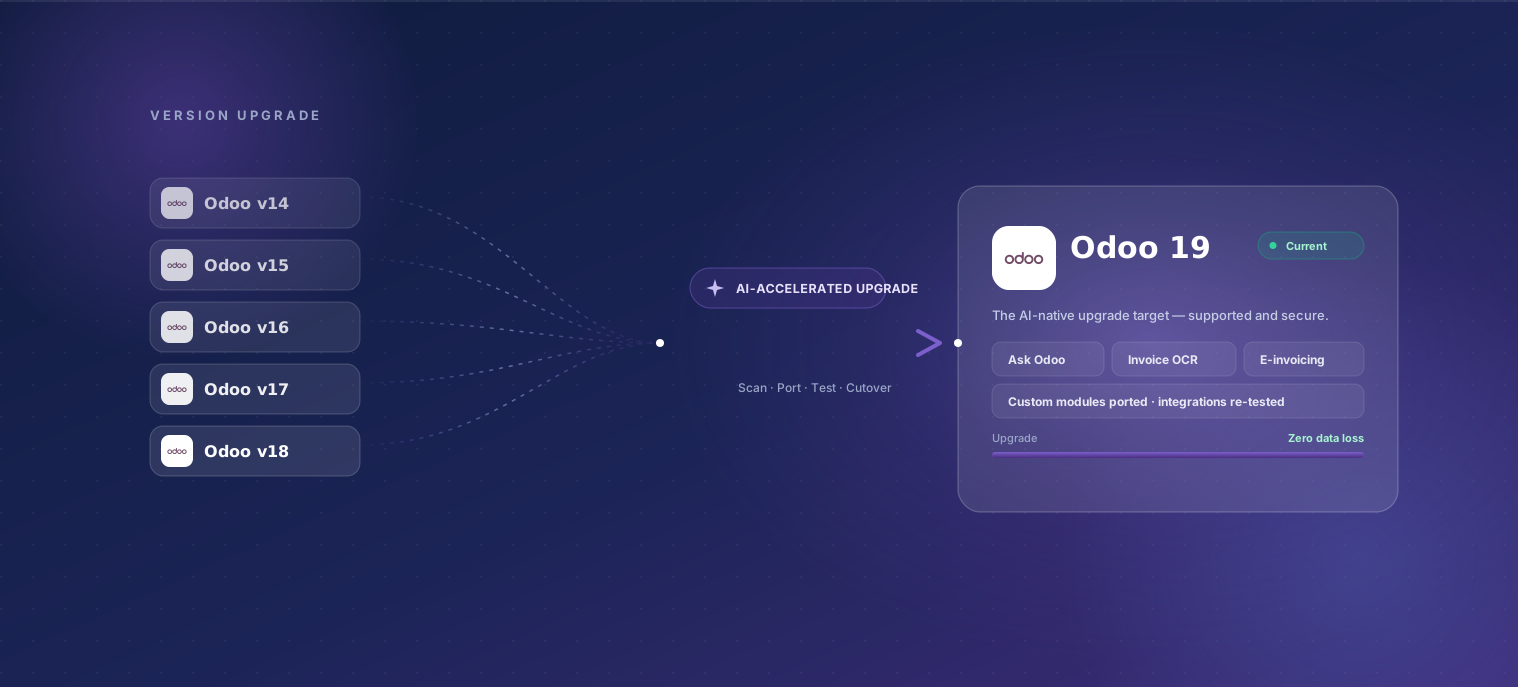
Upgrade Odoo to the current version — 19 — without breaking your customizations. TechUltra runs an AI-accelerated, upgrade-safe process: AI flags every deprecated API and breaking change in your custom modules, drafts the code port and parity tests, and senior engineers review each change. Zero data loss, minimal downtime, and a rehearsed cutover, delivered by an Odoo Gold Partner.
The consultant who scopes your project is the consultant who runs it. There is no handover from a salesperson to a delivery team after you sign — the part of an ERP engagement that most often goes wrong.
Last reviewed:
What's included
-
AI custom-module audit
AI statically scans every custom module against the target version — deprecated methods, removed fields, renamed ORM APIs, and view-syntax changes — and produces a per-module breaking-change report on day one, not week six.
-
Version gap analysis
AI diffs Odoo core between your current version and the target, then maps which core changes actually touch your customizations. You get a scoped effort estimate grounded in your real codebase.
-
AI-assisted code port
AI drafts the version-safe refactor for each flagged module — updated APIs, migrated views, adjusted data models — and a senior engineer reviews and corrects every change. Fast on the mechanical work; human on the judgment.
-
Database migration scripts
Idempotent, OpenUpgrade-style migration scripts move your data between schema versions. Re-runnable as many times as needed against a staging copy of production before cutover.
-
AI-generated parity tests
AI generates regression and parity tests from your existing workflows so the upgraded system is proven to behave like the old one — reviewed and extended by our engineers where coverage matters most.
-
Integration re-validation
Every connector — payment, e-commerce, WhatsApp, shipping, statutory — is re-tested end-to-end against the upgraded instance. Version bumps quietly break integrations; we catch them in UAT, not production.
-
Staging dress rehearsal
The full upgrade runs against a production clone first. Timings, data volumes, and edge cases are measured so cutover day has no surprises.
-
Cutover, rollback & hypercare
Cutover follows a rehearsed checklist with a documented, tested rollback. 90 days of post-upgrade hypercare from a dedicated team once you're live.
Our process
- 01 AI upgrade assessment 3–5 days
- 02 Upgrade blueprint 1 week
- 03 AI-accelerated port + migration scripts 2–6 weeks
- 04 Automated + real-data UAT 1–2 weeks
- 05 Staging dress rehearsal 2–3 days
- 06 Cutover + hypercare 1 window + 90 days
-
AI upgrade assessment
3–5 daysAI scans your custom modules and database against the target version and produces a breaking-change report and risk register. You see the true scope before committing — no guesswork estimate.
-
Upgrade blueprint
1 weekThe AI findings become a signed-off plan: per-module port list, data-migration approach, integration re-test matrix, and cutover playbook. Fixed scope from here.
-
AI-accelerated port + migration scripts
2–6 weeksAI drafts the code port and OpenUpgrade-style data scripts; senior engineers review every change and run scripts against a staging clone from day one. This is where AI compresses the timeline most.
-
Automated + real-data UAT
1–2 weeksAI-generated parity tests run on every build, and your team runs their real workflows against the upgraded instance. Scripts and ports are re-run until UAT passes clean.
-
Staging dress rehearsal
2–3 daysA full timed upgrade against a production clone. We measure downtime, validate reconciliation, and lock the cutover runbook.
-
Cutover + hypercare
1 window + 90 daysA scheduled cutover window with a rehearsed rollback, then 90 days of hypercare from a dedicated team after go-live.
Typical timeline
Most single-version and short-hop upgrades (e.g. Odoo 17 or 18 → 19) run 4–8 weeks end to end; longer jumps or heavily customized instances (Odoo 14/15 → 19) run 8–14 weeks. The AI assessment and AI-assisted port are what shorten the schedule versus a hand-audited upgrade — the mechanical scanning and code-porting that used to consume weeks now takes days, leaving the senior team's time for review, testing, and the judgment calls AI shouldn't make. A stock Odoo instance with few customizations can upgrade in days; the effort scales with the size and age of your custom-module footprint, not the version number alone.
What affects the price
Every engagement is fixed-scope after a paid one-week discovery. These are the levers that move a quote up or down.
-
Customization depth
A near-stock Odoo instance upgrades quickly. The cost scales with how many custom modules exist and how deeply they touch core — which the AI audit quantifies precisely before we quote.
-
Version distance
Odoo 18 → 19 is a short hop; Odoo 14 → 19 crosses five releases of API and data-model change. More releases between versions means more breaking changes to port and re-test.
-
Data volume and history
Migrating the full transactional history takes longer than master data plus a recent window. We measure the timed upgrade on a production clone so the cutover downtime is known in advance.
-
Integration count
Each connector is re-validated against the upgraded API. The effort depends on how each integration was built, not just how many there are.
-
Community vs Enterprise
Enterprise upgrades follow Odoo's supported path; Community and OpenUpgrade paths need more custom scripting. We scope the right approach for your edition and hosting (Odoo Online, Odoo.sh, or on-premise).
-
Downtime tolerance
A quiet-period cutover with a longer maintenance window is cheaper than a near-zero-downtime upgrade that needs extra rehearsal and staged data sync. We schedule for your lowest-risk window.
Who this is for
Teams running an older Odoo version — 14, 15, 16, 17, or 18 — that want to reach Odoo 19 for its native AI (Ask Odoo, invoice OCR), security patches, and continued support, but are worried a version jump will break the customizations they rely on. Also for teams stuck on a heavily-customized old version whose original partner is gone, or on an edition approaching end of support. If you're moving to Odoo from a different ERP entirely, that's an Odoo migration rather than a version upgrade.
Why TechUltra for Odoo Version Upgrade
-
AI-accelerated, not AI-autopilot
AI does the slow, mechanical work — scanning custom code for breaking changes, drafting the port, generating parity tests — so the upgrade lands faster. Senior engineers review every change, because an unattended agent shouldn't decide what your ERP does.
-
Scope you can see before you commit
The AI audit produces a per-module breaking-change report on day one, so the estimate is grounded in your actual codebase — not a round number and a hope.
-
Upgrade-safe engineering
Idempotent OpenUpgrade-style scripts, staging dress rehearsals, AI-generated parity tests, and a rehearsed rollback. The upgraded system is proven to behave like the old one before cutover.
-
Odoo Gold Partner since 2021
Gold is the highest of Odoo's three partner tiers. Upgrades are run by certified consultants who've moved clients across four major Odoo versions.
Frequently asked questions
-
How does AI make an Odoo upgrade faster and more accurate?
AI compresses the two slowest, most error-prone parts of an upgrade. First, it statically scans every custom module against the target version and lists exactly what breaks — deprecated APIs, removed fields, changed view syntax — instead of an engineer reading each file by hand. Second, it drafts the version-safe code port and generates parity tests from your existing workflows. Senior engineers then review and correct every change. You get days instead of weeks on the mechanical work, and the human review keeps it accurate.
-
Will our custom modules break when we upgrade?
That's exactly what the AI assessment prevents. Before any work starts, we produce a per-module breaking-change report so nothing is a surprise at cutover. Each flagged module is ported to the new version, reviewed by a senior engineer, and validated with parity tests and real-data UAT. Modules that no longer earn their keep are flagged for retirement rather than blindly carried forward.
-
How long does an Odoo version upgrade take?
Short-hop upgrades (Odoo 17 or 18 → 19) typically run 4–8 weeks end to end; longer jumps or heavily-customized instances (Odoo 14/15 → 19) run 8–14 weeks. A near-stock instance can upgrade in days. The AI-assisted assessment and code port are what shorten the schedule versus a fully hand-audited upgrade.
-
Can we jump several versions at once (e.g. Odoo 15 to 19)?
Yes. Multi-version jumps run through each intermediate schema migration in sequence against a staging clone, then are validated as one upgraded instance. The AI audit maps the cumulative breaking changes across all the releases you're crossing, so the effort is scoped accurately rather than underestimated.
-
Is our data safe during the upgrade?
Upgrades run against a clone of production first, using idempotent, re-runnable migration scripts — production is never the test bed. A full timed dress rehearsal validates reconciliation before the real cutover, which follows a rehearsed checklist with a documented, tested rollback. The target is zero data loss and a known, measured downtime window.
-
Do you upgrade Odoo Community and Enterprise?
Both. Enterprise upgrades follow Odoo's supported upgrade path; Community upgrades use OpenUpgrade-style scripting for the data migration. We work across Odoo Online, Odoo.sh, and on-premise deployments and scope the right approach for your edition and hosting during the assessment.
-
Why upgrade to Odoo 19?
Odoo 19 is the current stable line, with native AI (Ask Odoo, invoice OCR, natural-language reporting), expanded e-invoicing, and ongoing security and support. Older versions eventually fall out of support and miss the platform-level AI features newer versions build on. Upgrading keeps you on a supported, actively-improved base.
-
Does AI ever touch our production system on its own?
No. AI works on a staging copy and its output is always reviewed by a senior engineer before anything is applied. There is no unattended agent making changes to your live ERP — AI accelerates the work; humans own the decisions and the cutover.