Odoo App · HR & Attendance
Face Recognition Attendance
Contactless face-recognition check-in for Odoo HR, with GPS tracking and multi-site geofencing.

Overview
Face Recognition Attendance replaces manual registers and PIN pads with a contactless face scan. Employees open the attendance page, look at the camera, and the module records a timestamped check-in or check-out against their Odoo HR record — no card, no keypad, no shared device to clean.
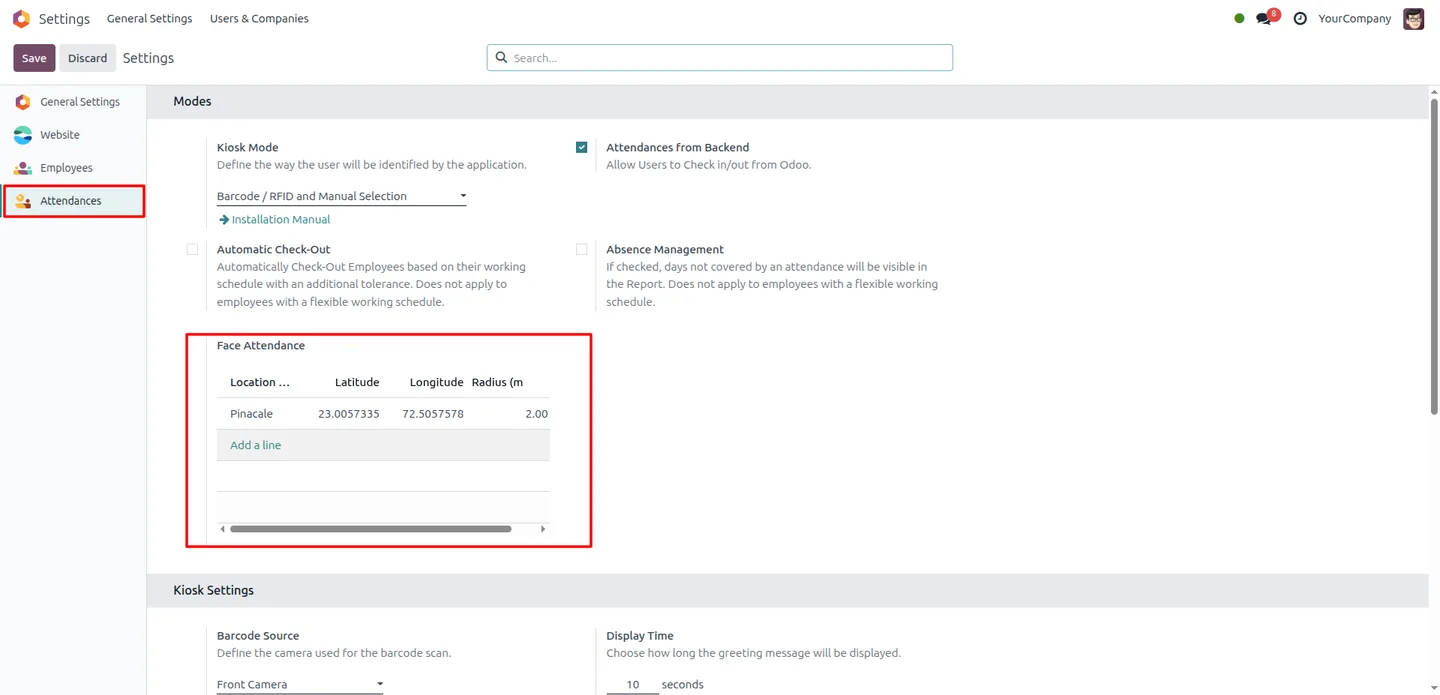
Built by TechUltra Solutions, the module adds GPS validation and multi-location geofencing on top of recognition. You define each authorised location with a latitude, longitude, and radius in metres; attendance is only accepted when the employee is physically inside one of those zones. Offices, branches, warehouses, factories, and field sites can each have their own geofence.
Liveness detection guards against the obvious workarounds — holding up a photo or playing a video of a colleague — so the attendance log reflects who was actually present. Records are created instantly and stay inside the standard Odoo Attendances app, so reporting and payroll integration work without extra setup.
Key features
-
Facial-recognition check-in
Employees clock in and out with a face scan instead of a card or PIN. Recognition runs at high accuracy and creates the attendance record automatically.
-
Liveness anti-spoofing
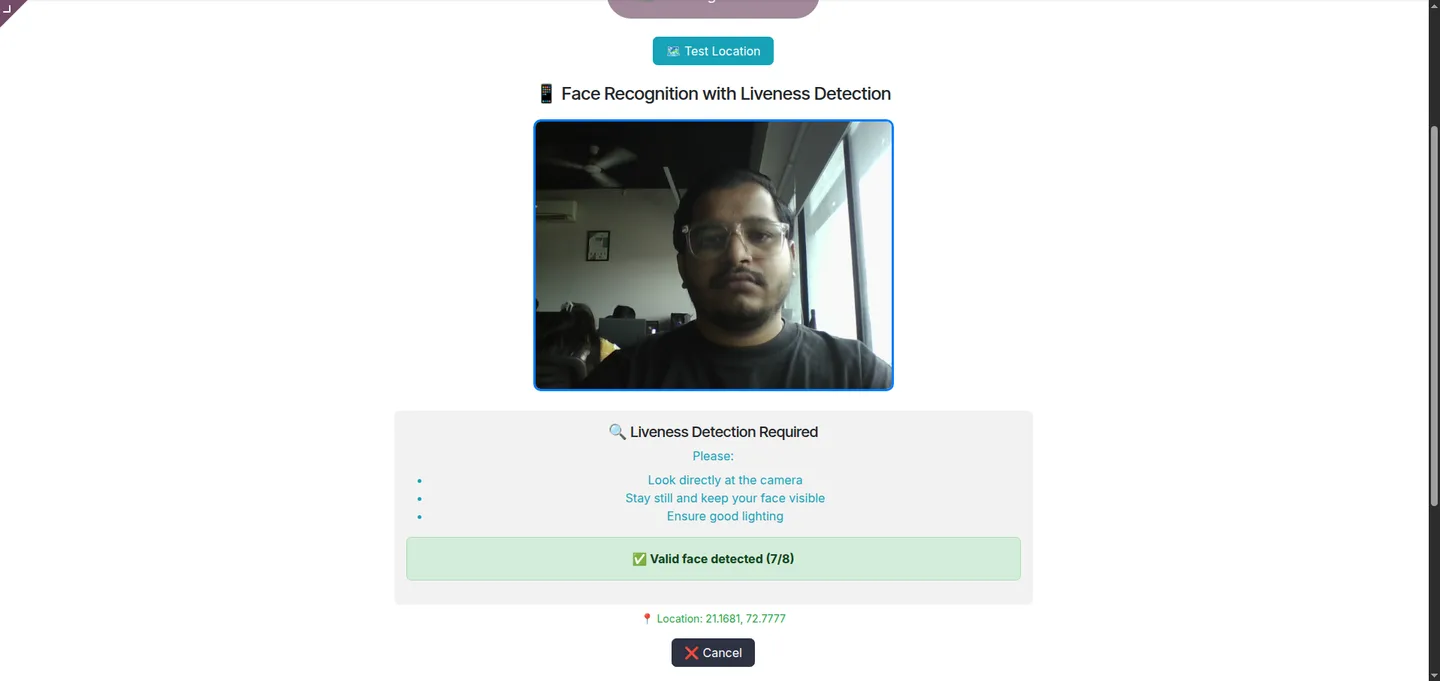
Built-in liveness detection rejects photos and videos held up to the camera, so a recognised face means a person who is physically there.
-
Multi-location geofencing
Configure as many geofences as you need — offices, branches, warehouses, factories, or project sites — each with its own coordinates and radius.
-
GPS location validation
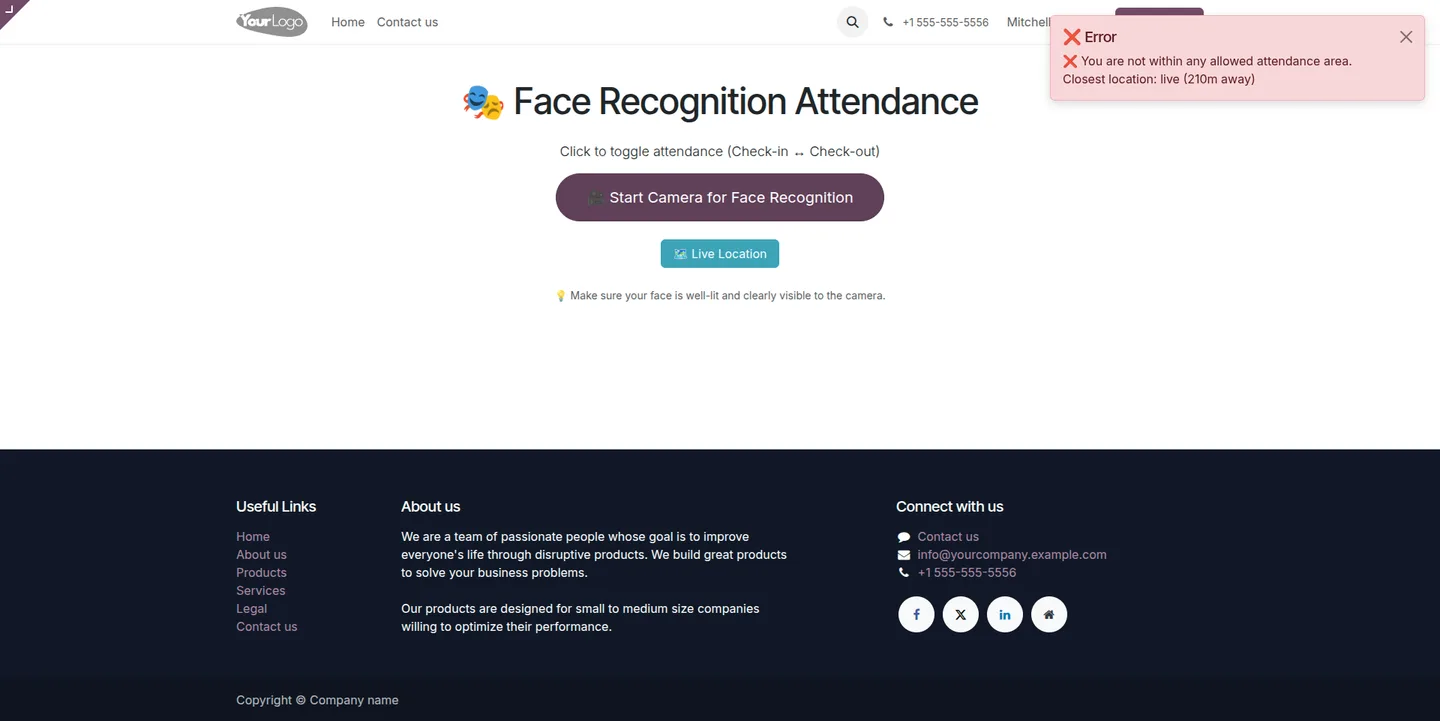
Each scan captures the device's GPS position and resolves it to an address. Attendance is only accepted inside an authorised geofence radius.
-
Live location preview
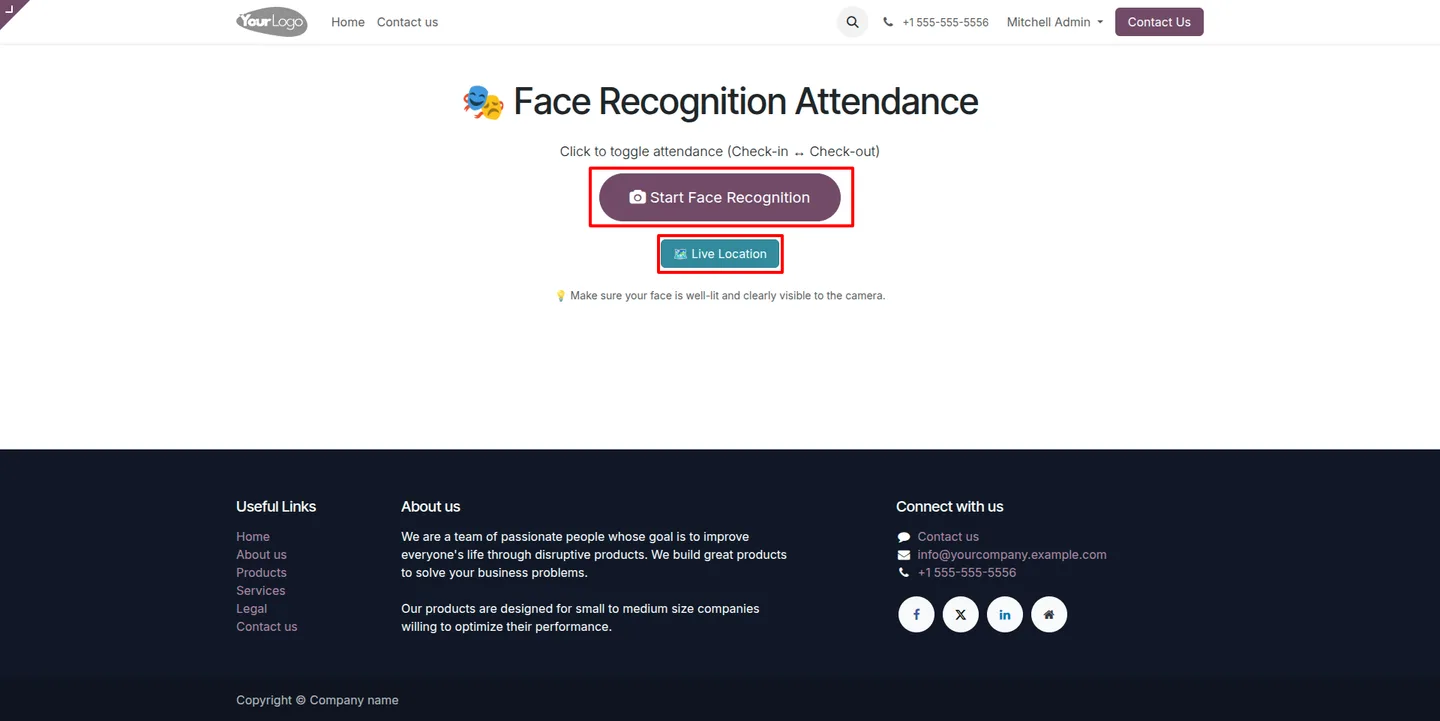
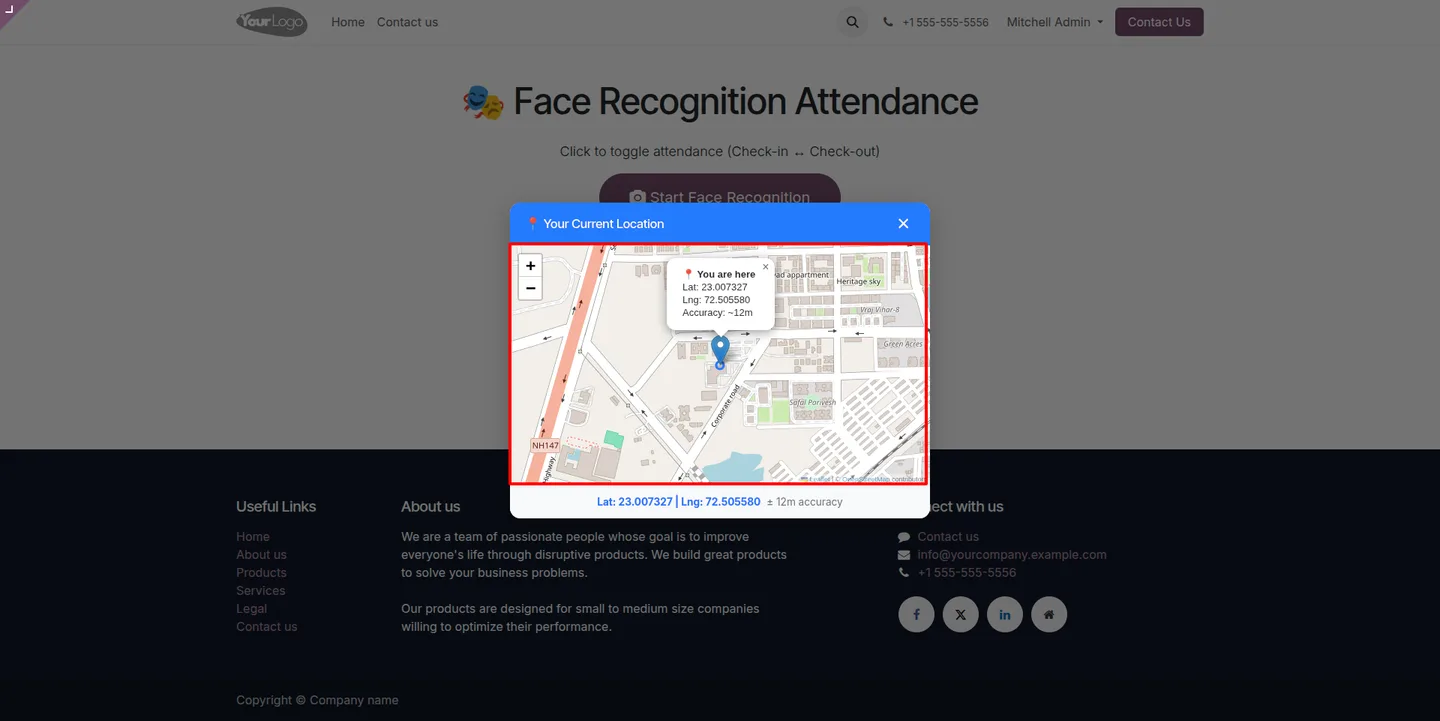
A Live Location view shows the employee's current position on a map with latitude, longitude, and accuracy before they mark attendance.
-
Instant attendance logging
Recognised check-ins and check-outs are written immediately with an accurate timestamp and the captured location details.
-
Built for distributed teams
Per-location geofences suit organisations with multiple branches, remote sites, or field employees who clock in away from a head office.
-
Native Odoo HR integration
Records sit in the standard Odoo Attendances app, so existing attendance reports and payroll links keep working without extra configuration.
Face Recognition Attendance in Odoo
Every screen, in the order you meet it — configuration first, then the module in use.
Technical details
Specification
- Publisher
- TechUltra Solutions Private Limited
- Technical name
- hr_attendance_face_detection
- Odoo versions
- 16.0, 17.0, 18.0, 19.0, 20.0
- Lines of code
- 1,132
- License
- Odoo Proprietary License v1.0 (OPL-1)
- Price
- $45 (one-time)
Deployment
- Odoo Online
- Odoo.sh
- On-premise
Odoo dependencies
- Attendances
- Employees
- Website
- Discuss
Support
90 days of bug-fix support, Monday to Friday (10:00–19:00 IST). Raise a ticket at support@techultra.in.
Setup & configuration
From install to first call — here is the path.
- 1
Install the module
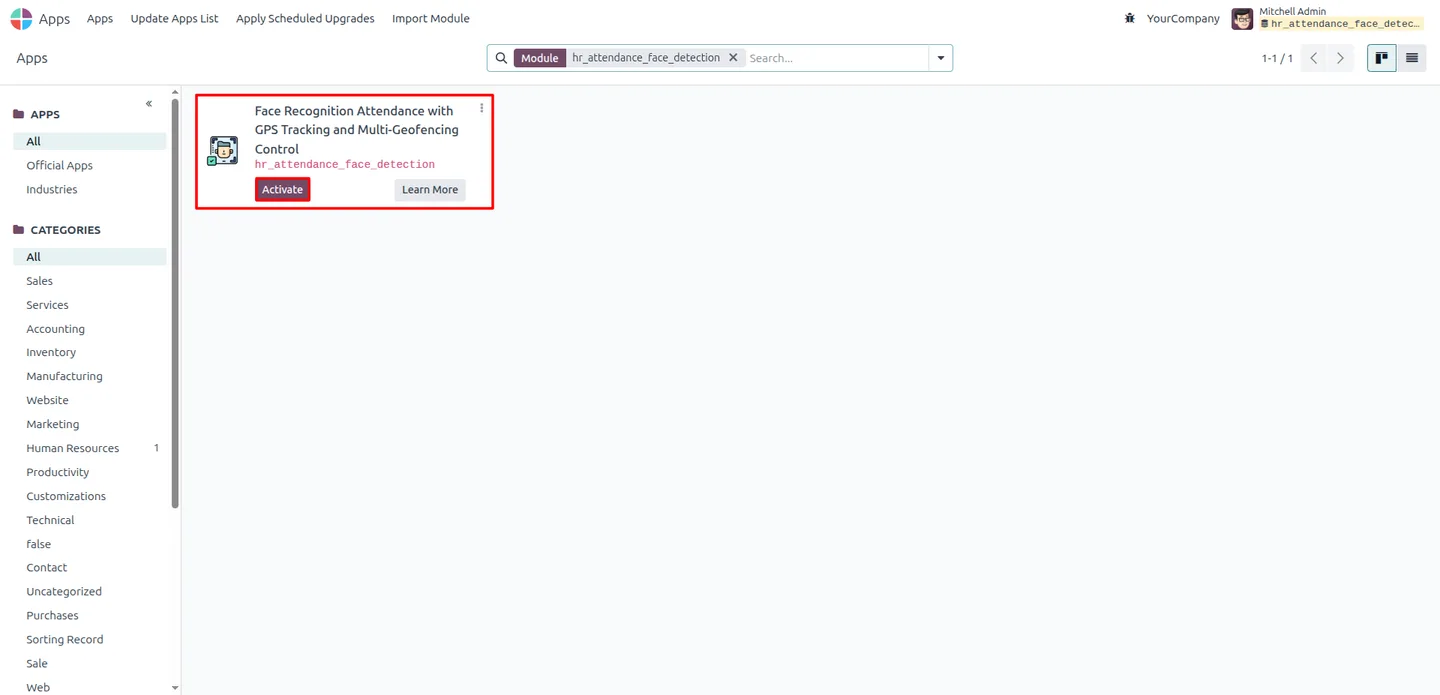
In Odoo, open Apps, remove the Apps filter, search for “Face Recognition Attendance”, and click Install.
- 2
Generate face encodings
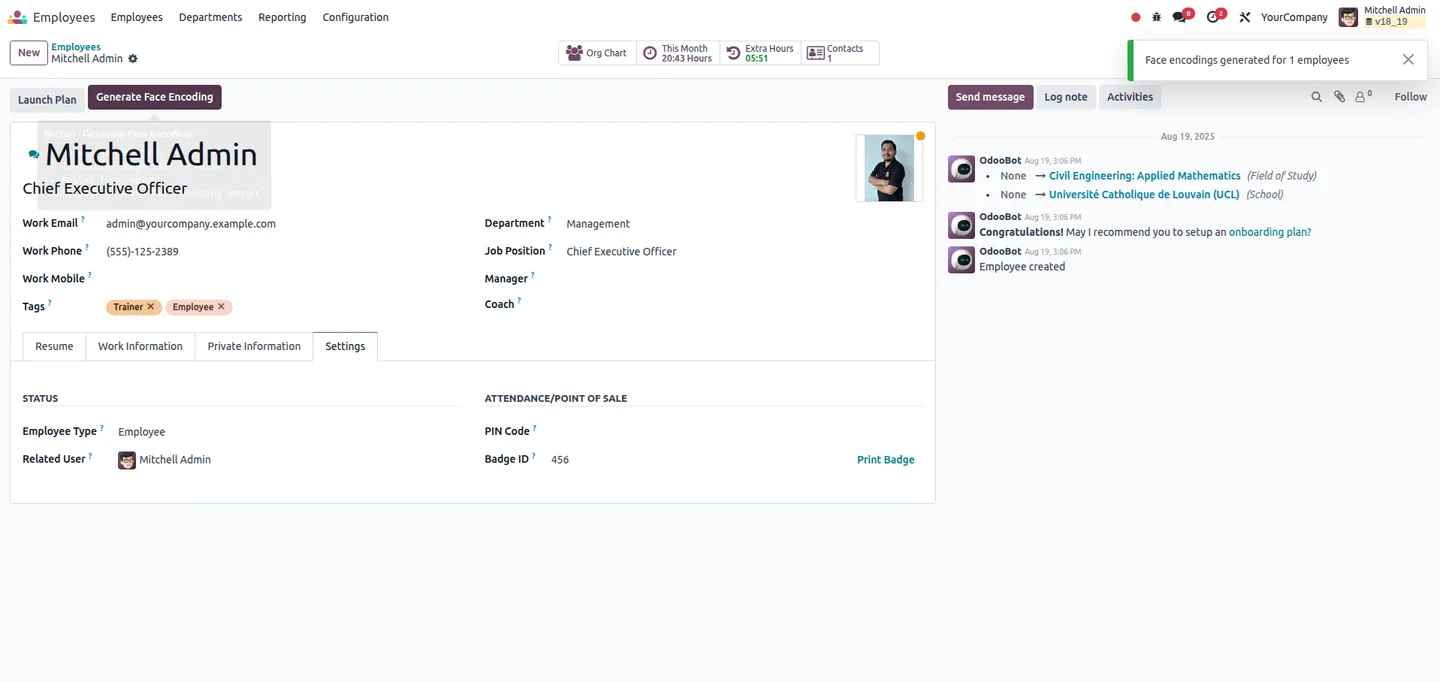
Open the Employees app, upload a clear photo for each employee, and click Generate Face Encoding so the system can recognise them.
- 3
Configure geofence locations
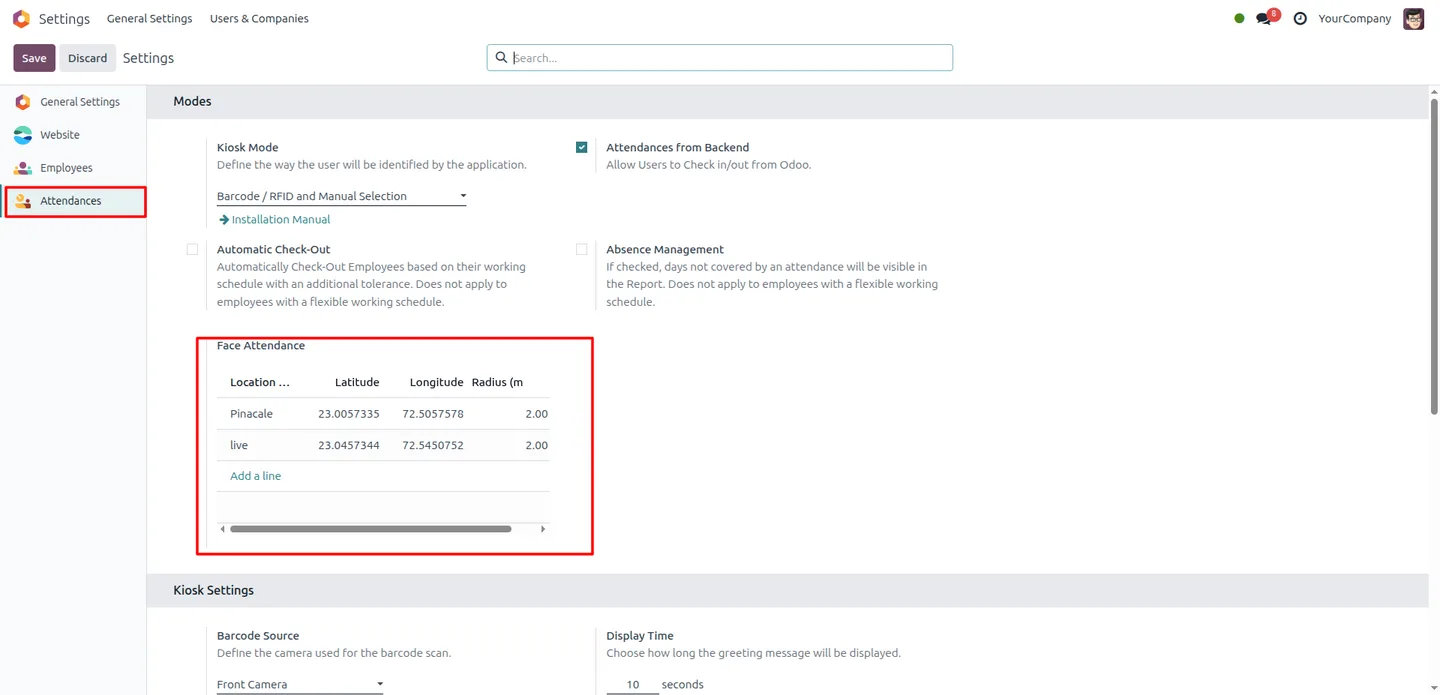
In Attendance settings, set each Face Attendance Location with its latitude and longitude, and the Face Attendance Radius in metres. Add a record for every site you want to allow.
- 4
Open Face Attendance
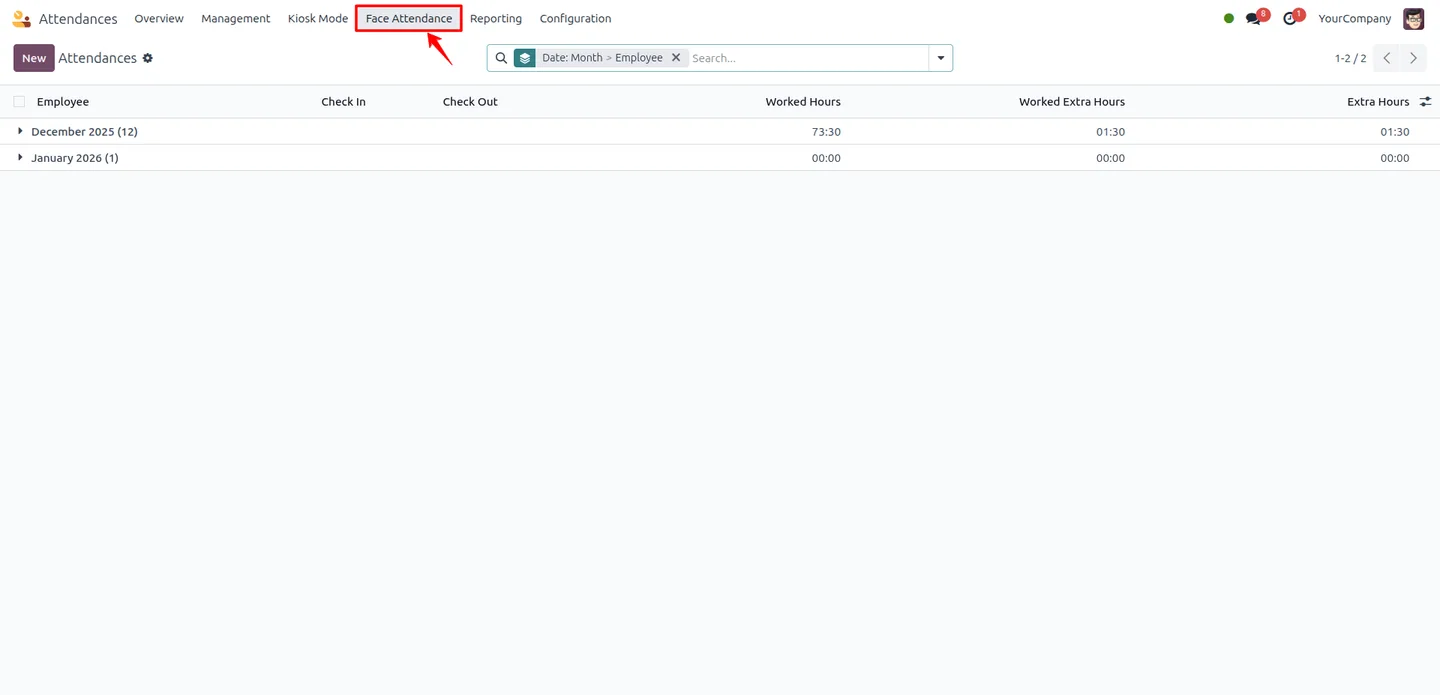
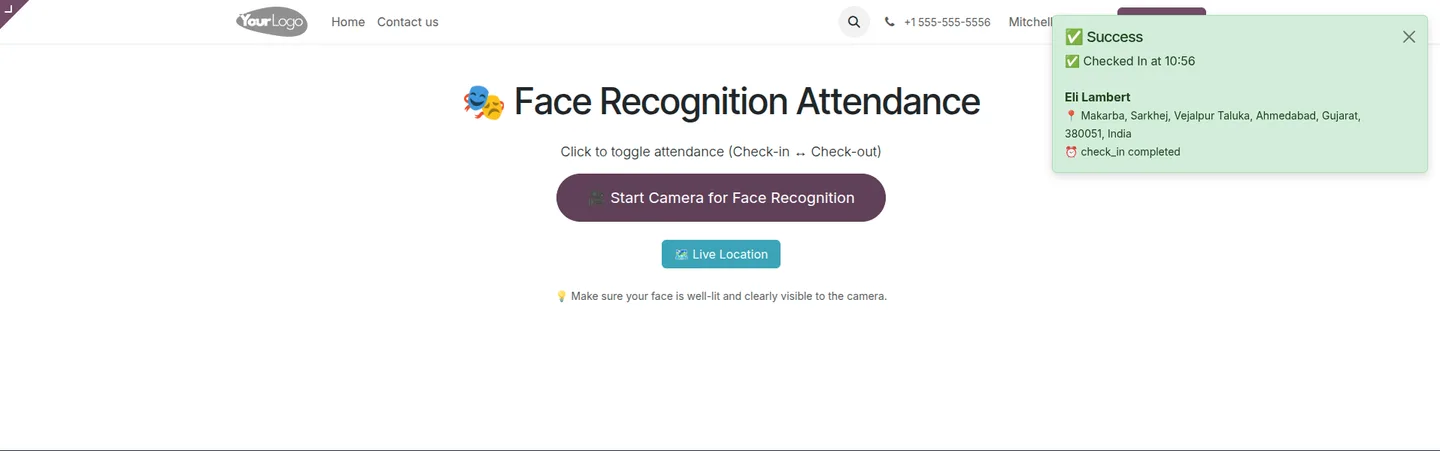
From the Attendance app, click Face Attendance. The module opens the recognition page with options to scan a face or check the live location.
- 5
Mark attendance
The employee looks at the camera; on a successful scan inside an authorised geofence, the module shows the check-in or check-out time and the captured location.
Frequently asked questions
-
How do employees clock in with this module?
They open the Face Attendance page and look at the camera. On a successful face scan, the module records a timestamped check-in or check-out — no card, PIN, or manual entry.
-
Can someone clock in with a photo of a colleague?
No. Built-in liveness detection rejects still photos and videos held up to the camera, so attendance is only accepted for a person physically present.
-
How does the geofencing work?
You define each authorised location with a latitude, longitude, and radius in metres. Attendance is only accepted when the employee's GPS position falls inside one of those geofences.
-
Can I set up more than one location?
Yes. The module supports multiple geofences at once, so offices, branches, warehouses, and project sites can each have their own coordinates and radius.
-
What do I need to set up before employees can use it?
Upload a photo for each employee and click Generate Face Encoding, then configure at least one geofence location and radius in Attendance settings.
-
Which Odoo versions are supported?
The module supports Odoo 16.0, 17.0, 18.0, 19.0, and 20.0, in both the Community and Enterprise editions.
-
Where are the attendance records stored?
Records are written into the standard Odoo Attendances app, so existing attendance reports and payroll integrations continue to work without extra setup.
-
Is support included?
Yes. The module includes 90 days of bug-fix support, Monday to Friday, 10:00–19:00 IST.
Related solutions
Whole-platform solutions that complement Face Recognition Attendance.
Related services
Get the most out of this module with senior TechUltra consultants.
Odoo Customization Services
Tailored Odoo customizations from a Gold Partner — 200+ projects, upgrade-safe patterns, fixed-scope quotes, senior consultants. Free demo consultation.
Hire Odoo Developers
Hire certified Odoo developers from a Gold Partner — 400+ implementations, 92% satisfaction, Odoo since 2016. Silver / Gold / Platinum packages, free trial.
Odoo Support & Maintenance
Odoo Gold Partner support — 24/7 functional, technical, and server coverage for Enterprise and Community editions. Fast turnaround, free consultation.