
Odoo App · AI & Inventory
AI Inventory Forecast
Forecast product demand in Odoo with NeuralProphet and get reorder suggestions.
Overview
AI Inventory Forecast brings demand forecasting into Odoo's inventory. It uses NeuralProphet — an AI time-series model — to predict how much of each product you will need, so purchasing and manufacturing decisions rest on a forecast rather than a guess.
Built by TechUltra Solutions, the module learns from historical stock-movement data for each product and location combination. It filters outliers, recognises seasonal patterns, flags dead stock once a product has been inactive past a set threshold, and identifies fast-moving items using top-percentile logic.
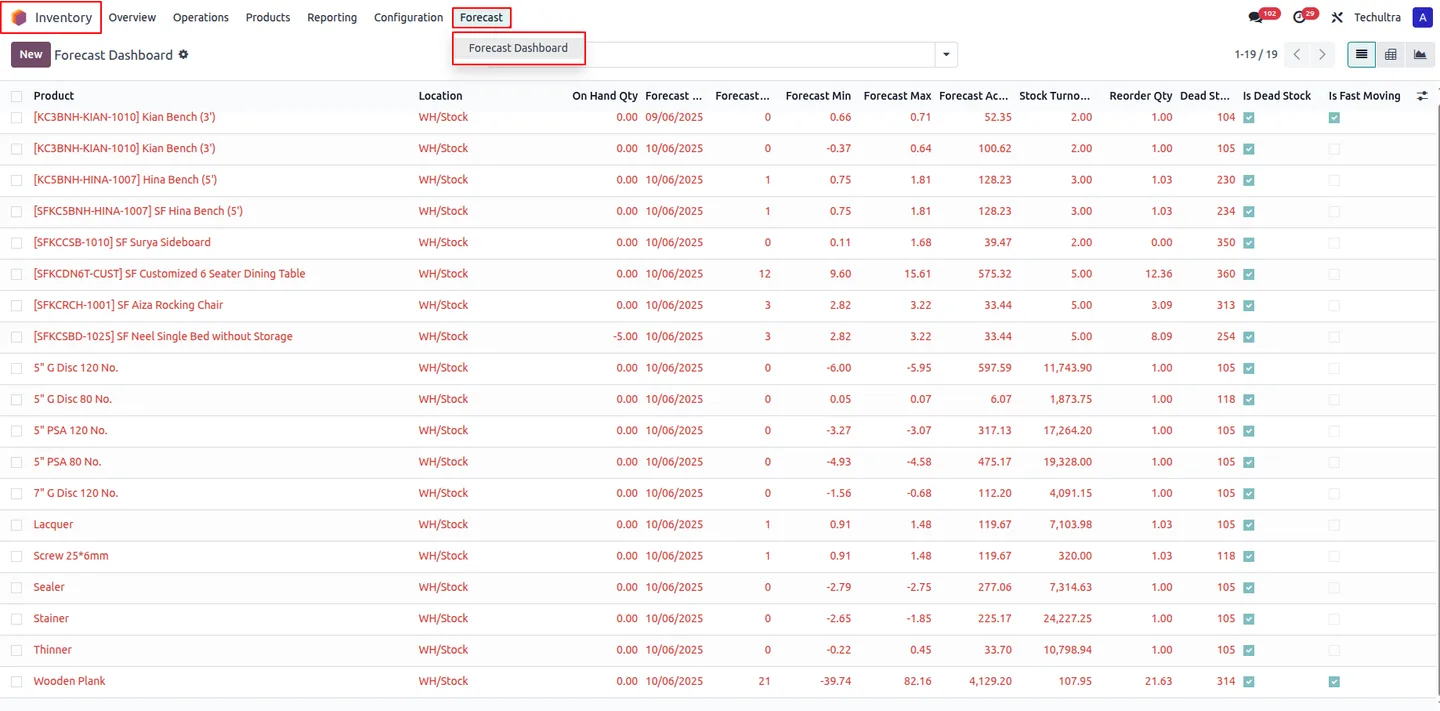
Forecasts come with reorder-quantity suggestions that connect to Odoo's reordering rules and procurement, so a prediction leads straight to an action. A configurable cron job regenerates forecasts on a schedule, duplicate forecasts are prevented, and graph, pivot, and KPI dashboard views make the trends easy to read.
Key features
-
NeuralProphet demand forecasting
Uses NeuralProphet, an AI time-series model, to predict future product demand from your historical stock data.
-
Forecast per product and location
Demand is forecast for each product and location combination, so predictions reflect inventory at a granular level rather than a single company-wide number.
-
Dead stock and fast-mover detection
Automatically flags dead stock once a product passes an inactivity threshold, and identifies fast-moving items using top-percentile logic.
-
Reorder quantity suggestions
Generates reorder-quantity suggestions and a procurement action, so a forecast turns directly into a purchasing or manufacturing step.
-
Integration with reordering rules
The reorder logic ties into Odoo's existing reordering rules and procurement, so forecasts work alongside your current replenishment setup.
-
Outlier filtering and seasonality
The model filters outliers from historical data and recognises seasonal patterns, so unusual spikes do not distort the forecast.
-
Scheduled forecast regeneration
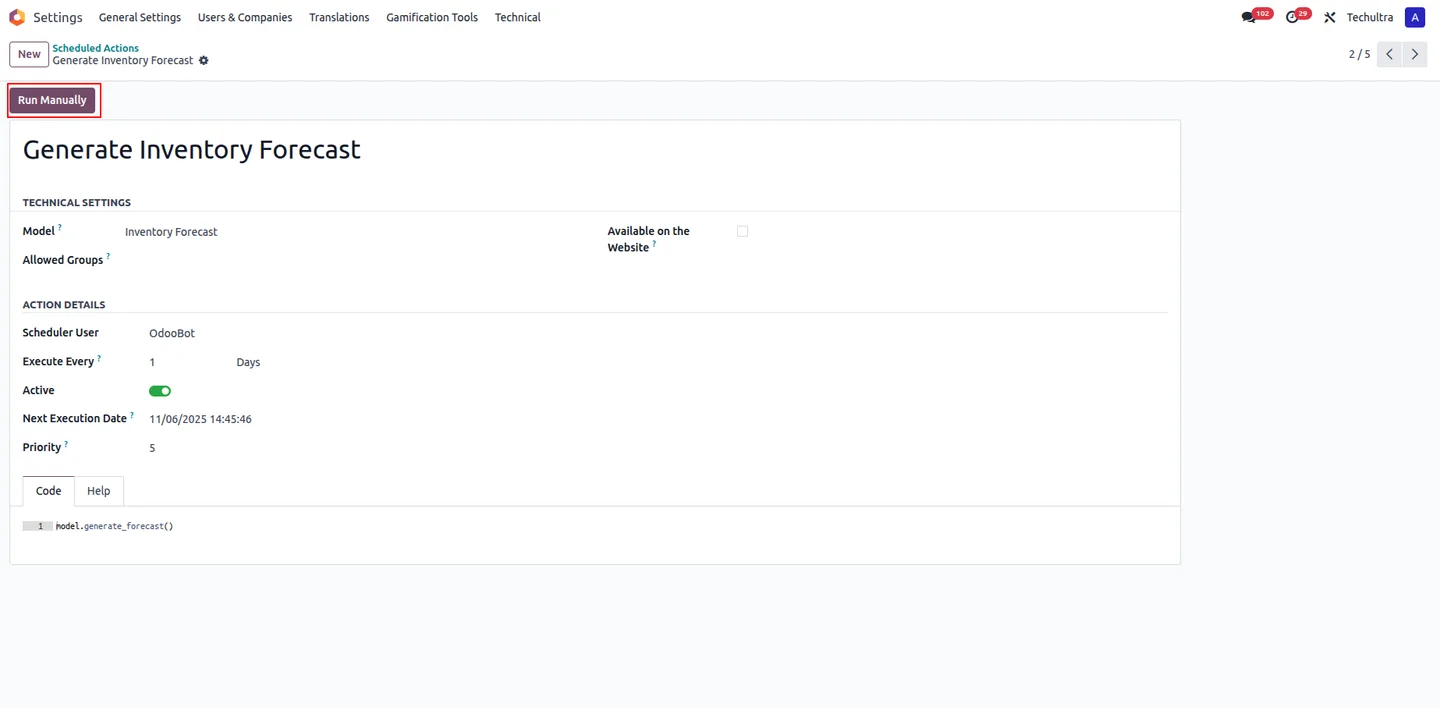
A cron job fetches new data and regenerates forecasts automatically on a schedule, keeping predictions current without manual runs.
-
Configurable forecast parameters
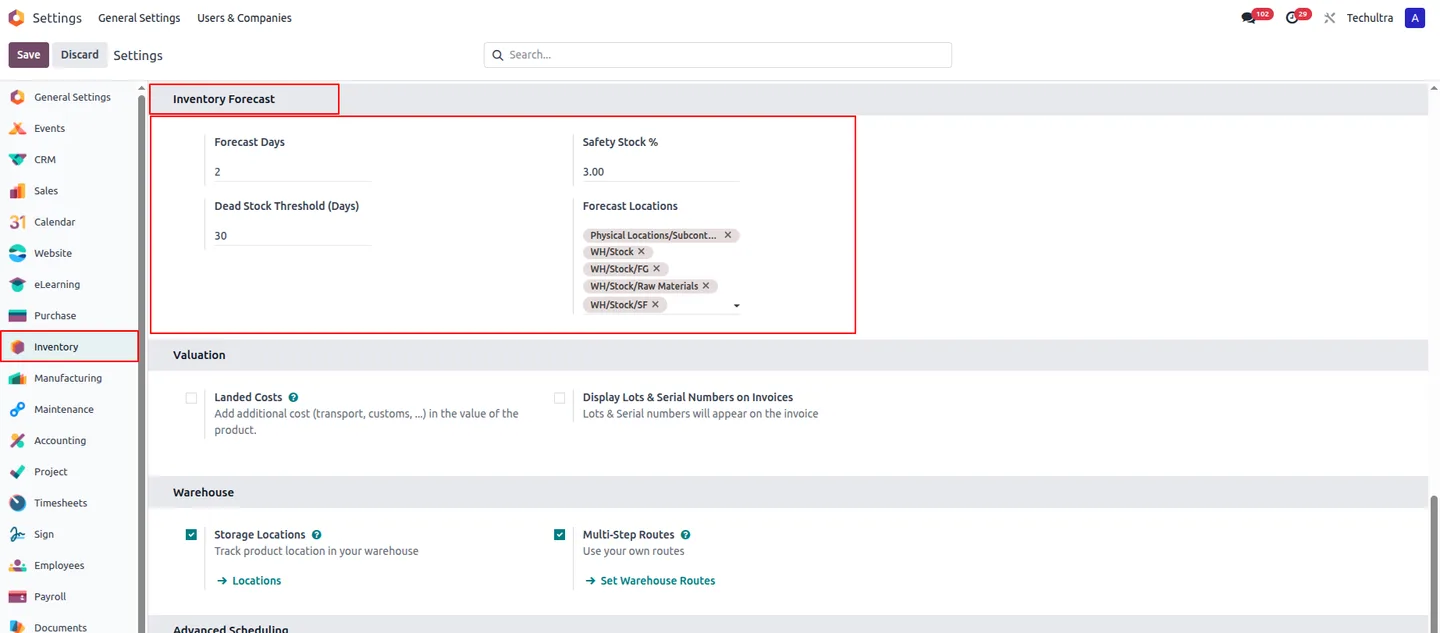
Set the forecast period, the locations to include, safety stock, and the dead-stock threshold to match how your inventory behaves.
-
Graph, pivot, and KPI views
Review forecasts through graph and pivot views with smart filters, plus a KPI dashboard for visual trend analysis.
-
Duplicate prevention and traceability
The module prevents duplicate forecasts and keeps historical forecast records, so past predictions remain traceable.
AI Inventory Forecast in Odoo
Every screen, in the order you meet it — configuration first, then the module in use.
Technical details
Specification
- Publisher
- TechUltra Solutions Private Limited
- Technical name
- ai_inventory_forecast
- Odoo versions
- 17.0, 18.0, 19.0
- Lines of code
- 355
- License
- Odoo Proprietary License v1.0 (OPL-1)
- Price
- $50 (one-time)
Deployment
- Odoo Online
- Odoo.sh
- On-premise
Odoo dependencies
- Inventory
- Manufacturing
- Purchase
- Invoicing
- Discuss
Support
90 days of bug-fix support, Monday to Friday (10:00–19:00 IST). Raise a ticket at support@techultra.in.
Setup & configuration
From install to first call — here is the path.
- 1
Install the module
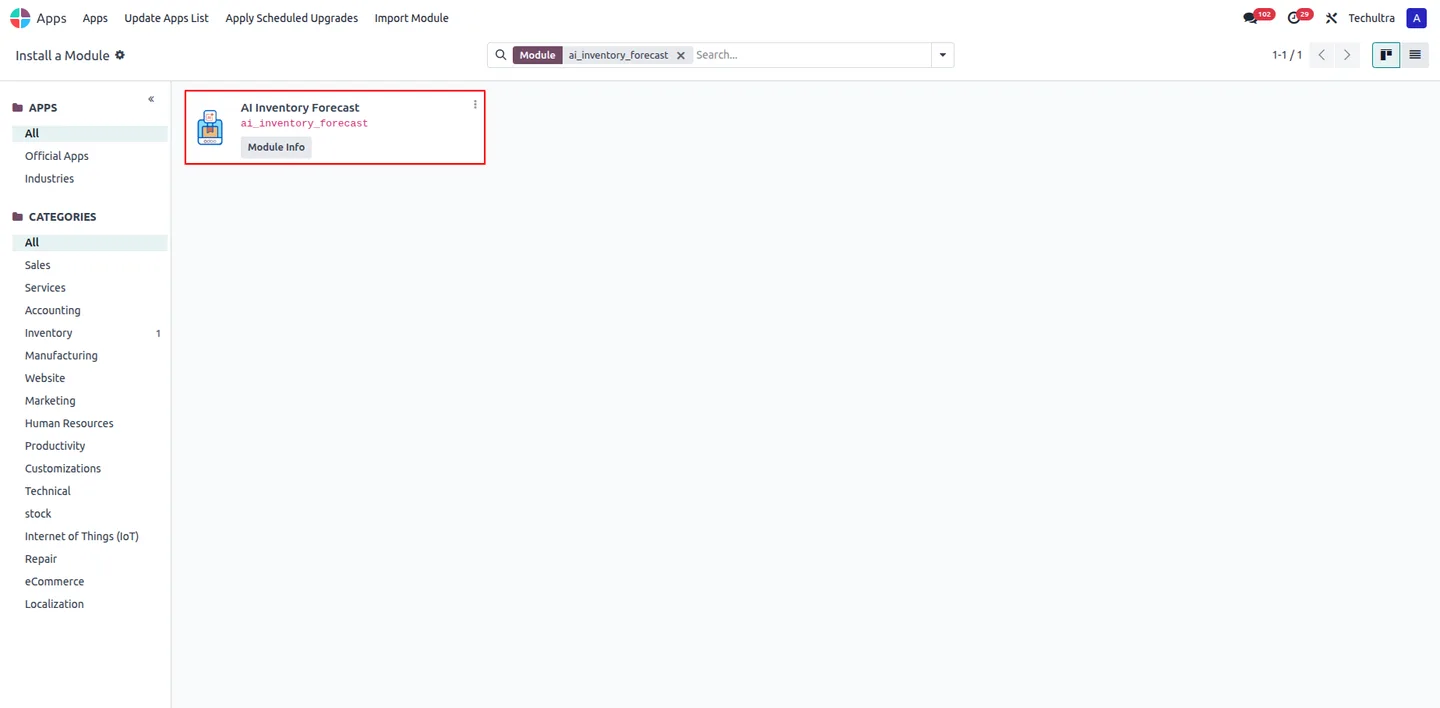
In Odoo, open Apps, remove the Apps filter, search for “AI Inventory Forecast”, and click Install.
- 2
Set the forecast parameters
Open the AI Inventory Forecast configuration and set the forecast days, safety stock, dead-stock threshold, and the locations to include in forecasts.
- 3
Enable the scheduler
Activate the daily cron job so the module fetches new stock-movement data and regenerates forecasts automatically.
- 4
Review the forecasts
Open the forecast records and the KPI dashboard to review predicted demand, dead stock, and fast-moving items in graph and pivot views.
- 5
Act on reorder suggestions
Use the reorder-quantity suggestions and the procurement action to raise purchases or manufacturing orders for the products that need replenishing.
Frequently asked questions
-
How does AI Inventory Forecast predict demand?
It uses NeuralProphet, an AI time-series forecasting model, trained on your historical stock-movement data for each product and location to predict future demand.
-
What data does the forecast use?
The module analyses historical stock movements per product and location combination. It filters outliers and recognises seasonal patterns so the forecast is not skewed by one-off spikes.
-
How does it identify dead stock?
It flags a product as dead stock once it has been inactive beyond a threshold you configure, and separately identifies fast-moving items using top-percentile logic.
-
Does it suggest what to reorder?
Yes. It generates reorder-quantity suggestions with a procurement action, and the reorder logic integrates with Odoo's reordering rules and procurement.
-
Are forecasts updated automatically?
Yes. A configurable cron job fetches new data and regenerates forecasts on a schedule, so predictions stay current without manual runs.
-
What can I configure?
You can set the forecast period, the locations to include, the safety stock, and the dead-stock threshold, so the forecast matches how your inventory behaves.
-
Which Odoo versions are supported?
AI Inventory Forecast supports Odoo 17.0, 18.0, and 19.0. It depends on the Inventory, Manufacturing, Purchase, and Invoicing apps.
-
Is support included?
Yes. The module includes 90 days of bug-fix support, Monday to Friday, 10:00–19:00 IST.
Listing verified against the Odoo App Store:
Related services
Get the most out of this module with senior TechUltra consultants.
Odoo Customization Services
Tailored Odoo customizations from a Gold Partner — 200+ projects, upgrade-safe patterns, fixed-scope quotes, senior consultants. Free demo consultation.
Hire Odoo Developers
Hire certified Odoo developers from a Gold Partner — 400+ implementations, 92% satisfaction, Odoo since 2016. Silver / Gold / Platinum packages, free trial.
Odoo Support & Maintenance
Odoo Gold Partner support — 24/7 functional, technical, and server coverage for Enterprise and Community editions. Fast turnaround, free consultation.







