

Odoo App · Manufacturing
MPS Demand Forecasting
A Forecast Assistant for the Odoo Enterprise Master Production Schedule: preview statistical forecasts, check conflicts, then write them into Forecasted Demand.

Overview
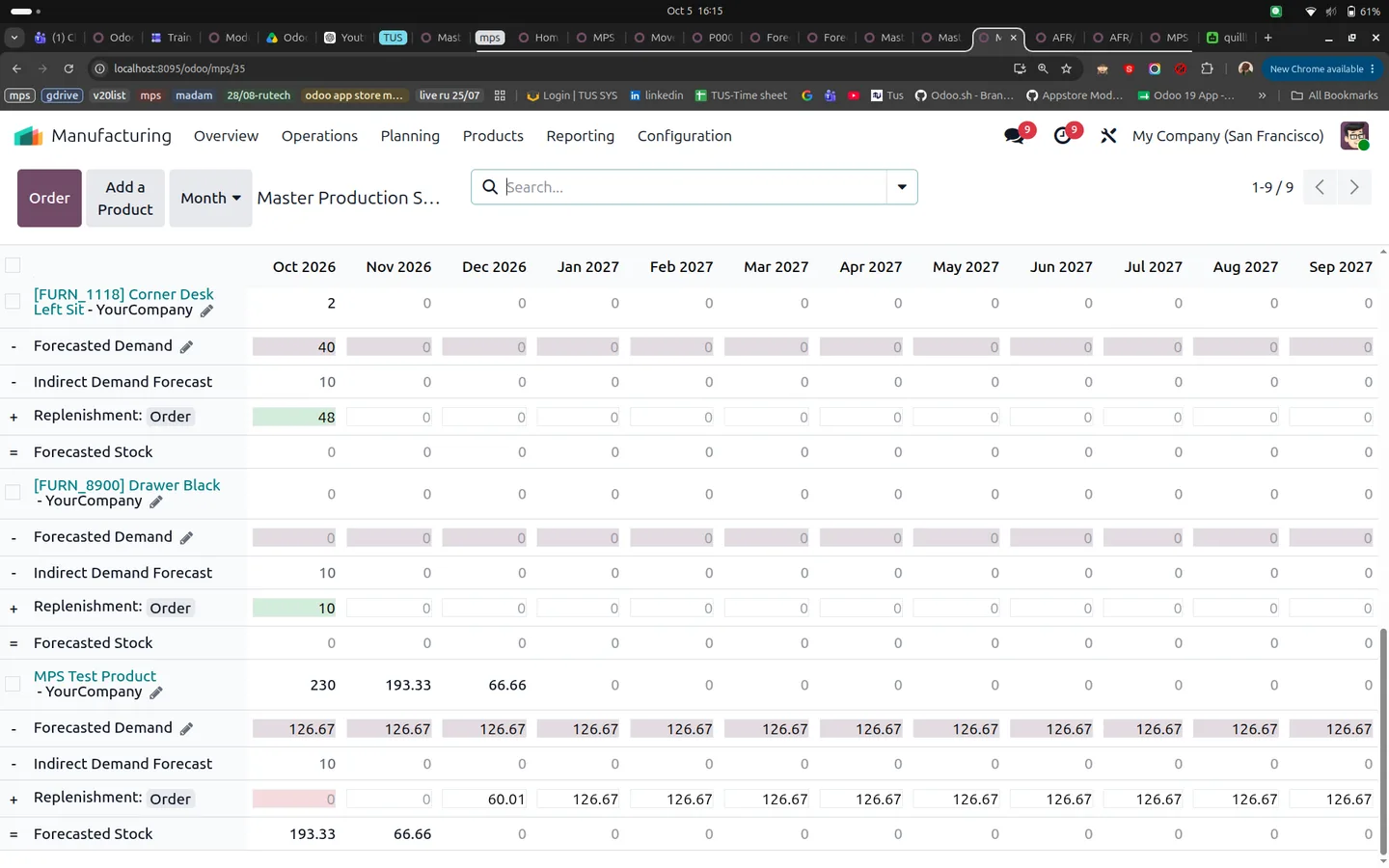
The native Odoo Master Production Schedule (MPS) expects planners to type Forecasted Demand by hand. This module adds a Forecast Assistant that calculates that demand from history, shows it next to the current MPS figures, and writes only the periods you accept.
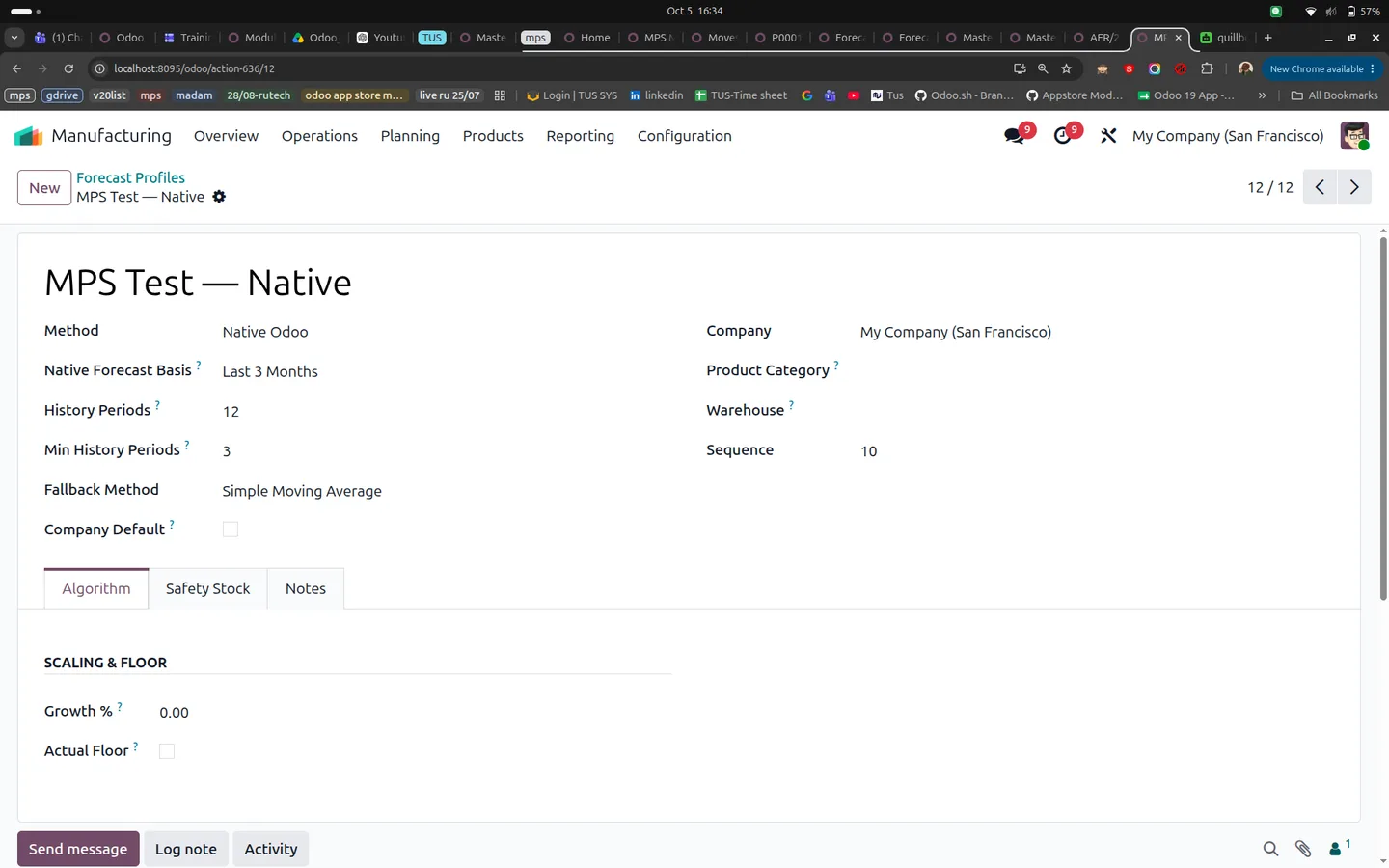
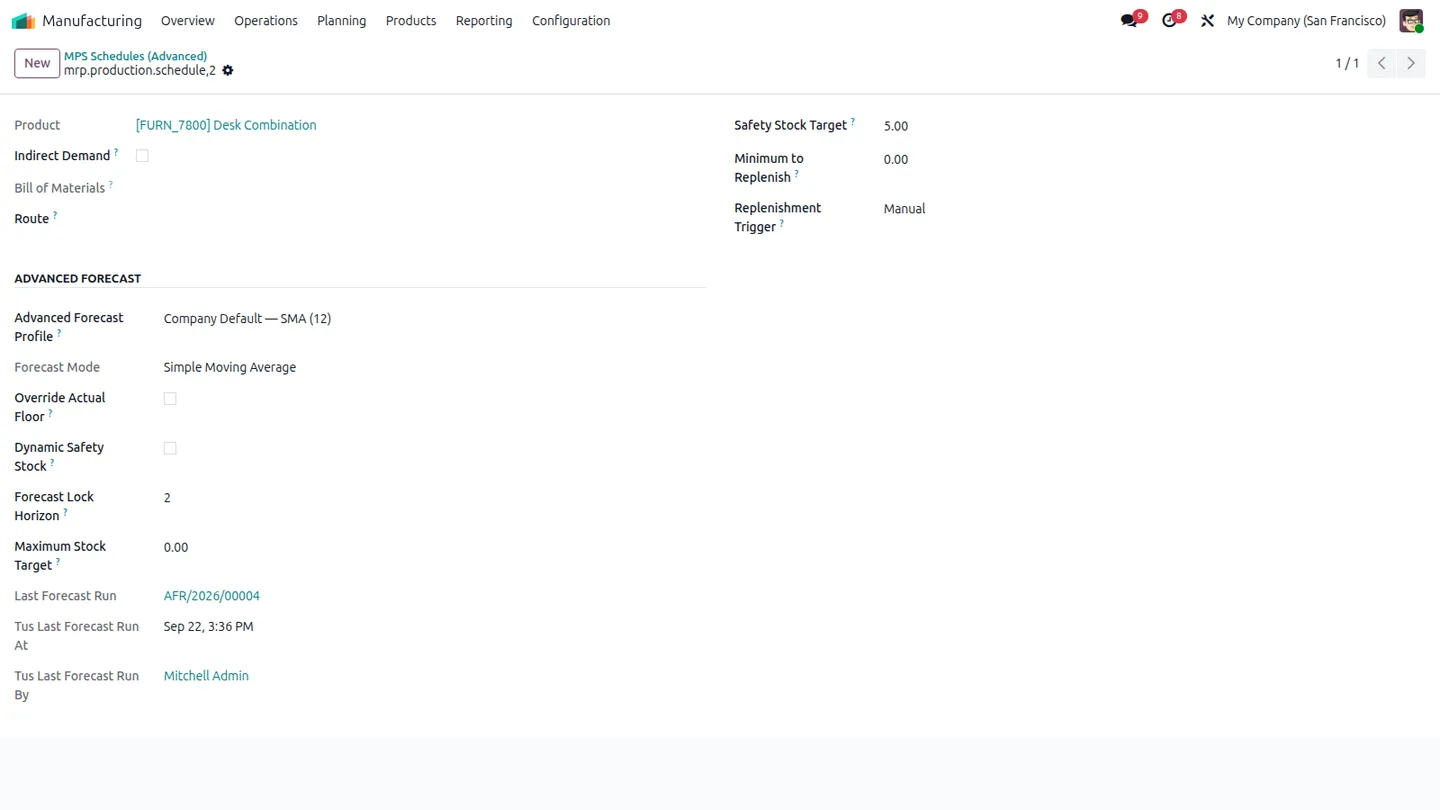
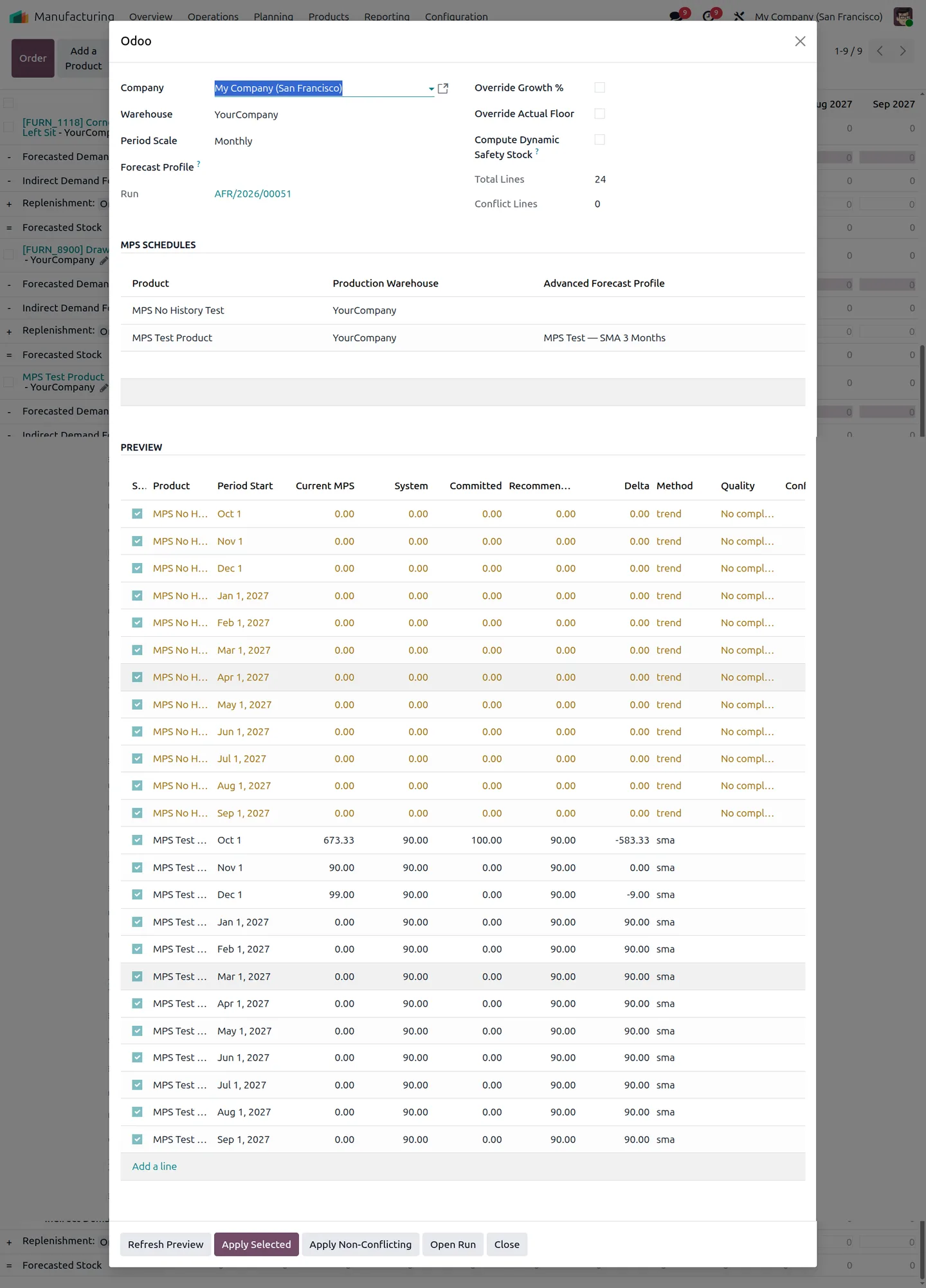
Reusable Forecast Profiles hold the method and its settings: demand history periods, growth percentage, trend limits, WMA weights, seasonal cycles and Blend weights. A profile can sit on an MPS schedule, on a product category (with warehouse-specific matches first) or act as the company default. An assistant profile overrides all of them for a single run.
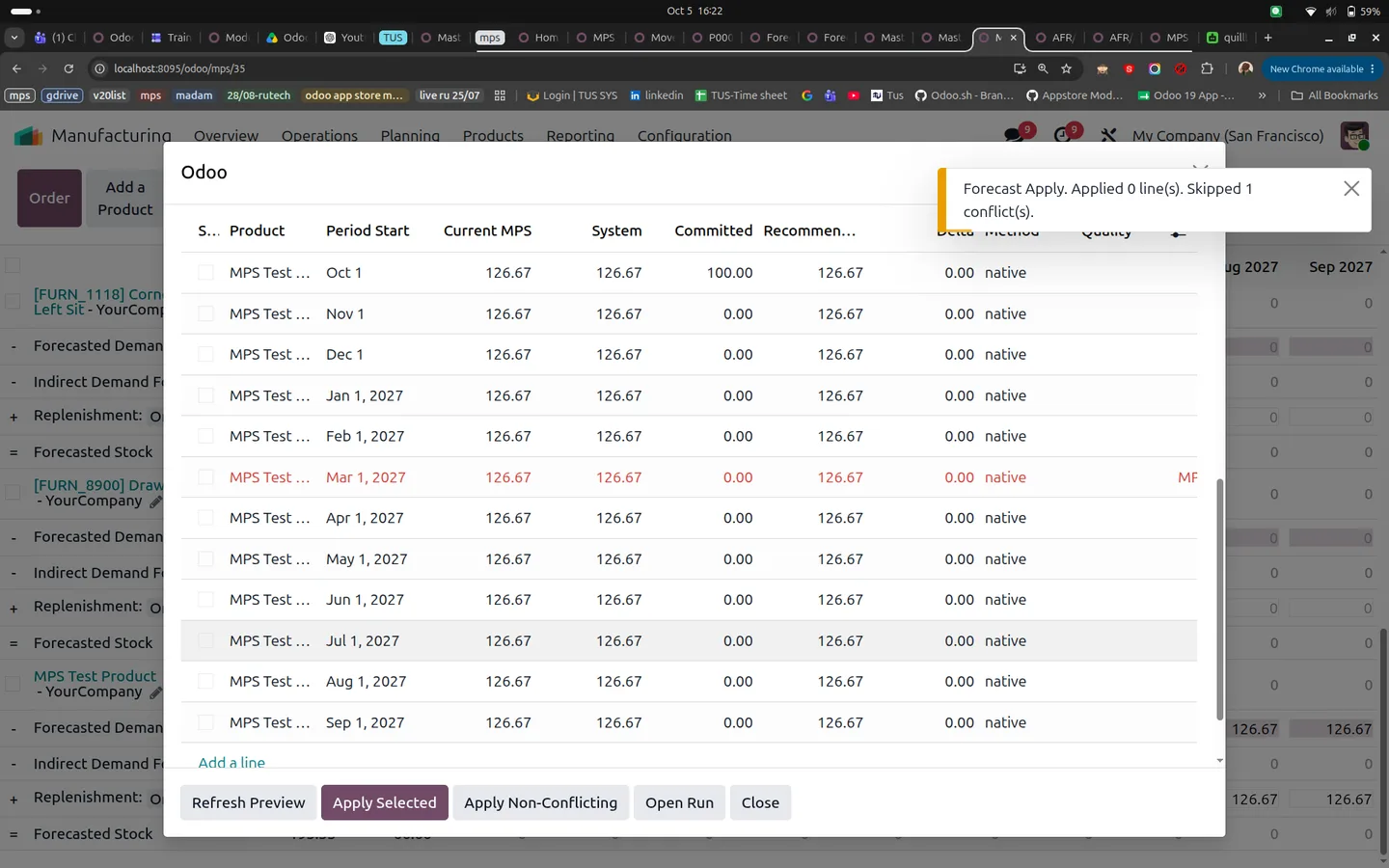
Applying is guarded. If a planner edits an MPS value after the preview, or the period falls inside the forecast lock horizon, the row is skipped and the reason is saved. Every run keeps its parameters, users, timestamps and period snapshots. Once periods close, a daily job compares applied forecasts with actual demand. Odoo still handles stock projection and replenishment through its own MPS workflow.
Key features
-
Six forecasting methods
Native Odoo, Simple Moving Average (SMA), Weighted Moving Average (WMA), Linear Trend, Seasonal or Blend. Native profiles can use Actual Demand, Previous Year, Last 30 Days, Last 3 Months or Last 12 Months.
-
Forecast Profiles with fallback order
Profiles resolve by assistant override, then schedule, then matching product category (warehouse-specific first), then company default.
-
Multi-product preview
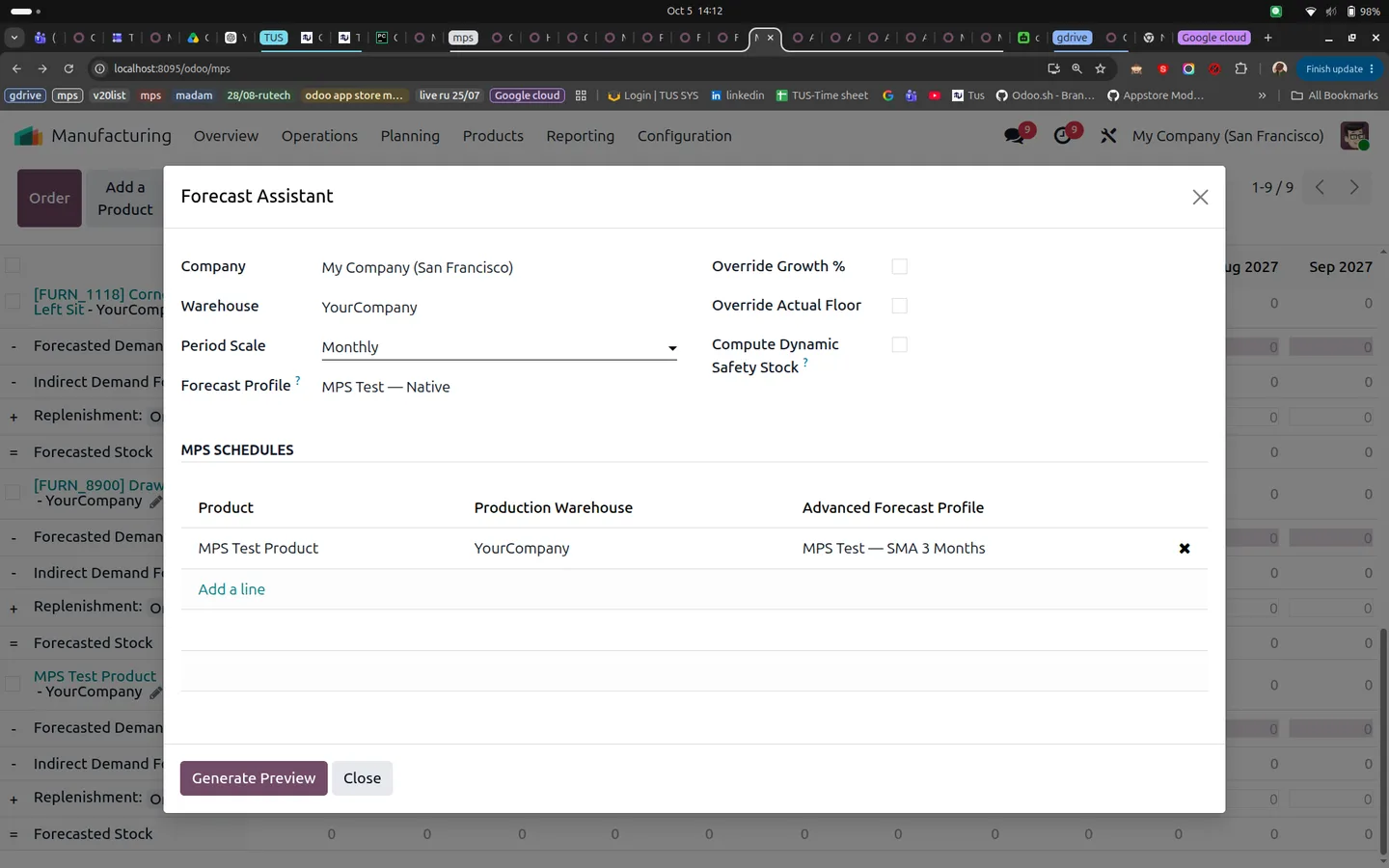
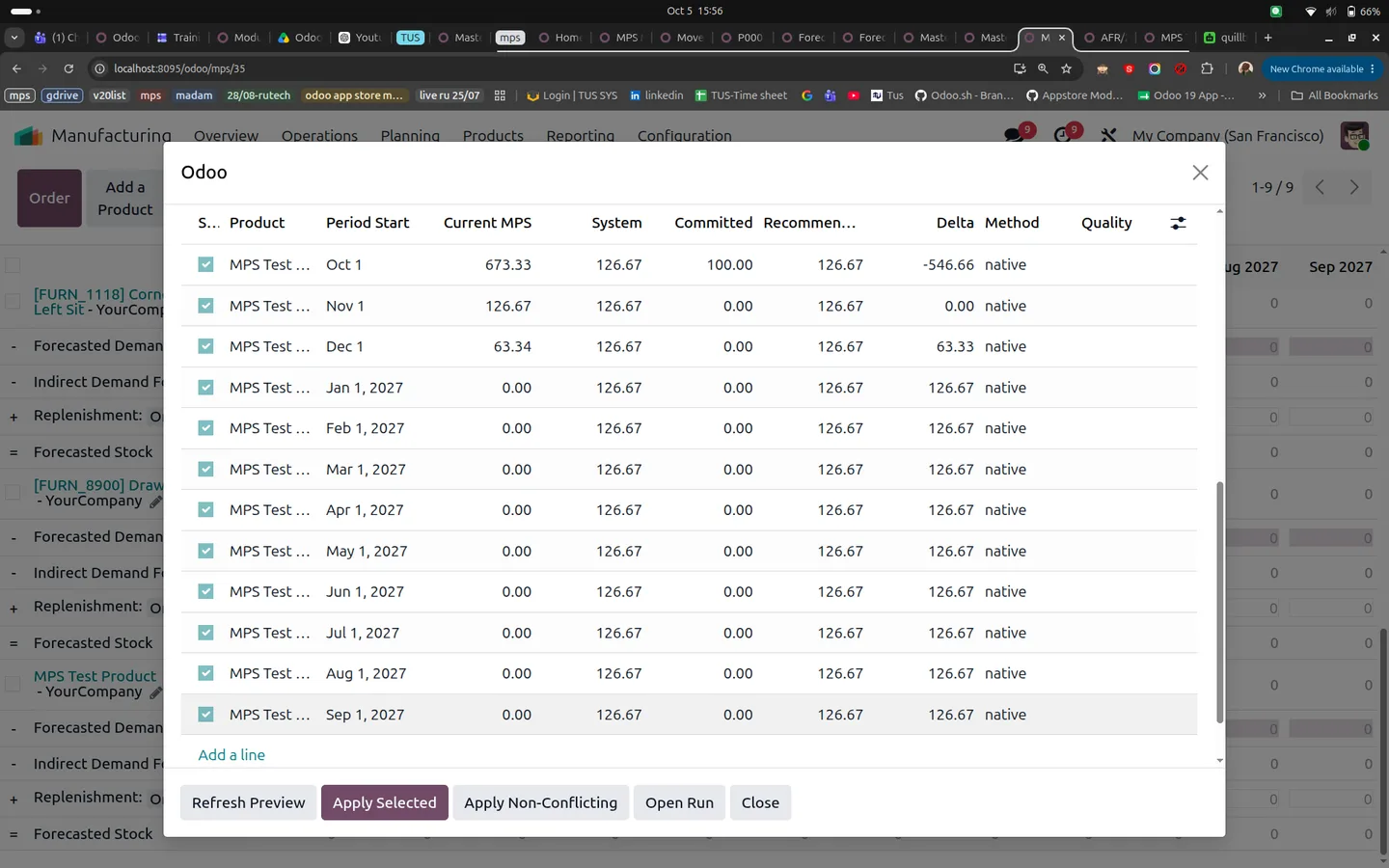
Select several MPS schedules in one run and preview them by yearly, monthly, weekly or daily periods, side by side with current MPS, system, committed and recommended quantities.
-
Conflict-aware apply
Apply Selected writes checked rows. Apply Non-Conflicting picks every eligible unapplied row. Values changed after the preview are skipped with a recorded reason.
-
Forecast lock horizon
Protect a set number of near-term MPS periods from forecast apply actions. Locked periods are skipped and the snapshot records why.
-
Growth overrides and actual demand floor
Change the growth percentage for one run, and use the actual demand floor to keep recommendations at least as high as committed demand.
-
Accuracy analytics
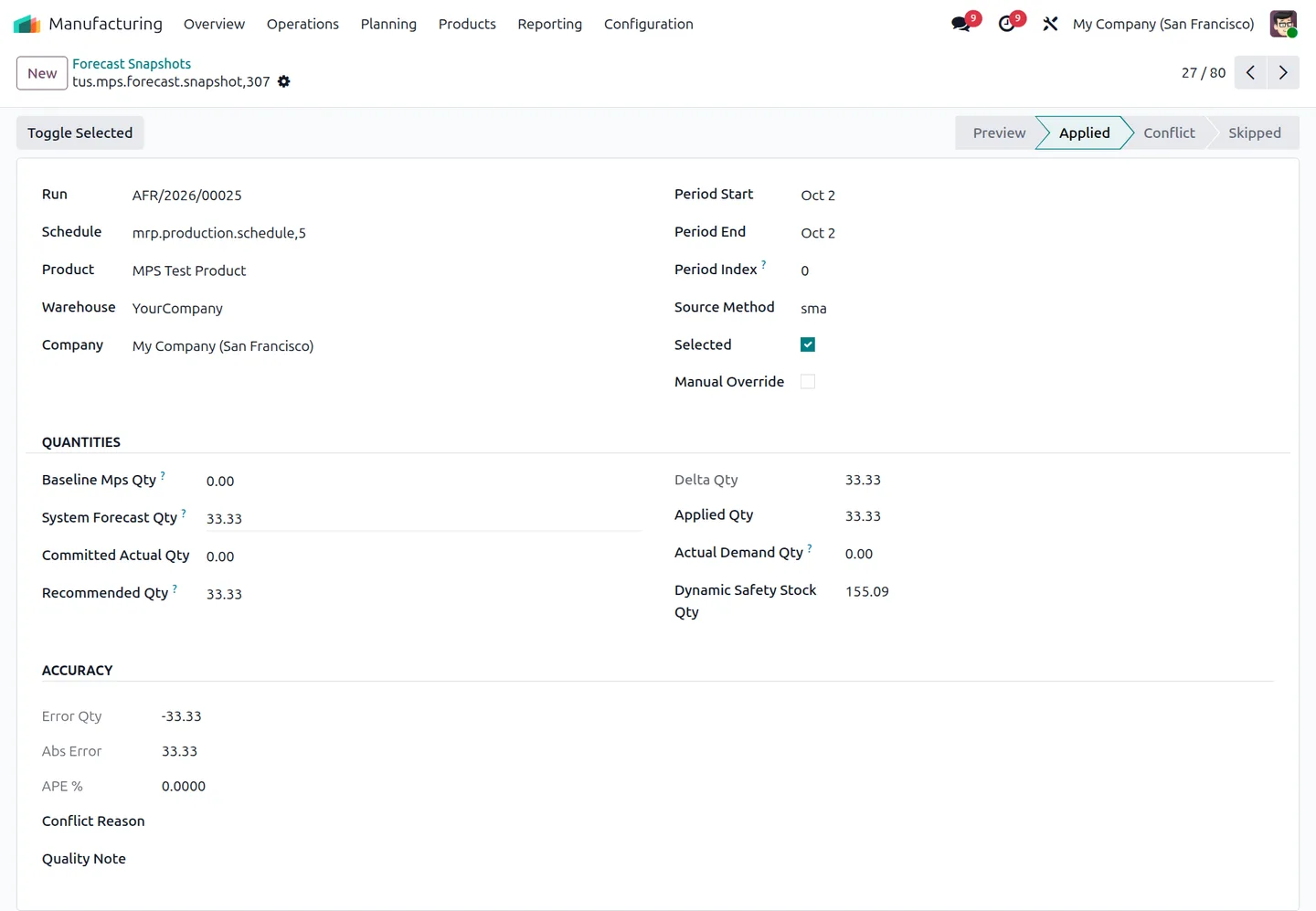
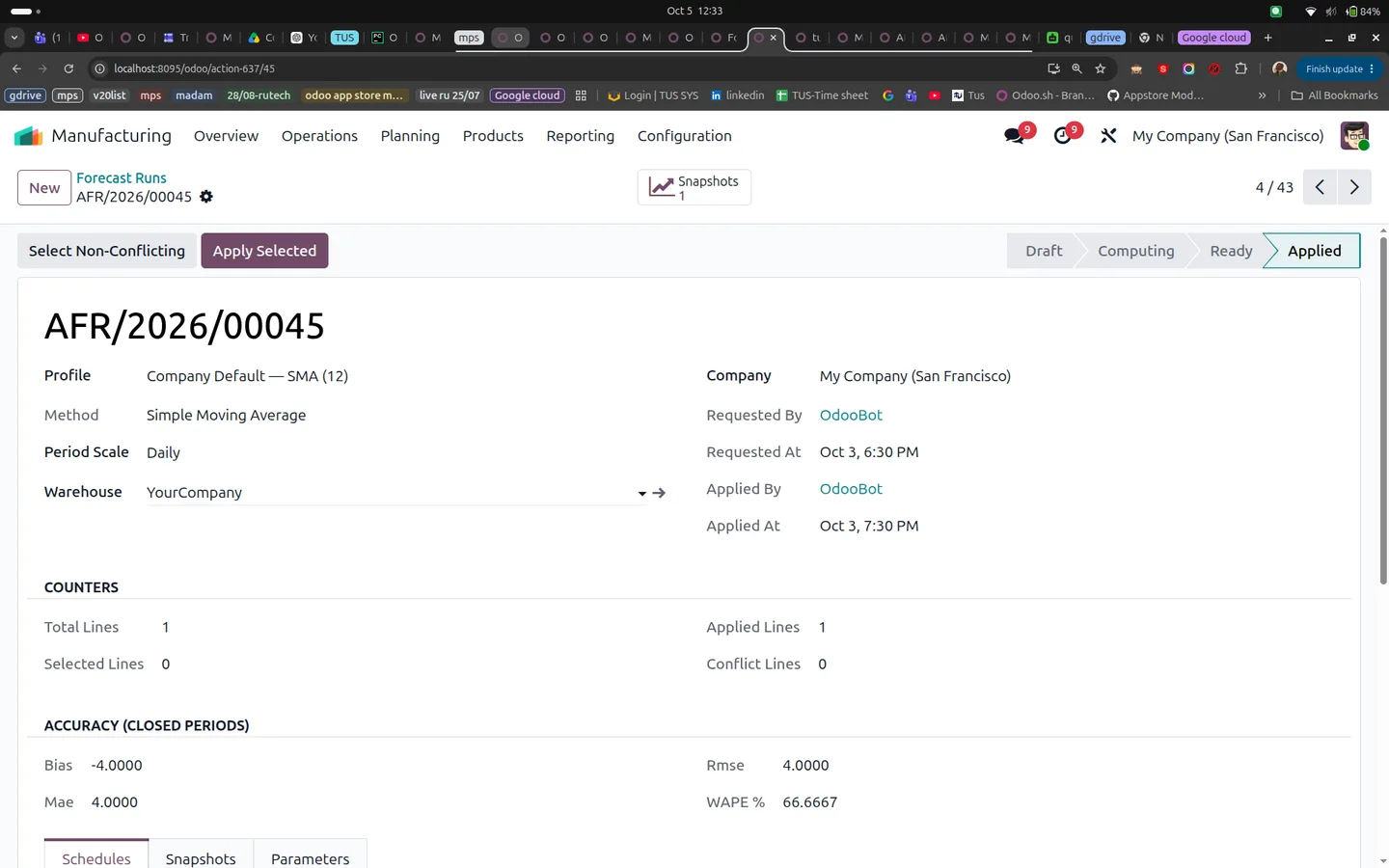
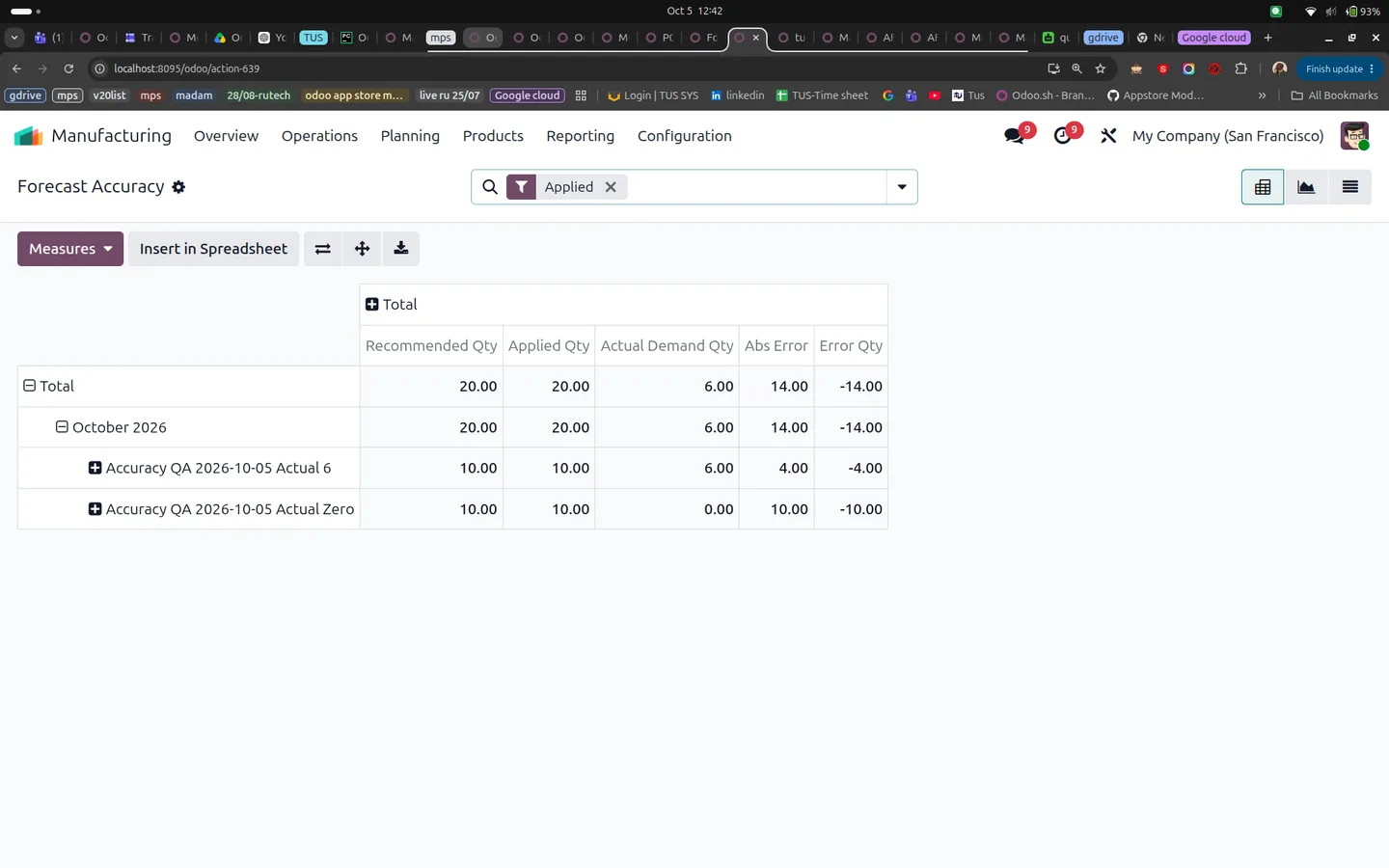
A daily scheduled action measures Bias, MAE, RMSE and WAPE on closed periods for forecasts previewed and applied before the period began. Pivot and graph views show the results.
-
Dynamic safety stock recommendation
Optionally calculate safety stock from demand variability, lead time and service level. It is saved for review and never written to the MPS Safety Stock Target automatically.
-
Planner and Manager roles
Forecast Planners preview and apply; Forecast Managers also maintain profiles and WMA weights. Company rules scope profiles, runs and snapshots.
Watch MPS Demand Forecasting in use
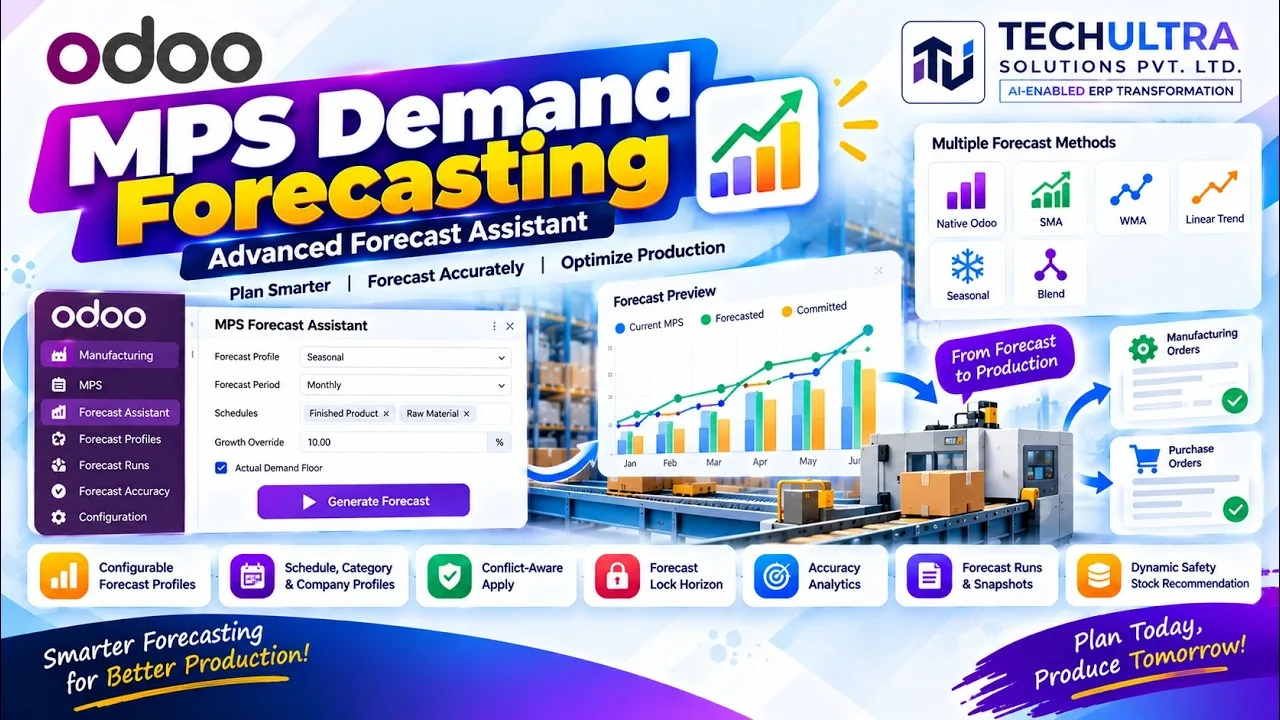
A three-minute walkthrough of MPS Demand Forecasting on Odoo Enterprise's Master Production Schedule: choosing a forecast method (Native Odoo, SMA, WMA, Linear Trend, Seasonal or Blend), previewing proposed quantities against current demand, applying them to the schedule, and reading forecast accuracy on closed periods.
MPS Demand Forecasting in Odoo
Every screen, in the order you meet it — configuration first, then the module in use.
Technical details
Specification
- Publisher
- TechUltra Solutions Private Limited
- Technical name
- tus_mps_advanced_forecast
- Odoo versions
- 16.0, 17.0, 18.0, 19.0, 20.0
- Lines of code
- 1,980
- Edition
- Odoo Enterprise (needs the native Master Production Schedule, mrp_mps)
- Forecast methods
- Native Odoo, SMA, WMA, Linear Trend, Seasonal, Blend
- Period scales
- Yearly, monthly, weekly, daily
- Accuracy metrics
- Bias, MAE, RMSE, WAPE
- License
- Odoo Proprietary License v1.0 (OPL-1)
- Price
- $49.00 (one-time)
Deployment
- Odoo Online (Enterprise)
- Odoo.sh (Enterprise)
- On-premise (Enterprise)
Odoo dependencies
- Manufacturing
- Master Production Schedule (Enterprise)
- Inventory
- Purchase
- Invoicing
- Discuss
Support
90 days of bug-fix support plus 5 hours of free configuration help (additional hours billable), Monday to Friday (10:00–19:00 IST). Raise a ticket at support@techultra.in.
Setup & configuration
From install to first call — here is the path.
- 1
Assign forecast roles
In Settings → Users & Companies → Users, open Access Rights and set MPS Advanced Forecast (under Supply Chain) to Forecast Planner or Forecast Manager. Users also need the native MPS permissions.
- 2
Create a Forecast Profile
With Forecast Manager access, open Manufacturing → Configuration → Forecast Profiles. Pick a method and set demand history, growth and optional safety stock settings.
- 3
Link profiles to MPS schedules
Assign a profile on each MPS schedule, or rely on category and company defaults. Set the Forecast Lock Horizon to protect near-term periods.
- 4
Generate a preview
Open Manufacturing → Planning → Advanced Forecast → Forecast Assistant, or use the button on an MPS schedule. Select schedules and a period scale, then click Generate Preview.
- 5
Apply and review
Use Apply Selected or Apply Non-Conflicting, then check the updated Forecasted Demand in the MPS grid and any conflicts recorded on the run.
Frequently asked questions
-
Which Odoo edition does MPS Demand Forecasting need?
Odoo Enterprise with the native Master Production Schedule (mrp_mps). The module writes reviewed quantities into native Forecasted Demand; Odoo manages Forecasted Stock and replenishment. It does not create purchase or manufacturing orders itself.
-
Which forecasting methods are included?
Native Odoo, Simple Moving Average (SMA), Weighted Moving Average (WMA), Linear Trend, Seasonal and Blend. Native forecasts can be based on Actual Demand, Previous Year, Last 30 Days, Last 3 Months or Last 12 Months. Seasonal forecasts fall back to SMA when fewer than two seasonal cycles are available.
-
What happens if a planner edits the MPS after a preview?
That period is skipped and a conflict reason is saved. Periods inside the forecast lock horizon are protected the same way. Rows that were applied successfully are not applied again.
-
How is forecast accuracy measured?
A daily scheduled action refreshes completed outgoing demand after a period closes. It evaluates the latest forecast that was previewed and applied before the period began, and reports Bias, MAE, RMSE and WAPE. Future periods, never-applied previews and late-applied forecasts are excluded.
-
How is the forecast profile chosen?
An assistant profile overrides everything for that run. Otherwise the module uses the schedule profile, then a matching product-category profile (warehouse-specific matches first), then the company default.
-
Does dynamic safety stock update the MPS target?
No. It calculates a recommendation from demand variability, lead time and service level and saves it in the period snapshot. Planners decide whether to update the native Safety Stock Target.
-
How does this differ from TechUltra's AI Inventory Forecast?
This module works inside the Enterprise MPS and writes to its Forecasted Demand. AI Inventory Forecast predicts demand per product and location with NeuralProphet and suggests reorder quantities, without needing the MPS. See its page for the versions it supports.
Listing verified against the Odoo App Store:
Related solutions
Whole-platform solutions that complement MPS Demand Forecasting.
Related services
Get the most out of this module with senior TechUltra consultants.
-
Odoo Customization Services
Odoo customization from a Gold Partner: custom modules, workflows, reports and Studio changes, upgrade-safe and quoted at a fixed scope. Free scoping call.
-
Hire Odoo Developers
Hire Odoo developers from a Gold Partner: an AI Engineering Pod from USD 1,800 a month, or a dedicated developer for 70–160 hours. Request a proposal today.
-
Odoo Support Services & Maintenance
Odoo support services from a Gold Partner: functional and technical support plus server cover for Enterprise and Community, 30-minute P1 response, 24/7 option.