
Odoo App · Product Management
Product SKU Generator
Internal References built from rules: category, name, variant attributes, fields, dates and a sequence, with a bulk preview before anything changes.
Overview
Typing SKUs by hand leads to codes that follow no pattern, duplicates and variants that share one reference. This module replaces manual entry with rules that build the Internal Reference from data already on the product.
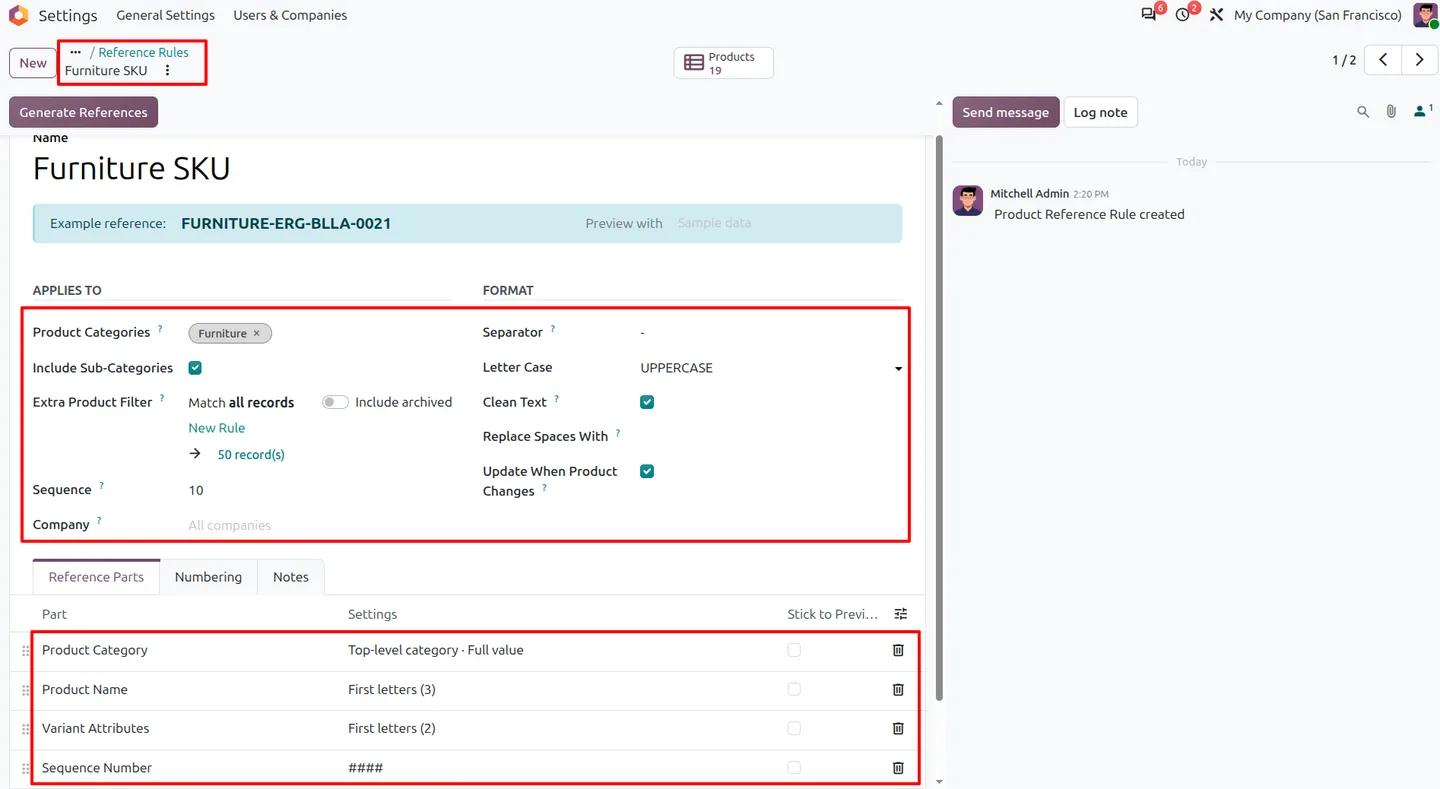
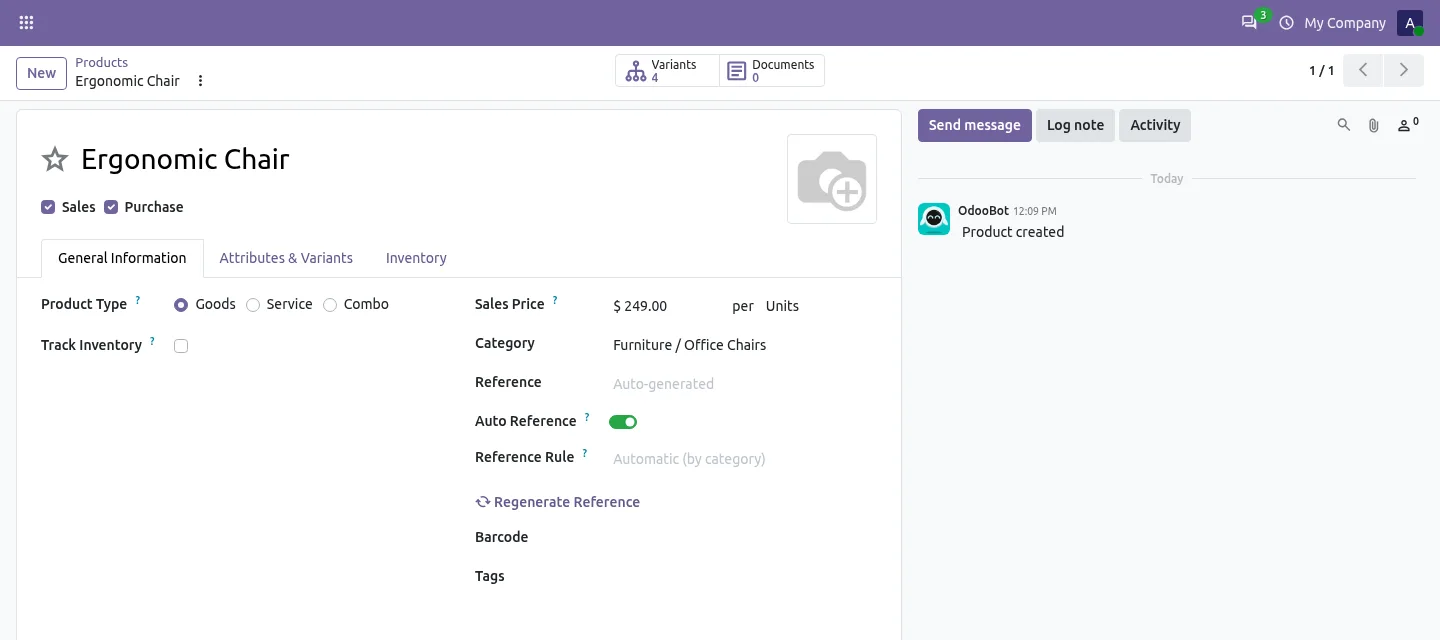
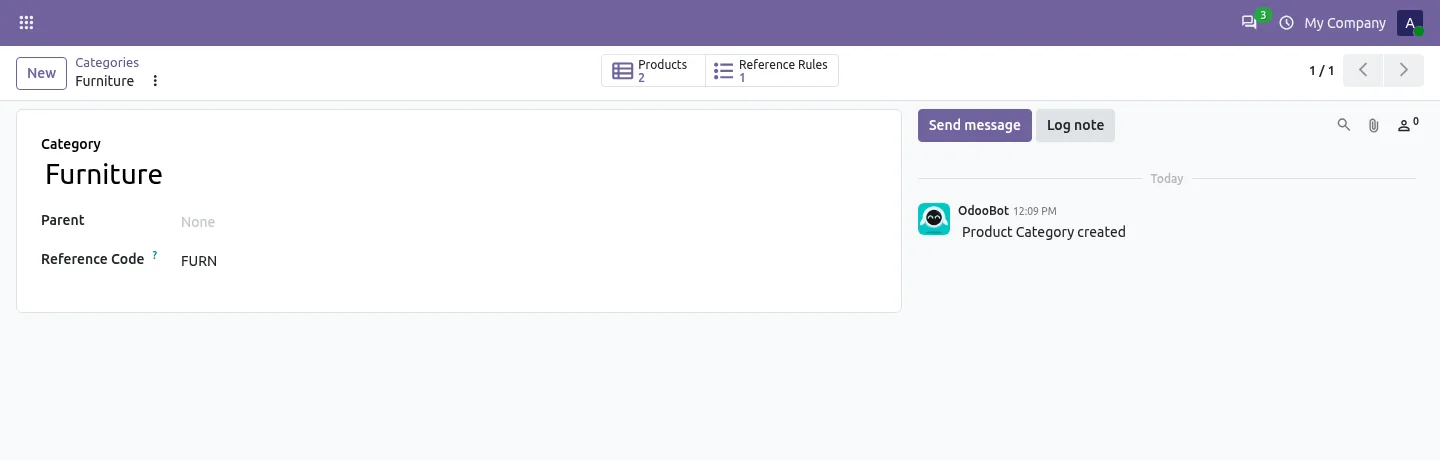
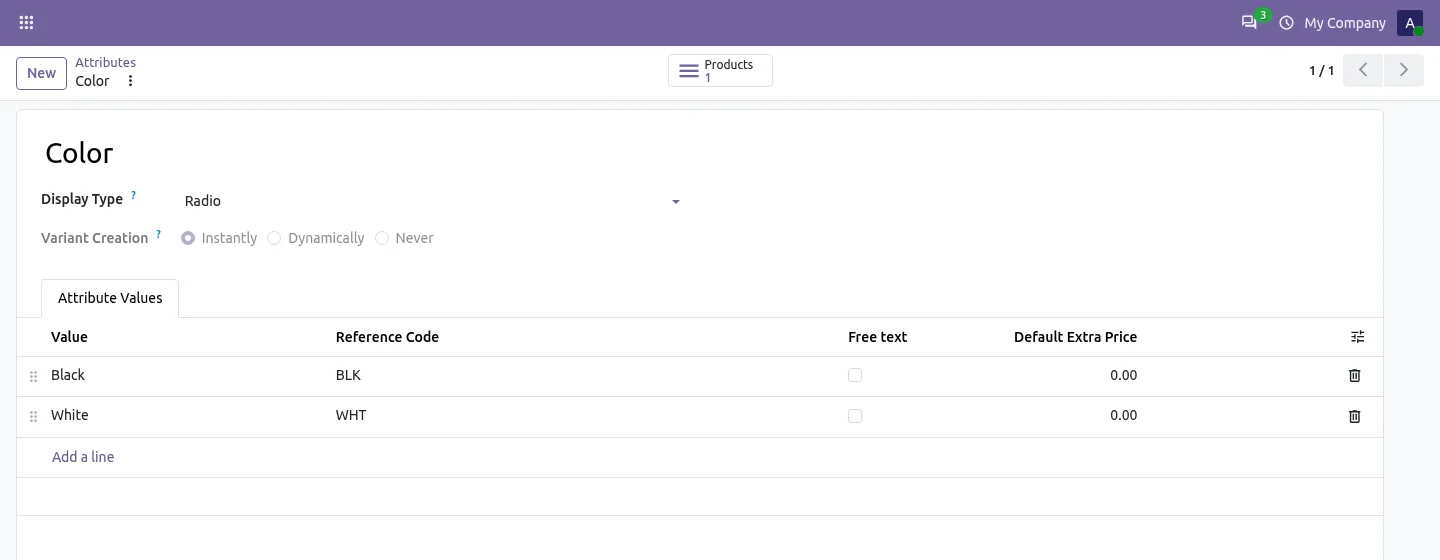
A rule is a list of parts: fixed text, the product category, the product name, variant attributes, a chosen product field, a date and a sequence counter. You set the separator, letter case and text cleanup, and the rule form shows an example reference as you build it. Short codes on categories and attribute values, such as FURN, BLK or L, keep the result compact.
Rules can be global or tied to categories, with priorities and optional product filters, and a product can also be pinned to one rule. References are generated when products are created or changed. Codes entered by hand or imported are left alone unless you explicitly regenerate them. A bulk wizard previews the new codes for selected products, categories, a rule's products or the whole catalogue before you apply them.
Key features
-
Flexible SKU rules
Build Internal Reference formats from fixed text, category, product name, variant attributes, product fields, dates and a sequence counter.
-
Category and global rules
Use a global default or category-specific rules with priorities and optional inheritance to subcategories.
-
Separate variant SKUs
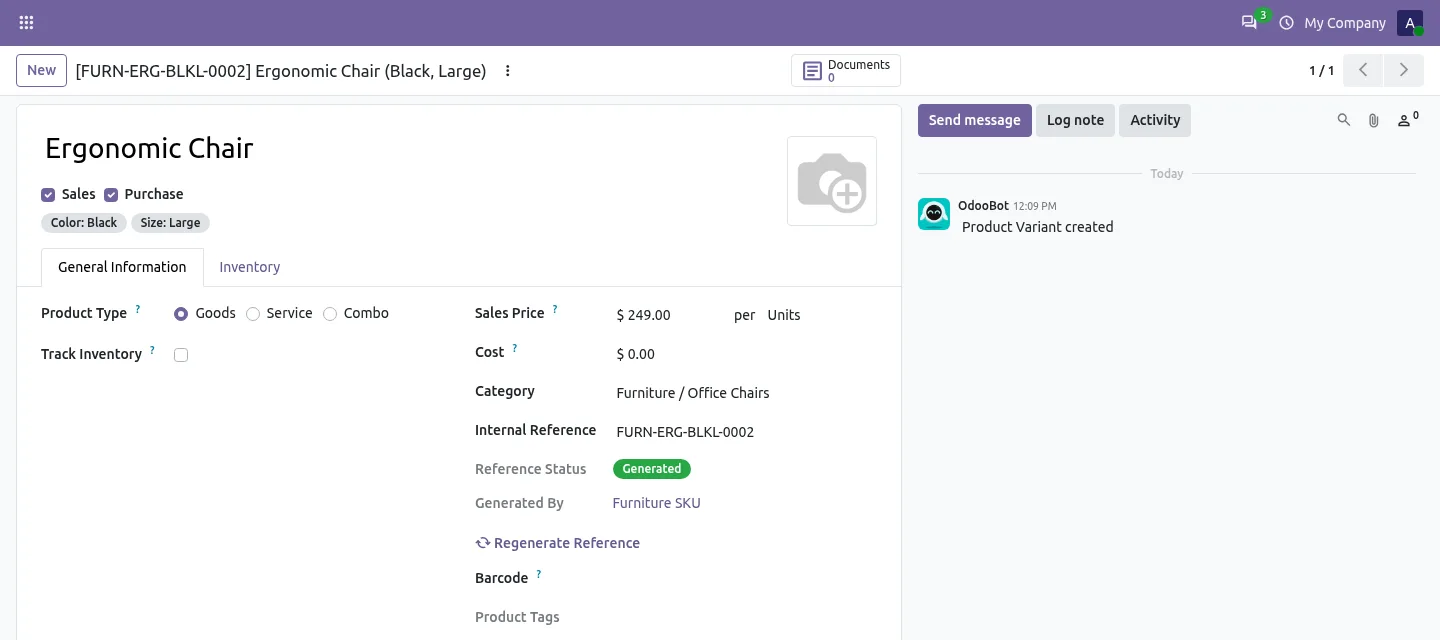
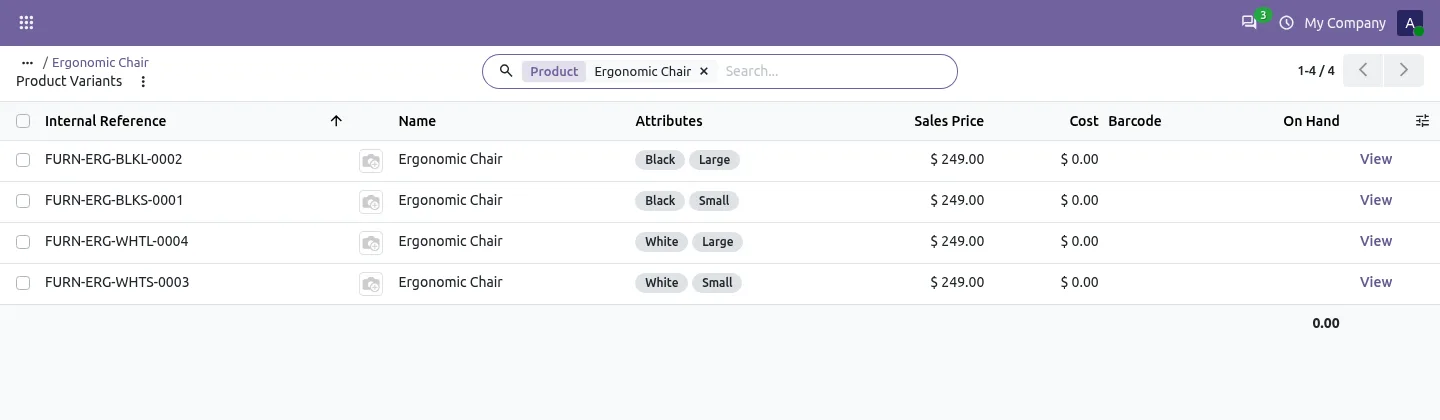
Each product variant gets its own Internal Reference from its attribute values, with optional short codes on attribute values.
-
Sequence counters
One counter per rule or per generated prefix, with configurable start number, increment and zero padding.
-
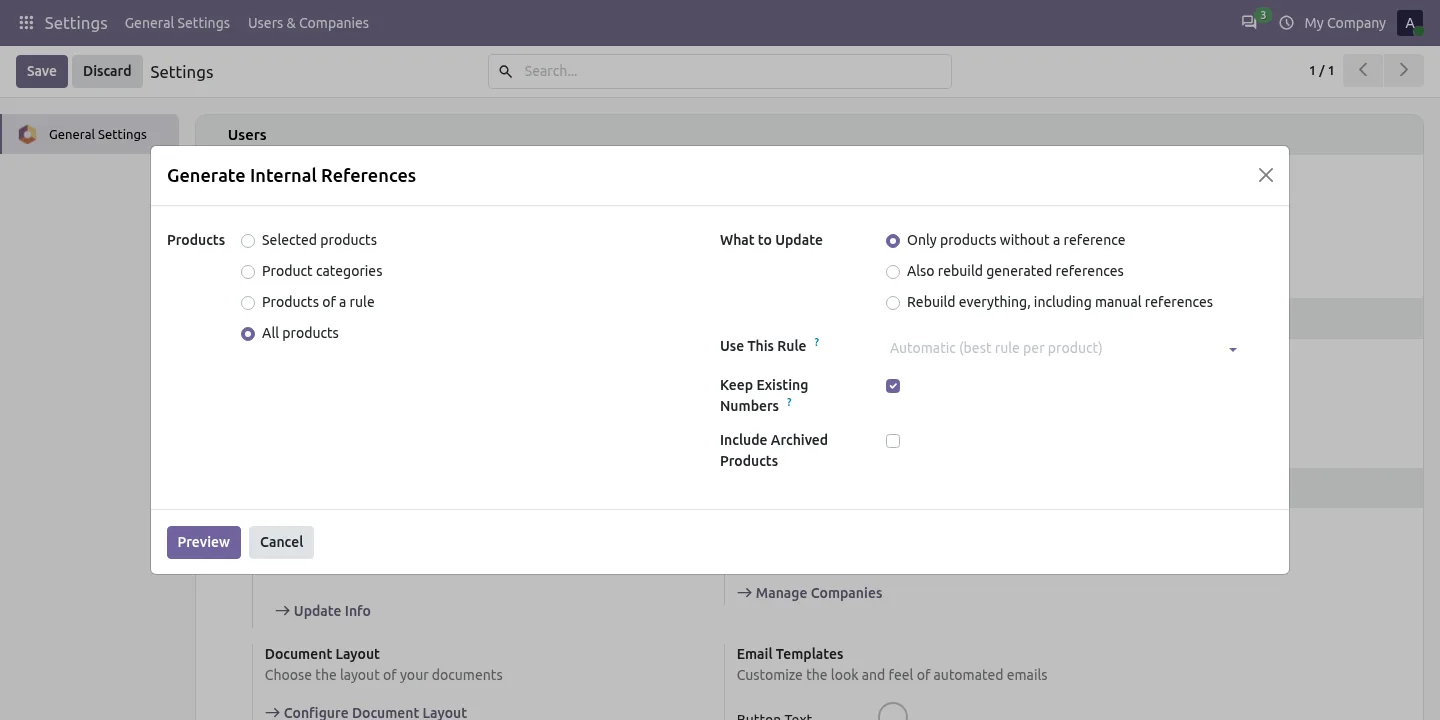
Bulk generator with preview
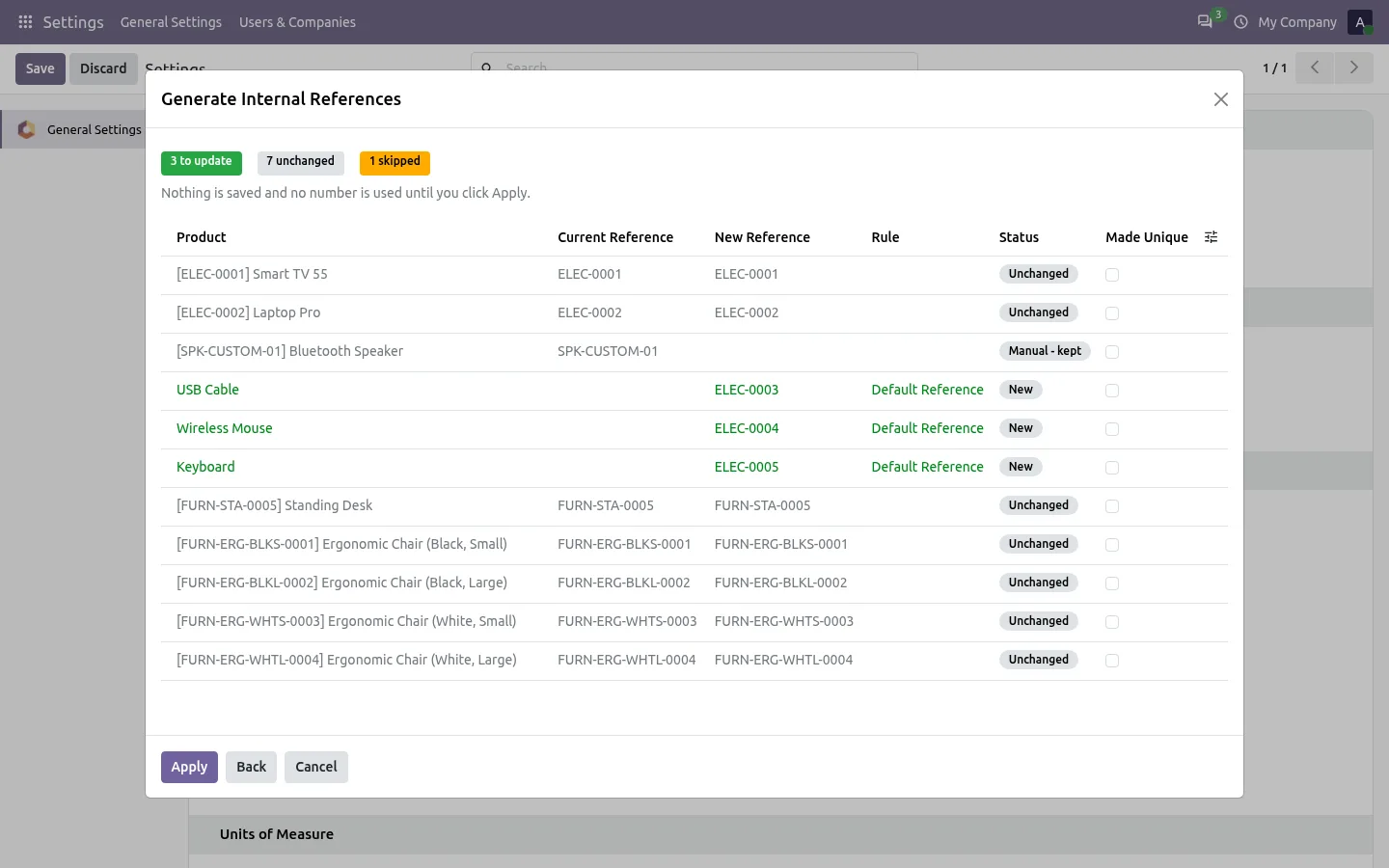
Preview proposed references for selected products, categories, a rule's products or all products, with new, changed, unchanged and skipped status, before applying.
-
Manual references protected
References typed in or imported are skipped by automatic generation and only rebuilt when you choose to regenerate them.
-
Updates on product changes
Optionally rebuild a generated reference when a field used by the rule changes, keeping the number when the prefix stays the same.
-
Clean, readable codes
Set letter case and separators, replace spaces, and strip accents or symbols for consistent, searchable codes.
-
Duplicate check
A company-level setting blocks two active products from saving with the same Internal Reference.
-
Scheduled fill of missing SKUs
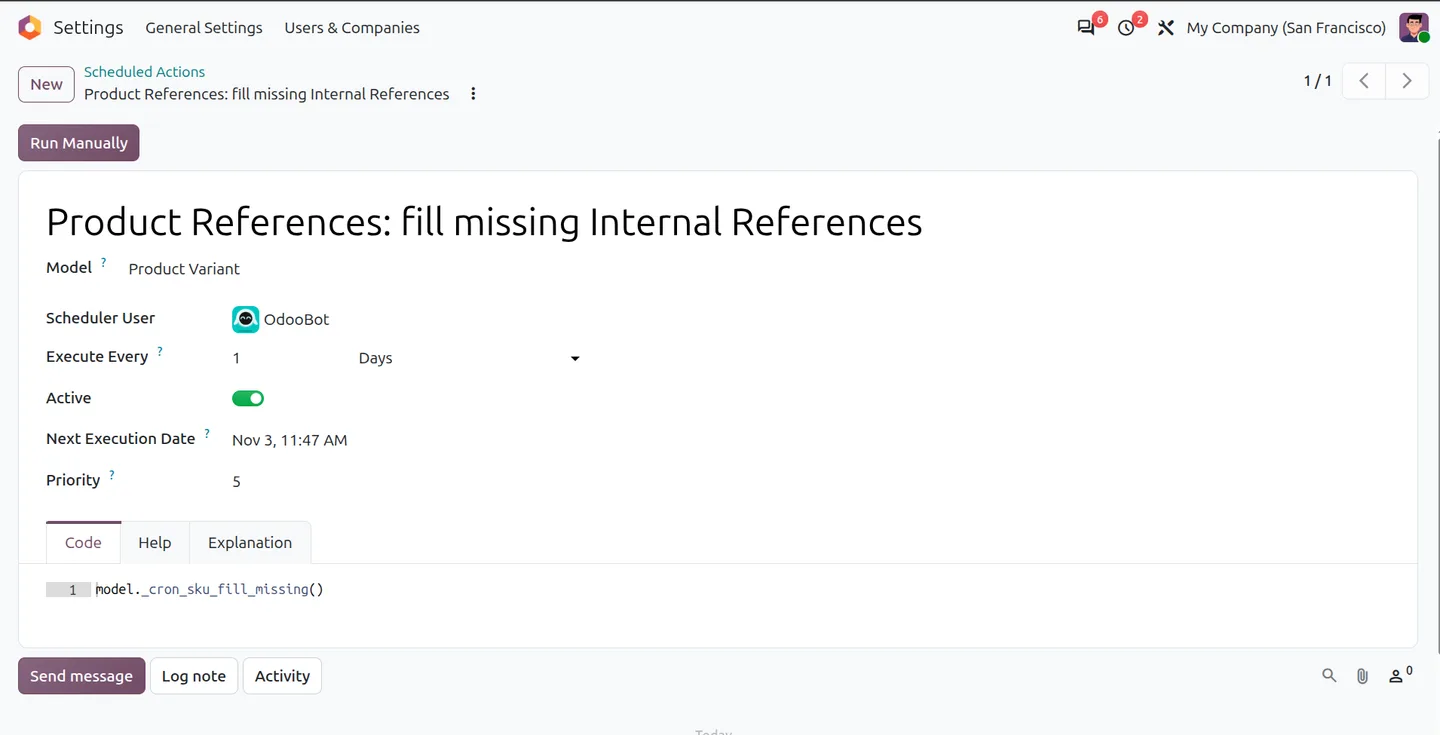
A scheduled action fills missing Internal References for products with automatic references enabled and a matching rule.
Product SKU Generator in Odoo
Every screen, in the order you meet it — configuration first, then the module in use.
Technical details
Specification
- Publisher
- TechUltra Solutions Private Limited
- Technical name
- product_internal_reference_sku_generator
- Odoo versions
- 16.0, 17.0, 18.0, 19.0, 20.0
- Lines of code
- 1,303
- Rule parts
- Fixed text, category, product name, variant attributes, product fields, dates, sequence
- Field written
- Product variant Internal Reference
- License
- Odoo Proprietary License v1.0 (OPL-1)
- Price
- $25.00 (one-time)
Deployment
- Odoo Online
- Odoo.sh
- On-premise
Odoo dependencies
- Discuss
Support
90 days of bug-fix support plus 5 hours of free configuration help (additional hours billable), Monday to Friday (10:00–19:00 IST). Raise a ticket at support@techultra.in.
Setup & configuration
From install to first call — here is the path.
- 1
Turn on the settings
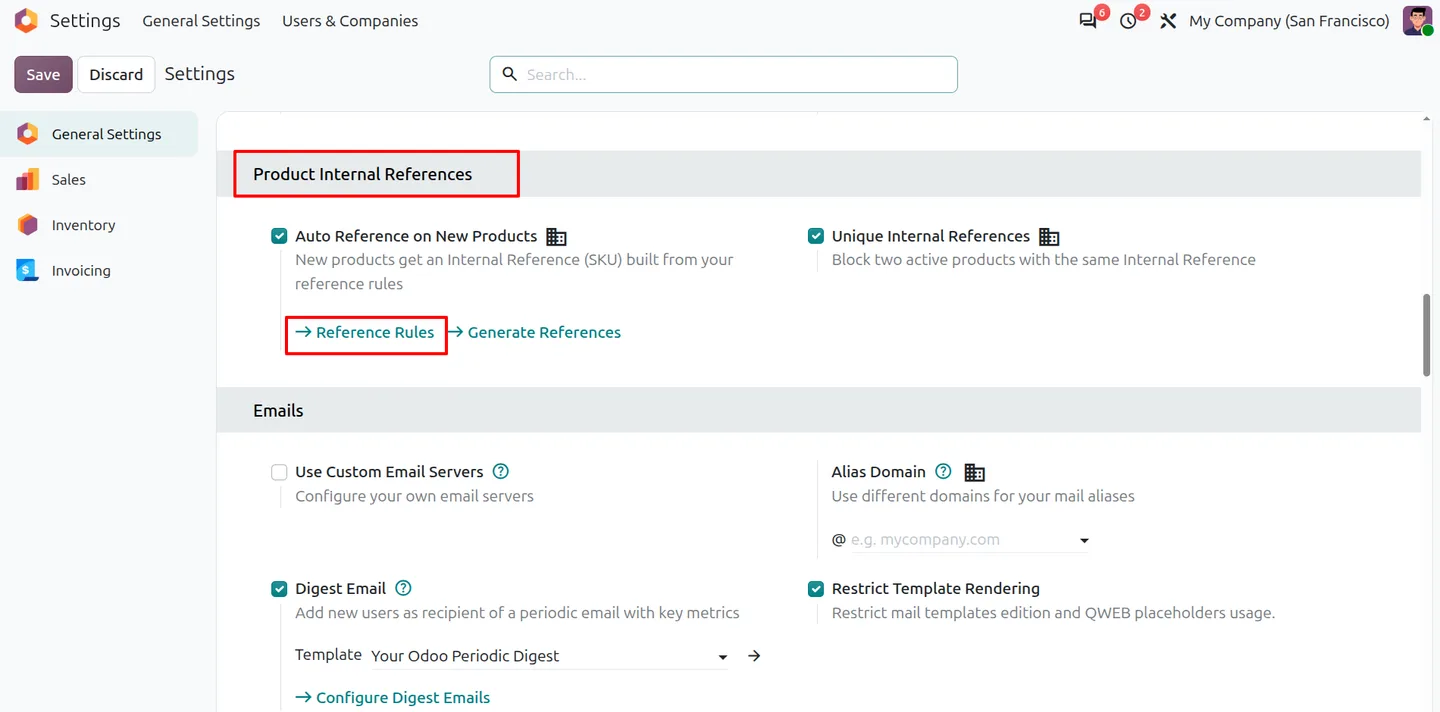
In Settings › Product Internal References, enable Auto Reference on New Products and, if you want it, Unique Internal References.
- 2
Add short codes
Give product categories a reference code, such as FURN, and attribute values a code, such as BLK for Black or L for Large.
- 3
Create a reference rule
Open Reference Rules, choose the categories it applies to, add parts such as category, product name, variant attributes and sequence, and set the separator and letter case. Check the example reference on the form.
- 4
Generate existing references
Open Generate References, pick the products and what to update, click Preview, review the proposed codes, then Apply.
- 5
Optional: schedule missing SKUs
Activate the scheduled action 'Product References: fill missing Internal References' to fill gaps for eligible products on a schedule.
Frequently asked questions
-
How are Internal References generated?
Enable Auto Reference on the product template and set up a matching rule. The rule combines fixed text, category, product name, variant attributes, product fields, creation date and a sequence number, and the result is stored as the variant's Internal Reference.
-
Can each product variant have a different SKU?
Yes. Include variant attributes in the rule so each combination gets its own code, and add short codes to attribute values to keep references compact.
-
How is the rule chosen for a product?
A product can use a rule set directly on its template. Otherwise the module picks the best match: category rules by category hierarchy and priority, with an applicable global rule as the fallback.
-
Will it overwrite references we typed in or imported?
No. Manual and imported references are protected from routine generation and rule updates. Use Regenerate on the product, or the bulk wizard's 'rebuild everything' option, when you do want to replace them.
-
Can we review SKUs before generating them in bulk?
Yes. The bulk wizard shows current and proposed references, the rule used and whether each product is new, changed, unchanged or skipped. Nothing is saved and no number is used until you click Apply.
-
How do sequence numbers work?
Set the start, increment and zero padding, then choose one counter per rule or one per generated prefix. Prefix counters keep separate numbering for each prefix.
-
Does it create barcodes as well?
No, it writes the Internal Reference only. For EAN-13 and other product barcodes, see Product Barcode Generator.
Listing verified against the Odoo App Store:
Related services
Get the most out of this module with senior TechUltra consultants.
-
Odoo Customization Services
Odoo customization from a Gold Partner: custom modules, workflows, reports and Studio changes, upgrade-safe and quoted at a fixed scope. Free scoping call.
-
Hire Odoo Developers
Hire Odoo developers from a Gold Partner: an AI Engineering Pod from USD 1,800 a month, or a dedicated developer for 70–160 hours. Request a proposal today.
-
Odoo Support Services & Maintenance
Odoo support services from a Gold Partner: functional and technical support plus server cover for Enterprise and Community, 30-minute P1 response, 24/7 option.