
Odoo App · Inventory & Barcode
Product Barcode Generator
Auto-generate EAN-13, Code128, and QR codes for Odoo products — one product or thousands.

Overview
Product Barcode Generator removes the manual step of typing barcode numbers into Odoo product records. Once installed, the module can auto-set the barcode type on every new product and generate a valid barcode (and QR code) from a configurable prefix and length, with the rendered image attached directly to the product.
Built by TechUltra Solutions, the module is designed for businesses managing large catalogues. A bulk-generation wizard lets you select hundreds of products, choose a barcode type, prefix, and override behaviour, and generate everything in one pass — with a preview before commit.
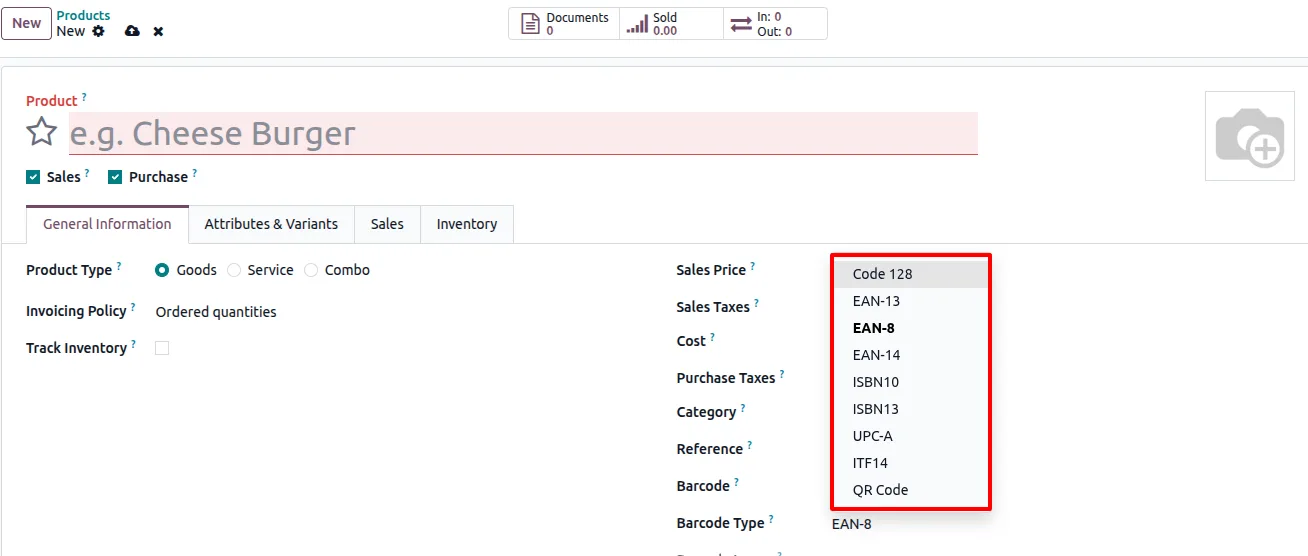
The module supports the common barcode standards used in retail and warehousing (EAN-13, Code128, and others) plus QR codes whose data source is configurable — product name, internal number, barcode, or URL. It runs on Odoo 16.0, 17.0, 18.0, 19, and 20.0 in both Community and Enterprise editions.
Key features
-
Auto-generate barcodes on product creation
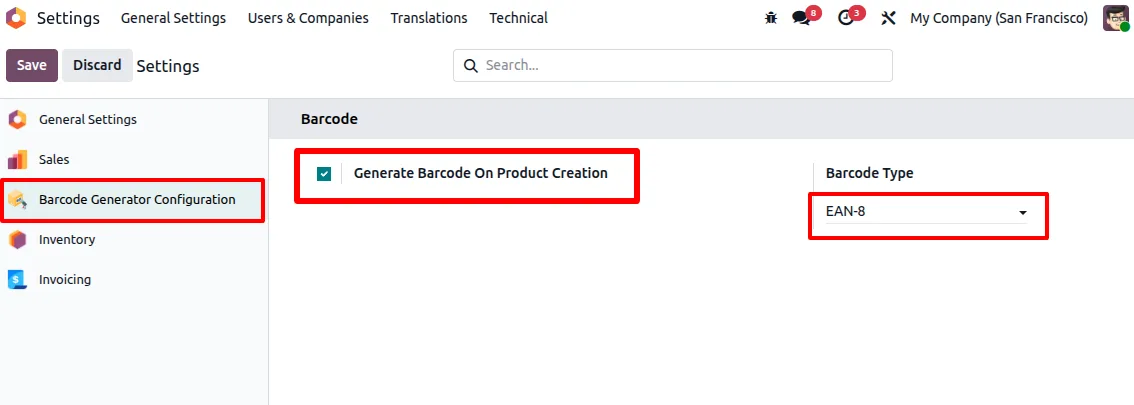
Enable “Generate Barcode On Product Creation” in settings and Odoo will produce a valid barcode automatically for every new product, using the configured prefix and length.
-
Auto-set barcode type
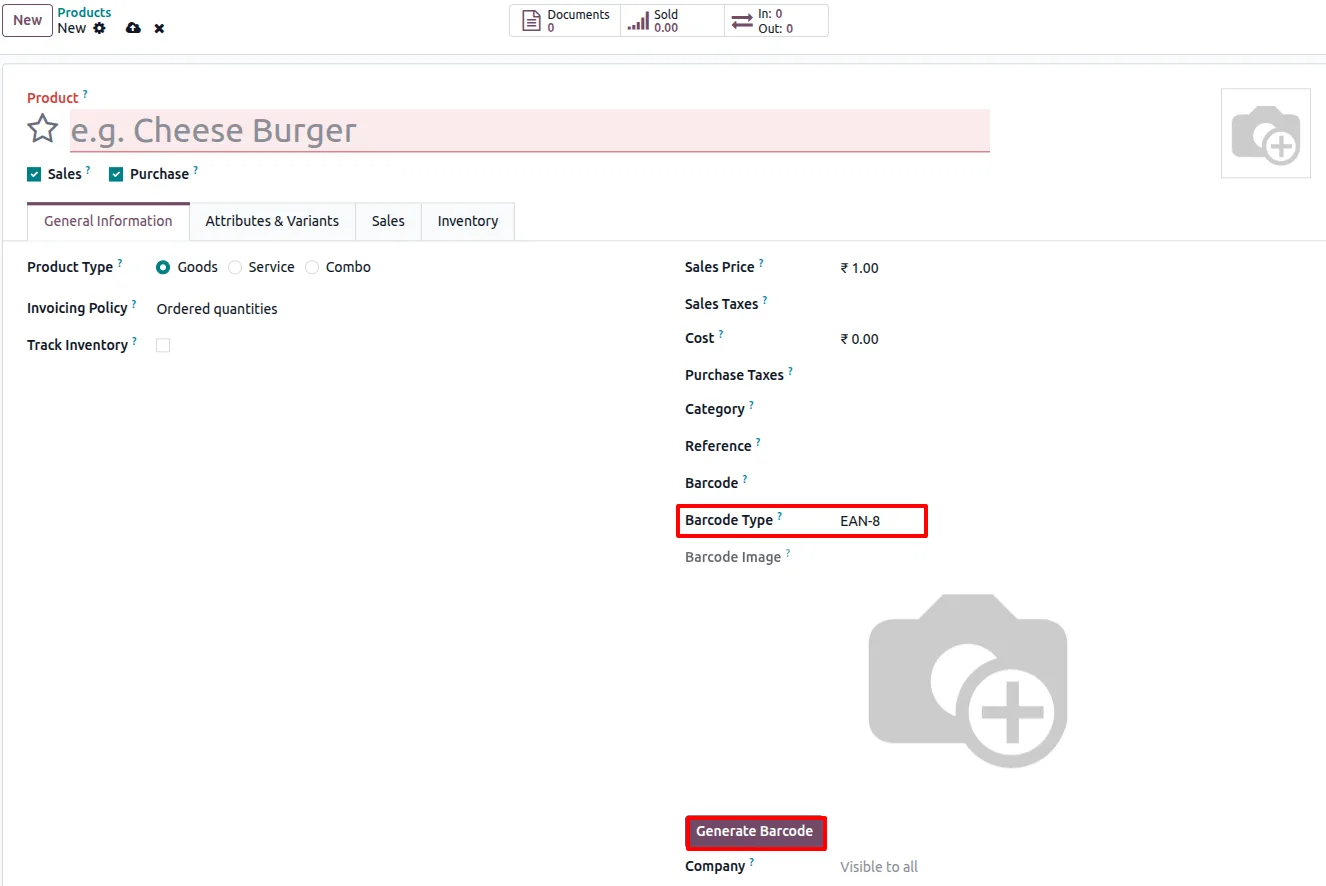
The module sets the barcode type on a new product based on configuration, so users don't have to pick the format manually on every record.
-
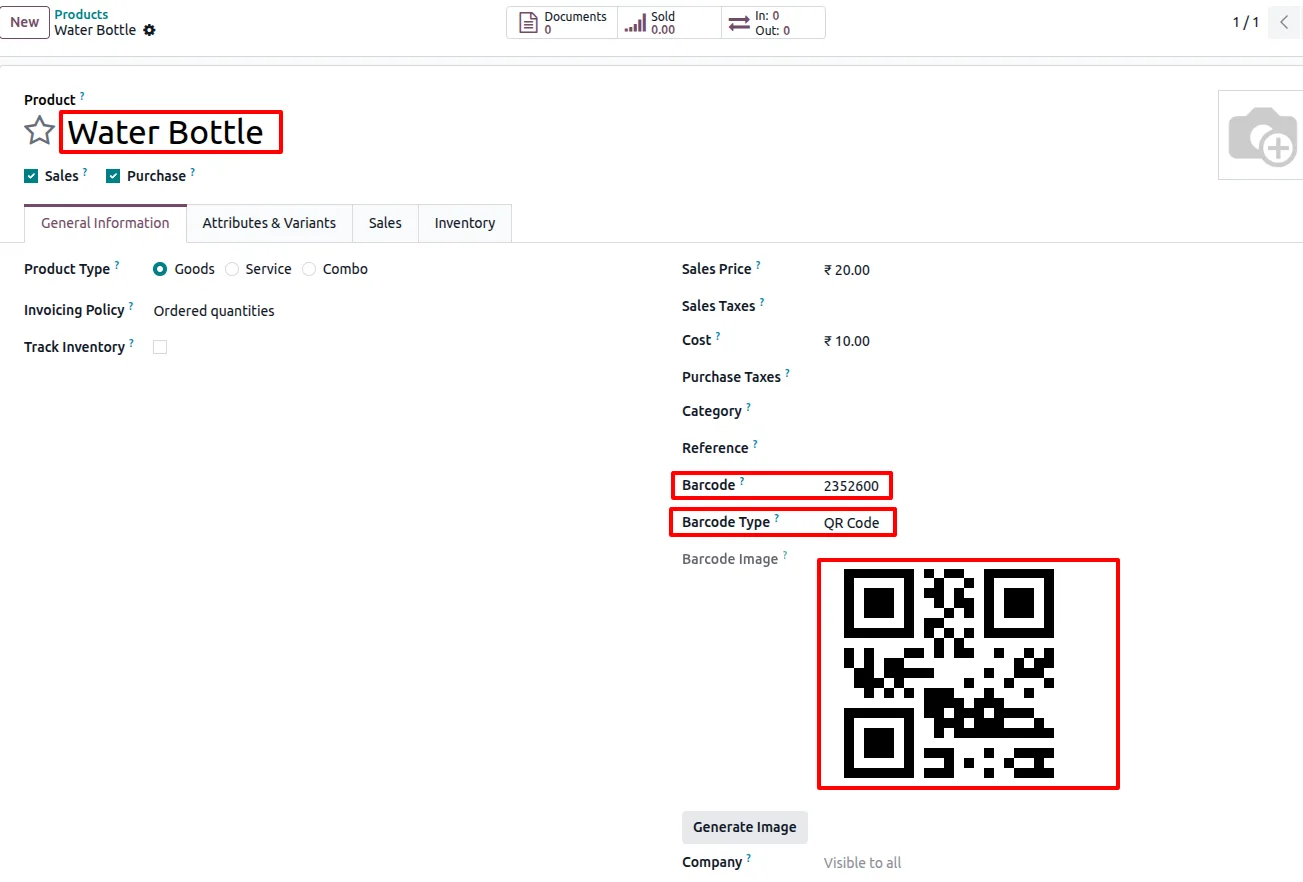
Renders barcode image per product
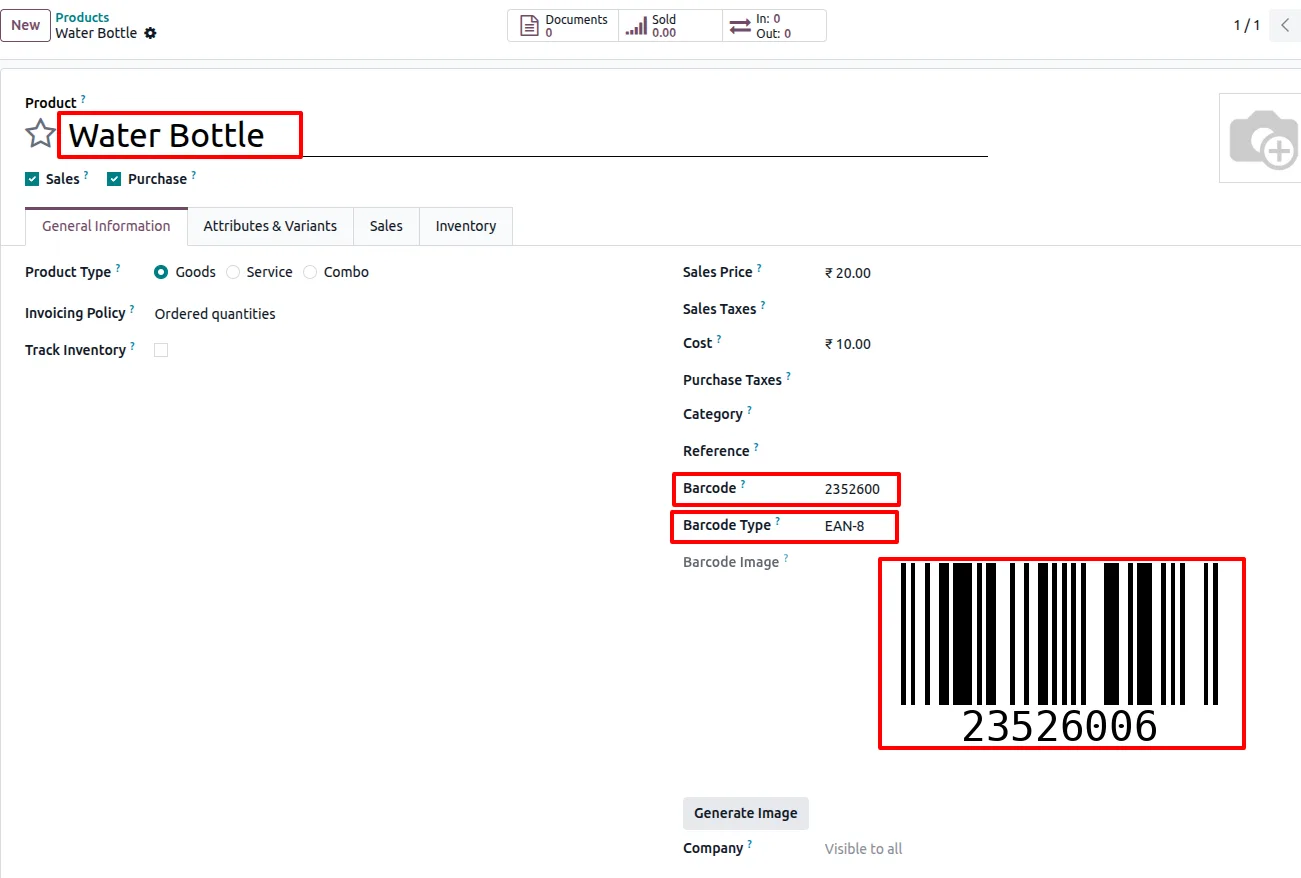
A barcode image is generated for each product based on the selected type and stored on the product record — visible directly on the product form.
-
Multiple barcode standards
Supports common standards including EAN-13, Code128, and others, so warehouses, retailers, and manufacturers can pick the format their scanners expect.
-
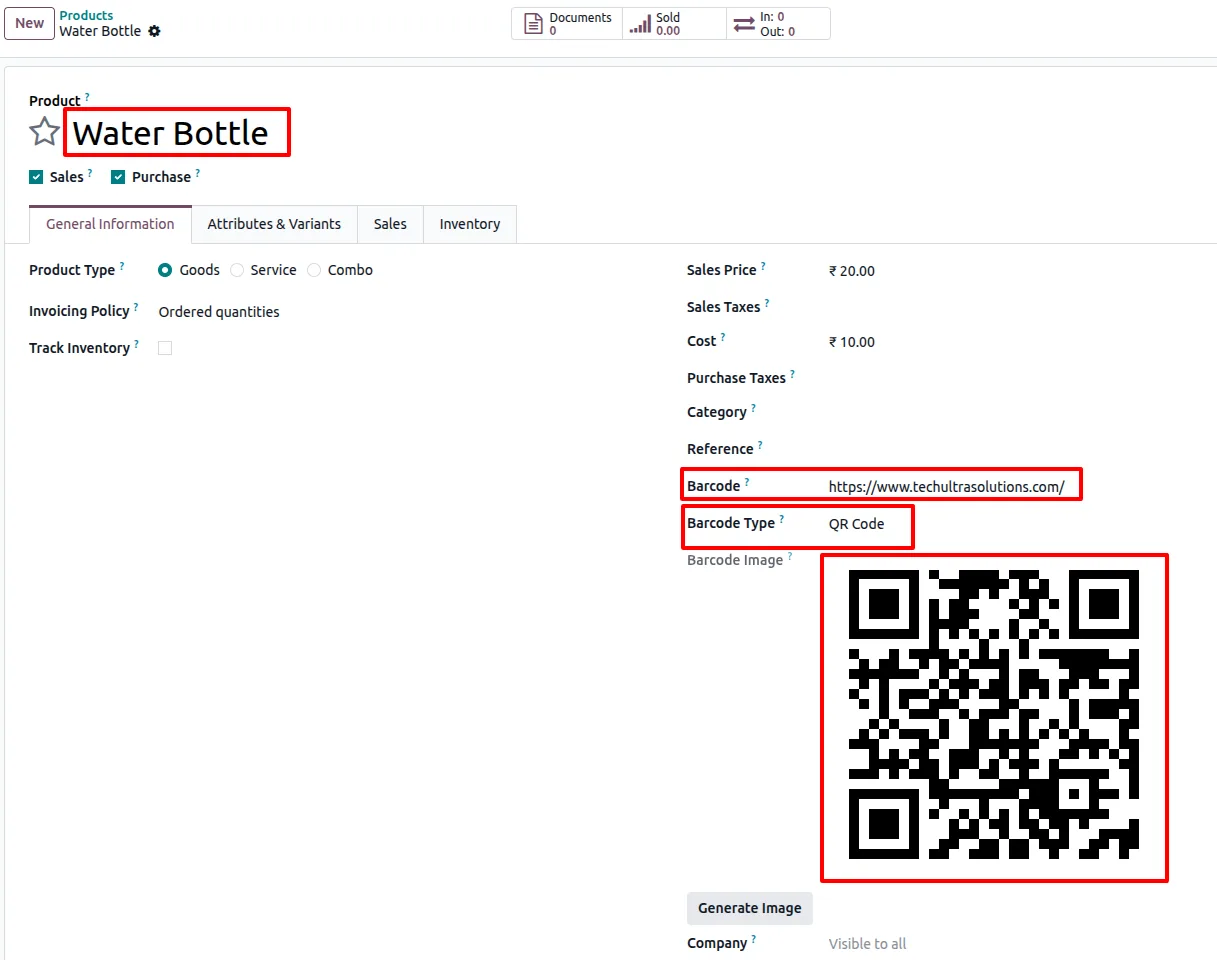
QR code generation with configurable source
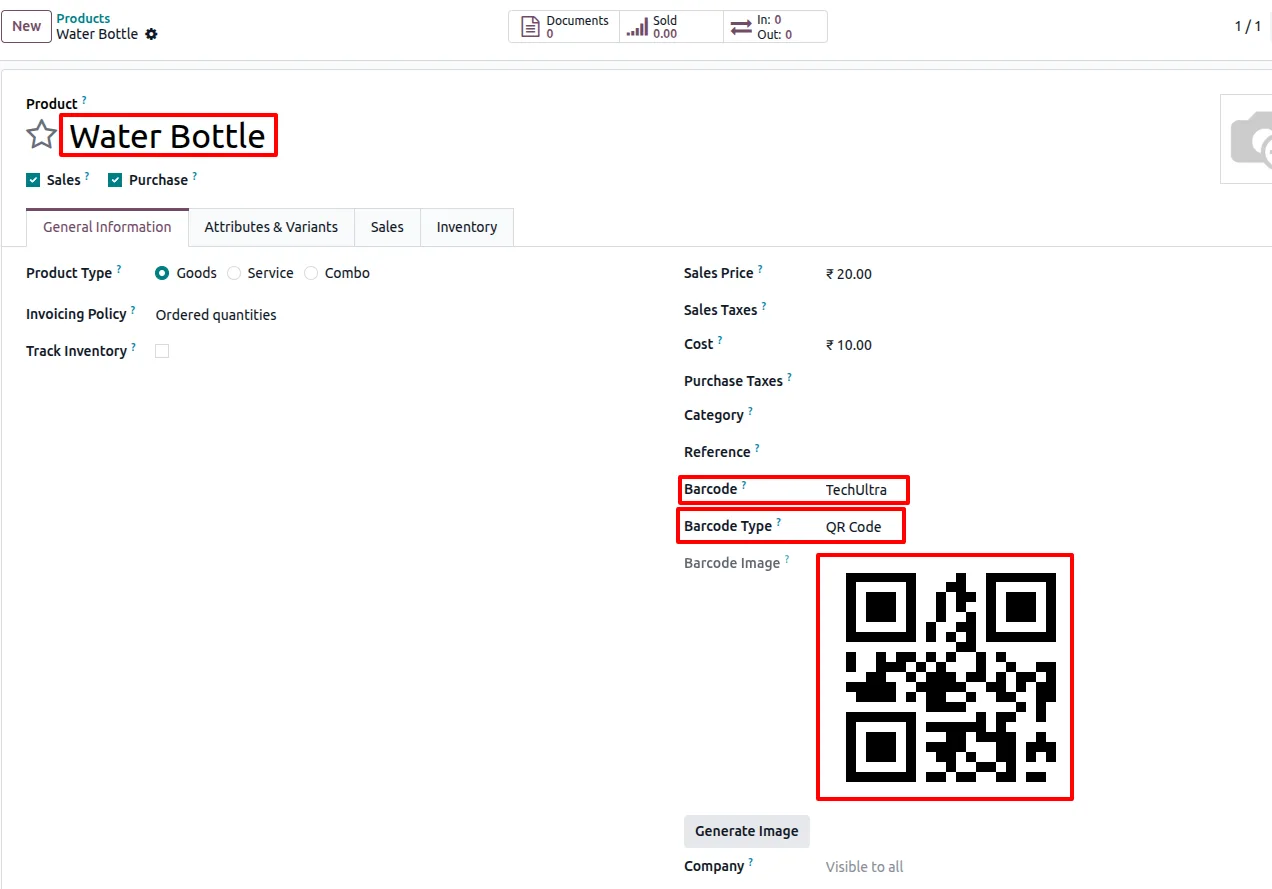
Generates QR codes whose payload is configurable — the product's name, an internal number, the existing barcode, or a URL — depending on the use case (POS lookup, web link, asset tracking).
-
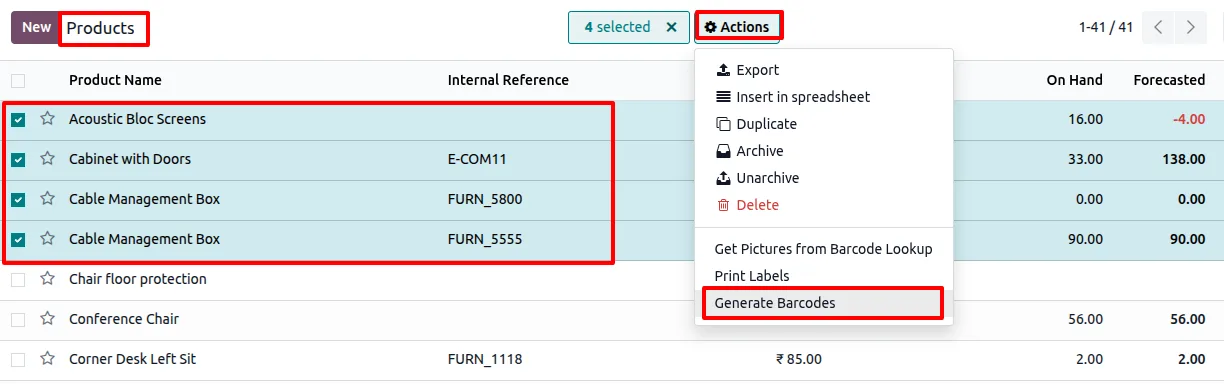
Bulk barcode generation
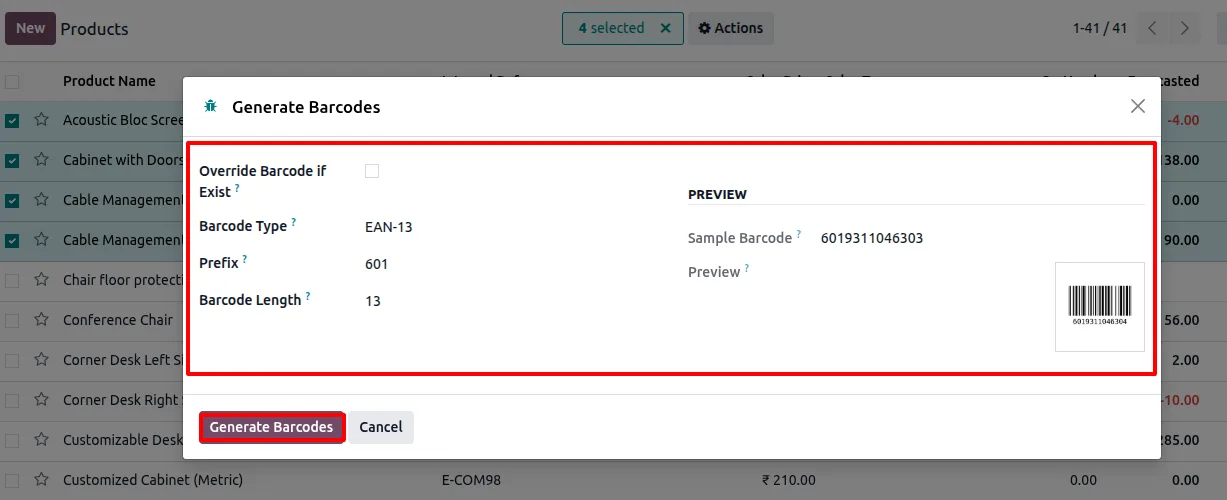
Select multiple products in the list view and run the “Generate Barcodes” action. A wizard collects prefix, length, barcode type, and override settings, previews the result, and applies the change in one pass.
-
Length validation per barcode type
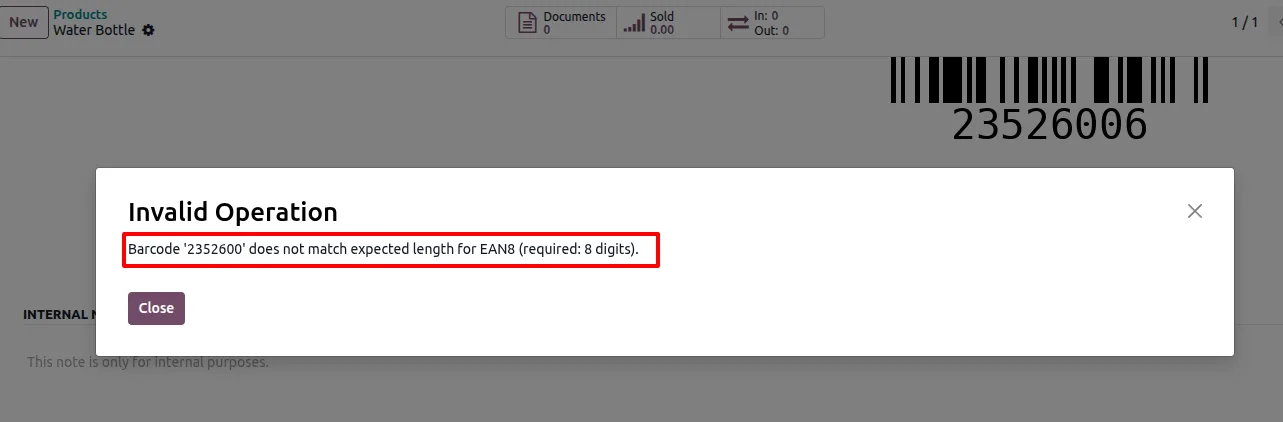
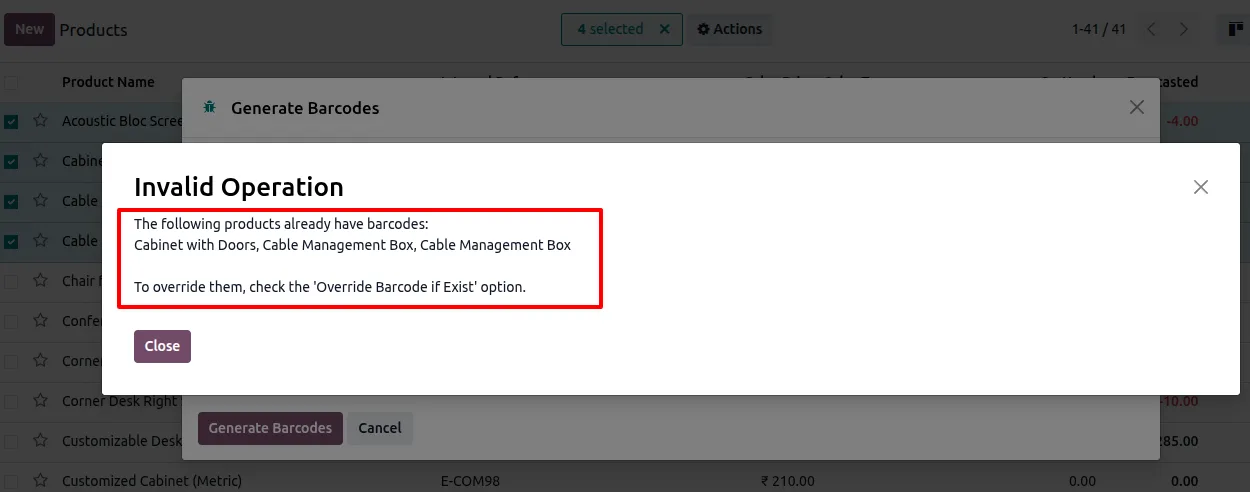
The module checks the digit count against the chosen barcode type's specification (for example 13 digits for EAN-13) and blocks invalid codes before they reach the product.
-
Per-user access rights
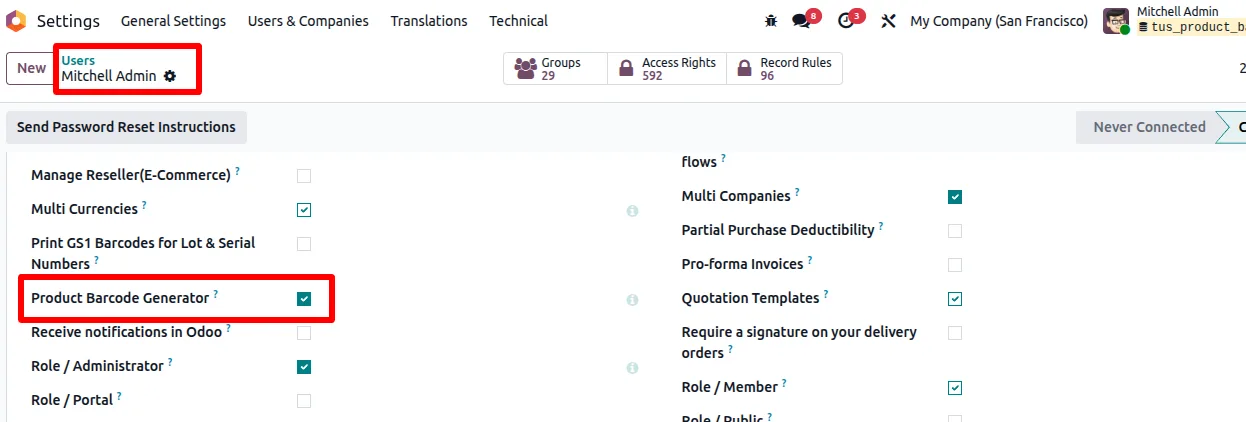
Access is gated through dedicated Product Barcode Generator access rights, so admins can decide which users see the configuration and bulk-generation actions.
Product Barcode Generator in Odoo
Every screen, in the order you meet it — configuration first, then the module in use.
Technical details
Specification
- Publisher
- TechUltra Solutions Private Limited
- Technical name
- tus_product_barcode_generator
- Odoo versions
- 16.0, 17.0, 18.0, 19.0, 20.0
- Lines of code
- 375
- License
- Odoo Proprietary License v1.0 (OPL-1)
- Price
- $14.14 (one-time)
Deployment
- Odoo Online
- Odoo.sh
- On-premise
Odoo dependencies
- Inventory
- Discuss
Support
90 days of bug-fix support, Monday to Friday (10:00–19:00 IST). Raise a ticket at support@techultra.in.
Setup & configuration
From install to first call — here is the path.
- 1
Install the module
In Odoo, open Apps, remove the Apps filter, search for “Product Barcode Generator” (technical name tus_product_barcode_generator), and click Install.
- 2
Grant access rights
Go to Settings → Users & Companies → Users, open the relevant user, and enable the Product Barcode Generator access right so they can use the configuration and bulk-generation actions.
- 3
Configure default behaviour
Open Settings → Barcode Generator Configuration. Turn on “Generate Barcode On Product Creation”, set the default barcode type, prefix, and length, and choose how QR code payloads are sourced (name, number, barcode, or URL).
- 4
Create a product to test single generation
Create a new product. The barcode type field is pre-populated from your configuration; click the generate-barcode action and the module produces a valid code that respects the digit-count rules for the selected type.
- 5
Run bulk barcode generation
From the product list view, select multiple products and choose Generate Barcodes. In the wizard, set the prefix, length, barcode type, and override behaviour, review the preview, and apply.
- 6
Resolve validation errors
If the digit count or prefix violates the chosen barcode type's spec, the module shows a validation error in the wizard. Adjust the inputs and re-run rather than producing invalid codes.
Frequently asked questions
-
Which barcode formats are supported?
Common standards including EAN-13, Code128, and others. The module also generates QR codes alongside traditional barcodes.
-
Can the QR code encode something other than the barcode value?
Yes. The QR code's data source is configurable: product name, internal number, the product's existing barcode, or a URL. That makes the same module work for POS lookup, asset tagging, and web link use cases.
-
Can I generate barcodes for hundreds of products at once?
Yes. Select multiple products in the list view and run Generate Barcodes. A wizard collects prefix, length, barcode type, and override settings, shows a preview, and applies the change in one pass.
-
What stops me from generating an invalid barcode?
The module validates the digit count against the chosen barcode type's specification — for example 13 digits for EAN-13 — and blocks invalid codes with a clear error message.
-
Does it auto-generate barcodes when I create a new product?
Yes, if you enable “Generate Barcode On Product Creation” in Settings → Barcode Generator Configuration. New products are then assigned a valid barcode automatically based on the configured prefix and length.
-
Can I restrict who uses the bulk-generation action?
Yes. Dedicated Product Barcode Generator access rights gate the configuration and bulk-generation actions, so only the users you authorise can run them.
-
Which Odoo versions are supported?
Odoo 16.0, 17.0, 18.0, 19, and 20.0, in both Community and Enterprise editions.
-
Is support included?
Yes. The module includes 90 days of bug-fix support, Monday to Friday, 10:00–19:00 IST. Tickets go to support@techultra.in.
Listing verified against the Odoo App Store:
Related services
Get the most out of this module with senior TechUltra consultants.
Odoo Customization Services
Odoo customization from a Gold Partner: custom modules, workflows, reports and Studio changes, written upgrade-safe and quoted at a fixed scope. Free scoping call.
Hire Odoo Developers
Hire certified Odoo developers from a Gold Partner: one developer or a team, full-time or part-time, 70–160 hours a month. Silver, Gold or Platinum plan, free trial.
Odoo Support Services & Maintenance
Odoo support services from a Gold Partner: functional and technical support plus server cover for Enterprise and Community, 30-minute P1 response, 24/7 option.







