

Odoo App · Point of Sale
POS Multi Currency Payment
Take Odoo Point of Sale payments in foreign currencies, converted at Odoo's rates and recorded with the amount and rate used.

Overview
Shops near borders, in tourist areas or at airports often take cash or card in more than one currency. Standard Odoo POS works in a single currency, so cashiers end up converting by hand. This module adds a Multi-Currency payment step to the POS payment screen.
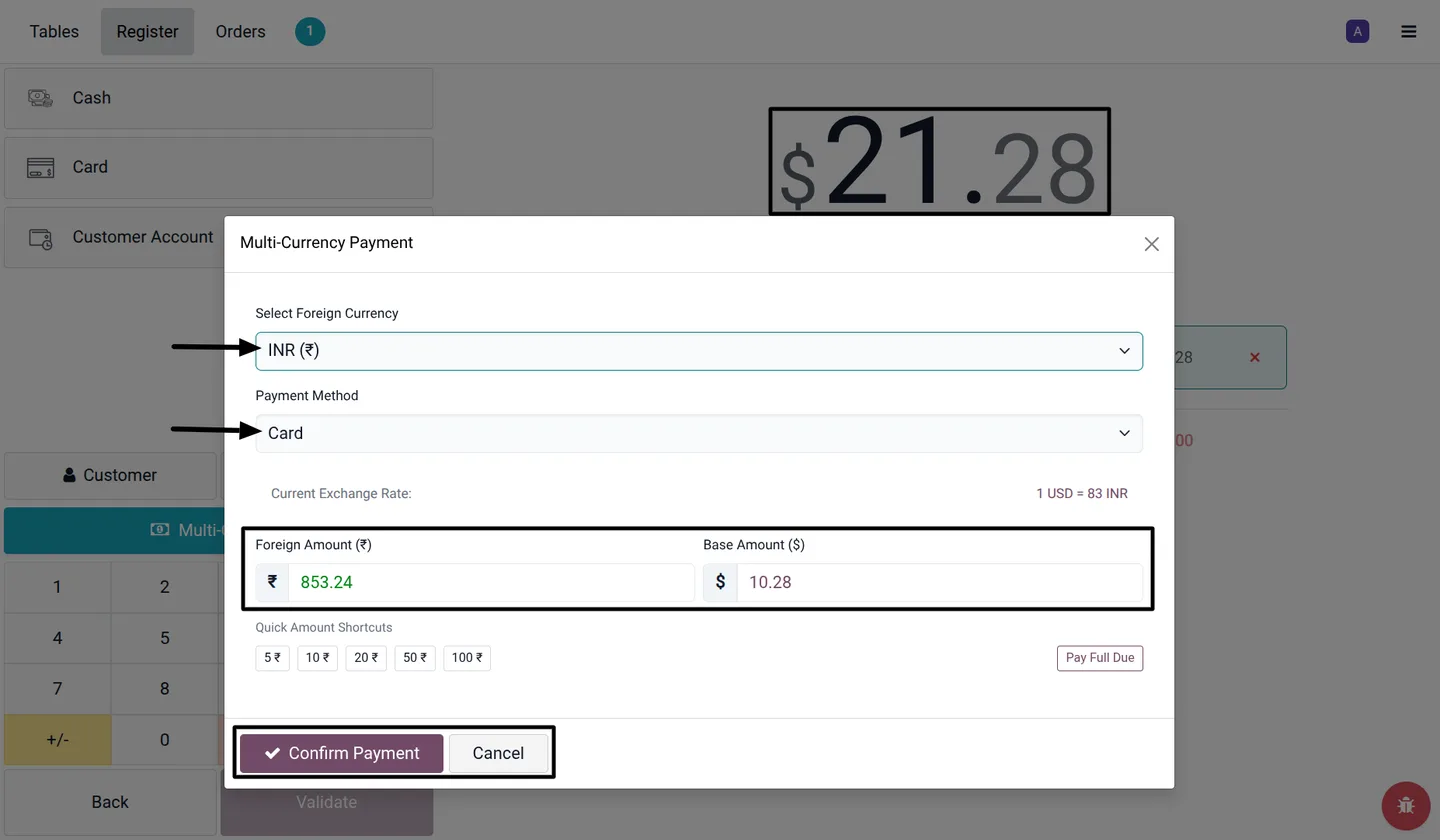
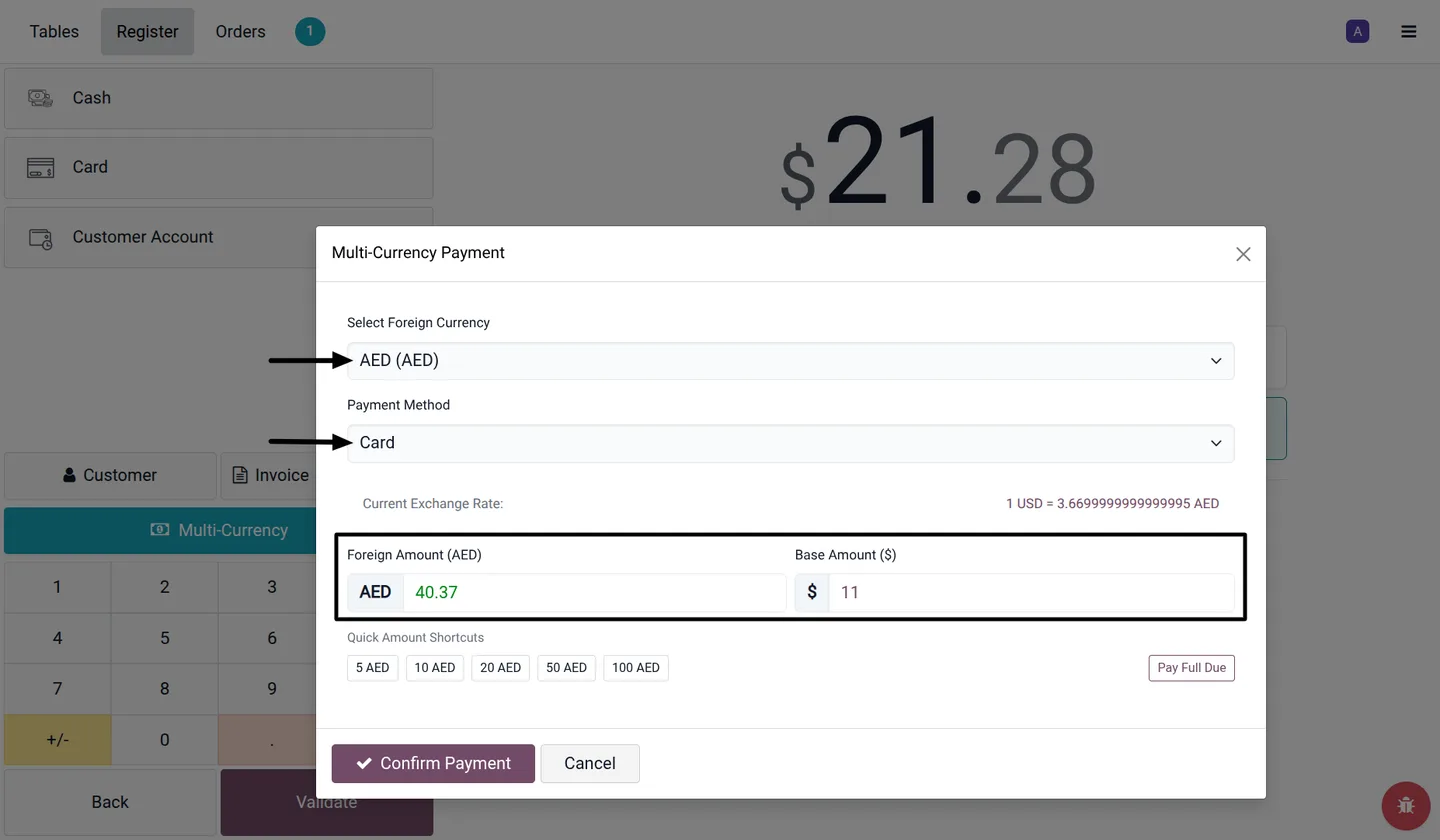
Each Point of Sale has its own list of accepted foreign currencies. In the payment popup the cashier picks the currency and payment method, then enters either the foreign amount or the POS currency amount; the other is calculated from Odoo's rate for the POS company and date. One order can be paid partly in one currency and partly in another.
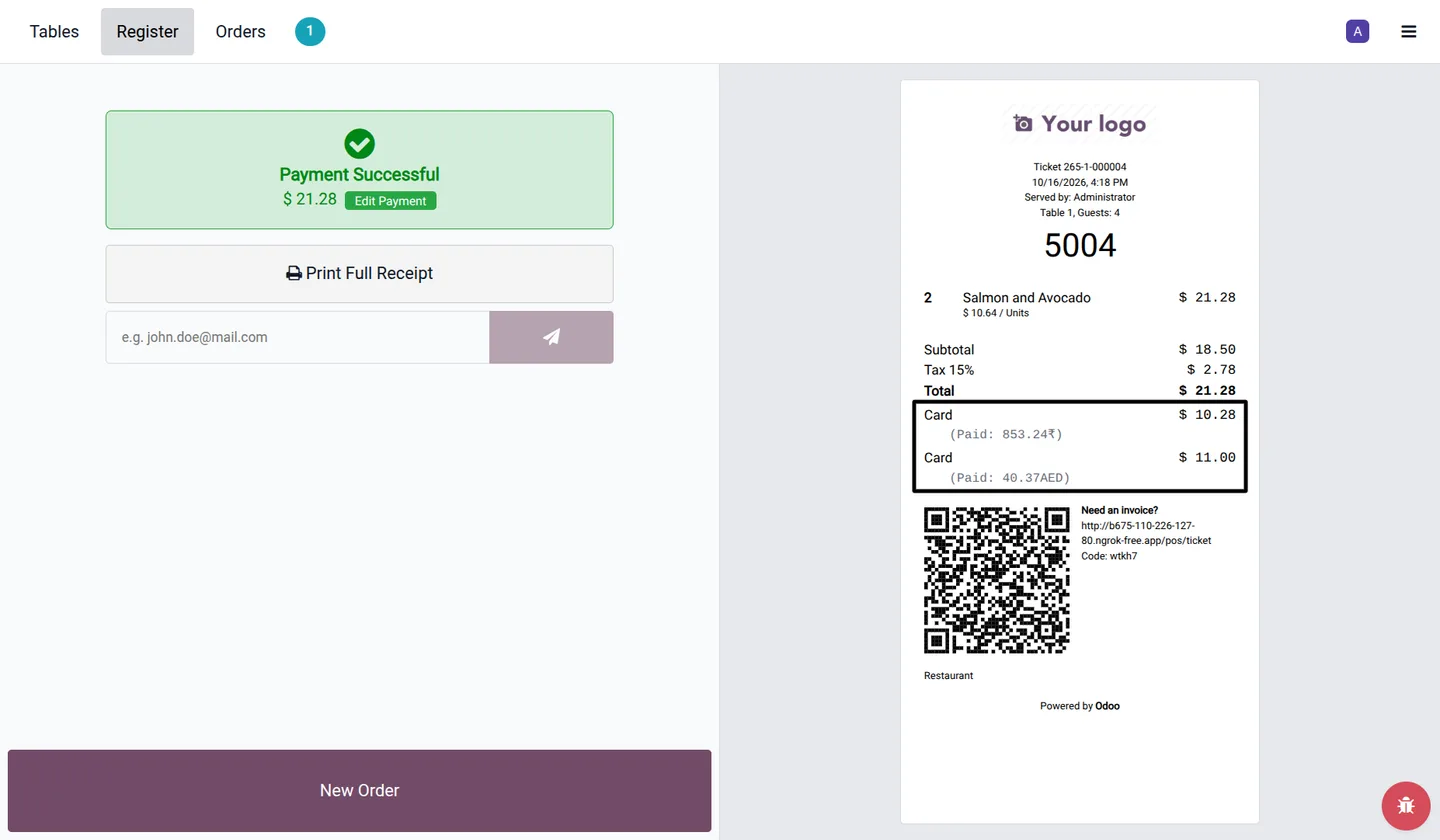
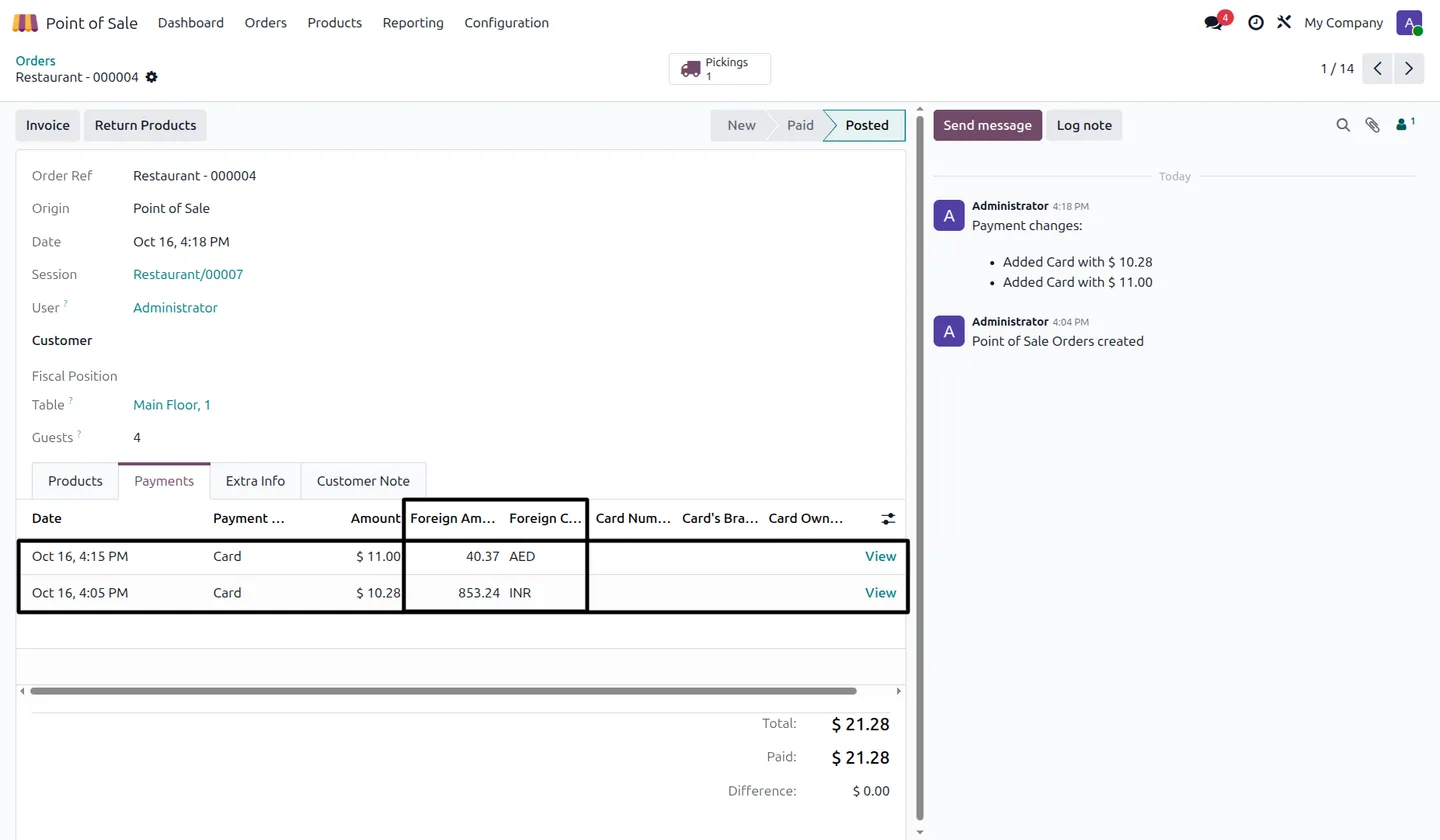
Every foreign-currency payment keeps its currency, foreign amount, exchange rate and converted amount. The receipt shows what was paid in each currency, the POS order lists the foreign amounts on its Payments tab, and the session view shows cashier, method, currency, amounts and rate for reconciliation at closing.
Key features
-
Multi-currency checkout
Accept foreign-currency payments from the POS payment screen, with the foreign amount shown beside the payment amount.
-
Currencies per POS
Choose the accepted foreign currencies for each Point of Sale and turn multi-currency payments on only where needed.
-
Odoo exchange rates
Rates load from Odoo for the POS company and transaction date, and the converted amount is shown before the payment is confirmed.
-
Flexible payment entry
Enter either the foreign amount or the POS currency amount; the popup calculates the other. The cashier can also enter a rate.
-
Split payments across currencies
Pay part of an order in one currency and the rest in another, each as its own payment line.
-
Clear payment records
The foreign currency, amount and applied exchange rate are stored on POS payments and orders.
-
Foreign amounts on receipts
Customer receipts show the foreign amount and currency symbol for each payment.
-
Session payment review
View foreign-currency payments from the POS session with cashier, payment method, amounts and exchange rate.
Watch POS Multi Currency Payment in use
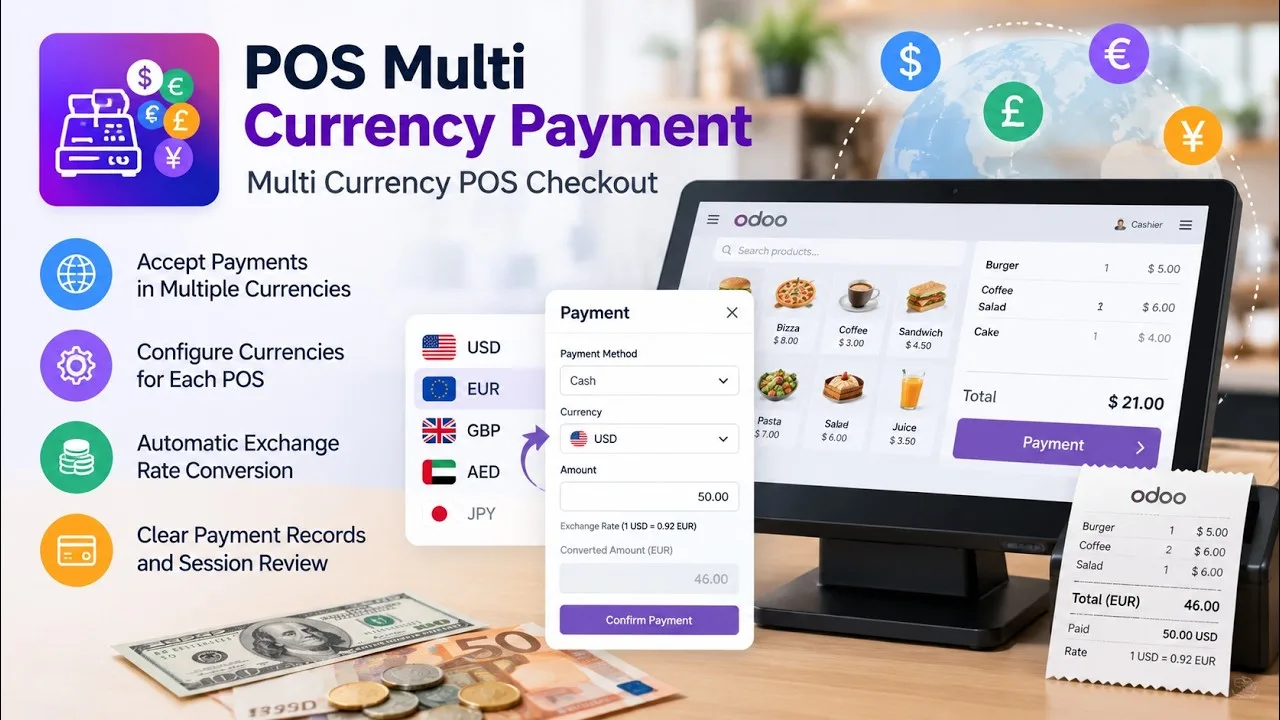
A four-minute walkthrough of POS Multi Currency Payment in Odoo Point of Sale: setting the currencies a POS accepts, taking a payment in a foreign currency with Odoo's exchange rate, splitting a payment across currencies, and the currency, amount and rate saved on the order and receipt.
POS Multi Currency Payment in Odoo
Every screen, in the order you meet it — configuration first, then the module in use.
Technical details
Specification
- Publisher
- TechUltra Solutions Private Limited
- Technical name
- tus_pos_multi_currency_payment
- Odoo versions
- 17.0, 18.0, 19.0, 20.0
- Lines of code
- 601
- Exchange rate source
- Odoo currency rates for the POS company and date (editable in the popup)
- License
- Odoo Proprietary License v1.0 (OPL-1)
- Price
- $29.82 (one-time)
Deployment
- Odoo Online
- Odoo.sh
- On-premise
Odoo dependencies
- Point of Sale
- Invoicing
- Discuss
Support
90 days of bug-fix support plus 5 hours of free configuration help (additional hours billable), Monday to Friday (10:00–19:00 IST). Raise a ticket at support@techultra.in.
Setup & configuration
From install to first call — here is the path.
- 1
Activate currencies
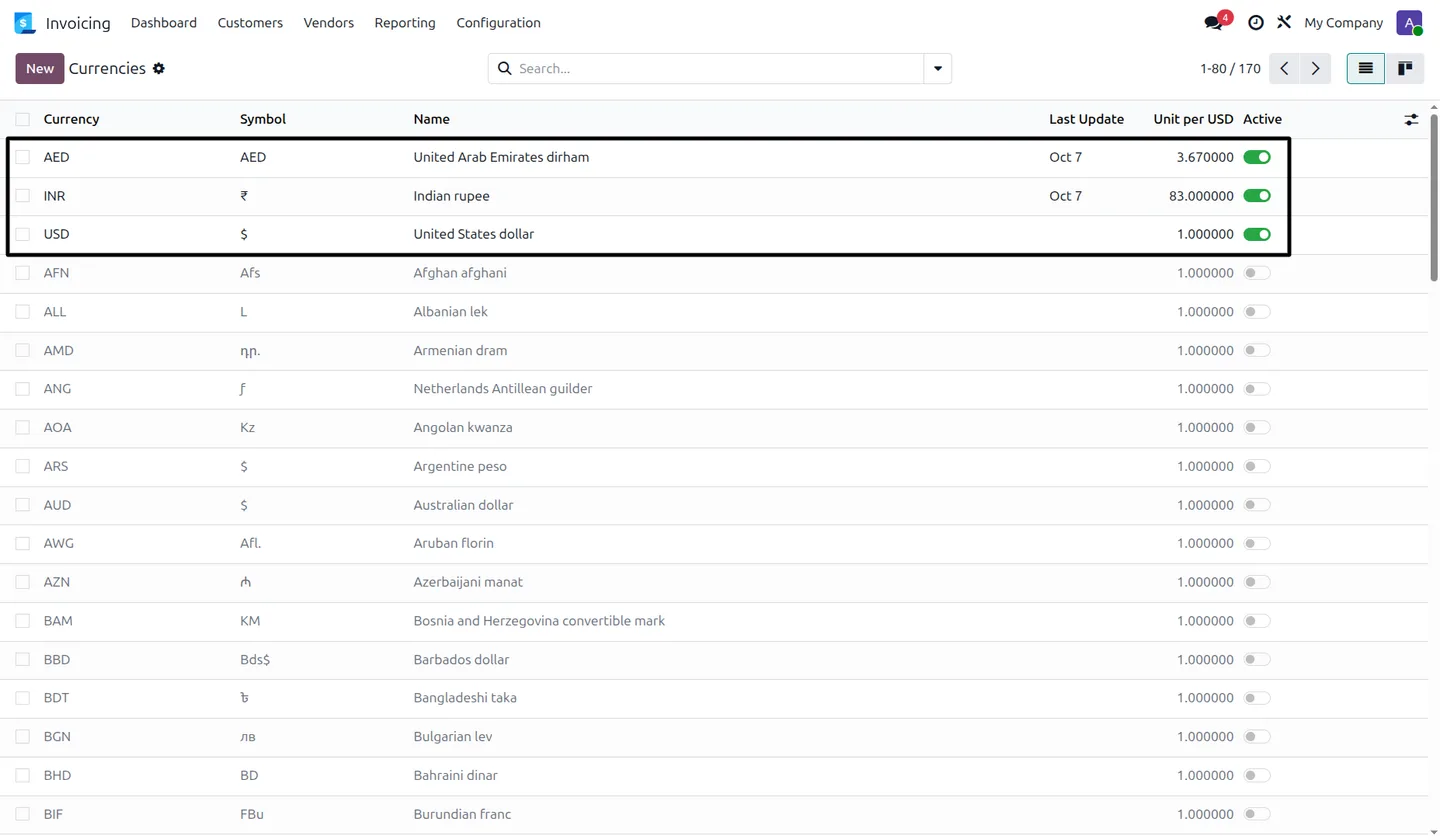
In Invoicing → Configuration → Currencies, activate the currencies you will accept and set their exchange rates.
- 2
Enable multi-currency on the POS
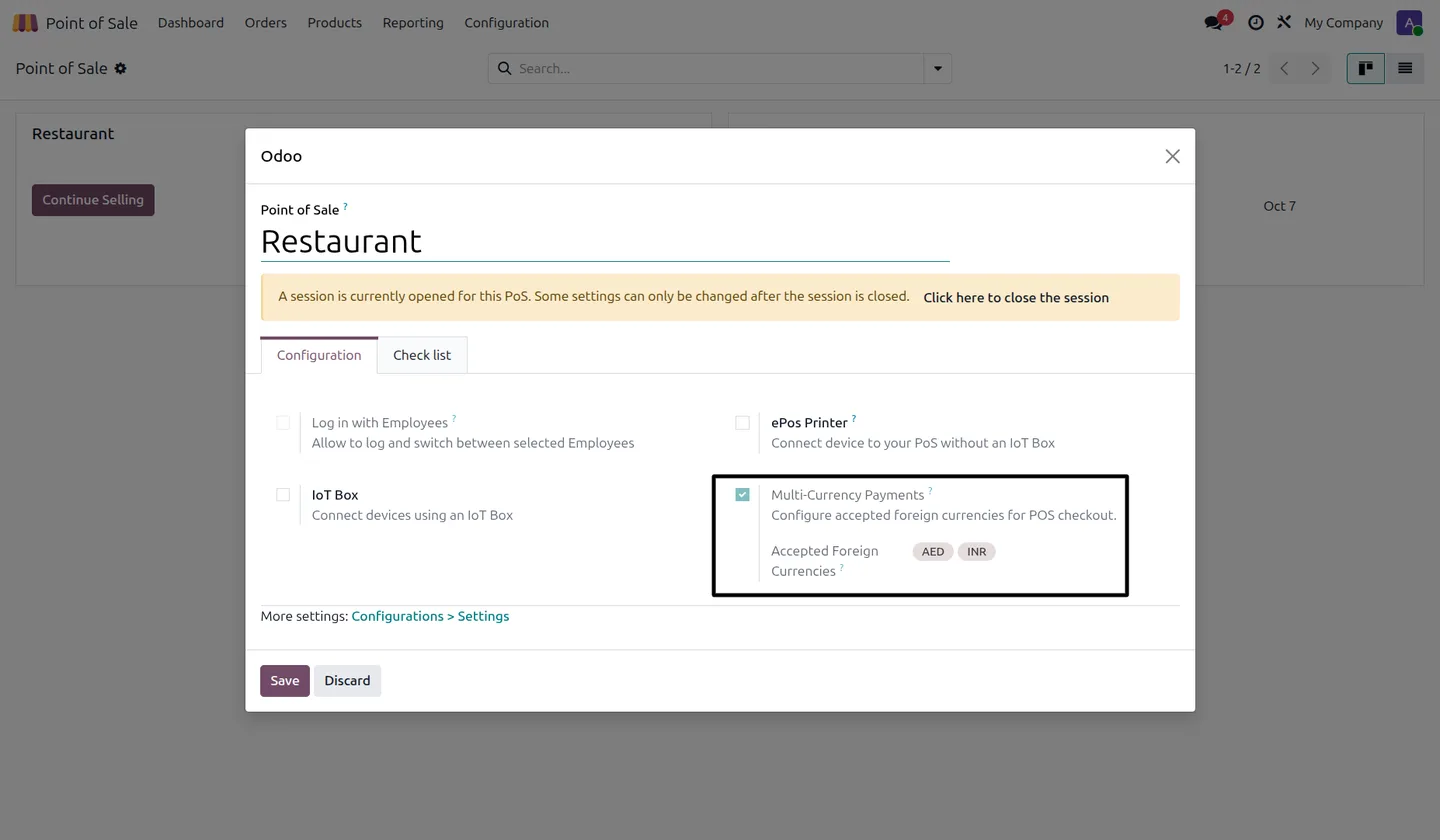
Open the Point of Sale configuration, tick Multi-Currency Payments and select the Accepted Foreign Currencies.
- 3
Take a payment
On the POS payment screen, click Multi-Currency, choose the currency and payment method, enter the amount and click Confirm Payment.
- 4
Check the records
Review the foreign amounts on the receipt, on the POS order's Payments tab and in the session payment view.
Frequently asked questions
-
How do I enable multi-currency payments in Odoo POS?
Open the Point of Sale configuration, enable Multi-Currency Payments, and select the foreign currencies that POS should accept.
-
Can different POS locations accept different currencies?
Yes. Each Point of Sale has its own list of accepted foreign currencies.
-
Where do the exchange rates come from?
From Odoo's currency rates for the POS company and the current date. Cashiers see the rate in the payment popup.
-
Can a cashier change the exchange rate during payment?
Yes. The cashier can enter a rate in the popup and the converted amount updates.
-
Can customers pay only part of an order in a foreign currency?
Yes. The cashier enters a foreign amount or a POS currency amount and adds it as a payment line. The rest can be paid in another currency or by another method.
-
Can I control which payment methods each cashier sees?
That is a separate module: POS Payment Methods Access restricts payment methods by user.
Listing verified against the Odoo App Store:
Related solutions
Whole-platform solutions that complement POS Multi Currency Payment.
Related services
Get the most out of this module with senior TechUltra consultants.
-
Odoo Customization Services
Odoo customization from a Gold Partner: custom modules, workflows, reports and Studio changes, upgrade-safe and quoted at a fixed scope. Free scoping call.
-
Hire Odoo Developers
Hire Odoo developers from a Gold Partner: an AI Engineering Pod from USD 1,800 a month, or a dedicated developer for 70–160 hours. Request a proposal today.
-
Odoo Support Services & Maintenance
Odoo support services from a Gold Partner: functional and technical support plus server cover for Enterprise and Community, 30-minute P1 response, 24/7 option.