
Odoo App · Point of Sale
POS Payment Methods Access
Restrict Point of Sale payment methods so each cashier sees only what you assign.

Overview
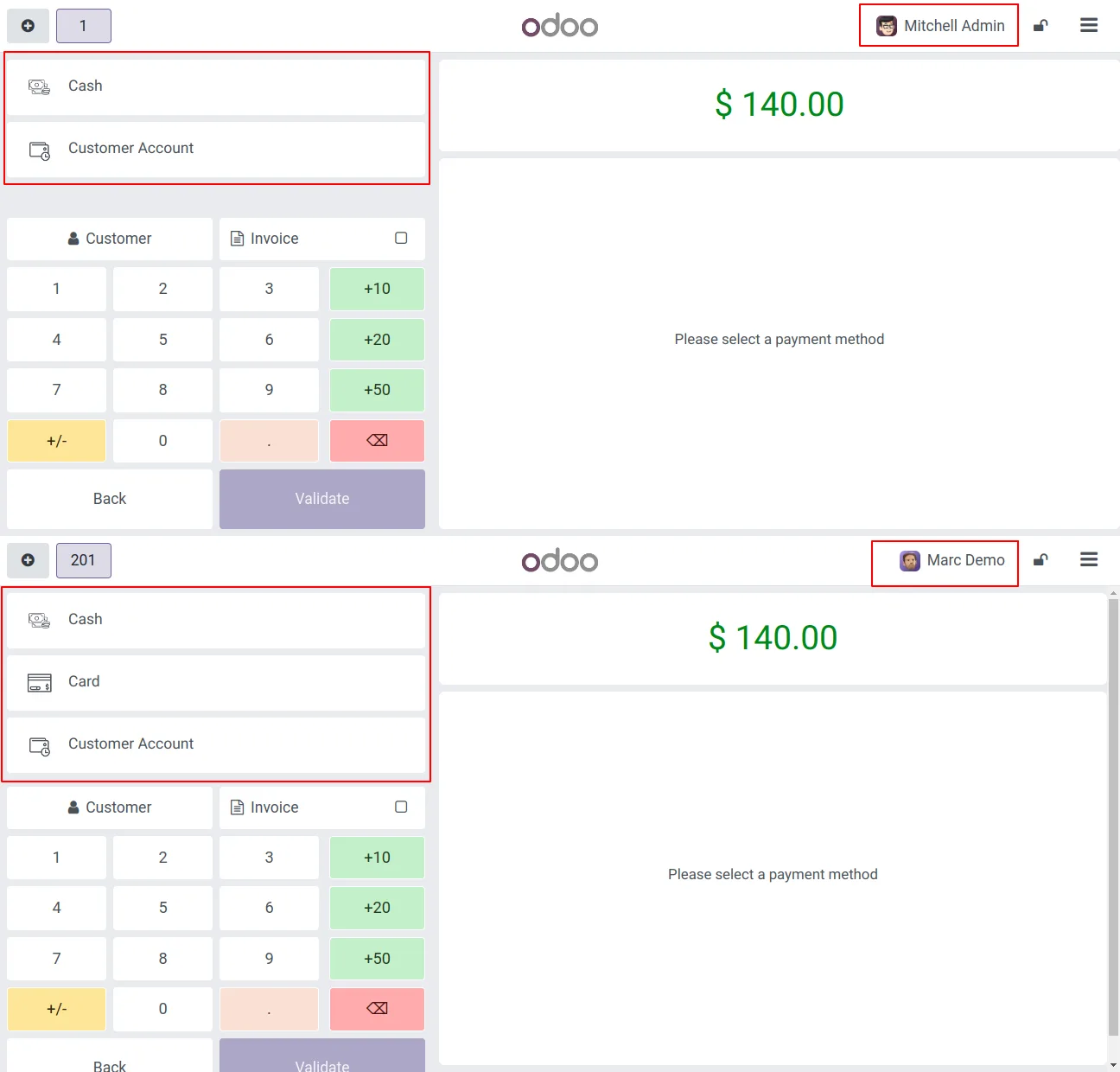
POS Payment Methods Access adds per-user control over the payment methods shown in the Odoo Point of Sale. Out of the box, anyone with POS rights can settle a sale with any configured method — cash, card, gift card, or otherwise. This module narrows that down so each cashier only sees the methods an administrator has assigned to them.
Built by TechUltra Solutions, the module adds an Allow user field to each POS payment method. You pick the users who may use that method, and the Point of Sale hides the rest at checkout. A single method can be assigned to several users, and a single user can hold several methods.
The module runs in both the Community and Enterprise editions. If an administrator has not assigned any payment method to a user, the Point of Sale shows a clear message instead of an empty payment screen, so the cashier knows to request access rather than assuming the till is broken.
Key features
-
Per-user payment method access
Assign each Point of Sale payment method to specific users. Cashiers see only the methods allocated to them, not every method configured on the company.
-
Allow user field on payment methods
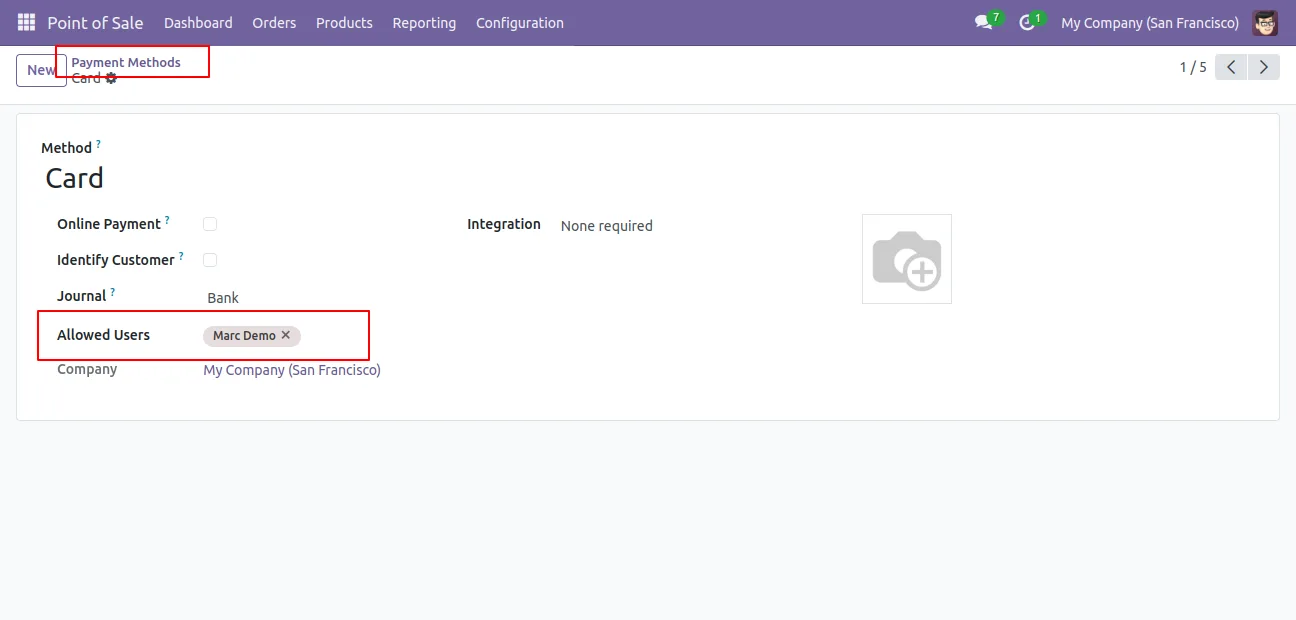
Each POS payment method gains an Allow user field where you select the authorised users — a direct, record-level way to manage access.
-
Different methods for different users
Give one cashier cash only, another cash and card, and a supervisor every method. Access is configured per user, not per company.
-
Multiple methods per user
A single user can be assigned more than one payment method, so staff who handle several tender types still get everything they need.
-
Multiple users per method
A single payment method can be assigned to as many users as required, making it easy to roll out a shared method to a whole team.
-
Unassigned-method message
If an administrator has not assigned any payment method to a user, the Point of Sale shows a request-a-method message instead of a blank payment screen.
-
Community and Enterprise support
The module works in both the Odoo Community and Enterprise editions, so the same access rules apply regardless of which edition you run.
POS Payment Methods Access in Odoo
Every screen, in the order you meet it — configuration first, then the module in use.
Technical details
Specification
- Publisher
- TechUltra Solutions Private Limited
- Technical name
- pos_payment_method_access_tus
- Odoo versions
- 16.0, 17.0, 18.0, 19.0, 20.0
- Lines of code
- 47
- License
- Odoo Proprietary License v1.0 (OPL-1)
- Price
- $19 (one-time)
Deployment
- Odoo Online
- Odoo.sh
- On-premise
Odoo dependencies
- Point of Sale
- Invoicing
- Inventory
- Discuss
Support
90 days of bug-fix support, Monday to Friday (10:00–19:00 IST). Raise a ticket at support@techultra.in.
Setup & configuration
From install to first call — here is the path.
- 1
Install the module
In Odoo, open Apps, remove the Apps filter, search for “POS Payment Methods Access”, and click Install.
- 2
Create the user groups
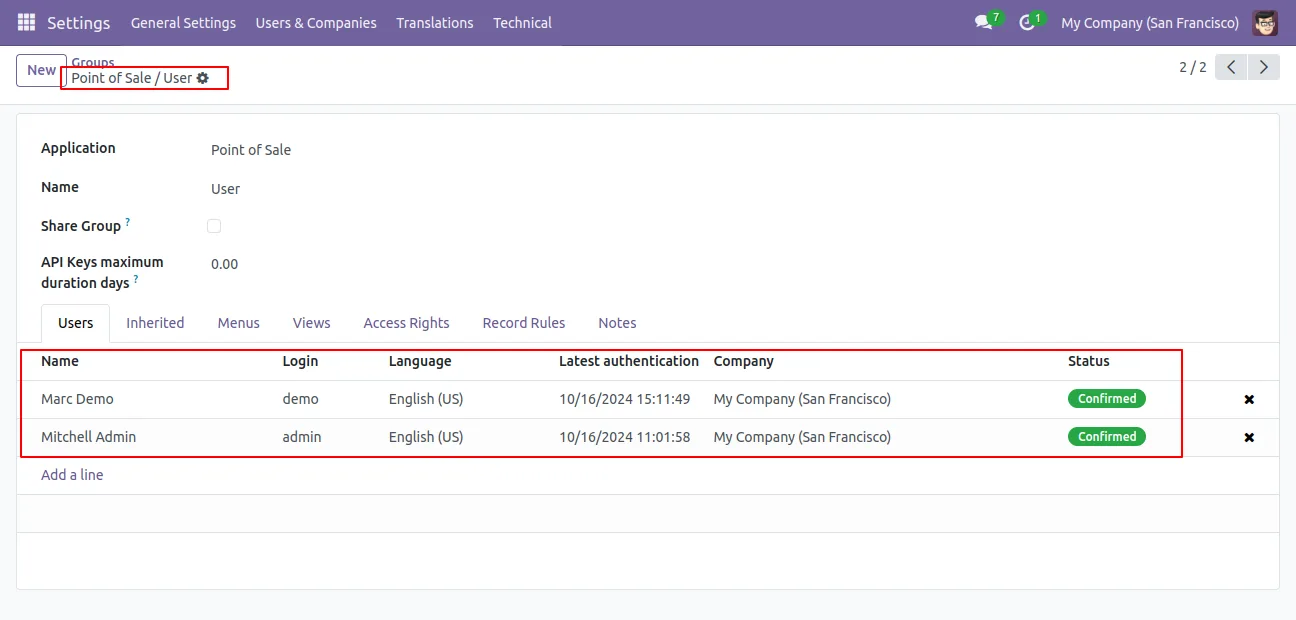
Go to Settings → Users & Companies → Groups and create or review the groups that decide which users should be able to take payments at the Point of Sale.
- 3
Assign users to payment methods
Open Point of Sale → Configuration → Payment Methods. On each method, use the new Allow user field to select the users who may take that method.
- 4
Confirm methods on the POS
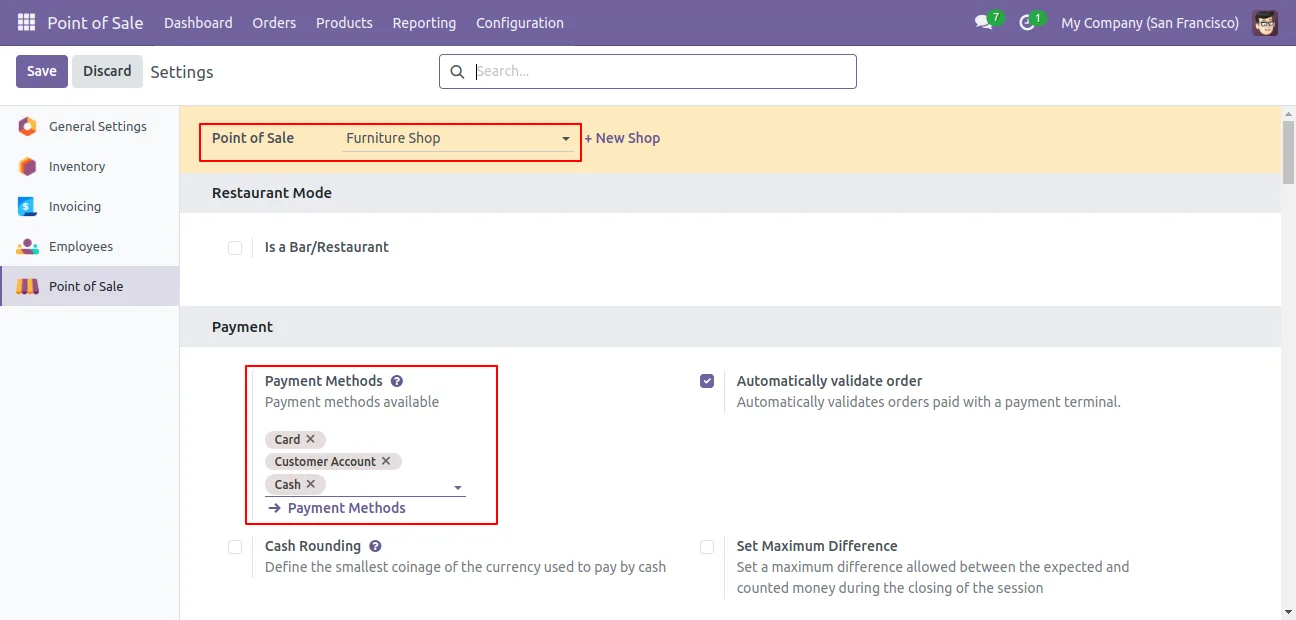
In Point of Sale → Configuration → Settings, make sure the relevant payment methods are still selected for the register you are configuring.
- 5
Verify at checkout
Open a POS session as each user and confirm the payment screen shows only their assigned methods. Users with none assigned see the request-a-method message.
Frequently asked questions
-
What does POS Payment Methods Access do?
It restricts the payment methods shown in the Odoo Point of Sale to the ones an administrator has assigned to each user, instead of showing every configured method to everyone.
-
Can one cashier have several payment methods?
Yes. A user can be assigned more than one payment method, and a single payment method can be assigned to as many users as you need.
-
What happens if a user has no payment method assigned?
The Point of Sale shows a message asking for a payment method to be assigned, rather than presenting a blank payment screen, so the cashier knows to contact an administrator.
-
Does it work in both Community and Enterprise?
Yes. The module runs in both the Odoo Community and Enterprise editions, and the access rules behave the same way in each.
-
Where do I assign payment methods to users?
Open each payment method under Point of Sale → Configuration → Payment Methods and use the Allow user field to pick the authorised users.
-
Which Odoo versions are supported?
The module supports Odoo 16.0, 17.0, 18.0, 19.0, and 20.0.
-
Is support included?
Yes. The module includes 90 days of bug-fix support, Monday to Friday, 10:00–19:00 IST.
Listing verified against the Odoo App Store:
Related solutions
Whole-platform solutions that complement POS Payment Methods Access.
Related services
Get the most out of this module with senior TechUltra consultants.
Odoo Customization Services
Odoo customization from a Gold Partner: custom modules, workflows, reports and Studio changes, written upgrade-safe and quoted at a fixed scope. Free scoping call.
Hire Odoo Developers
Hire certified Odoo developers from a Gold Partner: one developer or a team, full-time or part-time, 70–160 hours a month. Silver, Gold or Platinum plan, free trial.
Odoo Support Services & Maintenance
Odoo support services from a Gold Partner: functional and technical support plus server cover for Enterprise and Community, 30-minute P1 response, 24/7 option.







