

Odoo App · Manufacturing
Inventory Valuation & Manufacturing Cost Report
Opening and closing stock value for any period, with purchases, sales, production and adjustments, plus manufacturing cost and WIP, in PDF or Excel.
Overview
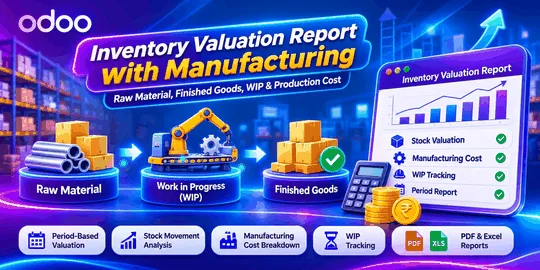
Odoo's standard stock valuation shows what inventory is worth now. Manufacturers usually need more: what it was worth at the start and end of a period, what moved it, and what production actually cost. This module puts those answers in one wizard under Inventory and Manufacturing reporting.
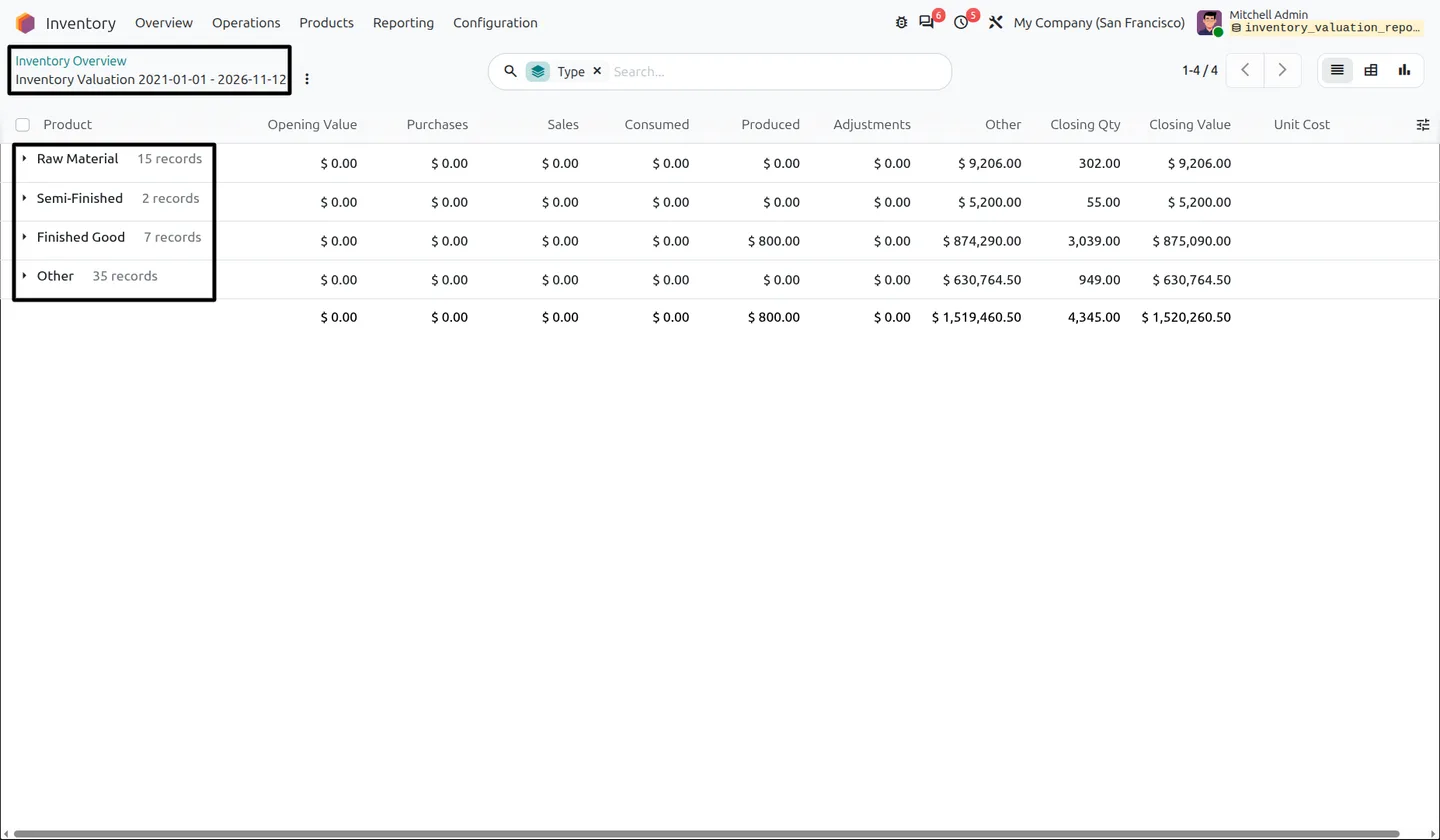
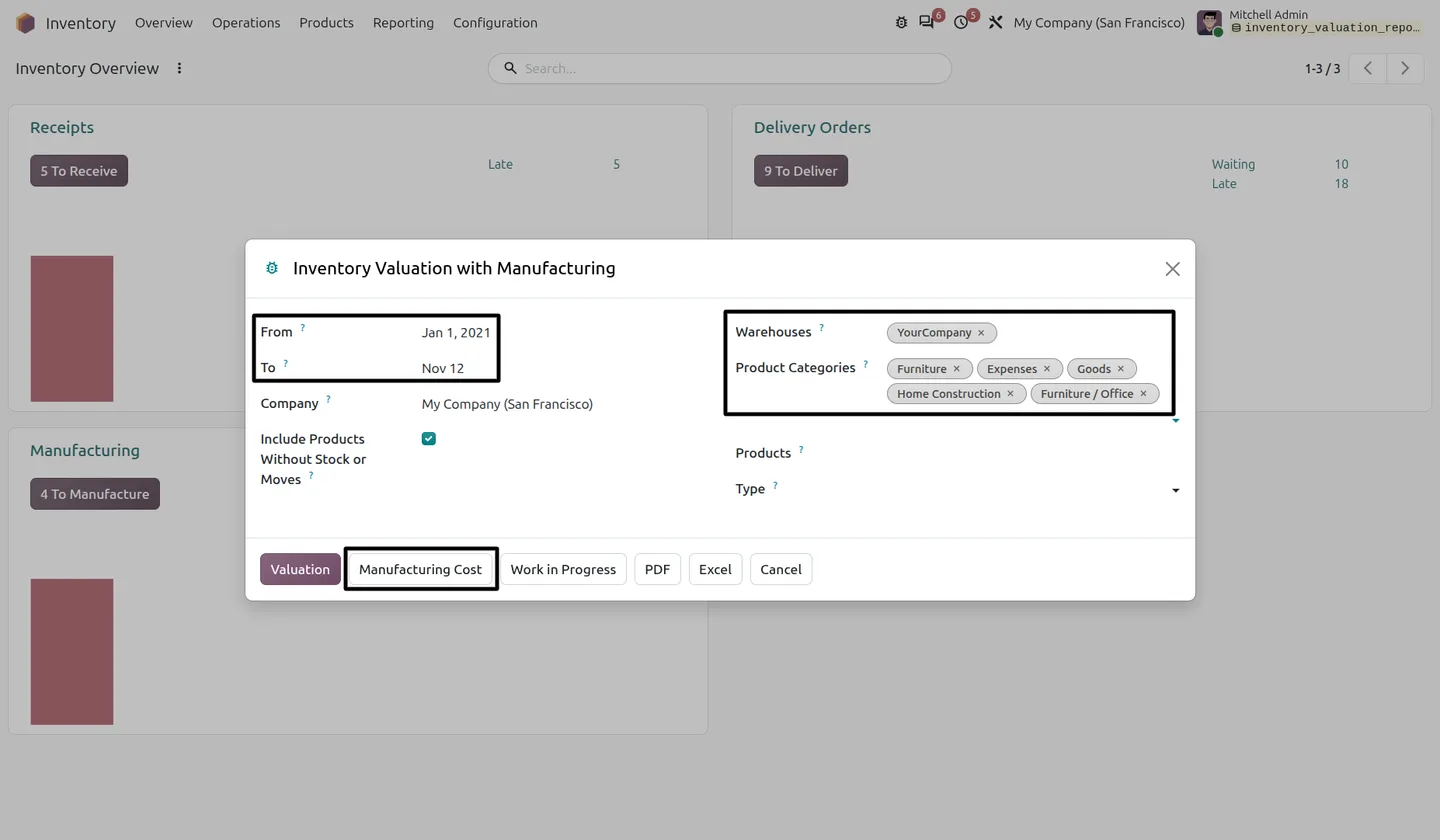
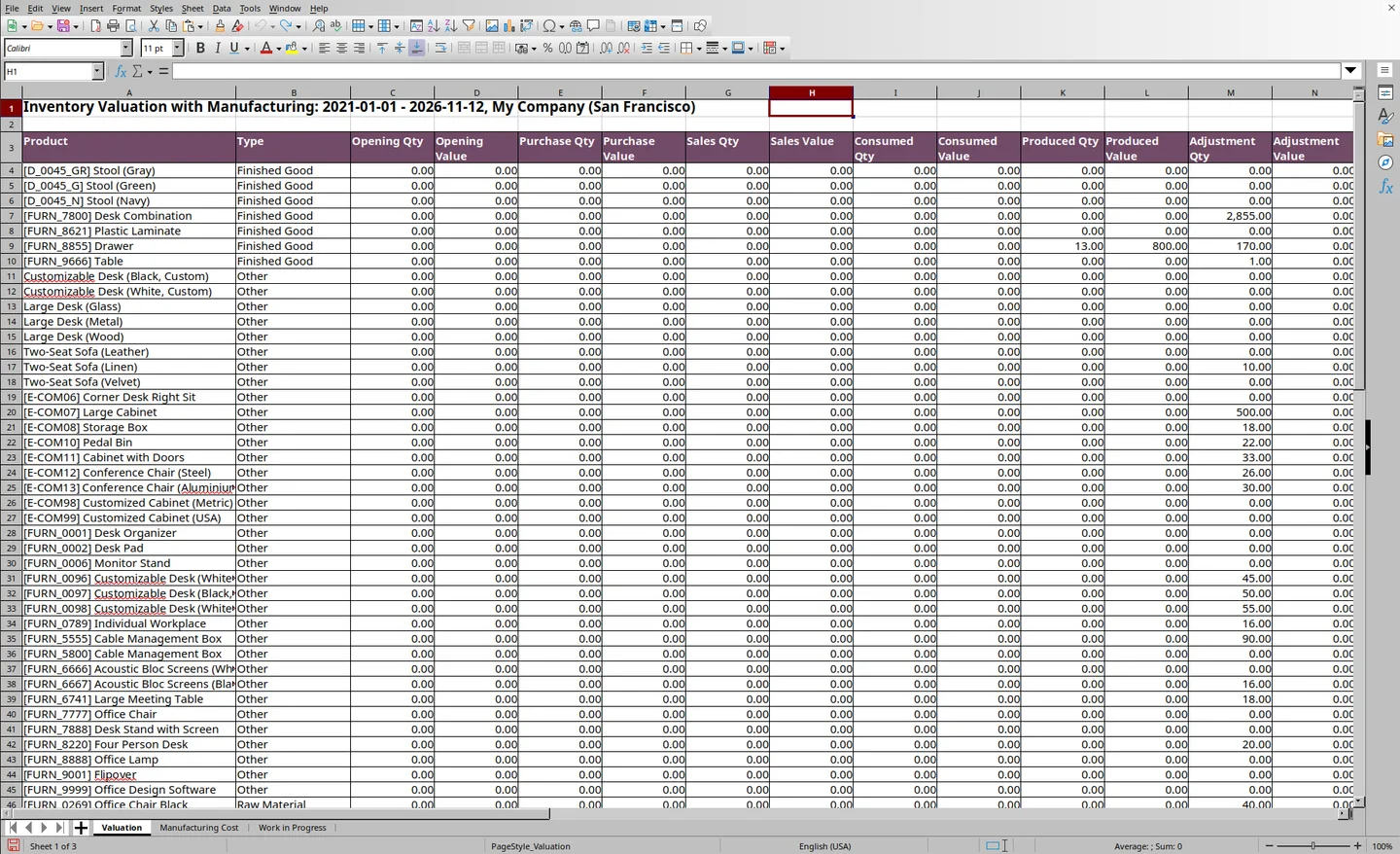
You choose a date range and, optionally, a company, warehouses, product categories, products and product type. The Valuation view then shows opening and closing quantities and values with purchases, sales, consumption, production, adjustments and other changes between them. Products are classified from their Bills of Materials as Raw Material, Semi-Finished, Finished Good or Other, so you can see value by stage of production.
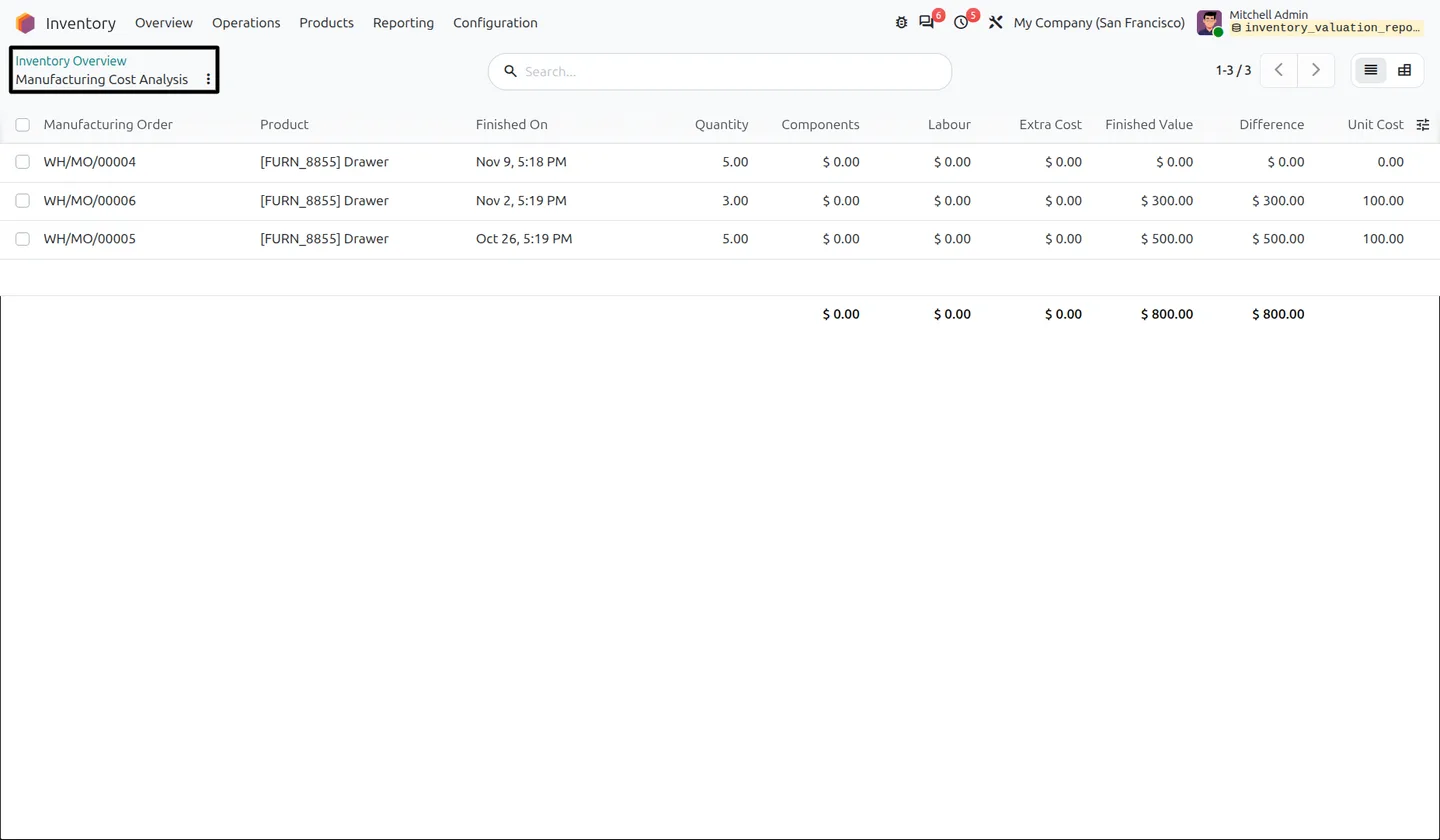
The Manufacturing Cost view lists completed manufacturing orders in the period with component, labour and extra costs, finished value, cost difference and unit cost, in list or pivot form. The Work in Progress view shows orders that are open now, with components issued, labour and total WIP value. All three can be printed as a landscape PDF or downloaded as an Excel workbook with one sheet each.
Key features
-
Period-based valuation
Opening and closing quantities and values for any date range you choose.
-
Full stock movement breakdown
Purchases, sales, manufacturing consumption, production, adjustments and transfers between the opening and closing figures.
-
Product classification from BoMs
Products are grouped as Raw Material, Semi-Finished, Finished Good or Other, derived from your Bills of Materials.
-
Report filters
Filter by company, warehouse, product category, product and product type, and optionally include products with no stock or moves.
-
Manufacturing cost analysis
Completed manufacturing orders with component, labour and extra costs, finished value, cost difference and unit cost, in list or pivot view.
-
Work-in-progress tracking
Currently open manufacturing orders with status, planned quantity, components issued, labour cost and total WIP value.
-
PDF and Excel export
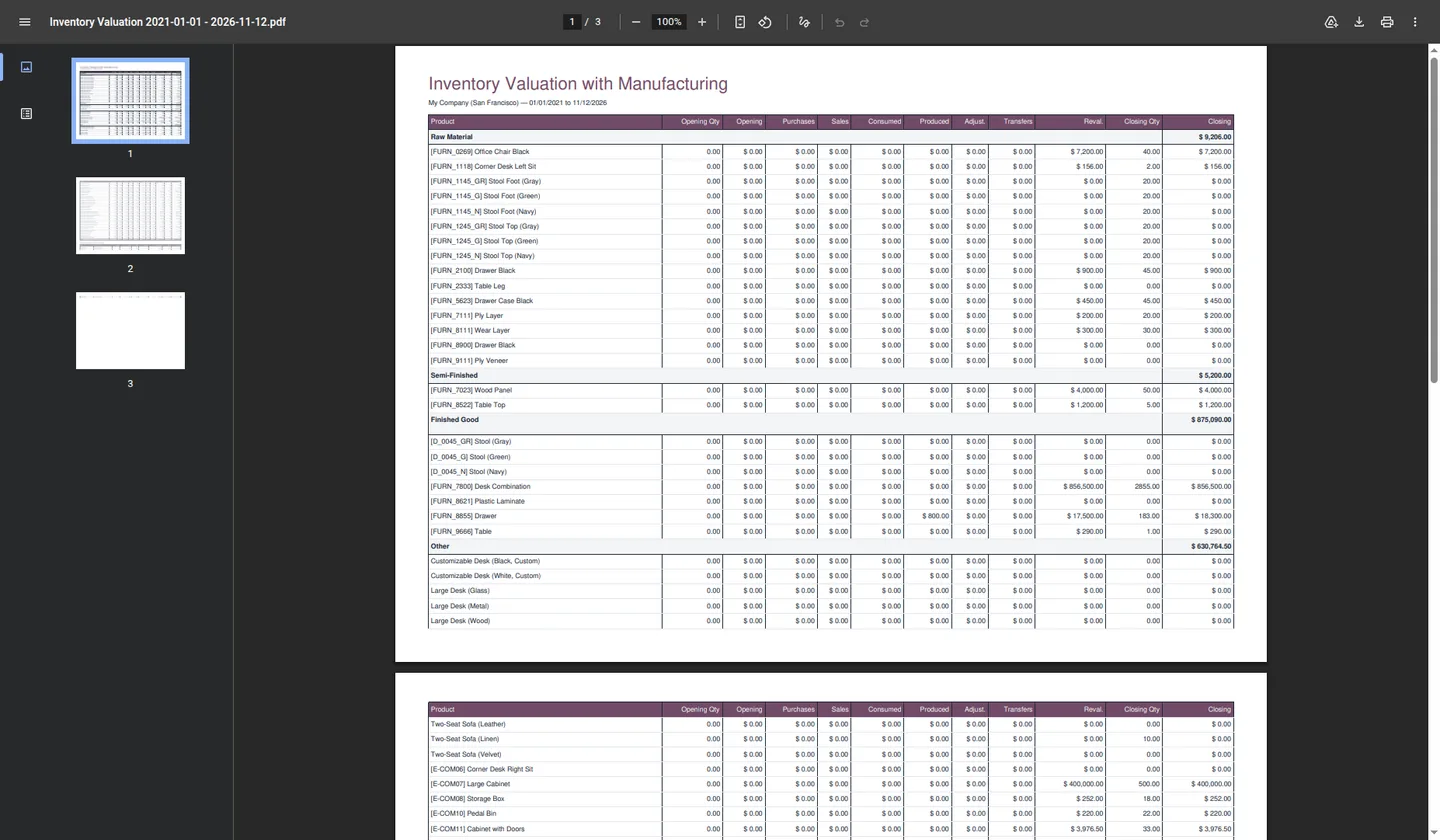
Print a landscape PDF grouped by product type, or download an Excel workbook with separate Valuation, Manufacturing Cost and Work in Progress sheets.
Watch Inventory Valuation & Manufacturing Cost Report in use
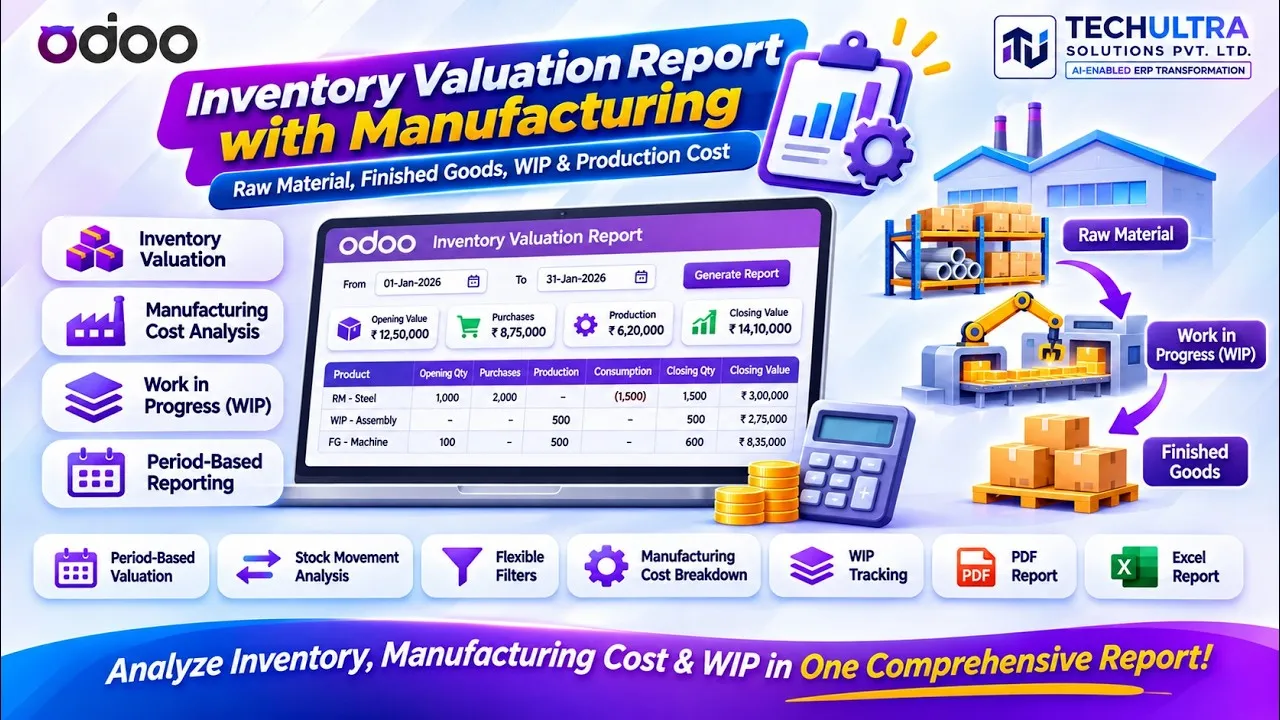
Video walkthrough of Inventory Valuation & Manufacturing Cost Report for Odoo from the TechUltra Solutions YouTube channel. A period-based inventory valuation report for Odoo manufacturers: opening and closing stock with every movement type, grouped by raw material, semi-finished and finished goods, plus manufacturing cost and work-in-progress views, exportable to PDF and Excel.
Inventory Valuation & Manufacturing Cost Report in Odoo
Every screen, in the order you meet it — configuration first, then the module in use.
Technical details
Specification
- Publisher
- TechUltra Solutions Private Limited
- Technical name
- stock_valuation_mrp_report
- Odoo versions
- 16.0, 17.0, 18.0, 19.0
- Lines of code
- 681
- Report menu
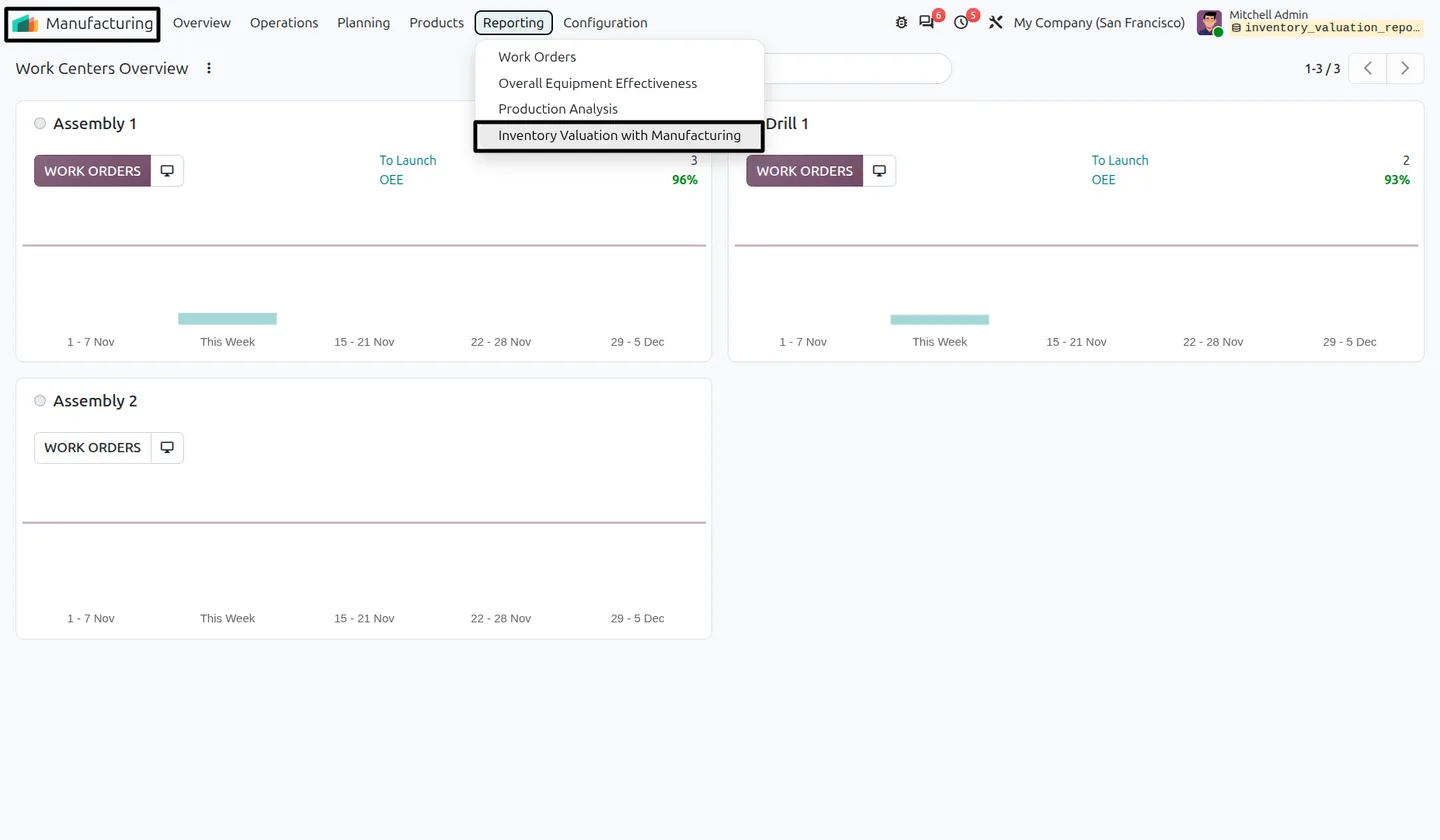
- Inventory › Reporting or Manufacturing › Reporting › Inventory Valuation with Manufacturing
- Outputs
- On-screen list and pivot, PDF, Excel (3 sheets)
- License
- Odoo Proprietary License v1.0 (OPL-1)
- Price
- $18.79 (one-time)
Deployment
- Odoo Online
- Odoo.sh
- On-premise
Odoo dependencies
- Manufacturing
- Inventory
- Invoicing
- Discuss
Support
90 days of bug-fix support plus 5 hours of free configuration help (additional hours billable), Monday to Friday (10:00–19:00 IST). Raise a ticket at support@techultra.in.
Setup & configuration
From install to first call — here is the path.
- 1
Open the report
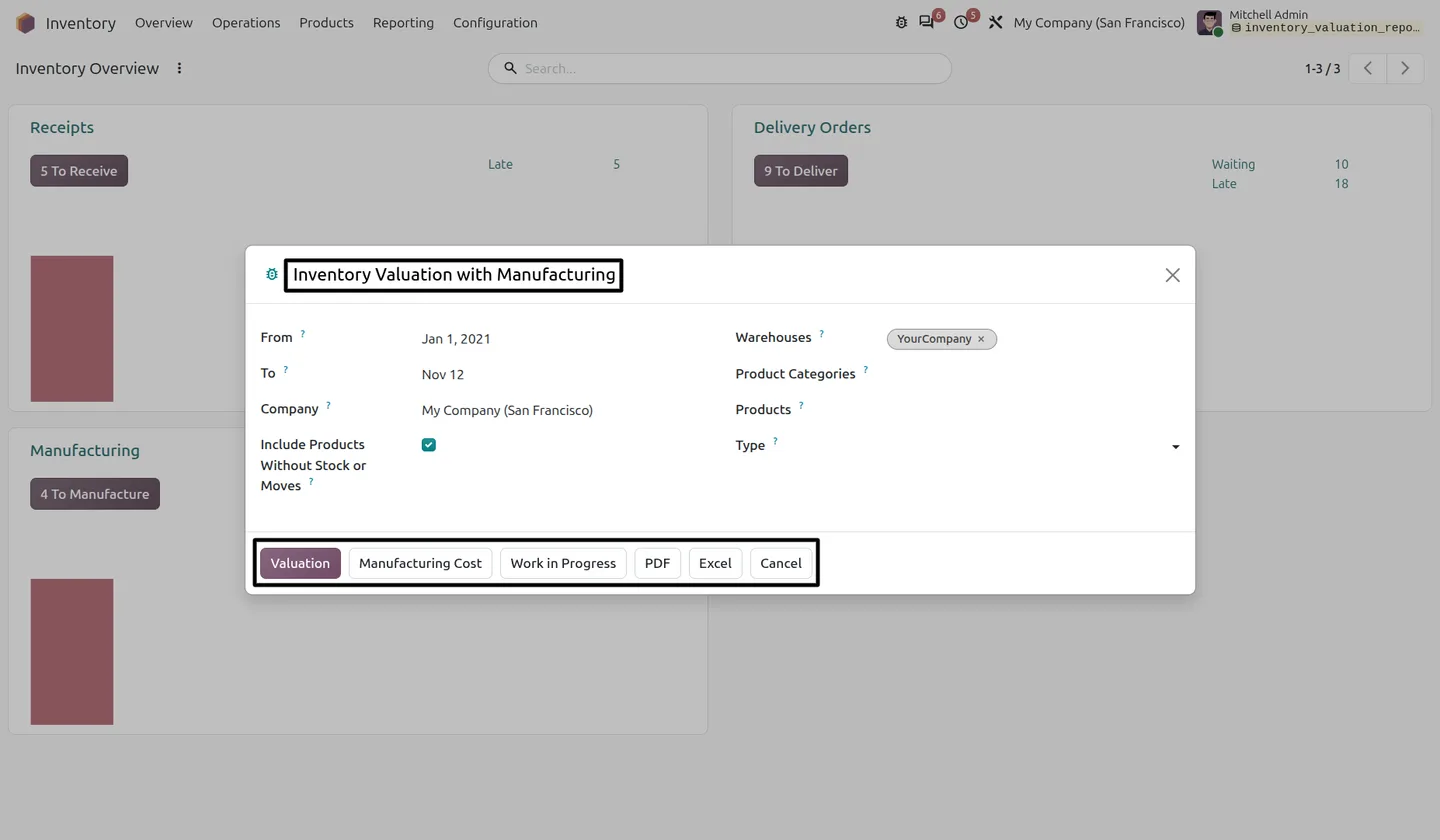
Go to Manufacturing › Reporting or Inventory › Reporting and choose Inventory Valuation with Manufacturing.
- 2
Set the period and filters
Enter the From and To dates, then optionally narrow by company, warehouses, product categories, products and type. Tick Include Products Without Stock or Moves to list inactive items too.
- 3
Pick a view
Click Valuation, Manufacturing Cost or Work in Progress to see the results on screen.
- 4
Export
Click PDF for a printable landscape report, or Excel for a workbook with Valuation, Manufacturing Cost and Work in Progress sheets.
Frequently asked questions
-
Where do I find the report?
Under Inventory › Reporting or Manufacturing › Reporting, as Inventory Valuation with Manufacturing.
-
How are products classified?
The module derives the type from Bills of Materials: Raw Material, Semi-Finished, Finished Good or Other.
-
What does the Manufacturing Cost view show?
Completed manufacturing orders in the selected range, with component, labour and extra costs, finished value, cost difference and unit cost.
-
Is Work in Progress calculated as of the end date?
No. The WIP view shows orders that are open now. It is not a historical snapshot for the selected date.
-
Can I export the results?
Yes. PDF prints a landscape report grouped by product type, with manufacturing cost and WIP sections when there are records. Excel downloads a workbook with Valuation, Manufacturing Cost and Work in Progress sheets.
-
Does it work with Odoo 20?
The App Store listing covers Odoo 16.0 to 19.0. For a stock movement history per product rather than a valuation, see Inventory Stock Card Report.
Listing verified against the Odoo App Store:
Related solutions
Whole-platform solutions that complement Inventory Valuation & Manufacturing Cost Report.
Related services
Get the most out of this module with senior TechUltra consultants.
-
Odoo Customization Services
Odoo customization from a Gold Partner: custom modules, workflows, reports and Studio changes, upgrade-safe and quoted at a fixed scope. Free scoping call.
-
Hire Odoo Developers
Hire Odoo developers from a Gold Partner: an AI Engineering Pod from USD 1,800 a month, or a dedicated developer for 70–160 hours. Request a proposal today.
-
Odoo Support Services & Maintenance
Odoo support services from a Gold Partner: functional and technical support plus server cover for Enterprise and Community, 30-minute P1 response, 24/7 option.