Odoo App · Inventory & Barcode
Inventory QR Labels & Barcode Scan Controls
Lot QR labels plus scan rules in the Odoo Barcode app: wrong products rejected, empty lots blocked and deliveries never over-picked.

Overview
Barcode picking is only as accurate as the scans it accepts. In a busy warehouse, a picker can scan the wrong product, take more from a lot than it holds or scan past what the customer ordered. This module adds checks to the Odoo Barcode app so those scans are refused at the moment they happen.
It also generates QR labels for lots. Each label carries the essential product and lot details and is printed directly from Inventory, so pickers scan one code to identify both the product and the lot.
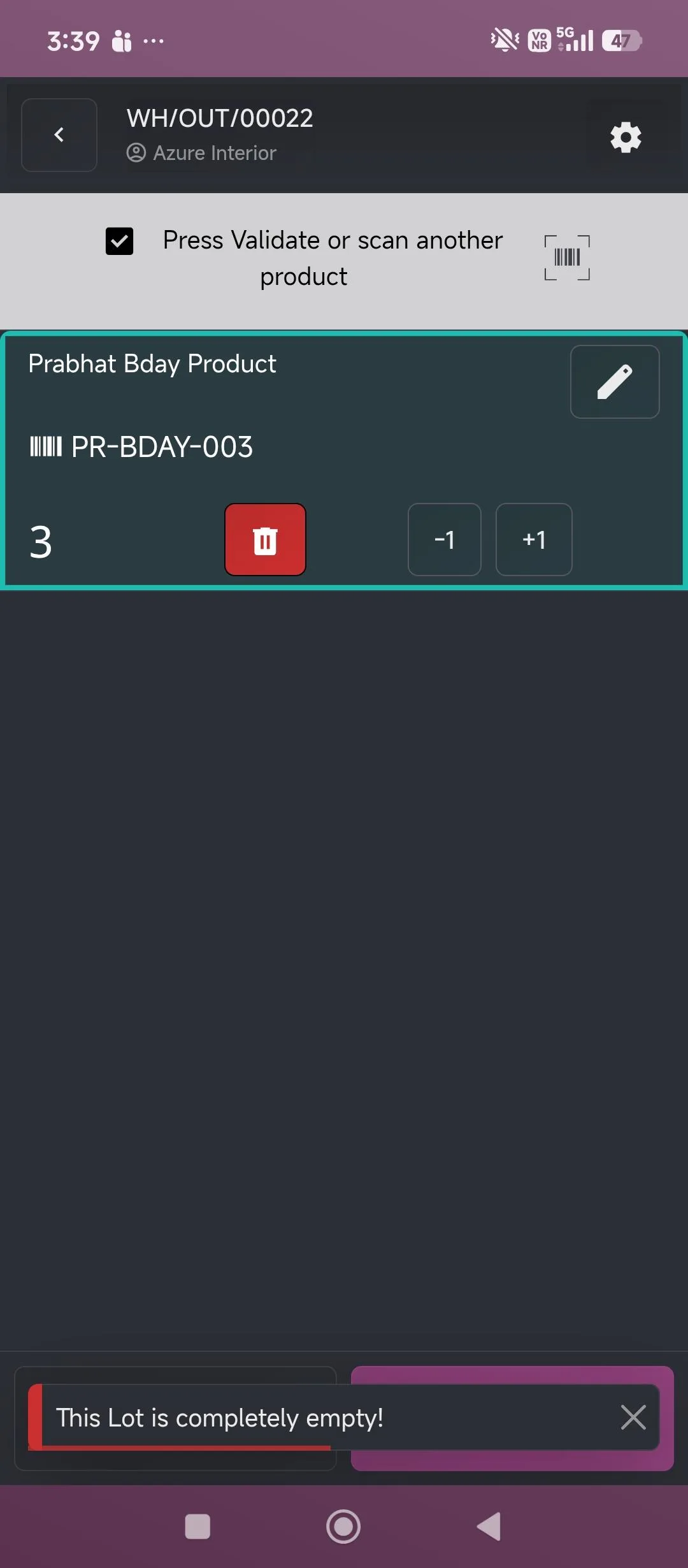
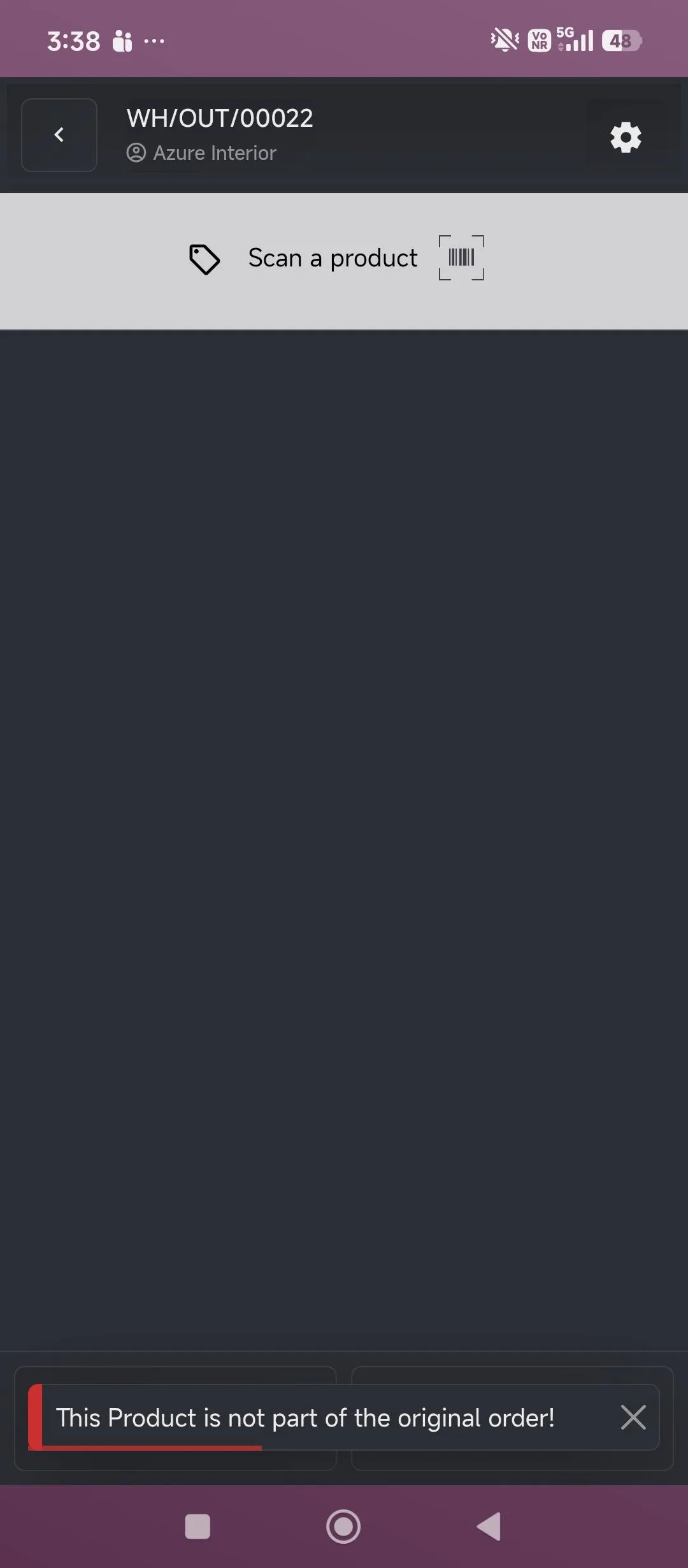
During a transfer, three checks apply. A product that is not part of the original order is rejected with a warning. A lot with no stock left shows 'This Lot is completely empty!' and accepts no more quantity. And scanning stops at the delivery's demand, so the order cannot be over-fulfilled. The module depends on Barcode (stock_barcode), which is part of Odoo Enterprise.
Key features
-
QR labels for lots
Generate and print scannable QR labels with essential product and lot details directly from Inventory.
-
Product validation on scan
Only products in the active transfer are accepted. Others are rejected with 'This Product is not part of the original order!'
-
Lot quantity control
Scans that exceed a lot's available quantity are blocked, and an empty lot shows 'This Lot is completely empty!'
-
No delivery over-fulfilment
Scanning is restricted to the delivery's required quantity, so pickers cannot scan past the demand.
-
Multi-lot picking
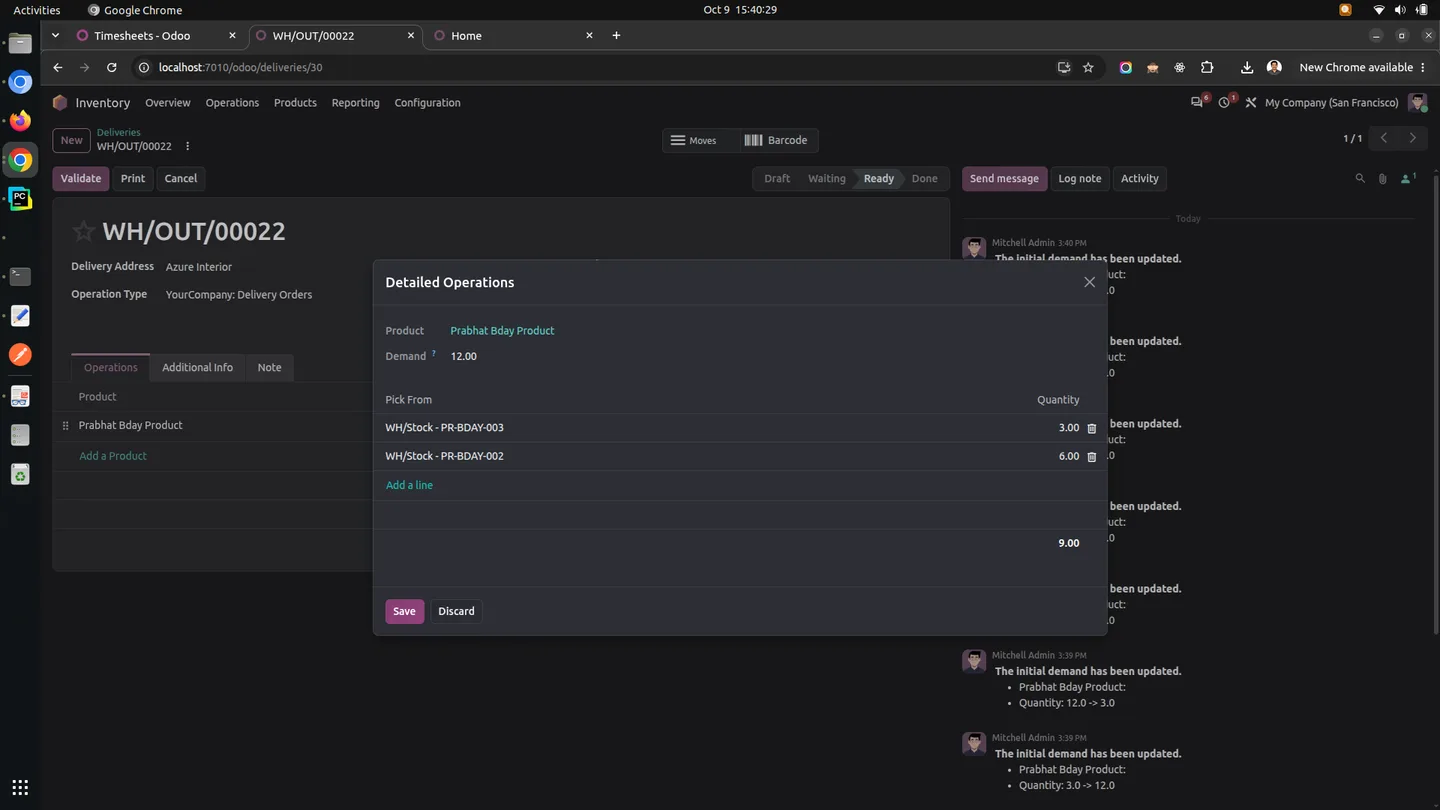
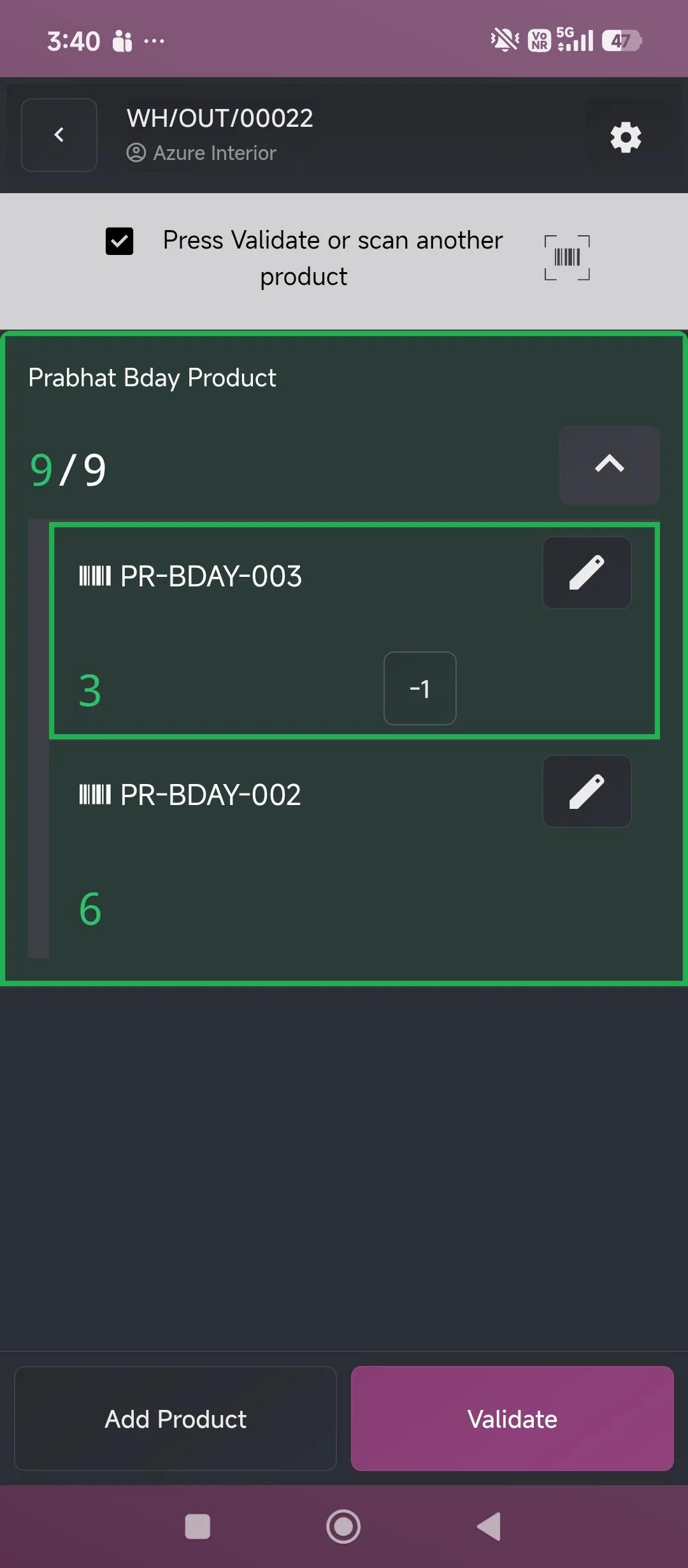
One delivery line can be picked from several lots, with progress shown as scanned against demand, such as 9/9 across two lots.
-
Mobile and scanner support
Scan QR labels with the Odoo mobile app camera or with compatible warehouse barcode scanners.
Watch Inventory QR Labels & Barcode Scan Controls in use
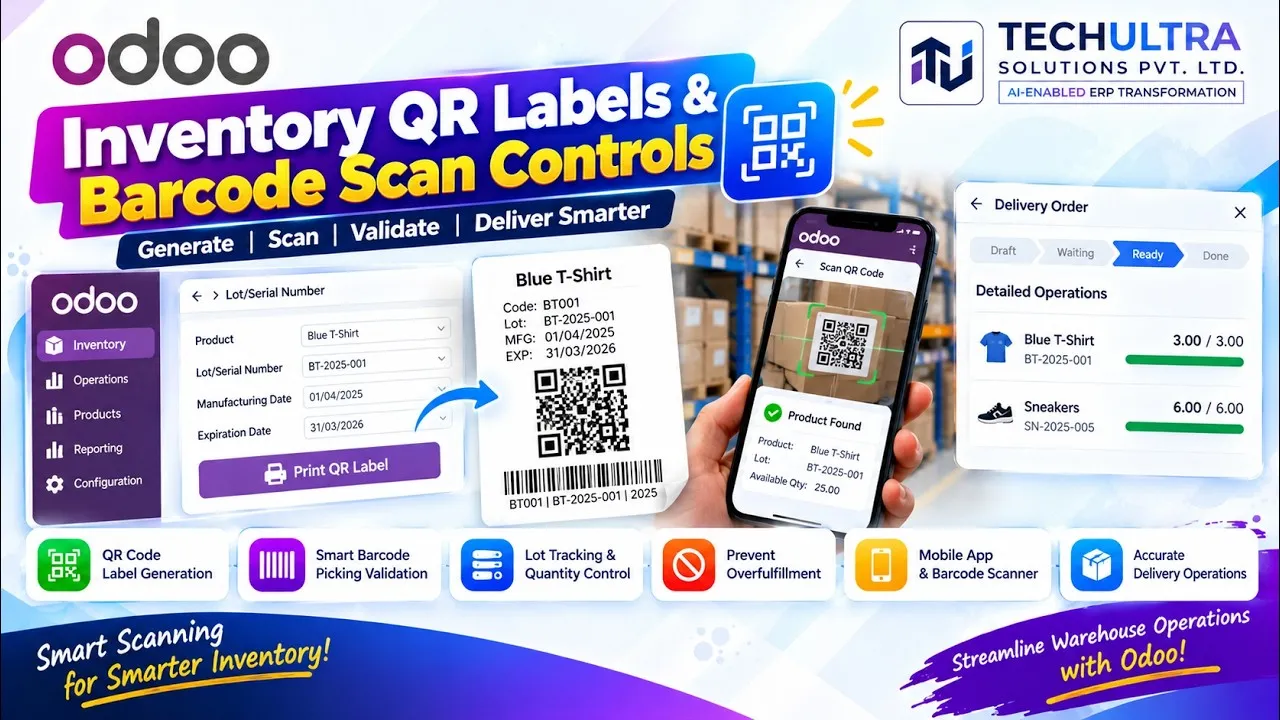
Video walkthrough of Inventory QR Labels & Barcode Scan Controls for Odoo from the TechUltra Solutions YouTube channel. Generates printable QR labels with product and lot details, and adds checks to barcode picking in Odoo Enterprise: products outside the transfer are rejected, scans cannot exceed a lot's available quantity, and deliveries cannot be over-fulfilled.
Inventory QR Labels & Barcode Scan Controls in Odoo
Every screen, in the order you meet it — configuration first, then the module in use.
Technical details
Specification
- Publisher
- TechUltra Solutions Private Limited
- Technical name
- tus_inventory_qr
- Odoo versions
- 17.0, 18.0, 19.0, 20.0
- Edition
- Odoo Enterprise (requires the Barcode app, stock_barcode)
- Lines of code
- 226
- Scanning
- Odoo mobile app camera or warehouse barcode scanners
- License
- Odoo Proprietary License v1.0 (OPL-1)
- Price
- $44.98 (one-time)
Deployment
- Odoo Enterprise on Odoo Online, Odoo.sh or on-premise. The Barcode app it depends on is not available in Community.
Odoo dependencies
- Barcode (Enterprise)
- Inventory
- Discuss
Support
90 days of bug-fix support plus 5 hours of free configuration help (additional hours billable), Monday to Friday (10:00–19:00 IST). Raise a ticket at support@techultra.in.
Setup & configuration
From install to first call — here is the path.
- 1
Install on Odoo Enterprise
Install the module on a database with Inventory and the Enterprise Barcode app.
- 2
Use existing lots only
On the delivery operation type, under Lots/Serial Numbers, turn off Create New and keep Use Existing Ones on, so pickers can only select lots that exist.
- 3
Print QR labels
Generate and print the QR labels for your lots from Inventory and attach them to the stock.
- 4
Pick with the scanner
Open a delivery in the Barcode app on the Odoo mobile app or a scanner, and scan the lot QR codes. The module rejects wrong products, empty lots and quantities beyond the demand.
Frequently asked questions
-
What does this module do?
It generates QR labels for lots and adds checks to barcode picking: product validation, lot quantity limits and delivery over-fulfilment prevention.
-
Does it work on Odoo Community?
No. It depends on the Barcode app (stock_barcode), which ships only with Odoo Enterprise.
-
Does it check scans during stock transfers?
Yes. During barcode picking it validates the product against the transfer and checks quantities against the lot's stock and the delivery's demand.
-
Can we scan with a phone?
Yes. QR labels can be scanned with the Odoo mobile app camera, as well as with compatible warehouse barcode scanners.
-
Does it need the Manufacturing app?
No. The QR label workflow is built for Inventory and does not depend on manufacturing features.
-
Does it create product barcodes?
Its labels are for lots. To generate EAN-13 or Code128 barcodes on products themselves, see Product Barcode Generator.
Listing verified against the Odoo App Store:
Related services
Get the most out of this module with senior TechUltra consultants.
-
Odoo Customization Services
Odoo customization from a Gold Partner: custom modules, workflows, reports and Studio changes, upgrade-safe and quoted at a fixed scope. Free scoping call.
-
Hire Odoo Developers
Hire Odoo developers from a Gold Partner: an AI Engineering Pod from USD 1,800 a month, or a dedicated developer for 70–160 hours. Request a proposal today.
-
Odoo Support Services & Maintenance
Odoo support services from a Gold Partner: functional and technical support plus server cover for Enterprise and Community, 30-minute P1 response, 24/7 option.