
Odoo App · Inventory & Accounting
Warehouse Wise Average Costing (AVCO)
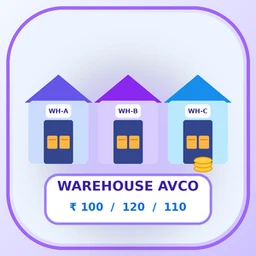
A separate average cost and stock value for each warehouse, so the same product bought at different prices in different locations keeps its own cost.
Overview
Standard AVCO in Odoo keeps one average cost per product for the whole company. When the same product is bought at different prices for different warehouses, that single figure hides the real cost in each location. This module keeps a separate average cost and stock value for each warehouse, product and company.
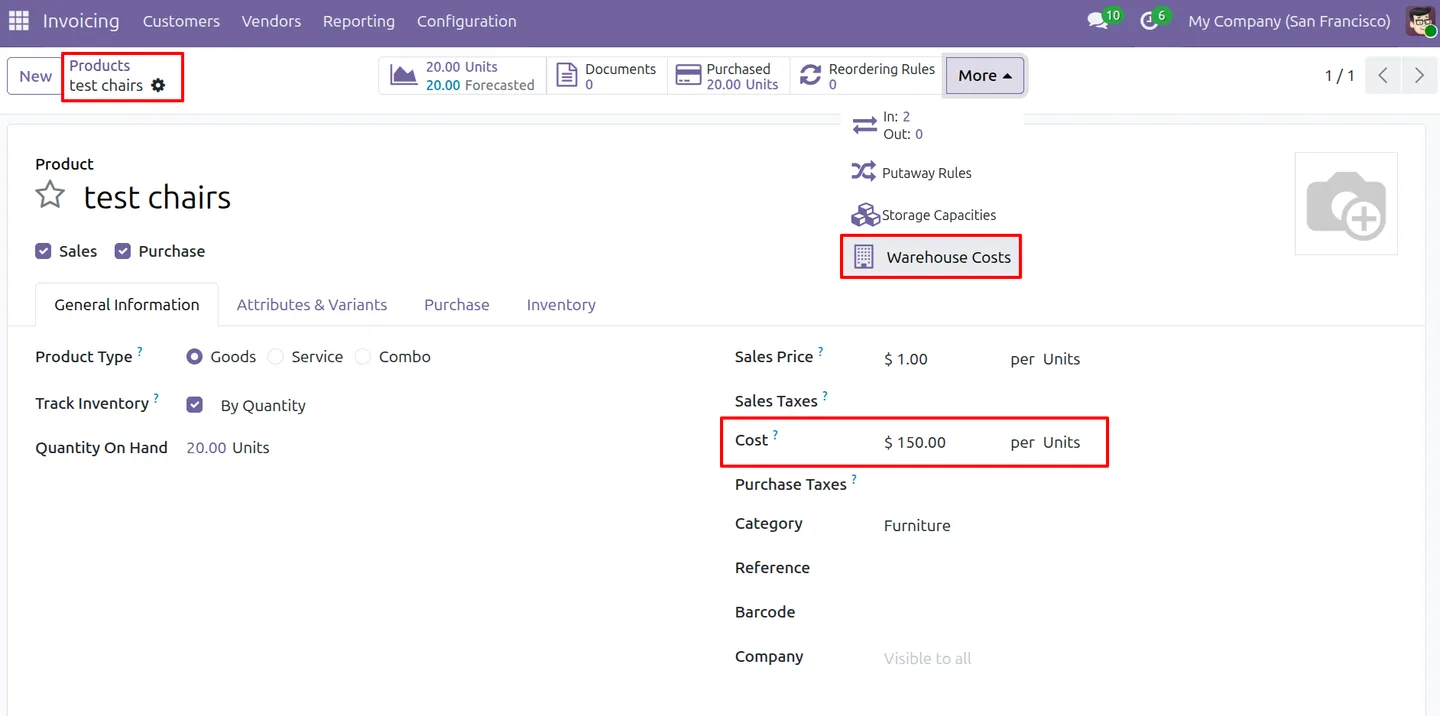
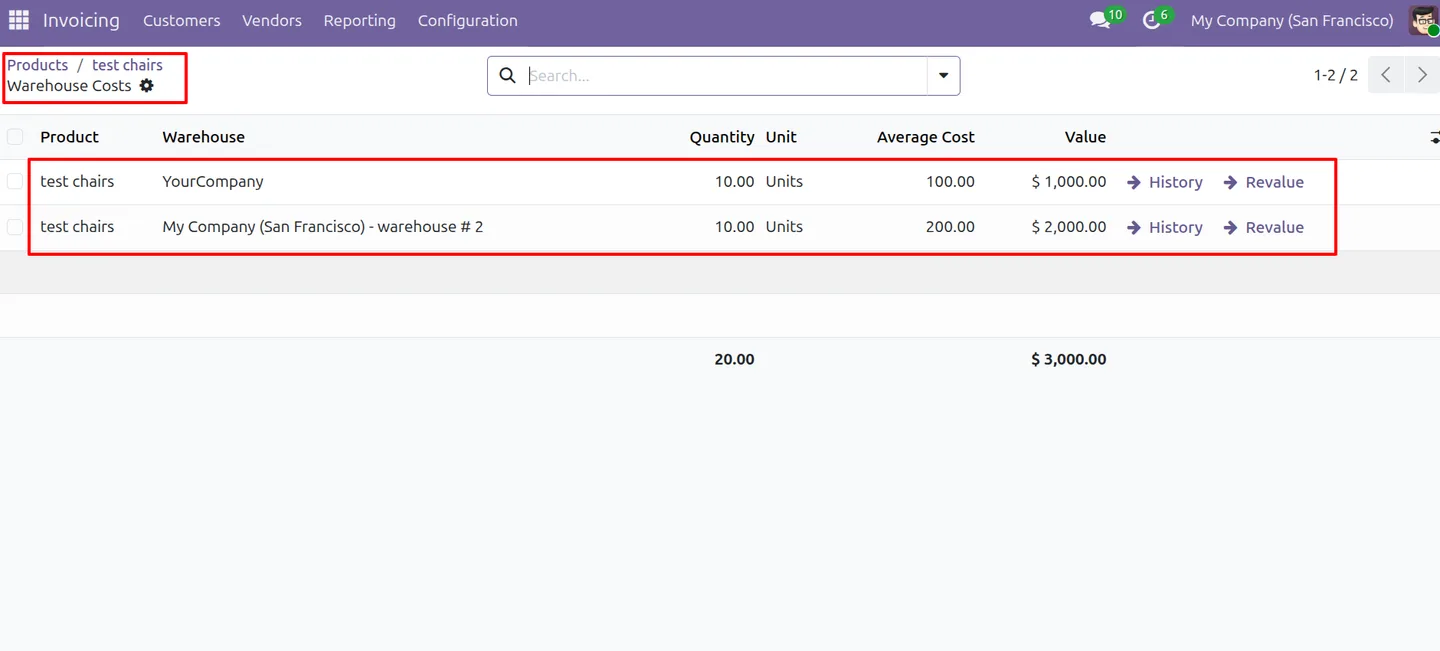
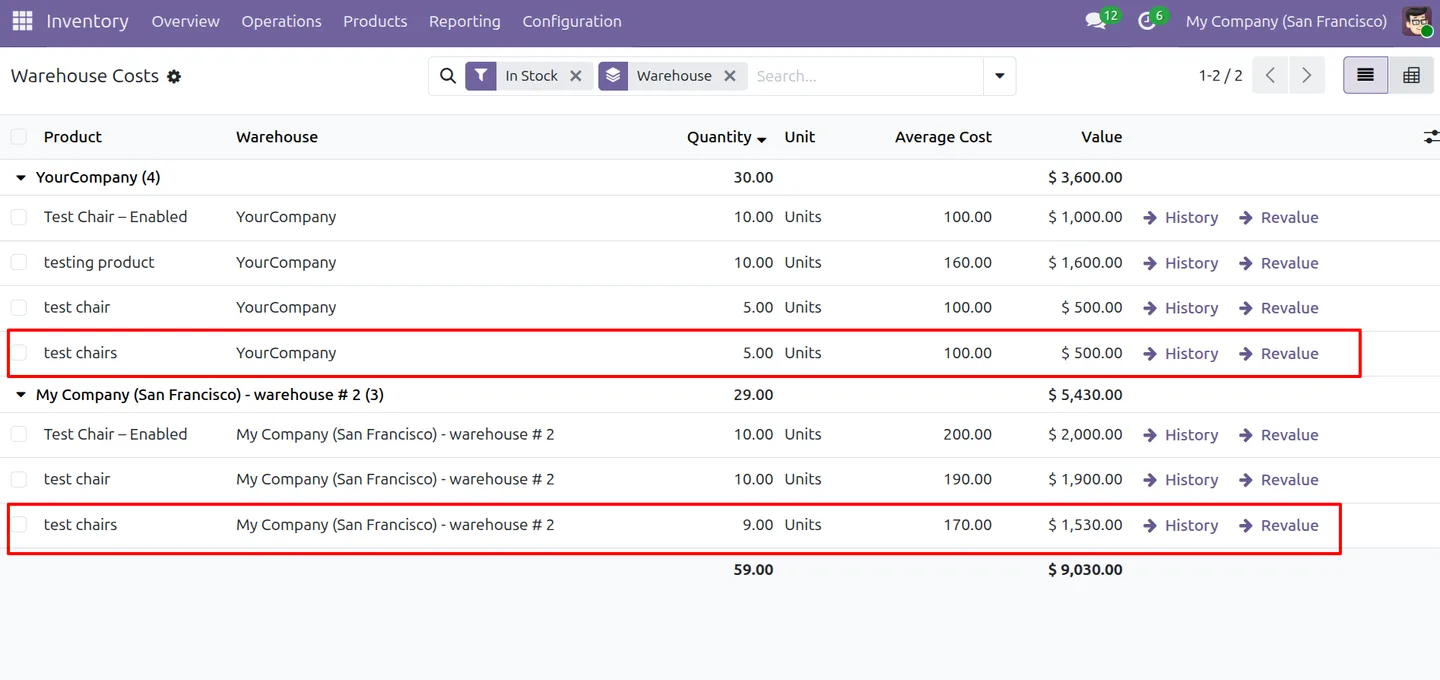
Receipts are valued into the receiving warehouse and update its average. Deliveries and other outgoing moves use the cost of the warehouse that ships. An inter-warehouse transfer moves value at the source warehouse's cost and blends it into the destination average; stock in a transit location keeps its value until received. In the listing's example, 10 units bought at $100 for one warehouse and 10 at $200 for another stay at $100 and $200, and the product form shows the $150 company cost.
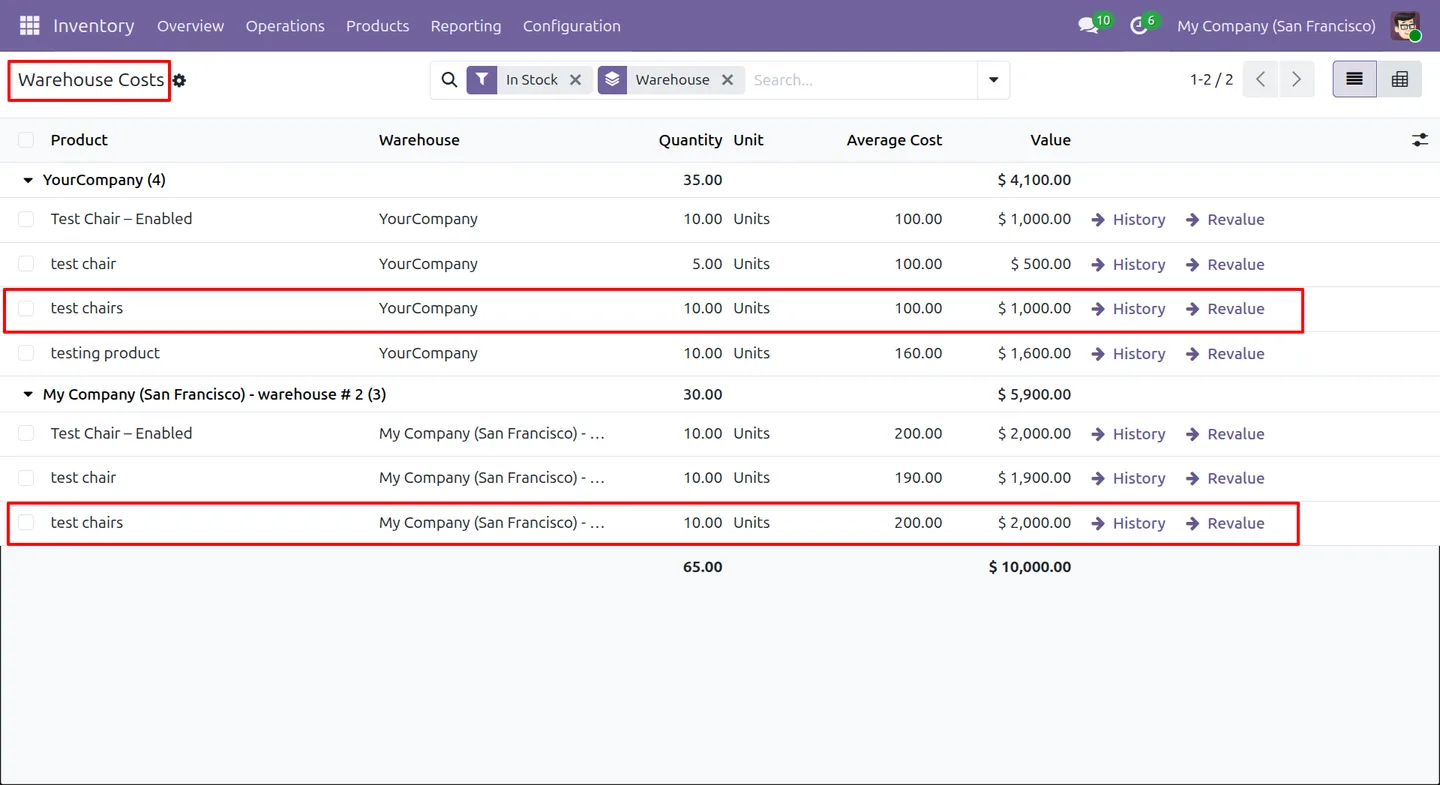
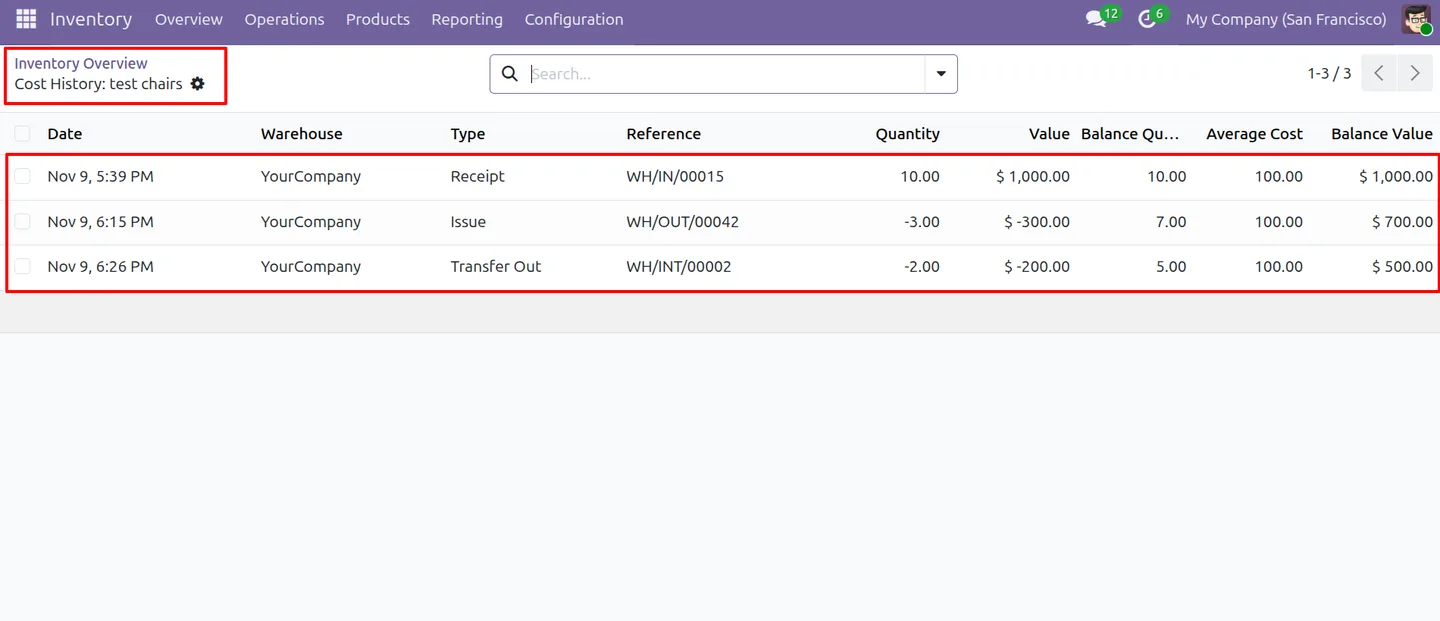
Review the figures in the Warehouse Costs list and pivot report, or open them from the product form. A dated report shows balances at any past date, exports to Excel and checks warehouse totals against company inventory value. A cost history traces each receipt, issue, transfer and revaluation with running balances. The feature is off by default. Each company can switch it on for all AVCO categories or only selected ones.
Key features
-
Average cost per warehouse
Keep a separate average cost and inventory value for each warehouse, product and company.
-
Warehouse-specific delivery valuation
Outgoing deliveries and issues are valued at the cost of the warehouse that ships the stock.
-
Inter-warehouse transfer valuation
Transfers move value at the source warehouse cost and blend it into the destination average, including through transit locations.
-
Warehouse Costs report
Review on-hand quantity, average cost and stock value by warehouse in list and pivot views.
-
Historical stock value by date
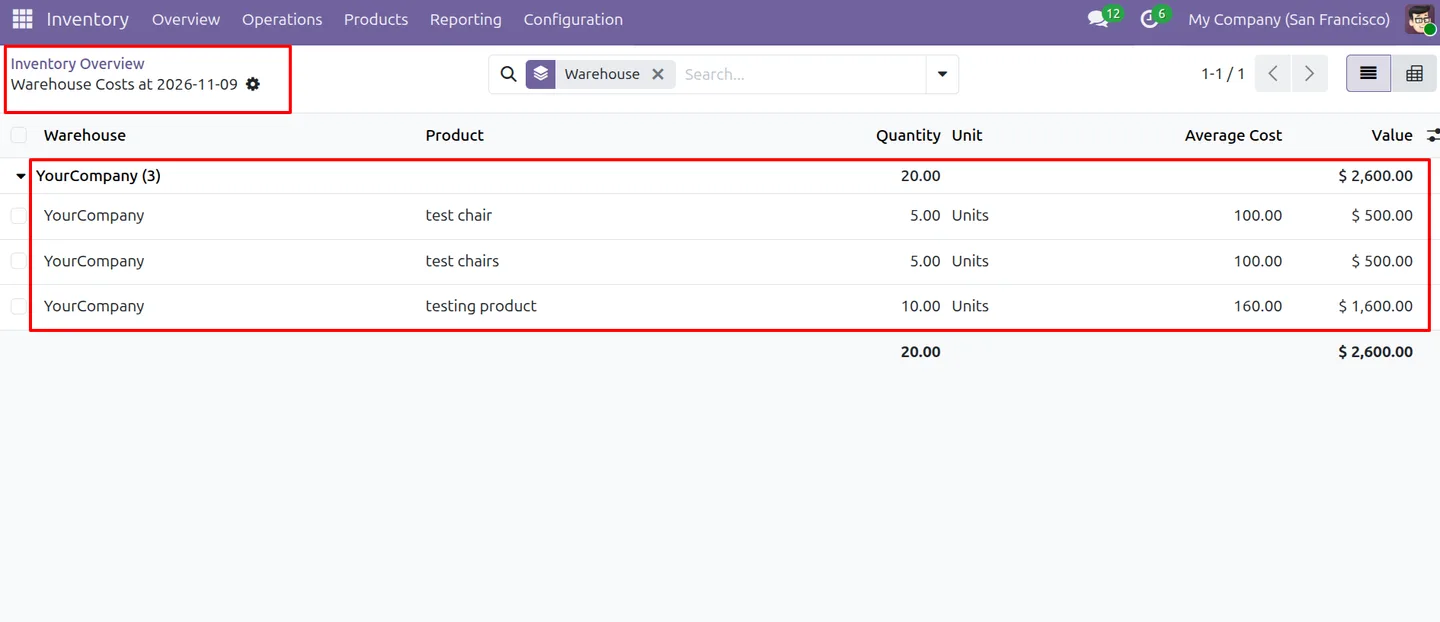
View warehouse balances at a selected date, filter by warehouse or product category, and export the report to Excel.
-
Company value consistency check
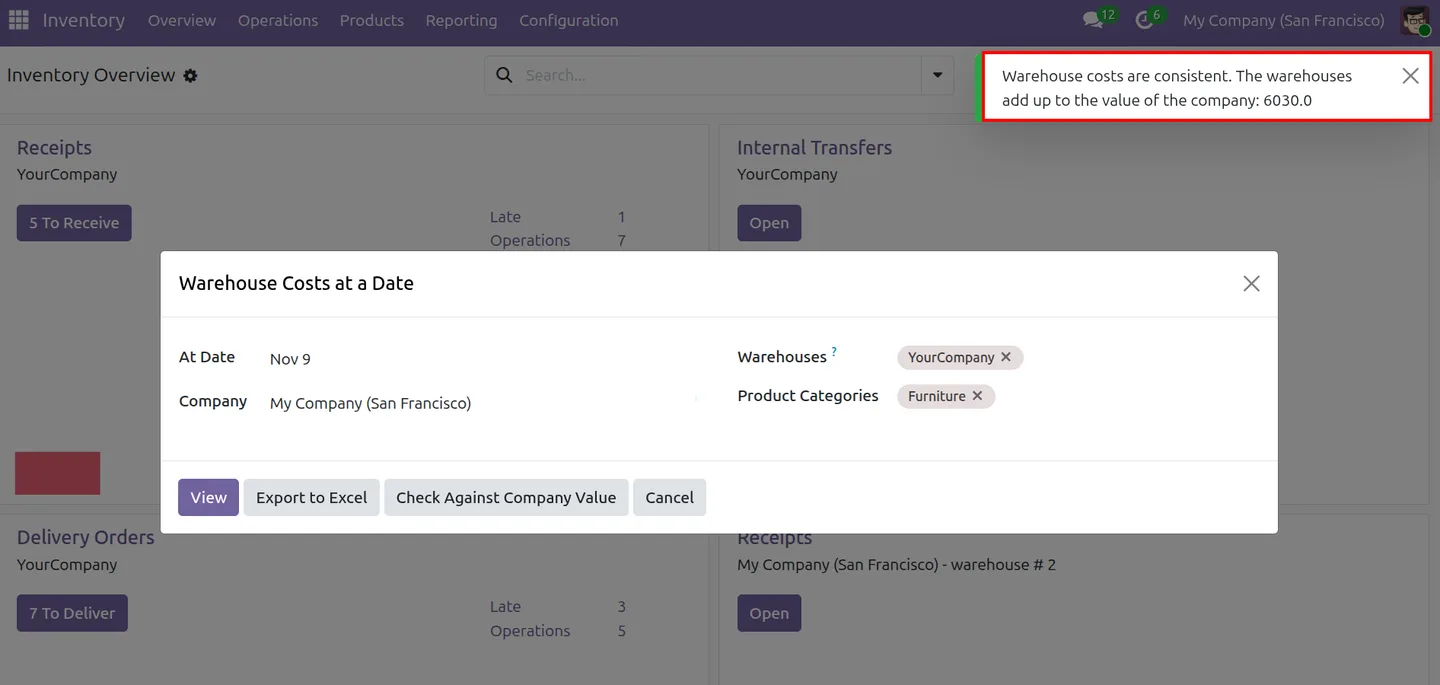
Compare warehouse totals with company inventory value for the selected date.
-
Cost history with running balances
Trace receipts, issues, transfers and revaluations with running quantity, value and average cost.
-
Single-warehouse revaluation
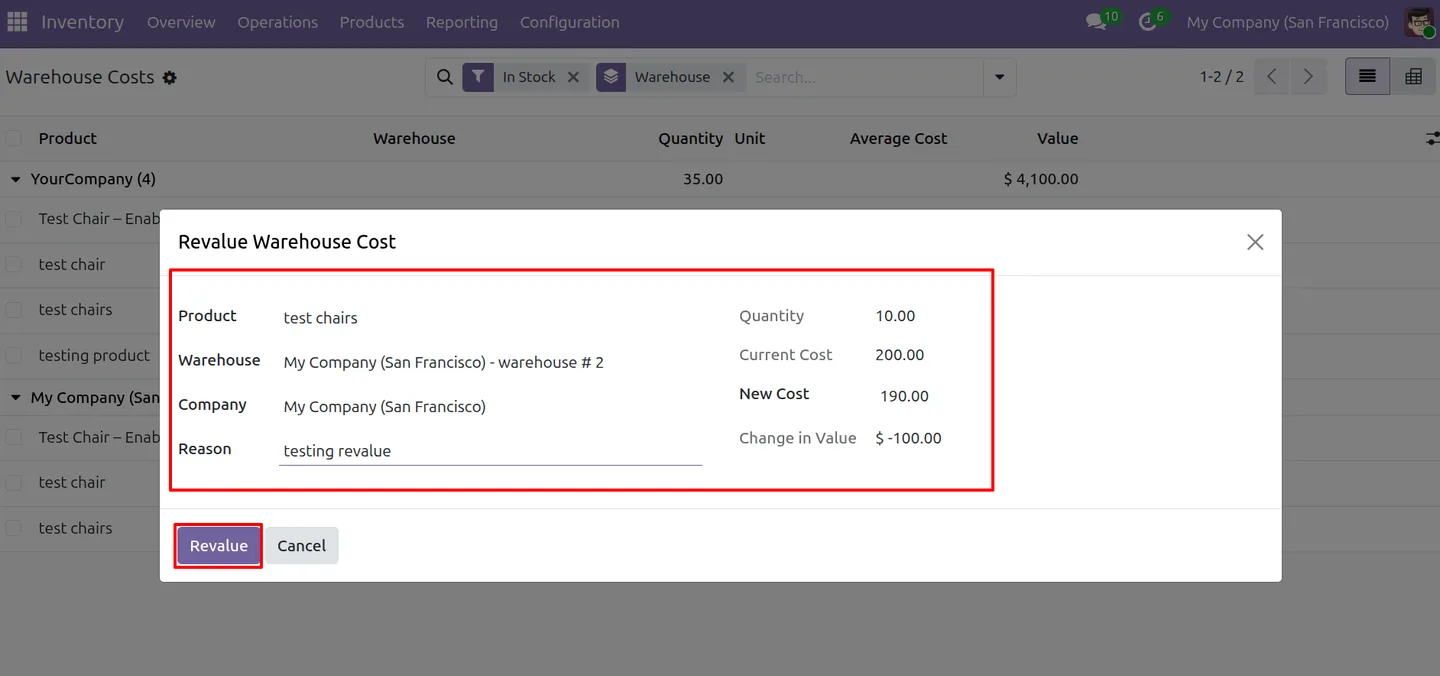
Set a new average cost for one warehouse and record the reason, leaving other warehouse costs unchanged.
-
Company-wide weighted cost
The product's company cost stays the weighted average of warehouse quantities and values, for flows where Odoo needs one company-level cost.
-
Category-level activation
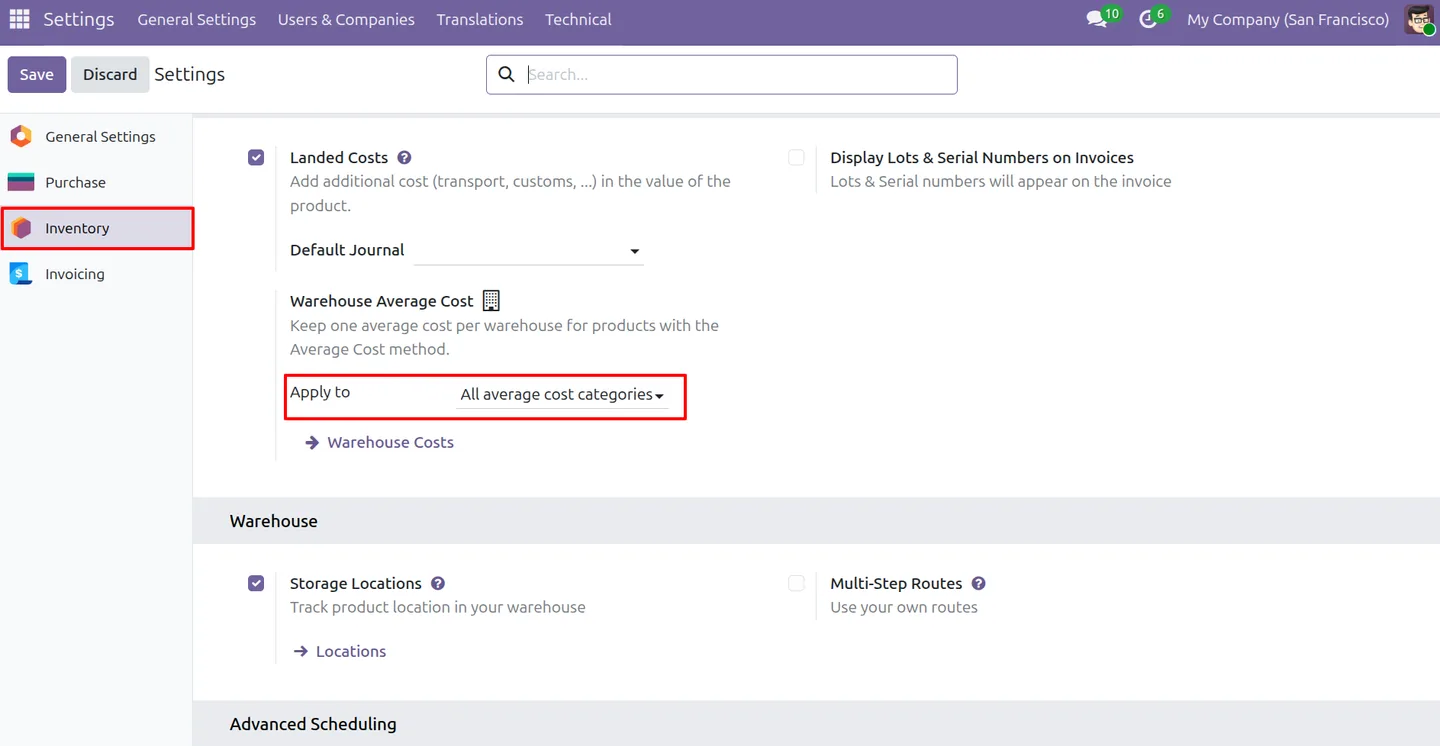
Enable warehouse costing for all AVCO categories or selected categories only. It is off by default.
Watch Warehouse Wise Average Costing (AVCO) in use
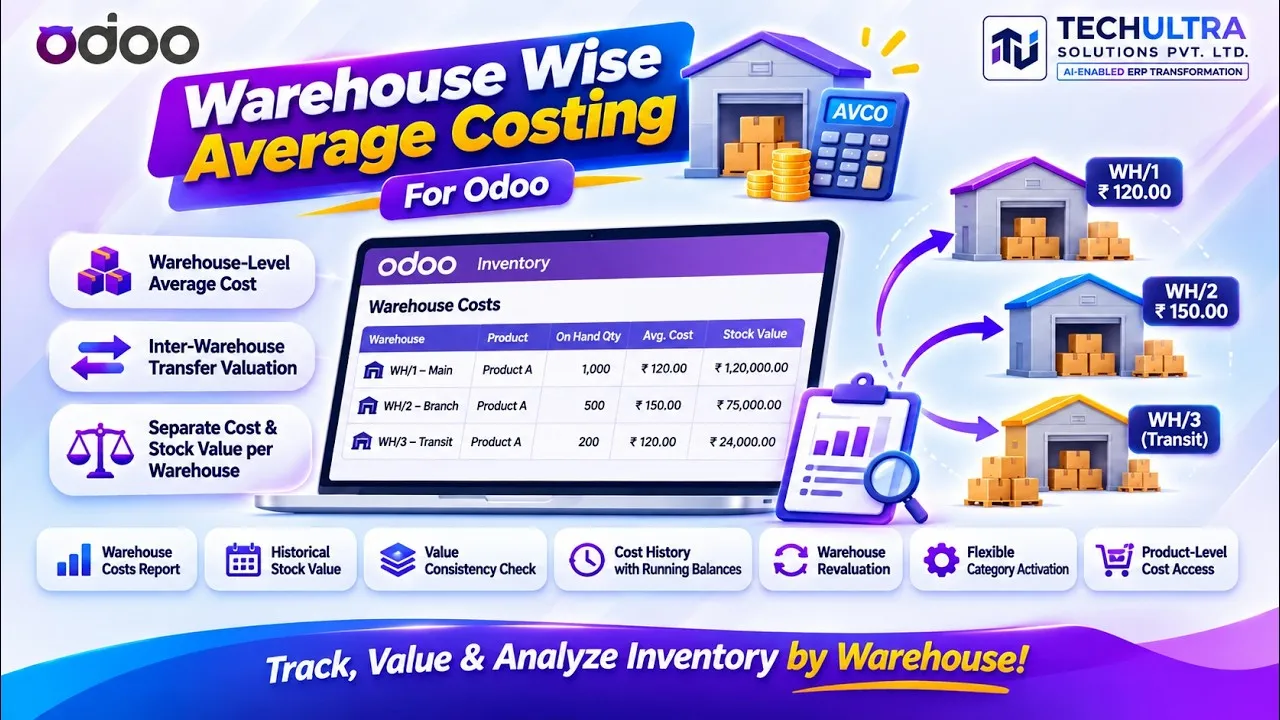
Video walkthrough of Warehouse Wise Average Costing (AVCO) for Odoo from the TechUltra Solutions YouTube channel. Warehouse-level average costing (AVCO) for Odoo Inventory: receipts update the receiving warehouse's average, deliveries leave at the shipping warehouse's cost, and the company product cost stays the weighted average across warehouses.
Warehouse Wise Average Costing (AVCO) in Odoo
Every screen, in the order you meet it — configuration first, then the module in use.
Technical details
Specification
- Publisher
- TechUltra Solutions Private Limited
- Technical name
- stock_warehouse_average_cost
- Odoo versions
- 16.0, 17.0, 18.0, 19.0, 20.0
- Lines of code
- 908
- Costing method
- Average Cost (AVCO) products, except lot-valuated products
- Not affected
- Standard Cost and FIFO products keep standard Odoo behaviour
- Default state
- Off until enabled per company
- License
- Odoo Proprietary License v1.0 (OPL-1)
- Price
- $25.00 (one-time)
Deployment
- Odoo Online
- Odoo.sh
- On-premise
Odoo dependencies
- Inventory
- Invoicing
- Discuss
Support
90 days of bug-fix support plus 5 hours of free configuration help, Monday to Friday, 10:00–19:00 IST. Raise a ticket at support@techultra.in.
Setup & configuration
From install to first call — here is the path.
- 1
Plan the activation date
Existing stock is initialised from the current company cost when the feature is switched on, and earlier history is not replayed. Choose a suitable period boundary.
- 2
Set the company scope
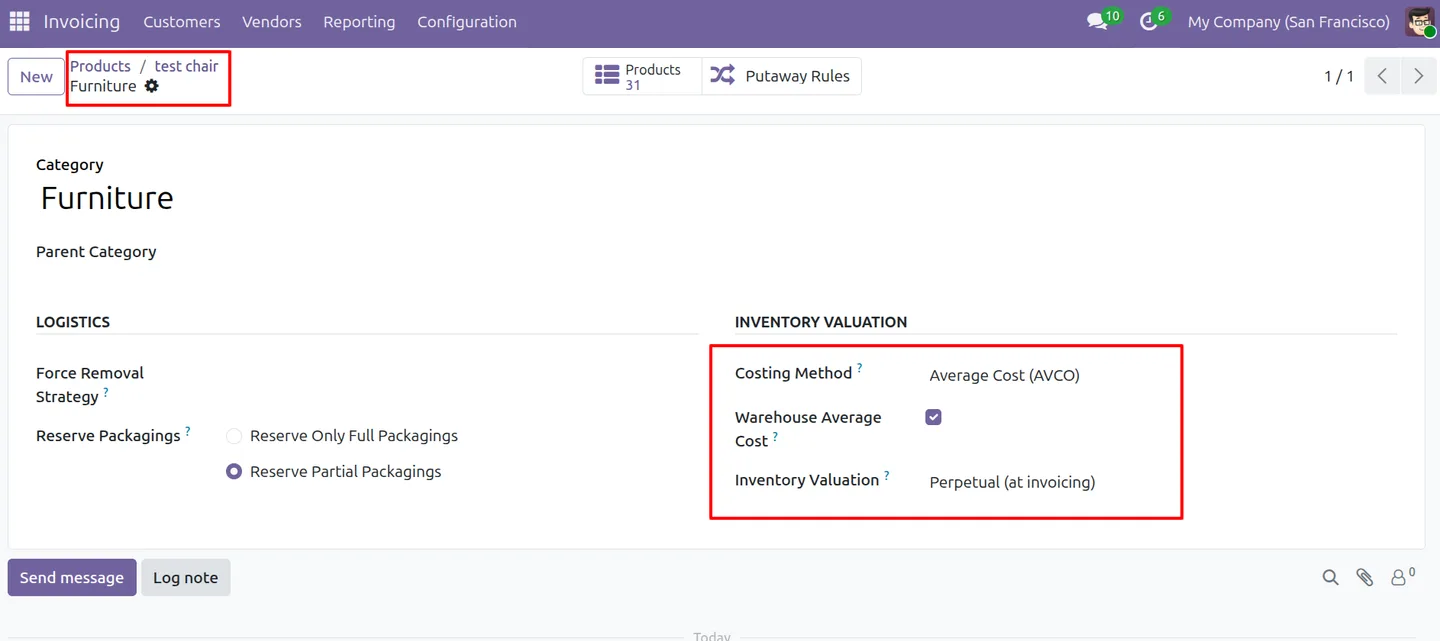
In Inventory settings, set Warehouse Average Cost to apply to all average cost categories or to selected product categories.
- 3
Enable categories
In selected-category mode, tick Warehouse Average Cost on each AVCO product category to include. Other categories stay on company-wide AVCO.
- 4
Receive and review
Validate receipts into each warehouse, then open Warehouse Costs from the product form or Inventory reporting to compare quantity, average cost and value per warehouse.
Frequently asked questions
-
Which products use warehouse average costing?
Products using the Average Cost (AVCO) method, except lot-valuated products. Standard Cost and FIFO products keep standard Odoo behaviour.
-
Can I enable it only for selected product categories?
Yes. Set Warehouse Average Cost to Selected product categories in company settings, then enable Warehouse Average Cost on each AVCO category to include. Other categories continue with company-wide AVCO.
-
How are receipts and deliveries valued?
A receipt updates the average cost of the warehouse that receives it. Deliveries and other outgoing stock moves use the cost of the warehouse that ships.
-
What happens to value during an inter-warehouse transfer?
The value leaves the source at that warehouse's cost and is added to the destination, where it blends into the destination average. Stock in transit stays in transit until it is received.
-
Can I see warehouse costs at a past date?
Yes. The Warehouse Costs at a Date report shows quantity, average cost and value per warehouse for a chosen date, filtered by company, warehouse and product category. You can export it to Excel or check it against the company inventory value.
-
Can I revalue a single warehouse?
Yes. Enter a new cost and a reason for the selected product and warehouse; other warehouses keep their costs. The accounting impact follows Odoo stock closing.
-
Does the company product cost remain available?
Yes. The company cost remains the weighted average of warehouse quantities and values for flows where Odoo needs one company-level cost.
Listing verified against the Odoo App Store:
Related services
Get the most out of this module with senior TechUltra consultants.
-
Odoo Customization Services
Odoo customization from a Gold Partner: custom modules, workflows, reports and Studio changes, upgrade-safe and quoted at a fixed scope. Free scoping call.
-
Hire Odoo Developers
Hire Odoo developers from a Gold Partner: an AI Engineering Pod from USD 1,800 a month, or a dedicated developer for 70–160 hours. Request a proposal today.
-
Odoo Support Services & Maintenance
Odoo support services from a Gold Partner: functional and technical support plus server cover for Enterprise and Community, 30-minute P1 response, 24/7 option.