
Odoo App · Inventory & Accounting
Stock Picking Journal Entries
Journal entries posted when receipts, deliveries and returns are validated, through Stock Interim (Received) and Stock Interim (Delivered) accounts that reconcile with bills and invoices.
Overview
Stock moves and their bills or invoices rarely post on the same day. This module records the stock side when the transfer is validated. For storable products in perpetual (real-time) valuation categories, validating a receipt, delivery or return posts a journal entry through Stock Interim (Received) or Stock Interim (Delivered) accounts.
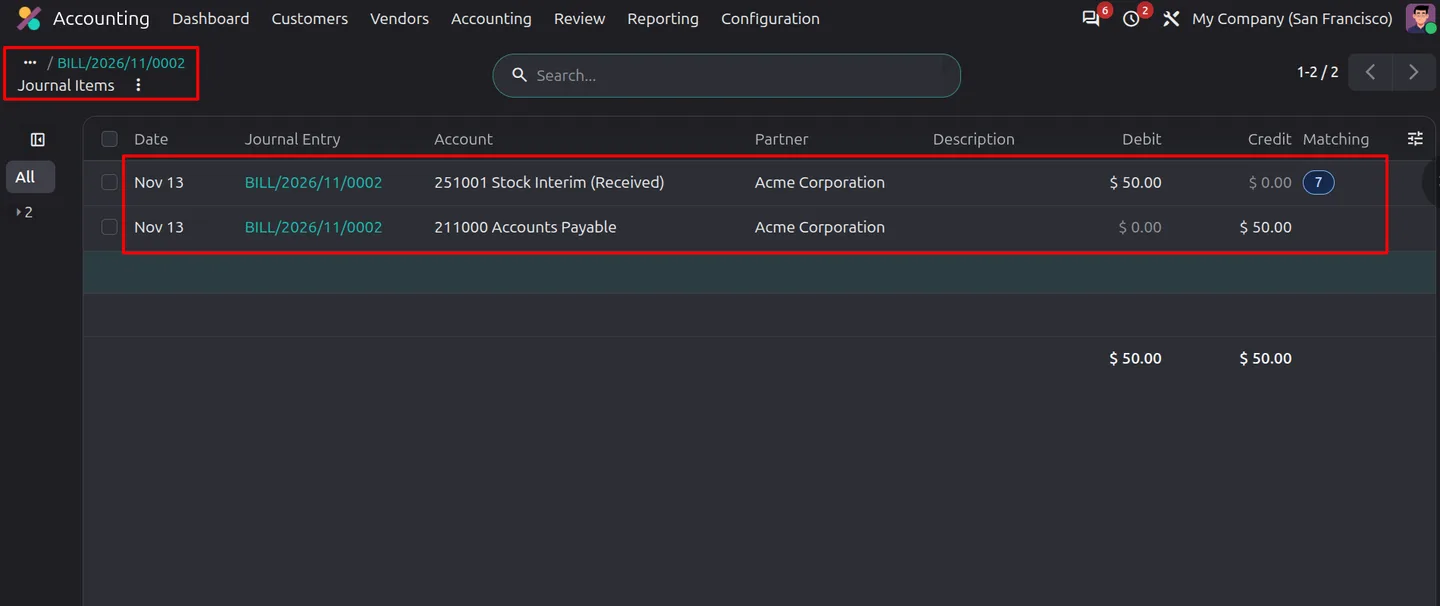
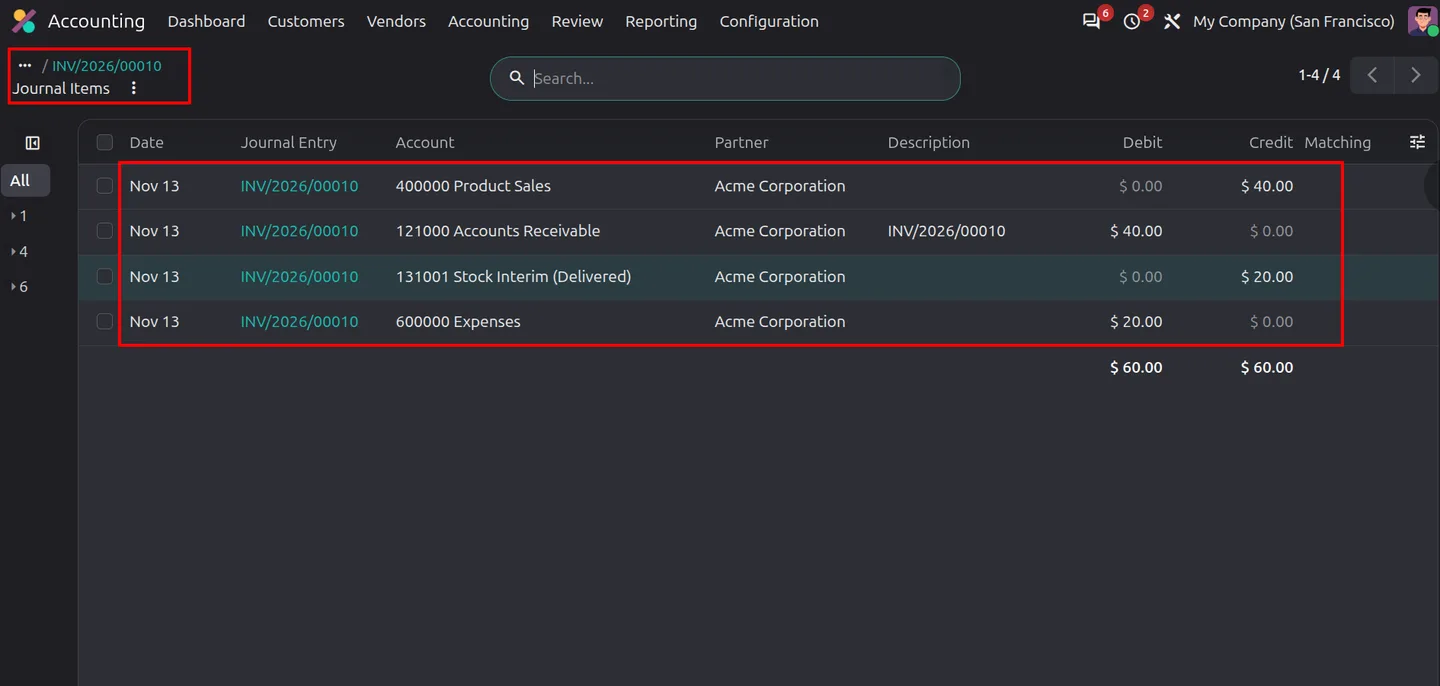
The interim accounts link the warehouse and the invoices. Eligible vendor bill product lines use Stock Interim (Received), and customer invoice cost of goods sold (COGS) lines use Stock Interim (Delivered). The module reconciles matching lines by company, interim account, product and partner, whether the transfer or the invoice is posted first. Supplier and customer returns post the matching reversals.
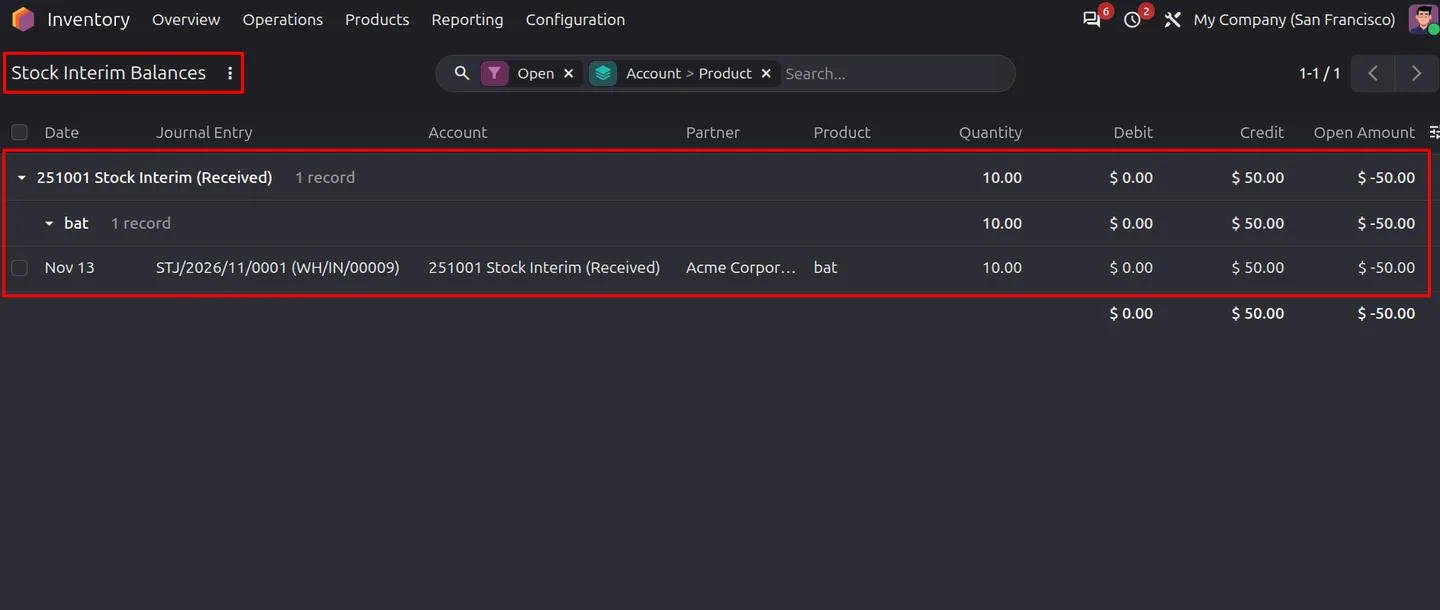
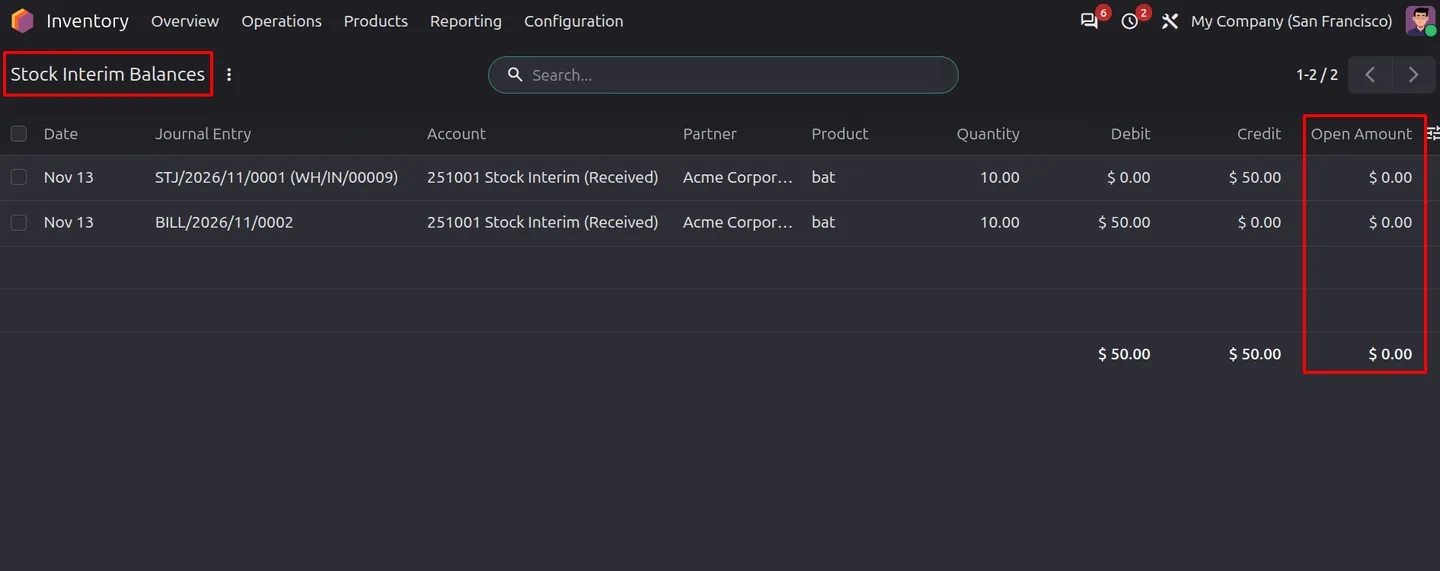
Open interim amounts show up in the Stock Interim Balances report, which lists goods received but not billed and goods delivered but not invoiced. A manual reconciliation tool matches eligible open items after corrections or imported data. Each company can apply the feature to all perpetual categories or only selected ones, or disable it. You can also set a start date, interim accounts, category overrides and an optional journal per operation type.
Key features
-
Receipt journal entries
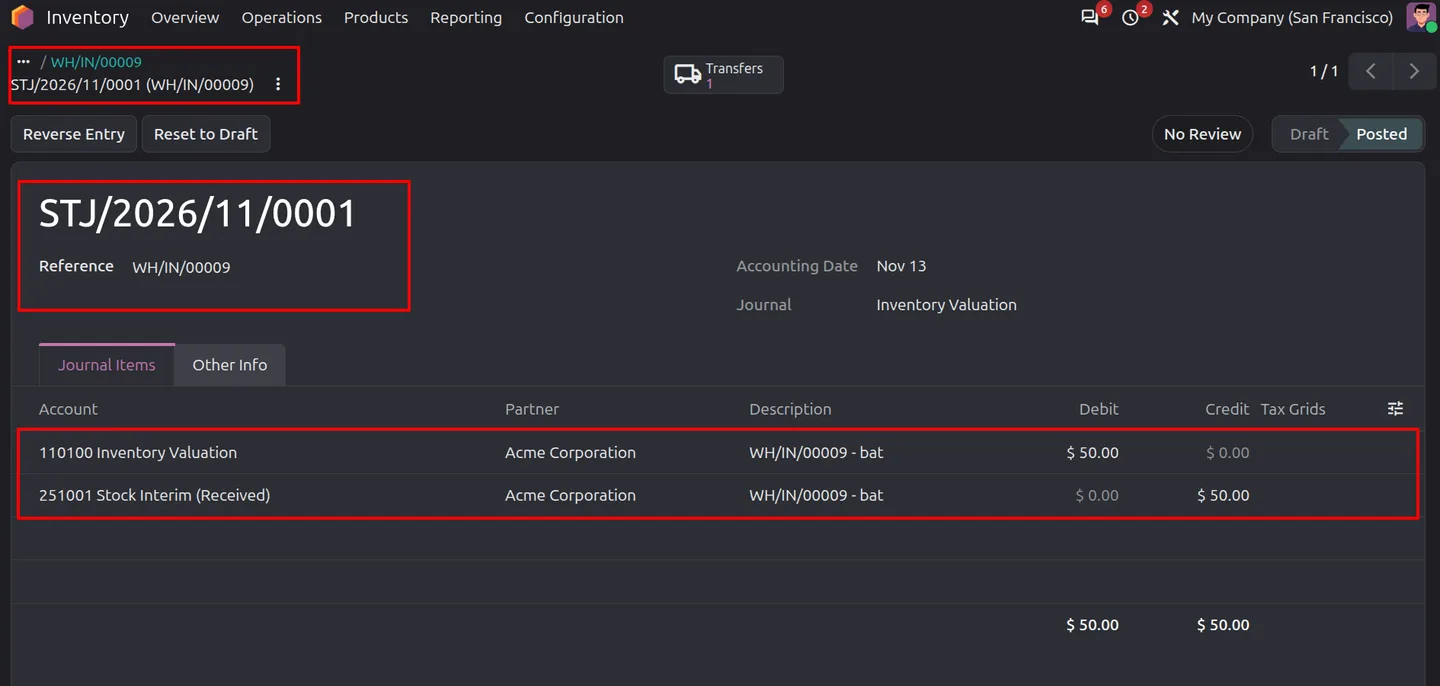
Validating an eligible receipt posts an entry that debits Stock Valuation and credits Stock Interim (Received).
-
Delivery journal entries
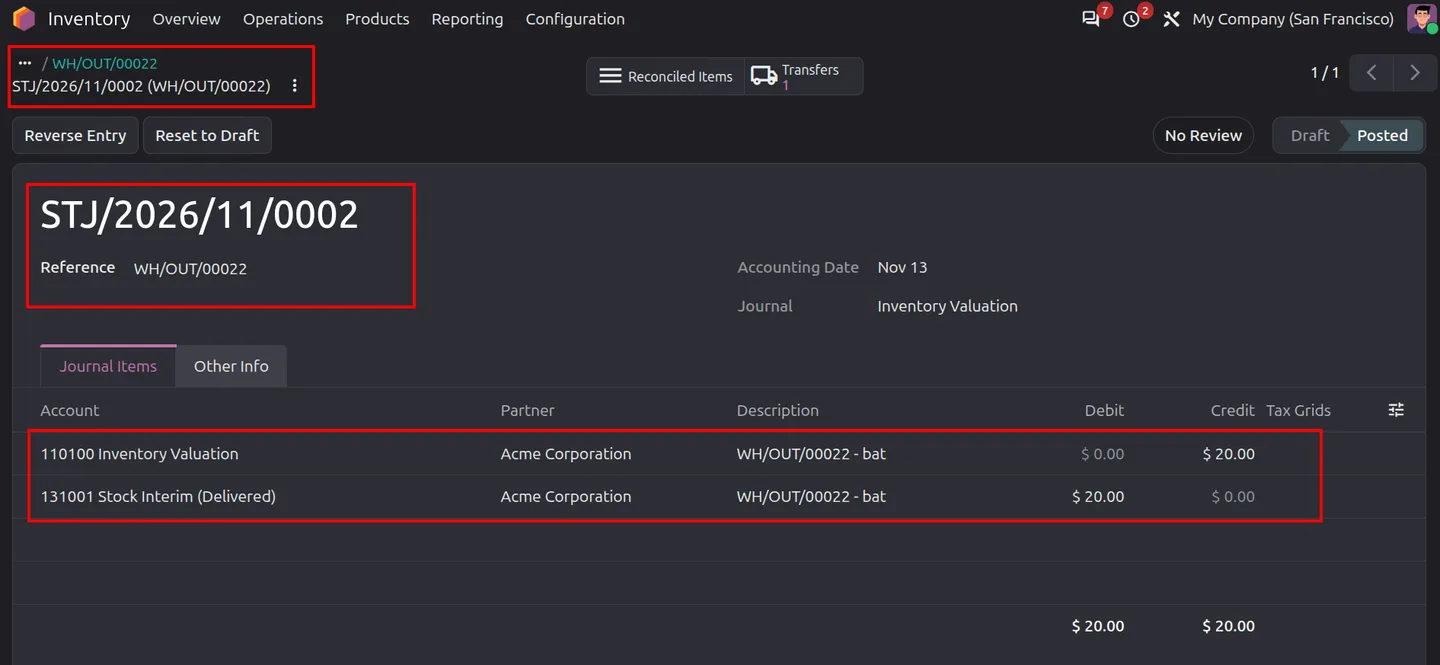
Validating an eligible delivery posts an entry that debits Stock Interim (Delivered) and credits Stock Valuation.
-
Return accounting
Supplier returns and customer returns reverse the related stock and interim account values.
-
Automatic interim reconciliation
Matching transfer and invoice lines reconcile by interim account, product and partner, regardless of which is posted first.
-
Stock Interim Balances report
Review open amounts for goods received but not billed and goods delivered but not invoiced.
-
Manual reconciliation tool
Reconcile eligible open interim items after imported data or accounting corrections.
-
Vendor bills and customer COGS
Vendor bill product lines use the interim received account; customer invoice cost lines use the interim delivered account.
-
Value change adjustments
When a completed transfer's stock value changes, the module posts an adjustment to help align interim balances with later bills.
-
Company and category settings
Apply entries to all perpetual categories, selected categories, or none, with a start date and category-level interim account overrides.
-
Journal per operation type
Route an operation type's transfer entries to a chosen journal, and jump between transfers, their journal entries, bills and invoices.
Stock Picking Journal Entries in Odoo
Every screen, in the order you meet it — configuration first, then the module in use.
Technical details
Specification
- Publisher
- TechUltra Solutions Private Limited
- Technical name
- stock_transfer_journal_entry
- Odoo versions
- 20.0
- Lines of code
- 646
- Applies to
- Storable products in perpetual (real-time) valuation categories
- Excluded
- Services, consumables, internal transfers, dropshipping
- Interim accounts
- Stock Interim (Received), Stock Interim (Delivered)
- License
- Odoo Proprietary License v1.0 (OPL-1)
- Price
- $25.00 (one-time)
Deployment
- Odoo Online
- Odoo.sh
- On-premise
Odoo dependencies
- Inventory
- Invoicing
- Discuss
Support
90 days of bug-fix support plus 5 hours of free configuration help, Monday to Friday, 10:00–19:00 IST. Raise a ticket at support@techultra.in.
Setup & configuration
From install to first call — here is the path.
- 1
Choose the company scope
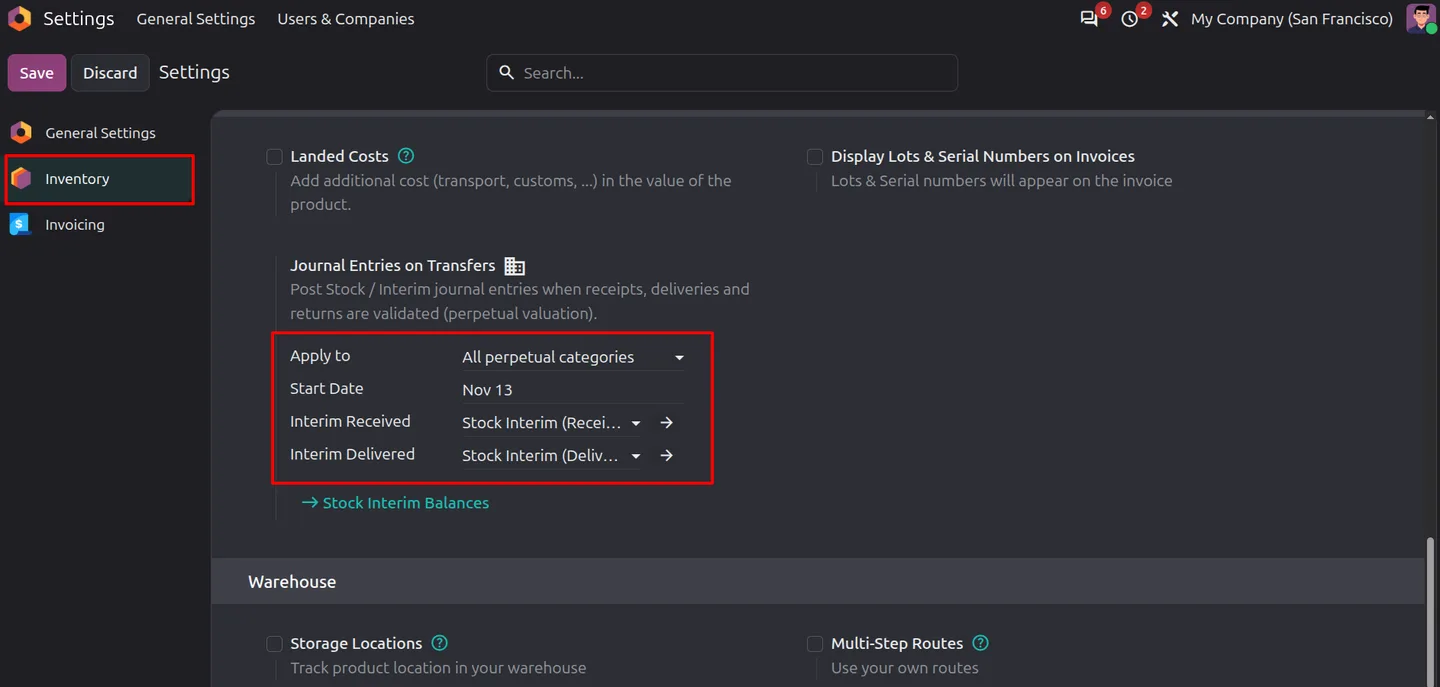
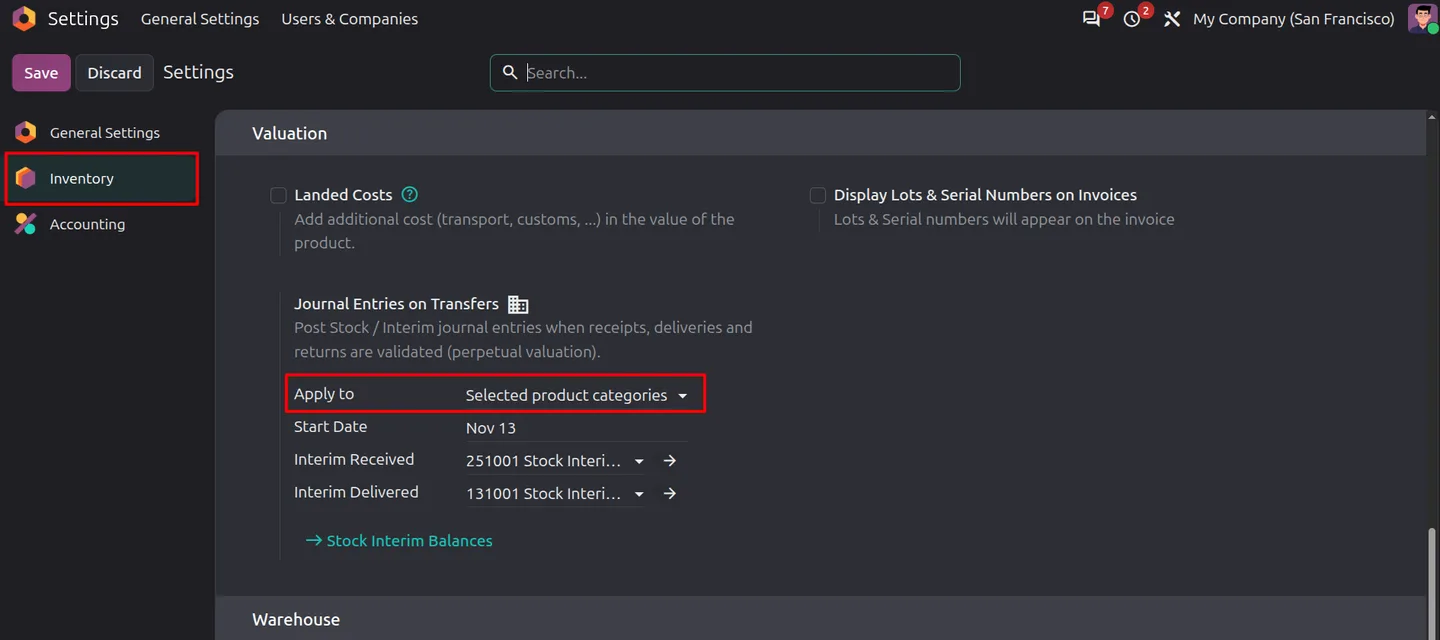
In Inventory settings, set Journal Entries on Transfers to All perpetual categories, Selected product categories or Disabled.
- 2
Set the start date and interim accounts
Enter the date from which eligible transfers and invoices use interim accounts, and select the company's Interim Received and Interim Delivered accounts.
- 3
Adjust product categories
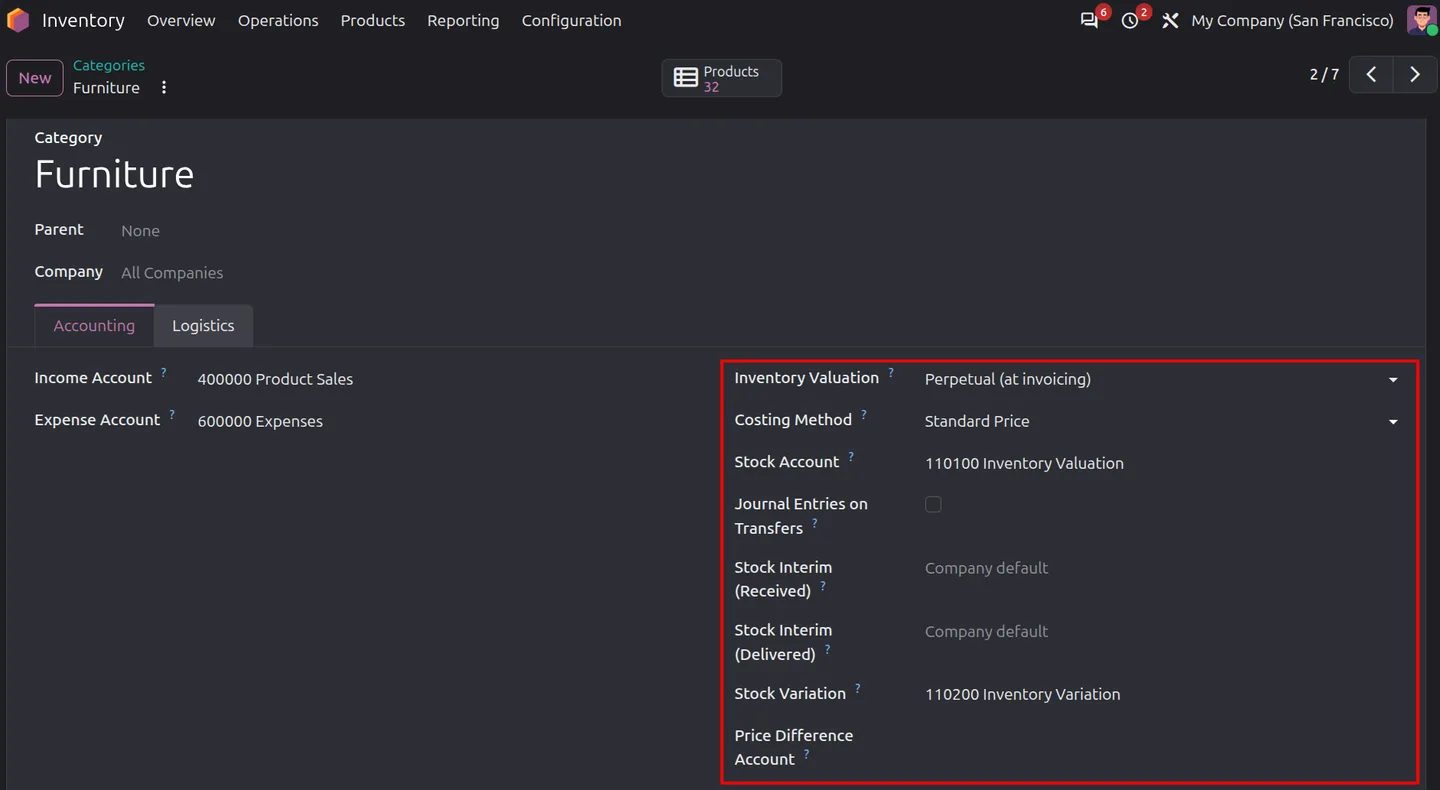
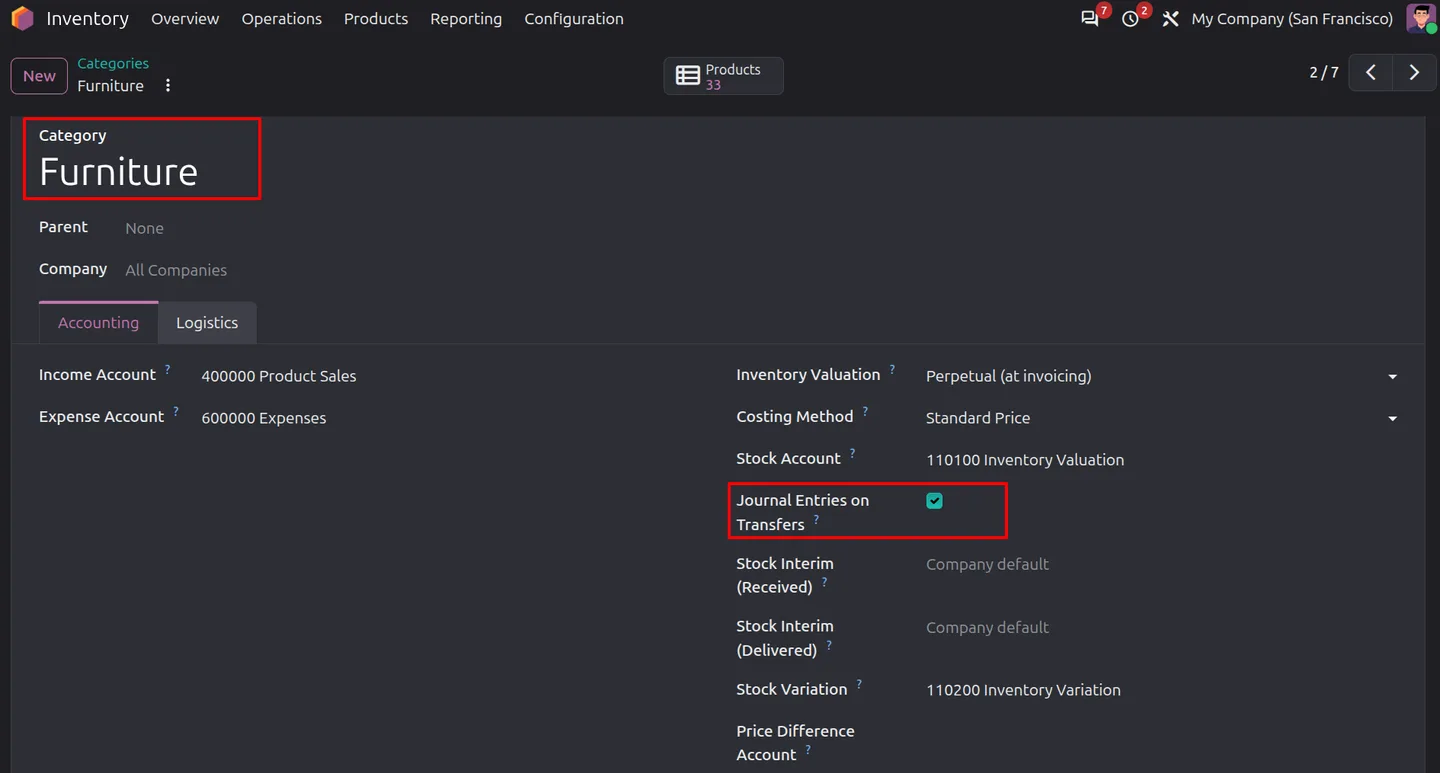
In selected-category mode, tick Journal Entries on Transfers on each category to include. Add category-level interim account overrides where a category needs its own accounts.
- 4
Pick journals per operation type
Optionally set a stock journal on each operation type. Without one, the product category or company stock journal is used.
- 5
Validate and review
Validate a receipt or delivery, open its Journal Entries button to check the posting, and use Stock Interim Balances to follow open amounts until the bill or invoice reconciles them.
Frequently asked questions
-
Which products get automatic transfer journal entries?
Storable products in product categories using perpetual (real-time) valuation, when the feature is enabled for the company and category. Services, consumables, internal transfers and dropshipping are excluded.
-
Can I enable entries only for selected product categories?
Yes. Set Journal Entries on Transfers to Selected product categories in Inventory settings, then enable the option on each category to include.
-
How are receipts and deliveries posted?
Receipts debit Stock Valuation and credit Stock Interim (Received). Deliveries debit Stock Interim (Delivered) and credit Stock Valuation.
-
Which accounts do vendor bills and customer invoices use?
Eligible vendor bill product lines use Stock Interim (Received). Customer invoice cost of goods sold lines use Stock Interim (Delivered).
-
When are matching interim entries reconciled?
The module matches eligible lines by company, interim account, product and partner when the corresponding transfer or invoice is posted. The reconciliation tool can match eligible open items manually.
-
What does Stock Interim Balances show?
It lists posted interim account lines and their open amounts, so you can review goods received but not billed and goods delivered but not invoiced.
-
Can I set a start date or turn the feature off?
Yes. Choose all perpetual categories, selected categories or Disabled in Inventory settings, and set the date from which eligible transfers and invoices use interim accounts.
Listing verified against the Odoo App Store:
Related services
Get the most out of this module with senior TechUltra consultants.
-
Odoo Customization Services
Odoo customization from a Gold Partner: custom modules, workflows, reports and Studio changes, upgrade-safe and quoted at a fixed scope. Free scoping call.
-
Hire Odoo Developers
Hire Odoo developers from a Gold Partner: an AI Engineering Pod from USD 1,800 a month, or a dedicated developer for 70–160 hours. Request a proposal today.
-
Odoo Support Services & Maintenance
Odoo support services from a Gold Partner: functional and technical support plus server cover for Enterprise and Community, 30-minute P1 response, 24/7 option.