

Odoo App · CRM & Sales
Smart CRM Task Generator
Turn CRM leads into Project tasks in one click, with details pre-filled.
Overview
Smart CRM Task Generator closes the gap between Odoo CRM and Odoo Project. A salesperson working a lead can spin up a Project task without leaving the lead form, so the action items from a sales conversation become tracked work the same minute they are agreed.
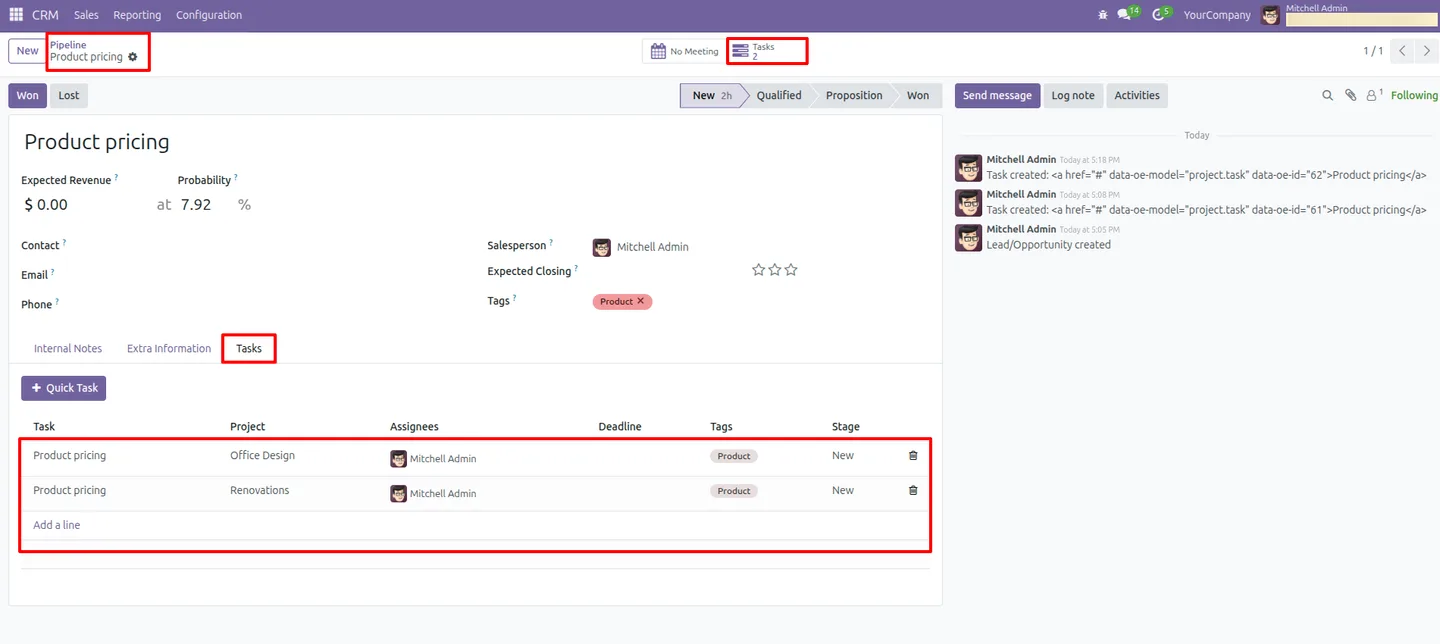
Built by TechUltra Solutions, the module adds a Quick Task button and a Tasks tab to the CRM lead. One click creates the task, pre-fills it from the lead, and links the two records so the connection stays visible from both sides.
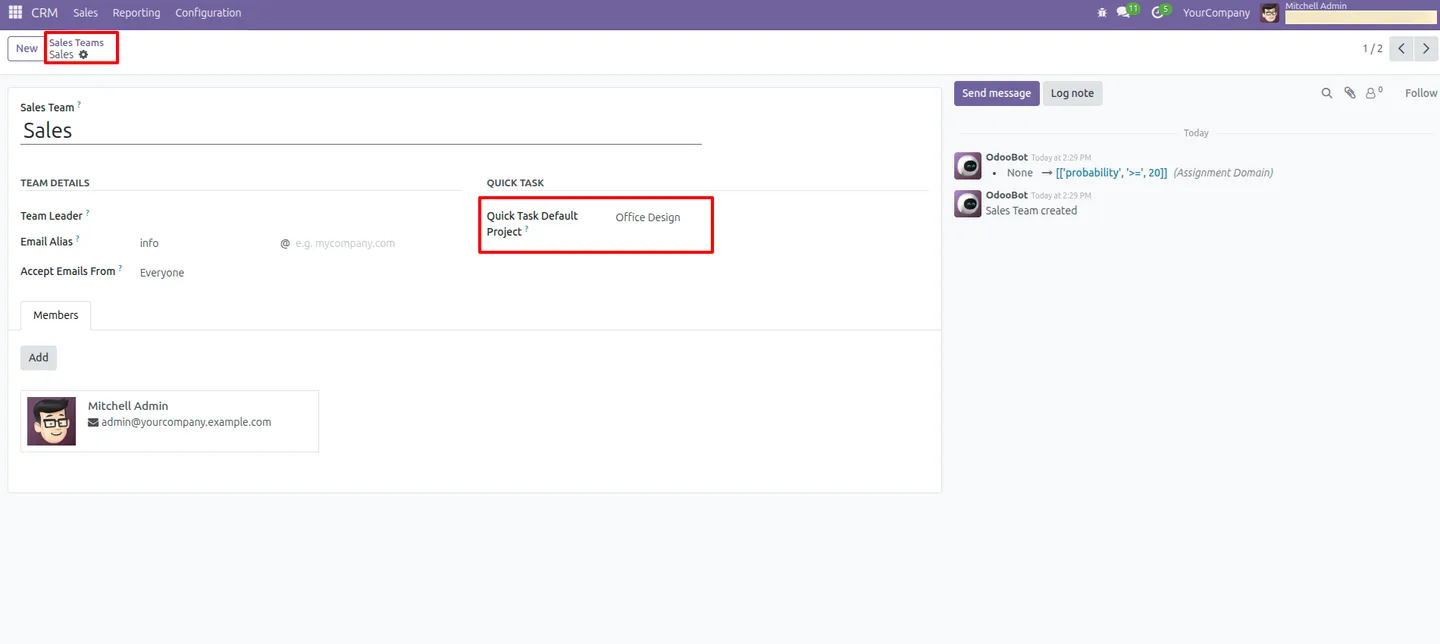
Project selection is handled for you. A default project set in CRM settings applies everywhere, and a per-sales-team project can override it — so each team's tasks land in the right place without anyone choosing a project by hand.
Key features
-
One-click task creation
A Quick Task button on the CRM lead creates a Project task instantly. There is no form to fill in first — the task is built from the lead in a single click.
-
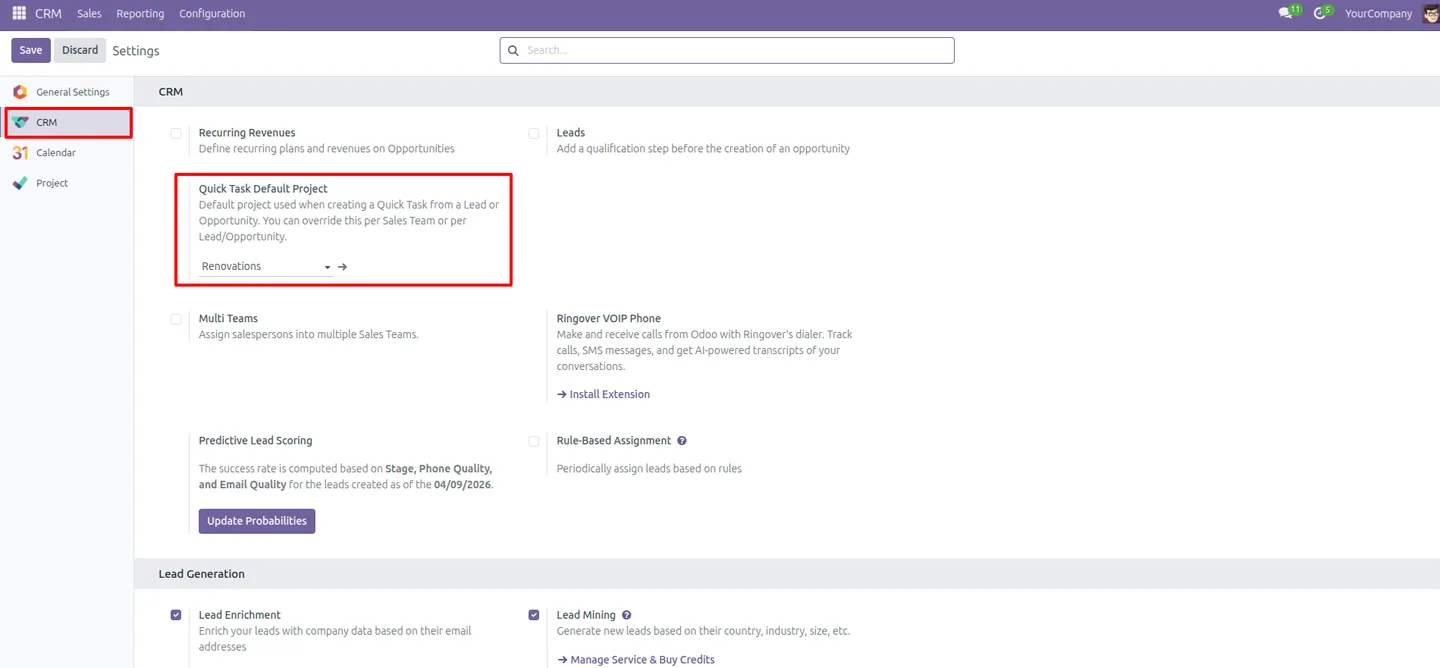
Default project from CRM settings
Set one default project in CRM configuration and every task created from a lead uses it automatically, so the workflow never stalls on a missing project choice.
-
Sales-team project mapping
Assign a project to a specific sales team and tasks from that team's leads route to it. Team mappings override the global default.
-
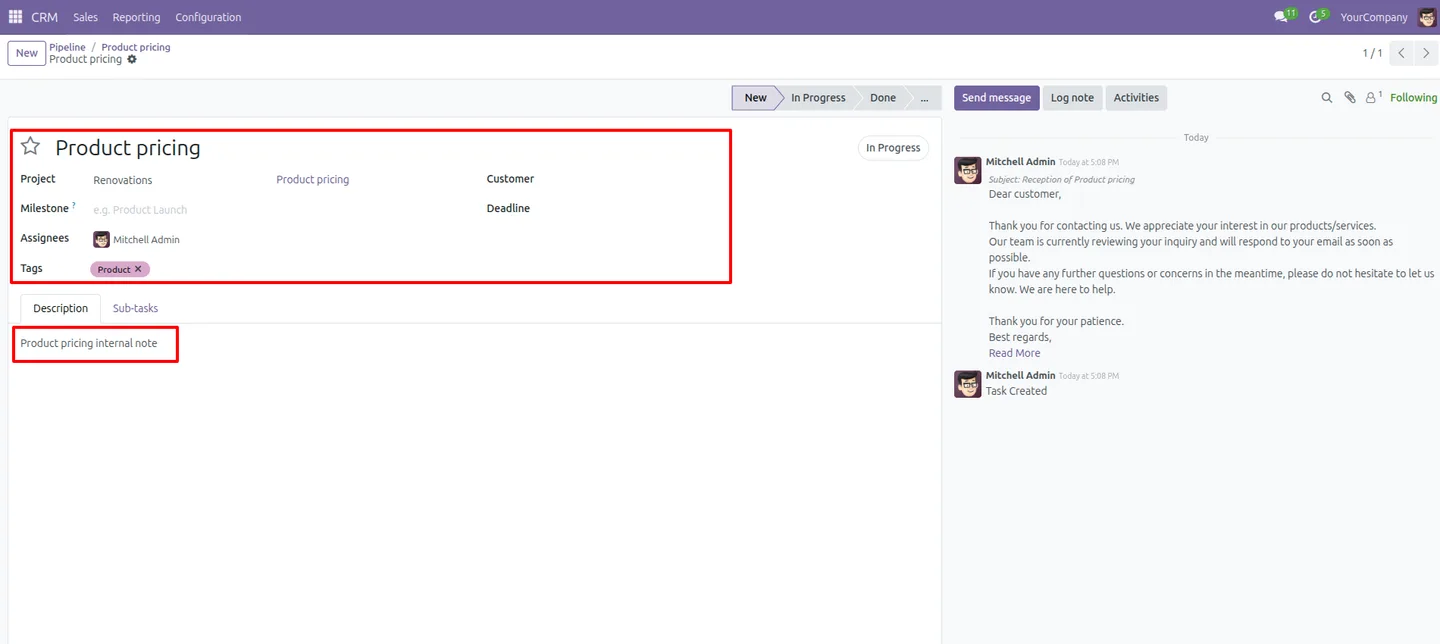
Auto-filled task details
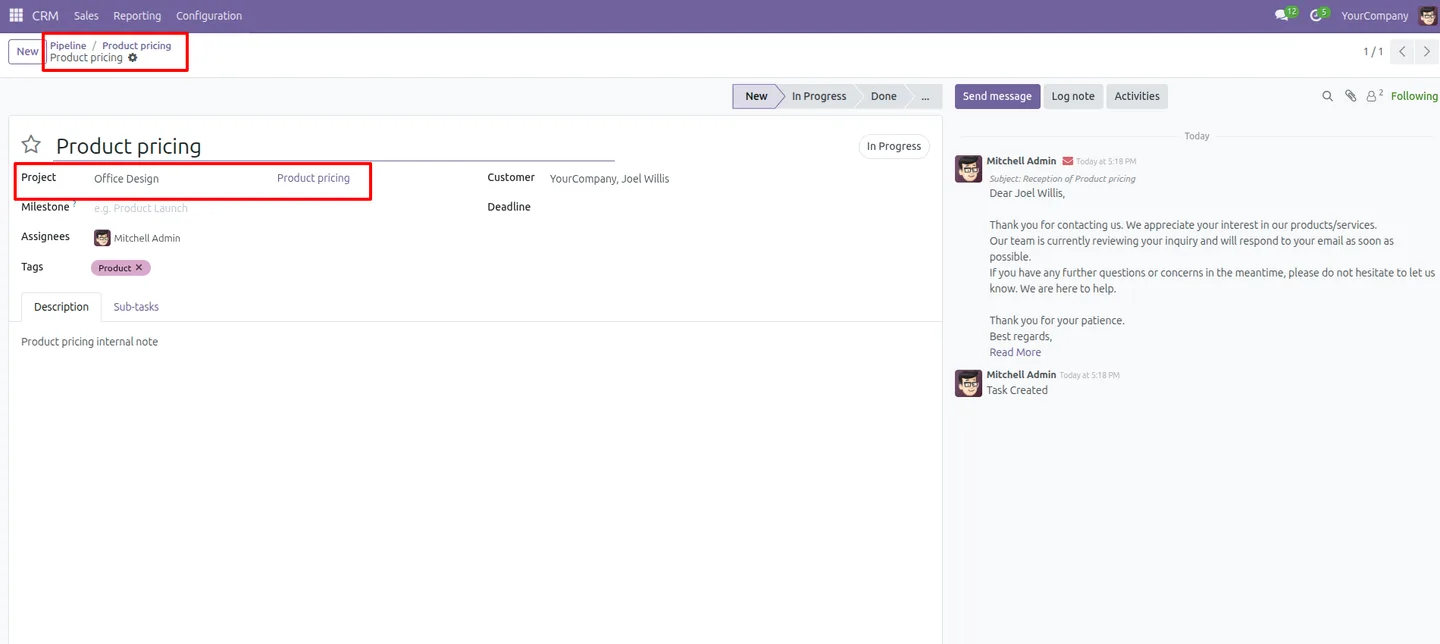
The task name, project, customer, and assignees are populated from the lead, cutting manual data entry and keeping the new task accurate.
-
Salesperson set as task owner
The lead's salesperson is assigned as the task owner automatically, so ownership and accountability for the follow-up are clear from the start.
-
Lead description carried across
The CRM lead's description is copied into the task description, so the person doing the work has the full context without reopening the lead.
-
CRM tags mapped to task tags
Tags on the CRM lead are mapped to Project task tags automatically, keeping categorisation consistent between the sales pipeline and the task board.
-
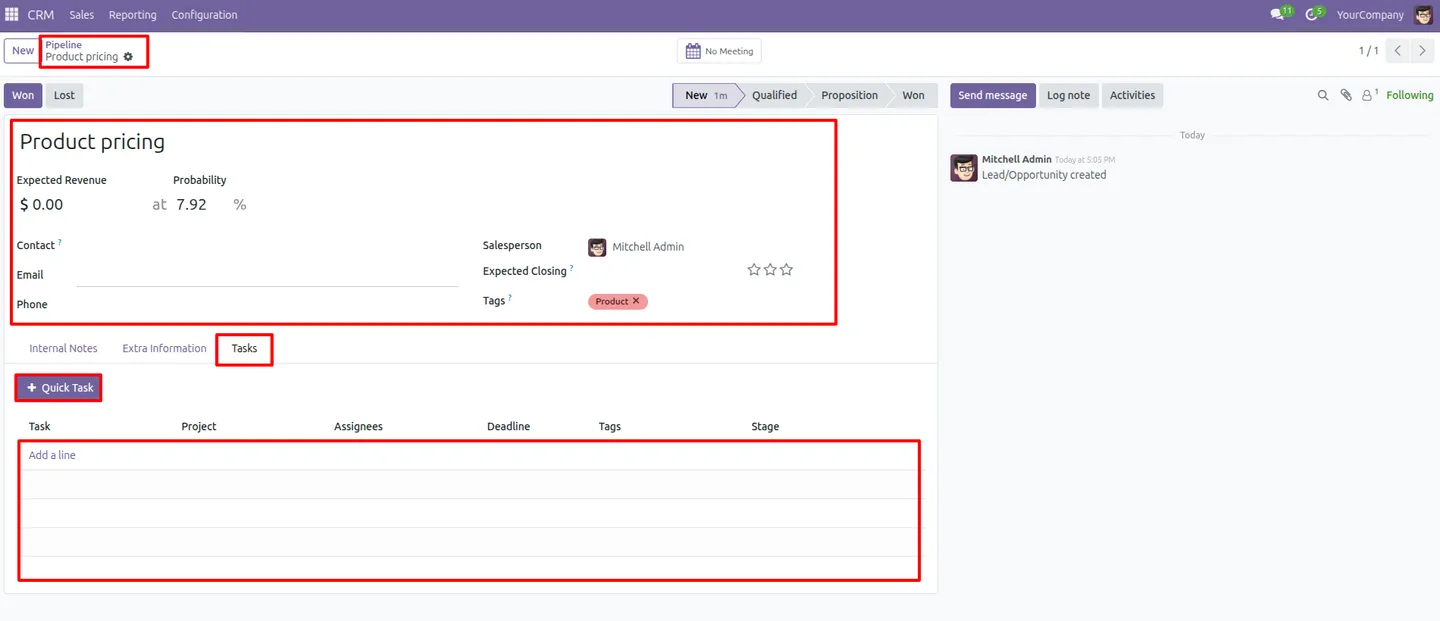
Lead-to-task linkage
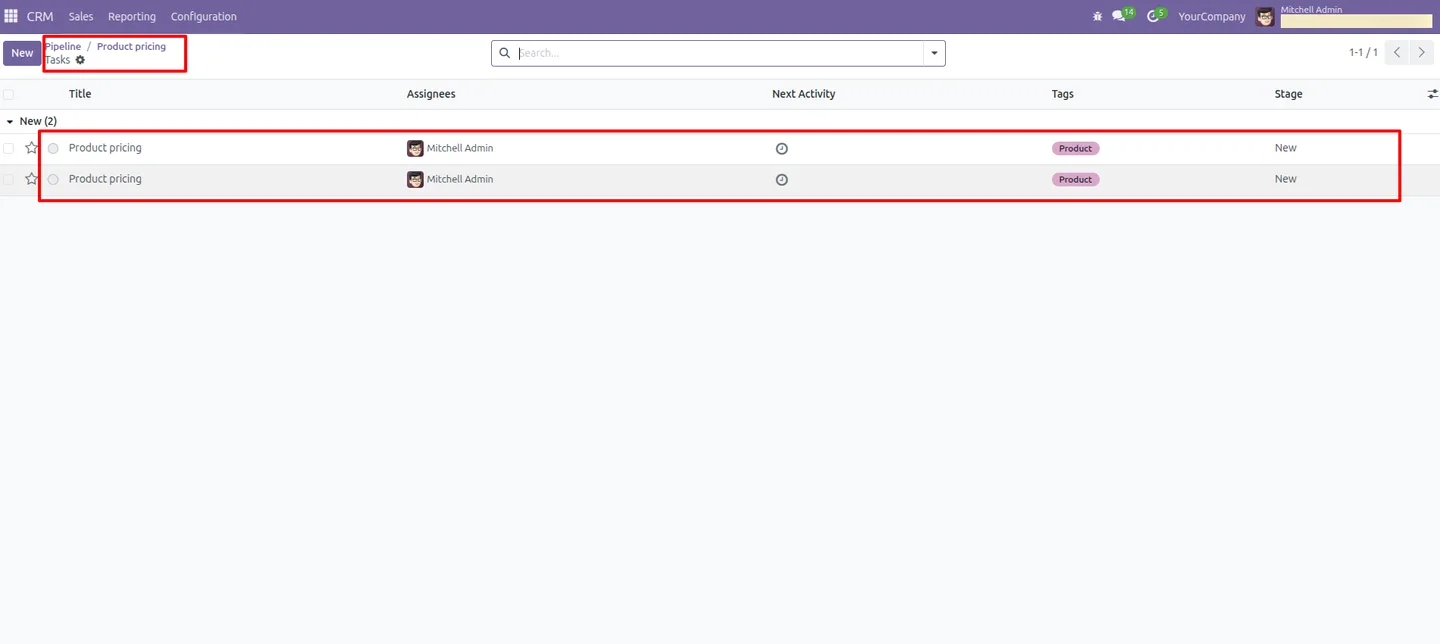
Each lead keeps a Tasks tab listing the tasks it produced, so you can trace every follow-up back to the lead that triggered it.
Smart CRM Task Generator in Odoo
Every screen, in the order you meet it — configuration first, then the module in use.
Technical details
Specification
- Publisher
- TechUltra Solutions Private Limited
- Technical name
- crm_quick_task_advanced
- Odoo versions
- 16.0, 17.0, 18.0, 19.0
- Lines of code
- 229
- License
- Odoo Proprietary License v1.0 (OPL-1)
- Price
- $14 (one-time)
Deployment
- Odoo Online
- Odoo.sh
- On-premise
Odoo dependencies
- CRM
- Project
- Calendar
- Contacts
- Discuss
Support
90 days of bug-fix support, Monday to Friday (10:00–19:00 IST). Raise a ticket at support@techultra.in.
Setup & configuration
From install to first call — here is the path.
- 1
Install the module
In Odoo, open Apps, remove the Apps filter, search for “Smart CRM Task Generator”, and click Install.
- 2
Set a default project
Go to CRM → Configuration → Settings, find the Quick Task Default Project option, and choose the project that should receive tasks created from leads.
- 3
Map projects to sales teams
Open a sales team and set its default project. Tasks created from that team's leads use the team project instead of the global default.
- 4
Create a task from a lead
Open any CRM lead, switch to the Tasks tab, and click Quick Task. The task is created with the project, salesperson, tags, customer, and description filled in.
- 5
Review linked tasks
Use the Tasks tab on the lead to see every task it generated and open them directly, keeping follow-up work and the lead connected.
Frequently asked questions
-
What does Smart CRM Task Generator do?
It adds a Quick Task button to Odoo CRM leads. One click creates a Project task built from the lead — the project, salesperson, tags, customer, and description are all filled in automatically.
-
How does the module choose which project a task goes into?
It uses a default project set in CRM configuration. If the lead's sales team has its own project mapped, that team project is used instead of the global default.
-
Who is set as the owner of the new task?
The salesperson on the CRM lead is assigned as the task owner automatically, so responsibility for the follow-up is clear from the moment the task is created.
-
Does information from the lead carry over to the task?
Yes. The task name, customer, lead description, and CRM tags are copied to the task, so the person doing the work has full context without reopening the lead.
-
Can I see which tasks came from a lead?
Yes. Each lead has a Tasks tab that lists every task created from it, so you can trace any follow-up back to its originating lead.
-
Which Odoo versions are supported?
The module supports Odoo 16.0, 17.0, 18.0, and 19.0, in both the Community and Enterprise editions.
-
Does it need the Project app installed?
Yes. The module depends on the Project app, since the tasks it creates are standard Odoo Project tasks. CRM, Contacts, Calendar, and Discuss are also required.
-
Is support included?
Yes. The module includes 90 days of bug-fix support, Monday to Friday, 10:00–19:00 IST.
Related solutions
Whole-platform solutions that complement Smart CRM Task Generator.
Odoo CRM
Odoo CRM module — leads, opportunities, kanban pipeline, quotation, forecasting, email integration. Native with ERP. Mid-market alternative to Salesforce.
Odoo Sales
Odoo Sales module — quotations, pricing rules, sales orders, deliveries, returns. CRM-Inventory-Accounting integrated. Quote-to-cash unified.
Related services
Get the most out of this module with senior TechUltra consultants.
Odoo Customization Services
Tailored Odoo customizations from a Gold Partner — 200+ projects, upgrade-safe patterns, fixed-scope quotes, senior consultants. Free demo consultation.
Hire Odoo Developers
Hire certified Odoo developers from a Gold Partner — 400+ implementations, 92% satisfaction, Odoo since 2016. Silver / Gold / Platinum packages, free trial.
Odoo Support & Maintenance
Odoo Gold Partner support — 24/7 functional, technical, and server coverage for Enterprise and Community editions. Fast turnaround, free consultation.







