
Odoo App · Documents & Files
Smart Attachment Preview Pro
Preview files and see their size in Odoo chatter and Many2many fields — no downloads.

Overview
Smart Attachment Preview Pro lets users open and inspect Odoo attachments without downloading them. It also shows the exact file size before a file is opened, so people know what they are about to view.
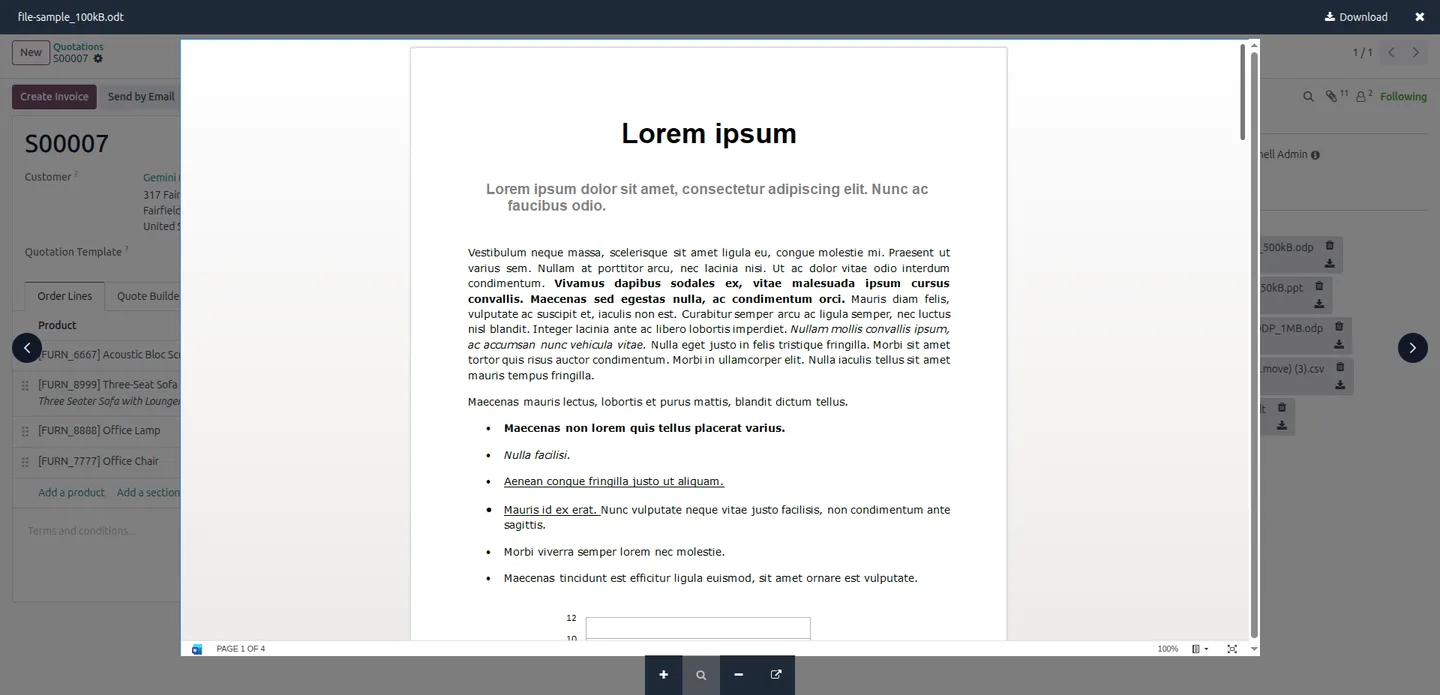
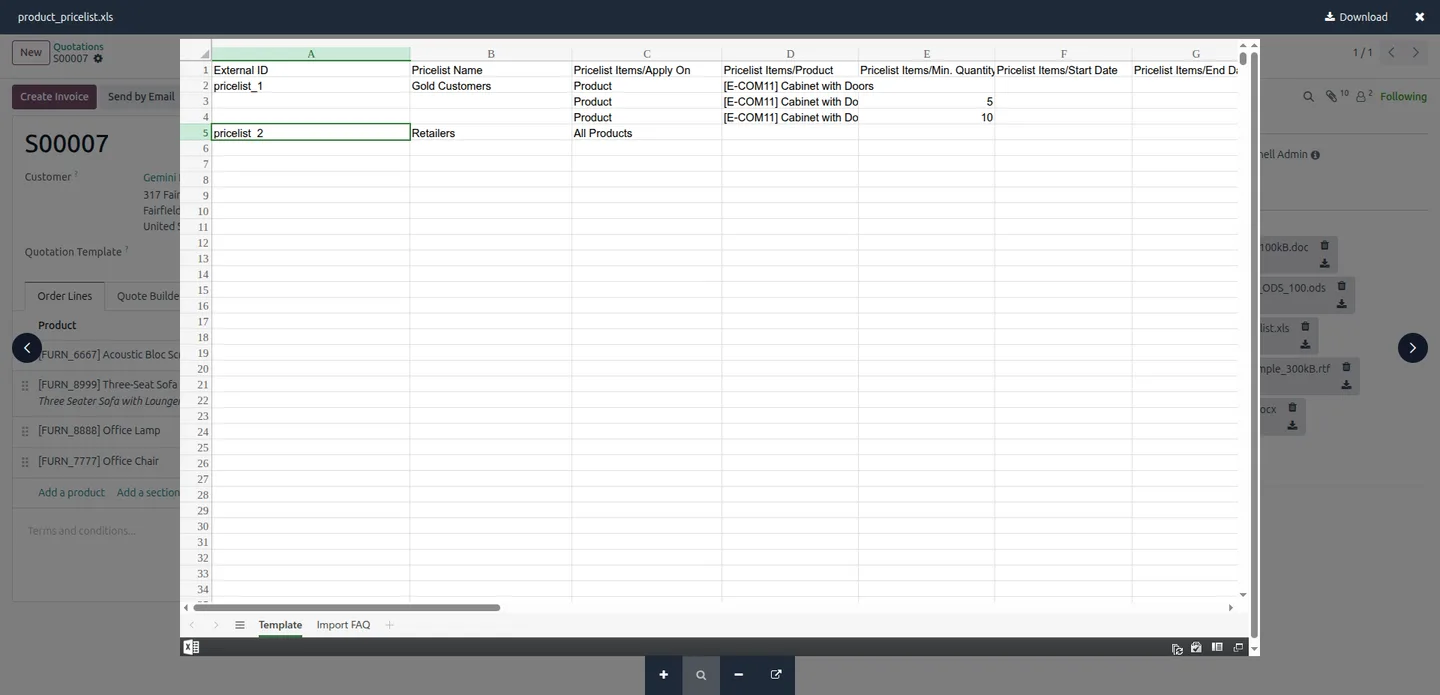
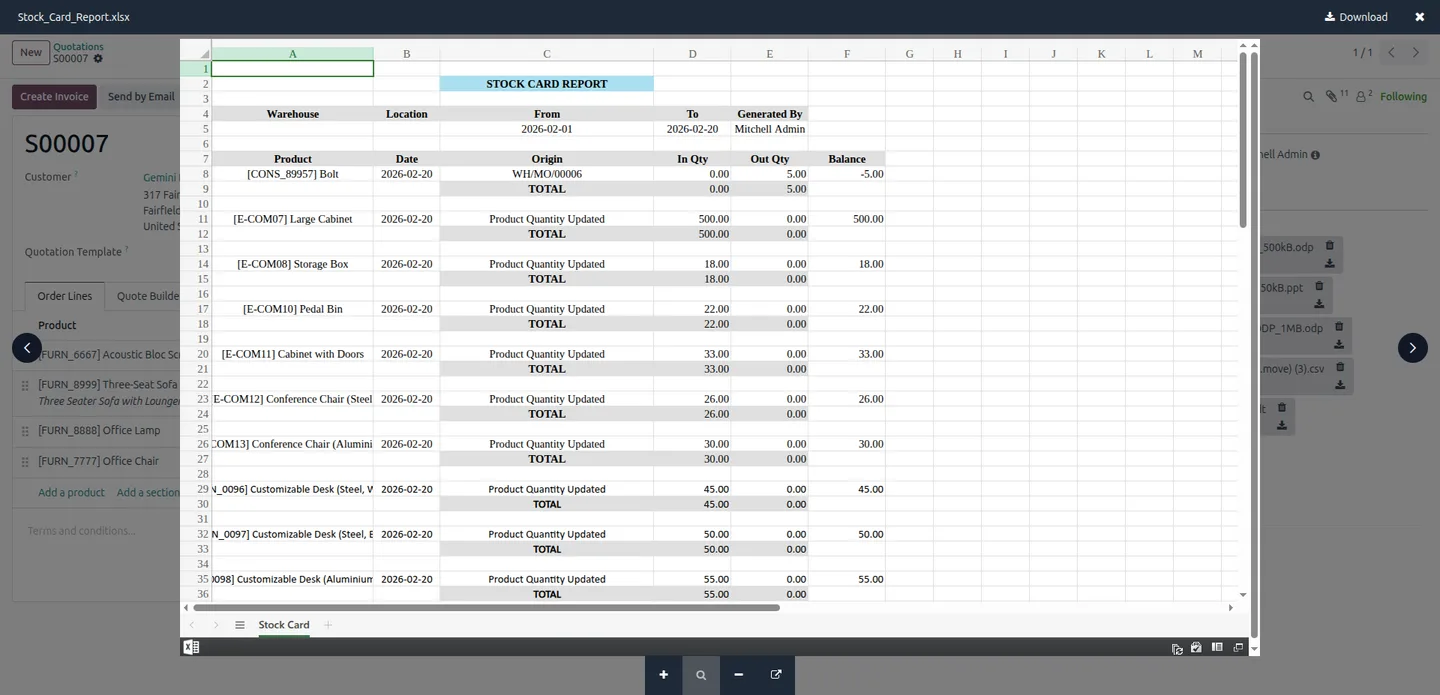
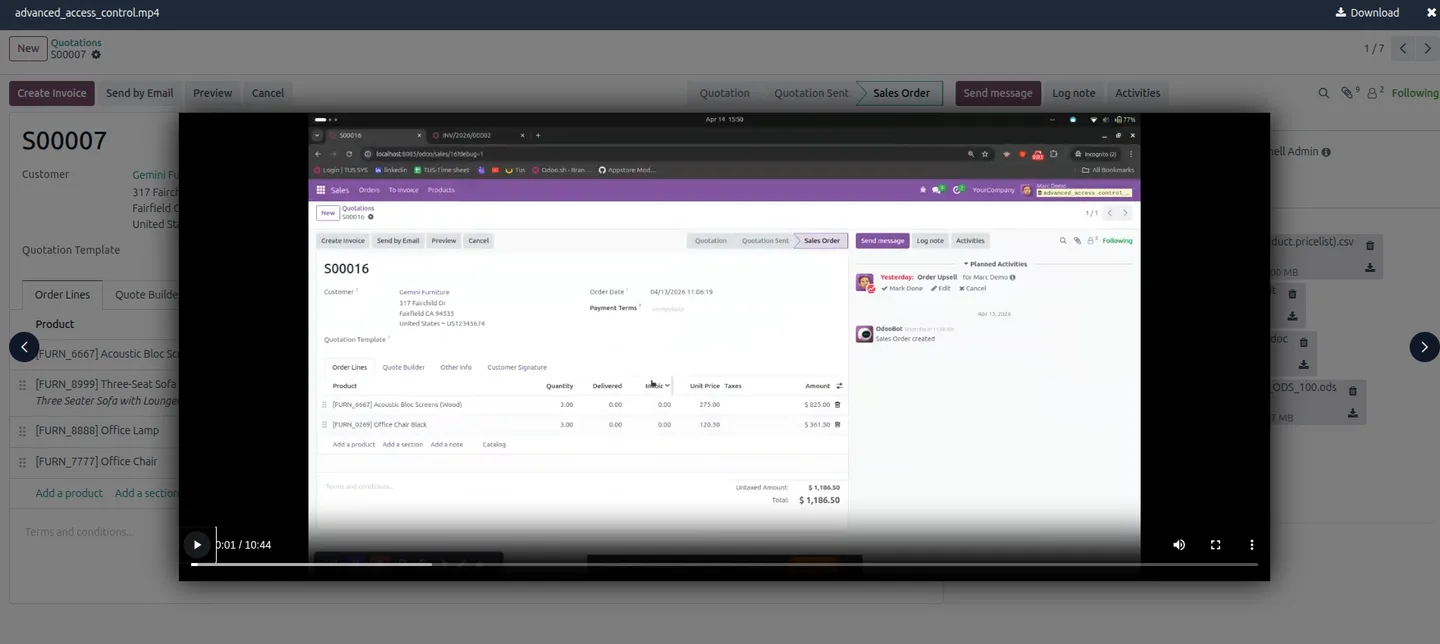
Built by TechUltra Solutions, the module covers two places attachments live: the chatter message thread and Many2many binary attachment fields on forms. It previews PDFs, images, and videos directly, and renders Word, Excel, and PowerPoint through Microsoft Office Online or, optionally, the Google Docs Viewer.
The module works across standard Odoo apps and custom modules — Sales, Accounting, HR, Projects, and more — so any record with attachments gets the same instant preview. The result is fewer clicks and less time lost downloading files just to check what they contain.
Key features
-
Chatter attachment preview
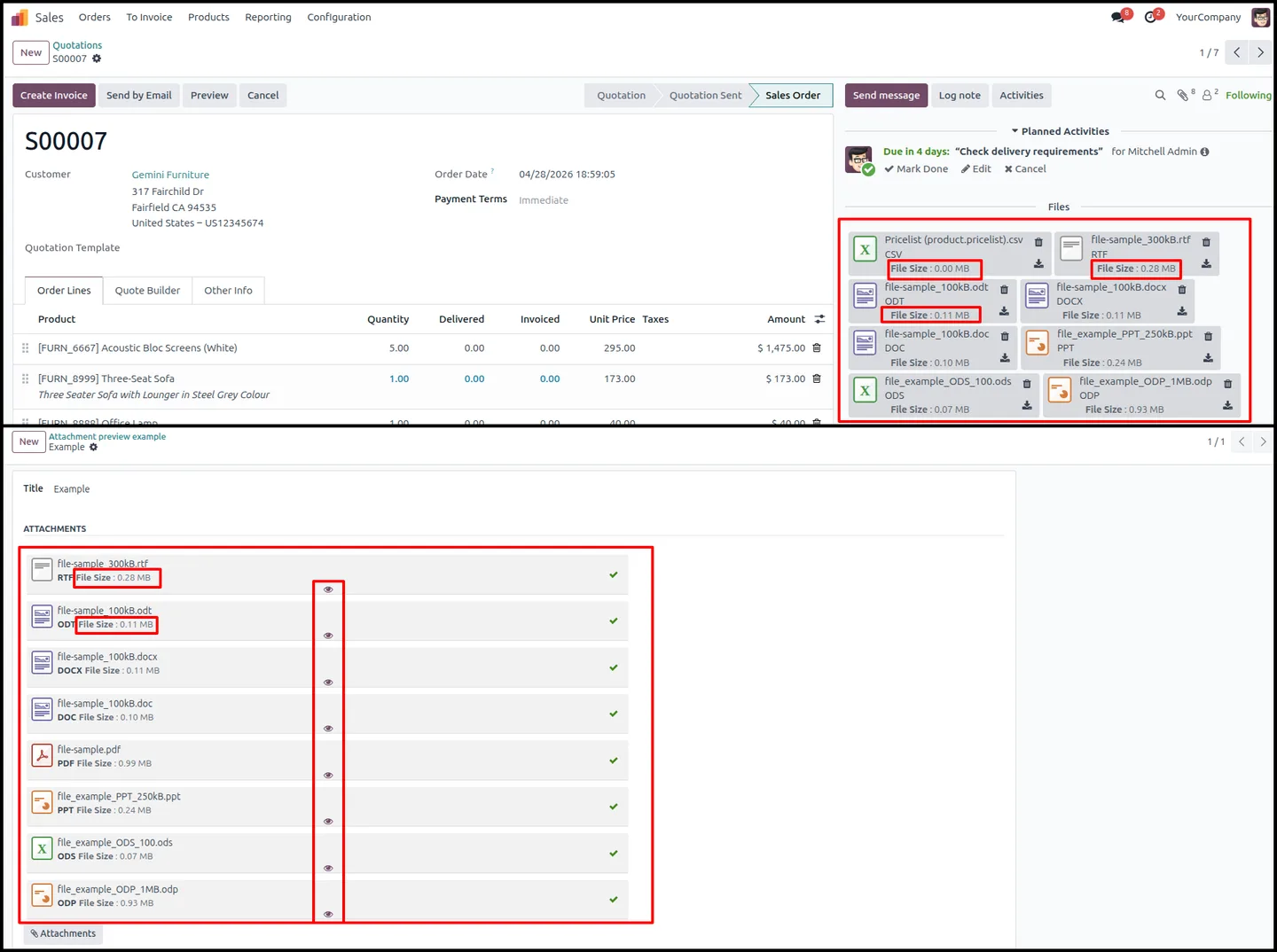
Preview attachments directly inside the Odoo chatter message thread, so you can check a file without leaving the record.
-
Many2many binary field support
Full preview support for attachments held in Many2many binary fields on forms, not just the chatter.
-
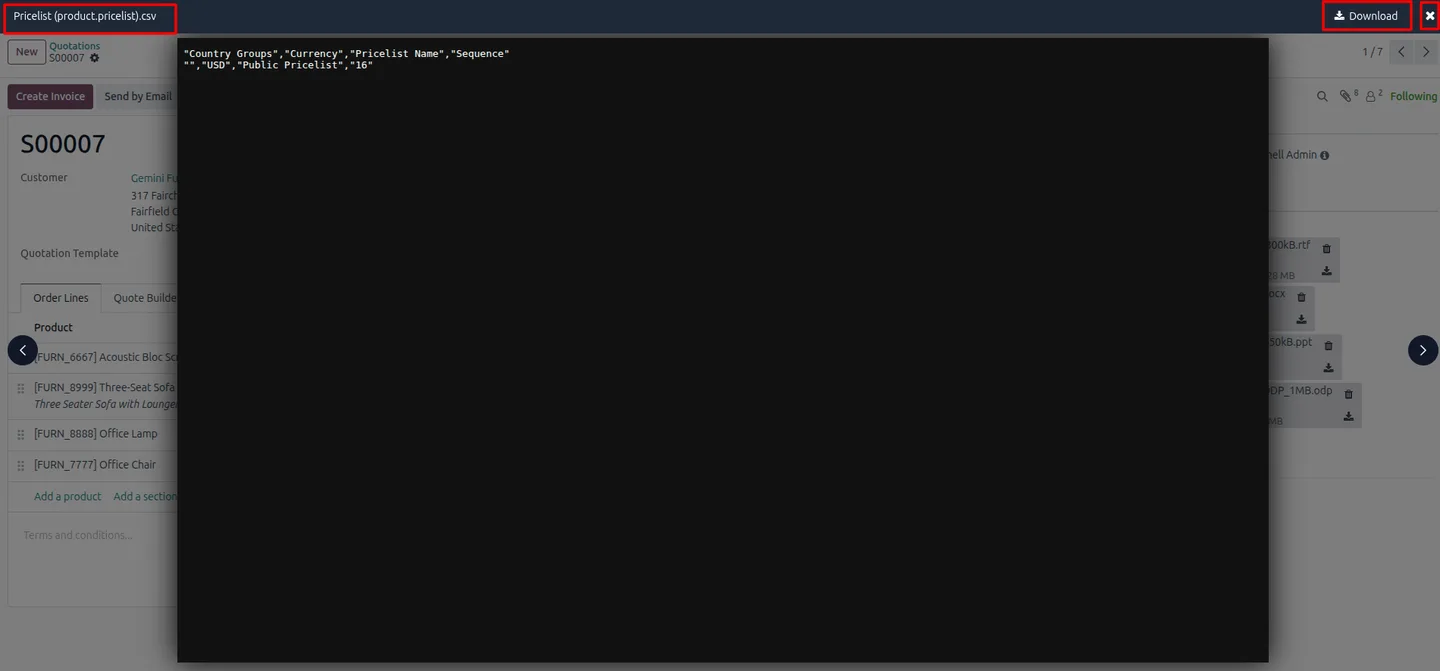
No download required
Open and view files instantly within Odoo, removing the download-open-delete cycle from everyday work.
-
Multi-format preview
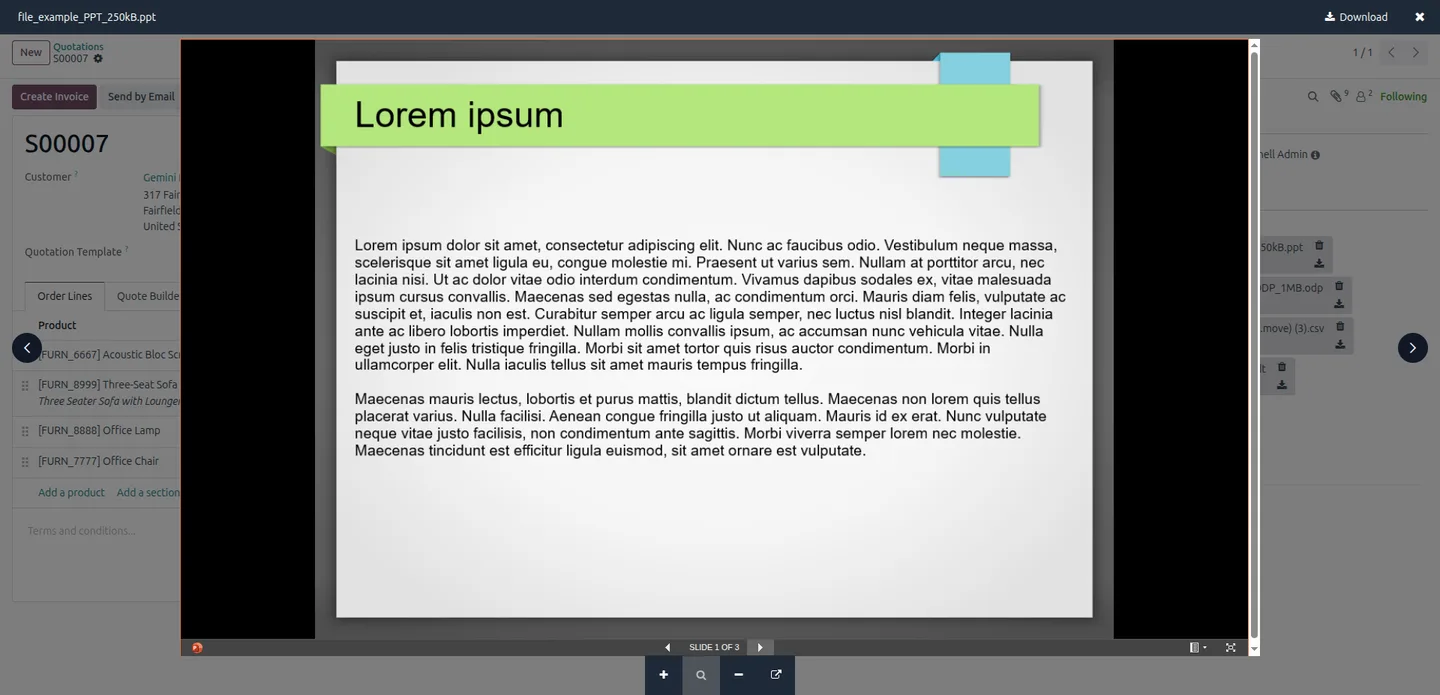
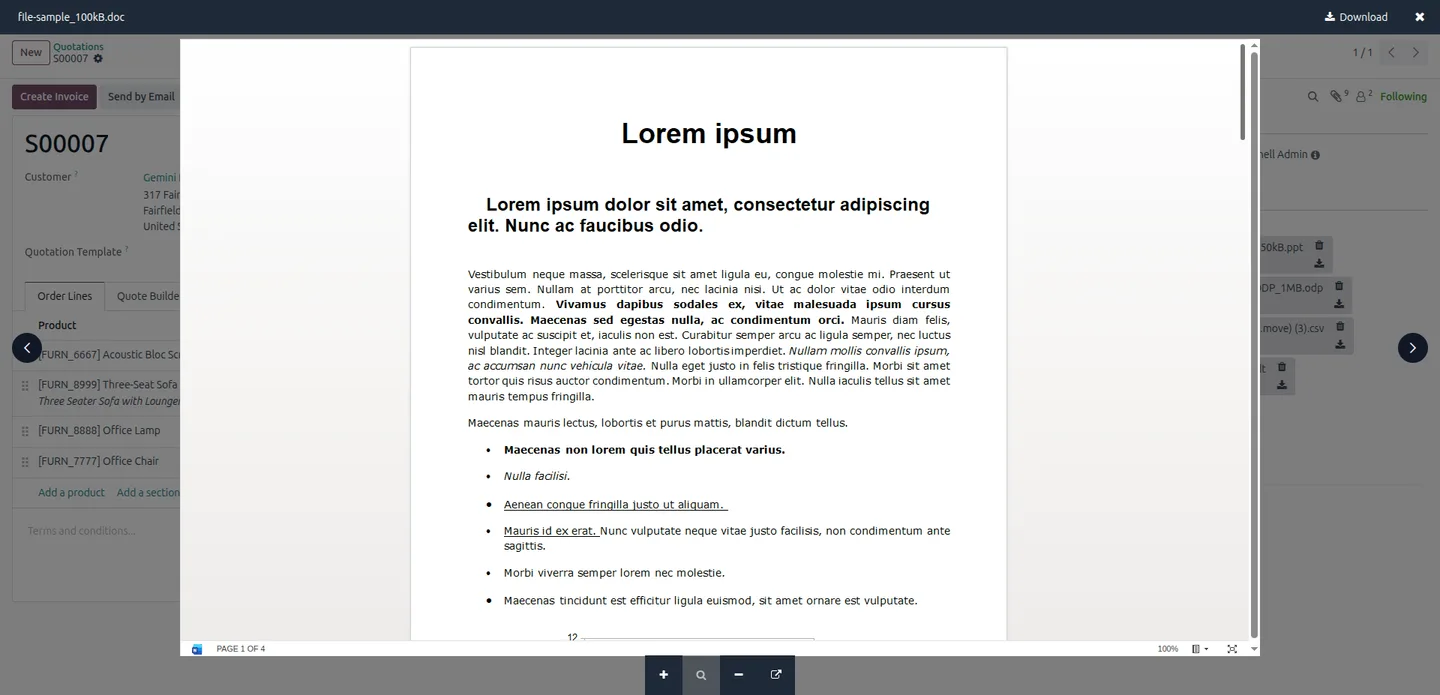
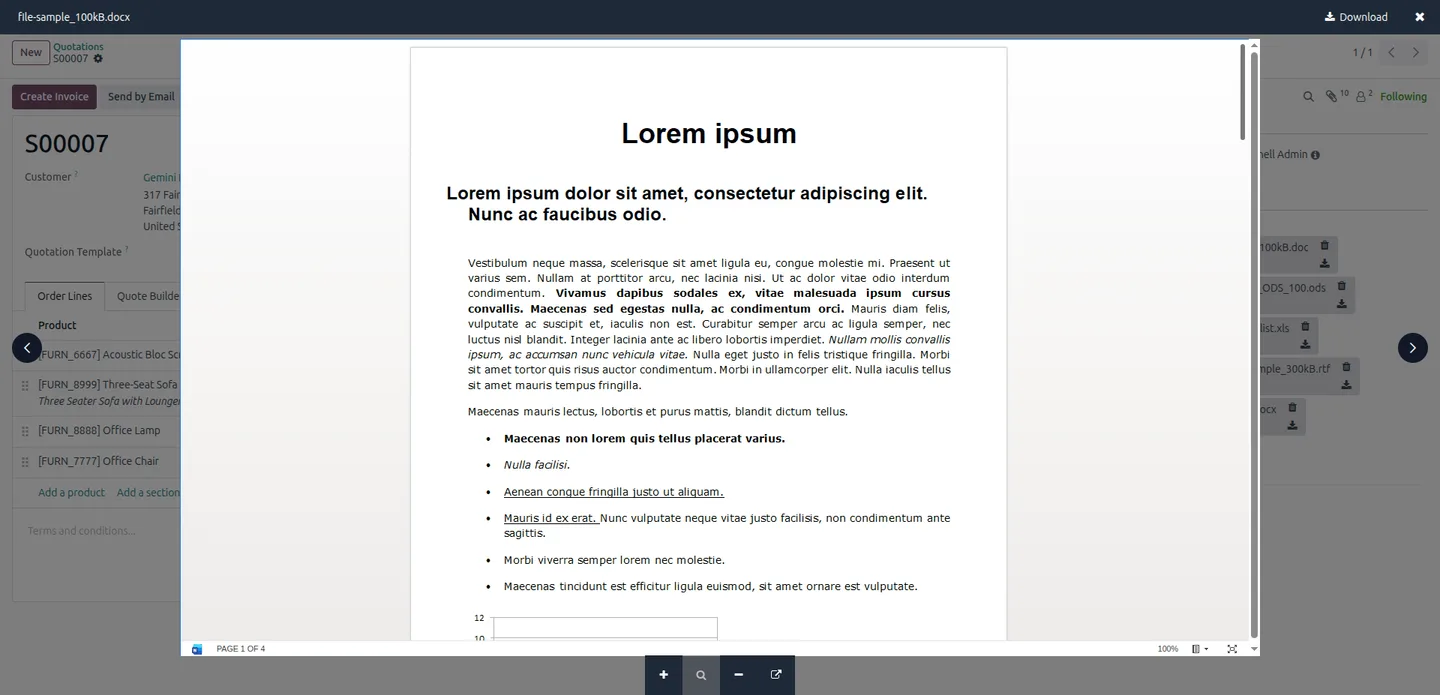
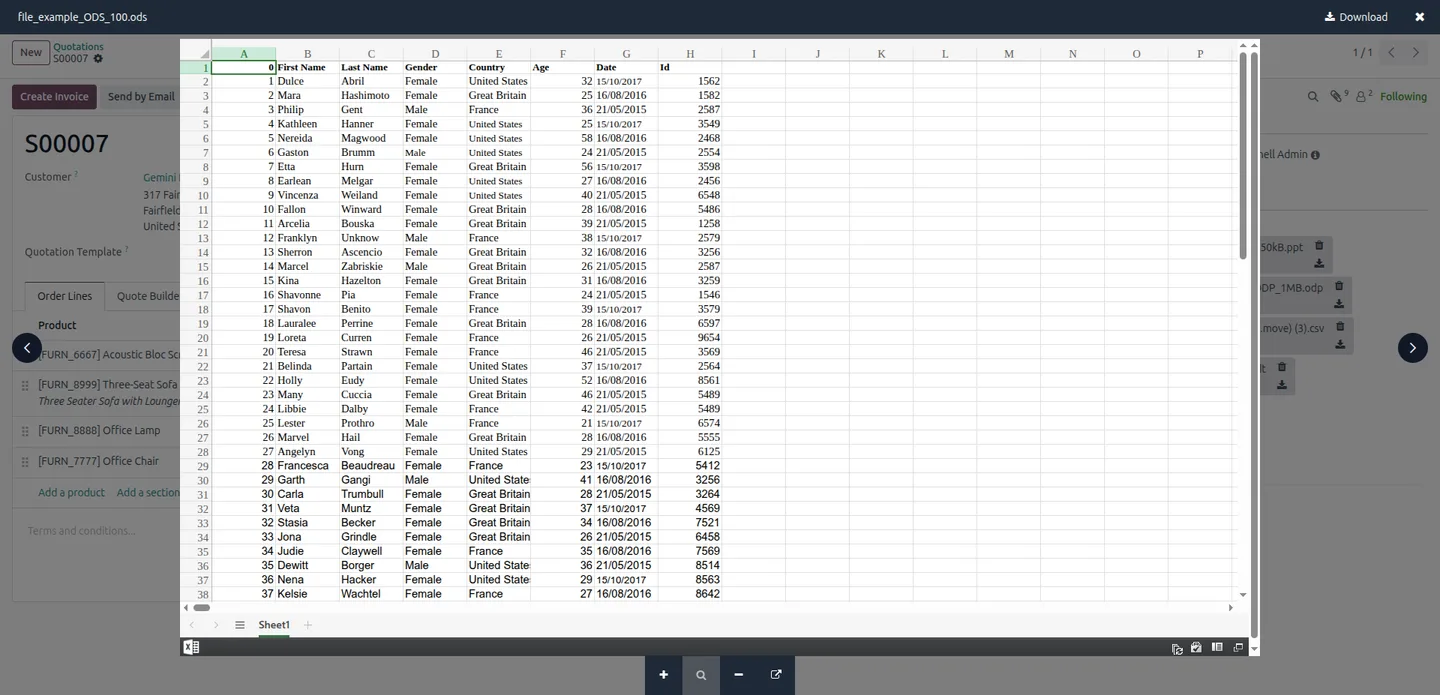
Supports PDFs, images such as JPG and PNG, videos such as MP4, WEBM, and MOV, and Office files including DOCX, XLSX, and PPT.
-
File size shown upfront
View the exact file size in both the chatter and Many2many fields before opening a file, so large files hold no surprises.
-
Microsoft Office Online viewer
Word, Excel, and PowerPoint files render through Microsoft Office Online for accurate previews of complex document formats.
-
Optional Google Docs Viewer
The Google Docs Viewer is available as an alternative preview engine for Office files when it suits your organisation's policies.
-
Works across all modules
The preview is compatible with Sales, Accounting, HR, Projects, and custom modules, so every record type benefits.
Smart Attachment Preview Pro in Odoo
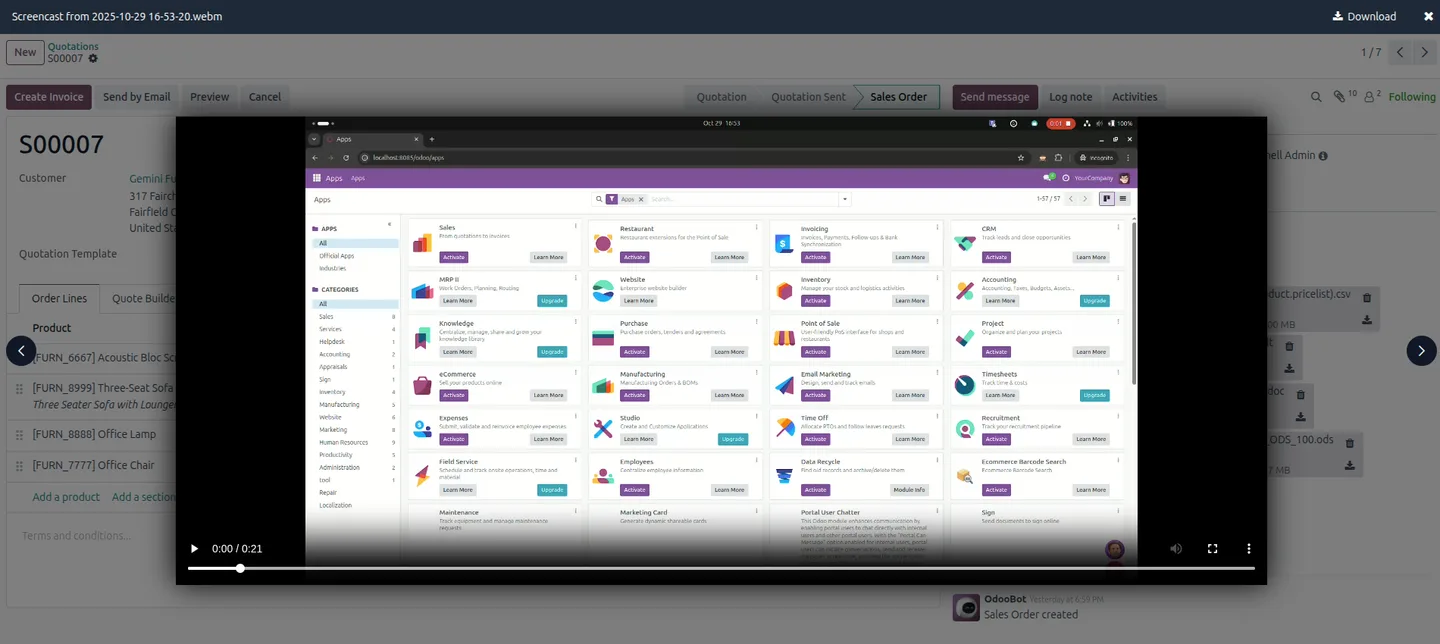
Every screen, in the order you meet it — configuration first, then the module in use.
Technical details
Specification
- Publisher
- TechUltra Solutions Private Limited
- Technical name
- tus_many2many_attachment_preview
- Odoo versions
- 16.0, 17.0, 18.0, 19.0
- Lines of code
- 586
- License
- Odoo Proprietary License v1.0 (OPL-1)
- Price
- $39.89 (one-time)
Deployment
- Odoo Online
- Odoo.sh
- On-premise
Odoo dependencies
- Discuss
Support
90 days of bug-fix support, Monday to Friday (10:00–19:00 IST). Raise a ticket at support@techultra.in.
Setup & configuration
From install to first call — here is the path.
- 1
Install the module
In Odoo, open Apps, remove the Apps filter, search for “Smart Attachment Preview Pro”, and click Install.
- 2
Open the Discuss settings
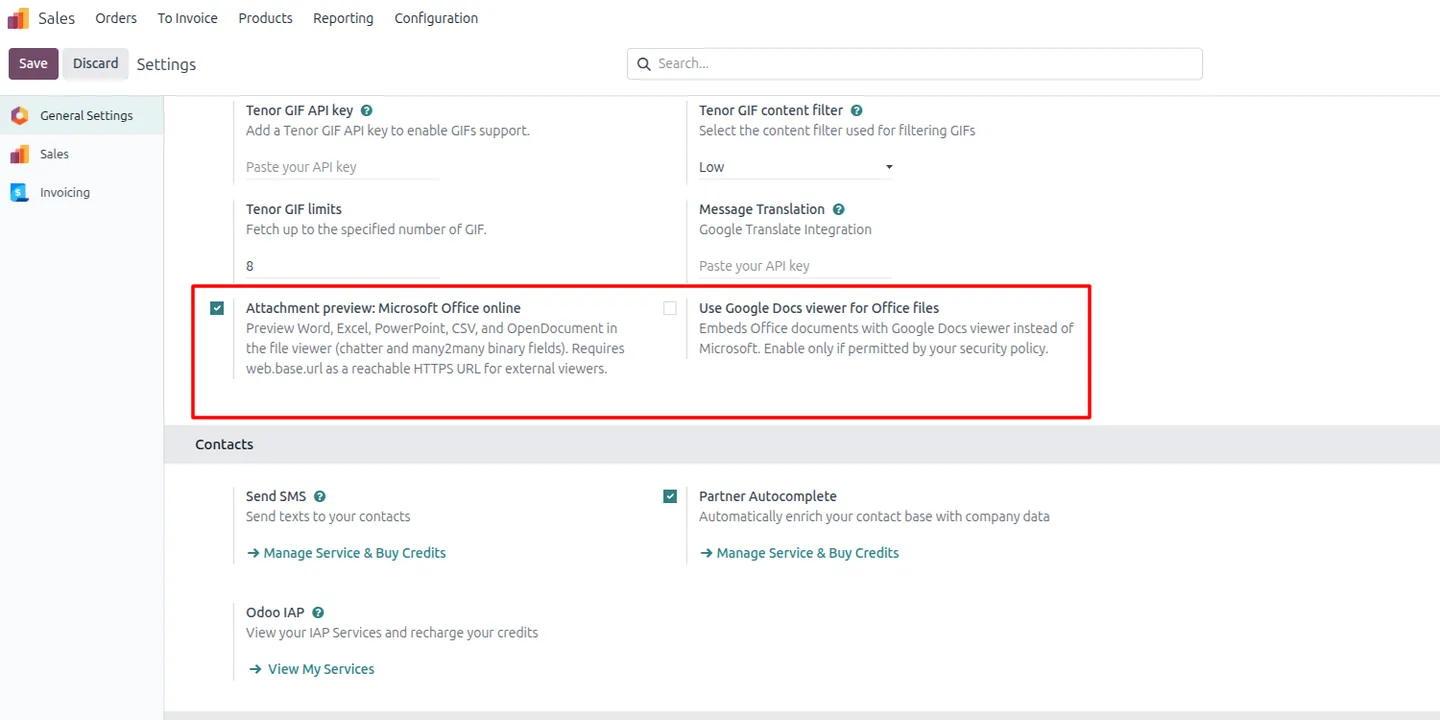
Go to Settings → General Settings → Discuss, where the two optional preview engines are configured.
- 3
Enable Microsoft Office Online preview
Turn on Microsoft Office Online preview to view Word, Excel, PowerPoint, CSV, and OpenDocument files. This needs a publicly reachable HTTPS web.base.url.
- 4
Choose the Google Docs Viewer if needed
If it fits your security policy, enable the Google Docs Viewer as an alternative engine for previewing Office files.
- 5
Test a preview
Open a record, attach a file in the chatter or a Many2many field, and confirm the preview opens and the file size is shown.
Frequently asked questions
-
What does Smart Attachment Preview Pro do?
It previews attachments inside Odoo and shows their file size, so you can inspect a file without downloading it. It works in the chatter and in Many2many binary attachment fields.
-
Which file types can it preview?
It previews PDFs, images such as JPG and PNG, videos such as MP4, WEBM, and MOV, and Office files including DOCX, XLSX, and PPT.
-
How are Word, Excel, and PowerPoint files previewed?
Office files render through Microsoft Office Online. You can also enable the Google Docs Viewer as an alternative engine if it suits your policies.
-
Why does the module show file sizes?
It shows the exact file size in both the chatter and Many2many fields before you open a file, so you know what you are about to load.
-
Does Office Online preview need any setup?
Yes. Microsoft Office Online preview requires a publicly accessible HTTPS web.base.url, since the viewer needs to reach the file.
-
Does it work in custom modules?
Yes. The preview is compatible with Sales, Accounting, HR, Projects, and custom modules — any record with attachments gets the same preview.
-
Which Odoo versions are supported?
Smart Attachment Preview Pro supports Odoo 16.0, 17.0, 18.0, and 19.0. It depends on the Discuss module.
-
Is support included?
Yes. The module includes 90 days of bug-fix support, Monday to Friday, 10:00–19:00 IST. Raise a ticket at support@techultra.in.
Related solutions
Whole-platform solutions that complement Smart Attachment Preview Pro.
Related services
Get the most out of this module with senior TechUltra consultants.
Odoo Customization Services
Tailored Odoo customizations from a Gold Partner — 200+ projects, upgrade-safe patterns, fixed-scope quotes, senior consultants. Free demo consultation.
Hire Odoo Developers
Hire certified Odoo developers from a Gold Partner — 400+ implementations, 92% satisfaction, Odoo since 2016. Silver / Gold / Platinum packages, free trial.
Odoo Support & Maintenance
Odoo Gold Partner support — 24/7 functional, technical, and server coverage for Enterprise and Community editions. Fast turnaround, free consultation.







