
Odoo App · Purchase
Quick Add Products to Purchase Order
Add many products to an Odoo purchase order in one step, with vendor pricing applied.

Overview
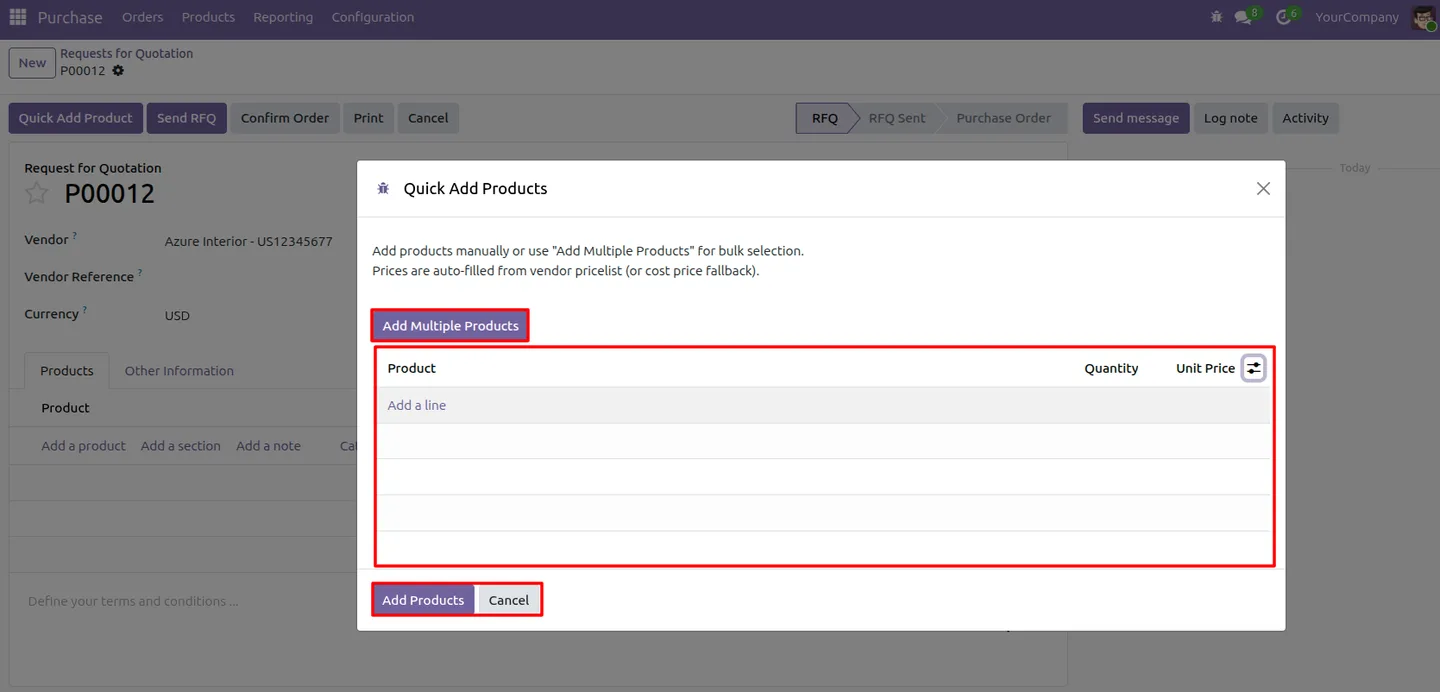
Quick Add Products to Purchase Order speeds up purchase order creation in Odoo. Instead of adding items one line at a time, buyers open a single dialog, pick every product they need, set quantities, and confirm — all in one step.
Built by TechUltra Solutions, the module is a lightweight addition aimed at purchasing teams who care about speed and accuracy. It enhances the standard purchase workflow rather than replacing it, so Odoo's core purchasing logic keeps working exactly as before.
Pricing is handled automatically as products are added. The module reads vendor-specific pricing, including quantity-based pricing tiers, and falls back to the product's cost price when no matching vendor pricelist is found — so lines never come through blank.
Key features
-
Add multiple products at once
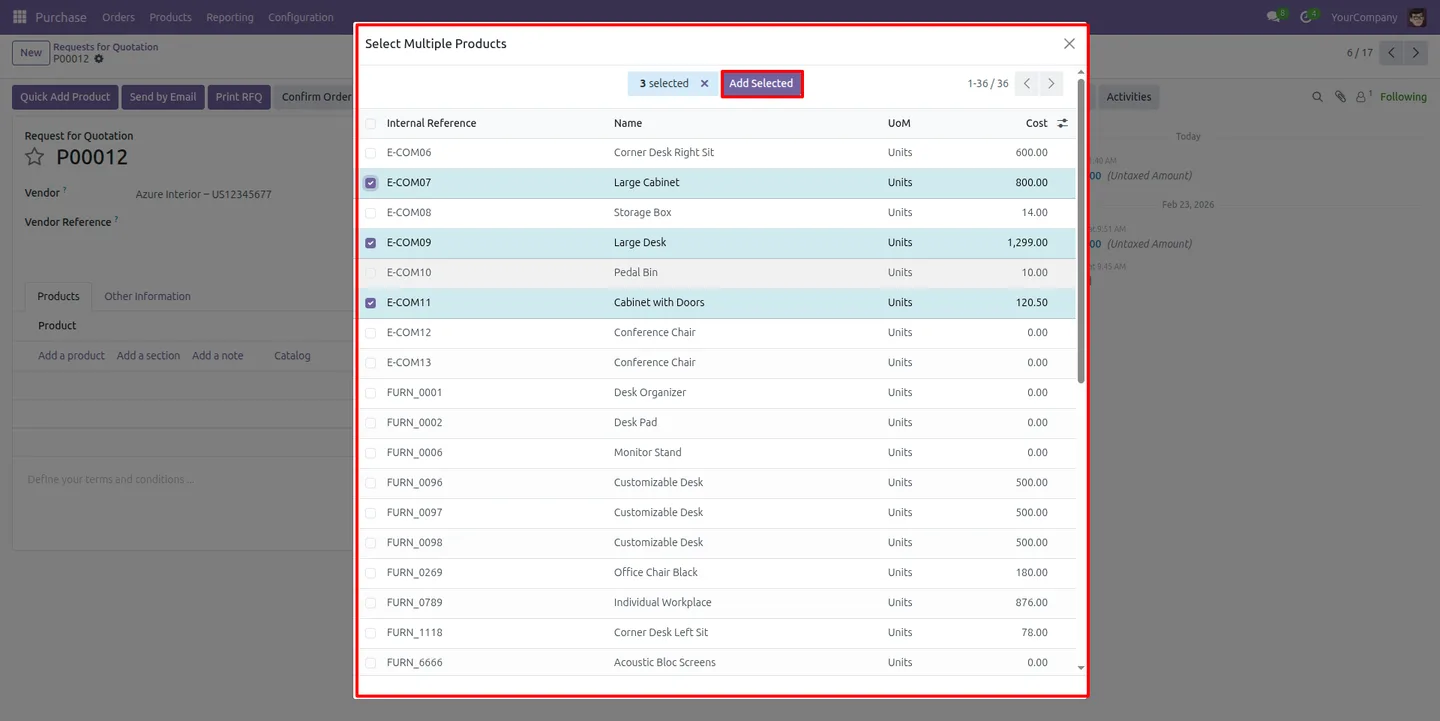
Select and add several products to a purchase order in a single dialog, instead of creating each order line one at a time.
-
Set quantities in one step
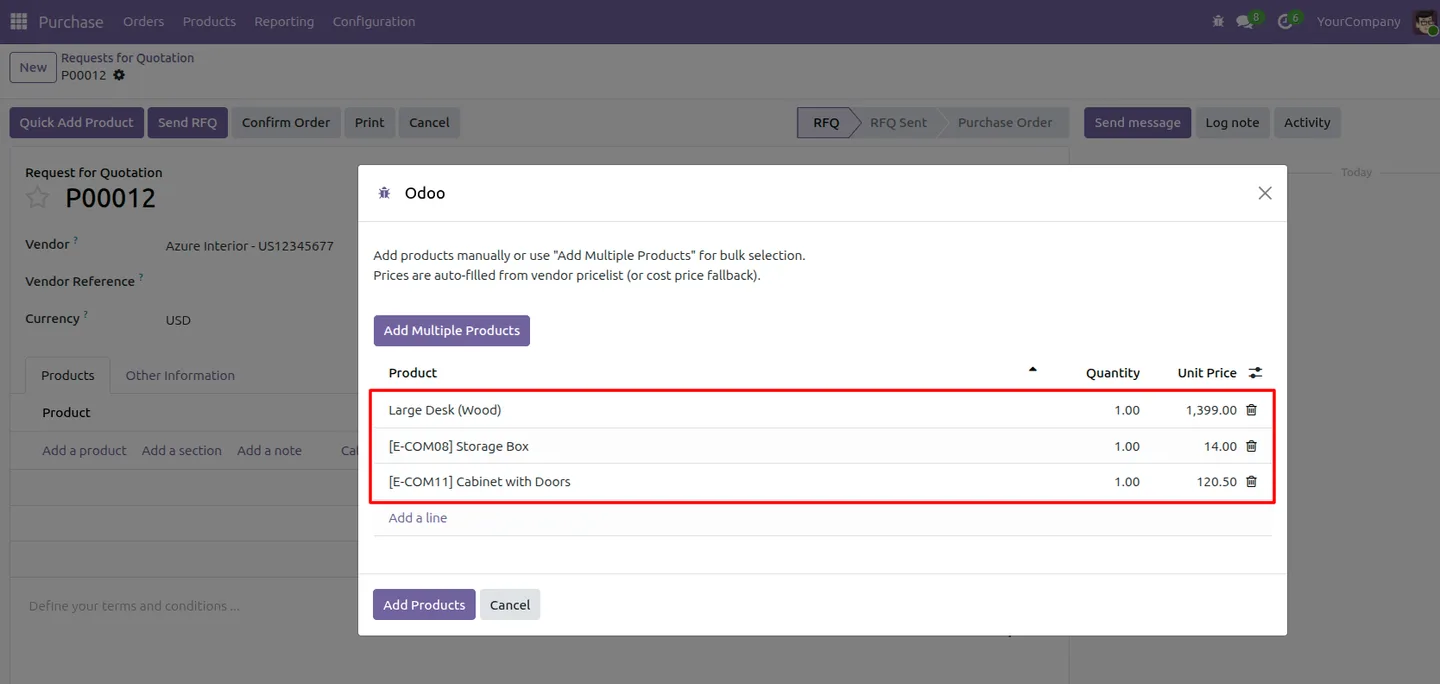
Enter the quantity for every selected product in the same dialog, then confirm — the order lines are created together.
-
Vendor-specific pricing
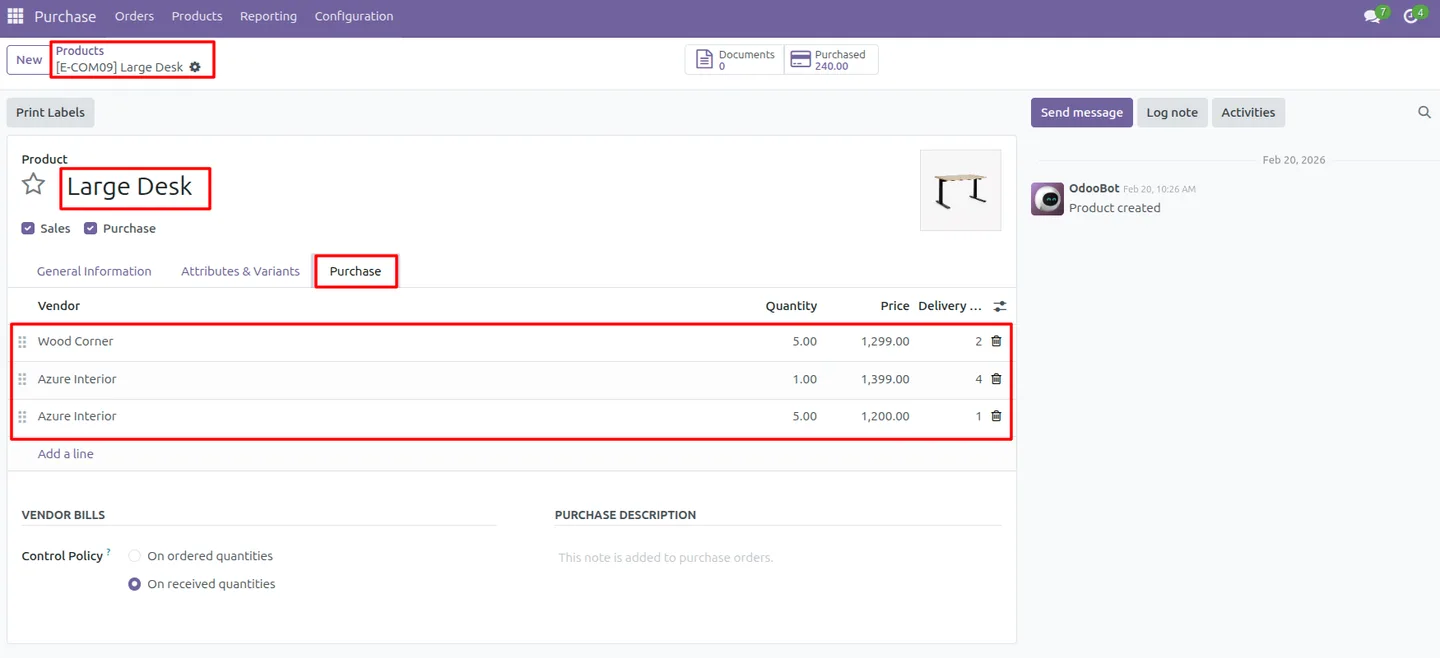
The module reads the vendor's price rules so each line is priced from the supplier's existing pricelist, not a generic default.
-
Quantity-based pricing tiers
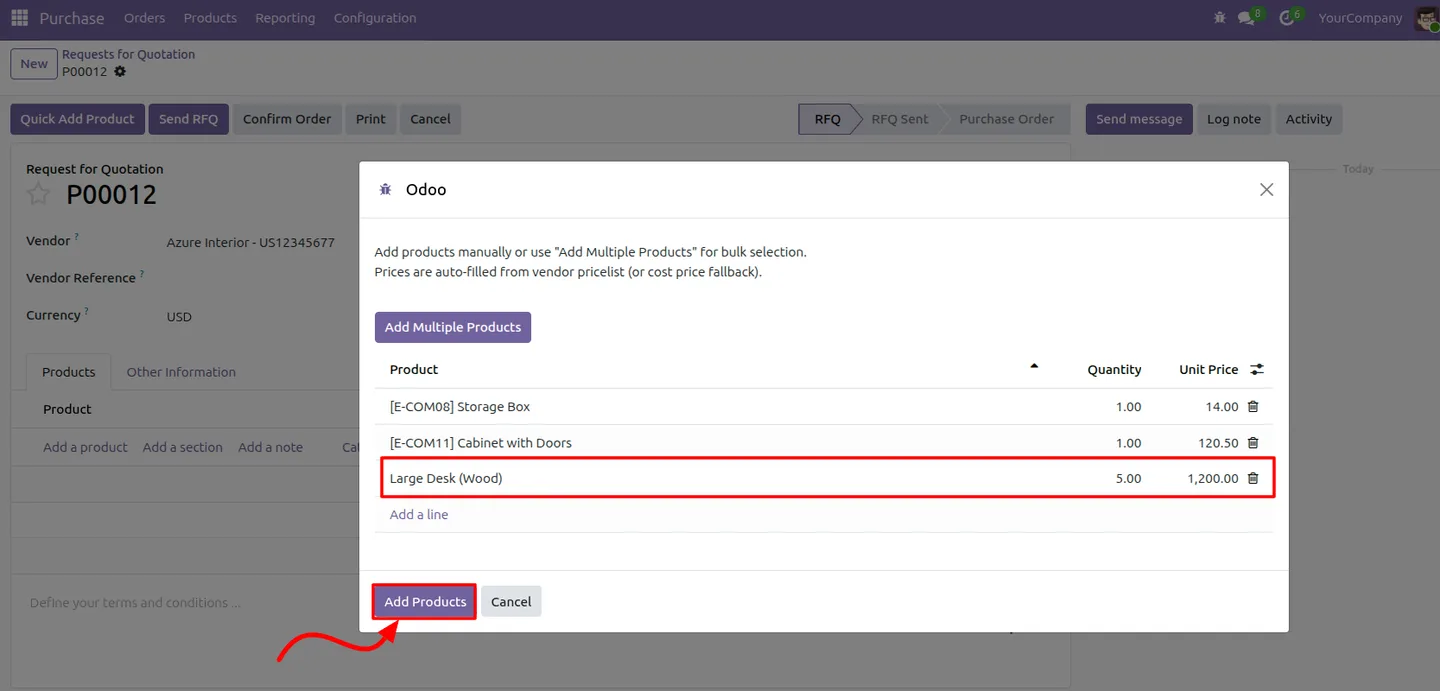
It considers the ordered quantity and applies the correct vendor pricing tier automatically, so volume pricing is respected.
-
Smart fallback to cost price
When no matching vendor pricelist is found, the module uses the product's cost price instead of leaving the line at zero.
-
Skips zero-quantity products
Products left with no quantity are excluded from the order, so the dialog never adds empty lines you have to clean up.
-
Works with the standard workflow
The module fits inside Odoo's normal purchase process and does not override core purchasing logic, so the rest of your purchase setup is unaffected.
-
Faster purchase order creation
Buying teams spend less time building purchase orders and more time on the procurement work that matters.
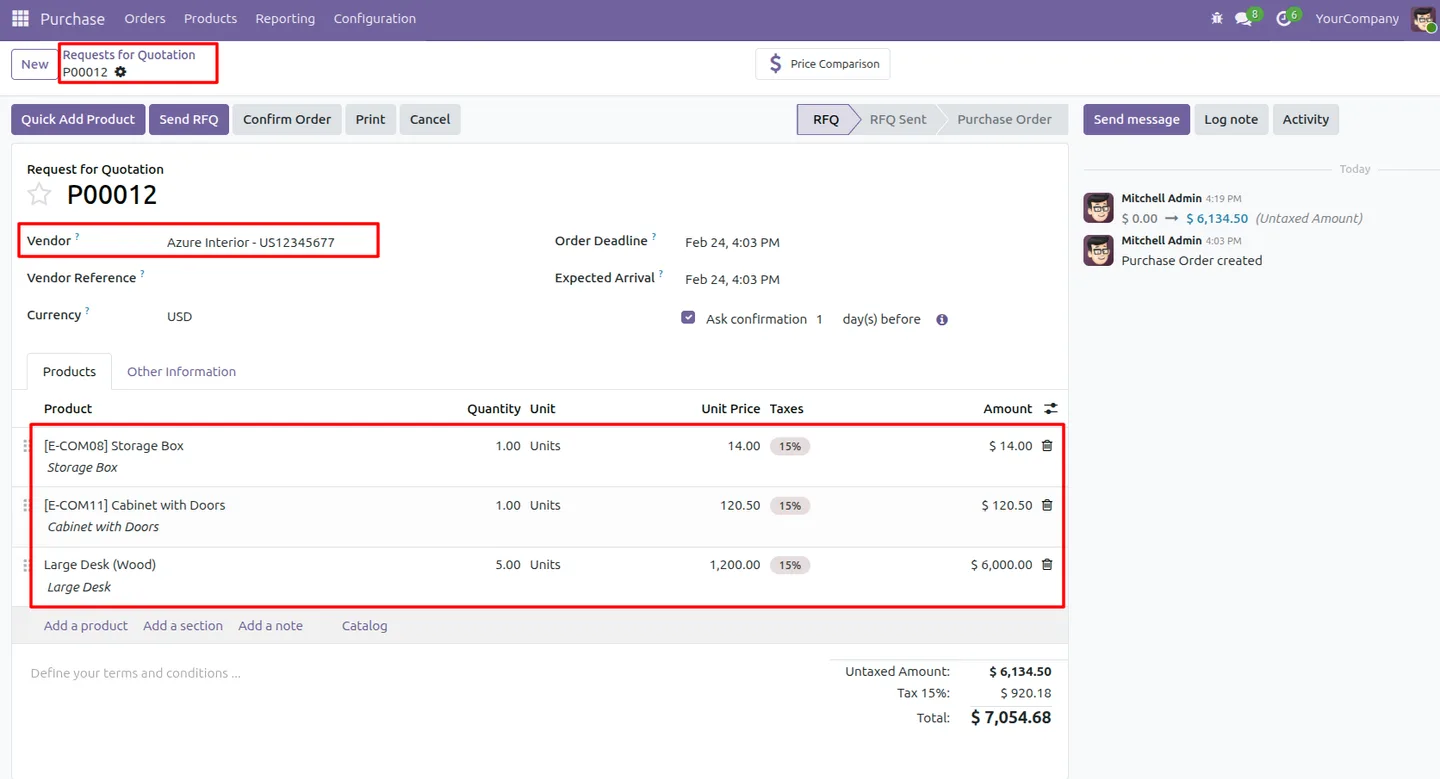
Quick Add Products to Purchase Order in Odoo
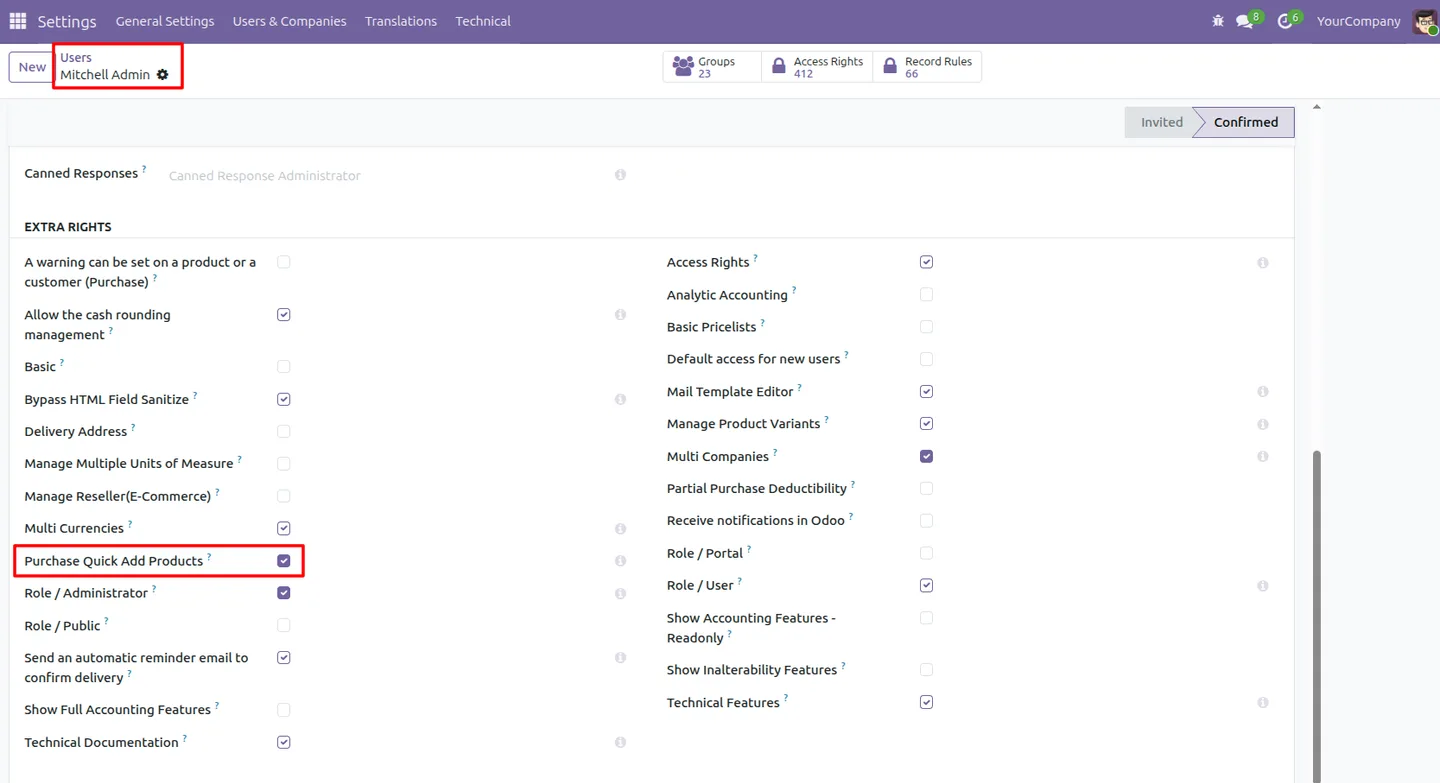
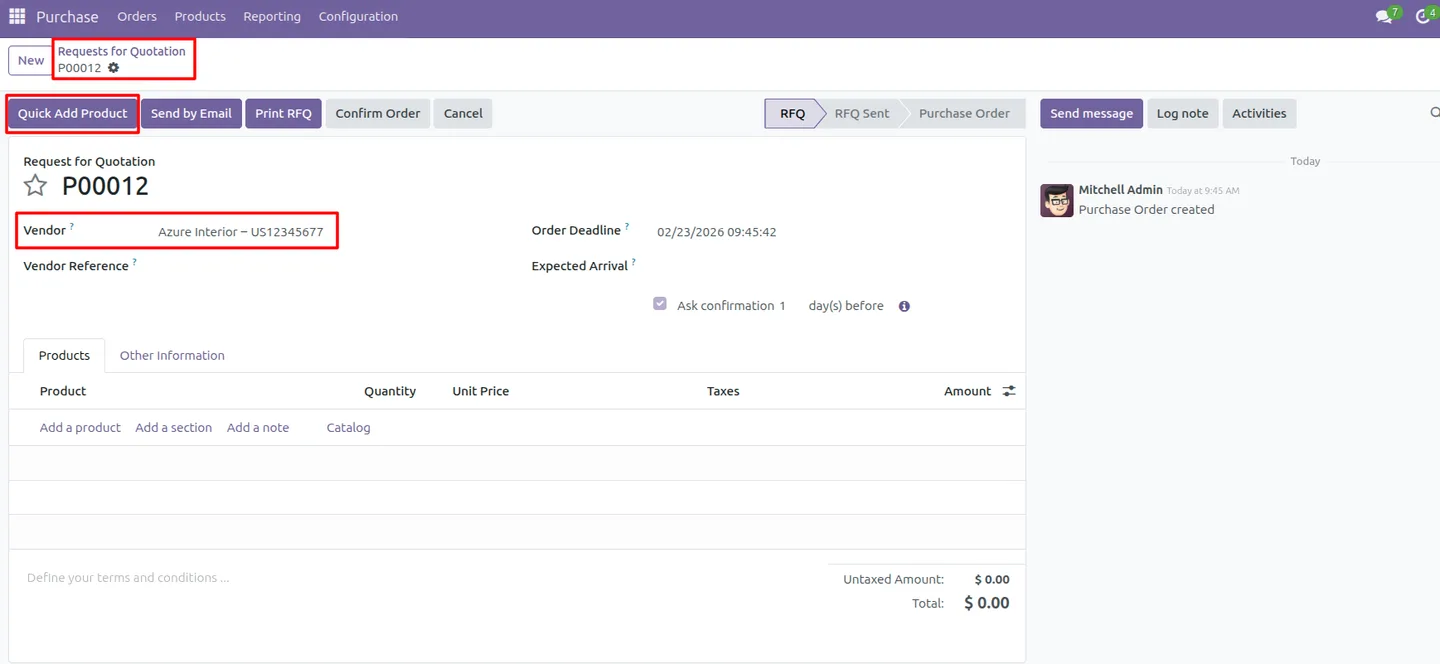
Every screen, in the order you meet it — configuration first, then the module in use.
Technical details
Specification
- Publisher
- TechUltra Solutions Private Limited
- Technical name
- purchase_quick_add_products
- Odoo versions
- 16.0, 17.0, 18.0, 19.0
- Lines of code
- 250
- License
- Odoo Proprietary License v1.0 (OPL-1)
- Price
- Free
Deployment
- Odoo Online
- Odoo.sh
- On-premise
Odoo dependencies
- Purchase
- Invoicing
- Discuss
Support
90 days of bug-fix support, Monday to Friday (10:00–19:00 IST). Raise a ticket at support@techultra.in.
Setup & configuration
From install to first call — here is the path.
- 1
Install the module
In Odoo, open Apps, remove the Apps filter, search for “Quick Add Products to Purchase Order”, and click Install.
- 2
Check user access
Confirm the buyers who will use the feature have Purchase access, since the Quick Add Products action is controlled by user-level permissions.
- 3
Open a purchase order
Create a new purchase order or open an existing draft, and select the vendor so the module can read the right vendor pricing.
- 4
Quick-add products
Open the Quick Add Products dialog, select the products you need, and set a quantity for each one.
- 5
Confirm the selection
Confirm the dialog. The module creates the order lines, applies vendor or cost pricing, and skips any product left at zero quantity.
Frequently asked questions
-
How does Quick Add Products speed up purchase orders?
It replaces line-by-line entry with a single dialog. You select multiple products, set their quantities, and confirm once — the module then creates all the order lines together.
-
How is pricing applied to the added lines?
The module reads vendor-specific price rules, including quantity-based pricing tiers, and applies the correct price per line based on the ordered quantity.
-
What happens if a product has no vendor price?
When no matching vendor pricelist is found, the module falls back to the product's cost price, so the order line is never left blank or at zero.
-
Are products with no quantity added to the order?
No. The module skips any product left with a zero quantity, so the dialog only adds lines you actually intend to order.
-
Does it change Odoo's standard purchase process?
No. The module is fully integrated with the standard purchase workflow and does not override core purchasing logic — it simply adds a faster way to create order lines.
-
Which Odoo versions are supported?
The module supports Odoo 16.0, 17.0, 18.0, and 19.0, in both the Community and Enterprise editions.
-
Is the module really free?
Yes. Quick Add Products to Purchase Order is published free on the Odoo App Store under the Odoo Proprietary License v1.0 (OPL-1).
-
Is support included?
Yes. The module includes 90 days of bug-fix support, Monday to Friday, 10:00–19:00 IST.
Related solutions
Whole-platform solutions that complement Quick Add Products to Purchase Order.
Odoo Purchase
Odoo Purchase module — RFQ, PO, supplier portal, three-way match, blanket PO, drop-ship, sub-contracting. Integrated with Inventory + MRP + Accounting.
Odoo Inventory + Warehouse Management
Odoo Inventory module — multi-warehouse, batch/serial, putaway, barcode, replenishment, cross-docking, dropship, consignment. Full WMS in your ERP.
Related services
Get the most out of this module with senior TechUltra consultants.
Odoo Customization Services
Tailored Odoo customizations from a Gold Partner — 200+ projects, upgrade-safe patterns, fixed-scope quotes, senior consultants. Free demo consultation.
Hire Odoo Developers
Hire certified Odoo developers from a Gold Partner — 400+ implementations, 92% satisfaction, Odoo since 2016. Silver / Gold / Platinum packages, free trial.
Odoo Support & Maintenance
Odoo Gold Partner support — 24/7 functional, technical, and server coverage for Enterprise and Community editions. Fast turnaround, free consultation.







