
Odoo App · Website & eCommerce
Hide Out-of-Stock Variants
Disable unavailable product variants on the Odoo website so customers can't order what isn't in stock.

Overview
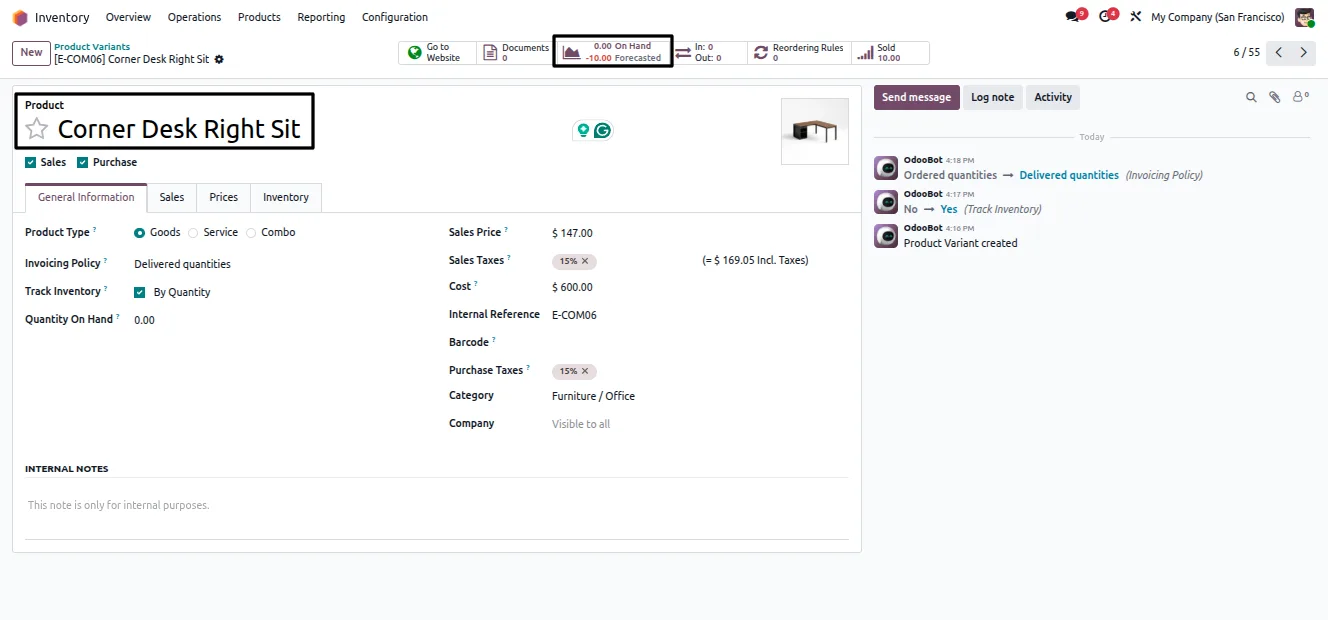
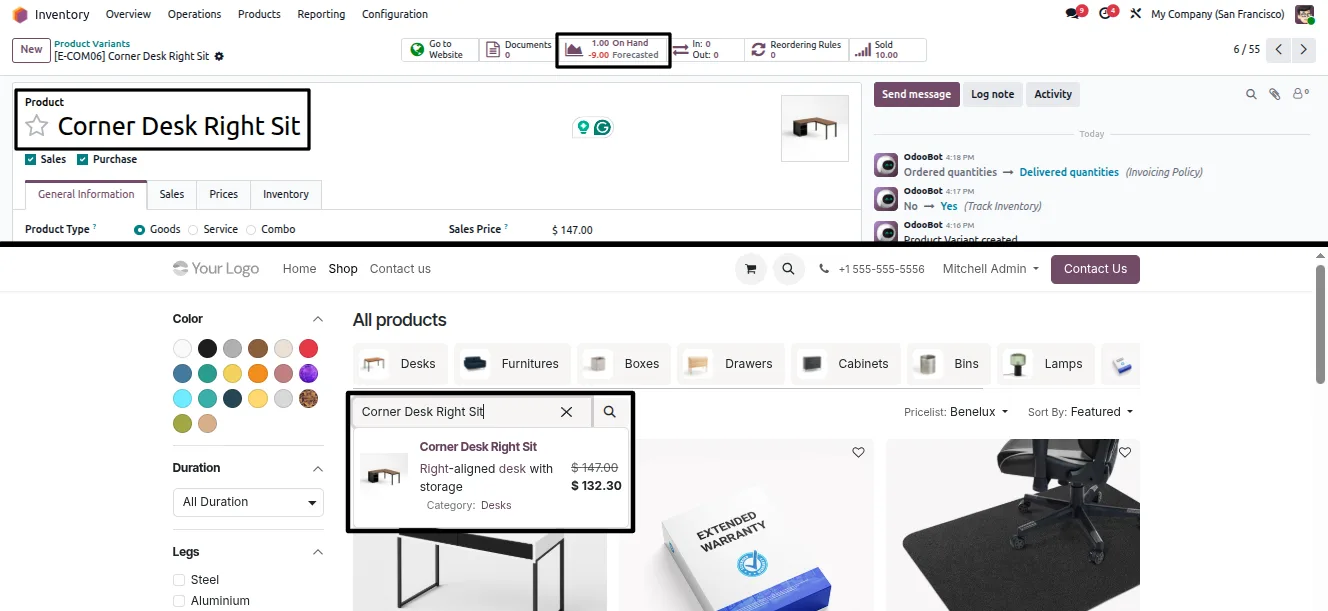
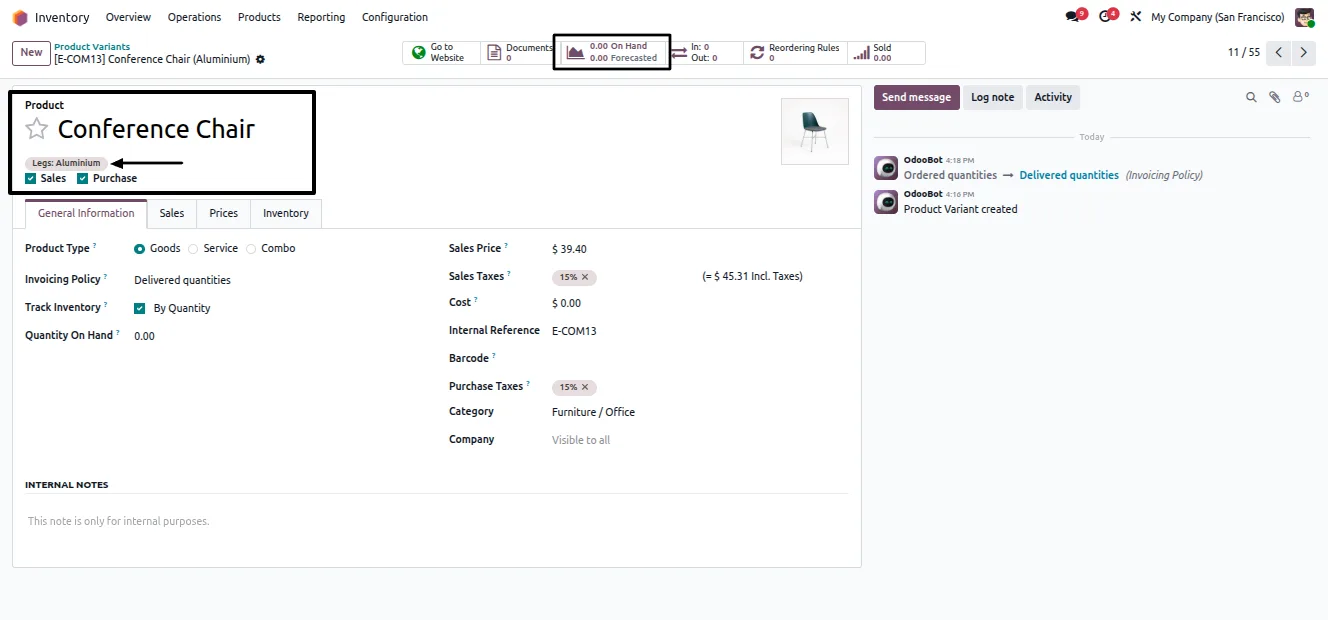
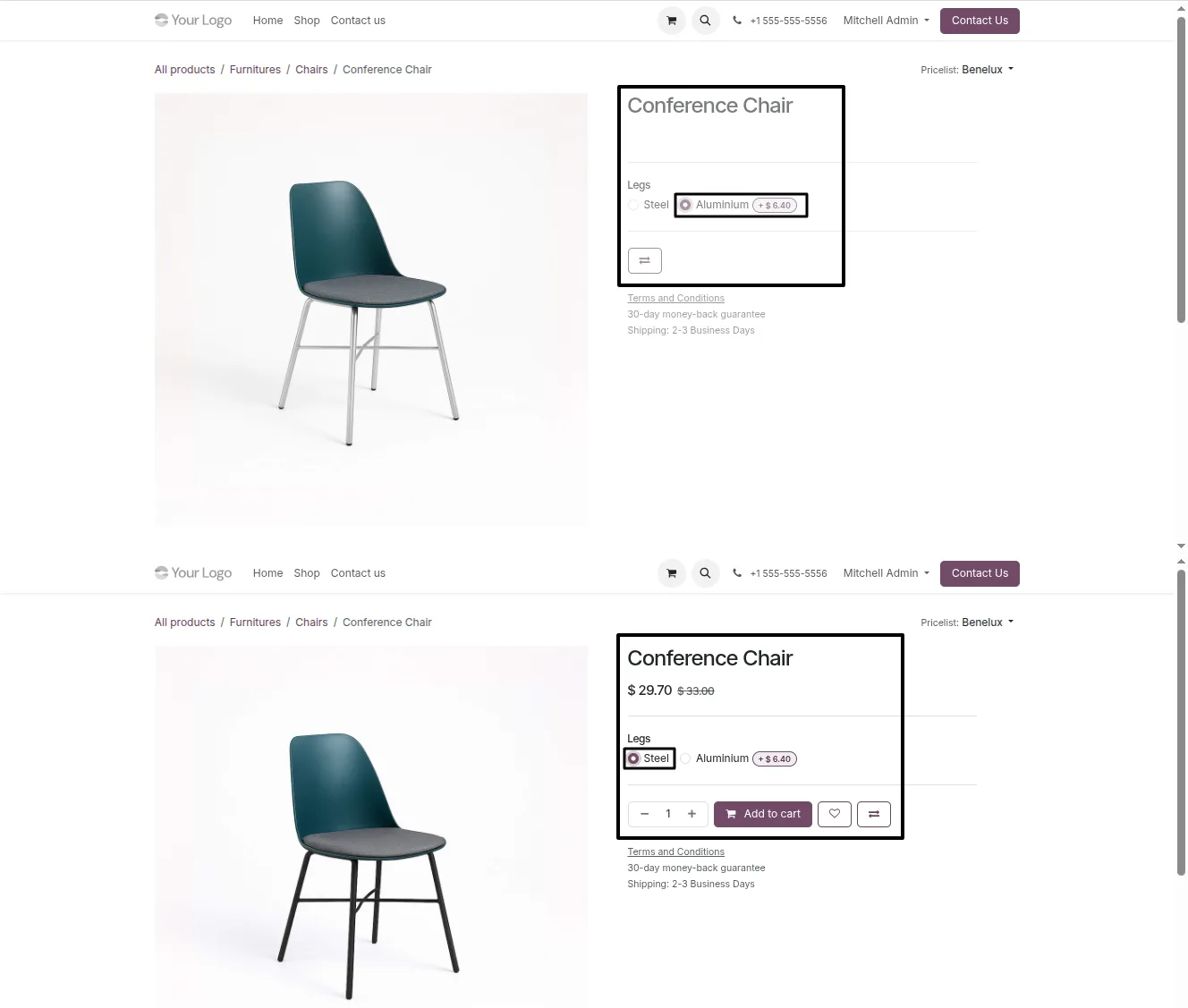
Hide Out-of-Stock Variants stops customers from ordering product variants you cannot fulfil. When a variant — a specific size, colour, or other combination — has zero available quantity, the module disables it on the website so it cannot be selected or added to the cart.
Built by TechUltra Solutions, the module keeps the parent product visible in the shop. Shoppers still find the product and buy the variants that are in stock; only the unavailable combinations are blocked. That avoids orders you cannot ship and the refunds and support tickets that follow.
The behaviour is a single toggle in Website settings, and it works alongside the standard Website Sale and Website Sale Stock apps. An optional setting goes further and hides entire products that have zero inventory across every variant.
Key features
-
Automatic variant disabling
Product variants with zero available quantity are disabled on the website automatically, with no manual archiving or unpublishing per variant.
-
Cart prevention
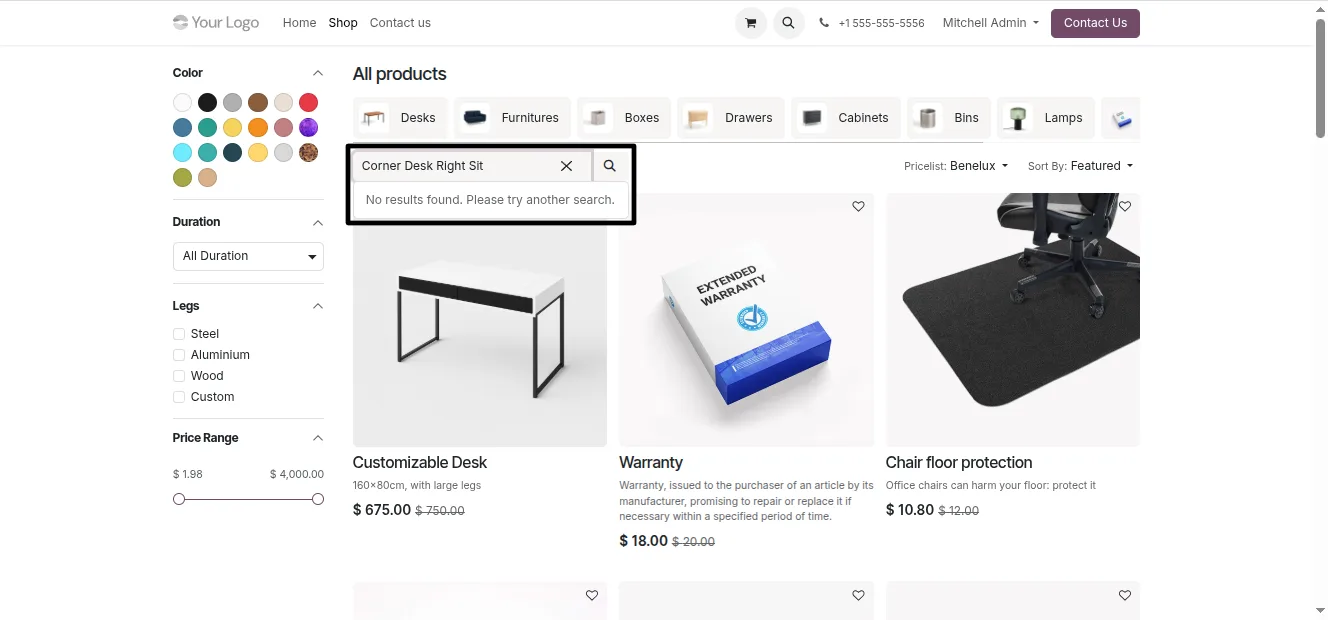
Out-of-stock variants cannot be added to the cart, so customers never place an order for a combination you cannot ship.
-
Products stay visible
The parent product remains visible in the shop. Only the unavailable variants are blocked, so customers still find and buy what is in stock.
-
Website settings toggle
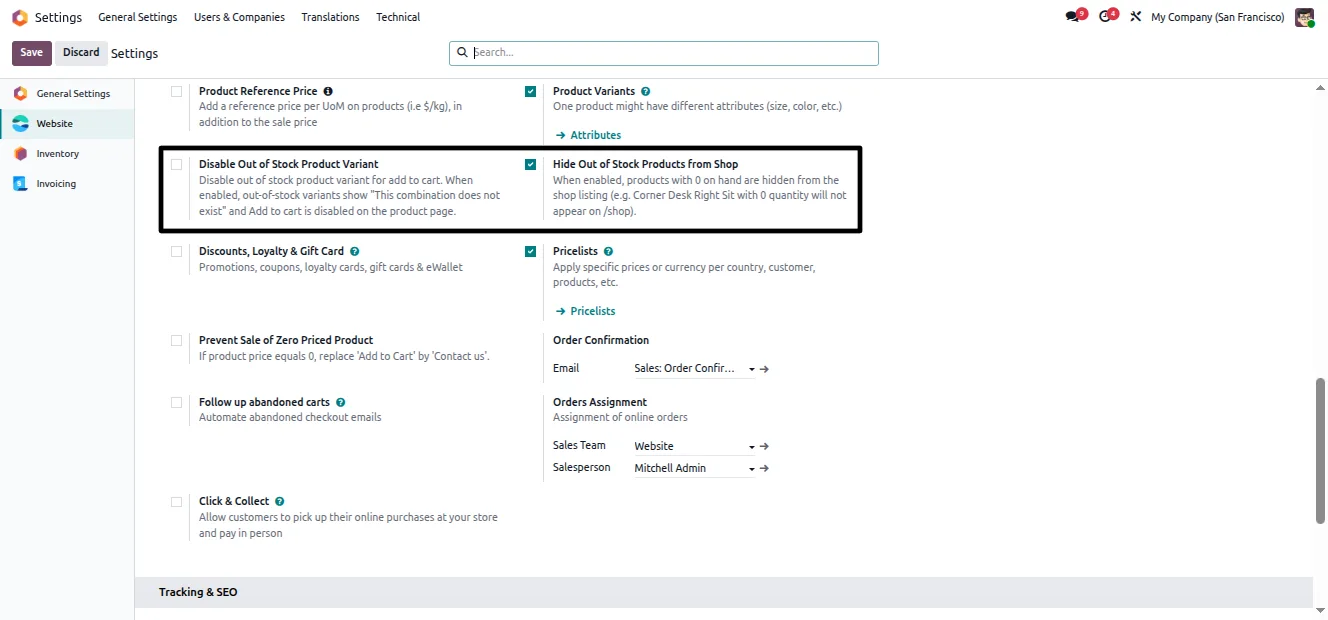
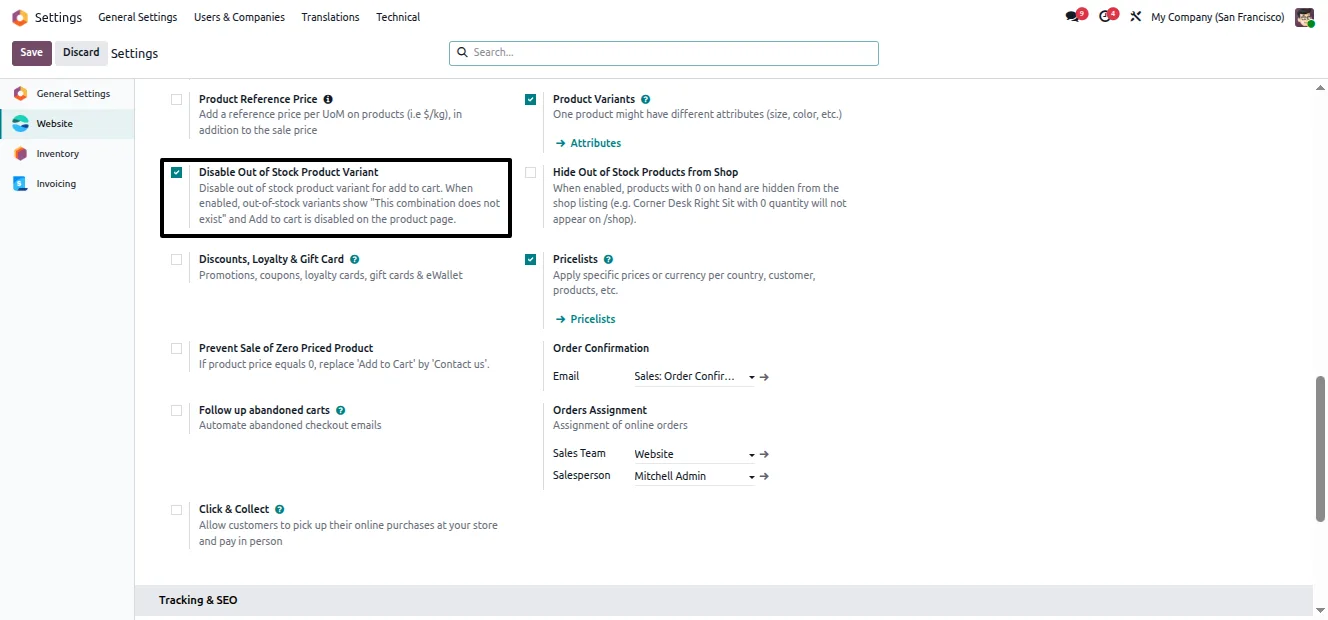
The whole feature is one switch in Website settings — “Disable Out-of-Stock Product Variants” — that you turn on or off without any code.
-
Optional product hiding
An extra setting hides entire products from the shop when every variant has zero inventory, keeping the catalogue clean during stock-outs.
-
Website Sale Stock integration
The module works alongside the standard Website Sale and Website Sale Stock apps, building on Odoo's existing eCommerce stock handling.
-
Better customer experience
By blocking only the combinations you cannot fulfil, the storefront avoids failed orders, refunds, and the support tickets that follow them.
Hide Out-of-Stock Variants in Odoo
Every screen, in the order you meet it — configuration first, then the module in use.
Technical details
Specification
- Publisher
- TechUltra Solutions Private Limited
- Technical name
- website_sale_disable_out_of_stock_variant
- Odoo versions
- 16.0, 17.0, 18.0, 19.0
- Lines of code
- 163
- License
- Odoo Proprietary License v1.0 (OPL-1)
- Price
- $23 (one-time)
Deployment
- Odoo Online
- Odoo.sh
- On-premise
Odoo dependencies
- Website
- eCommerce
- Inventory
- Invoicing
- Discuss
Support
90 days of bug-fix support, Monday to Friday (10:00–19:00 IST). Raise a ticket at support@techultra.in.
Setup & configuration
From install to first call — here is the path.
- 1
Install the module
In Odoo, open Apps, remove the Apps filter, search for “Hide Out-of-Stock Variants”, and click Install.
- 2
Open Website settings
Go to Settings → Website and scroll to the eCommerce section.
- 3
Enable variant disabling
Turn on “Disable Out-of-Stock Product Variants” and click Save. Variants with zero stock are then unavailable on the storefront.
- 4
Optionally hide whole products
If you also want products with zero inventory across every variant to disappear from the shop, enable “Hide Out-of-Stock Products from Shop”.
- 5
Check the storefront
Open a product with a sold-out variant on the website and confirm the variant cannot be selected or added to the cart.
Frequently asked questions
-
Does the product disappear when a variant sells out?
No. The product stays visible in the shop. Only the variant with zero available quantity is disabled, so customers can still buy the variants that are in stock.
-
What happens if a customer tries to buy an out-of-stock variant?
They cannot. The module disables the unavailable variant on the website so it cannot be selected or added to the cart.
-
Can I hide a product completely when everything is sold out?
Yes. Enable the optional “Hide Out-of-Stock Products from Shop” setting and products with zero inventory across all variants are removed from the shop.
-
How do I turn the feature on?
Go to Settings → Website, find the eCommerce section, enable “Disable Out-of-Stock Product Variants”, and save. It is a single toggle with no code required.
-
Does it work with Odoo's stock-aware eCommerce?
Yes. The module works alongside the standard Website Sale and Website Sale Stock apps and builds on Odoo's existing eCommerce stock handling.
-
Which Odoo versions are supported?
The module supports Odoo 16.0, 17.0, 18.0, and 19.0, in both the Community and Enterprise editions.
-
Is support included?
Yes. The module includes 90 days of bug-fix support, Monday to Friday, 10:00–19:00 IST.
Related solutions
Whole-platform solutions that complement Hide Out-of-Stock Variants.
Shopify + Odoo Integration
Native Shopify-to-Odoo bidirectional sync. Products, inventory, orders, customers, refunds, accounting entries in real time. Multi-store, multi-currency, B2B.
WooCommerce + Odoo Integration
Native WooCommerce-to-Odoo bidirectional sync. Products, inventory, orders, refunds, subscriptions, accounting entries. WP-Cron-free, reliable, B2B-ready.
Amazon (Seller / Vendor Central) + Odoo Integration
Native Amazon-to-Odoo sync — Seller Central (FBM/FBA), Vendor Central, multi-marketplace. Orders, inventory, fees, reimbursements reconciled to Odoo accounting.
Related services
Get the most out of this module with senior TechUltra consultants.
Odoo Customization Services
Tailored Odoo customizations from a Gold Partner — 200+ projects, upgrade-safe patterns, fixed-scope quotes, senior consultants. Free demo consultation.
Hire Odoo Developers
Hire certified Odoo developers from a Gold Partner — 400+ implementations, 92% satisfaction, Odoo since 2016. Silver / Gold / Platinum packages, free trial.
Odoo Support & Maintenance
Odoo Gold Partner support — 24/7 functional, technical, and server coverage for Enterprise and Community editions. Fast turnaround, free consultation.







