

Odoo App · Productivity
Favorite Menu Bookmark
Give each Odoo user a dropdown of bookmarked menu shortcuts for faster navigation.

Overview
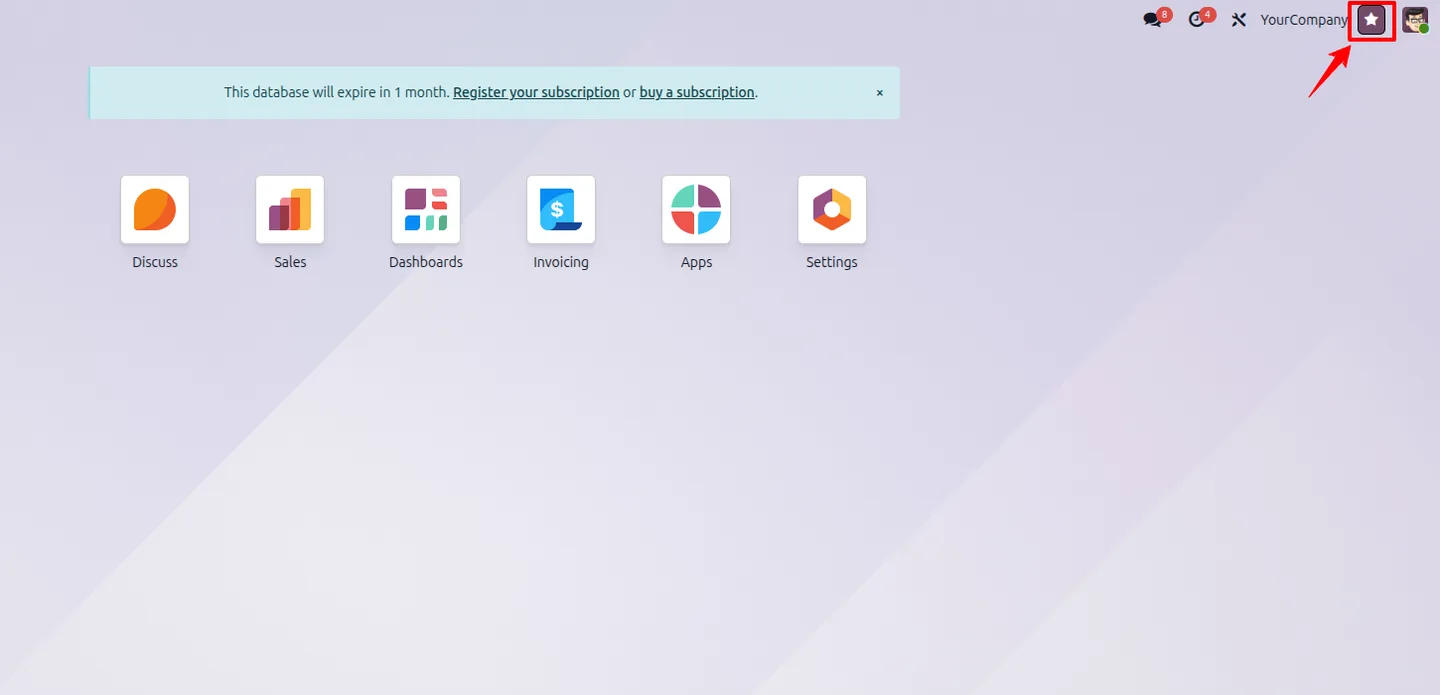
Favorite Menu Bookmark adds a personal shortcuts dropdown to Odoo. Each user picks the menu items they use most, and those bookmarks appear in a quick-access panel in the top-right of the interface.
Built by TechUltra Solutions, the module saves users from clicking through deep menu hierarchies to reach a frequently used screen. Bookmarks are set on the user's Preferences, and administrators can configure them for several users when rolling the module out.
The module is lightweight and respects Odoo's permission model — a bookmarked menu still follows the user's normal access rights. The result is faster navigation with no change to how Odoo's menus or security otherwise work.
Key features
-
Per-user menu bookmarks
Each user keeps their own set of bookmarked menu items, tailored to the screens that person uses most often.
-
Quick-access dropdown
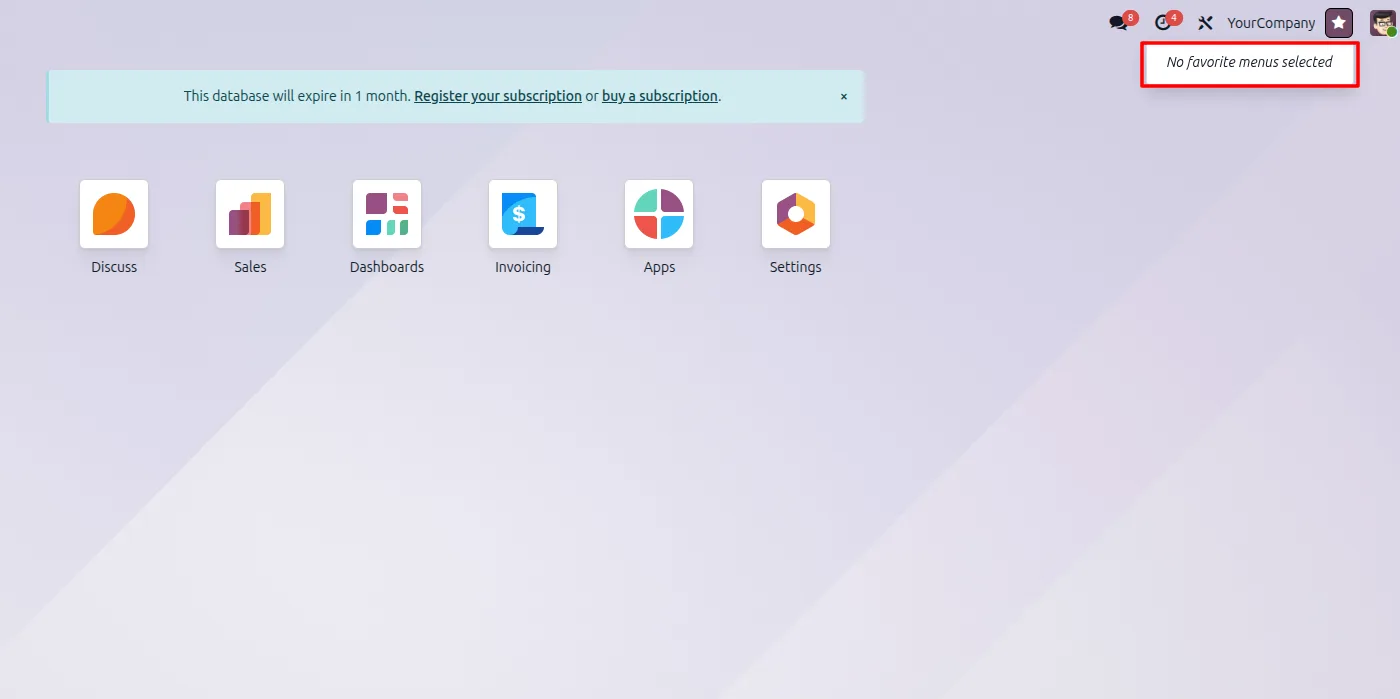
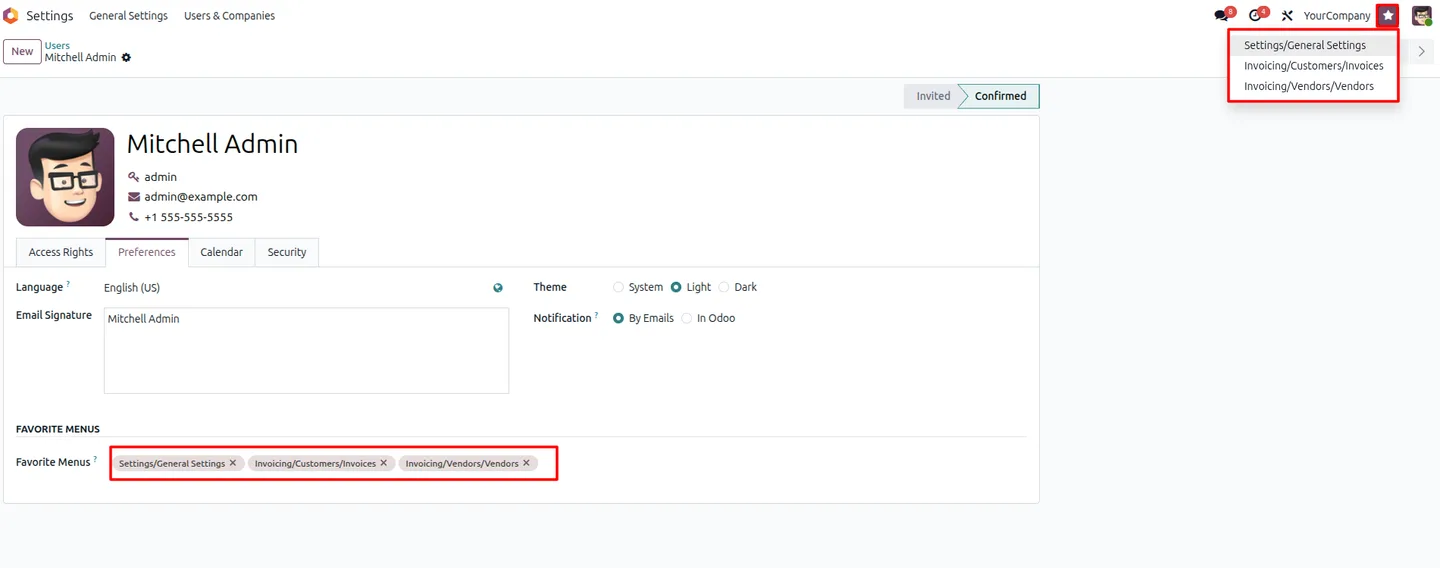
Bookmarked menus appear in a dedicated dropdown in the top-right of the Odoo interface, available from anywhere in the app.
-
Faster navigation
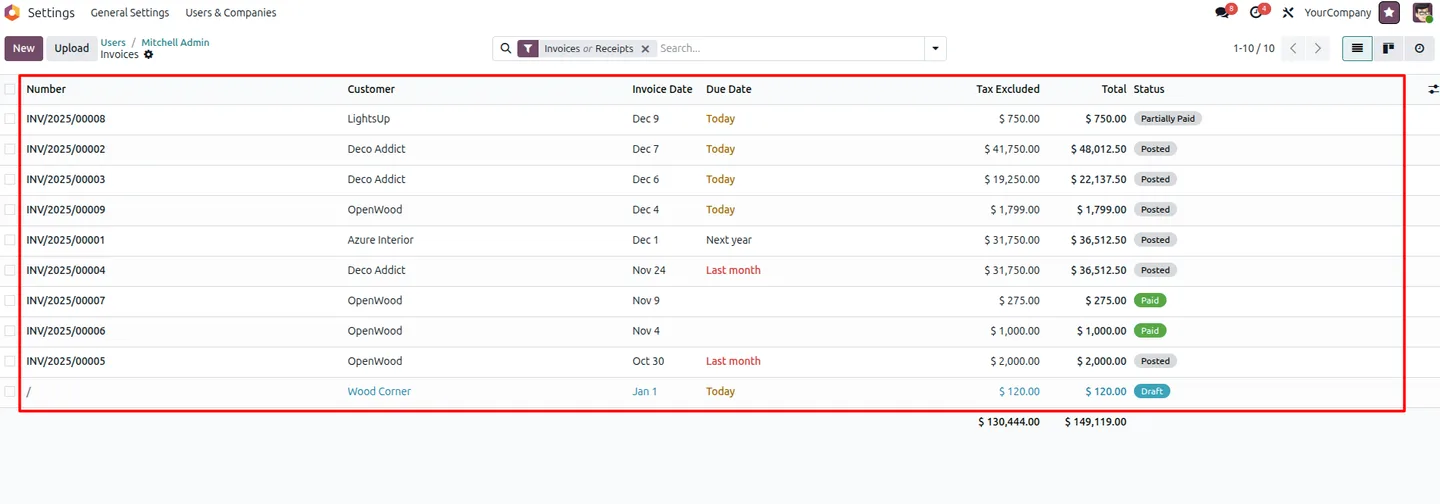
Users jump straight to frequently used screens instead of clicking through nested menu hierarchies to find them.
-
Bulk assignment for admins
Administrators can configure bookmarks for multiple users, which makes it easy to set up shortcuts when rolling the module out to a team.
-
Respects user permissions
Bookmarked menus follow the user's normal access rights, so the dropdown only ever shows screens the user is allowed to open.
-
Lightweight and fast
The module is small and efficient — 104 lines of code — so it adds the shortcuts panel with minimal impact on Odoo's performance.
Favorite Menu Bookmark in Odoo
Every screen, in the order you meet it — configuration first, then the module in use.
Technical details
Specification
- Publisher
- TechUltra Solutions Private Limited
- Technical name
- favorite_menu_bookmark
- Odoo versions
- 16.0, 17.0, 18.0, 19.0
- Lines of code
- 104
- License
- Odoo Proprietary License v1.0 (OPL-1)
- Price
- Free
Deployment
- Odoo Online
- Odoo.sh
- On-premise
Odoo dependencies
- Web
Support
90 days of bug-fix support, Monday to Friday (10:00–19:00 IST). Raise a ticket at support@techultra.in.
Setup & configuration
From install to first call — here is the path.
- 1
Install the module
In Odoo, open Apps, remove the Apps filter, search for “Favorite Menu Bookmark”, and click Install.
- 2
Open a user's preferences
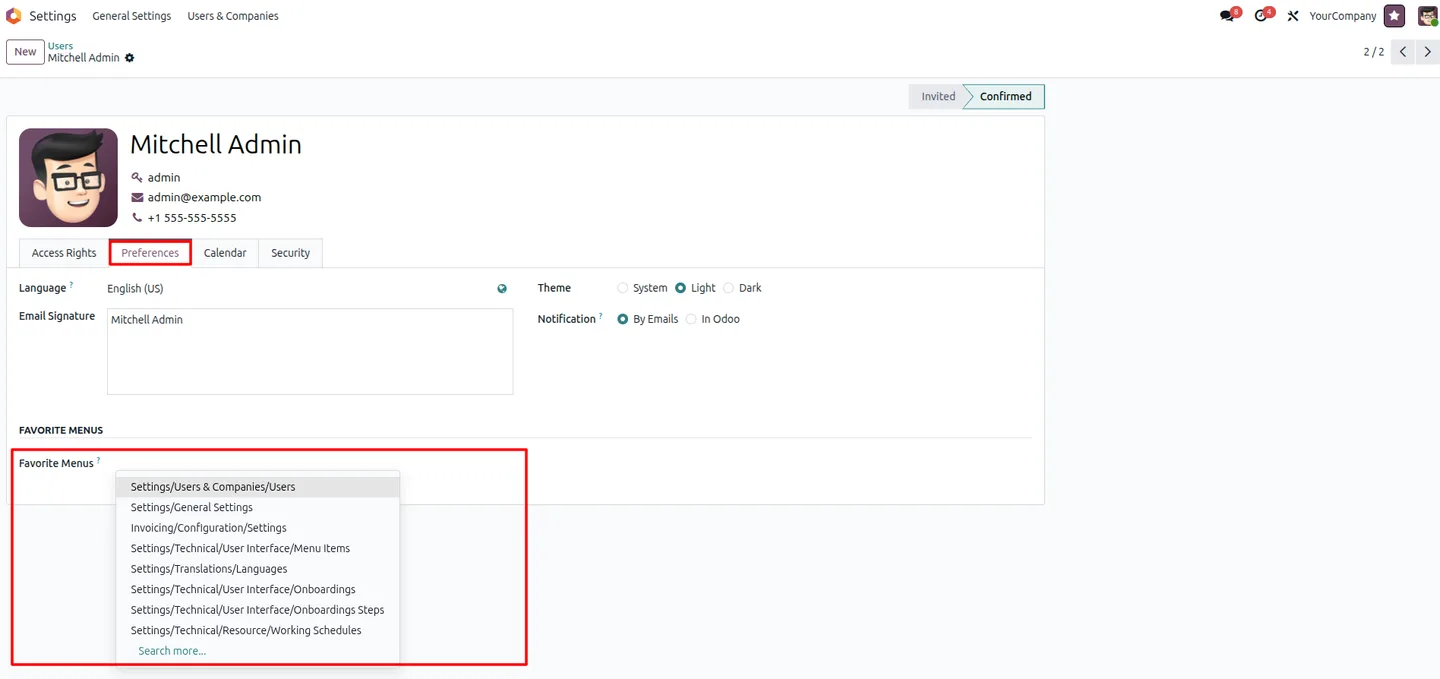
Go to Settings → Users & Companies → Users, select a user, and open the Preferences tab.
- 3
Choose the favorite menus
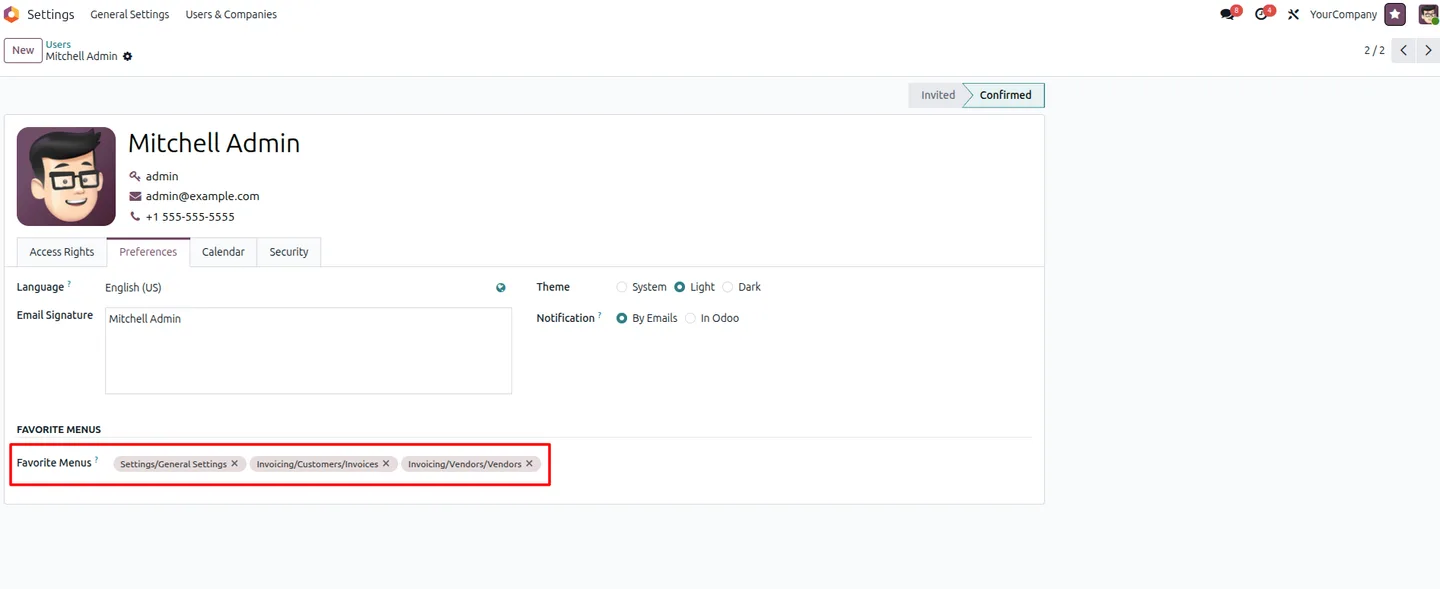
Find the “Favorite Menus” section and select the menu items the user should be able to reach quickly from the dropdown.
- 4
Save the configuration
Save the user record. The bookmarked menus then appear in the quick-access dropdown in the top-right of the interface for that user.
Frequently asked questions
-
What does Favorite Menu Bookmark do?
It gives each Odoo user a personal dropdown of bookmarked menu shortcuts, so they can reach frequently used screens without clicking through nested menus.
-
Is the module really free?
Yes. Favorite Menu Bookmark is published free on the Odoo App Store by TechUltra Solutions.
-
Where do bookmarked menus appear?
They appear in a quick-access dropdown in the top-right of the Odoo interface, available from any screen.
-
How are bookmarks set up?
Bookmarks are chosen in the “Favorite Menus” section of a user's Preferences tab, under Settings → Users & Companies → Users.
-
Can an administrator set bookmarks for several users?
Yes. Administrators can configure favorite menus for multiple users, which makes it quicker to set up shortcuts when rolling the module out to a team.
-
Does it respect user access rights?
Yes. Bookmarked menus follow each user's normal permissions, so the dropdown only shows screens the user is allowed to open.
-
Which Odoo versions are supported?
Favorite Menu Bookmark supports Odoo 16.0, 17.0, 18.0, and 19.0.
-
Is support included?
Yes. Even though the module is free, it includes 90 days of bug-fix support, Monday to Friday, 10:00–19:00 IST.
Related services
Get the most out of this module with senior TechUltra consultants.
Odoo Customization Services
Tailored Odoo customizations from a Gold Partner — 200+ projects, upgrade-safe patterns, fixed-scope quotes, senior consultants. Free demo consultation.
Hire Odoo Developers
Hire certified Odoo developers from a Gold Partner — 400+ implementations, 92% satisfaction, Odoo since 2016. Silver / Gold / Platinum packages, free trial.
Odoo Support & Maintenance
Odoo Gold Partner support — 24/7 functional, technical, and server coverage for Enterprise and Community editions. Fast turnaround, free consultation.







