

Odoo App · Productivity
Quick Pin for Chatter Messages
Pin important chatter messages to the top of any Odoo record.

Overview
Quick Pin for Chatter Messages fixes a small but constant problem in Odoo: important notes get buried in long chatter threads. The module lets you pin any message or log note so it stays at the top of the conversation, instead of scrolling back through dozens of entries to find it.
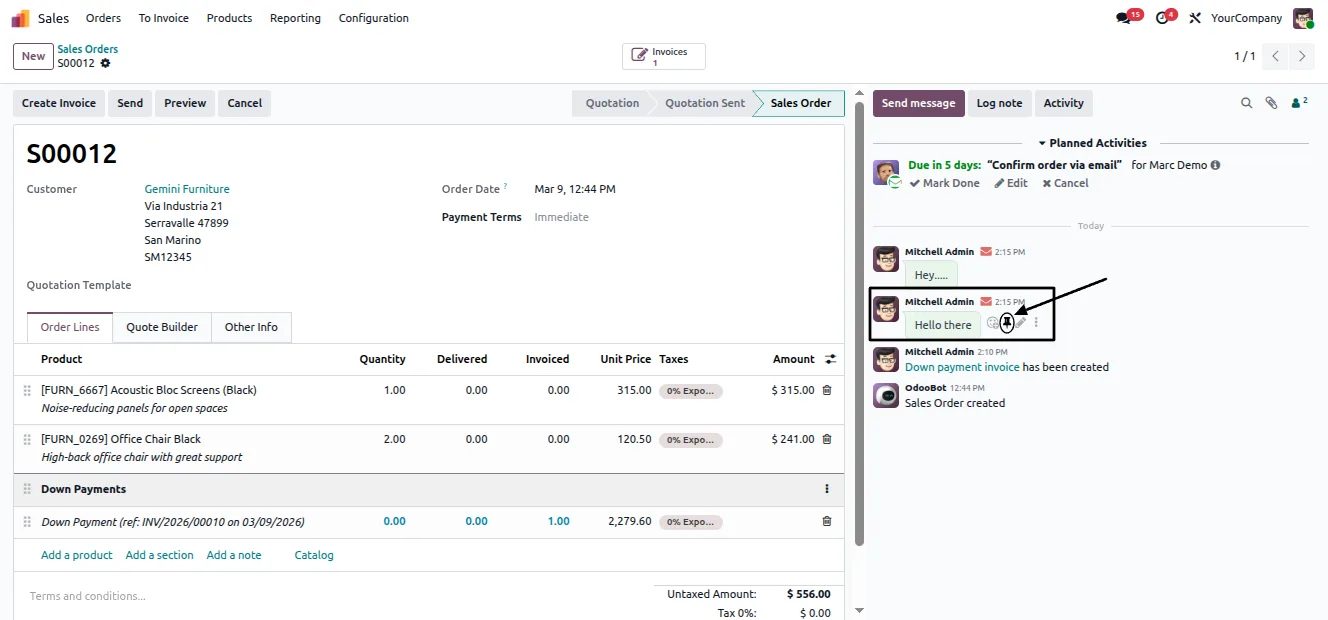
Built by TechUltra Solutions, the module adds a pin icon next to each chatter message. One click pins it, another unpins it. It works across every model that uses chatter (mail.thread) — contacts, sales orders, invoices, projects, and more — so the same behaviour is available wherever your team logs notes.
The module is built on Odoo's own infrastructure. It uses the native pinned_at field to track pinned messages and the Odoo mail bus to update the chatter in real time, with a jump button that takes you to the original message in the thread.
Key features
-
One-click pin and unpin
Pin or unpin any chatter message or log note with a single click on the pin icon — no menus, no dialogs.
-
Pinned messages stay on top
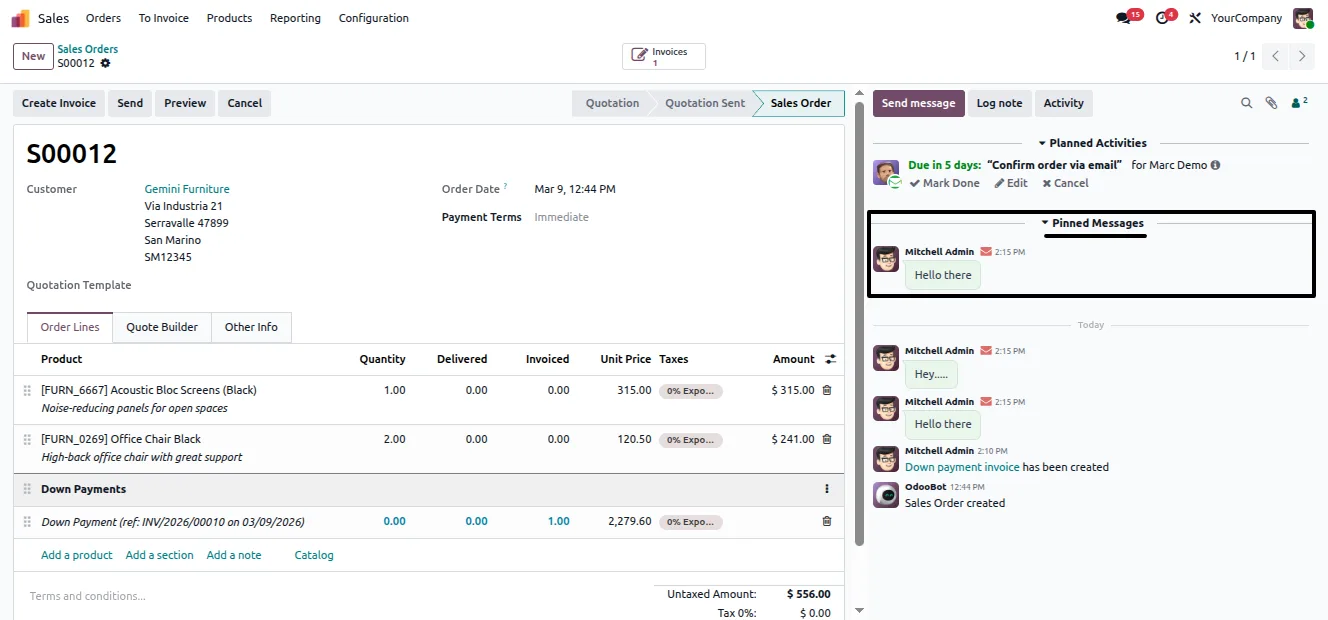
Pinned items appear at the top of the chatter, so important notes are visible without scrolling through a long thread.
-
Works on every chattered model
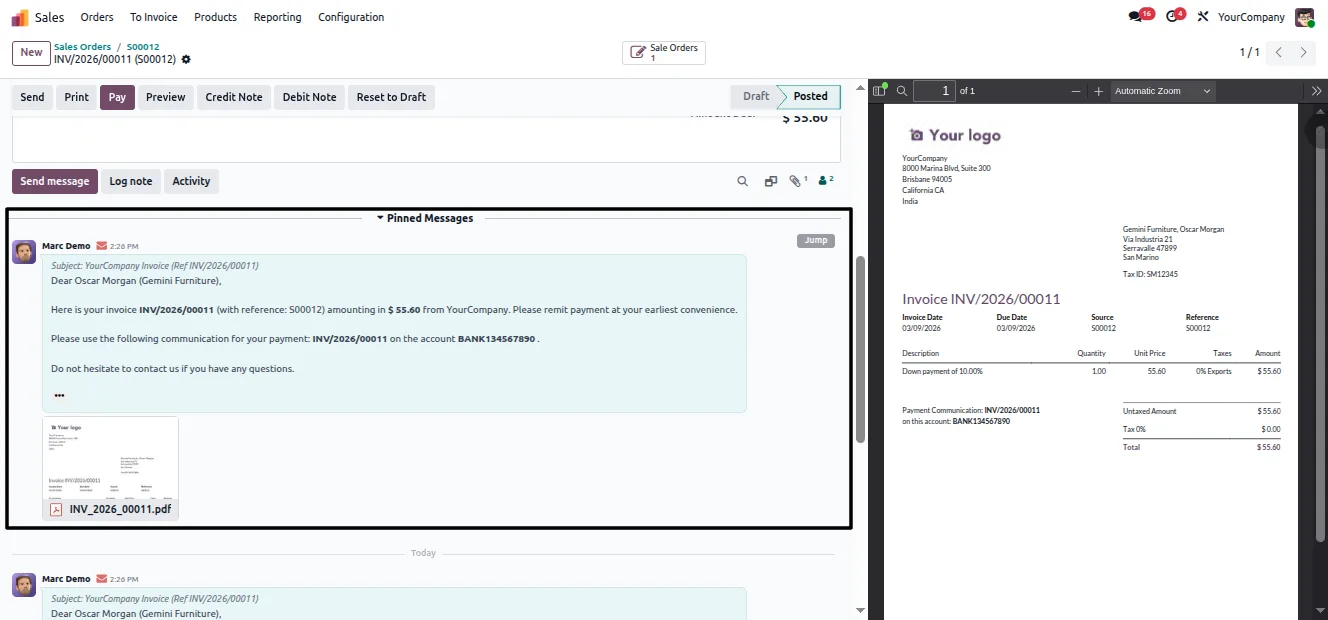
The pin works on all Odoo models that include chatter (mail.thread) — contacts, sales orders, invoices, projects, and more.
-
Native pinned_at field
Pinned state is tracked using Odoo's own native pinned_at field, so there is no extra model or custom storage to maintain.
-
Real-time updates
Pinning and unpinning update the chatter instantly through the Odoo mail bus, so every user viewing the record sees the change at once.
-
Jump to the original message
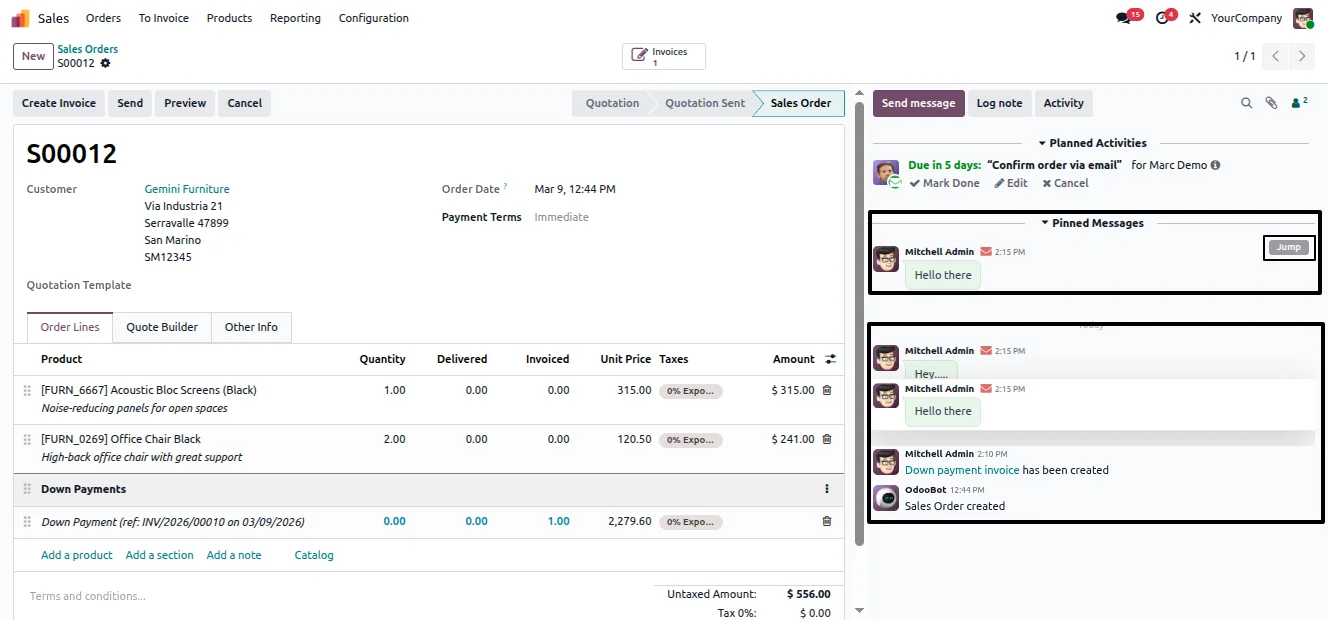
A jump button on a pinned item takes you straight to the original message in its place in the thread for full context.
-
Clearer conversation threads
Quickly identify critical notes within long chatter threads, improving the visibility of key information across records.
Quick Pin for Chatter Messages in Odoo
Every screen, in the order you meet it — configuration first, then the module in use.
Technical details
Specification
- Publisher
- TechUltra Solutions Private Limited
- Technical name
- tus_odoo_chatter_pin
- Odoo versions
- 16.0, 17.0, 18.0, 19.0
- Lines of code
- 98
- License
- Odoo Proprietary License v1.0 (OPL-1)
- Price
- Free
Deployment
- Odoo Online
- Odoo.sh
- On-premise
Odoo dependencies
- Discuss
Support
90 days of bug-fix support, Monday to Friday (10:00–19:00 IST). Raise a ticket at support@techultra.in.
Setup & configuration
From install to first call — here is the path.
- 1
Install the module
In Odoo, open Apps, remove the Apps filter, search for “Quick Pin for Chatter Messages”, and click Install.
- 2
Open a record with chatter
Open any record that has a chatter panel — a contact, sales order, invoice, or project task.
- 3
Pin a message
Click the pin icon next to a chatter message or log note. The message moves to the top of the conversation.
- 4
Unpin or jump to a message
Click the pin icon again to unpin a message, or use the jump button to go to the message in its original place in the thread.
Frequently asked questions
-
How do I pin a chatter message?
Open any record with a chatter panel and click the pin icon next to the message. The message moves to the top of the conversation. Click the icon again to unpin it.
-
Which records can I use it on?
The pin works on every Odoo model that includes chatter (mail.thread) — for example contacts, sales orders, invoices, and project tasks.
-
Does the chatter update in real time?
Yes. Pinning and unpinning are pushed through the Odoo mail bus, so anyone viewing the record sees the pinned message update immediately.
-
Does it create a separate model for pinned messages?
No. The module uses Odoo's native pinned_at field to track which messages are pinned, so there is no extra model or custom storage involved.
-
What does the jump button do?
The jump button on a pinned item takes you to the original message in its place in the thread, so you can see the surrounding conversation for full context.
-
Which Odoo versions are supported?
The module supports Odoo 16.0, 17.0, 18.0, and 19.0, in both the Community and Enterprise editions.
-
Is the module really free?
Yes. Quick Pin for Chatter Messages is published free on the Odoo App Store under the Odoo Proprietary License v1.0 (OPL-1).
-
Is support included?
Yes. The module includes 90 days of bug-fix support, Monday to Friday, 10:00–19:00 IST.
Related services
Get the most out of this module with senior TechUltra consultants.
Odoo Customization Services
Tailored Odoo customizations from a Gold Partner — 200+ projects, upgrade-safe patterns, fixed-scope quotes, senior consultants. Free demo consultation.
Hire Odoo Developers
Hire certified Odoo developers from a Gold Partner — 400+ implementations, 92% satisfaction, Odoo since 2016. Silver / Gold / Platinum packages, free trial.
Odoo Support & Maintenance
Odoo Gold Partner support — 24/7 functional, technical, and server coverage for Enterprise and Community editions. Fast turnaround, free consultation.







