
Odoo App · AI & WhatsApp
AI WhatsApp Chatbot (Enterprise)
An AI chatbot that answers WhatsApp messages from your documents, built on Odoo Enterprise WhatsApp.
Overview
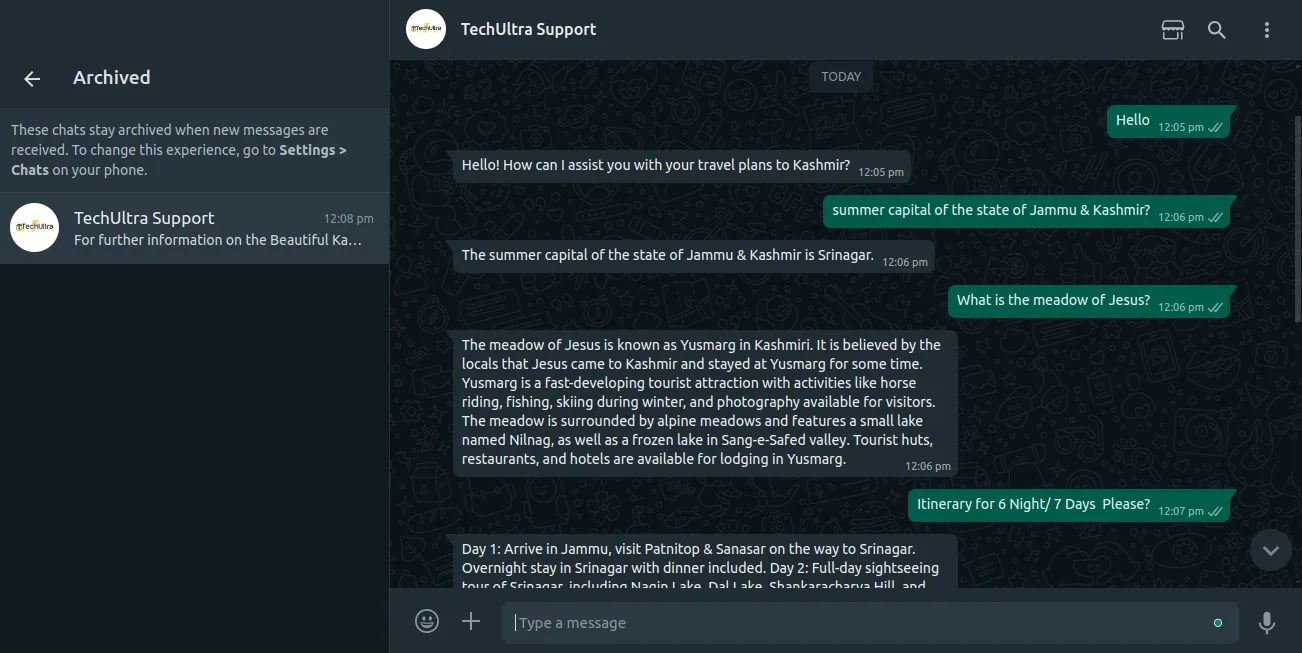
AI WhatsApp Chatbot (Enterprise) brings document-based AI answers to WhatsApp inside Odoo Enterprise. Rather than following a fixed script, the chatbot reads from documents you upload and writes a reply that matches the question.
Built by TechUltra Solutions, the module uses a Retrieval-Augmented Generation (RAG) approach: an OpenAI model extracts and understands the content of your uploaded PDFs, then generates a contextual response delivered over the WhatsApp Cloud API. It is well suited to document-heavy enquiries in travel, tourism, real estate, legal, and financial services.
This edition is built on Odoo Enterprise's native WhatsApp Messaging app, so it slots into an existing Enterprise WhatsApp setup. It supports Odoo 17 through 19, and conversations are kept in the chatbot and channel history for review.
Key features
-
Document upload
Upload PDF documents straight into Odoo to give the chatbot the source material it answers customer questions from.
-
AI-powered data extraction
An OpenAI model reads and understands the content of the uploaded documents, so answers come from your material rather than generic knowledge.
-
Retrieval-Augmented Generation
The chatbot uses a RAG approach — retrieving relevant document content and then generating a reply — to keep responses grounded in your documents.
-
Automated response generation
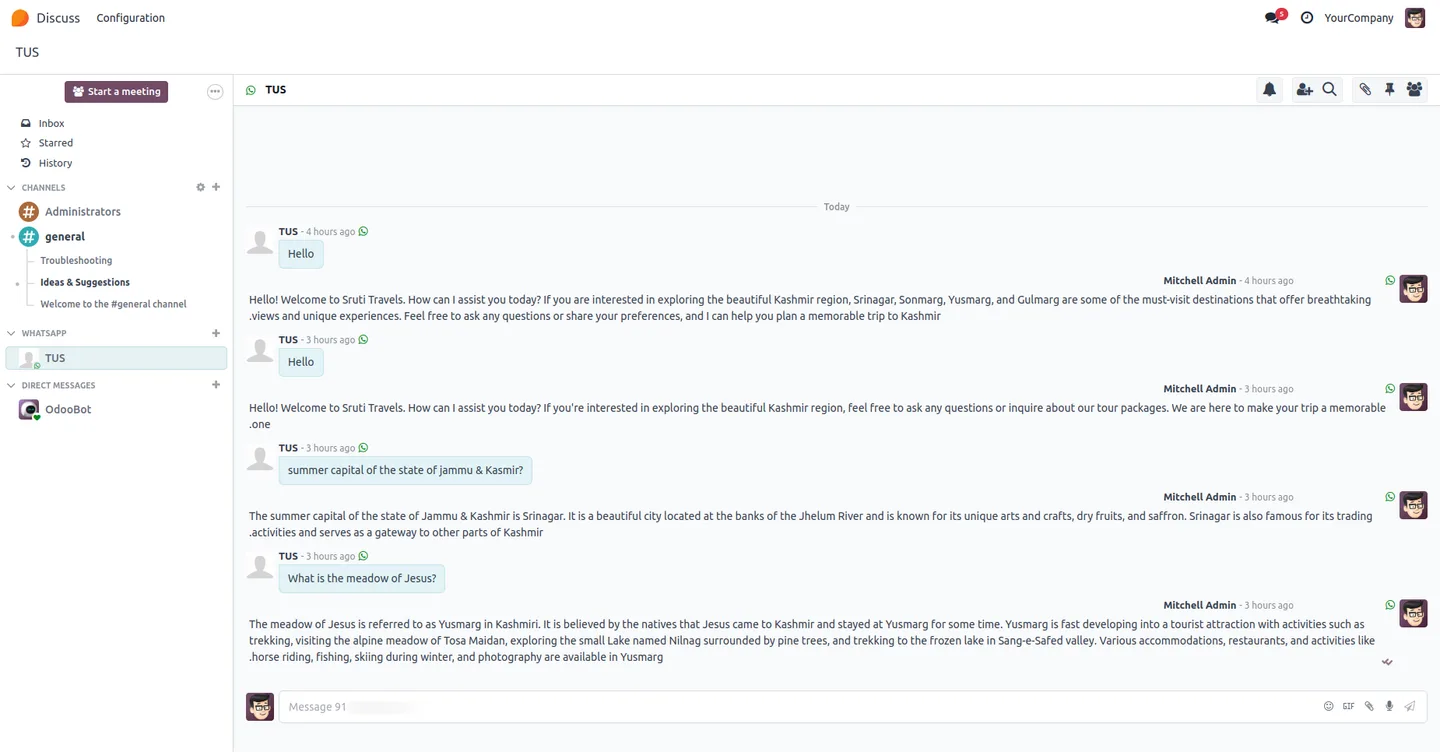
Each incoming question gets a contextual response built from the extracted data, instead of a fixed scripted answer.
-
WhatsApp Cloud API delivery
Replies are sent to customers over the official WhatsApp Cloud API, so conversations stay on the channel customers already use.
-
Built on Odoo Enterprise WhatsApp
The module extends Odoo Enterprise's native WhatsApp Messaging app, fitting into an existing Enterprise WhatsApp configuration.
-
Configurable OpenAI settings
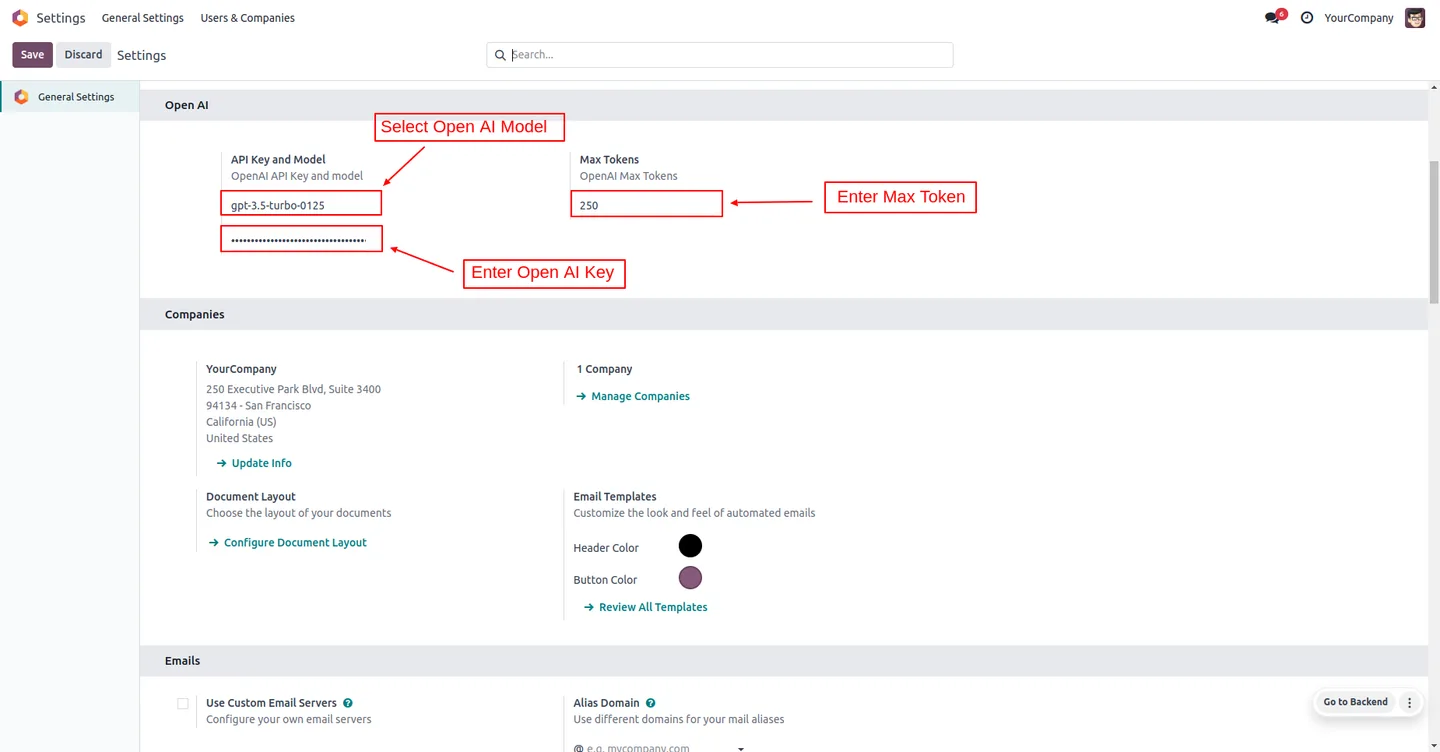
Set the OpenAI model, API key, and maximum token limit from the configuration screen to control how the chatbot responds.
-
Chatbot script setup
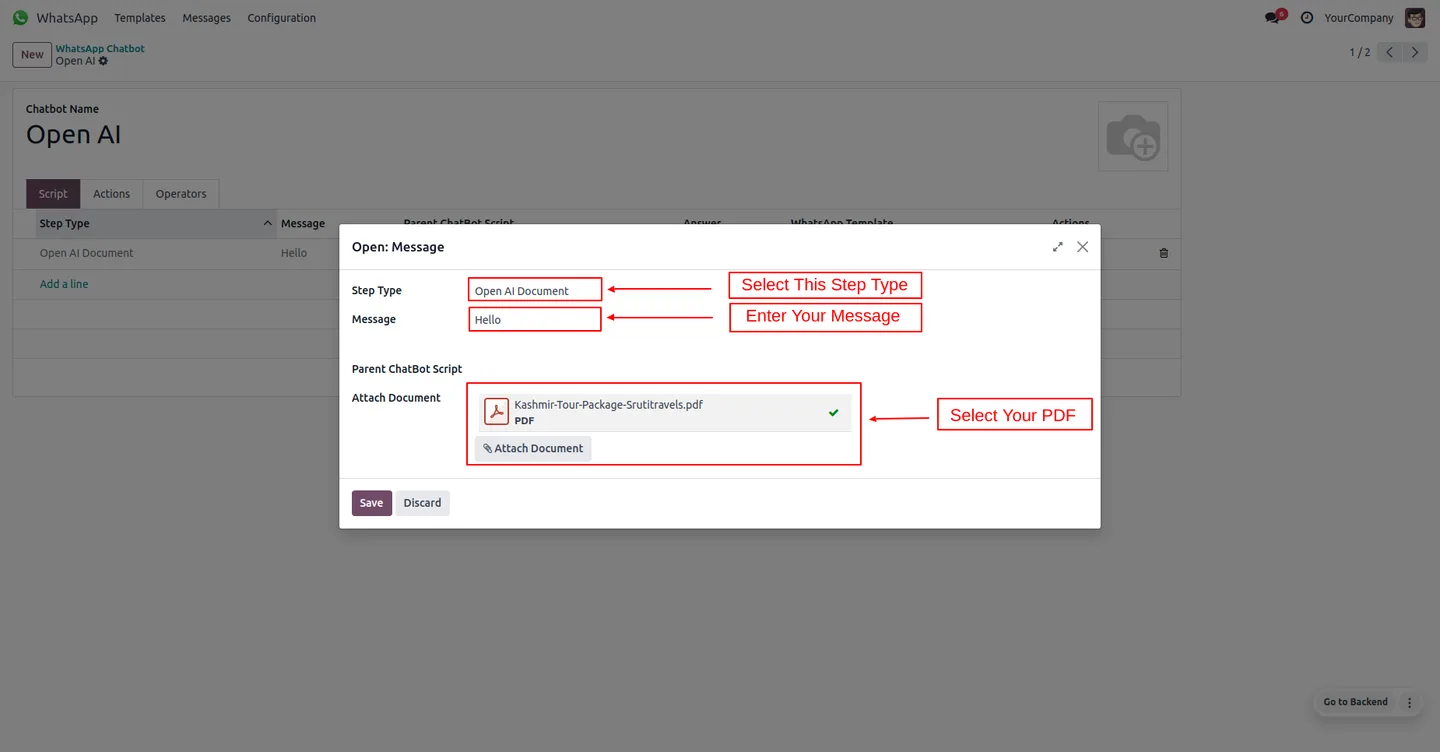
Build the chatbot script by selecting an OpenAI document, entering the message, and attaching the PDF the bot should answer from.
-
Conversation history
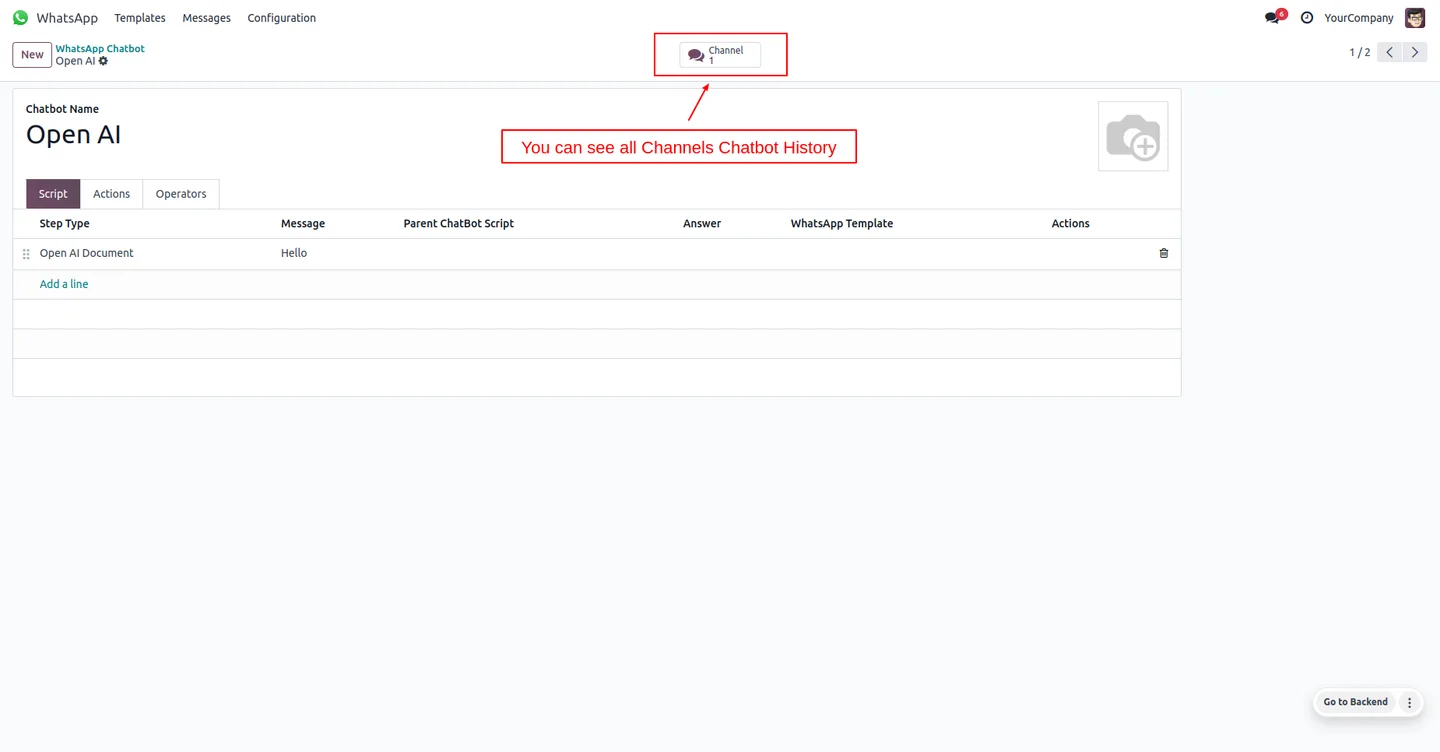
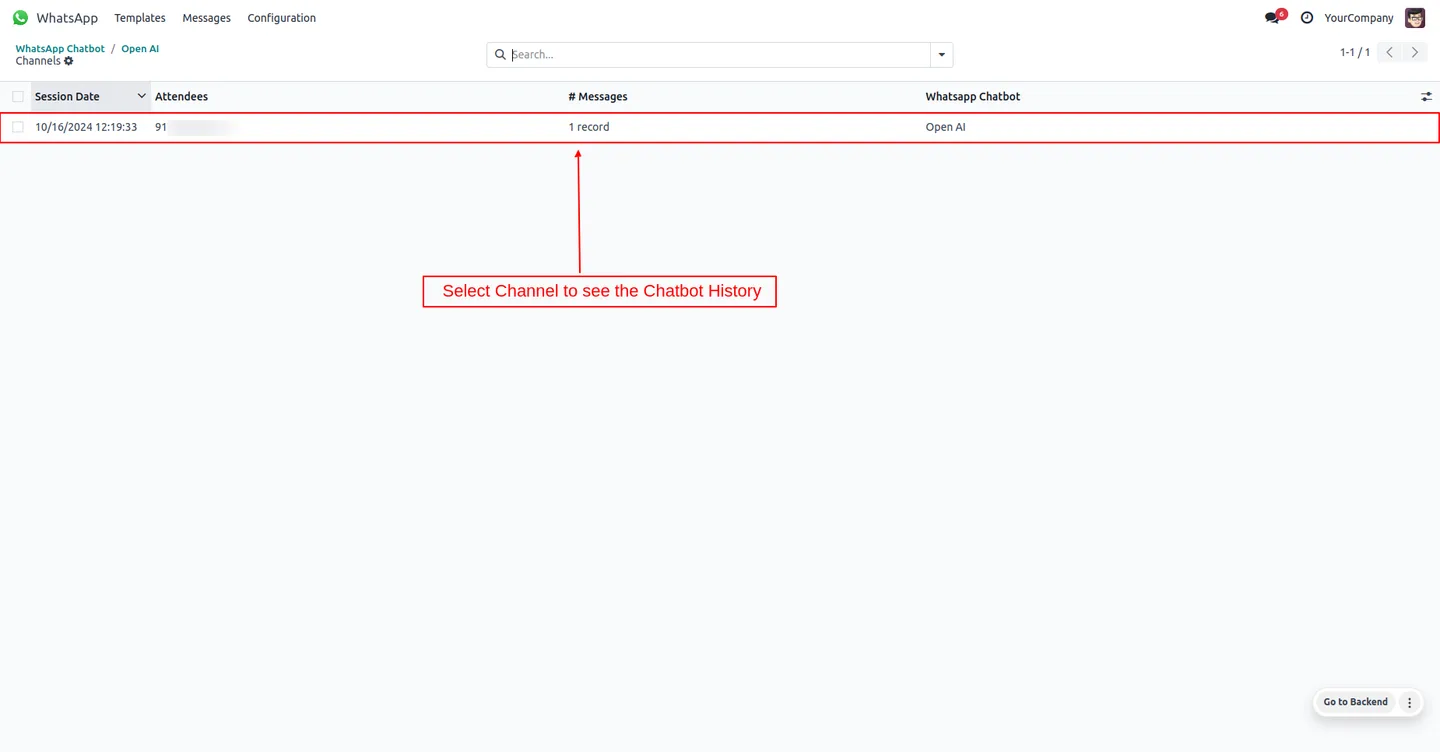
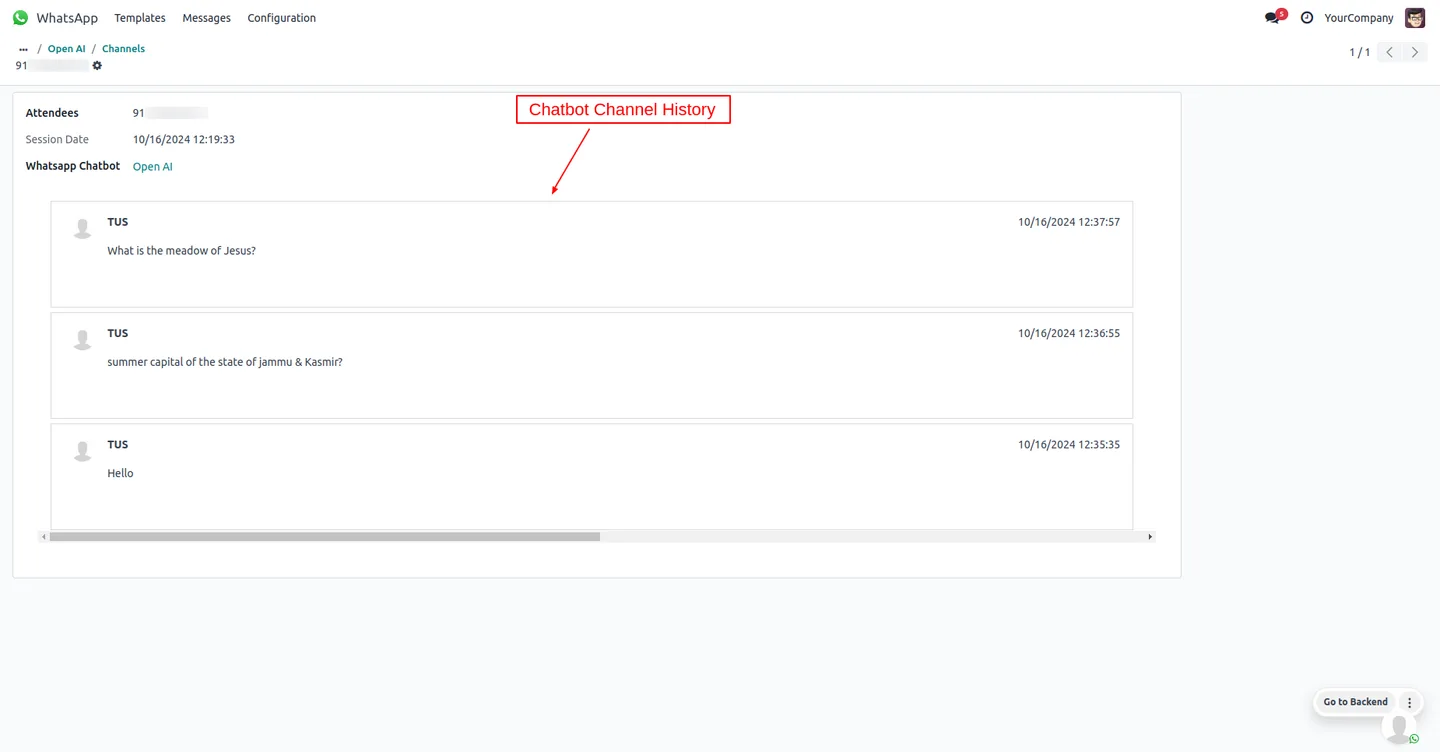
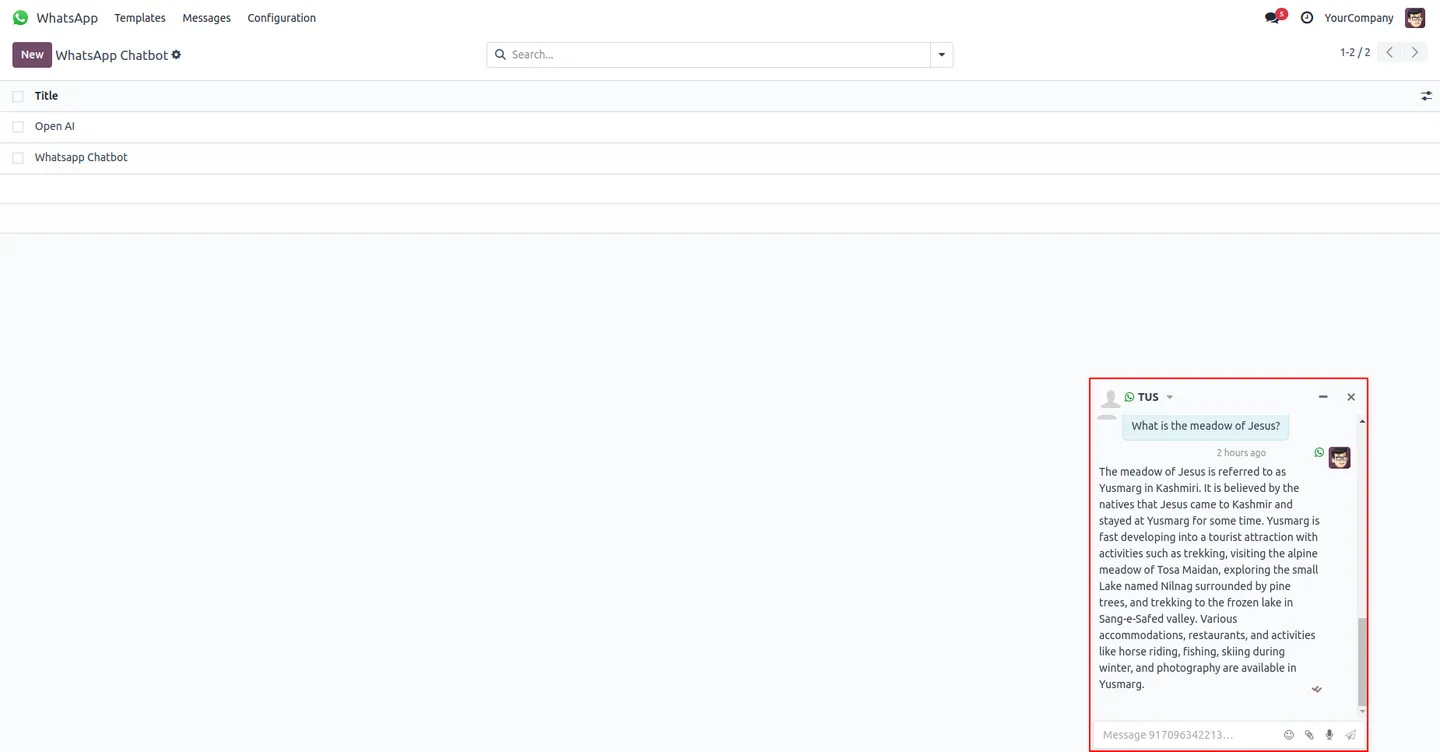
Chatbot history and channel records capture interactions, so you can review questions, replies, and chatbot performance.
AI WhatsApp Chatbot (Enterprise) in Odoo
Every screen, in the order you meet it — configuration first, then the module in use.
Technical details
Specification
- Publisher
- TechUltra Solutions Private Limited
- Technical name
- ai_whatsapp_chatbot_ent
- Odoo versions
- 17.0, 18.0, 19.0
- Lines of code
- 2,441
- License
- Odoo Proprietary License v1.0 (OPL-1)
- Price
- $216.99 (one-time)
Deployment
- Odoo Online
- Odoo.sh
- On-premise
Odoo dependencies
- WhatsApp Messaging
- Discuss
Support
90 days of bug-fix support, Monday to Friday (10:00–19:00 IST). Raise a ticket at support@techultra.in.
Setup & configuration
From install to first call — here is the path.
- 1
Install the module
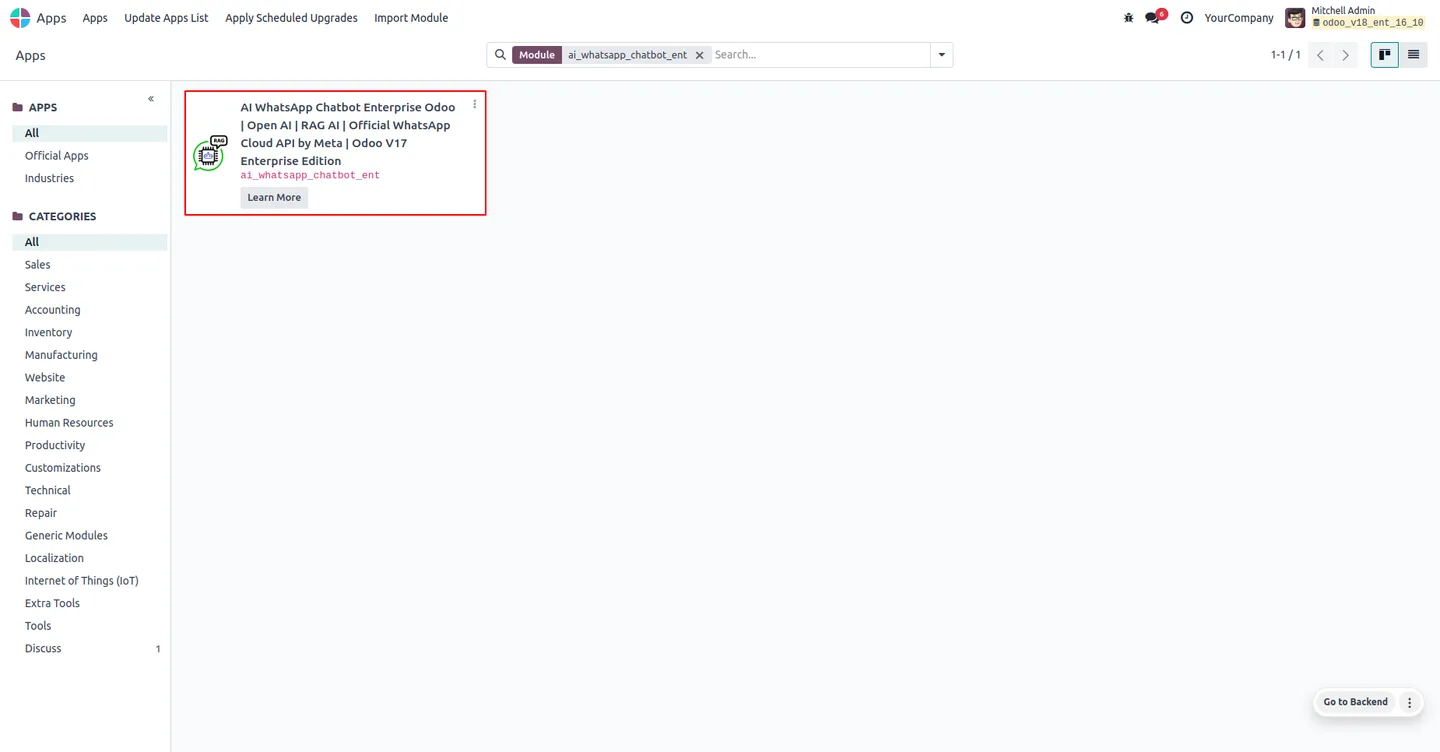
In Odoo, open Apps, remove the Apps filter, search for “AI WhatsApp Chatbot”, and install the Enterprise edition.
- 2
Configure the AI settings
In the AI WhatsApp Chatbot Configuration, enter the OpenAI model, API key, and maximum token limit, then configure the chatbot.
- 3
Select the WhatsApp chatbot
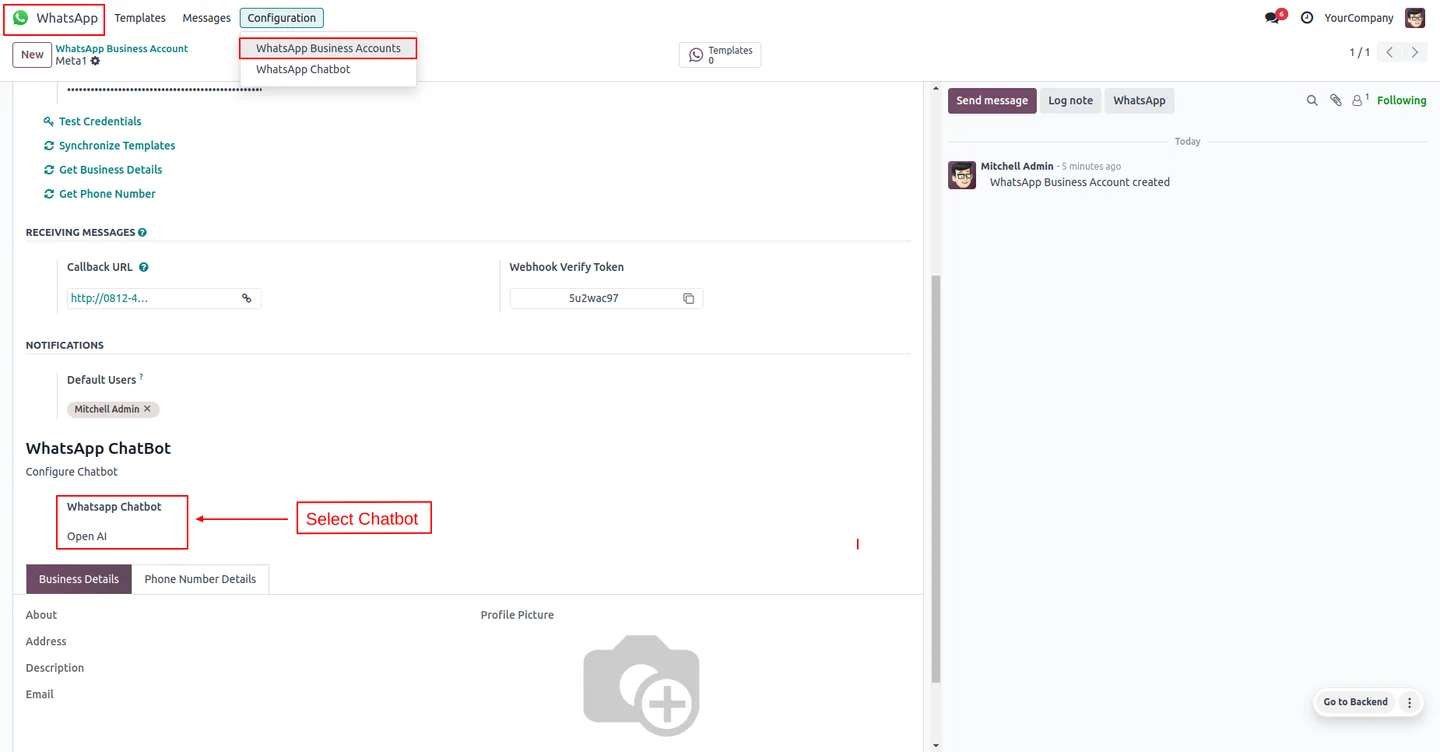
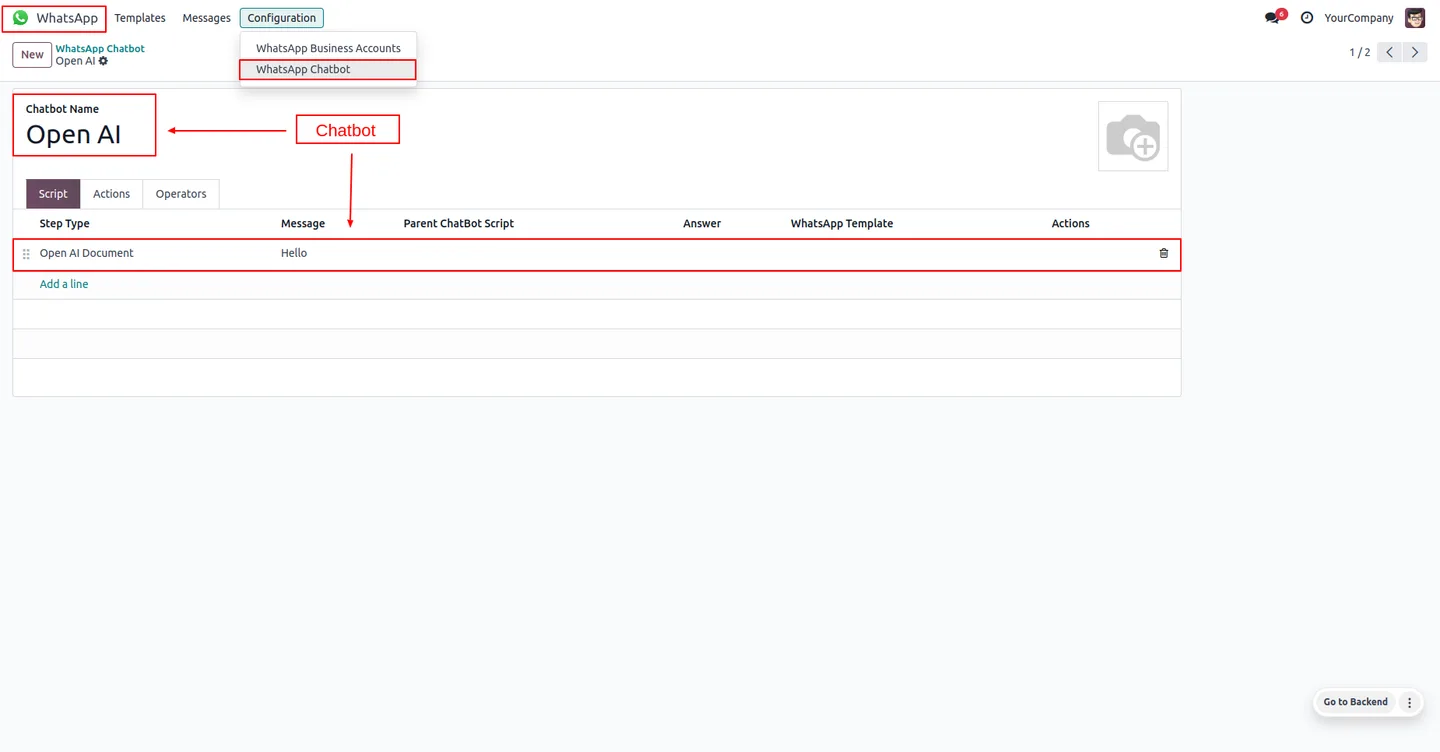
Go to WhatsApp Message → Configuration → WhatsApp Chatbot and select the chatbot you want to configure.
- 4
Build the chatbot script
Configure the chatbot script: select the OpenAI document, enter the message, and attach the PDF document the bot answers from.
- 5
Review the history
Open the chatbot history and channel records from the dashboard to review conversations and chatbot performance.
Frequently asked questions
-
How does the chatbot answer questions?
It uses Retrieval-Augmented Generation. You upload PDF documents into Odoo, an OpenAI model extracts the relevant content, and the chatbot generates a contextual reply from that material.
-
What is the difference from the Community edition?
This edition is built on Odoo Enterprise's native WhatsApp Messaging app and supports Odoo 17 through 19. The Community edition runs without the Enterprise WhatsApp module and covers Odoo 15 through 19.
-
Do I need the Odoo Enterprise WhatsApp module?
Yes. This edition depends on Odoo Enterprise's WhatsApp Messaging app, so it suits businesses that already run WhatsApp on Odoo Enterprise.
-
Which messaging channel does it use?
The chatbot sends and receives messages through the WhatsApp Cloud API, so customers interact with it directly on WhatsApp.
-
Which businesses is it suited to?
It works well for document-heavy enquiries — travel, tourism, real estate, legal, and financial services — where customers ask questions answered by reference documents.
-
Do I need an OpenAI account?
Yes. You provide an OpenAI model and API key in the configuration, along with a maximum token limit, so the chatbot can generate replies.
-
Which Odoo versions are supported?
The Enterprise edition supports Odoo 17.0, 18.0, and 19.0.
-
Is support included?
Yes. The module includes 90 days of bug-fix support, Monday to Friday, 10:00–19:00 IST.
Related services
Get the most out of this module with senior TechUltra consultants.
Odoo Customization Services
Tailored Odoo customizations from a Gold Partner — 200+ projects, upgrade-safe patterns, fixed-scope quotes, senior consultants. Free demo consultation.
Hire Odoo Developers
Hire certified Odoo developers from a Gold Partner — 400+ implementations, 92% satisfaction, Odoo since 2016. Silver / Gold / Platinum packages, free trial.
Odoo Support & Maintenance
Odoo Gold Partner support — 24/7 functional, technical, and server coverage for Enterprise and Community editions. Fast turnaround, free consultation.







