
Odoo App · AI & OCR
Odoo OCR AI — Purchase Orders
Turn PDF and image documents into Odoo purchase orders with one click.
Overview
Odoo OCR AI — Purchase Orders replaces manual purchase-order keying with AI optical character recognition. Upload a supplier quotation or order document as a PDF or image, and the module extracts the supplier, products, quantities, and prices, then builds the matching Odoo purchase order.
Built by TechUltra Solutions, it is part of the Odoo OCR Using AI family and runs on the shared Odoo OCR AI Base module. The AI reads documents in many layouts, so quotes from different suppliers are all handled, and a model-configuration screen maps each extracted field onto the right field of a purchase order.
The module itself is free on the Odoo App Store. Extraction is metered with OCR tokens purchased from ai.fynix.app — for example, 2 million tokens for $20 — so you pay only for the documents you process, with no per-seat licence.
Key features
-
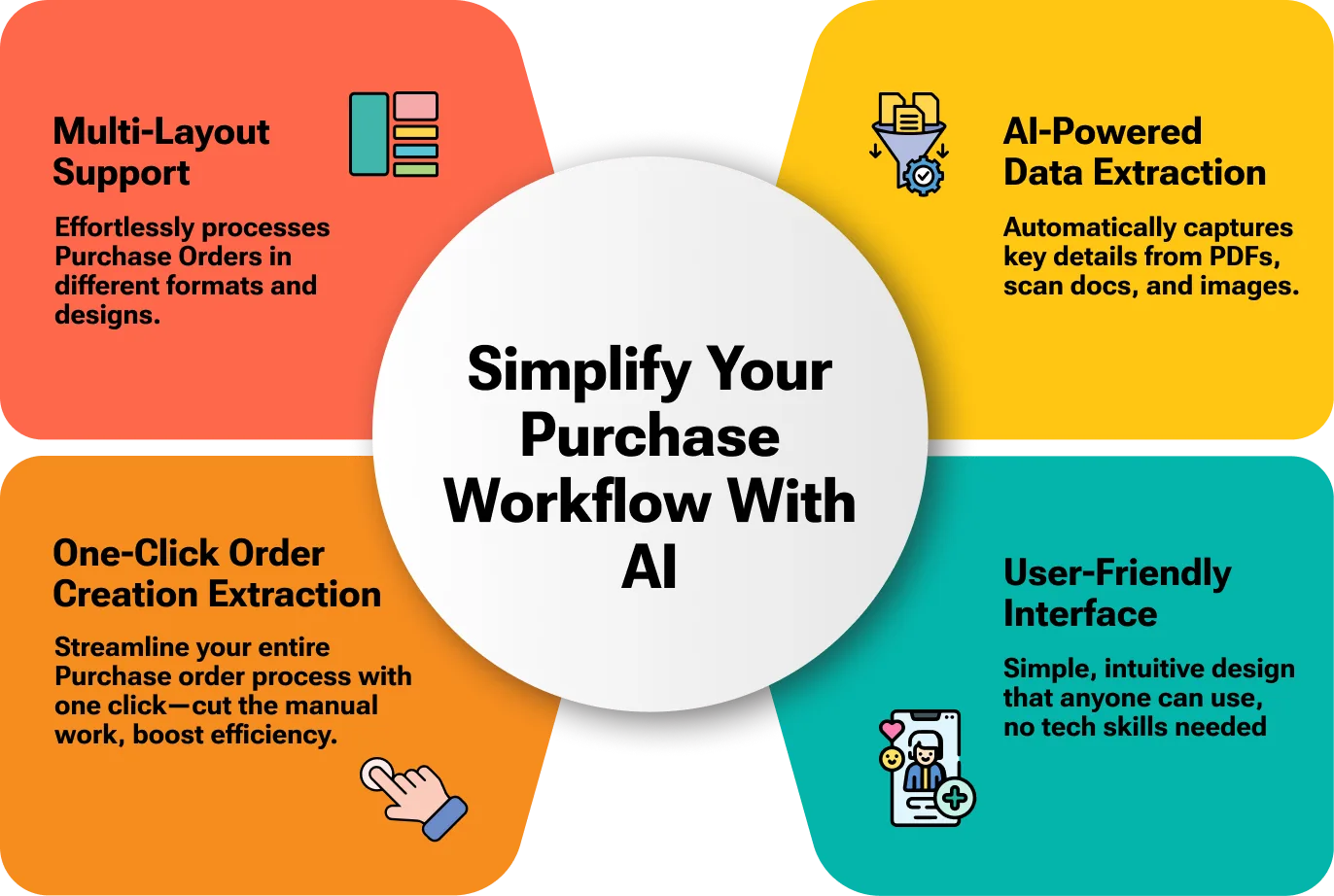
AI-powered data extraction
Artificial intelligence reads the supplier document and pulls out the relevant header and line data automatically, with no manual typing.
-
One-click purchase order creation
Once a document is read, the matching Odoo purchase order is created in a single click, cutting the time the procurement team spends on data entry.
-
Multi-layout support
The module extracts data from documents in varied formats and structures, so quotations and order forms from different suppliers are handled without per-template setup.
-
PDF and image input
Accepts supplier documents as PDF files or images, so emailed quotes, scans, and photographed order forms can all be processed.
-
Configurable field mapping
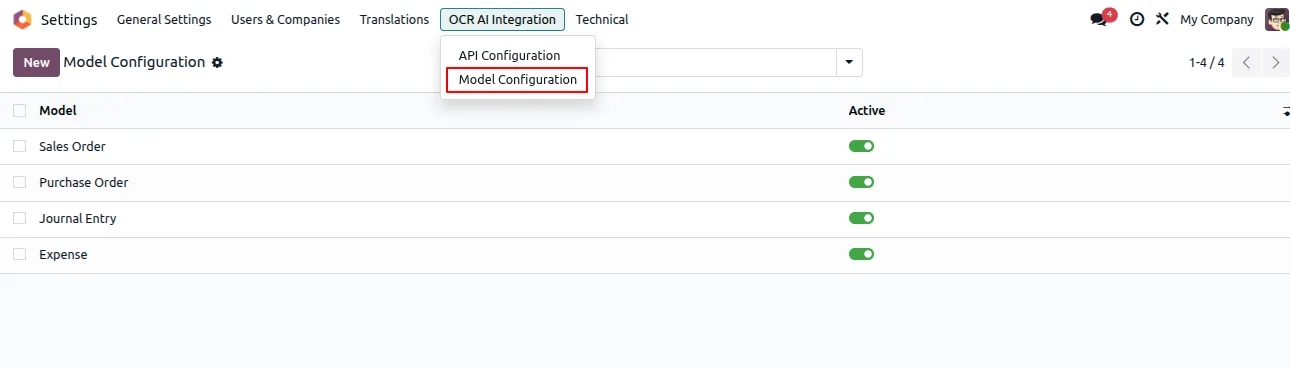
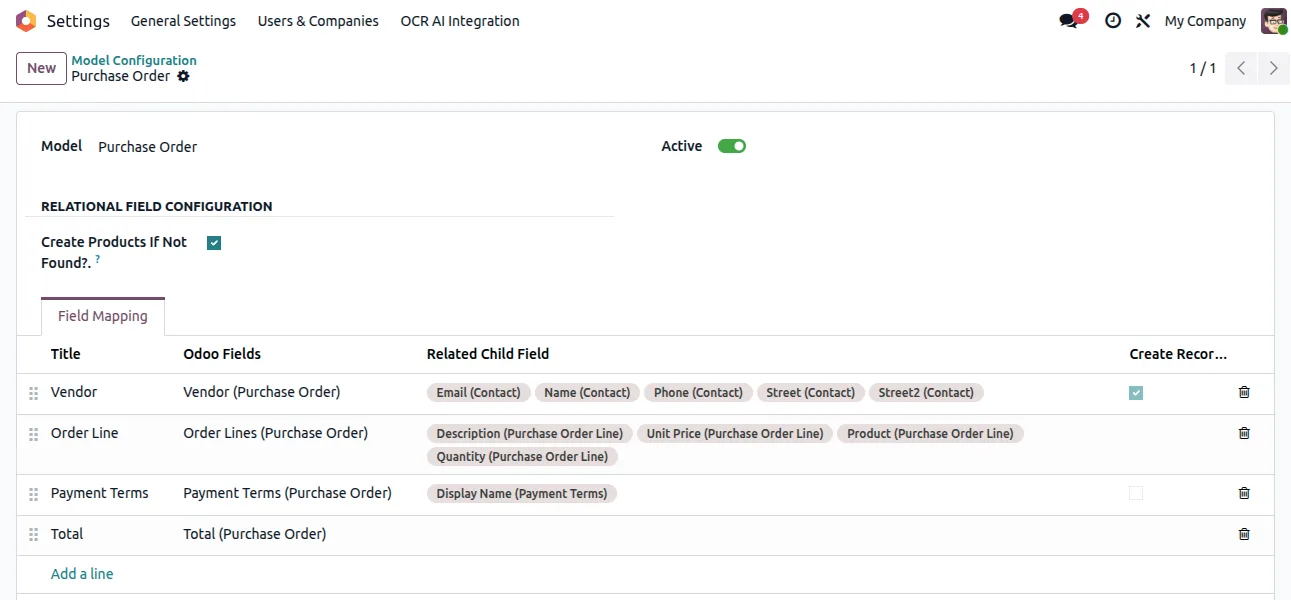
A model-configuration screen maps each AI-extracted field onto the corresponding field of an Odoo purchase order, so the output matches your procurement setup.
-
Built on Sales and Invoicing data
The module works alongside the Purchase and Invoicing apps, so created orders flow into Odoo's standard procurement and accounting process.
-
Per-company OCR token
Each company connects to the OCR service with its own authentication token, which suits multi-company Odoo databases.
-
User-friendly interface
The upload and review steps sit inside the standard Odoo purchase screens, so the team works in a familiar interface with no separate tool to learn.
Odoo OCR AI — Purchase Orders in Odoo
Every screen, in the order you meet it — configuration first, then the module in use.

Technical details
Specification
- Publisher
- TechUltra Solutions Private Limited
- Technical name
- tus_odoo_ocr_ai_purchase
- Odoo versions
- 16.0, 17.0, 18.0, 19.0
- Lines of code
- 353
- License
- Odoo Proprietary License v1.0 (OPL-1)
- Price
- Free
Deployment
- Odoo Online
- Odoo.sh
- On-premise
Odoo dependencies
- Purchase
- Invoicing
- Discuss
- Odoo OCR AI Base
Support
90 days of bug-fix support, Monday to Friday (10:00–19:00 IST). Raise a ticket at support@techultra.in.
Setup & configuration
From install to first call — here is the path.
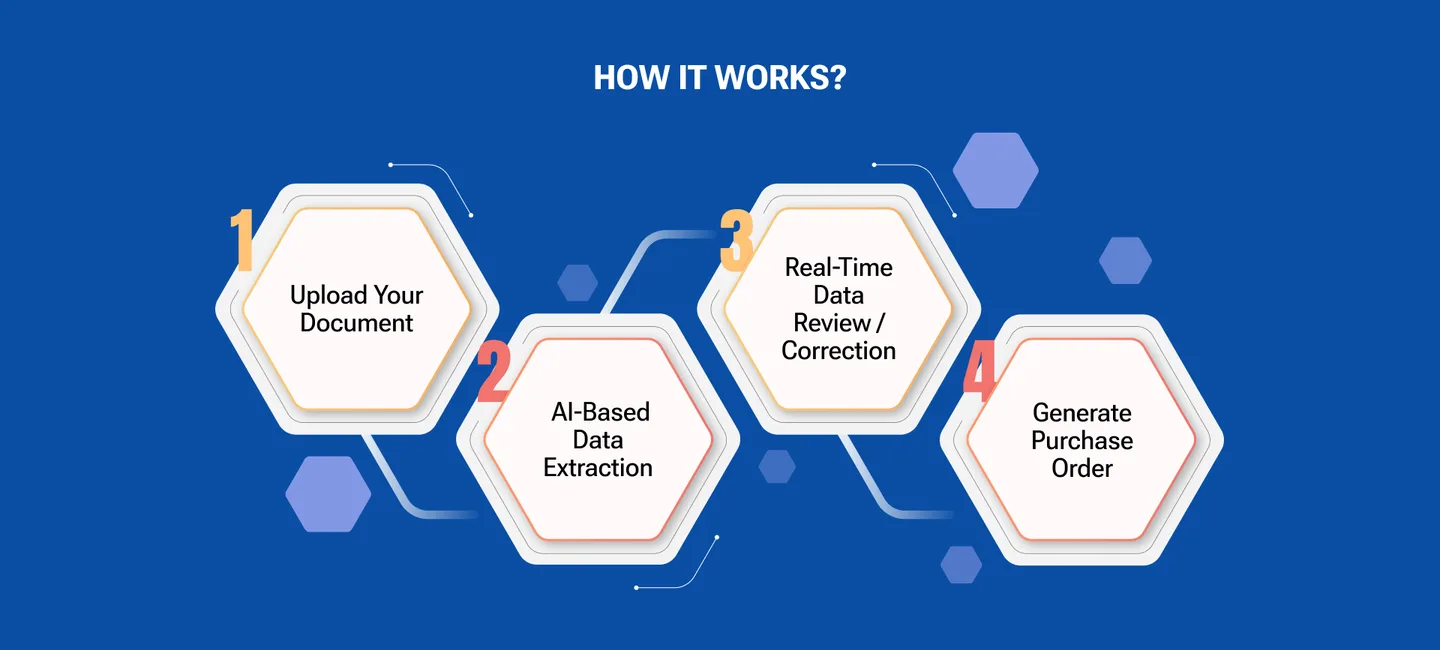
- 1
Install the module
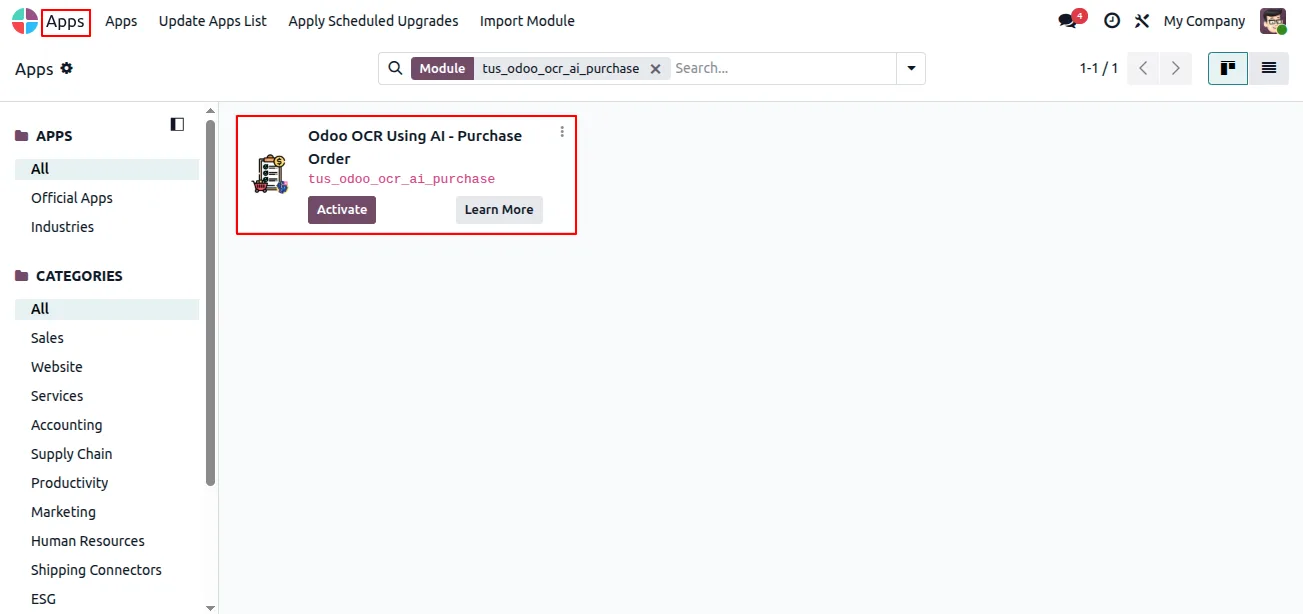
In Odoo, open Apps, remove the Apps filter, search for “Odoo OCR AI — Purchase Orders”, and click Install. The Odoo OCR AI Base module installs with it.
- 2
Create an OCR AI account
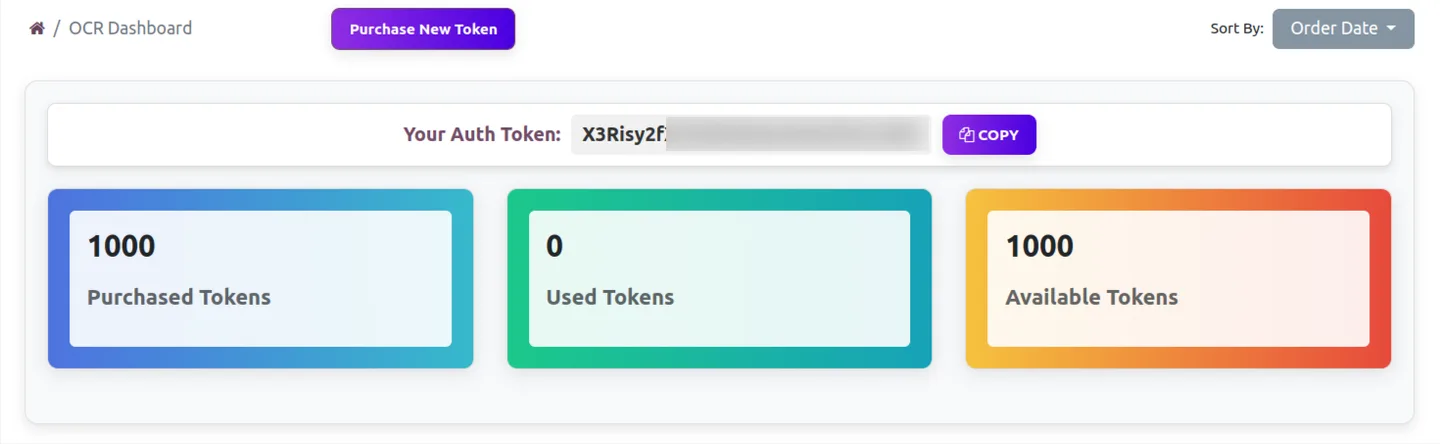
Register at ai.fynix.app and copy your authentication key from the OCR dashboard.
- 3
Buy OCR tokens
Purchase OCR tokens from ai.fynix.app/shop — for example, 2 million tokens for $20. Tokens are consumed as documents are processed.
- 4
Configure the OCR connection
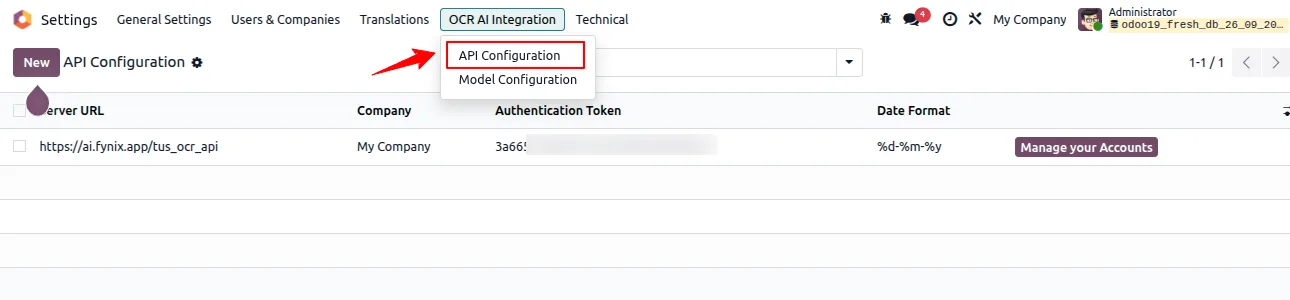
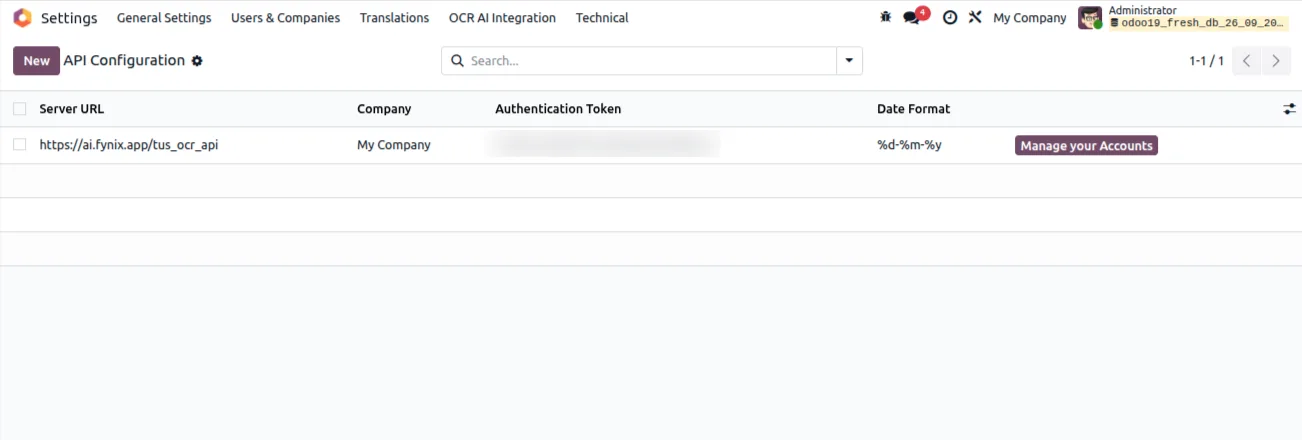
Enable developer mode, go to Settings → OCR AI Integration, enter the company authentication token, and set the server URL to https://ai.fynix.app/tus_ocr_api.
- 5
Map the purchase order fields
Open Settings → OCR AI Integration → Model Configuration and map the extracted fields onto the Purchase Order model.
- 6
Upload and create
Upload a supplier quotation or order document as a PDF or image, let the AI read it, and create the Odoo purchase order with one click.
Frequently asked questions
-
What does Odoo OCR AI — Purchase Orders do?
It reads supplier documents with AI OCR and creates the matching Odoo purchase order in one click, removing manual data entry for the procurement team.
-
What file types can I upload?
You can upload supplier documents as PDF files or images, so emailed quotations, scans, and photos of order forms are all supported.
-
Does it work with quotes from different suppliers?
Yes. The module has multi-layout support, so it extracts data from documents in varied formats and structures without per-supplier template setup.
-
Which Odoo versions are supported?
The module supports Odoo 16.0, 17.0, 18.0, and 19.0, in both the Community and Enterprise editions.
-
Is the module free?
Yes. The module is free on the Odoo App Store. AI extraction is metered with OCR tokens bought separately from ai.fynix.app — for example, 2 million tokens for $20.
-
Do I need the Odoo OCR AI Base module?
Yes. This module depends on Odoo OCR AI Base, which carries the OCR connection and field-mapping engine. It installs automatically with this module.
-
How do I control where extracted data goes?
Use Settings → OCR AI Integration → Model Configuration to map each extracted field onto the Purchase Order model, so the output matches your procurement setup.
-
Is support included?
Yes. The module includes 90 days of bug-fix support, Monday to Friday, 10:00–19:00 IST, via support@techultra.in.
Related solutions
Whole-platform solutions that complement Odoo OCR AI — Purchase Orders.
OCR AI Invoice Capture
Free Odoo OCR AI module for Odoo 16–19. AI reads PDF and image vendor bills and invoices and creates the matching Odoo journal entry in one click.
OCR AI Sale Orders
Free Odoo OCR AI module for Odoo 16–19 by TechUltra. AI reads PDF and image customer POs and creates Odoo sales orders in one click. Multi-layout, no templates.
OCR AI Purchase Order
Free Odoo OCR AI module for Odoo 16–19 by TechUltra. AI reads PDF and image supplier quotations and creates Odoo purchase orders in one click. No templates.
Related services
Get the most out of this module with senior TechUltra consultants.
Odoo Customization Services
Tailored Odoo customizations from a Gold Partner — 200+ projects, upgrade-safe patterns, fixed-scope quotes, senior consultants. Free demo consultation.
Hire Odoo Developers
Hire certified Odoo developers from a Gold Partner — 400+ implementations, 92% satisfaction, Odoo since 2016. Silver / Gold / Platinum packages, free trial.
Odoo Support & Maintenance
Odoo Gold Partner support — 24/7 functional, technical, and server coverage for Enterprise and Community editions. Fast turnaround, free consultation.







