

Odoo App · AI & OCR
Odoo OCR AI — Expenses
Turn receipts and bills into Odoo expense records with one click using AI OCR.
Overview
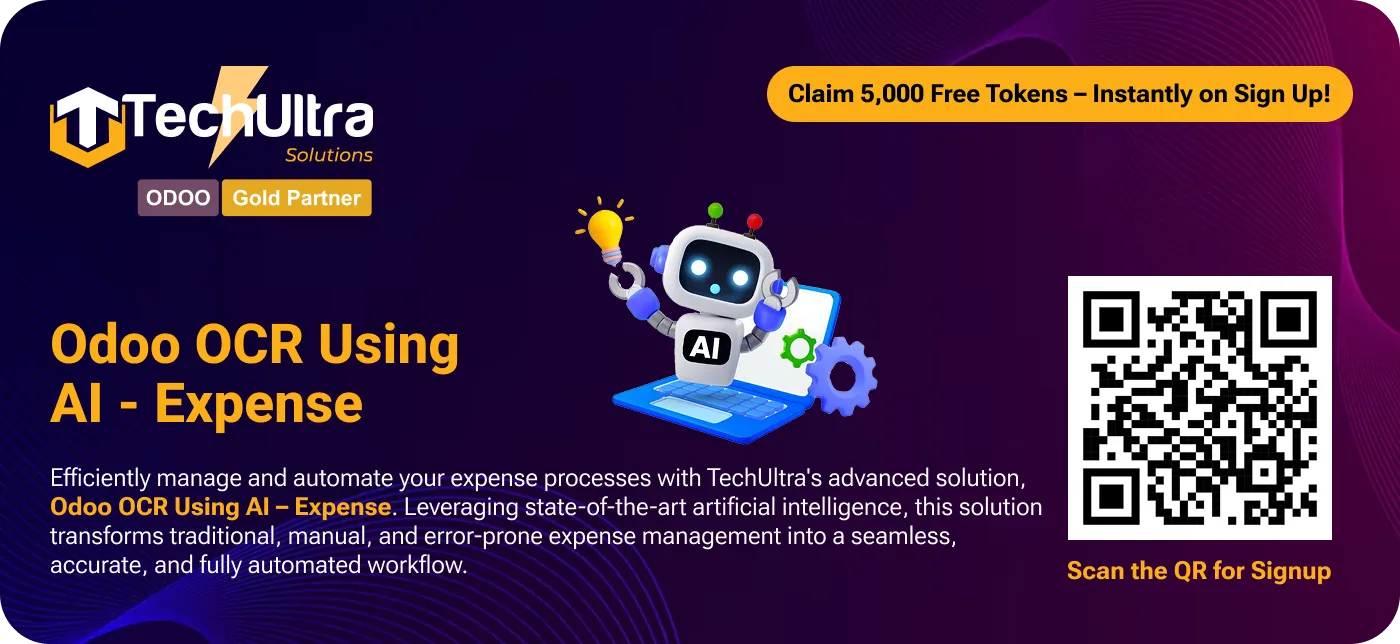
Odoo OCR AI — Expenses removes the manual typing from expense entry. Upload a receipt or bill, and the module reads it with AI-powered optical character recognition (OCR), extracts the relevant fields, and creates a draft Odoo expense in one click.
Built by TechUltra Solutions, it handles documents with different layouts and structures, so a restaurant receipt, a fuel bill, and a supplier invoice are all read without per-vendor templates. The extracted values are mapped onto Odoo's Expense model through a configurable field mapping.
The module is free to install. OCR processing is metered with prepaid tokens bought from TechUltra's AI service, so you pay only for the documents you actually scan. It is part of TechUltra's OCR AI range, which shares a common base module across Expenses, Invoices, Purchase Orders, and Sales Orders.
Key features
-
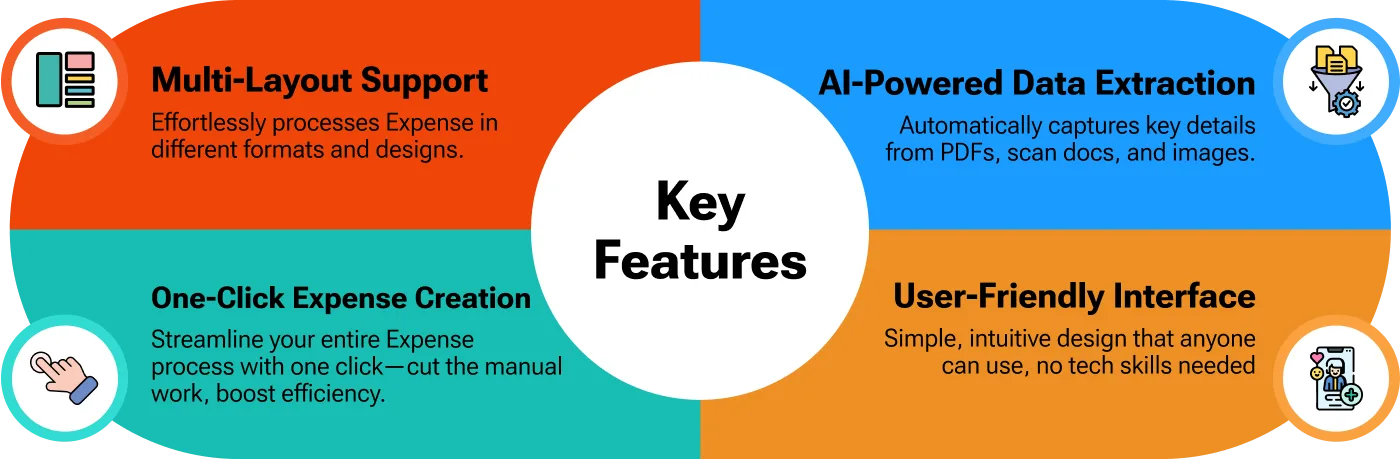
AI-powered data extraction
OCR reads receipts, bills, and scanned documents and pulls out the relevant fields automatically, with the accuracy and speed of an AI model rather than fixed text patterns.
-
One-click expense creation
The whole expense entry collapses into a single click — upload the document, and the module produces a draft Odoo expense ready for review.
-
Multi-layout document support
Handles documents with varied formats and structures, so receipts and bills from different vendors are read without setting up a separate template for each one.
-
Configurable field mapping
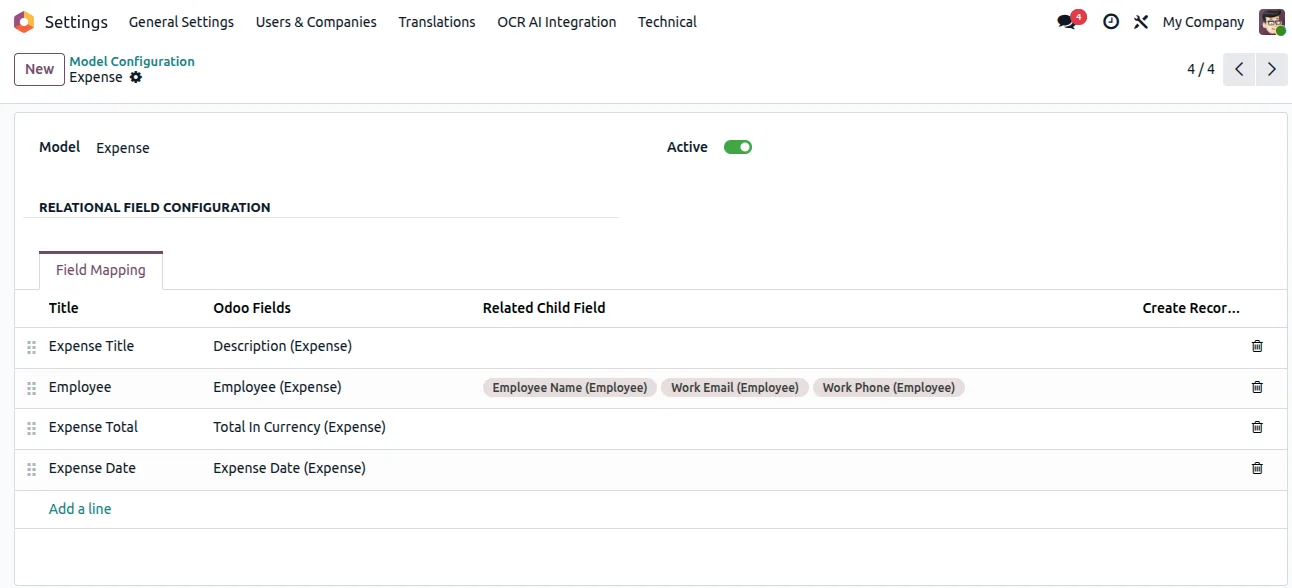
Map the OCR output onto Odoo's Expense model from Settings, choosing which extracted value lands in which expense field to match how your team records spend.
-
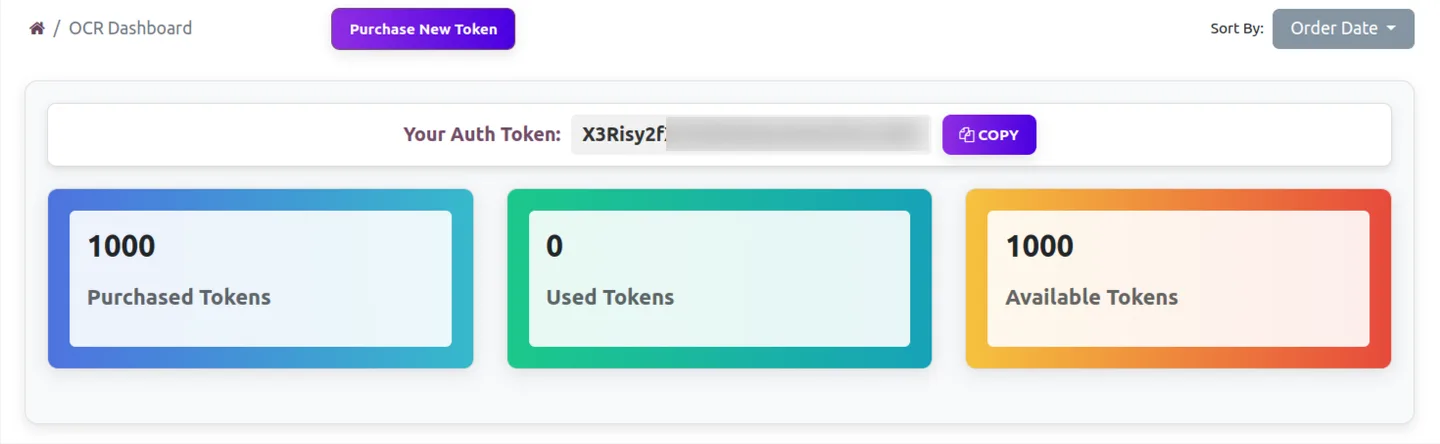
Token-metered OCR
The module is free; OCR runs on prepaid tokens from TechUltra's AI service, so cost scales with the number of documents you scan rather than a fixed licence fee.
-
Modern, simple interface
The upload and review flow uses a clean, modern interface, so staff submitting expenses need little training to get a document scanned and saved.
-
Built on a shared OCR base
Runs on the Odoo OCR AI Base module, the same foundation used by TechUltra's OCR apps for Invoices, Purchase Orders, and Sales Orders.
Odoo OCR AI — Expenses in Odoo
Every screen, in the order you meet it — configuration first, then the module in use.

Technical details
Specification
- Publisher
- TechUltra Solutions Private Limited
- Technical name
- tus_odoo_ocr_ai_expense
- Odoo versions
- 16.0, 17.0, 18.0, 19.0
- Lines of code
- 329
- License
- Odoo Proprietary License v1.0 (OPL-1)
- Price
- Free
Deployment
- Odoo Online
- Odoo.sh
- On-premise
Odoo dependencies
- Expenses
- Invoicing
- Employees
- Discuss
Support
90 days of bug-fix support, Monday to Friday (10:00–19:00 IST). Raise a ticket at support@techultra.in.
Setup & configuration
From install to first call — here is the path.
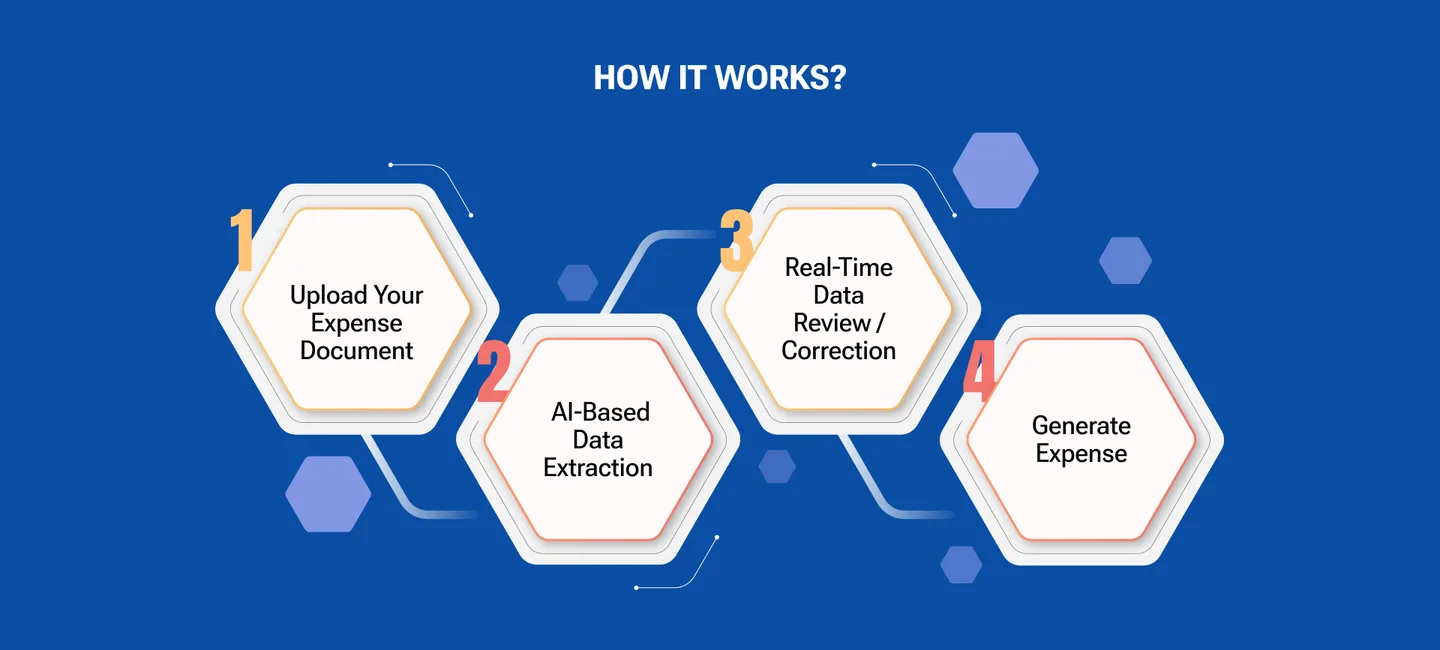
- 1
Install the module
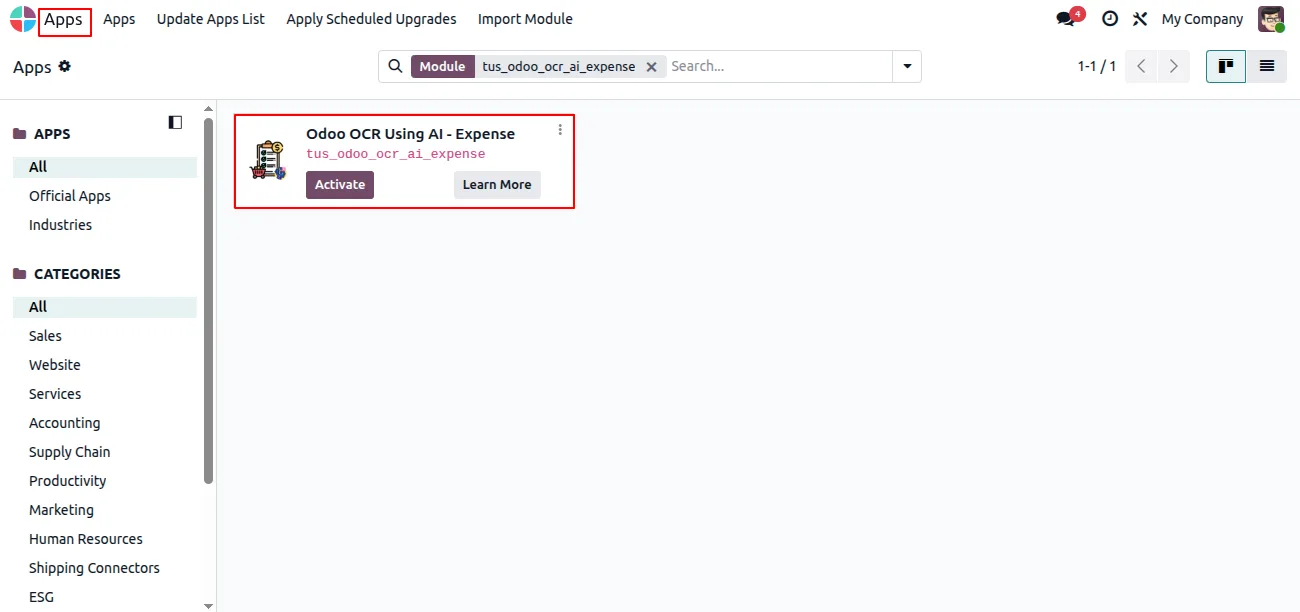
In Odoo, open Apps, remove the Apps filter, search for “Odoo OCR AI — Expenses”, and click Install. The Odoo OCR AI Base module installs alongside it.
- 2
Create an OCR account and buy tokens
Sign up for the TechUltra AI OCR service, open the OCR dashboard to copy your authentication key, and purchase OCR tokens from the shop.
- 3
Connect the OCR service in Odoo
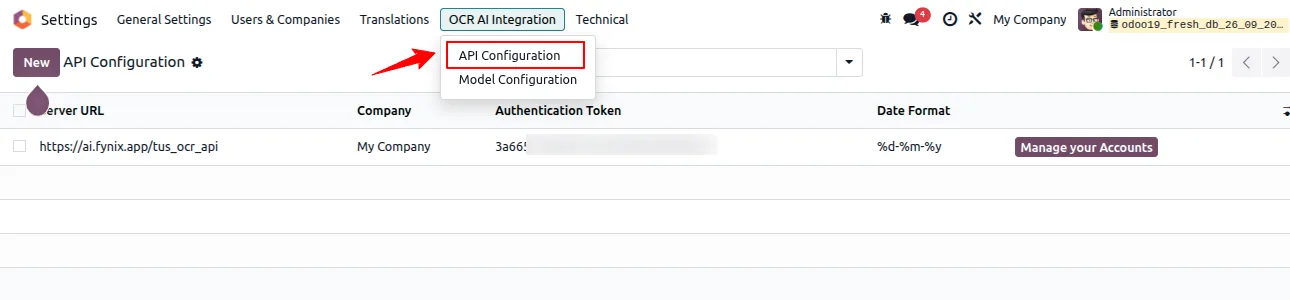
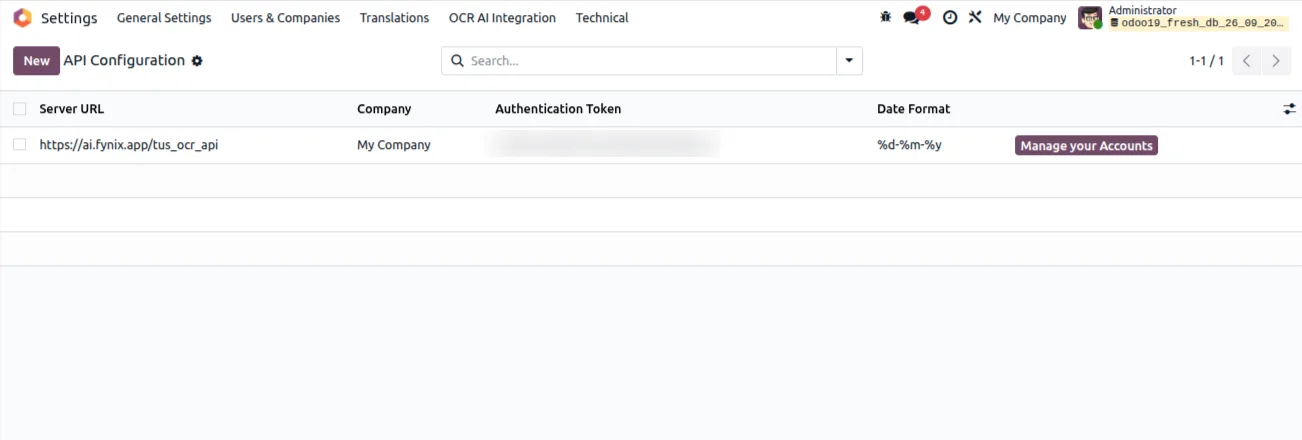
Turn on Developer mode, then go to Settings → OCR AI Integration and enter your authentication token and the OCR server URL for your company.
- 4
Map the expense fields
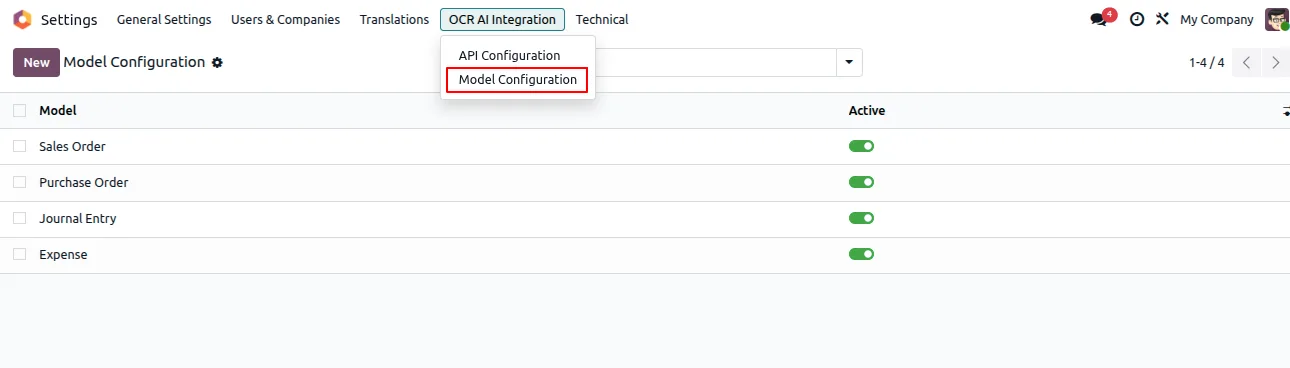
Under Settings → OCR AI Integration, select the Expense model and map each extracted value to the matching Odoo expense field.
- 5
Scan a receipt
Open Expenses, upload a receipt or bill, and run the OCR action. Review the draft expense the module creates and submit it as usual.
Frequently asked questions
-
Is the module free?
Yes. The Odoo OCR AI — Expenses module is free to install. OCR processing runs on prepaid tokens bought from TechUltra's AI OCR service, so you pay per document scanned rather than a fixed licence fee.
-
Which Odoo versions does it support?
The module supports Odoo 16.0, 17.0, 18.0, and 19.0, in both the Community and Enterprise editions.
-
What documents can it read?
It reads receipts, bills, and scanned expense documents. Multi-layout support means documents with different formats and structures are handled without a separate template for each vendor.
-
Does it create the expense automatically?
It creates a draft Odoo expense in one click from the uploaded document. You review the draft and submit it through Odoo's normal expense workflow.
-
How do I control which fields it fills?
Under Settings → OCR AI Integration you select the Expense model and map each extracted value to a specific Odoo expense field, so the output matches how your team records spend.
-
Do I need Developer mode to set it up?
Yes. Developer mode must be active to reach the OCR AI Integration settings where you enter the authentication token, server URL, and field mapping.
-
Does it work with TechUltra's other OCR apps?
Yes. It runs on the shared Odoo OCR AI Base module, the same foundation used by TechUltra's OCR apps for Invoices, Purchase Orders, and Sales Orders.
-
Is support included?
Yes. The module includes 90 days of bug-fix support, Monday to Friday, 10:00–19:00 IST.
Related solutions
Whole-platform solutions that complement Odoo OCR AI — Expenses.
OCR AI Invoice Capture
Free Odoo OCR AI module for Odoo 16–19. AI reads PDF and image vendor bills and invoices and creates the matching Odoo journal entry in one click.
OCR AI Sale Orders
Free Odoo OCR AI module for Odoo 16–19 by TechUltra. AI reads PDF and image customer POs and creates Odoo sales orders in one click. Multi-layout, no templates.
OCR AI Purchase Order
Free Odoo OCR AI module for Odoo 16–19 by TechUltra. AI reads PDF and image supplier quotations and creates Odoo purchase orders in one click. No templates.
Related services
Get the most out of this module with senior TechUltra consultants.
Odoo Customization Services
Tailored Odoo customizations from a Gold Partner — 200+ projects, upgrade-safe patterns, fixed-scope quotes, senior consultants. Free demo consultation.
Hire Odoo Developers
Hire certified Odoo developers from a Gold Partner — 400+ implementations, 92% satisfaction, Odoo since 2016. Silver / Gold / Platinum packages, free trial.
Odoo Support & Maintenance
Odoo Gold Partner support — 24/7 functional, technical, and server coverage for Enterprise and Community editions. Fast turnaround, free consultation.







