Odoo App · Automation & Workflow
Automation Studio & Workflow Builder
A no-code, drag-and-drop workflow builder for Odoo — automate approvals, conditional logic, and notifications visually, without writing code.
Overview
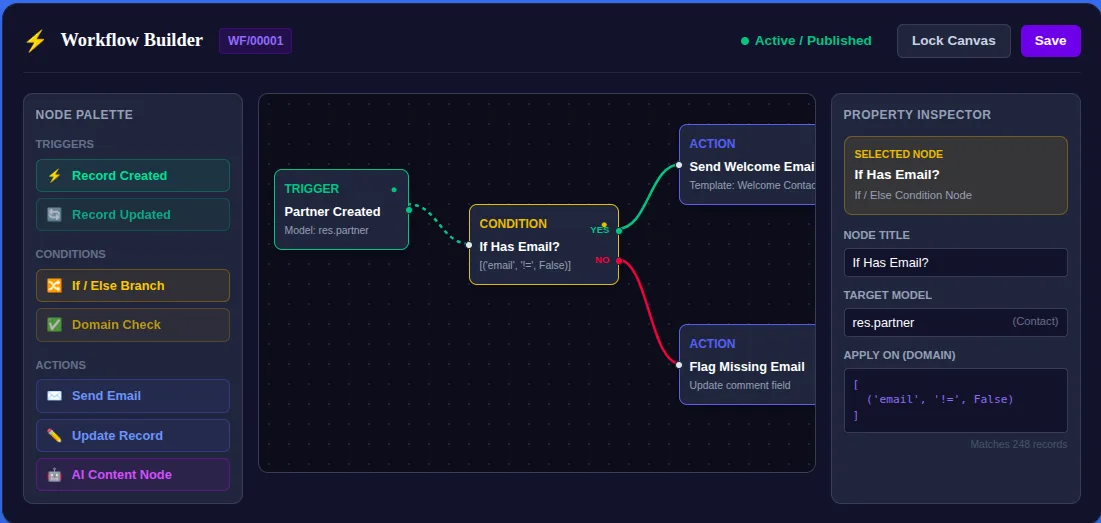
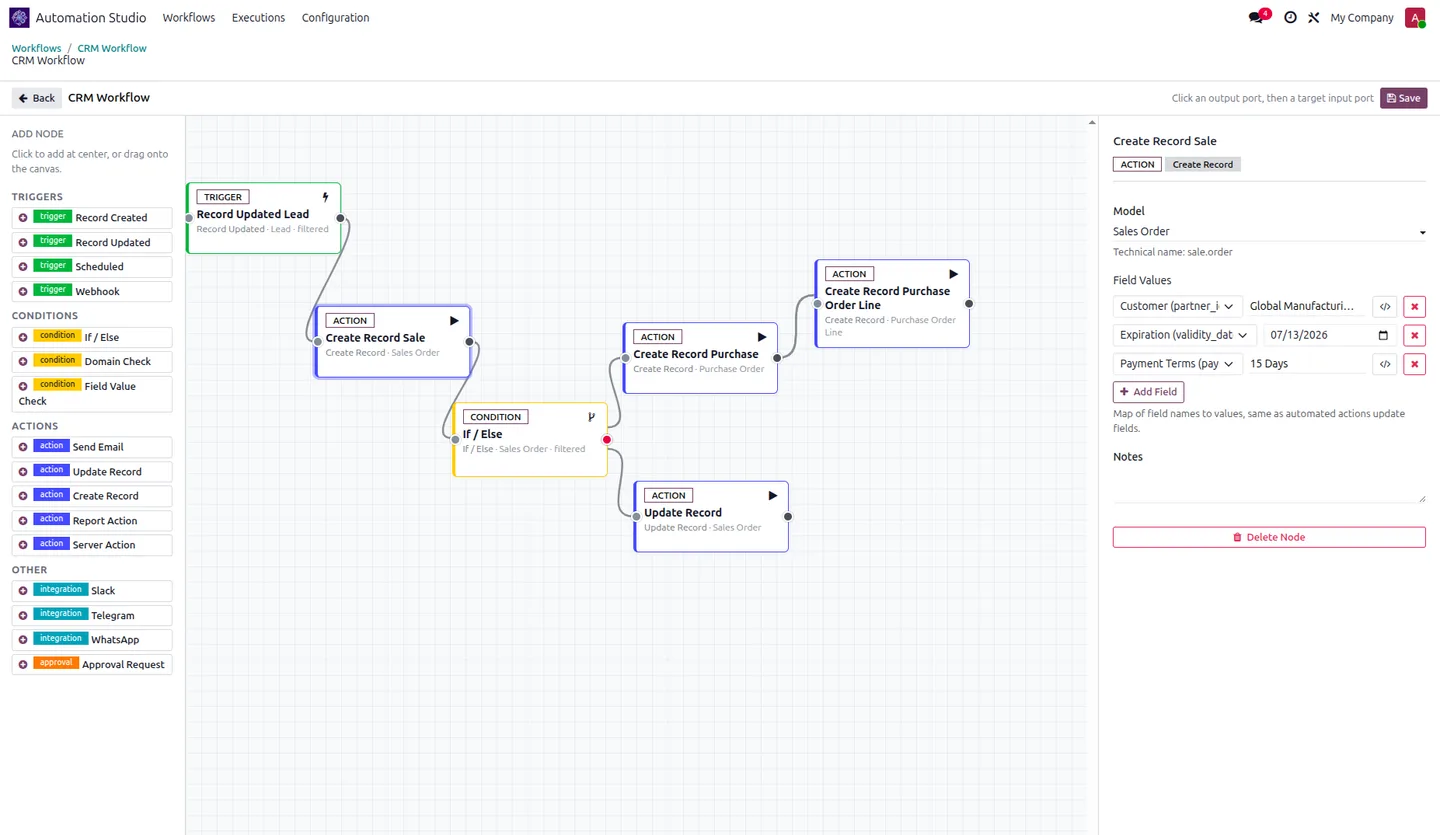
Automation Studio & Workflow Builder lets Odoo users design automations visually instead of writing server actions or Python. You drag nodes onto a canvas, connect them, and the workflow runs against your Odoo models.
Built by TechUltra Solutions, it listens directly for database events — record creation, updates, and model changes — and routes records down success or alternative paths using Odoo filters, so approval flows and conditional logic are configured, not coded.
Actions include Telegram and Slack notifications with templated, record-aware messages. Every run is logged for auditing, failures can be retried manually, and workflows can be validated in a sandbox before going live. For WhatsApp messaging nodes, add the companion Automation Studio — WhatsApp module.
Key features
-
Visual canvas builder
Drag, drop, and connect automation nodes on a clean grid to construct graph-based business processes — no code.
-
Branching & conditional logic
Apply Odoo filters to route records down success or alternative paths based on the conditions you set.
-
Event-based triggers
Listen directly for record creation, updates, or model changes to kick off a workflow — no custom development.
-
Telegram notifications
Send alerts to Telegram groups or private chats using templated messages that include record data.
-
Slack integration
Dispatch structured messages from a workflow path to notify internal teams instantly.
-
Execution logs & retries
Audit every workflow run, inspect errors, and retry failed executions manually.
-
Sandbox testing
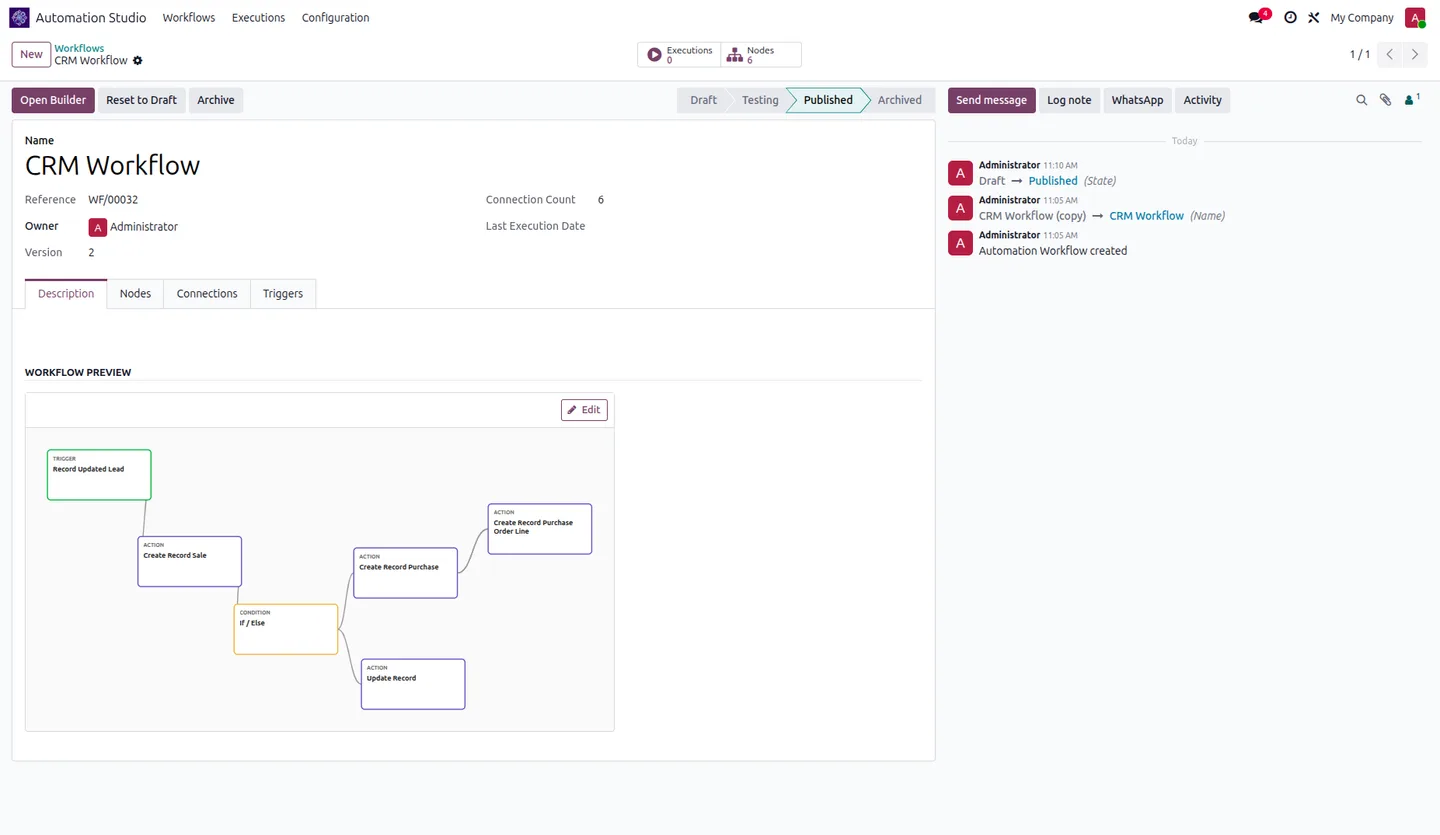
Validate workflows in a testing sandbox before publishing them live, so changes don't surprise production.
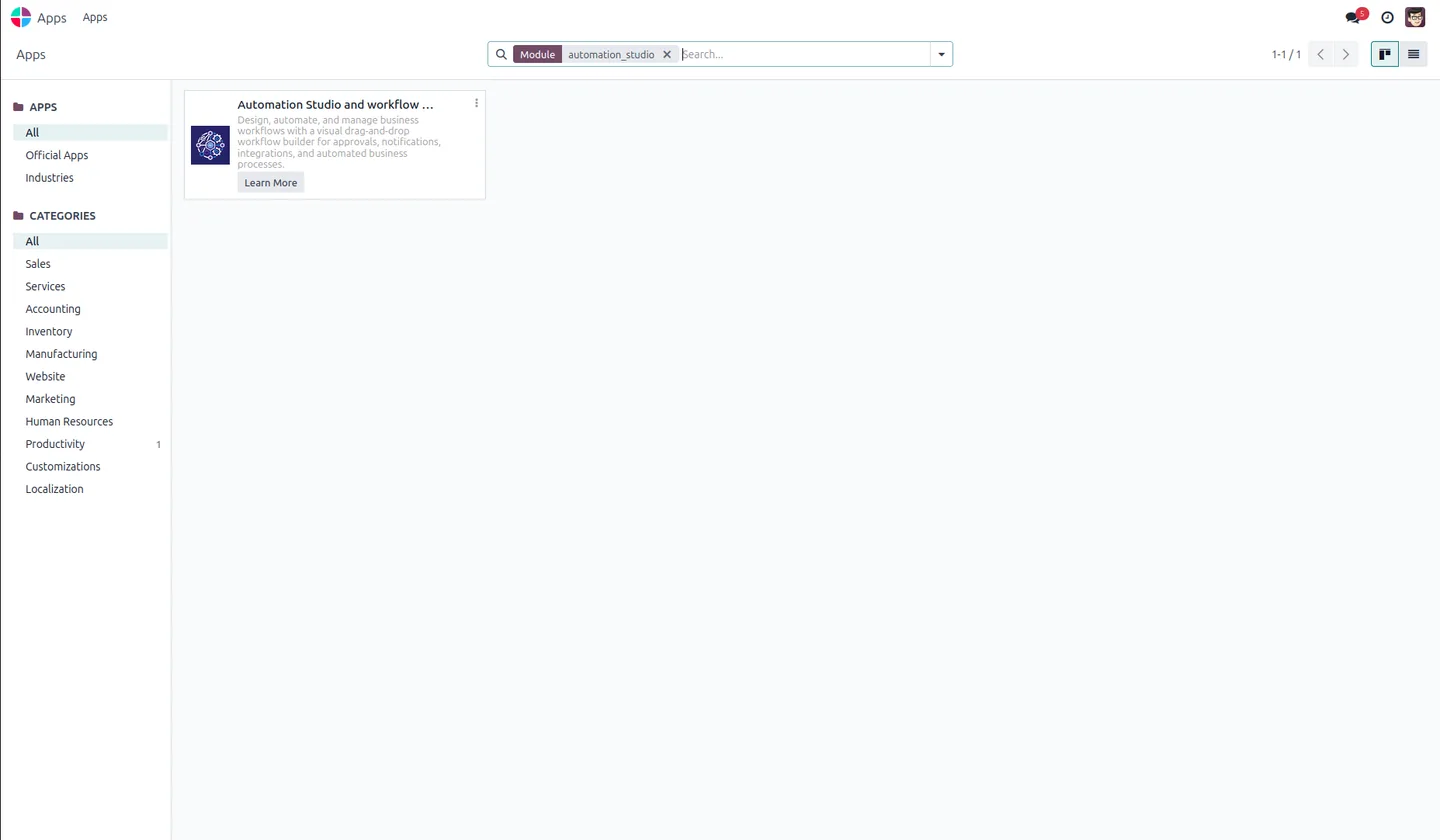
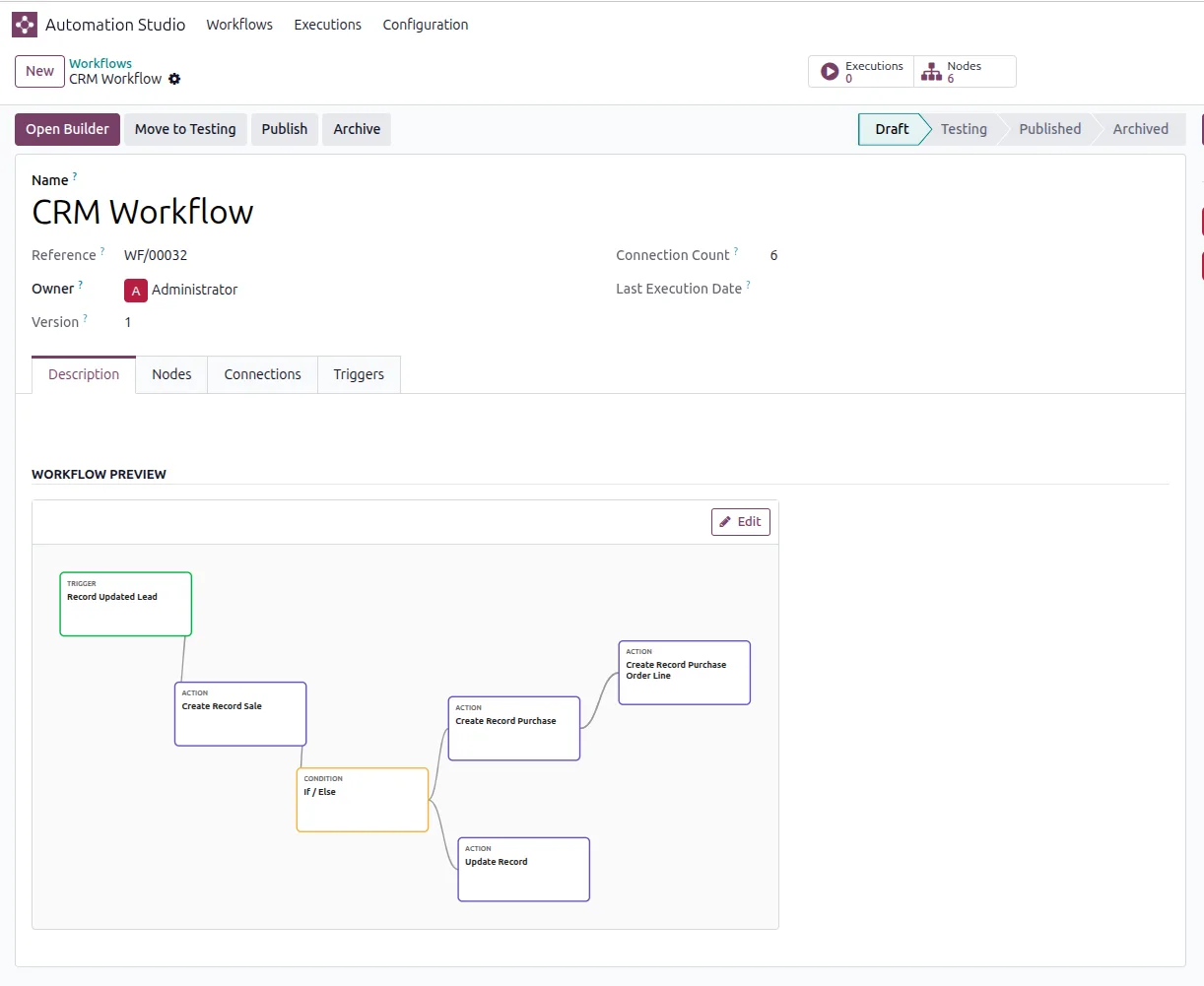
Automation Studio & Workflow Builder in Odoo
Every screen, in the order you meet it — configuration first, then the module in use.

Technical details
Specification
- Publisher
- TechUltra Solutions Private Limited
- Technical name
- automation_workflow_builder
- Odoo versions
- 16.0, 17.0, 18.0, 19.0
- License
- Odoo Proprietary License v1.0 (OPL-1)
- Price
- $69 (one-time)
Deployment
- Odoo Online
- Odoo.sh
- On-premise
Odoo dependencies
- Discuss
Support
90 days of bug-fix support, Monday to Friday (10:00–19:00 IST). Raise a ticket at support@techultra.in.
Frequently asked questions
-
Do I need to write code to build a workflow?
No. Automation Studio is a no-code, drag-and-drop builder. You place nodes on a canvas and connect them; triggers, conditions, and actions are all configured visually.
-
What can trigger a workflow?
Database events — record creation, record updates, and model changes — trigger workflows directly, without custom server actions.
-
Which notification channels are built in?
Telegram and Slack are built in, with templated messages that include record data. For WhatsApp, add the companion Automation Studio — WhatsApp module.
-
Can I test a workflow before it goes live?
Yes. You can validate a workflow in a sandbox testing mode before publishing it, and every run is logged so you can audit and retry failures.
-
How do I add WhatsApp messaging?
Install the companion module, Automation Studio — WhatsApp, which adds WhatsApp Business messaging nodes on top of this builder.
-
Which Odoo versions are supported?
The module supports Odoo 16.0, 17.0, 18.0, and 19.0.
Related services
Get the most out of this module with senior TechUltra consultants.
Odoo Customization Services
Tailored Odoo customizations from a Gold Partner — 200+ projects, upgrade-safe patterns, fixed-scope quotes, senior consultants. Free demo consultation.
Hire Odoo Developers
Hire certified Odoo developers from a Gold Partner — 400+ implementations, 92% satisfaction, Odoo since 2016. Silver / Gold / Platinum packages, free trial.
Odoo Support & Maintenance
Odoo Gold Partner support — 24/7 functional, technical, and server coverage for Enterprise and Community editions. Fast turnaround, free consultation.