
Odoo App · WhatsApp & Messaging
WhatsApp Calling (Enterprise)
Place and receive WhatsApp voice calls inside Odoo Enterprise — with full call history.
Overview
WhatsApp Calling (Enterprise) adds WhatsApp voice calling to Odoo Enterprise, so your team places and answers WhatsApp calls without switching to a phone or a separate app. It uses the WhatsApp Business Calling API on Meta's WhatsApp Cloud API.
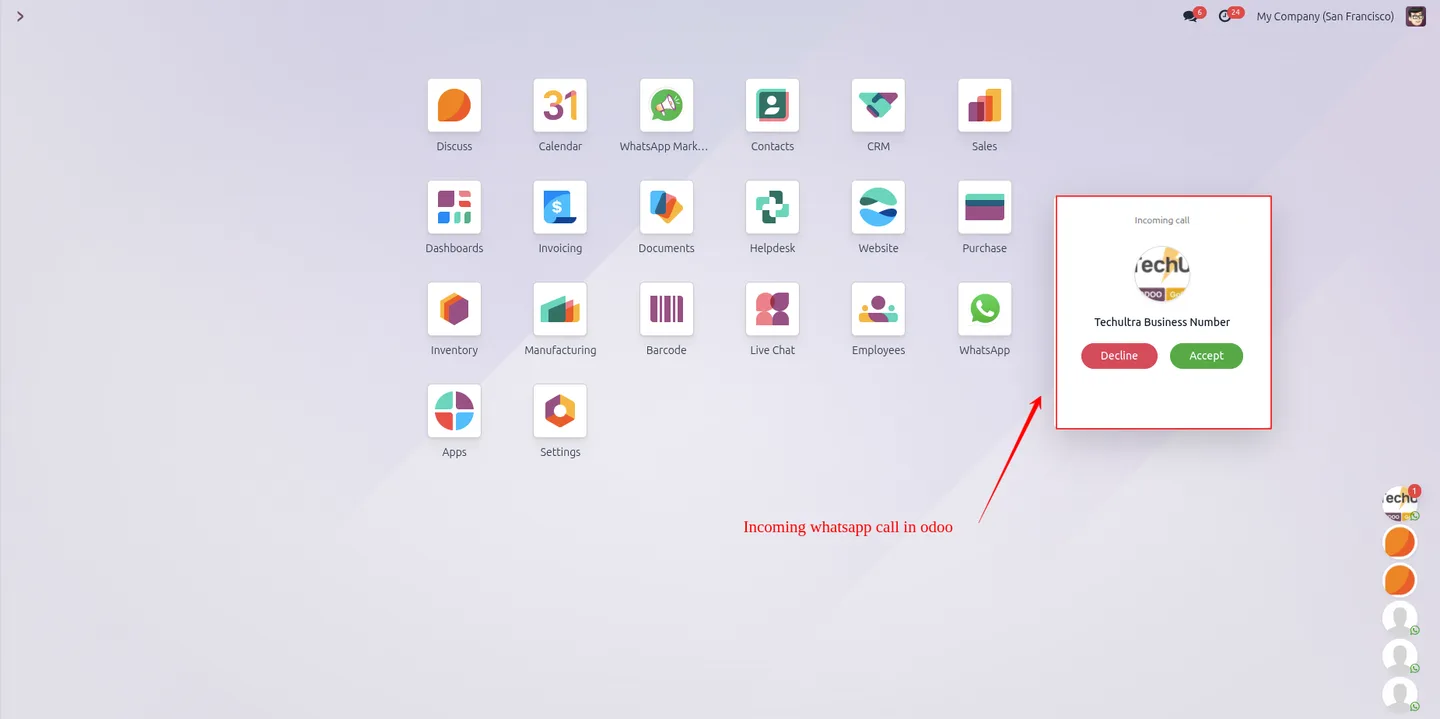
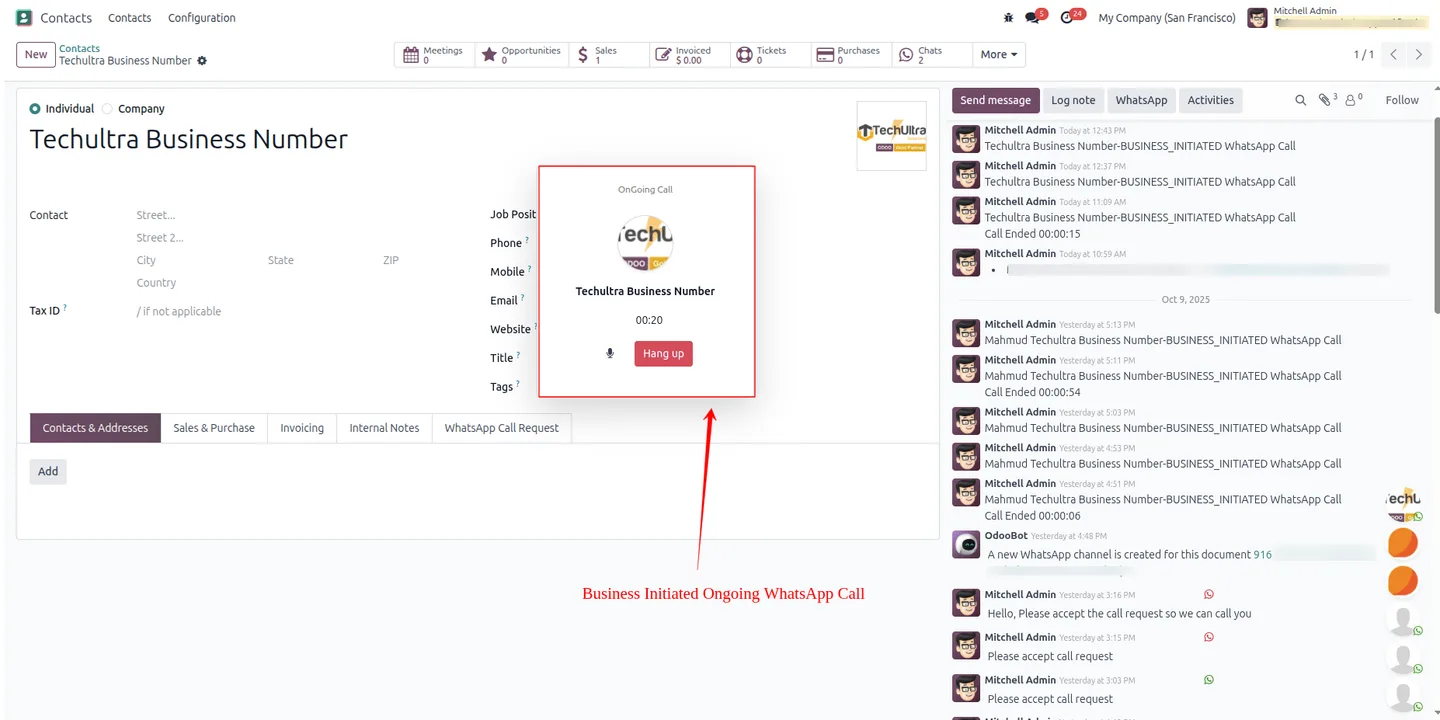
Built by TechUltra Solutions, the module works in both directions. Customers call your official WhatsApp business number and the call registers in Odoo, notifying available operators. Sales and support teams place outgoing calls to leads, customers, and vendors straight from CRM, Sales, and Contacts with a single click.
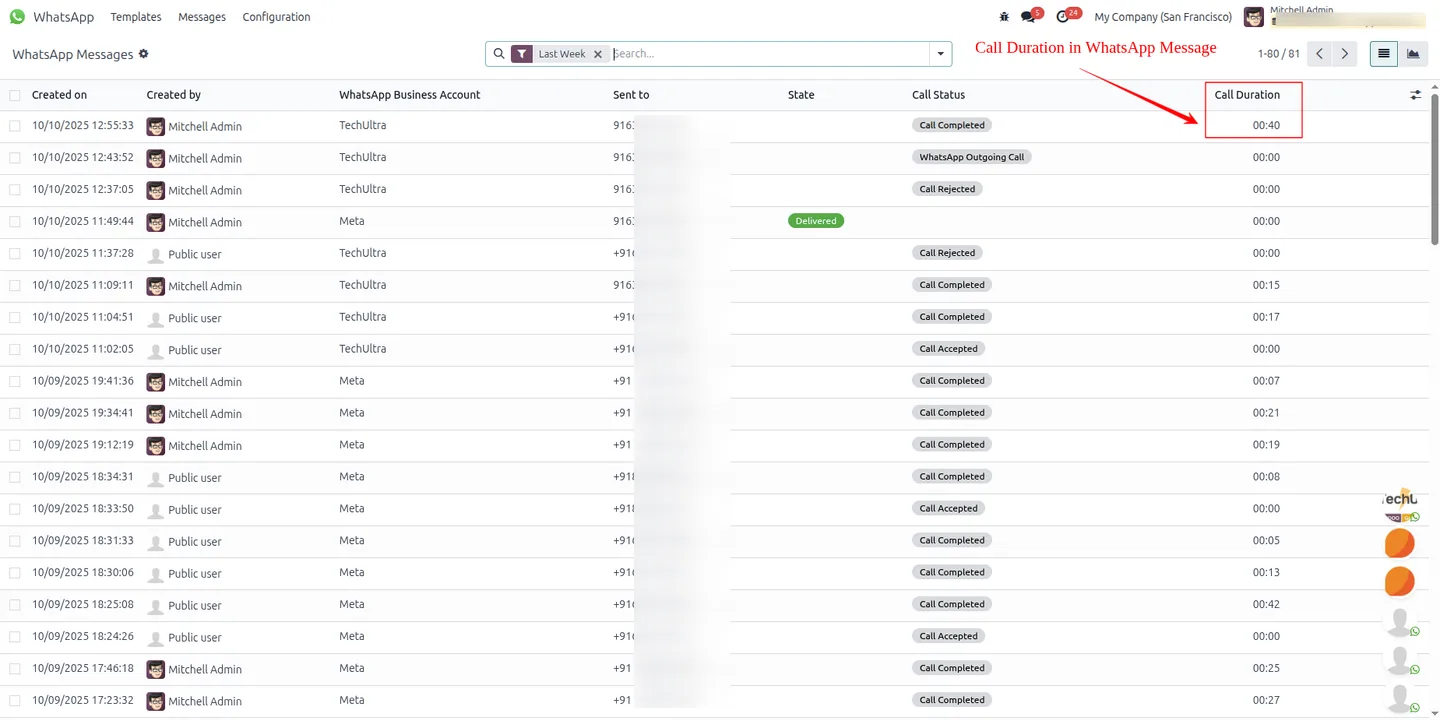
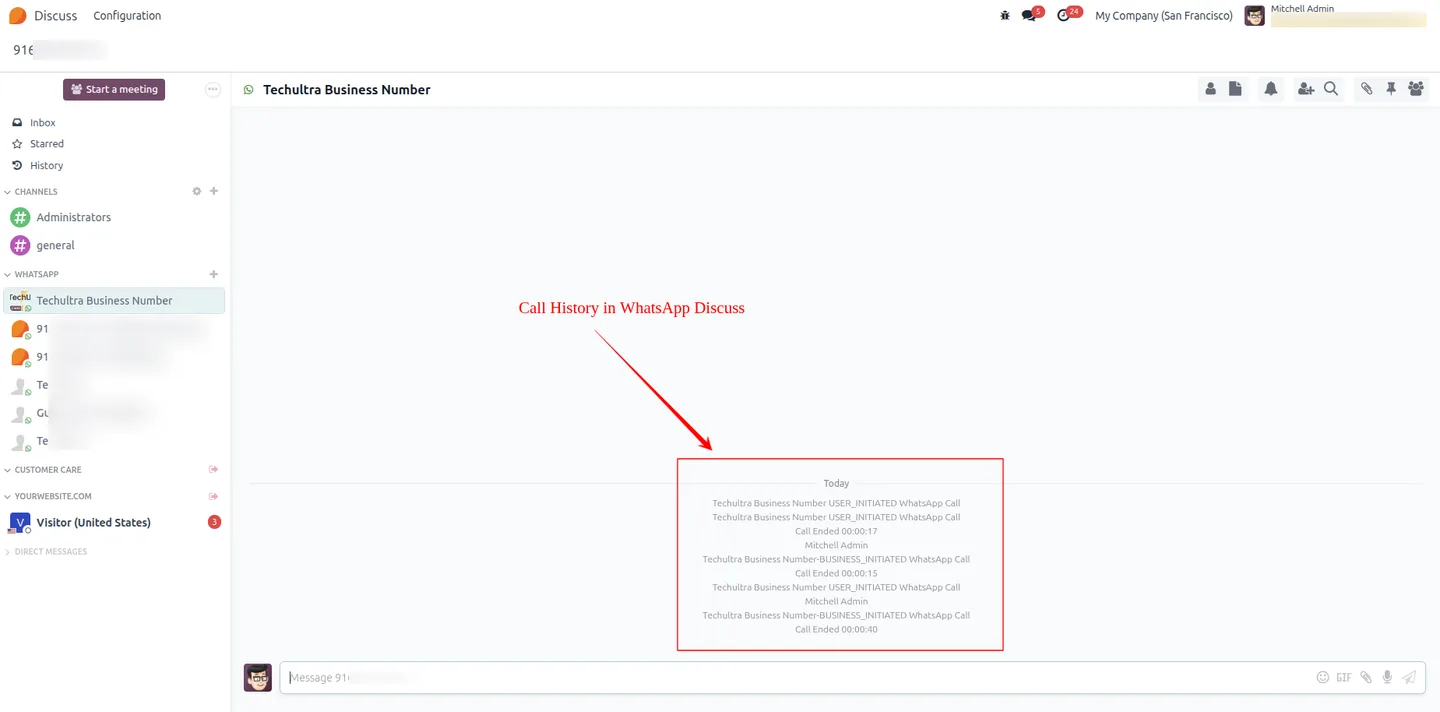
Every call — incoming or outgoing — is logged with caller and callee details, timestamps, duration, and status. Multiple operators can share the same WhatsApp Business number, and the call history stays centralised in Odoo so managers have one record of every conversation.
Key features
-
Two-way WhatsApp calling
The module supports both customer-initiated incoming calls and business-initiated outgoing calls through the WhatsApp Cloud API, all handled inside Odoo.
-
Incoming customer calls
Customers call your official WhatsApp business number directly, and the call is registered in Odoo with its details logged for the team.
-
Outgoing calls from CRM and Sales
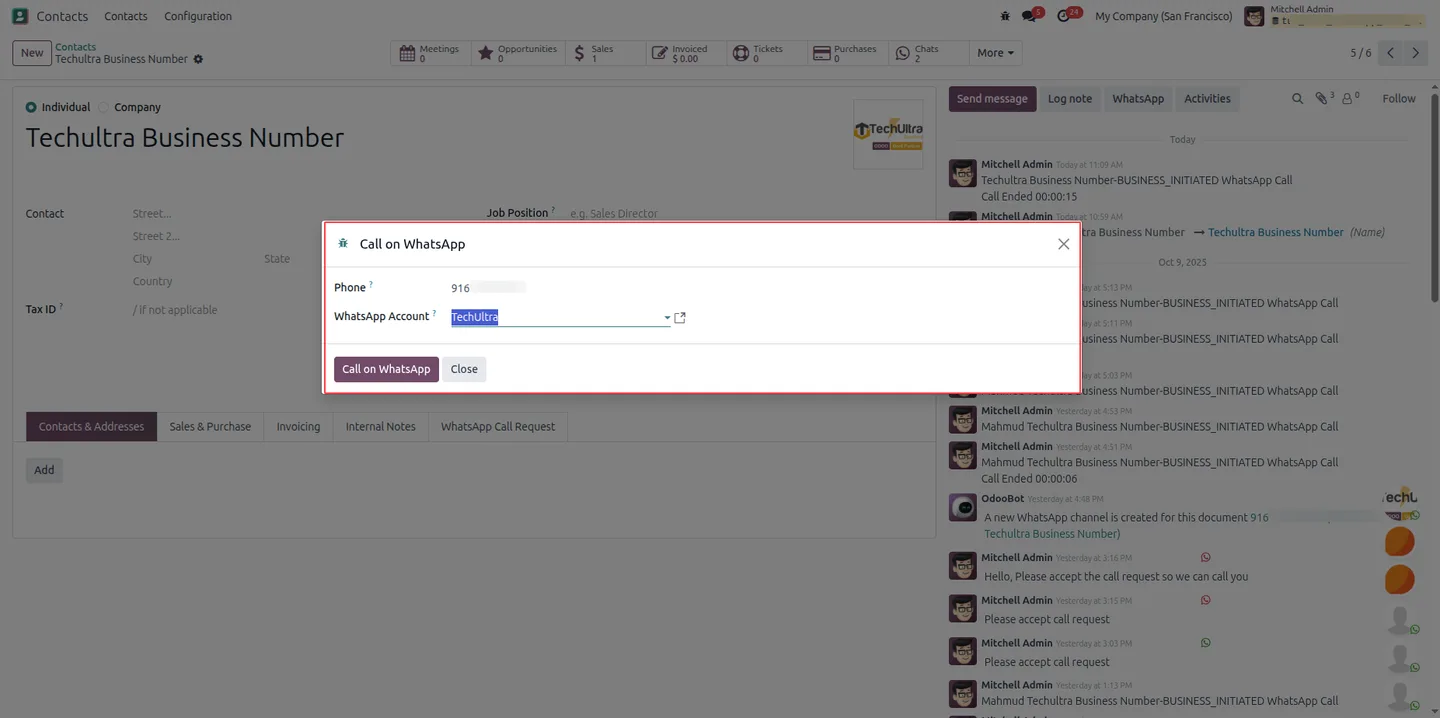
Teams call leads, customers, or vendors directly from CRM, Sales, or Contacts in Odoo, without copying numbers into a separate dialer.
-
Call duration tracking
Every call records how long it lasted, giving managers a clear figure for performance monitoring and reporting.
-
Multi-operator support
Several internal Odoo users can place and receive WhatsApp calls on the shared business number, which suits sales teams and customer support desks.
-
Real-time call history
Each incoming and outgoing call is logged with caller and callee details, timestamps, and status, so the call log stays current as calls happen.
-
Native Odoo integration
Call management is fully embedded in Odoo with no third-party app required, so operators work from the same interface they already use.
-
Working hours and holiday schedule
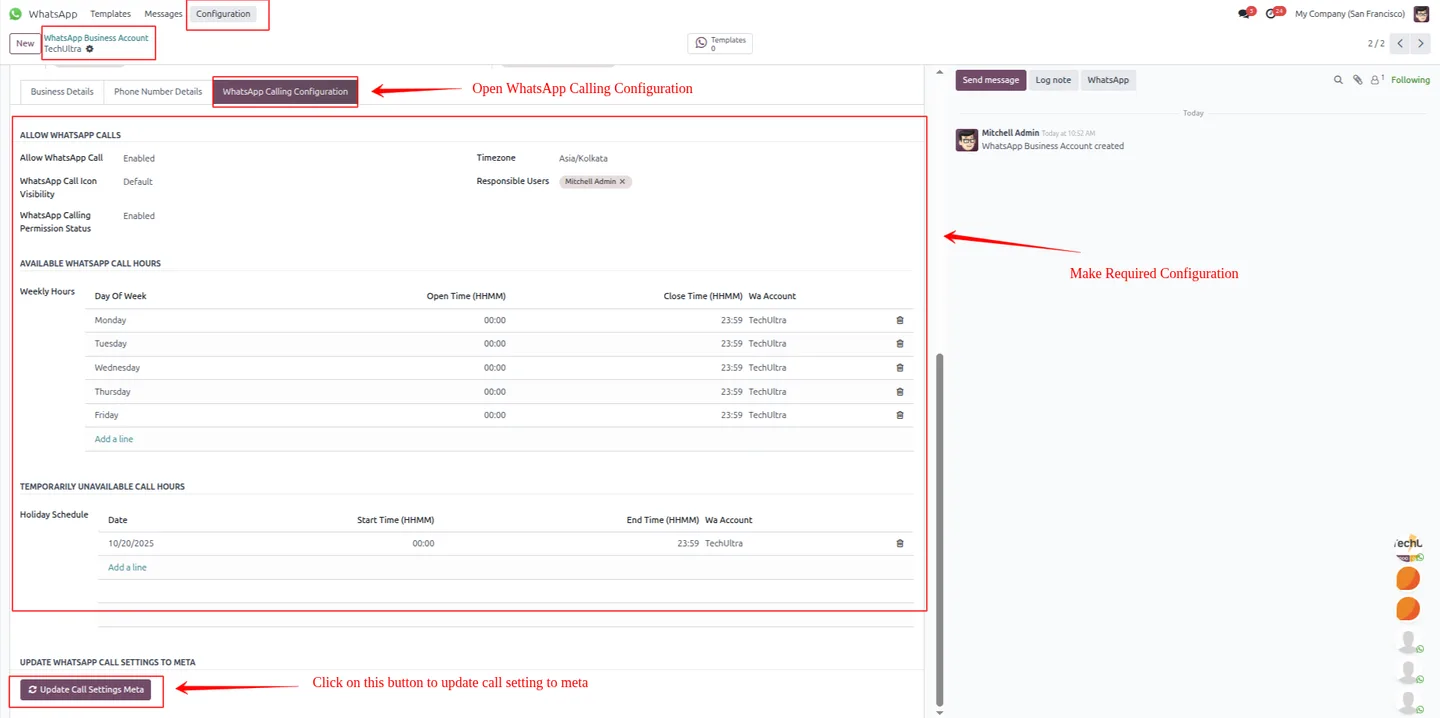
The calling configuration lets you set working hours and holiday schedules, then pushes the settings to the Meta WhatsApp system with one update.
-
Call request templates
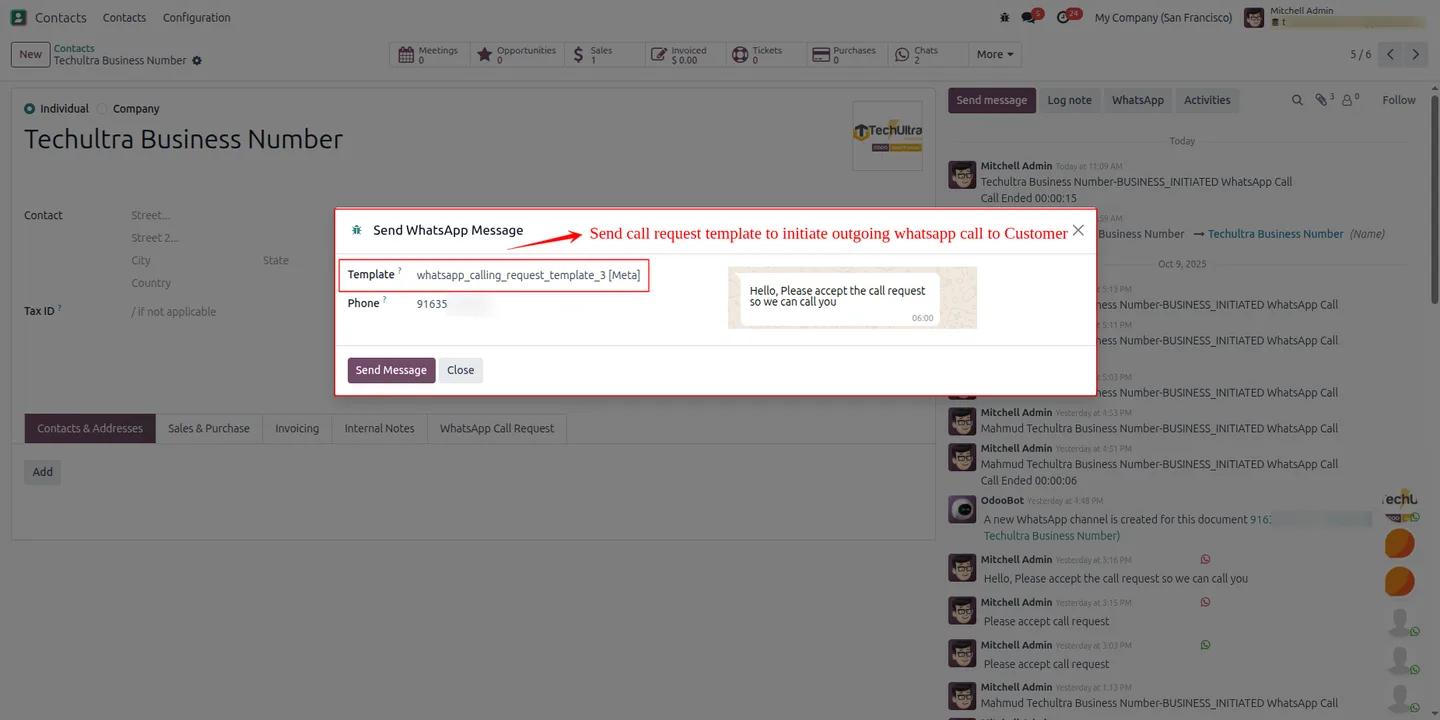
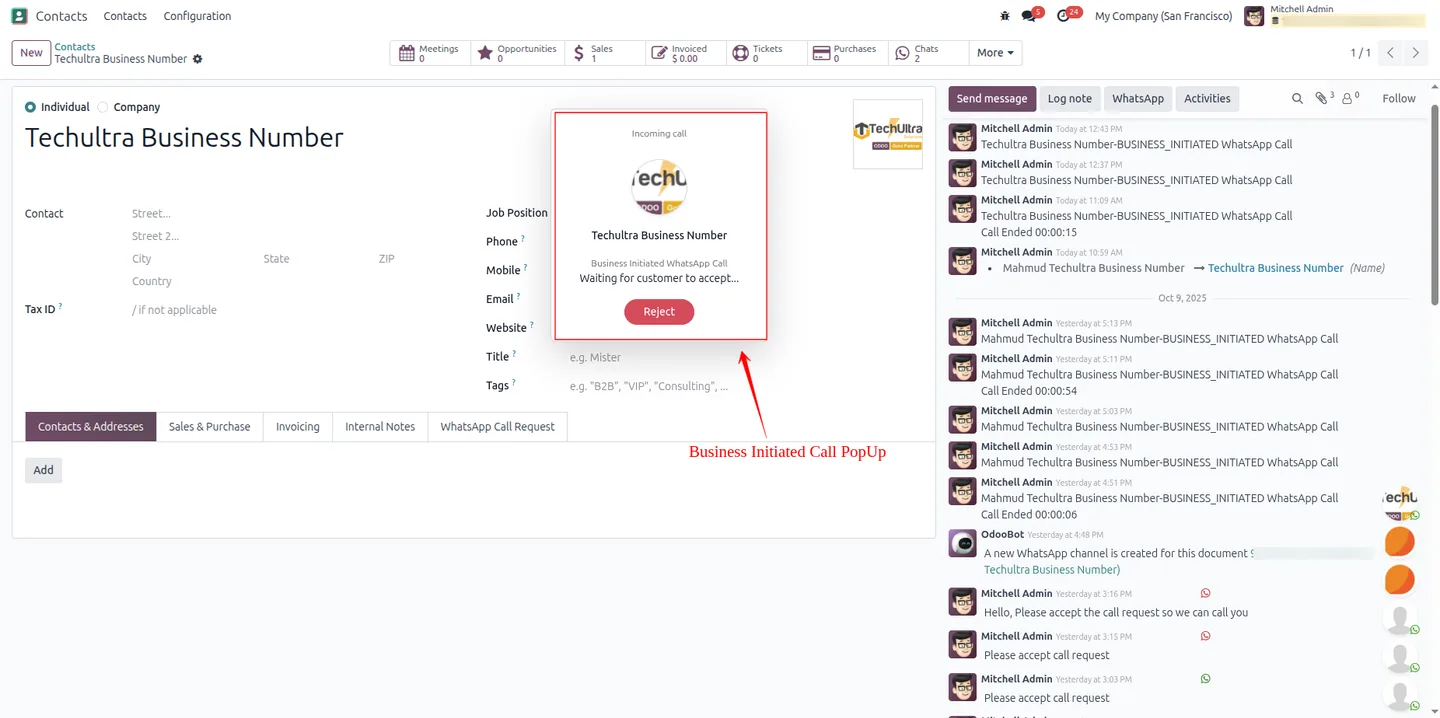
Business-initiated outgoing calls use configurable call request templates, so customers receive a clear prompt before a call connects.
WhatsApp Calling (Enterprise) in Odoo
Every screen, in the order you meet it — configuration first, then the module in use.
Technical details
Specification
- Publisher
- TechUltra Solutions Private Limited
- Technical name
- odoo_whatsapp_calling_ent
- Odoo versions
- 17.0, 18.0, 19.0
- Lines of code
- 2,427
- License
- Odoo Proprietary License v1.0 (OPL-1)
- Price
- $88 (one-time)
Deployment
- Odoo Online
- Odoo.sh
- On-premise
Odoo dependencies
- Discuss
Support
90 days of bug-fix support, Monday to Friday (10:00–19:00 IST). Raise a ticket at support@techultra.in.
Setup & configuration
From install to first call — here is the path.
- 1
Install the module
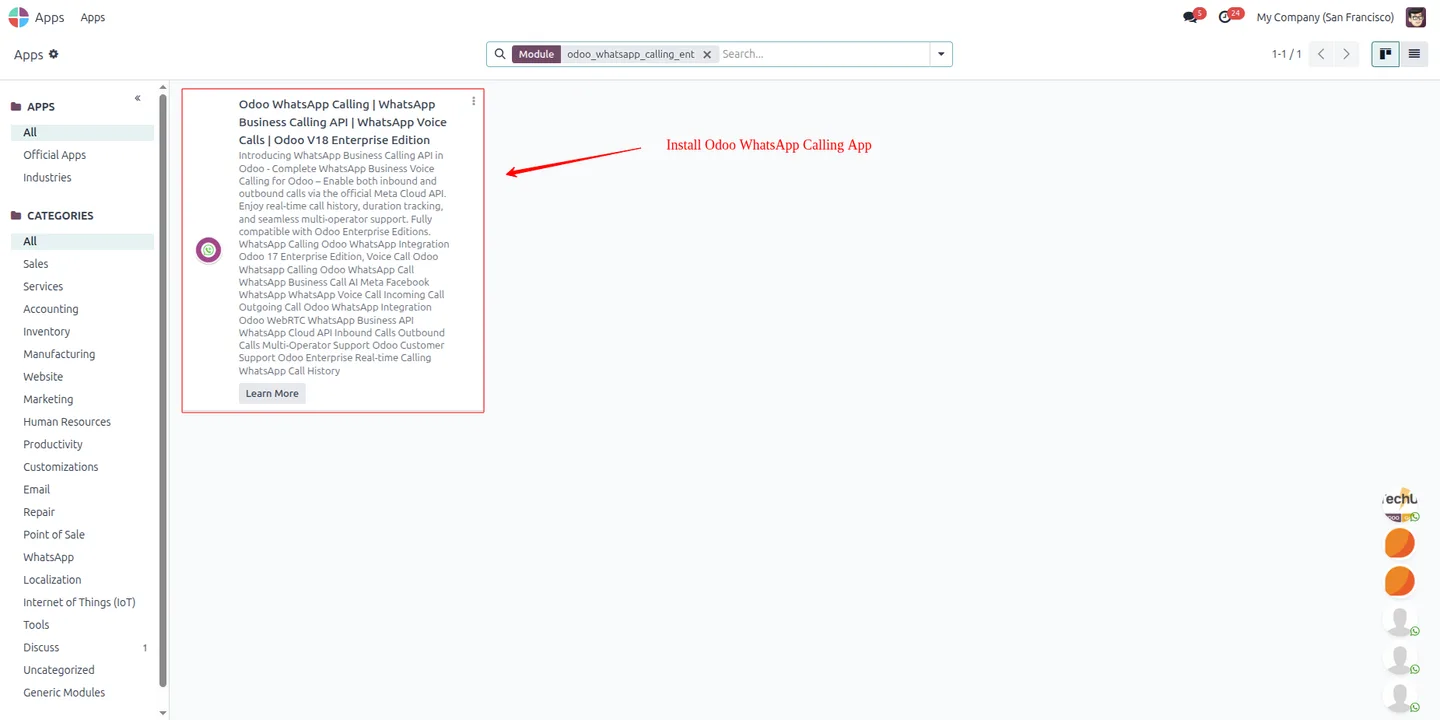
In Odoo, open Apps, remove the Apps filter, search for “WhatsApp Calling Enterprise”, and click Install.
- 2
Open the calling configuration
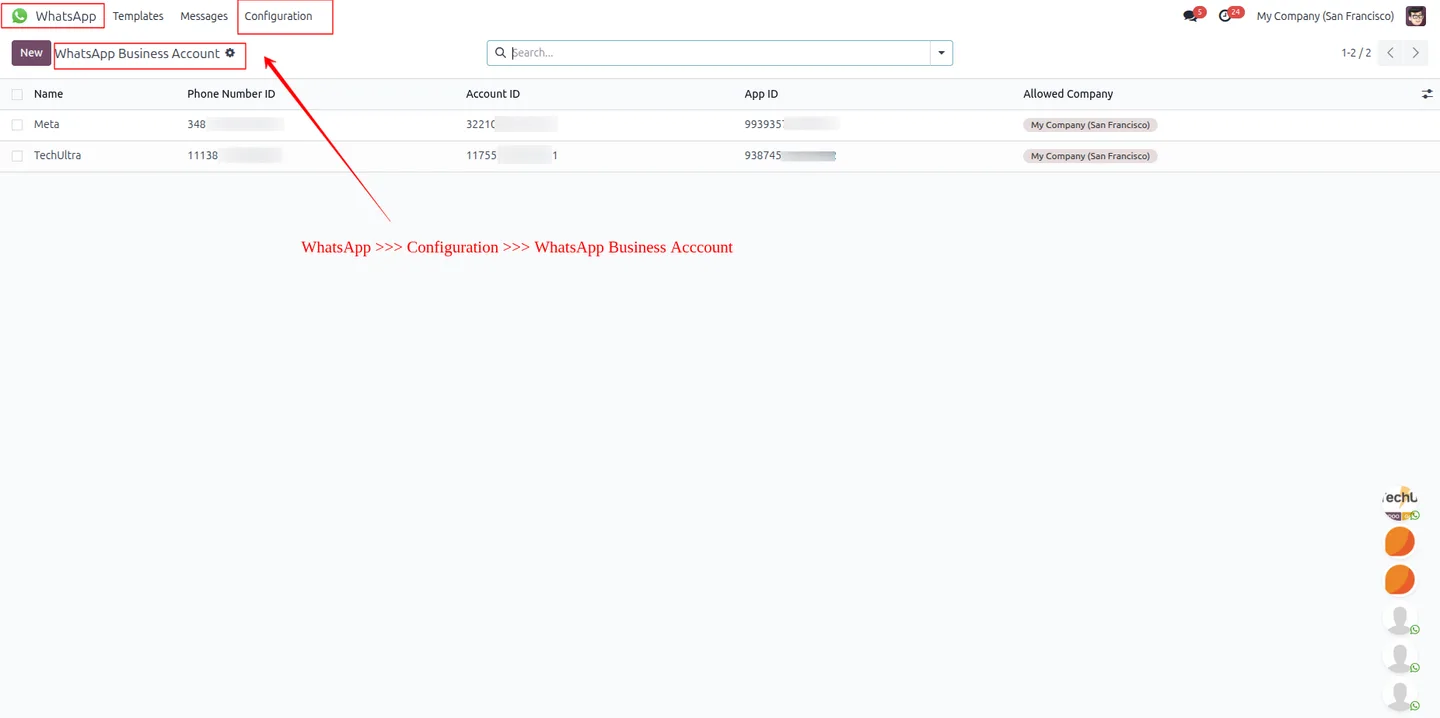
Go to the WhatsApp application → Configuration → WhatsApp Business Account to reach the WhatsApp Call settings.
- 3
Enable WhatsApp Calling
On the WhatsApp Calling Configuration page, enable the feature, set working hours and holiday schedules, then click Update Call Settings to save the changes to Meta.
- 4
Set up call request templates
Configure the call request template used for business-initiated outgoing calls, so customers see a clear prompt before a call connects.
- 5
Place and monitor calls
Use the WhatsApp Call button on a record to start a call, watch ongoing calls in real time, and review the full call history with duration, ID, and status.
Frequently asked questions
-
Does this module need Odoo Enterprise?
Yes. This is the Enterprise edition of WhatsApp Calling and supports Odoo 17.0, 18.0, and 19.0 Enterprise.
-
Can customers call us, or only the other way around?
Both. Customers can call your official WhatsApp business number, and your team can place outgoing calls to leads, customers, and vendors from CRM, Sales, and Contacts.
-
Where can operators start an outgoing call?
Operators place WhatsApp calls directly from CRM, Sales, and Contacts using the WhatsApp Call button on the record.
-
Can more than one person handle calls?
Yes. Multiple internal Odoo users can act as operators, placing and receiving WhatsApp calls on the shared business number — useful for sales teams and support desks.
-
Is every call recorded in Odoo?
Yes. Each incoming and outgoing call is logged with caller and callee details, timestamps, duration, and status, all visible in the WhatsApp call history.
-
Can I limit calling to business hours?
Yes. The calling configuration lets you set working hours and holiday schedules, then sync those settings to the Meta WhatsApp system.
-
Do I need a third-party calling service?
No. The module uses the WhatsApp Business Calling API and is fully embedded in Odoo, so there is no separate calling app to install.
-
Is support included?
Yes. The module includes 90 days of bug-fix support, Monday to Friday, 10:00–19:00 IST.
Listing verified against the Odoo App Store:
Related solutions
Whole-platform solutions that complement WhatsApp Calling (Enterprise).
WhatsApp ↔ Odoo Integration
Connect WhatsApp to Odoo: two-way WhatsApp Business API sync, order and invoice messages, payment links and one shared team inbox. Free demo from a Gold Partner.
AI WhatsApp Chatbot
LLM-powered WhatsApp chatbot grounded in your Odoo data. Handles ordering, support, FAQs, and lead qualification with human-agent escalation.
Odoo WhatsApp Push Notifications
Real-time WhatsApp push notifications in Odoo — web, Android, iOS. Customer names in Discuss instead of phone numbers. Compatible with Odoo 17 and 18.
Related services
Get the most out of this module with senior TechUltra consultants.
Odoo Customization Services
Odoo customization from a Gold Partner: custom modules, workflows, reports and Studio changes, written upgrade-safe and quoted at a fixed scope. Free scoping call.
Hire Odoo Developers
Hire certified Odoo developers from a Gold Partner: one developer or a team, full-time or part-time, 70–160 hours a month. Silver, Gold or Platinum plan, free trial.
Odoo Support Services & Maintenance
Odoo support services from a Gold Partner: functional and technical support plus server cover for Enterprise and Community, 30-minute P1 response, 24/7 option.







