

Odoo App · Documents & Files
Web Export Password Protected
Lock Odoo's data export behind an access right and a password prompt.
Overview
Web Export Password Protected hardens Odoo's built-in data export. Out of the box, any user with read access to a list view can pull the records out as CSV or Excel. For teams that handle customer lists, prices, or HR data, that is a quiet leak waiting to happen.
Built by TechUltra Solutions, the module solves it with two simple controls. A new Display Export access right decides whether a user sees the Export action at all, and a password wizard sits between the click and the file — the export only runs when the right password is entered.
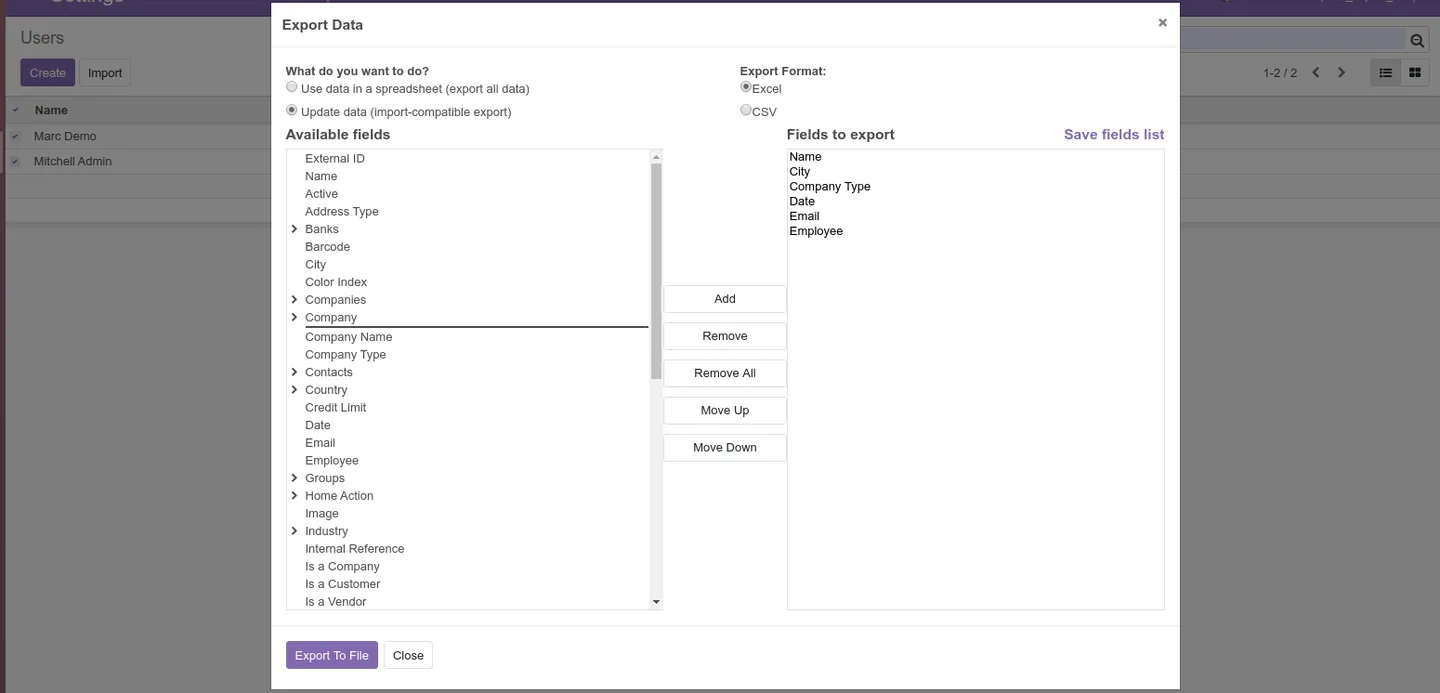
The original CSV and Excel formats, the Import-Compatible and Export All Data modes, and the field-picker for reordering and trimming columns all keep working exactly as Odoo ships them. The module just adds a gate in front.
Key features
-
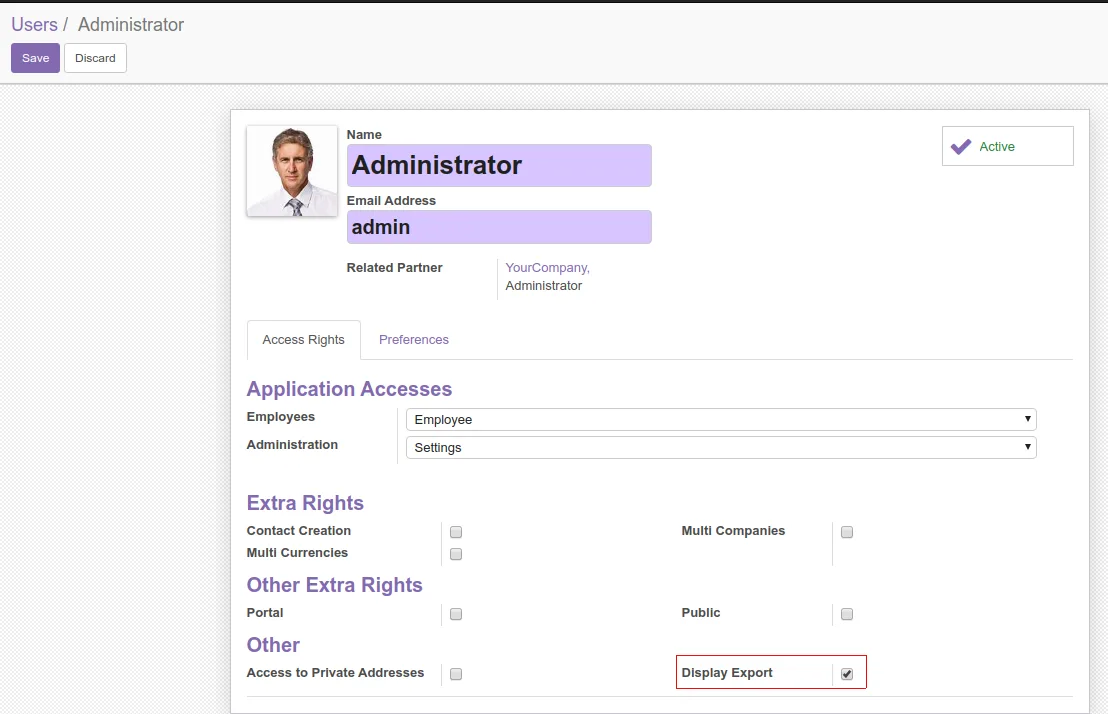
Per-user Display Export right
A new Display Export access right turns Odoo's Export action on or off per user, so only authorised people see the button in the list-view action menu.
-
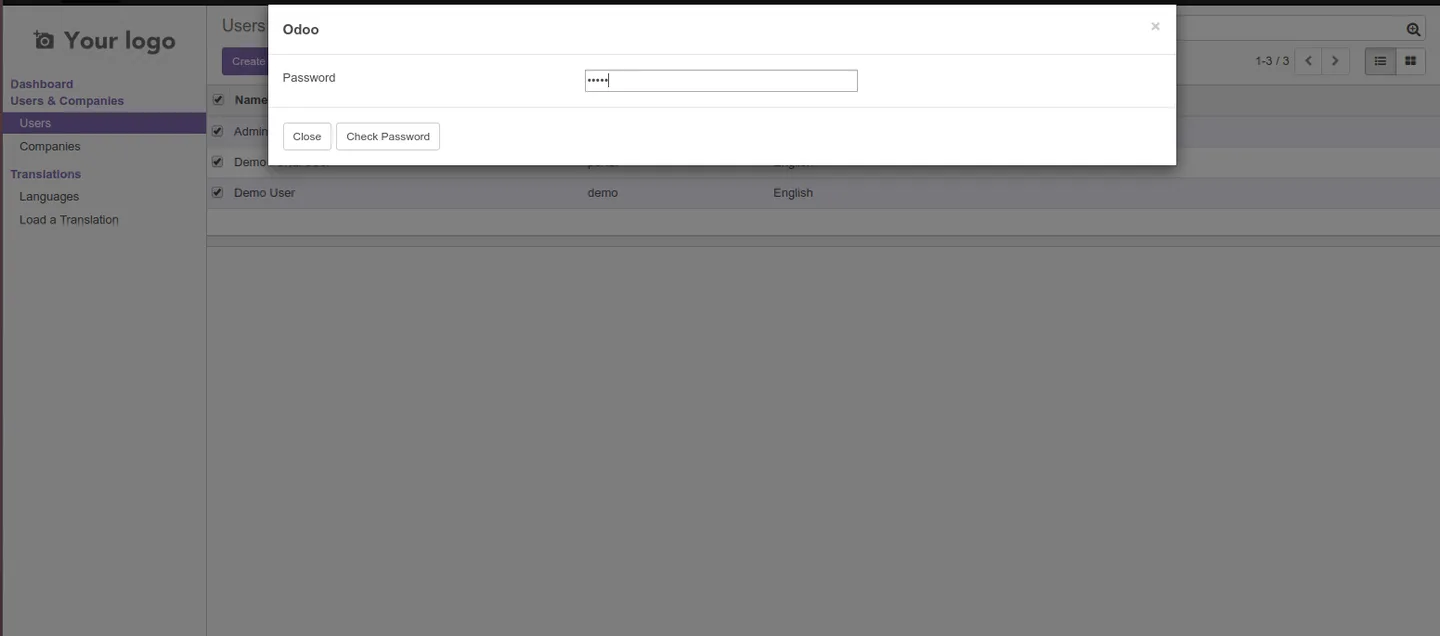
Password-protected export wizard
Clicking Export opens a password wizard. The export only runs once the configured password is entered, so a granted right alone is not enough to extract data.
-
Standard CSV and Excel output
Once the password is accepted, exports are produced in CSV or Excel using Odoo's native export pipeline — no proprietary file format or external converter.
-
Import-Compatible Export preserved
The Import-Compatible Export mode is kept intact, so exported files can still be edited and re-imported into Odoo with fields aligned to the import format.
-
Export All Data in one click
The Export All Data option still exports every available field on the model in a single click, useful for full backups or one-off audits.
-
Field selection and reordering
The standard field picker is unchanged — users can add, remove, and reorder fields in the wizard before the password step approves the export.
-
Works on every list view
The protection applies wherever Odoo's list-view export action appears — partners, sales orders, invoices, products, employees, and any custom model — without per-model configuration.
-
Zero workflow disruption
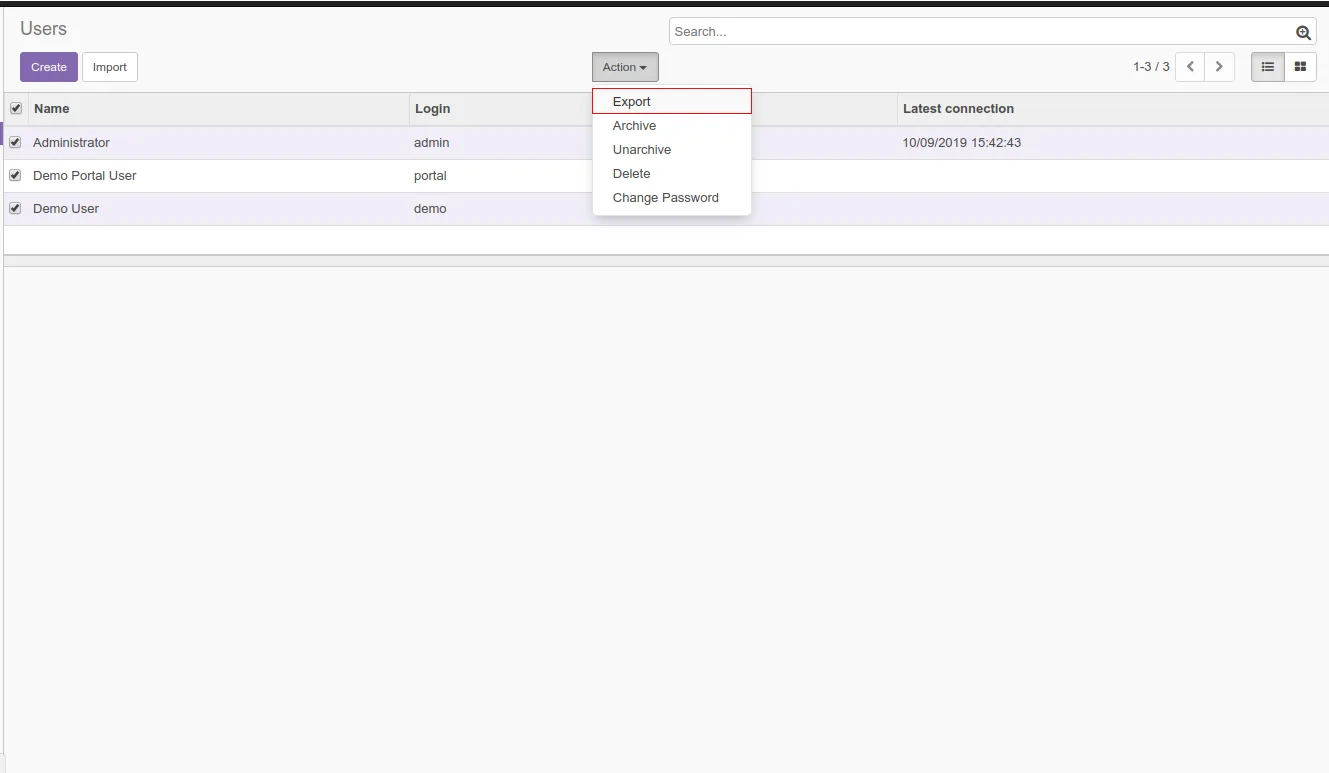
The user-facing flow is the same Odoo people already know — Action → Export, pick fields, download. The only addition is the password step at the end.
Web Export Password Protected in Odoo
Every screen, in the order you meet it — configuration first, then the module in use.



Technical details
Specification
- Publisher
- TechUltra Solutions Private Limited
- Technical name
- web_export_extended
- Odoo versions
- 11.0, 12.0, 13.0, 14.0
- Lines of code
- 130
- License
- Odoo Proprietary License v1.0 (OPL-1)
- Price
- Free
Deployment
- Odoo Online
- Odoo.sh
- On-premise
Odoo dependencies
- Web
- Settings
Support
90 days of bug-fix support, Monday to Friday (10:00–19:00 IST). Raise a ticket at support@techultra.in.
Setup & configuration
From install to first call — here is the path.
- 1
Install the module
In Odoo, open Apps, remove the Apps filter, search for “Web Export Password Protected”, and click Install.
- 2
Grant the Display Export right
Under Settings → Users & Companies → Users, edit each user who should be allowed to export and tick the Display Export access right on their profile.
- 3
Set the export password
Open the module's configuration and set the export password. This password is required every time a user invokes Export, regardless of their other access rights.
- 4
Verify on a list view
Sign in as an authorised user, open any list view (for example Contacts), choose Action → Export, pick fields and format, then enter the password when prompted.
- 5
Confirm restriction for other users
Sign in as a user without the Display Export right and confirm the Export action is hidden from the list-view action menu.
Frequently asked questions
-
Does the module replace Odoo's native export?
No. It wraps the standard export. CSV and Excel output, Import-Compatible Export, Export All Data, and the field-picker keep working — the module just adds an access right and a password prompt before the file is generated.
-
Who decides who can export?
Administrators do. The module adds a Display Export access right on each user record; only users with that right see the Export action in list-view menus.
-
Is the password per user or global?
It is a single configured password validated by the export wizard. Combined with the per-user Display Export right, you get two layers — only granted users see Export, and they still have to know the password to use it.
-
Will exports still be re-importable into Odoo?
Yes. Import-Compatible Export remains available, so files exported through the wizard can still be edited and re-imported into Odoo with field names that match the import format.
-
Which Odoo versions are supported?
The module is published for Odoo 11.0, 12.0, 13.0, and 14.0, in both the Community and Enterprise editions.
-
Does it protect exports on custom models?
Yes. The protection hooks into Odoo's list-view export action itself, so it covers every model that exposes the standard Export button — including custom modules.
-
Is support included?
Yes. The module includes 90 days of bug-fix support, Monday to Friday, 10:00–19:00 IST.
Listing verified against the Odoo App Store:
Related solutions
Whole-platform solutions that complement Web Export Password Protected.
Related services
Get the most out of this module with senior TechUltra consultants.
Odoo Customization Services
Odoo customization from a Gold Partner: custom modules, workflows, reports and Studio changes, written upgrade-safe and quoted at a fixed scope. Free scoping call.
Hire Odoo Developers
Hire certified Odoo developers from a Gold Partner: one developer or a team, full-time or part-time, 70–160 hours a month. Silver, Gold or Platinum plan, free trial.
Odoo Support Services & Maintenance
Odoo support services from a Gold Partner: functional and technical support plus server cover for Enterprise and Community, 30-minute P1 response, 24/7 option.







