
Odoo App · Inventory & Security
Warehouse Access Control
Restrict each Odoo user to specific warehouses, stock locations, picking types, and sale orders.

Overview
Warehouse Access Control gives companies fine-grained control over how each user works with Inventory, warehouse operations, and sale orders in Odoo. Standard Odoo permissions are broad; this module narrows them to the warehouse and location level.
Built by TechUltra Solutions, the module lets administrators define exactly which warehouses, stock locations, picking types, and sale orders each user can access or process. The settings live on the user record, alongside the standard access rights.
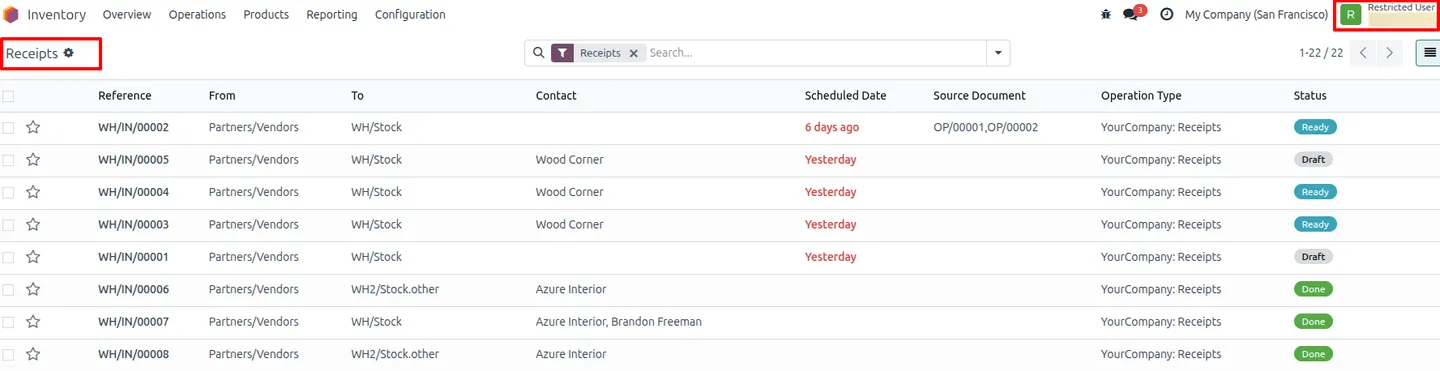
The result is tighter operational security and cleaner workflows. Staff at one site no longer see another site's transfers or orders, which cuts mistakes, prevents cross-warehouse data leakage, and keeps each team focused on its own work.
Key features
-
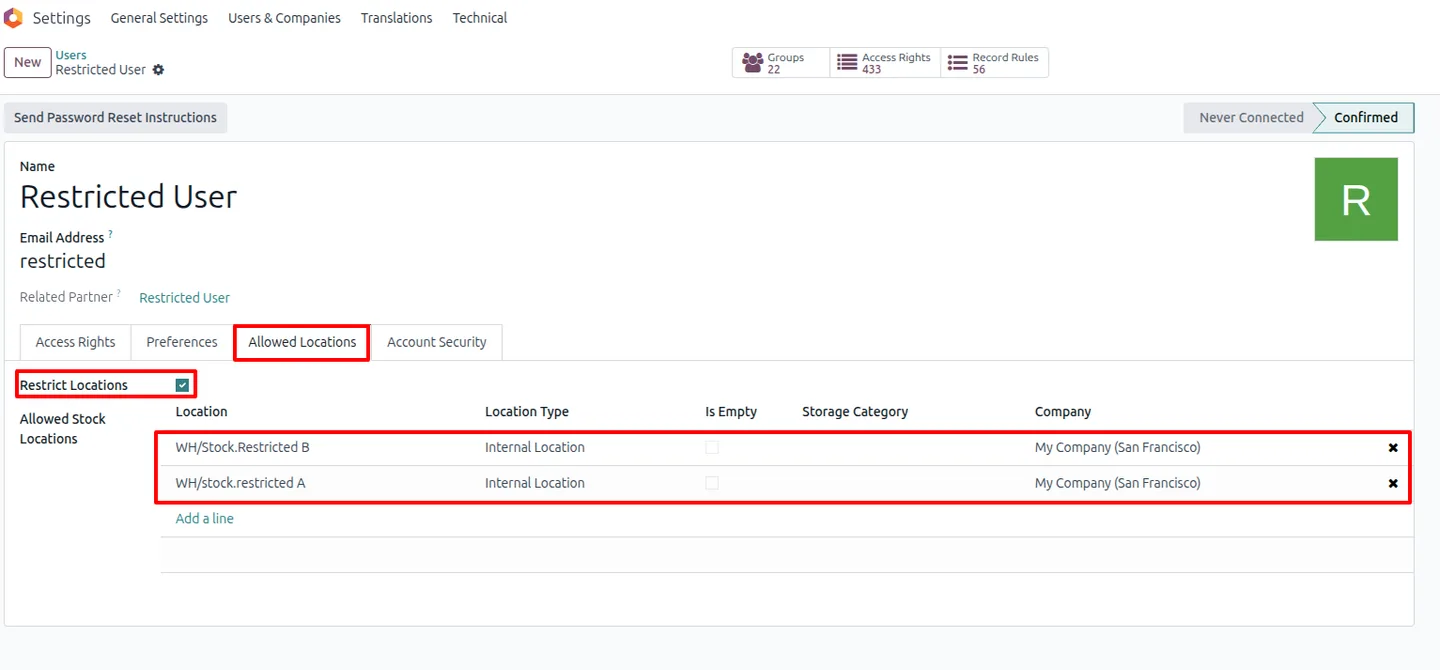
Restrict stock location access
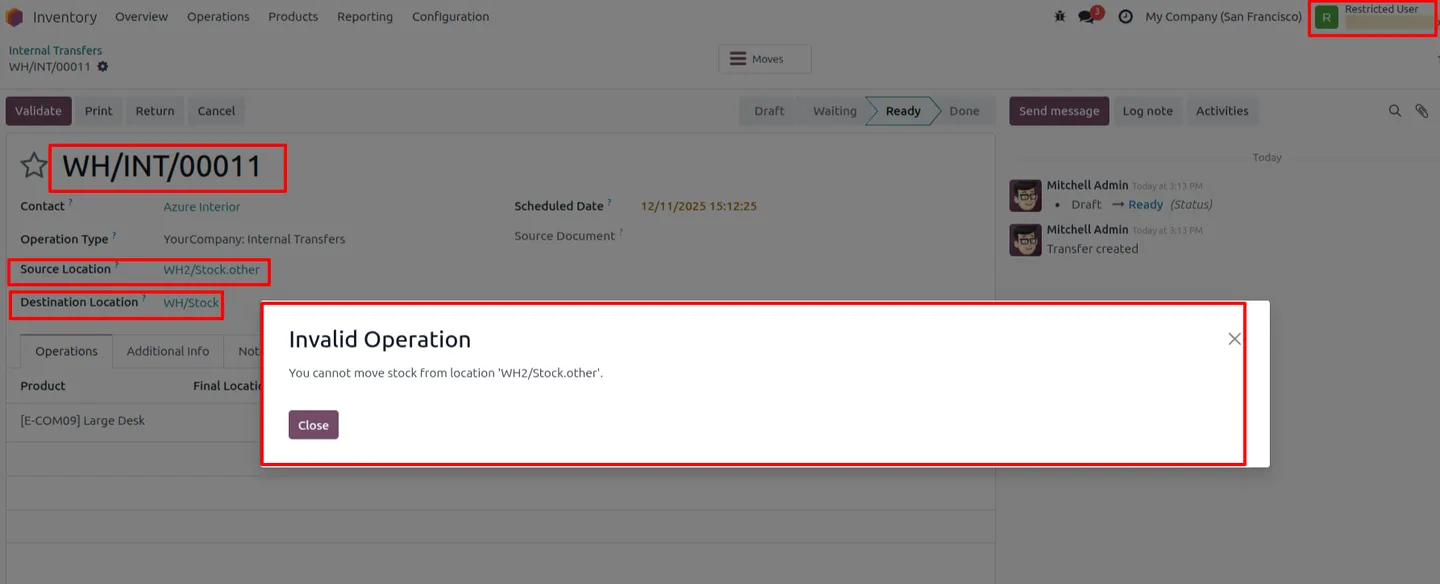
Limit each user to specific stock locations, so they only see and act on inventory in the locations they are responsible for.
-
Restrict warehouse access per user
Assign each user a set of allowed warehouses. Warehouses outside that set are hidden from their view.
-
Restrict picking types
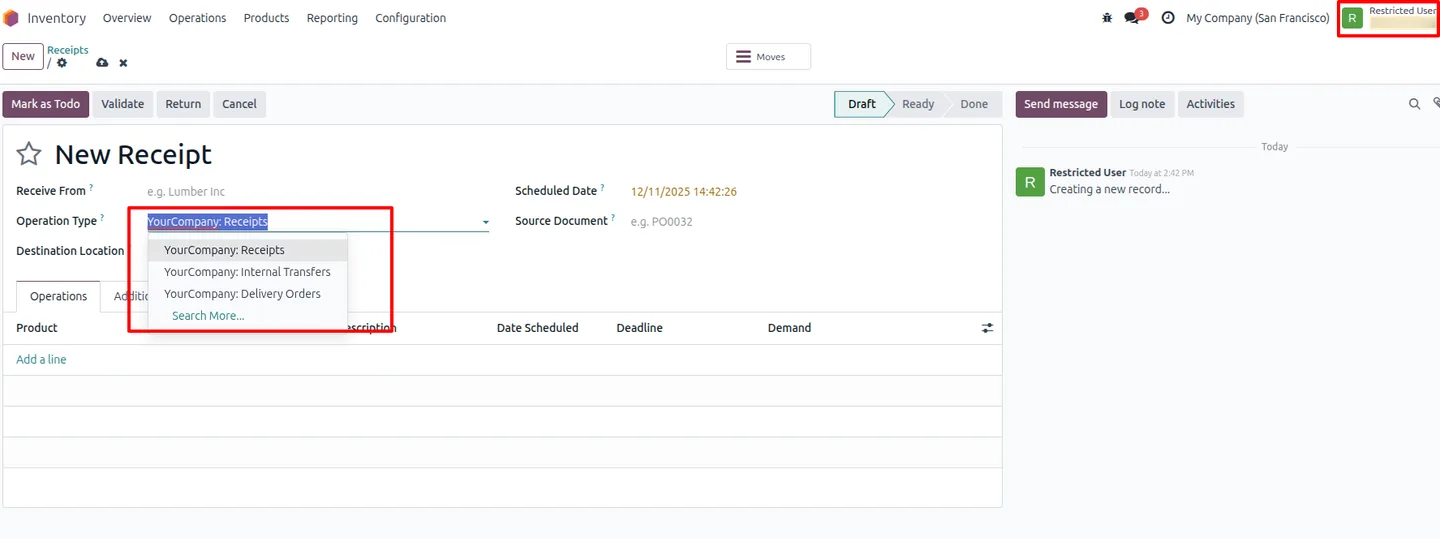
Control which operation types — receipts, deliveries, and other picking types — each user is allowed to process.
-
Prevent cross-warehouse data leakage
Users at one site cannot view inventory or operations from other sites, keeping warehouse data separated by team.
-
Restrict sale order visibility
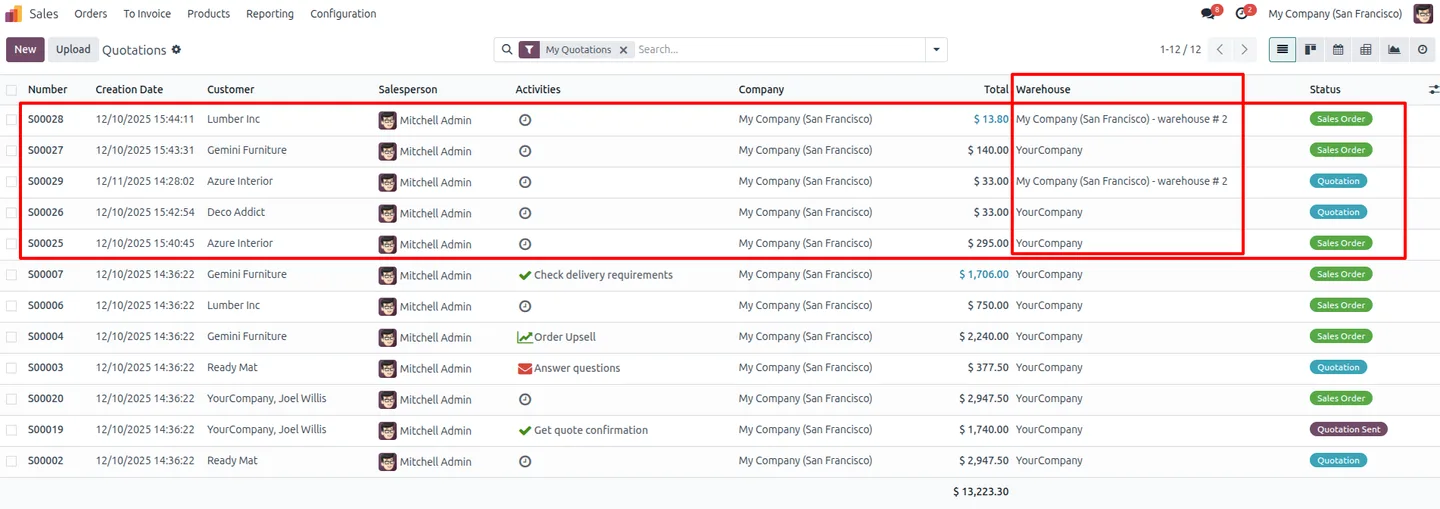
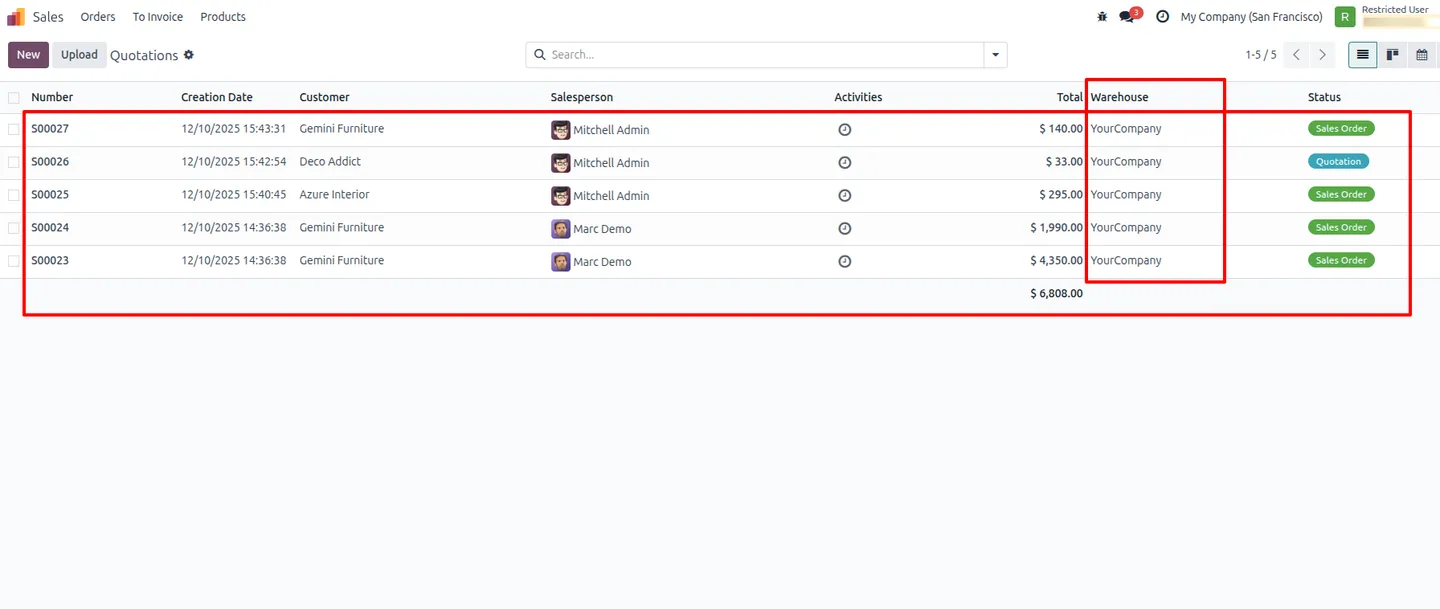
Limit which sale orders a user can see, and set a maximum number of orders shown in their list to keep their view focused.
-
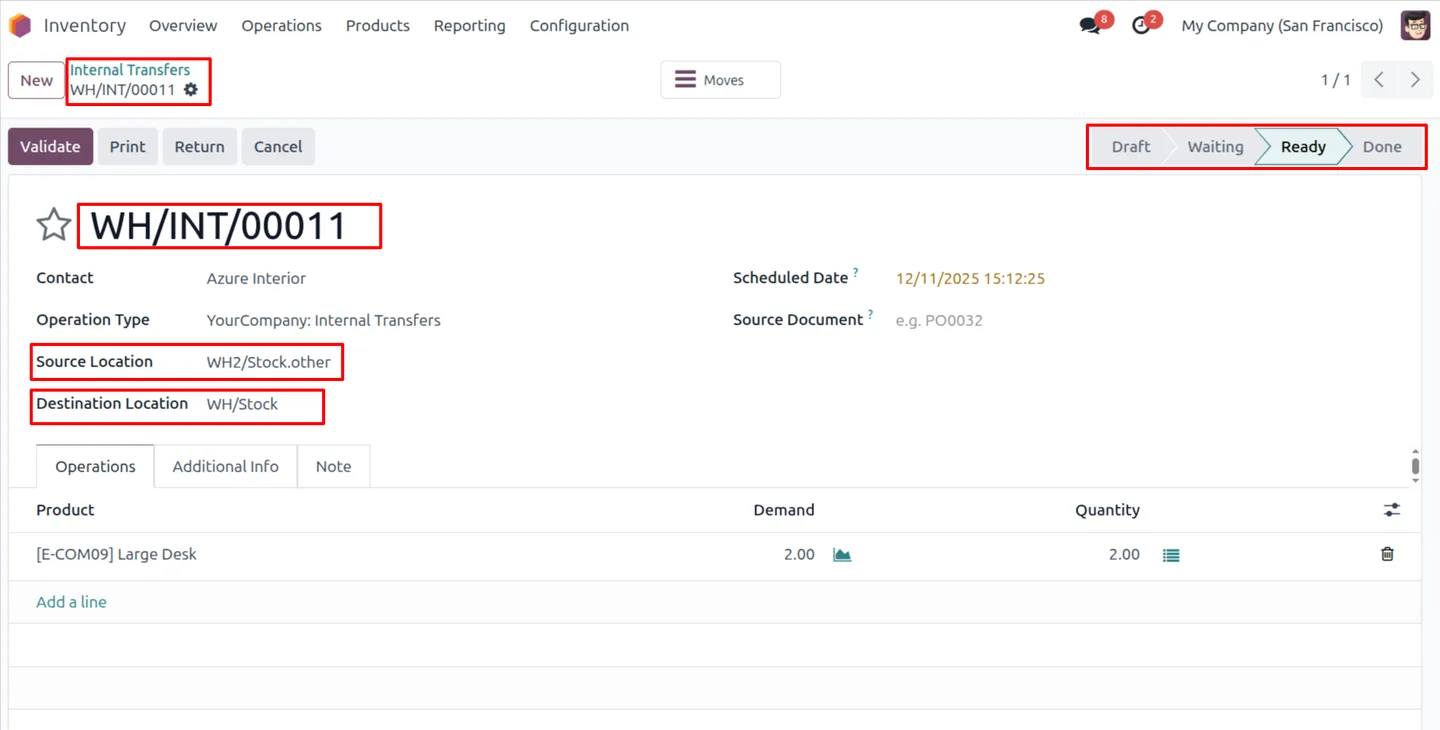
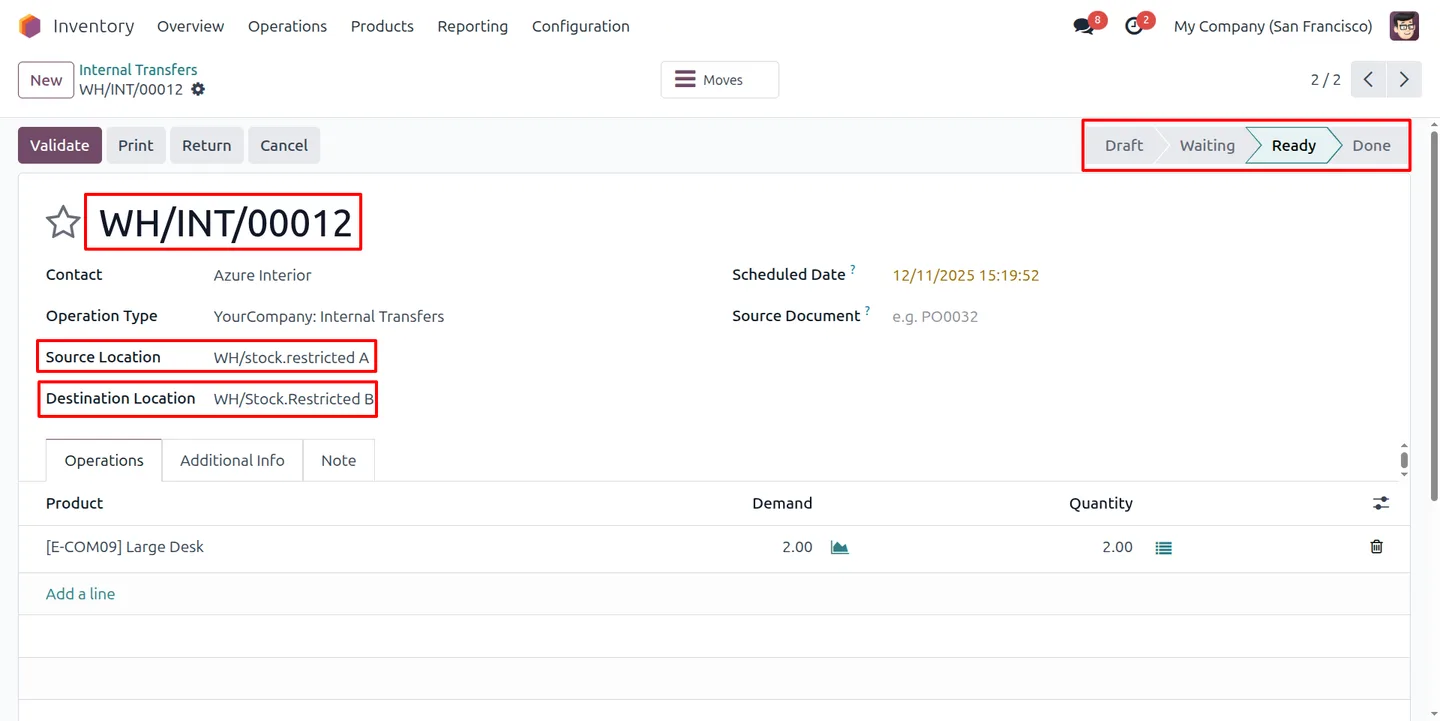
Controlled transfer visibility
Stock transfers are shown only to the users whose warehouses and operation types they belong to, rather than to everyone.
-
Configurable user security panel
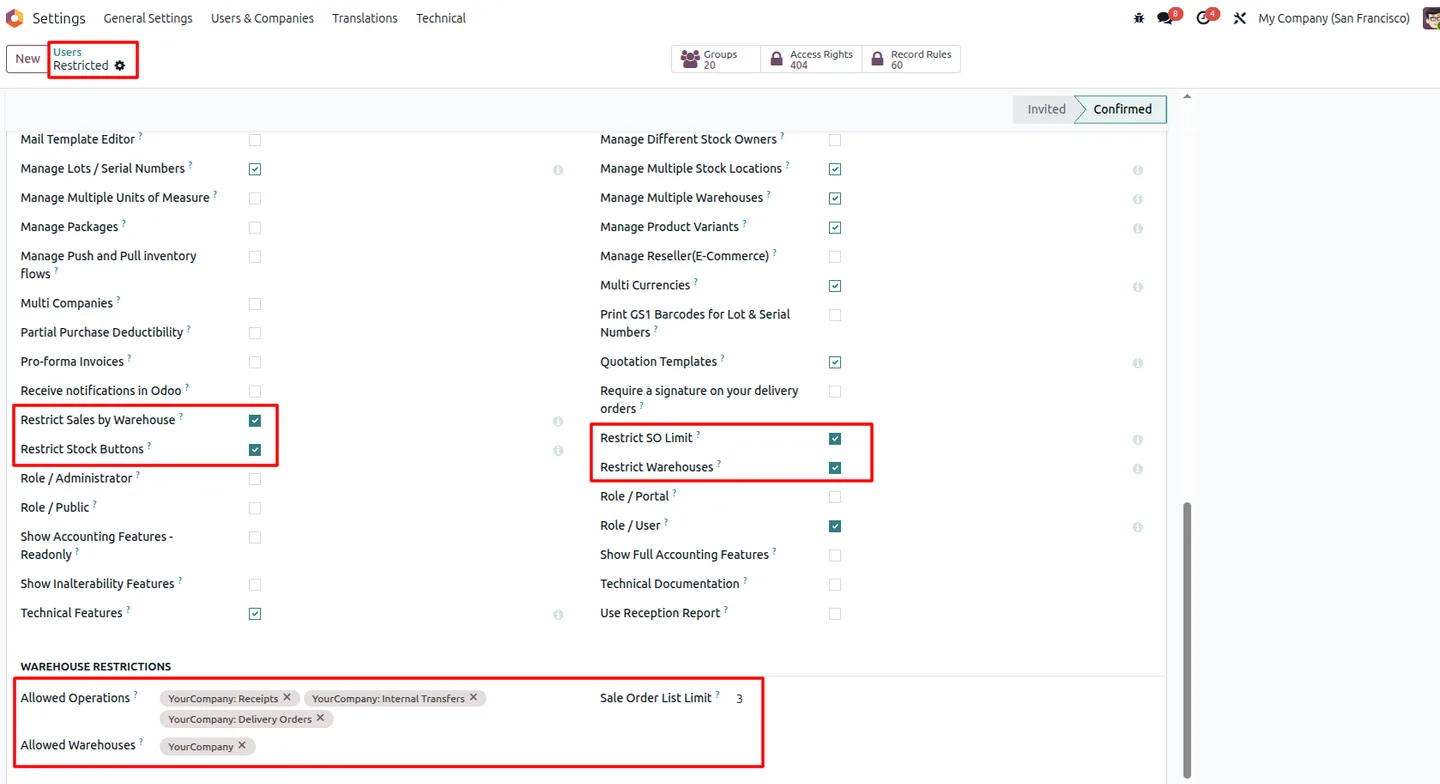
All restrictions are set from the user's Access Rights section, with toggles for restricting warehouses, sales by warehouse, stock buttons, and the sale order limit.
-
Tighter operational control
By matching access to responsibility, the module enforces stronger business control over inventory and sales activity.
-
Clearer operational transparency
Each user sees a focused, relevant view of warehouses and orders, which makes day-to-day operations easier to follow and audit.
Warehouse Access Control in Odoo
Every screen, in the order you meet it — configuration first, then the module in use.
Technical details
Specification
- Publisher
- TechUltra Solutions Private Limited
- Technical name
- tus_warehouse_stock_restrictions
- Odoo versions
- 16.0, 17.0, 18.0, 19.0, 20.0
- Lines of code
- 160
- License
- Odoo Proprietary License v1.0 (OPL-1)
- Price
- $16.99 (one-time)
Deployment
- Odoo Online
- Odoo.sh
- On-premise
Odoo dependencies
- Inventory
- Sales
- Contacts
- Invoicing
- Discuss
Support
90 days of bug-fix support, Monday to Friday (10:00–19:00 IST). Raise a ticket at support@techultra.in.
Setup & configuration
From install to first call — here is the path.
- 1
Install the module
In Odoo, open Apps, remove the Apps filter, search for “Warehouse Access Control”, and click Install.
- 2
Confirm your warehouses
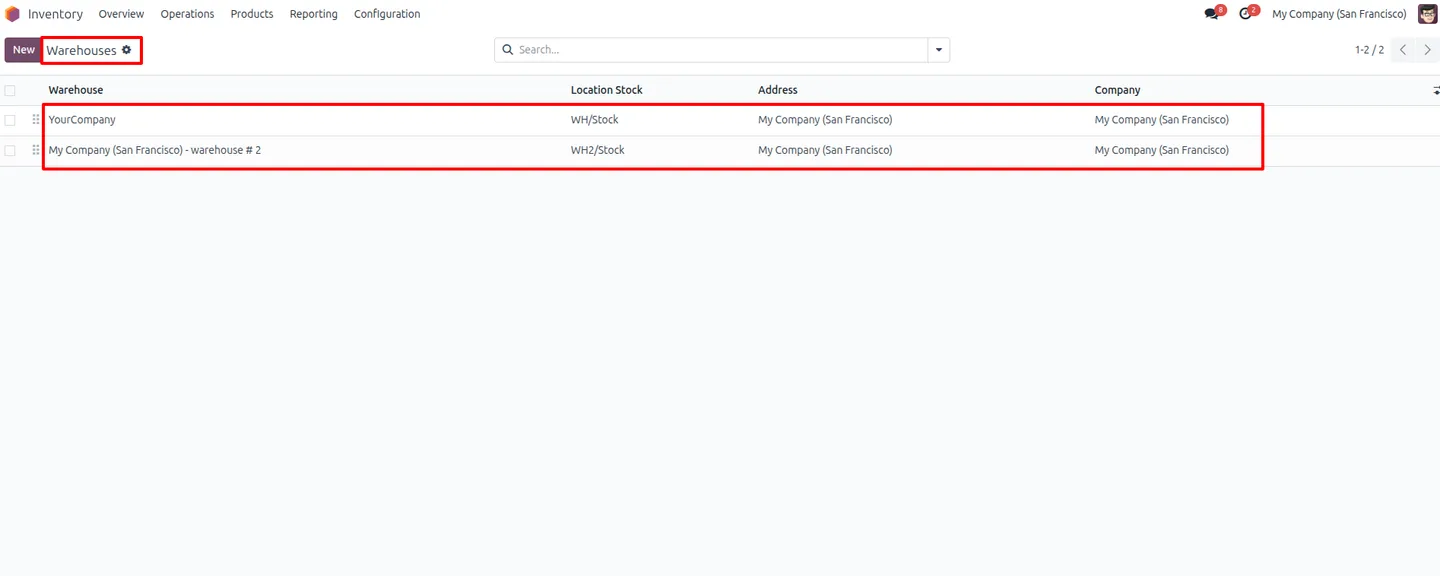
Make sure the warehouses you want to restrict against exist and are active in your Odoo Inventory configuration.
- 3
Create stock locations
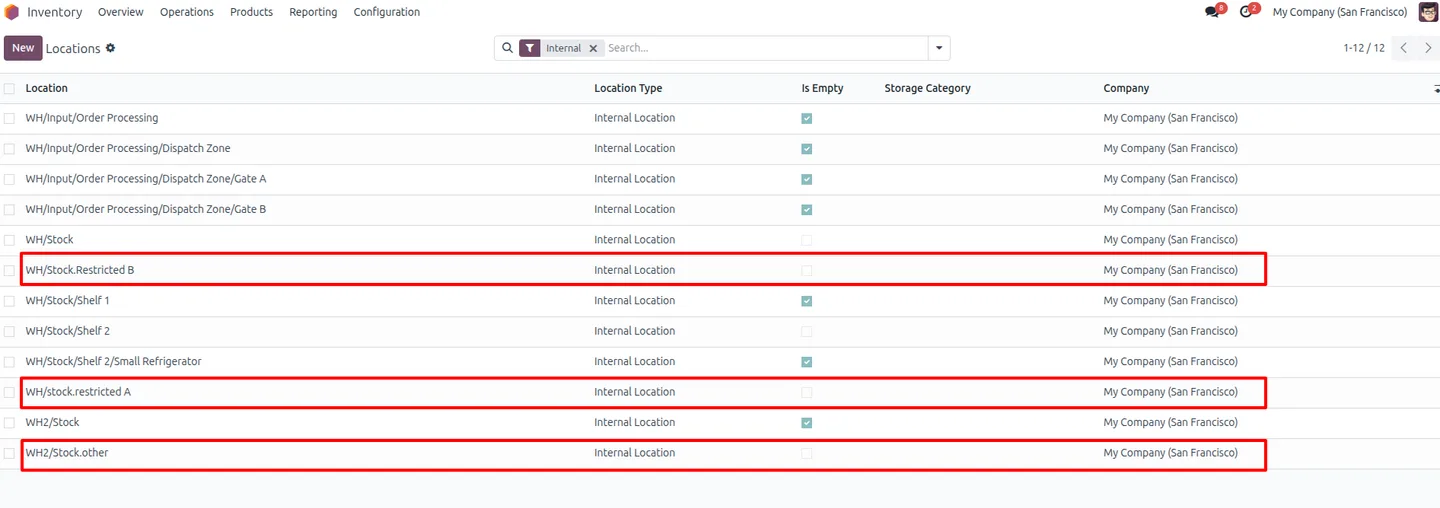
Set up the stock locations for each warehouse — for example, separate restricted locations per site — so they can be assigned to users.
- 4
Create the restricted users
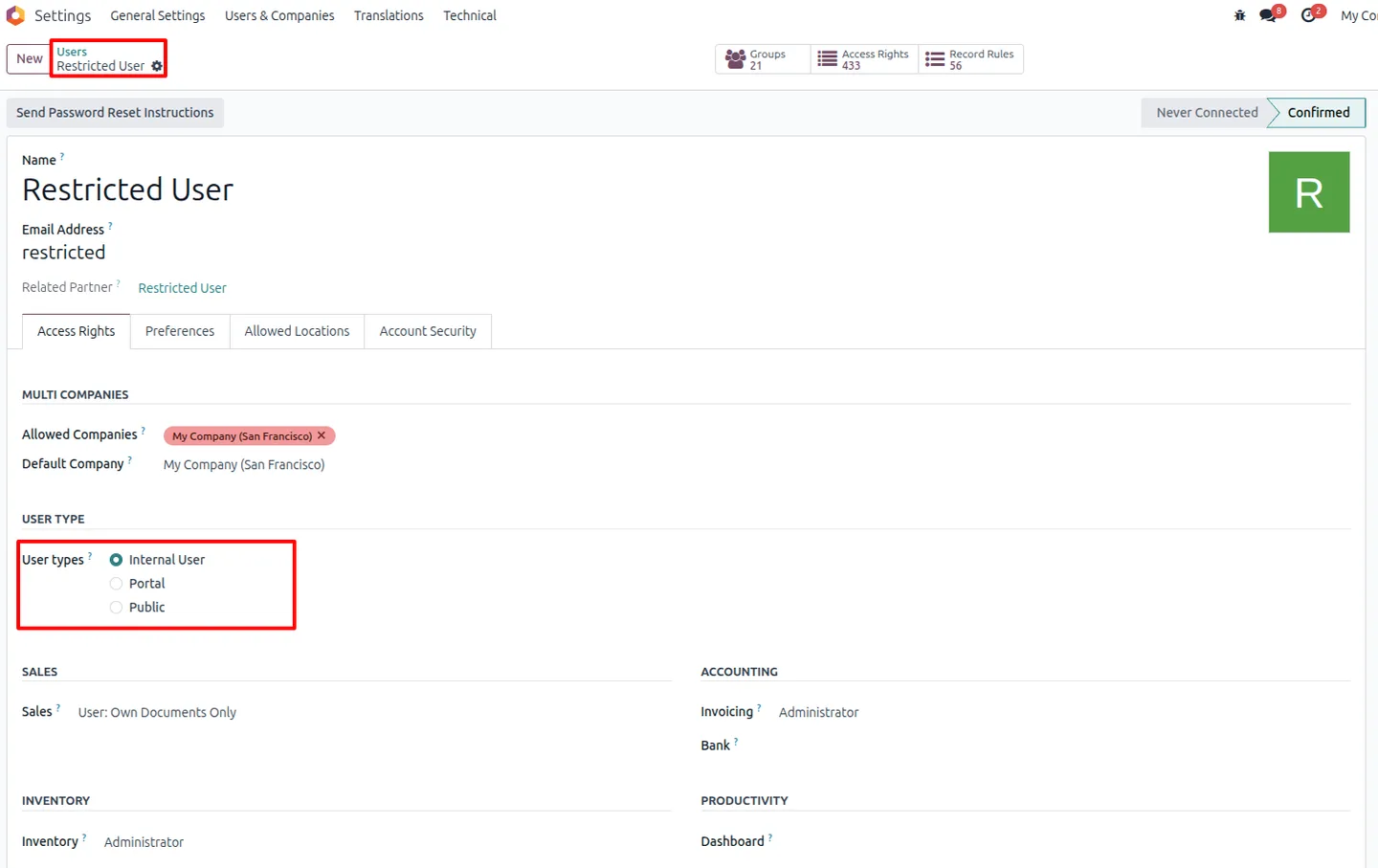
Create internal user accounts with basic Sales and Inventory access rights for the staff you want to restrict.
- 5
Configure user restrictions
In each user's Access Rights section, set the allowed operations (receipt and delivery picking types), the allowed warehouses, and a sale order list limit. Turn on the toggles for Restrict Warehouses, Restrict Sales by Warehouse, Restrict Stock Buttons, and Restrict SO Limit.
- 6
Test the restrictions
Log in as a restricted user and confirm that only the configured warehouses, locations, picking types, and orders are visible.
Frequently asked questions
-
What can Warehouse Access Control restrict?
It restricts the warehouses, stock locations, picking types (operation types), and sale orders each Odoo user can access or process. The restrictions are set per user.
-
Where are the restrictions configured?
All settings live in the user's Access Rights section. You choose allowed warehouses and operations, set a sale order list limit, and enable the relevant restriction toggles.
-
How does it prevent cross-warehouse data leakage?
Users only see inventory, transfers, and orders for the warehouses assigned to them. Data from other sites is hidden, so teams cannot view each other's operations.
-
Can I limit how many sale orders a user sees?
Yes. You can restrict sale order visibility by warehouse and set a maximum number of orders shown in the user's list, keeping their view focused.
-
Does it control which transfers a user sees?
Yes. Stock transfers are shown only to the users whose warehouses and operation types they belong to, rather than to every user.
-
Which Odoo versions are supported?
Warehouse Access Control supports Odoo 16.0, 17.0, 18.0, 19.0, and 20.0, in both the Community and Enterprise editions.
-
Does it replace Odoo's standard access rights?
No. It works alongside Odoo's standard access rights, adding warehouse- and location-level restrictions on top of the normal permission groups.
-
Is support included?
Yes. The module includes 90 days of bug-fix support, Monday to Friday, 10:00–19:00 IST.
Listing verified against the Odoo App Store:
Related services
Get the most out of this module with senior TechUltra consultants.
Odoo Customization Services
Odoo customization from a Gold Partner: custom modules, workflows, reports and Studio changes, written upgrade-safe and quoted at a fixed scope. Free scoping call.
Hire Odoo Developers
Hire certified Odoo developers from a Gold Partner: one developer or a team, full-time or part-time, 70–160 hours a month. Silver, Gold or Platinum plan, free trial.
Odoo Support Services & Maintenance
Odoo support services from a Gold Partner: functional and technical support plus server cover for Enterprise and Community, 30-minute P1 response, 24/7 option.







