
Odoo App · Shipping & Logistics
UPS Shipping Connector
UPS rates, labels, tracking, and returns — booked from Odoo Sales and eCommerce.
Overview
UPS Shipping Connector links Odoo's delivery, sales, and eCommerce modules to UPS, so your team books shipments, prints labels, and tracks parcels without ever leaving Odoo. The module covers domestic and international UPS services worldwide.
Built by TechUltra Solutions, the connector adds UPS as a delivery method on quotations, sales orders, and the website checkout. Live rates are fetched from UPS using the warehouse, company, and customer addresses, and a Cash on Delivery, Saturday Delivery, or Bill My Account option can be selected per shipment.
When the delivery order is validated, the module submits the shipment to UPS, retrieves the shipping label, stores the tracking number on the picking, and emails it to the customer. International shipments include customs invoices, and partial returns can be raised with return labels and partial invoicing.
Key features
-
UPS as an Odoo delivery method
Adds UPS as a delivery method on quotations, sales orders, and the eCommerce checkout, with rates, services, and shipment booking handled inside Odoo.
-
Test and production modes
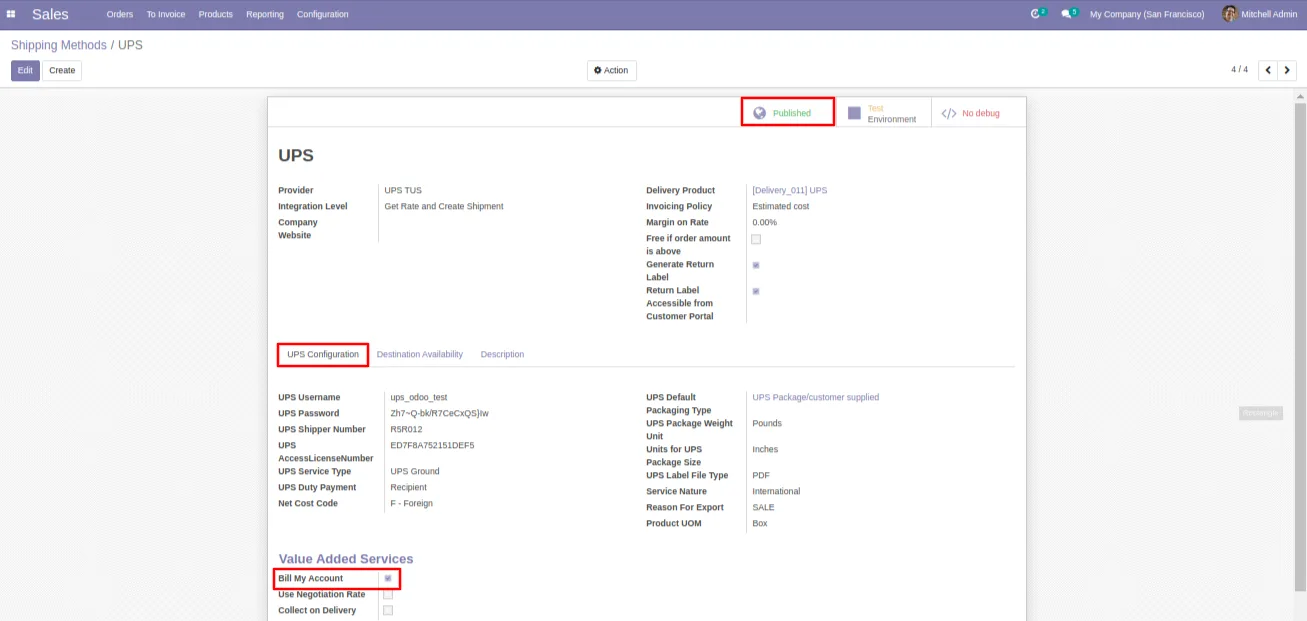
Switch between UPS test and production environments from the shipping method configuration, so integrations can be validated before going live.
-
Recipient address verification
Run a “Check Recipient Address” call against UPS before booking the shipment to catch invalid or undeliverable addresses up front.
-
Backend sales-order configuration
Sales users pick UPS as the delivery method on a quotation or sales order and see the calculated UPS cost in the order total before confirming.
-
Frontend website checkout
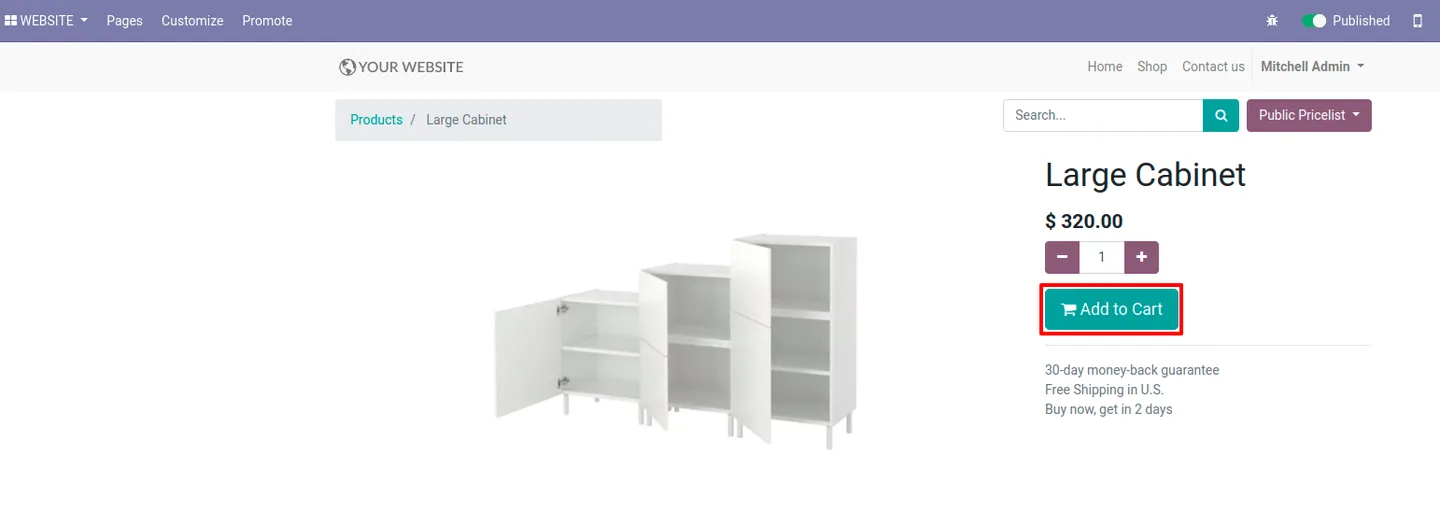
Website shoppers select UPS during checkout. Real-time rates from UPS are returned for the cart contents so the price they see is the price you ship at.
-
Cash on Delivery, Saturday Delivery, Bill My Account
Per-shipment options for Cash on Delivery (COD) payment, Saturday Delivery, and billing charges back to a UPS account, all selectable from the delivery configuration.
-
Shipment confirmation
Validate the delivery order and the module submits the shipment to UPS, returning the booking confirmation and shipping documents.
-
International invoicing and customs
Generates the customs invoicing UPS requires for cross-border shipments, so international orders ship with the right documentation attached.
-
Return labels and partial invoices
Create UPS return shipping labels and partial-return invoices directly from the delivery order — useful for product returns and partial refunds.
-
Shipping labels stored on the picking
Labels are pulled from UPS and saved on the Odoo picking so warehouse staff can reprint them from the same record they used to pack the shipment.
-
Tracking numbers emailed automatically
Tracking numbers come back from UPS and are stored on the delivery order; the module then emails the tracking link to the customer automatically.
-
Live cost retrieval and update
Use the “Update shipping cost” action to refresh UPS rates on a quotation or order after a change — for example, when the cart, the address, or the service level is edited.
-
Shipment cancellation
Cancel a UPS shipment from Odoo so the booking is voided in UPS as well, keeping warehouse and carrier state in sync.
-
Website price calculator
Real-time UPS shipping cost calculation on the website lets customers see accurate delivery prices before they reach the checkout.
UPS Shipping Connector in Odoo
Every screen, in the order you meet it — configuration first, then the module in use.
Technical details
Specification
- Publisher
- TechUltra Solutions Private Limited
- Technical name
- delivery_ups_tus
- Odoo versions
- 13.0, 14.0
- Lines of code
- 1,553
- License
- Odoo Proprietary License v1.0 (OPL-1)
- Price
- $95.51 (one-time)
Deployment
- Odoo Online
- Odoo.sh
- On-premise
Odoo dependencies
- Inventory
- Sales
- Discuss
- Invoicing
- eCommerce
- Website
Support
90 days of bug-fix support, Monday to Friday (10:00–19:00 IST). Raise a ticket at support@techultra.in.
Setup & configuration
From install to first call — here is the path.
- 1
Install the module
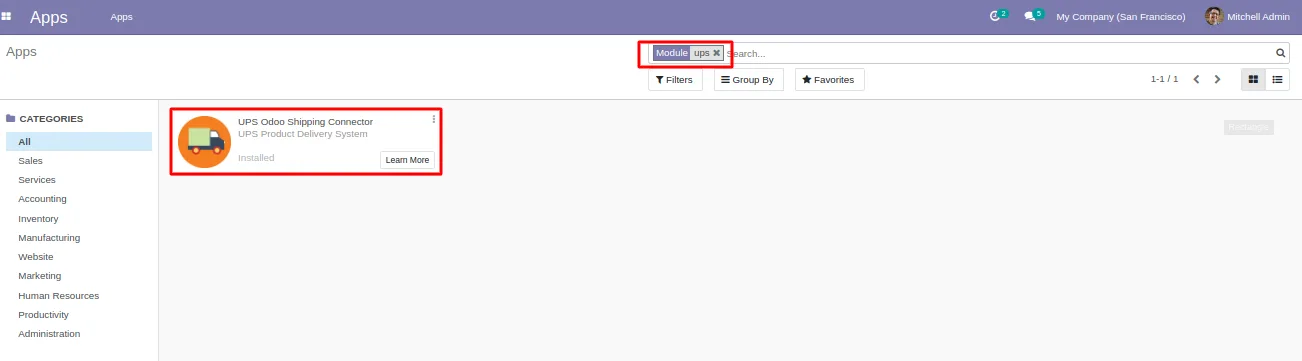
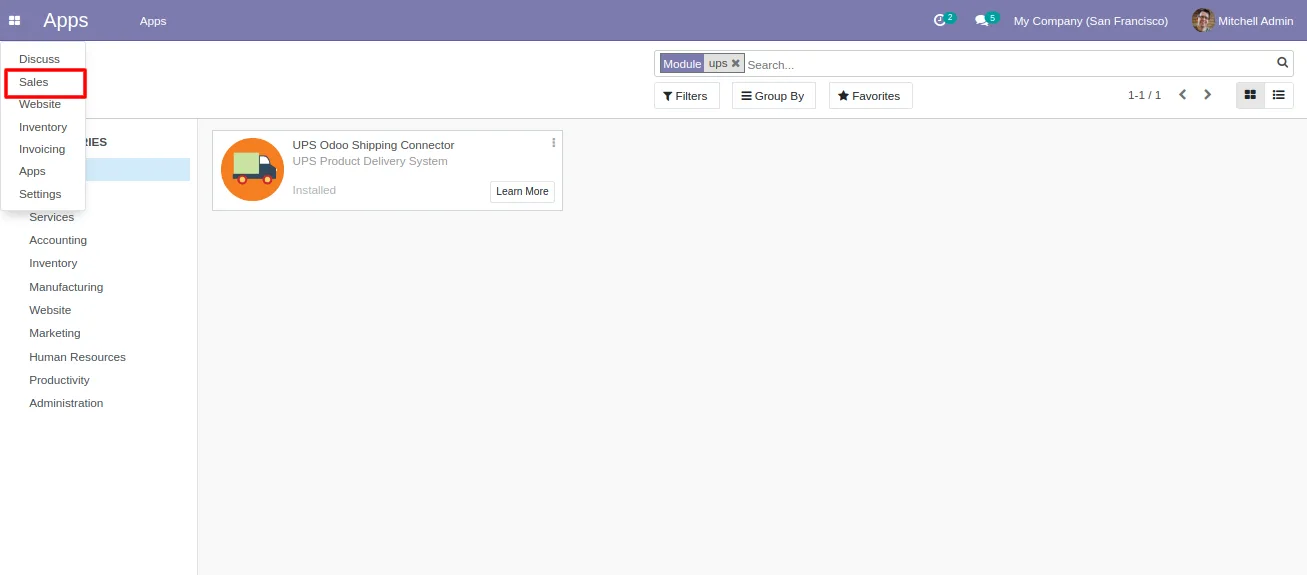
In Odoo, open Apps, remove the default Apps filter, search for “UPS Shipping Connector”, and click Install. The module pulls in the required Inventory, Sales, Invoicing, eCommerce, and Website dependencies.
- 2
Configure the UPS delivery method
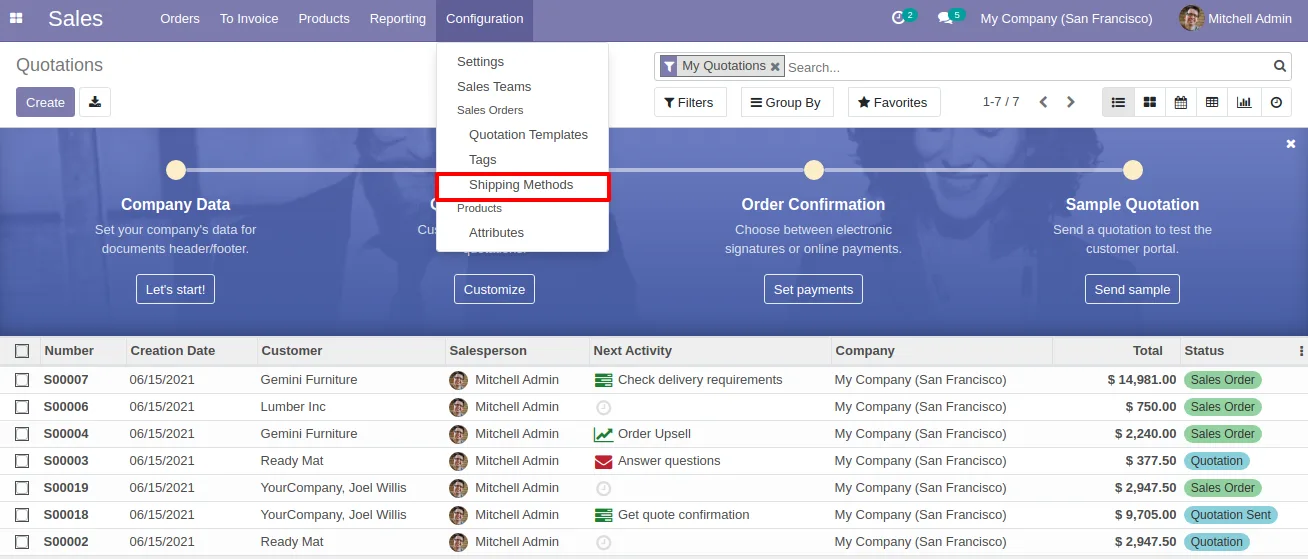
Open Inventory → Configuration → Shipping Methods, create or open the UPS method, and enter your UPS account credentials. Choose between test and production environments.
- 3
Complete warehouse, company, and customer addresses
Make sure the warehouse, company, and customer addresses include street, city, state, country, and postcode — UPS rate and label requests will fail without them.
- 4
Pick services and delivery options
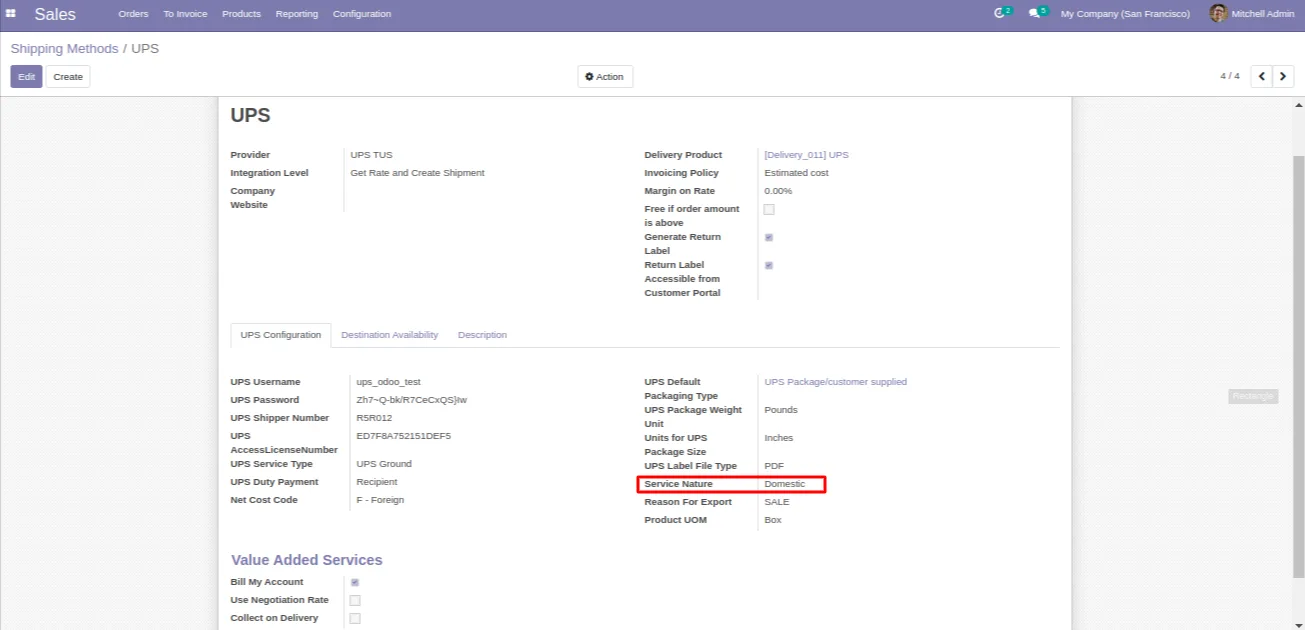
Select the UPS service type (Domestic or International) and any per-shipment options you need: Cash on Delivery, Saturday Delivery, Bill My Account.
- 5
Book and validate the delivery order
On the sales order, click “Update shipping cost” to refresh the UPS rate. Confirm the order, then validate the delivery order to submit the shipment to UPS, pull the label, and store the tracking number.
- 6
Email tracking and handle returns
The module emails the UPS tracking link to the customer automatically. For returns, raise a return from the delivery order to generate a UPS return label and, if needed, a partial invoice.
Frequently asked questions
-
Which UPS services does the connector support?
The module supports UPS domestic and international services worldwide. Service type is picked on the shipping method, and the module returns rates and books shipments for the selected service.
-
Does it work on the eCommerce checkout, not just the backend?
Yes. UPS is offered as a delivery method on the Odoo Website checkout. Live rates are fetched from UPS so the shipping price shown to shoppers matches what you will be charged.
-
Can I test against UPS before going live?
Yes. The shipping method has a switch between test and production environments. Use test mode while validating credentials, addresses, and services, then flip to production.
-
How are tracking numbers handled?
After the delivery order is validated, the module pulls the UPS tracking number back into Odoo, stores it on the picking, and emails the tracking link to the customer automatically.
-
Does it handle international shipments and customs?
Yes. The module generates the customs invoicing UPS requires for cross-border shipments, so international orders ship with the right documentation.
-
Can I create UPS return labels from Odoo?
Yes. Raise a return from the delivery order to generate a UPS return shipping label, and use the partial-invoice support if the return is for part of the shipment only.
-
Which Odoo versions are supported?
The module supports Odoo 13.0 and 14.0 in both the Community and Enterprise editions. Match the listing version to your Odoo release.
-
Is support included?
Yes. The module includes 90 days of bug-fix support, Monday to Friday, 10:00–19:00 IST.
Listing verified against the Odoo App Store:
Related services
Get the most out of this module with senior TechUltra consultants.
Odoo Customization Services
Odoo customization from a Gold Partner: custom modules, workflows, reports and Studio changes, written upgrade-safe and quoted at a fixed scope. Free scoping call.
Hire Odoo Developers
Hire certified Odoo developers from a Gold Partner: one developer or a team, full-time or part-time, 70–160 hours a month. Silver, Gold or Platinum plan, free trial.
Odoo Support Services & Maintenance
Odoo support services from a Gold Partner: functional and technical support plus server cover for Enterprise and Community, 30-minute P1 response, 24/7 option.







