
Odoo App · Inventory
3-Step Picking Auto-Validate
Auto-validate Pack and Ship transfers in Odoo's 3-step Pick → Pack → Ship delivery flow.

Overview
Warehouses that deliver through Odoo's 3-step route — Pick, then Pack, then Ship — have to validate three separate transfers for every order. At high volume, those repetitive Validate clicks become a real bottleneck. 3-Step Picking Auto-Validate removes them.
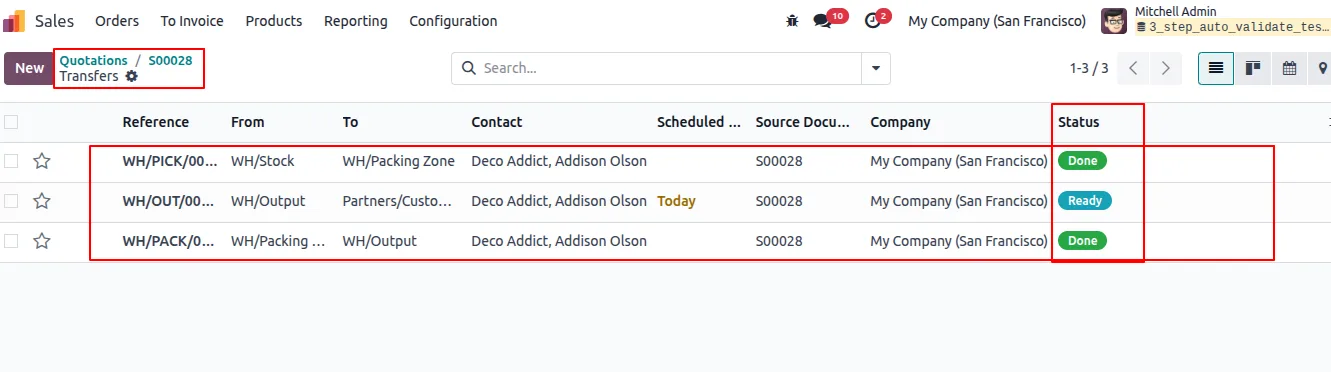
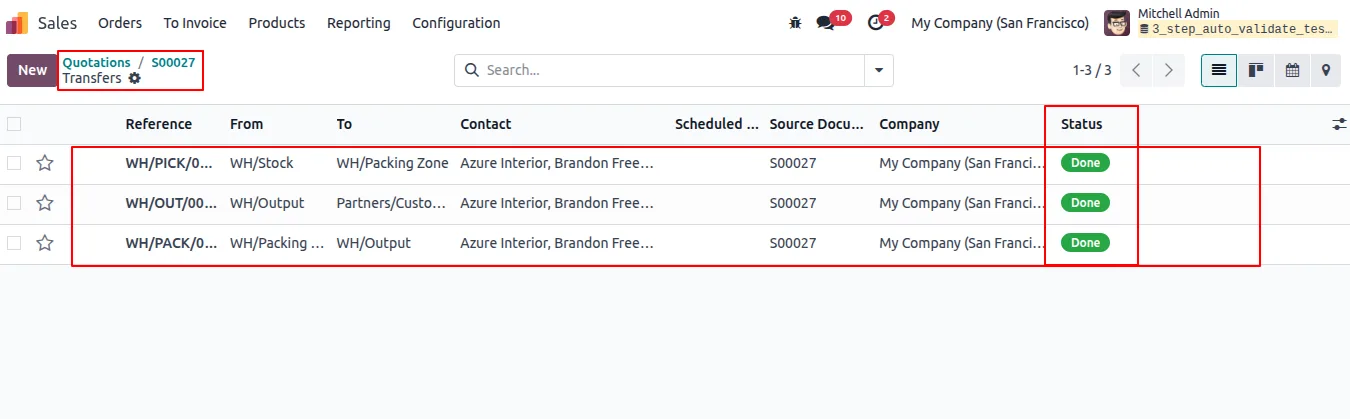
Built by TechUltra Solutions, the module adds auto-validation fields to the Operation Type configuration. Once your warehouse is set to 3-step delivery, you can enable auto-validation per picking type: validate the Pick once, and the module confirms the Pack and the Delivery transfers in turn — no further clicks.
Because the behaviour is set per picking type, it fits multi-warehouse setups where each site or operation should behave differently. The module works inside Odoo's standard stock pickings and delivery orders, so it speeds up fulfilment and keeps validation consistent without changing how the rest of Inventory works.
Key features
-
Auto-validate Pack and Ship
Validate the Pick transfer and the module confirms the downstream Pack and Delivery transfers automatically in a 3-step delivery workflow.
-
Per-picking-type configuration
Auto-validation is switched on or off for each picking type, so you control exactly which operations confirm themselves.
-
Fewer manual Validate clicks
Repetitive validation of pickings, packings, and shipments is eliminated, freeing warehouse staff for actual logistics work.
-
Faster order fulfilment
Automating routine stock-transfer validation speeds up delivery processing, which matters most when order volume is high.
-
Consistent validation
Every transfer follows the same validation rule, reducing the human error that comes from confirming stages by hand.
-
Built for high-volume warehouses
The module is aimed at operations that process large numbers of delivery orders each day and feel every extra click.
-
Native Inventory integration
It works inside Odoo's standard stock pickings, delivery orders, and warehouse workflows without disrupting existing processes.
-
Multi-warehouse friendly
Because configuration is per picking type, different warehouses or operations can each have their own auto-validation behaviour.
-
Simple setup
No complex configuration is needed — the auto-validation fields appear in the picking type settings once 3-step delivery is enabled.
3-Step Picking Auto-Validate in Odoo
Every screen, in the order you meet it — configuration first, then the module in use.
Technical details
Specification
- Publisher
- TechUltra Solutions Private Limited
- Technical name
- stock_picking_threestep_auto_validate
- Odoo versions
- 16.0, 17.0, 18.0, 19.0, 20.0
- Lines of code
- 104
- License
- Odoo Proprietary License v1.0 (OPL-1)
- Price
- $17.47 (one-time)
Deployment
- Odoo Online
- Odoo.sh
- On-premise
Odoo dependencies
- Inventory
- Invoicing
- Discuss
Support
90 days of bug-fix support, Monday to Friday (10:00–19:00 IST). Raise a ticket at support@techultra.in.
Setup & configuration
From install to first call — here is the path.
- 1
Install the module
In Odoo, open Apps, remove the Apps filter, search for “3 Step Picking Auto Validate”, and click Install.
- 2
Set the warehouse to 3-step delivery
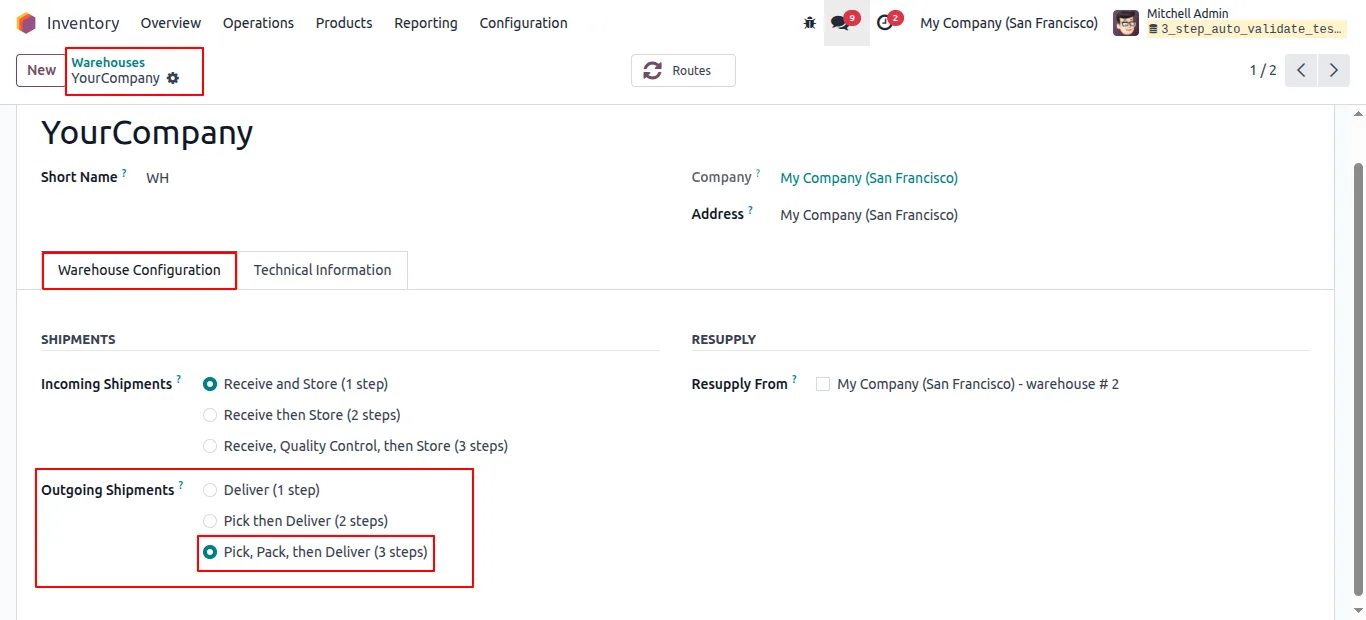
In Inventory → Configuration → Warehouses, set Outgoing Shipments to the 3-step route — Pick, then Pack, then Ship.
- 3
Configure the Pick operation type
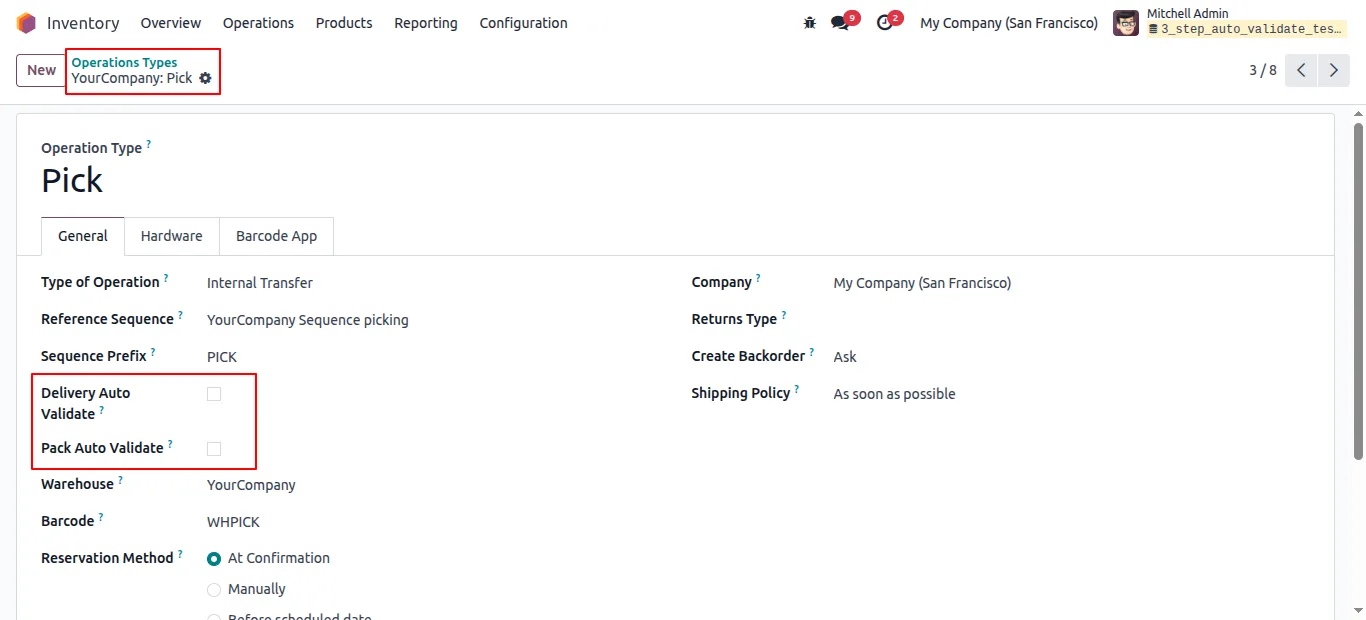
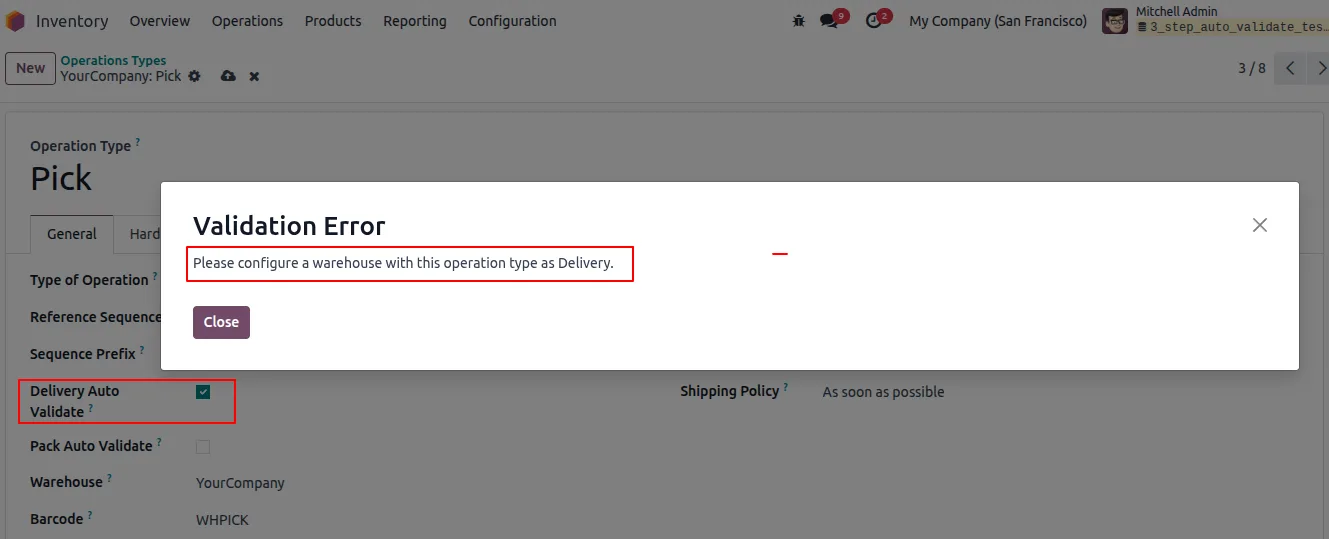
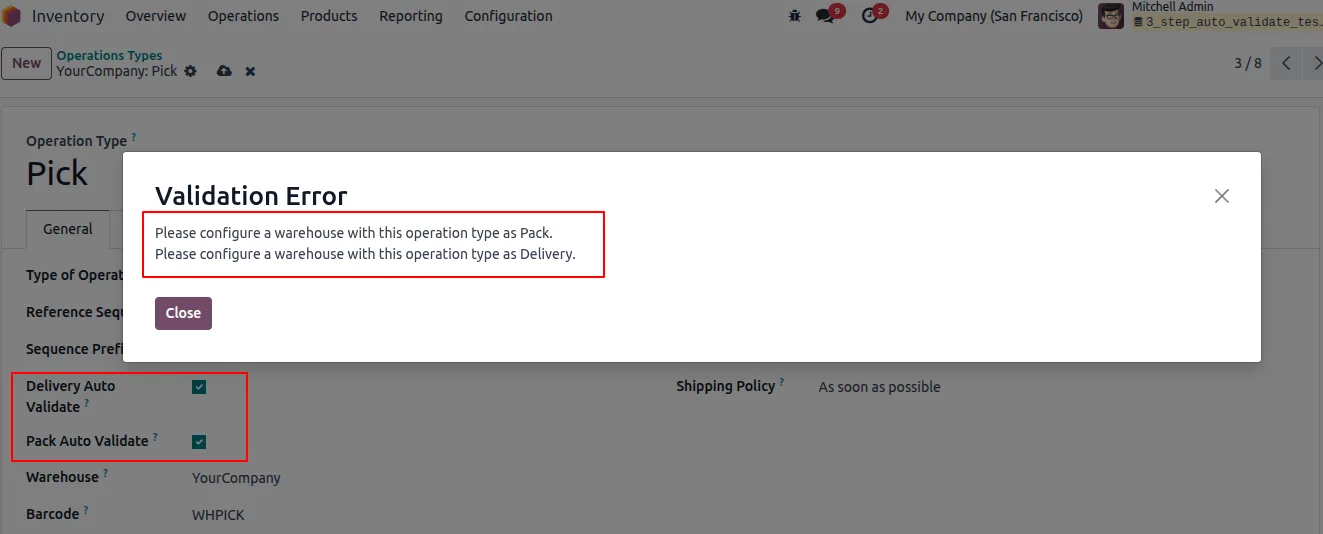
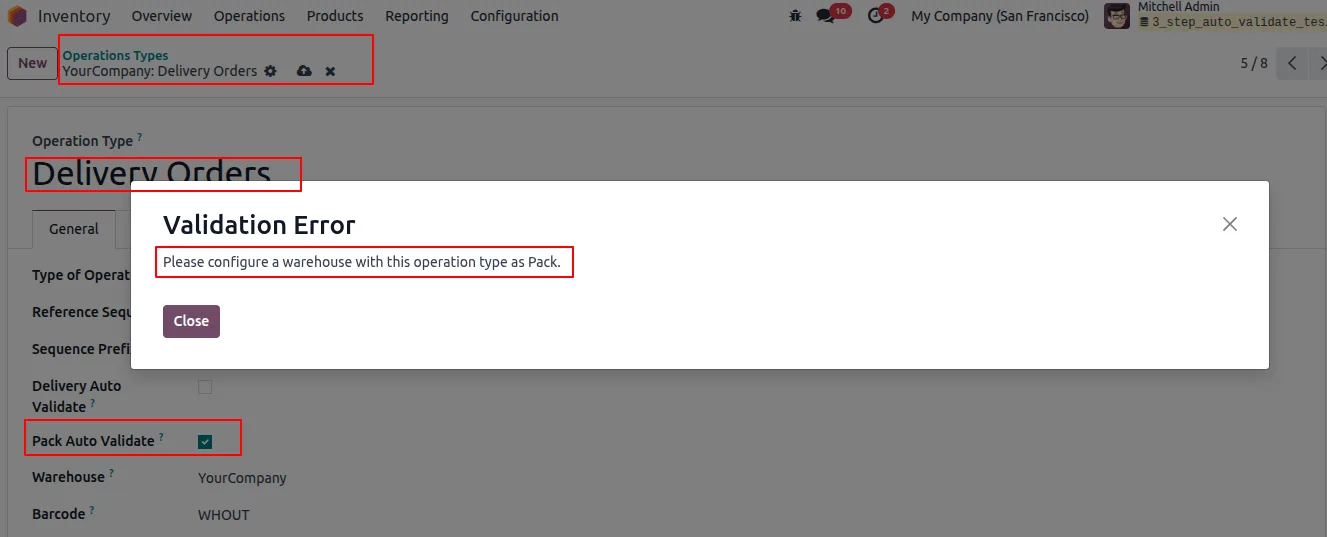
Open the Pick operation type. With 3-step delivery active, enable Pack auto-validation here. Delivery auto-validation cannot be set at the Pick stage.
- 4
Configure the Pack and Delivery types
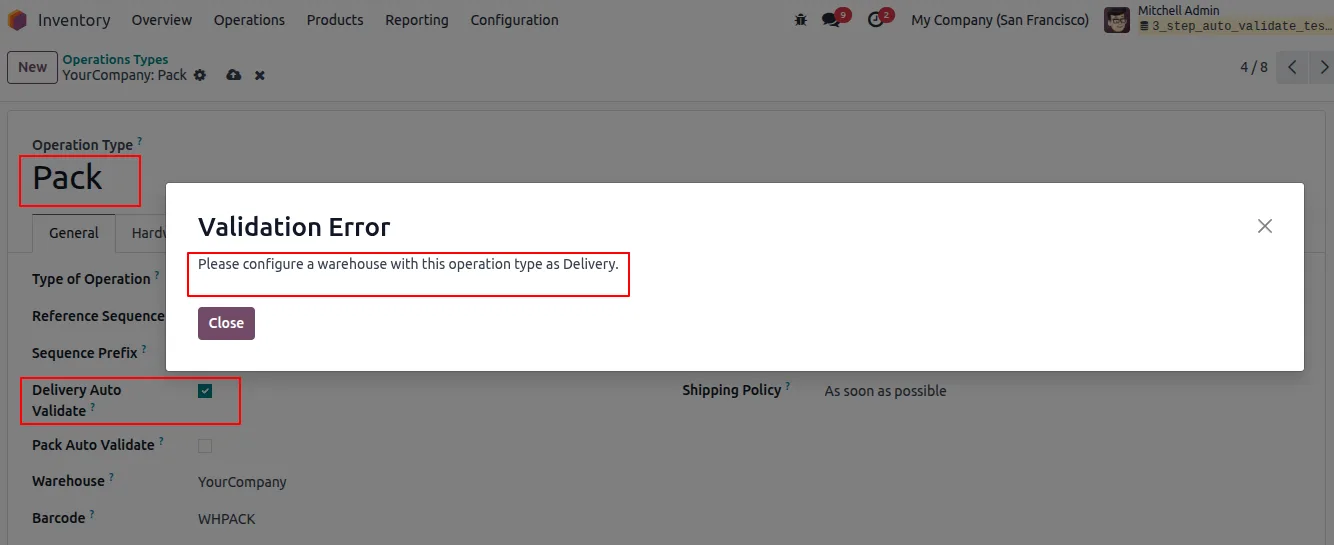
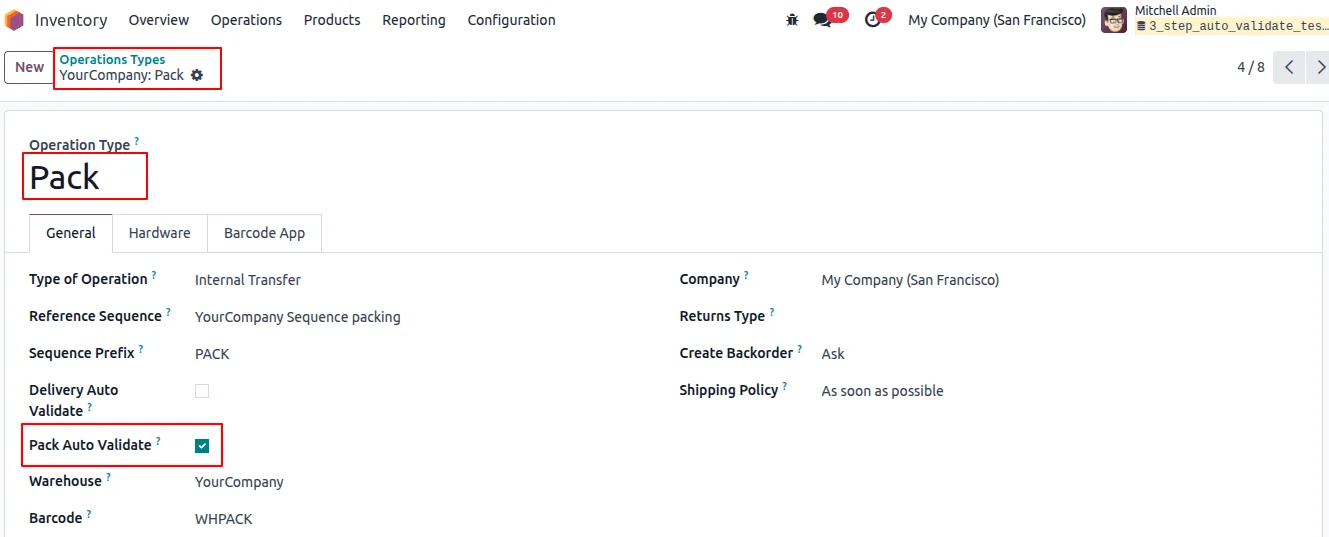
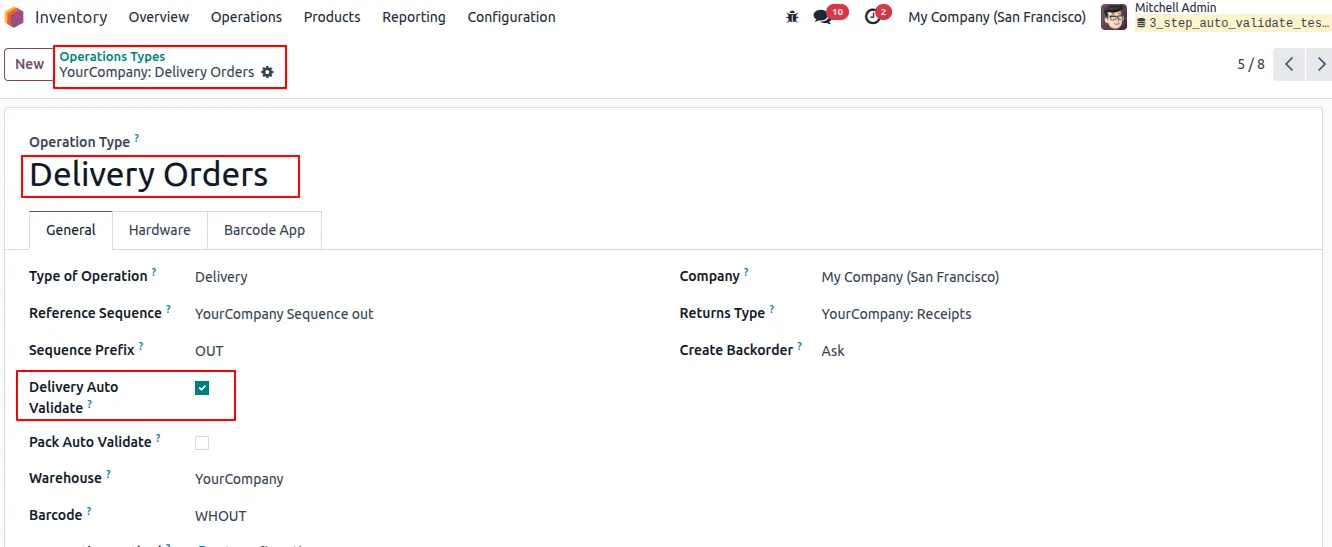
Enable Pack auto-validation on the Pack operation type, and Delivery auto-validation on the Delivery operation type.
- 5
Validate the Pick
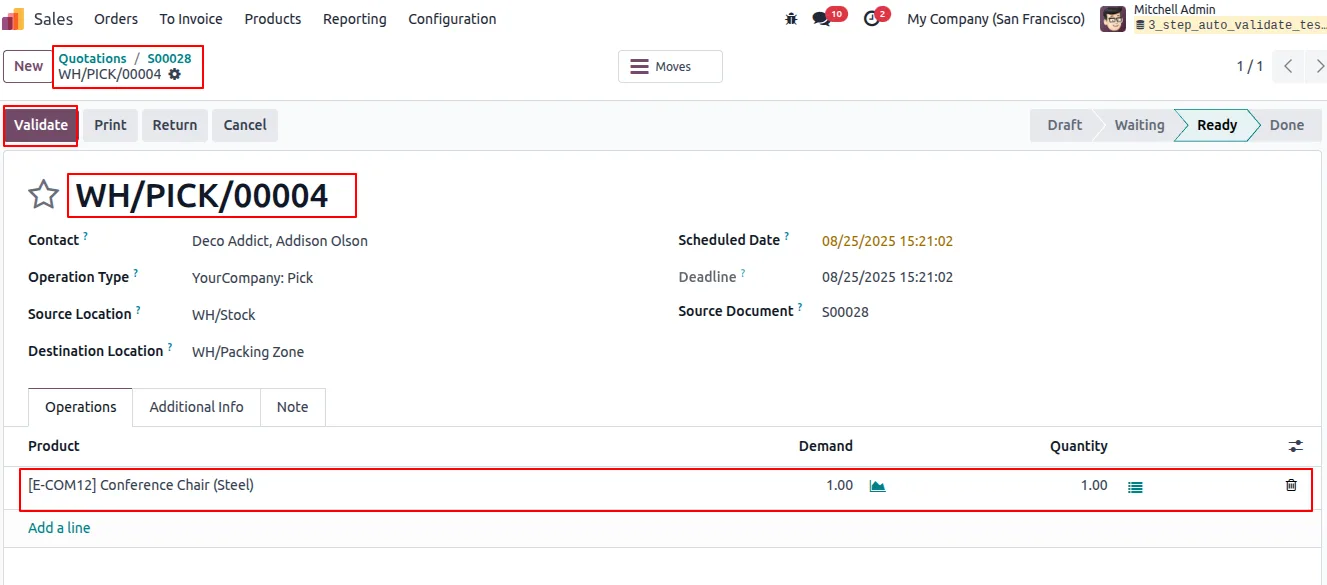
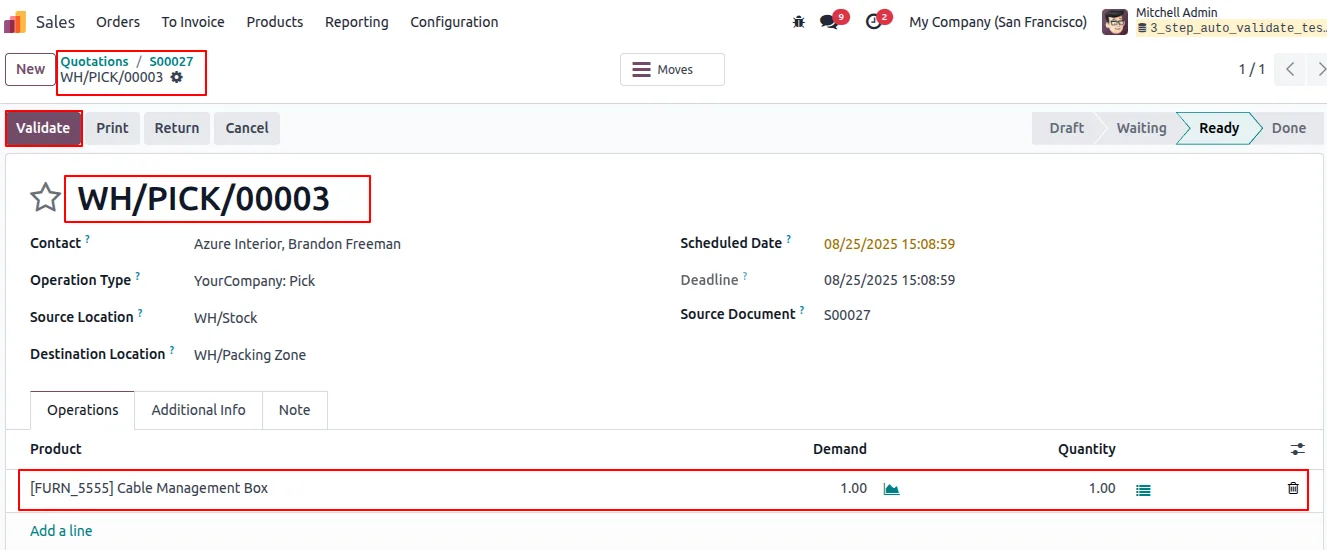
After confirming a sales order, validate the Pick transfer manually as usual.
- 6
Let the rest confirm itself
Once the Pick is validated, the Pack and Delivery transfers validate automatically according to their settings — no further action needed.
Frequently asked questions
-
What delivery setup does this module need?
It is built for warehouses using Odoo's 3-step delivery route — Pick, then Pack, then Ship. Set Outgoing Shipments to 3-step in the warehouse configuration.
-
Do I still validate the first transfer myself?
Yes. You validate the Pick transfer manually after confirming the sales order. The module then auto-validates the Pack and Delivery stages.
-
Can I turn auto-validation on for some operations only?
Yes. Auto-validation is configured per picking type, so you choose exactly which operations confirm themselves and which stay manual.
-
Why can't I enable Delivery auto-validation on the Pick type?
By design, the Pick operation type only exposes Pack auto-validation. Delivery auto-validation is set on the Delivery operation type itself.
-
Does this work with multiple warehouses?
Yes. Because the setting is per picking type, each warehouse or operation can have its own auto-validation behaviour.
-
Will it disrupt my existing Inventory setup?
No. The module works inside Odoo's standard stock pickings and delivery orders and only adds the auto-validation fields to picking type settings.
-
Which Odoo versions are supported?
The module supports Odoo 16.0, 17.0, 18.0, 19.0, and 20.0, in both the Community and Enterprise editions.
-
Is support included?
Yes. The module includes 90 days of bug-fix support, Monday to Friday, 10:00–19:00 IST.
Listing verified against the Odoo App Store:
Related solutions
Whole-platform solutions that complement 3-Step Picking Auto-Validate.
Odoo Inventory + Warehouse Management
Odoo Inventory module — multi-warehouse, batch/serial, putaway, barcode, replenishment, cross-docking, dropship, consignment. Full WMS in your ERP.
Odoo Purchase
Odoo Purchase module — RFQ, PO, supplier portal, three-way match, blanket PO, drop-ship, sub-contracting. Integrated with Inventory + MRP + Accounting.
Related services
Get the most out of this module with senior TechUltra consultants.
Odoo Customization Services
Odoo customization from a Gold Partner: custom modules, workflows, reports and Studio changes, written upgrade-safe and quoted at a fixed scope. Free scoping call.
Hire Odoo Developers
Hire certified Odoo developers from a Gold Partner: one developer or a team, full-time or part-time, 70–160 hours a month. Silver, Gold or Platinum plan, free trial.
Odoo Support Services & Maintenance
Odoo support services from a Gold Partner: functional and technical support plus server cover for Enterprise and Community, 30-minute P1 response, 24/7 option.







