
Odoo App · Productivity
Sparklines Barchart Widget
Inline sparkline charts inside Odoo list, kanban, and form views — no graph view required.
Overview
Sparklines Barchart Widget adds a lightweight sparklines_chart field widget to Odoo so you can render trend charts directly inside list, kanban, and form views — the cells where users already scan data — instead of jumping to the graph view for every metric.
Built by TechUltra Solutions, the widget reads from a plain character field that stores comma-separated numeric values. That keeps the data layer simple: any model can opt in by adding one char field and a widget attribute, with no extra tables, ORM tricks, or computed pivots required.
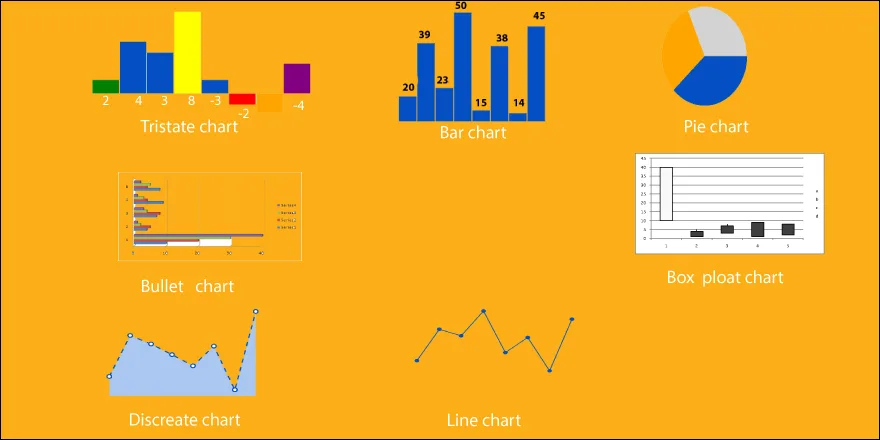
Seven chart types are supported — line, discrete, bar, tristate, bullet, pie, and box plot — and the chart type is picked per view through XML options, so the same field can be visualised differently in list, kanban, and form contexts.
Key features
-
Seven sparkline chart types
Render line, discrete, bar, tristate, bullet, pie, and box-plot sparklines from a single widget — picked per view through the type option in XML.
-
Works in list, kanban, and form views
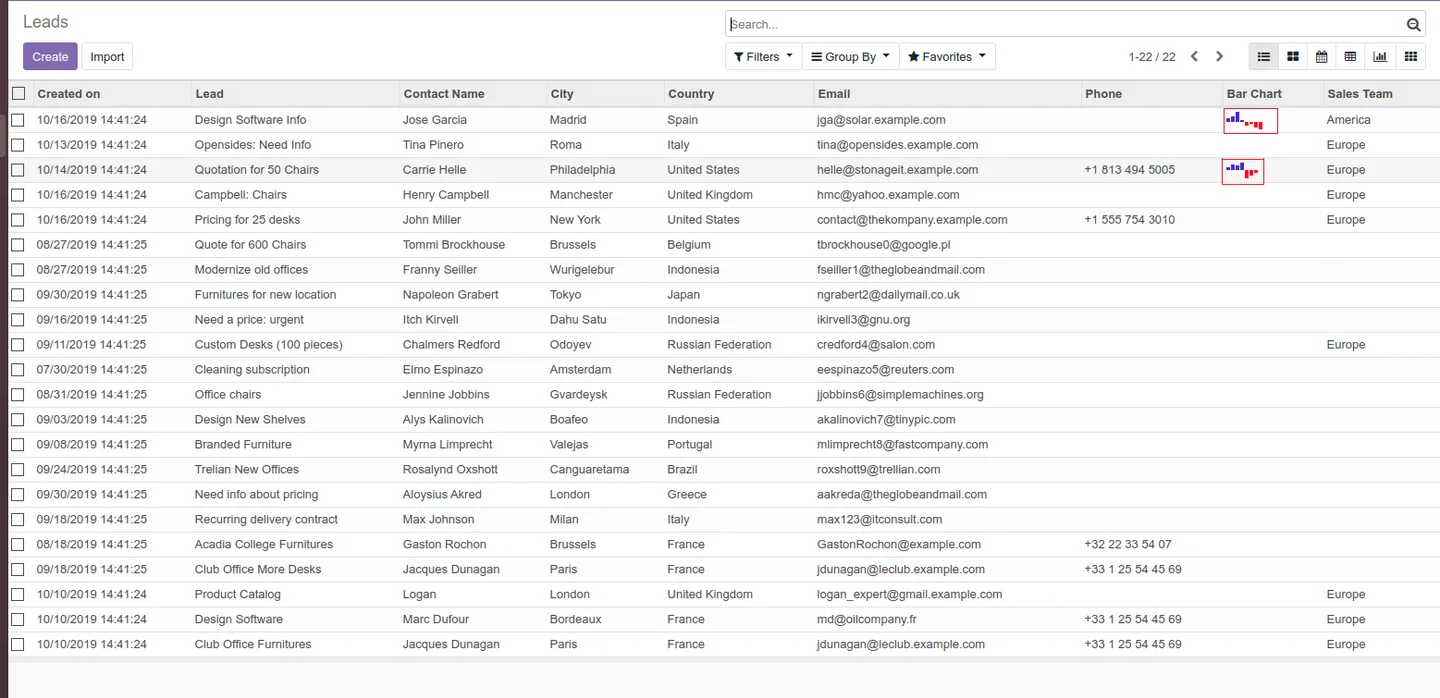
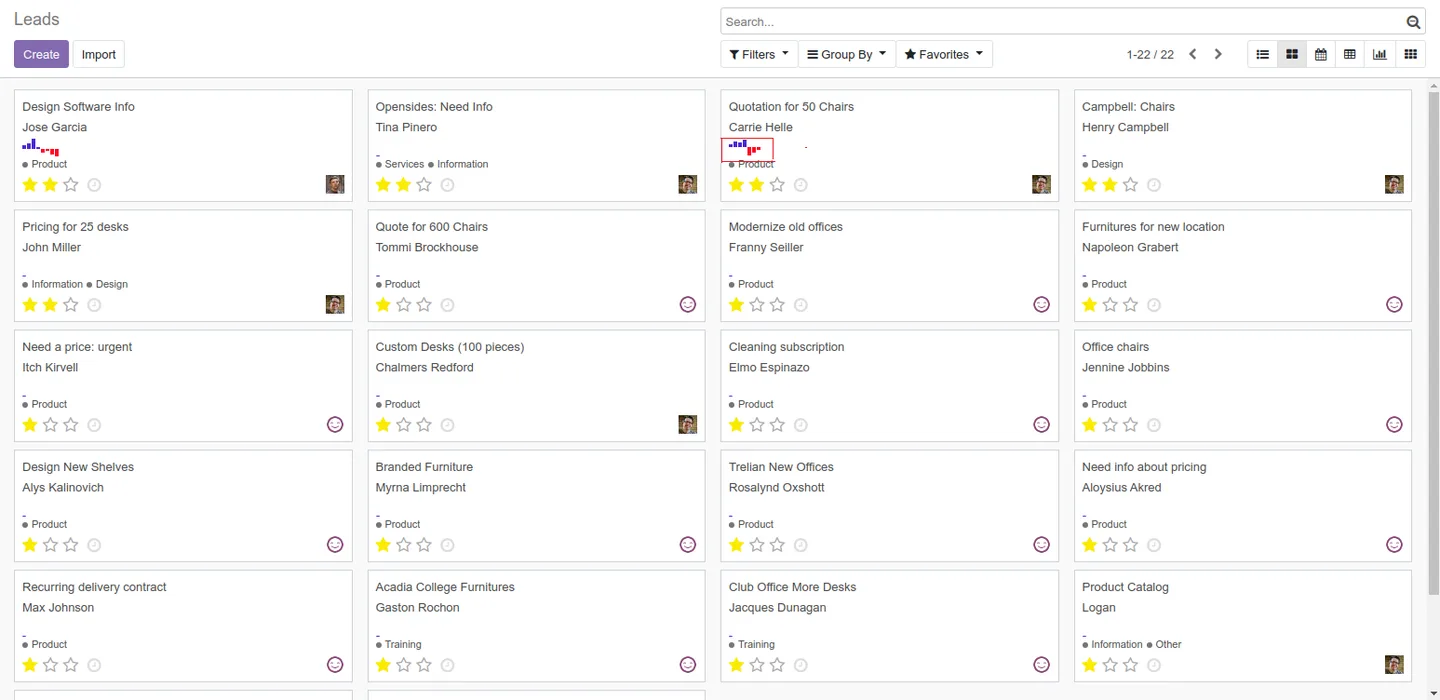
The sparklines_chart widget renders in tree (list), kanban, and form views, so trend visualisations live inside the rows, cards, and records users already look at.
-
Char-field data model
Data is stored as comma-separated numbers in a standard character field — no new tables, ORM models, or pre-aggregated pivots required to add a chart to any model.
-
Per-view chart configuration
Each view declares its own chart type through XML options (for example, options="{'type':'discrete'}"), so the same field can render as a bar chart in list view and a line in kanban.
-
Inline trend visualisation
Sparklines show patterns and progress rates inline — useful for KPIs, stock movements, time-series counters, and any per-record metric without leaving the operational view.
-
Zero external dependencies
The widget runs entirely inside the Odoo web client; no CDN, no extra JavaScript libraries to vet, and no server-side rendering pipeline to maintain.
-
Reusable across models
Any model can opt in by adding one character field and declaring the widget — Contacts, CRM, Calendar, Discuss, custom modules — without changing the underlying schema.
-
Open source under AGPL-3
Released under AGPL-3 and free on the Odoo App Store, so it can be inspected, audited, and extended in-house with no license fee.
Sparklines Barchart Widget in Odoo
Every screen, in the order you meet it — configuration first, then the module in use.


Technical details
Specification
- Publisher
- TechUltra Solutions Private Limited
- Technical name
- web_widget_sparklines_barchart
- Odoo versions
- 12.0, 13.0, 14.0, 15.0
- Lines of code
- 2,508
- License
- GNU Affero General Public License v3 (AGPL-3)
- Price
- Free
Deployment
- Odoo Online
- Odoo.sh
- On-premise
Odoo dependencies
- CRM
- Calendar
- Contacts
- Discuss
Support
90 days of bug-fix support, Monday to Friday (10:00–19:00 IST). Raise a ticket at support@techultra.in.
Setup & configuration
From install to first call — here is the path.
- 1
Install the module
In Odoo, open Apps, remove the default Apps filter, search for “Sparklines Barchart Widget”, and click Install.
- 2
Add a char field to your model
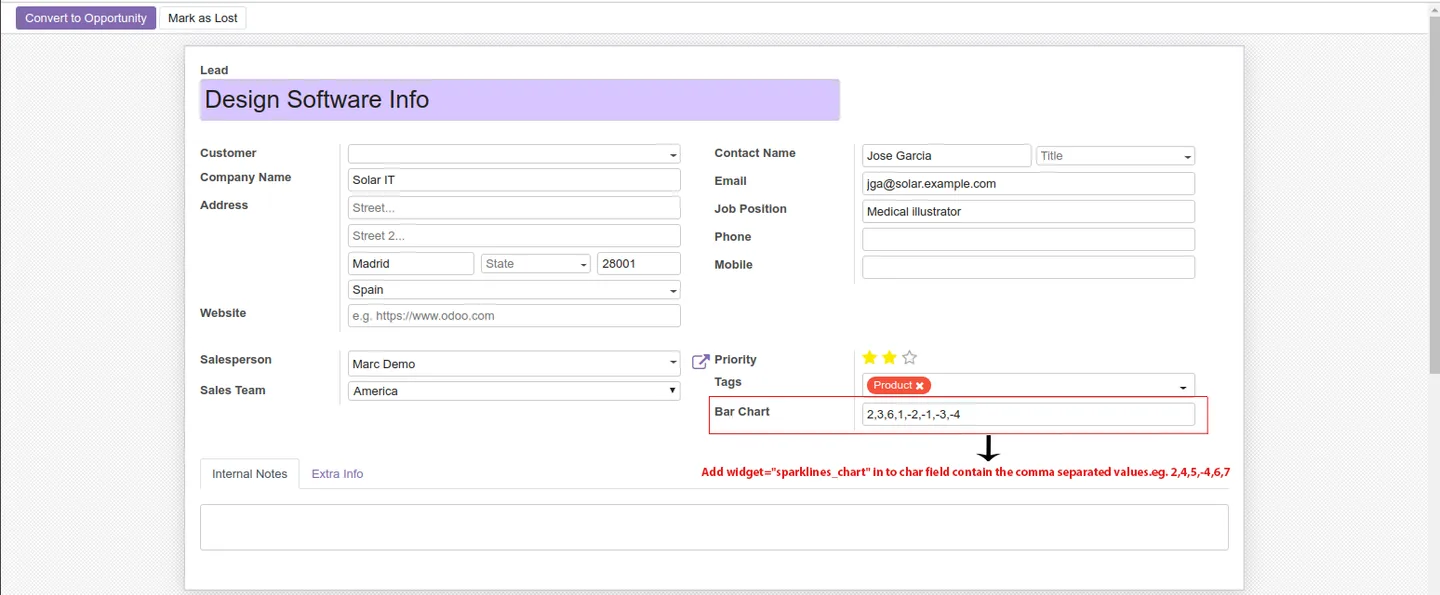
In the model's Python file, add a fields.Char field that will hold the comma-separated numeric series (for example, "10,20,5,40,25,30") to drive the chart.
- 3
Declare the widget in XML
In the list, kanban, or form view XML, render the field with widget="sparklines_chart" and pass options="{'type':'discrete'}" (or bar, line, pie, bullet, tristate, box) to pick the chart type.
- 4
Populate the field with values
Store comma-separated numbers in the char field — either entered manually, computed by an Odoo compute method, or written from external scripts. The widget renders whatever is in the string.
- 5
Reuse across views
Reference the same char field from different views with different type options to render the data as a bar in list view, a line in kanban, and a pie in form view without duplicating the column.
Frequently asked questions
-
Which chart types does the widget support?
Seven sparkline types: line, discrete, bar, tristate, bullet, pie, and box plot. Each is selected through the widget's options attribute in XML, so different views can render the same field differently.
-
Which Odoo views does it work in?
List (tree), kanban, and form views. The same sparklines_chart widget renders in all three, so trend visualisations stay inside the operational screens your team already uses.
-
How is the chart data stored?
As comma-separated numeric values inside a standard character field on the model — for example, "10,20,5,40,25,30". No extra tables, ORM models, or computed pivots are required.
-
Which Odoo versions are supported?
The module supports Odoo 12.0, 13.0, 14.0, and 15.0 in both the Community and Enterprise editions.
-
Do I need a graph view to use it?
No. The whole point of the widget is to render charts inside list, kanban, and form views — useful when you want trends visible alongside the rest of the record rather than in a separate graph view.
-
Can I use the same field with different chart types in different views?
Yes. Because the chart type is set per view through the options attribute, the same char field can render as a bar chart in list view, a line in kanban, and a pie in form view.
-
Is there a license fee?
No. The module is released under AGPL-3 and is free on the Odoo App Store. You can install, modify, and extend it in-house without paying a license fee.
-
Is support included?
Yes. TechUltra includes 90 days of bug-fix support, Monday to Friday, 10:00–19:00 IST, on top of the free download.
Listing verified against the Odoo App Store:
Related services
Get the most out of this module with senior TechUltra consultants.
Odoo Customization Services
Odoo customization from a Gold Partner: custom modules, workflows, reports and Studio changes, written upgrade-safe and quoted at a fixed scope. Free scoping call.
Hire Odoo Developers
Hire certified Odoo developers from a Gold Partner: one developer or a team, full-time or part-time, 70–160 hours a month. Silver, Gold or Platinum plan, free trial.
Odoo Support Services & Maintenance
Odoo support services from a Gold Partner: functional and technical support plus server cover for Enterprise and Community, 30-minute P1 response, 24/7 option.







