

Odoo App · Productivity
Section Collapse Advanced
Collapse and expand section headers in Odoo order lines with a single click.

Overview
Section Collapse Advanced cleans up long document lines in Odoo. Quotations, purchase orders, and vendor bills with many products and several section headers can stretch far down the page — this module lets you collapse any section to its header and stop the scrolling.
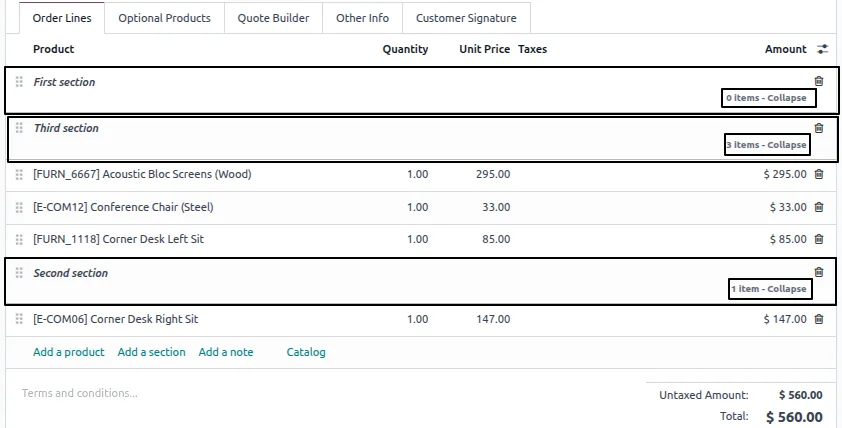
Built by TechUltra Solutions, it adds a one-click expand and collapse control to every section line. A collapsed section shows only its header, and can optionally display the number of items folded underneath, so you keep your place without seeing every row.
The module works with Odoo's existing section functionality out of the box — Sales, Purchase, Invoicing, Bills, and MRP all gain collapsible sections, and any custom module that organises lines into sections is supported too. There is nothing to configure: it works the moment section lines are used.
Key features
-
One-click collapse and expand
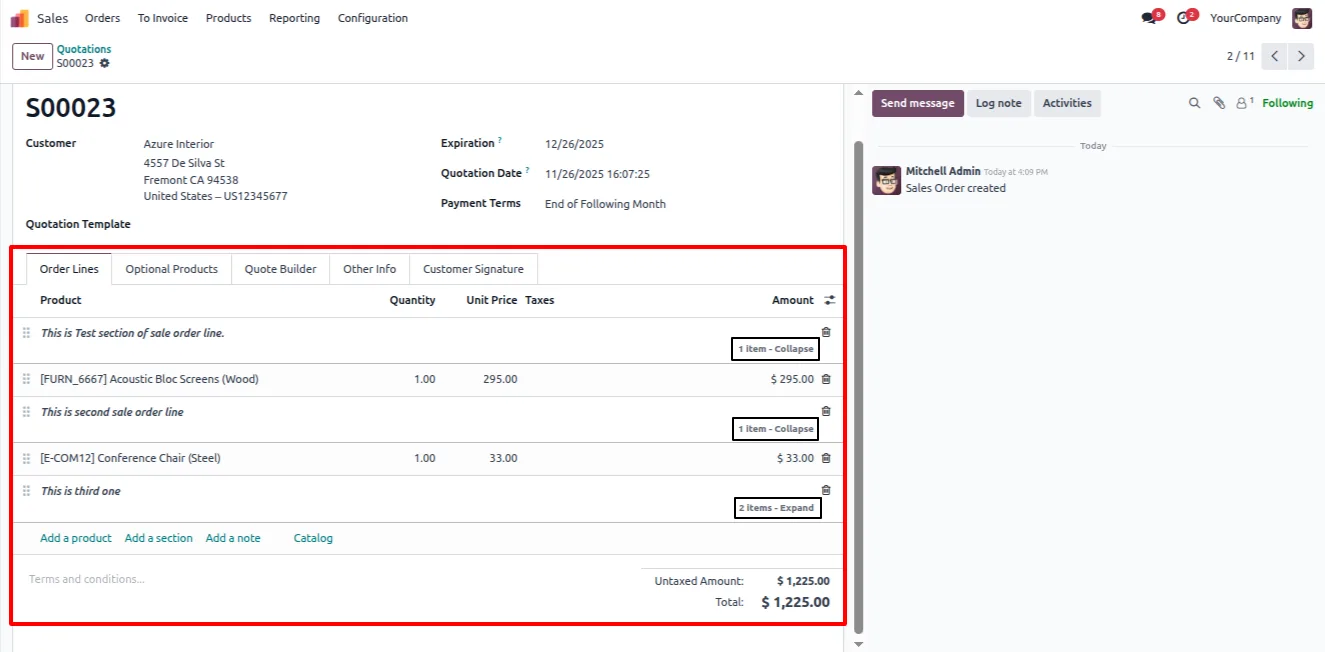
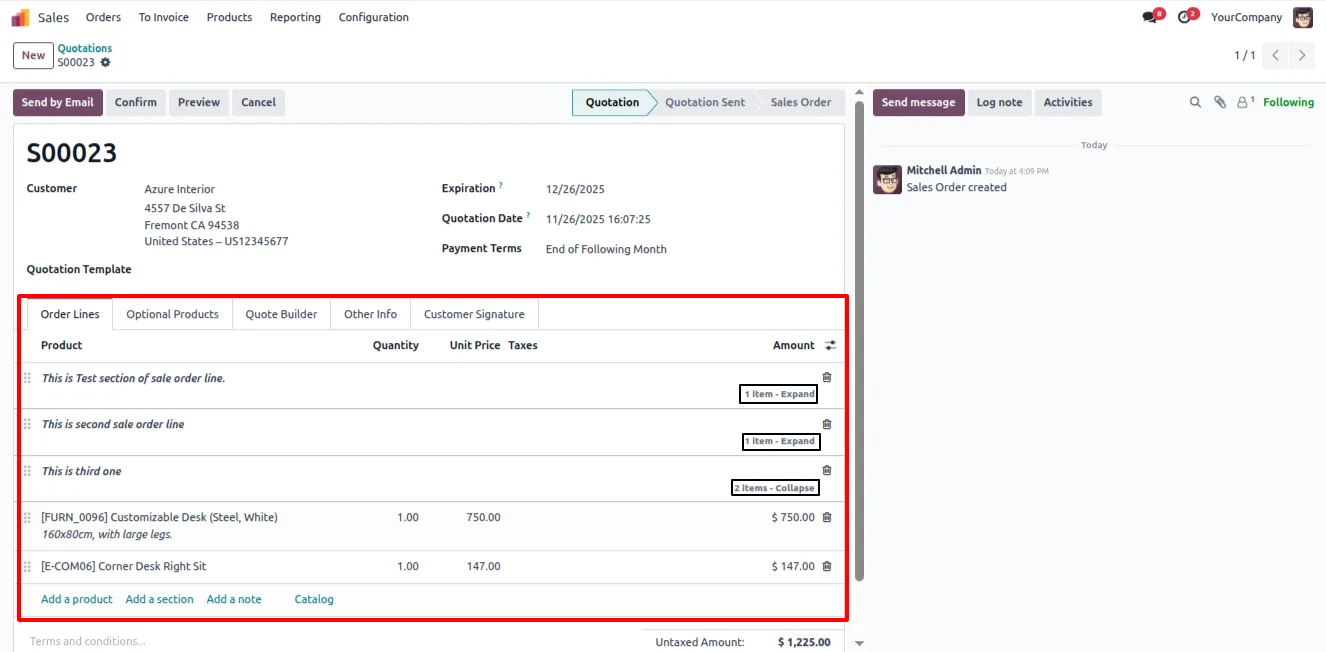
Click a section header to fold or unfold its line items. Navigating a long order becomes a matter of opening only the sections you need.
-
Structured, readable line items
Grouping document lines under collapsible sections gives complex quotations and orders a clear, scannable structure.
-
Works across core Odoo apps
Section lines collapse in Sales, Purchase, Invoices, Bills, and MRP — every standard Odoo document that uses section headers is covered.
-
Less scrolling and clutter
Collapsing finished sections removes them from view, cutting the scrolling and visual noise in large or detailed orders.
-
Zero configuration
The module works out of the box with Odoo's existing section feature. There are no settings to enable — it activates the moment section lines are used.
-
Custom module support
Any custom module that organises one-to-many lines into sections gains the same collapsible behaviour automatically.
-
Optional item counts
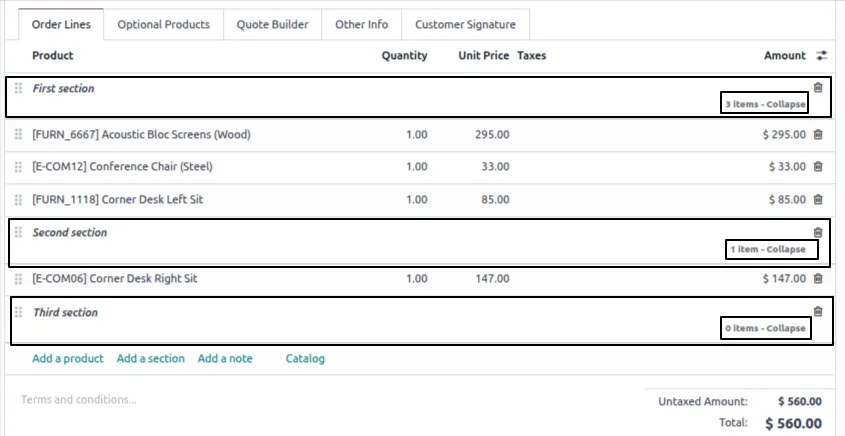
A collapsed section can show how many line items are folded underneath, so you keep context without expanding it.
Section Collapse Advanced in Odoo
Every screen, in the order you meet it — configuration first, then the module in use.
Technical details
Specification
- Publisher
- TechUltra Solutions Private Limited
- Technical name
- section_collapse_advanced
- Odoo versions
- 16.0, 17.0, 18.0, 19.0, 20.0
- Lines of code
- 100
- License
- Odoo Proprietary License v1.0 (OPL-1)
- Price
- $29.99 (one-time)
Deployment
- Odoo Online
- Odoo.sh
- On-premise
Odoo dependencies
- Sales
- Invoicing
- Discuss
Support
90 days of bug-fix support, Monday to Friday (10:00–19:00 IST). Raise a ticket at support@techultra.in.
Setup & configuration
From install to first call — here is the path.
- 1
Install the module
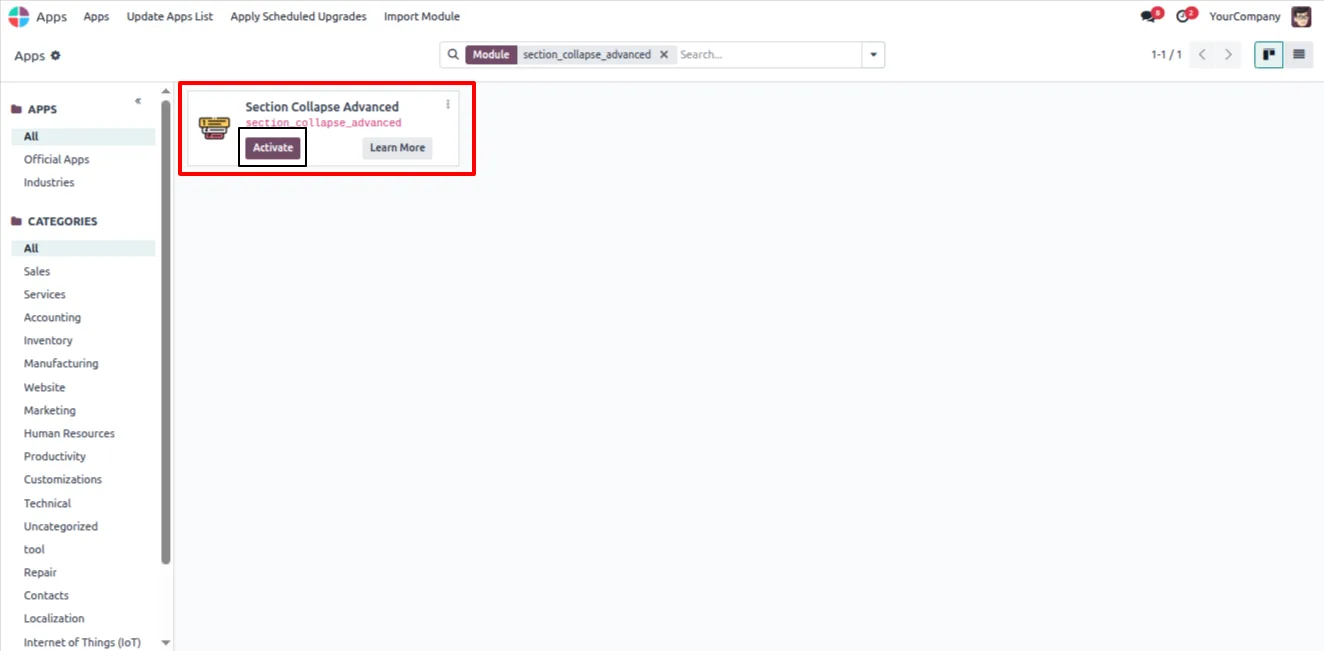
In Odoo, open Apps, remove the Apps filter, search for “Section Collapse Advanced”, and click Install.
- 2
Open a document with sections
Open a quotation, purchase order, invoice, or any record whose line items are organised into section headers.
- 3
Collapse a section
Click a section header to fold its line items away. Only the header stays visible, with an optional count of the folded items.
- 4
Expand when needed
Click the section header again to unfold its lines and continue editing. No configuration is required at any point.
Frequently asked questions
-
How do I collapse a section in an order?
Click the section header in the one-to-many list. Its line items fold away and only the header remains. Click the header again to expand the section.
-
Which Odoo documents support collapsible sections?
Sales orders, purchase orders, invoices, vendor bills, and MRP documents all gain collapsible sections, along with any custom module that uses section lines.
-
Do I need to configure anything after installing?
No. The module works out of the box with Odoo's existing section functionality. It activates automatically wherever section lines are used.
-
Does a collapsed section show how many lines it hides?
Yes. A collapsed section can display the number of line items folded underneath, so you keep context without expanding it.
-
Will it work with my custom module?
Yes. Any custom module that organises one-to-many lines into sections gains the same collapse and expand behaviour, with no extra setup.
-
Which Odoo versions are supported?
Section Collapse Advanced supports Odoo 16.0, 17.0, 18.0, 19.0, and 20.0, in both the Community and Enterprise editions.
-
Does it change how section lines are saved?
No. The module only controls whether a section is shown expanded or collapsed in the view. Your section headers and line items are stored exactly as before.
-
Is support included?
Yes. The module includes 90 days of bug-fix support, Monday to Friday, 10:00–19:00 IST.
Listing verified against the Odoo App Store:
Related services
Get the most out of this module with senior TechUltra consultants.
Odoo Customization Services
Odoo customization from a Gold Partner: custom modules, workflows, reports and Studio changes, written upgrade-safe and quoted at a fixed scope. Free scoping call.
Hire Odoo Developers
Hire certified Odoo developers from a Gold Partner: one developer or a team, full-time or part-time, 70–160 hours a month. Silver, Gold or Platinum plan, free trial.
Odoo Support Services & Maintenance
Odoo support services from a Gold Partner: functional and technical support plus server cover for Enterprise and Community, 30-minute P1 response, 24/7 option.







