

Odoo App · Website & eCommerce
Sample Bag
Assign, transfer, and track sample products carried by salespeople in Odoo.

Overview
Sales teams that demo physical products carry samples, and those samples are real inventory that has to be tracked. Without a system, stock walks out of the warehouse with a salesperson and there is no clear record of who holds what.
Sample Bag gives that activity a structure. Built by TechUltra Solutions, it lets you create sample bags tied to individual salespeople and move sample products between warehouse stock locations and salesperson transit locations with proper inventory transfers.
The module covers the full lifecycle: returns of samples to the warehouse, reassignment of a bag to another salesperson, partial or complete product transfers between bags, and conversion of a sample interaction into a quotation or sales order. Buffer products track minimum and maximum quantities, defective items can be sent to scrap, and sample bag data can be exported to XLSX.
Key features
-
Salesperson sample bags
Create sample bags assigned to specific salespeople, so every sample product is tied to the person who holds it.
-
Warehouse-to-salesperson transfers
Transfer sample products from warehouse stock locations to salesperson transit locations using proper Odoo inventory moves.
-
Sample returns to the warehouse
Return sample products from a salesperson back into warehouse inventory when a sample is no longer needed in the field.
-
Bag reassignment
Reassign a sample bag to a different salesperson, moving the responsibility for the samples without losing the stock record.
-
Partial and complete transfers
Move some or all of a bag's products to another bag, so samples can be redistributed as territories and needs change.
-
Convert samples into sales orders
Generate a sales order or quotation directly from a sample interaction, with hand-to-hand or warehouse delivery options for the conversion.
-
Scrap defective samples
Mark defective or unused sample products for scrap processing so damaged stock leaves the active count.
-
Buffer product tracking
Maintain minimum and maximum sample quantities through buffer products, keeping each salesperson stocked at the right level.
-
XLSX export and activity logs
Export sample bag data to XLSX for reporting, and review a log of activities recorded against each bag.
Sample Bag in Odoo
Every screen, in the order you meet it — configuration first, then the module in use.
Technical details
Specification
- Publisher
- TechUltra Solutions Private Limited
- Technical name
- sample_bag
- Odoo versions
- 16.0, 17.0, 18.0, 19.0, 20.0
- Lines of code
- 2,330
- License
- Odoo Proprietary License v1.0 (OPL-1)
- Price
- $29 (one-time)
Deployment
- Odoo Online
- Odoo.sh
- On-premise
Odoo dependencies
- Inventory
- Sales
- Invoicing
- Discuss
Support
90 days of bug-fix support, Monday to Friday (10:00–19:00 IST). Raise a ticket at support@techultra.in.
Setup & configuration
From install to first call — here is the path.
- 1
Install the module
In Odoo, open Apps, remove the Apps filter, search for “Sample Bag”, and click Install.
- 2
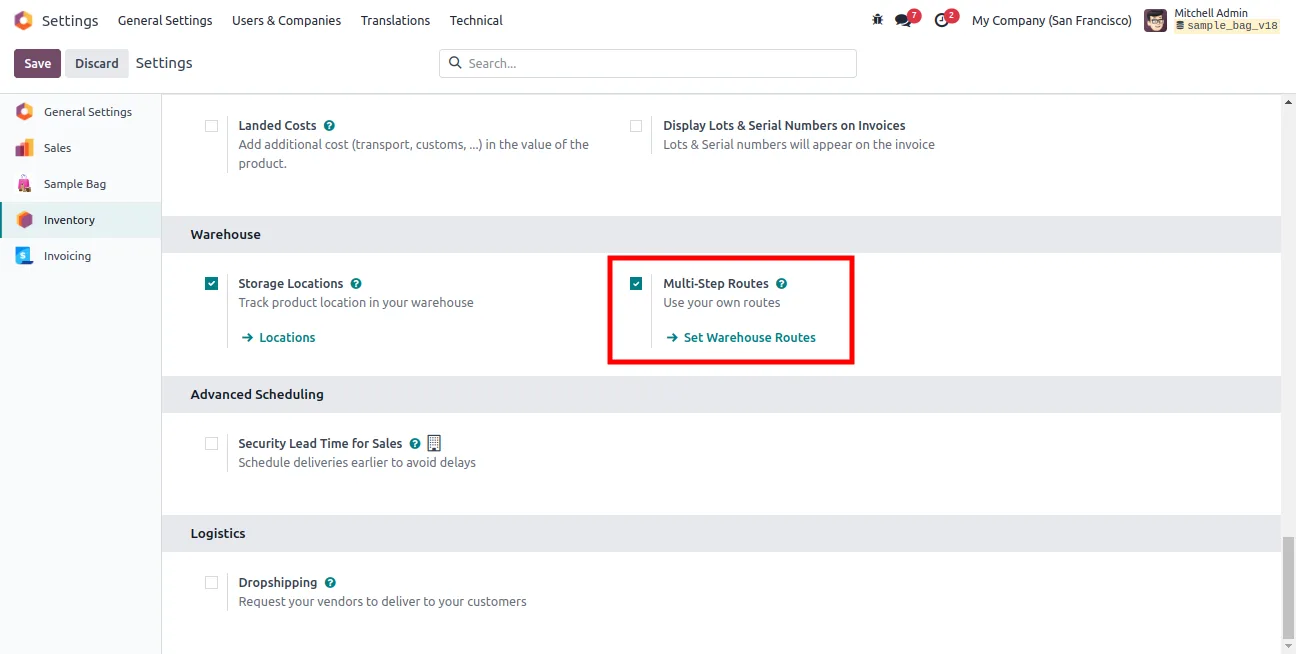
Enable multi-step routes
In the Inventory settings, turn on multi-step warehouse routes so sample transfers can move through transit locations.
- 3
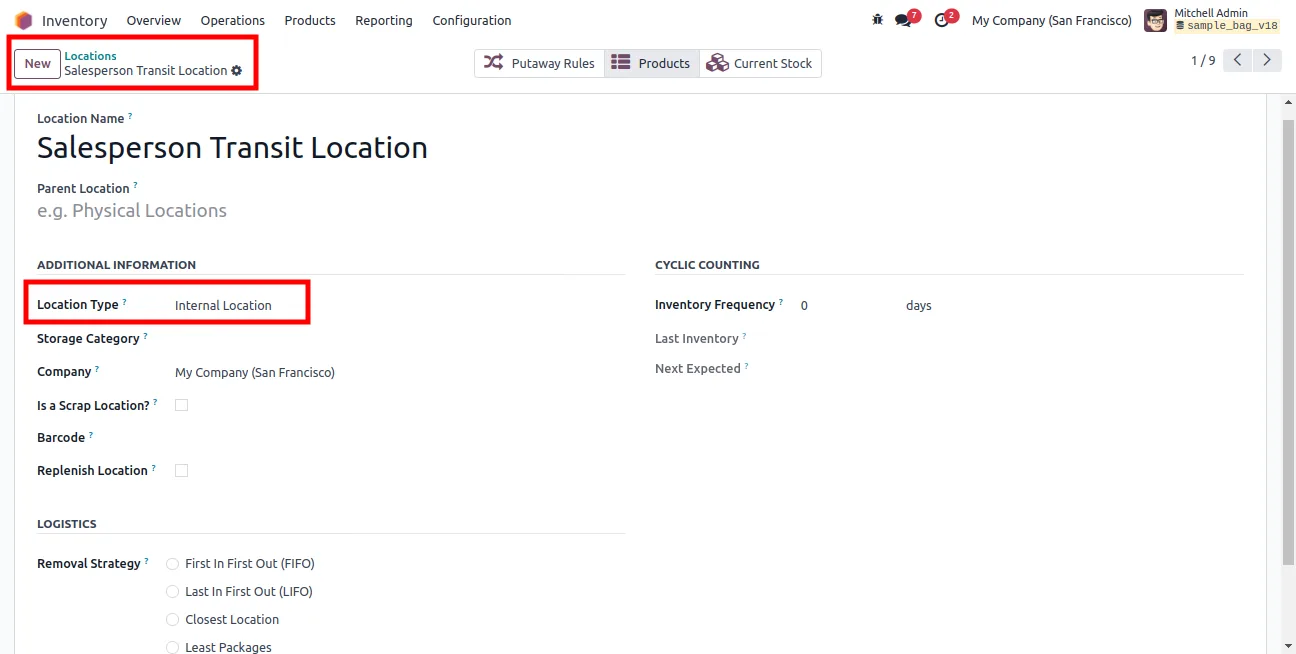
Create salesperson transit locations
Under Inventory → Configuration → Locations, add a transit location for each salesperson, classified as an internal location.
- 4
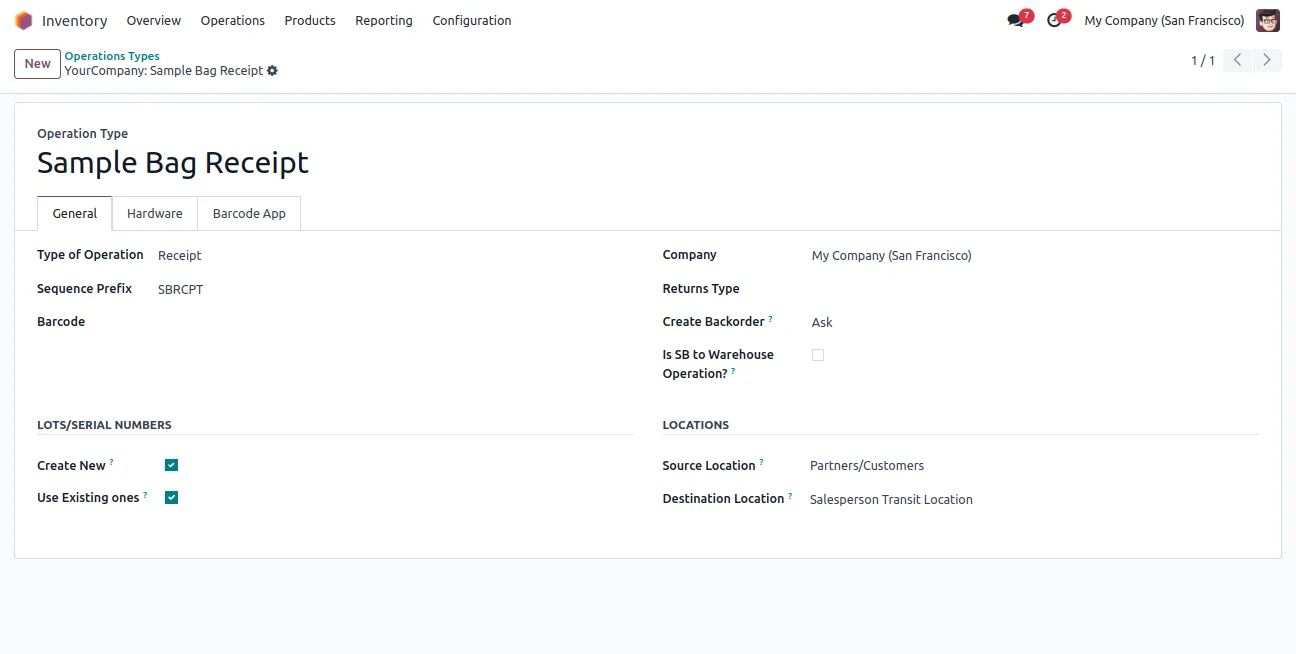
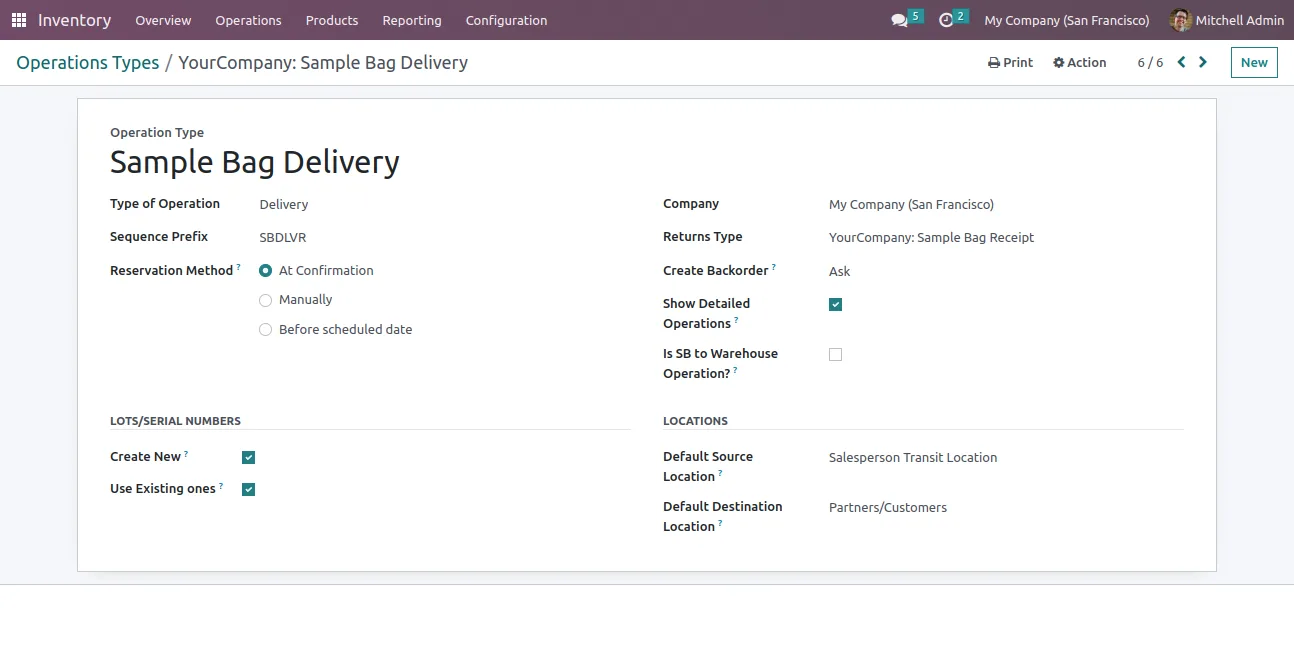
Configure the operation types
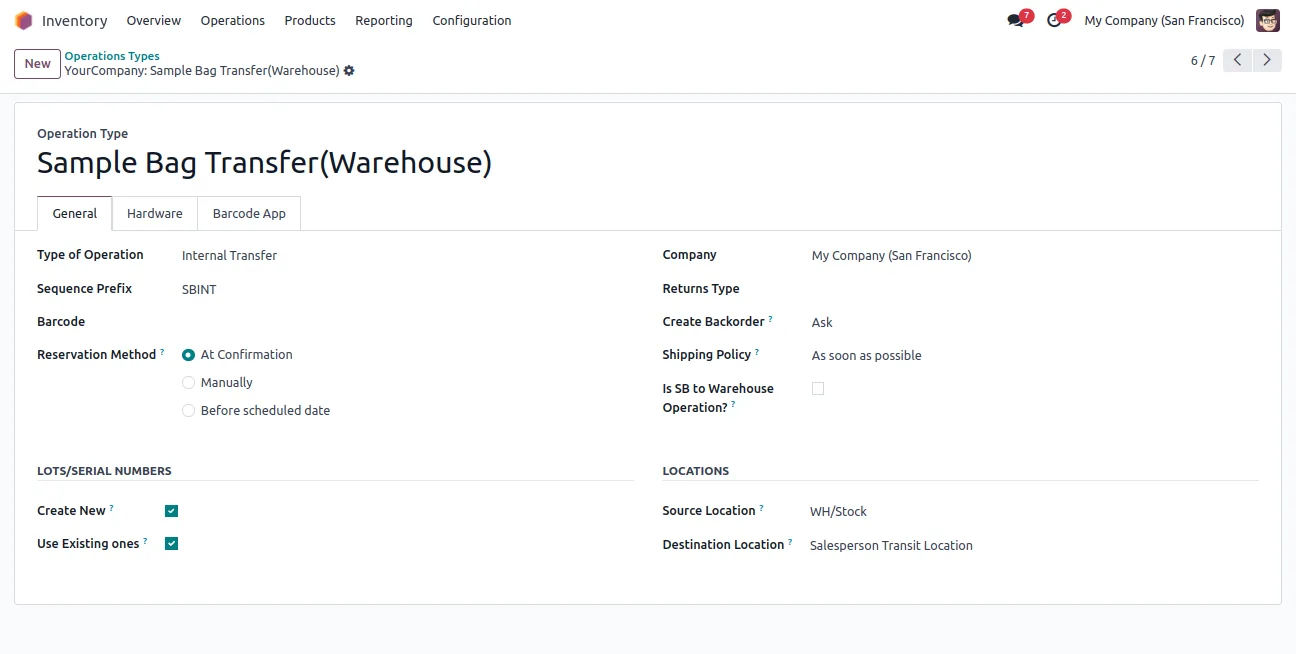
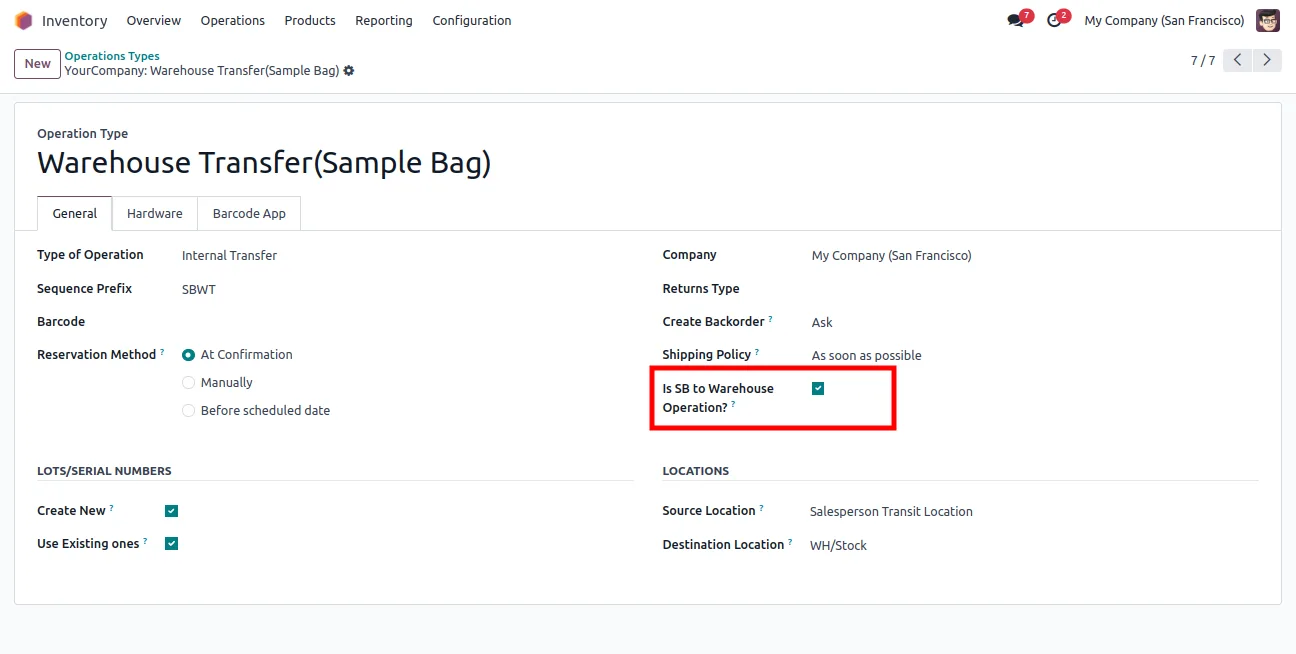
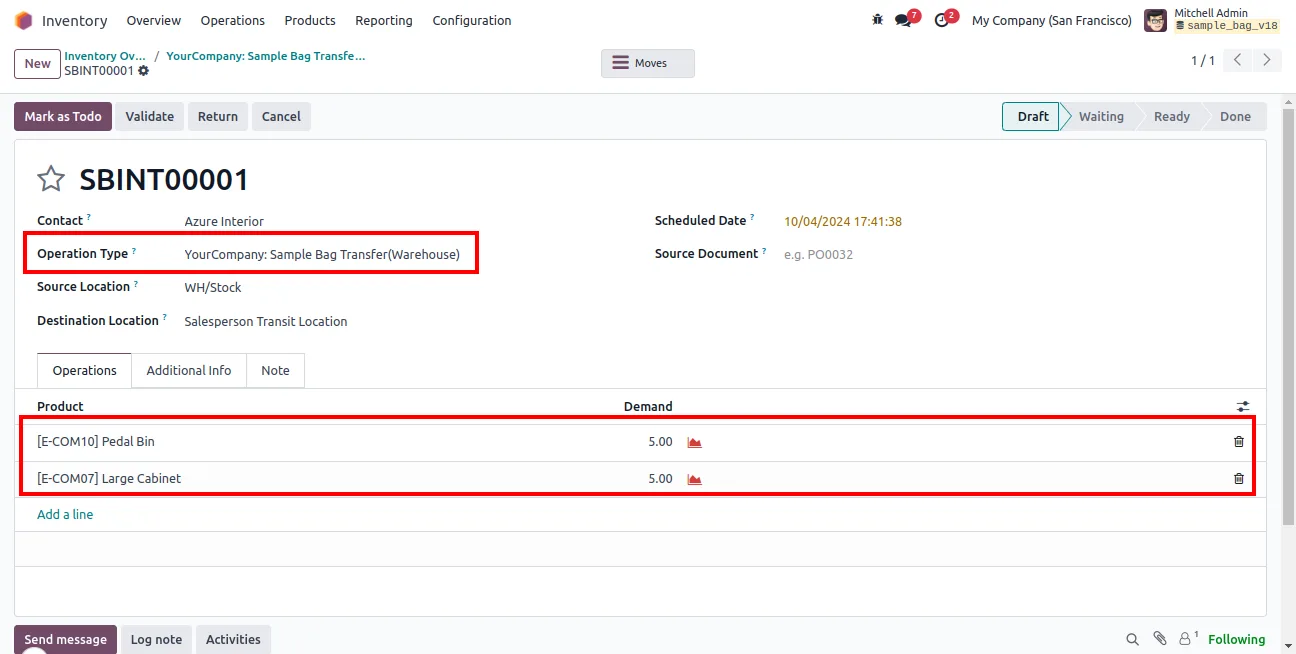
Create the Sample Bag Receipt, Sample Bag Delivery, Sample Bag Transfer Warehouse, and Warehouse Transfer Sample Bag operation types. On the warehouse-return type, enable Is SB to Warehouse Operation.
- 5
Link operation types to the warehouse
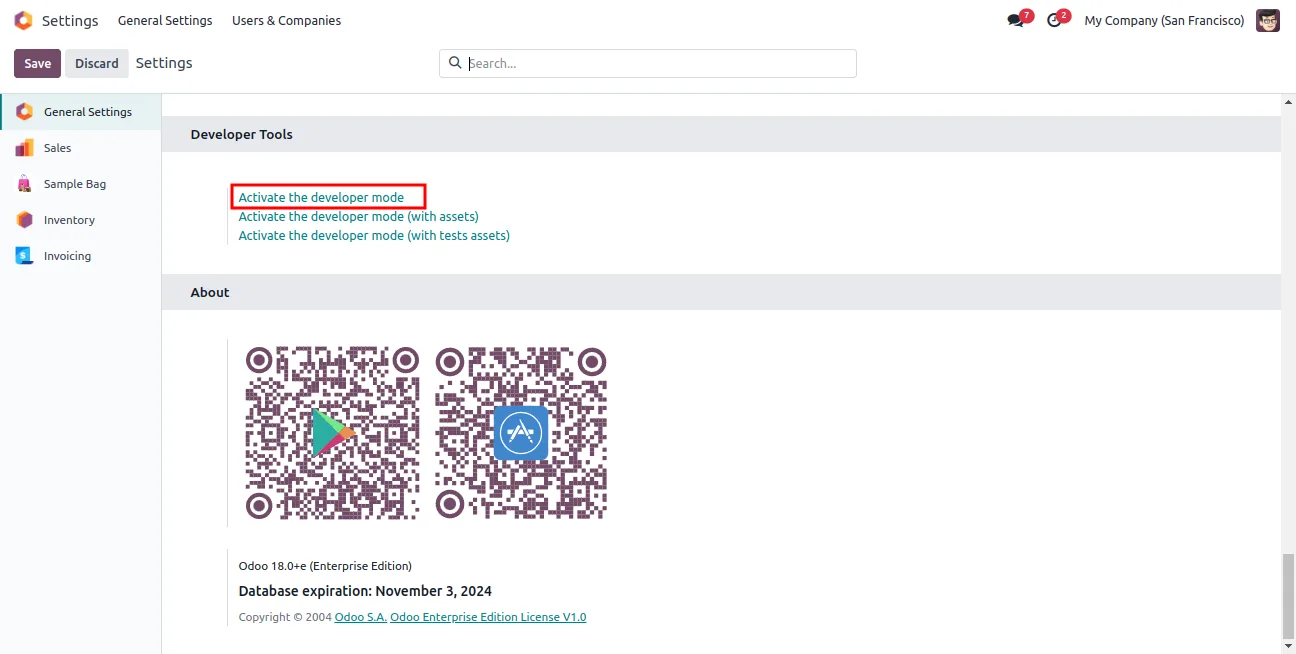
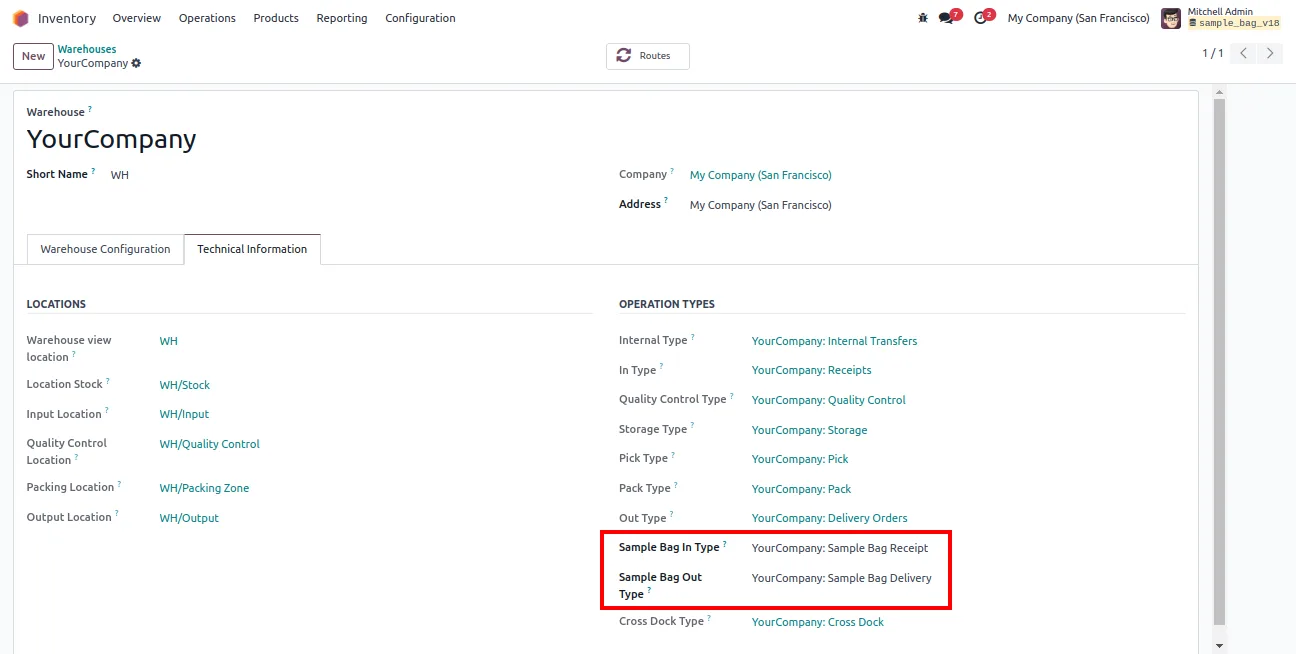
Turn on developer mode, open Inventory → Configuration → Warehouses, and assign the operation types to the Sample Bag In and Out Type fields under the Technical Information tab.
- 6
Create your first sample bag
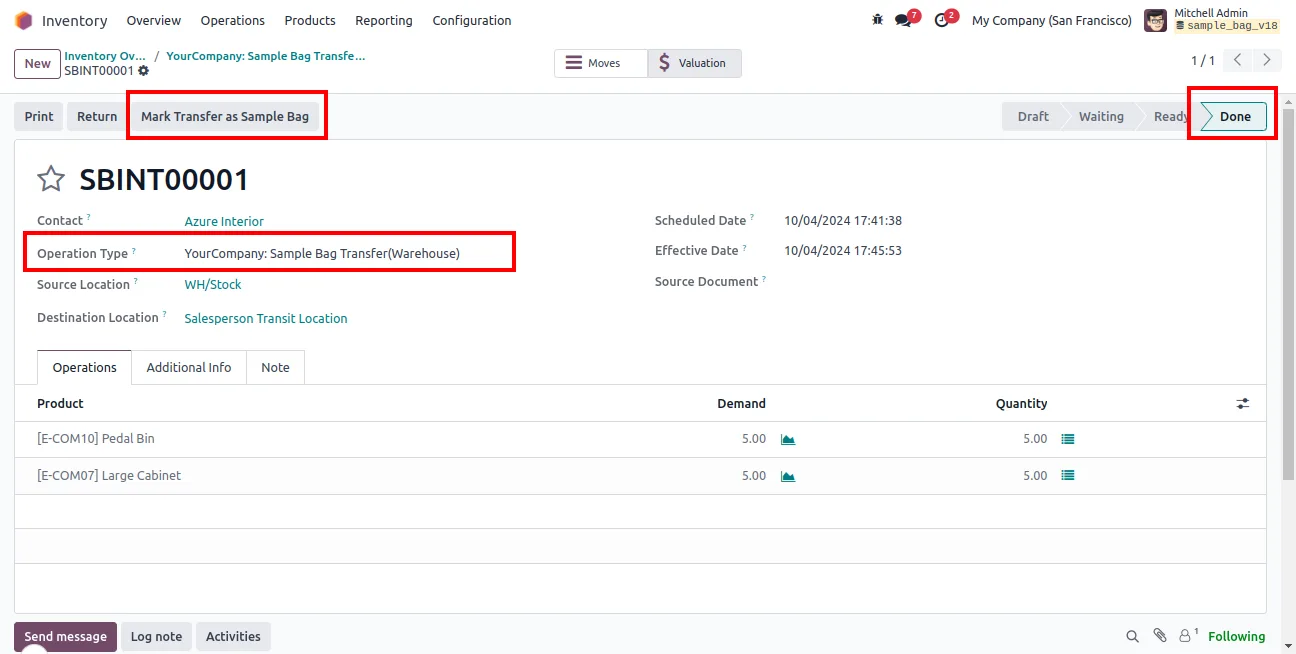
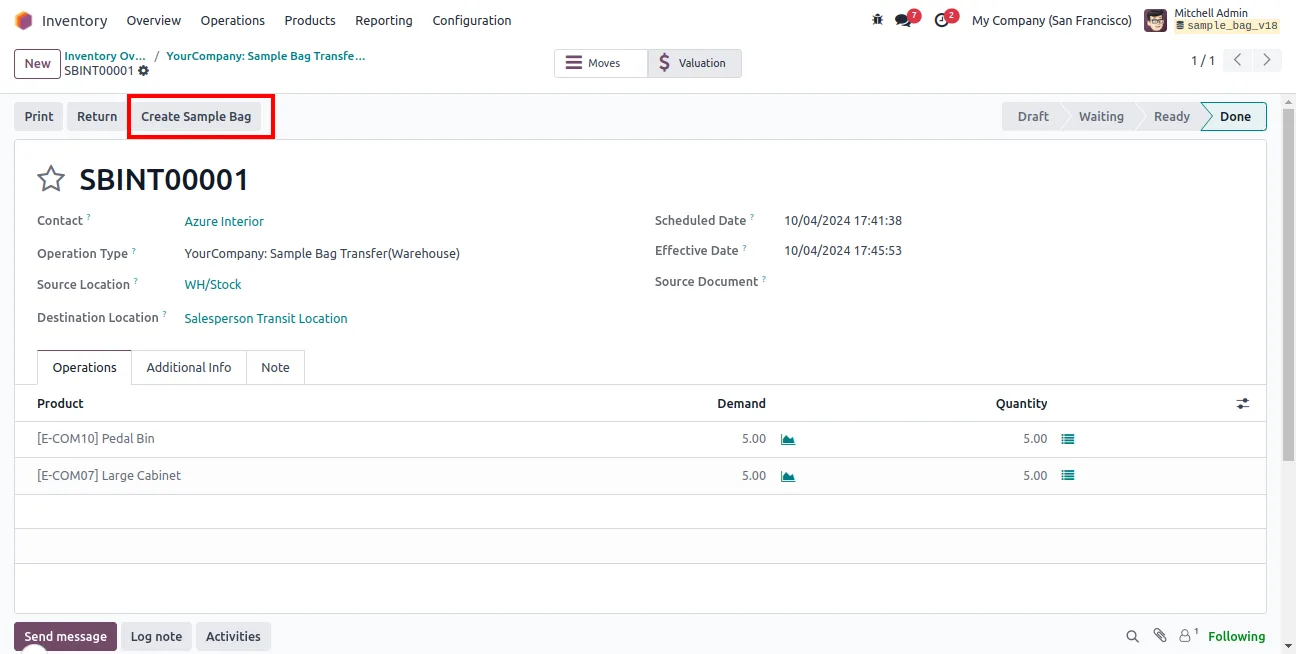
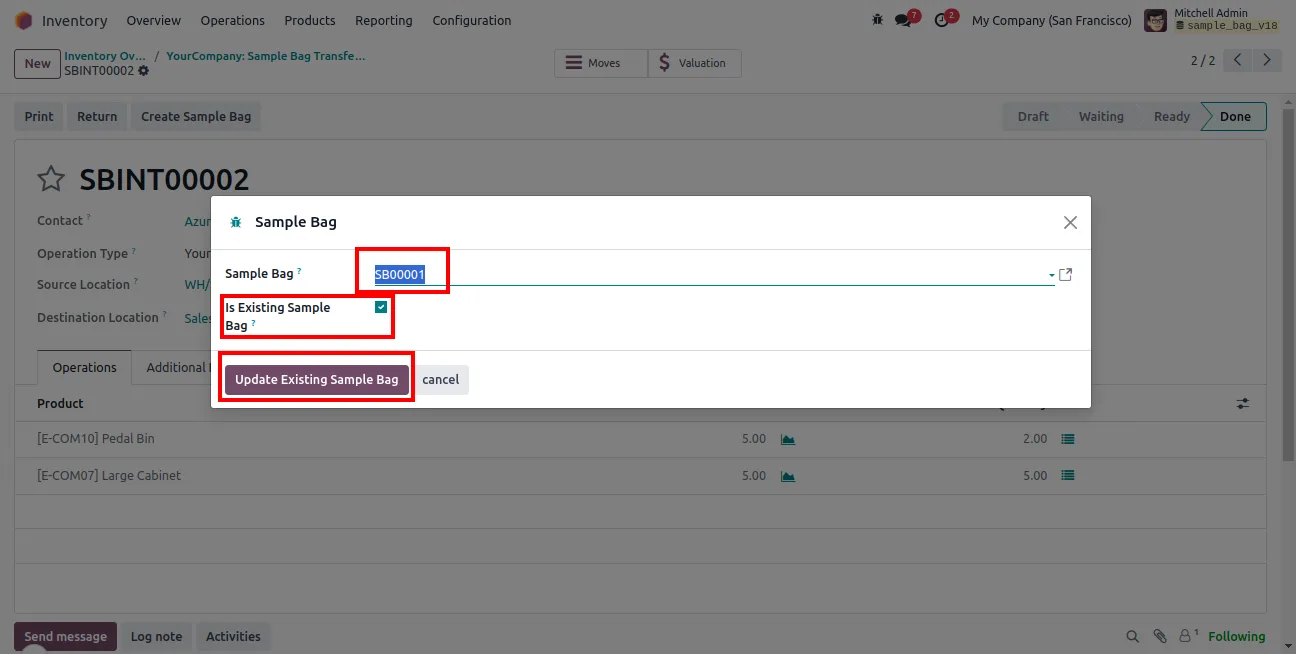
Go to Inventory → Operations → Transfers, create an internal transfer with the salesperson contact, validate it, and select Mark Transfer As Sample Bag to convert it or merge it with an existing bag.
Frequently asked questions
-
What problem does Sample Bag solve?
It tracks the physical sample products salespeople carry to customers. Each sample bag is tied to a salesperson, so you always know which samples are in the field and with whom.
-
How do samples move from the warehouse to a salesperson?
The module uses Odoo inventory transfers to move sample products from warehouse stock locations to a salesperson's transit location, with operation types set up for each direction.
-
Can I turn a sample into a sale?
Yes. You can generate a sales order or quotation directly from a sample interaction, with hand-to-hand or warehouse delivery options for fulfilling the converted order.
-
Can a sample bag be moved to another salesperson?
Yes. A bag can be reassigned to a different salesperson, and products can be transferred partially or completely between bags.
-
How are minimum and maximum sample levels handled?
Buffer products track minimum and maximum quantities, so each salesperson can be kept stocked at the right sample level.
-
Does setup require developer mode?
Yes. Developer mode is needed to open the warehouse Technical Information tab and assign the Sample Bag In and Out operation types.
-
Which Odoo versions are supported?
The module supports Odoo 16.0, 17.0, 18.0, 19.0, and 20.0, in both the Community and Enterprise editions.
-
Is support included?
Yes. The module includes 90 days of bug-fix support, Monday to Friday, 10:00–19:00 IST.
Listing verified against the Odoo App Store:
Related solutions
Whole-platform solutions that complement Sample Bag.
Shopify + Odoo Integration
Native Shopify-to-Odoo bidirectional sync. Products, inventory, orders, customers, refunds, accounting entries in real time. Multi-store, multi-currency, B2B.
WooCommerce + Odoo Integration
Native WooCommerce-to-Odoo bidirectional sync. Products, inventory, orders, refunds, subscriptions, accounting entries. WP-Cron-free, reliable, B2B-ready.
Amazon (Seller / Vendor Central) + Odoo Integration
Native Amazon-to-Odoo sync — Seller Central (FBM/FBA), Vendor Central, multi-marketplace. Orders, inventory, fees, reimbursements reconciled to Odoo accounting.
Related services
Get the most out of this module with senior TechUltra consultants.
Odoo Customization Services
Odoo customization from a Gold Partner: custom modules, workflows, reports and Studio changes, written upgrade-safe and quoted at a fixed scope. Free scoping call.
Hire Odoo Developers
Hire certified Odoo developers from a Gold Partner: one developer or a team, full-time or part-time, 70–160 hours a month. Silver, Gold or Platinum plan, free trial.
Odoo Support Services & Maintenance
Odoo support services from a Gold Partner: functional and technical support plus server cover for Enterprise and Community, 30-minute P1 response, 24/7 option.







