

Odoo App · Sales & Commission
Sales Commission Dashboard
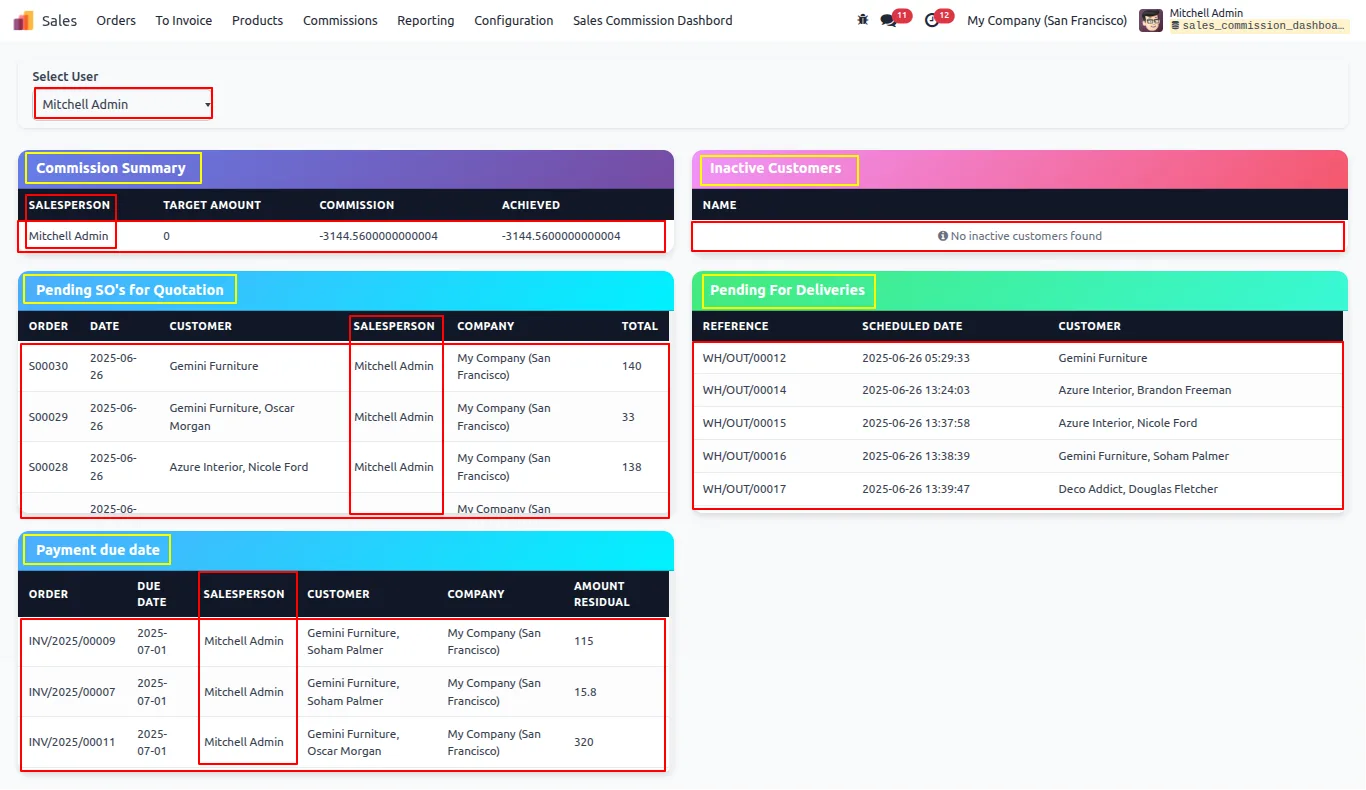
One dashboard for pending orders, deliveries, inactive customers, invoice due dates, and commissions.

Overview
Sales Commission Dashboard collects the metrics a sales team chases every day — quotations sent but not confirmed, deliveries that have not shipped, customers who have gone quiet, and invoices coming due — and puts them on one Odoo screen that updates in real time.
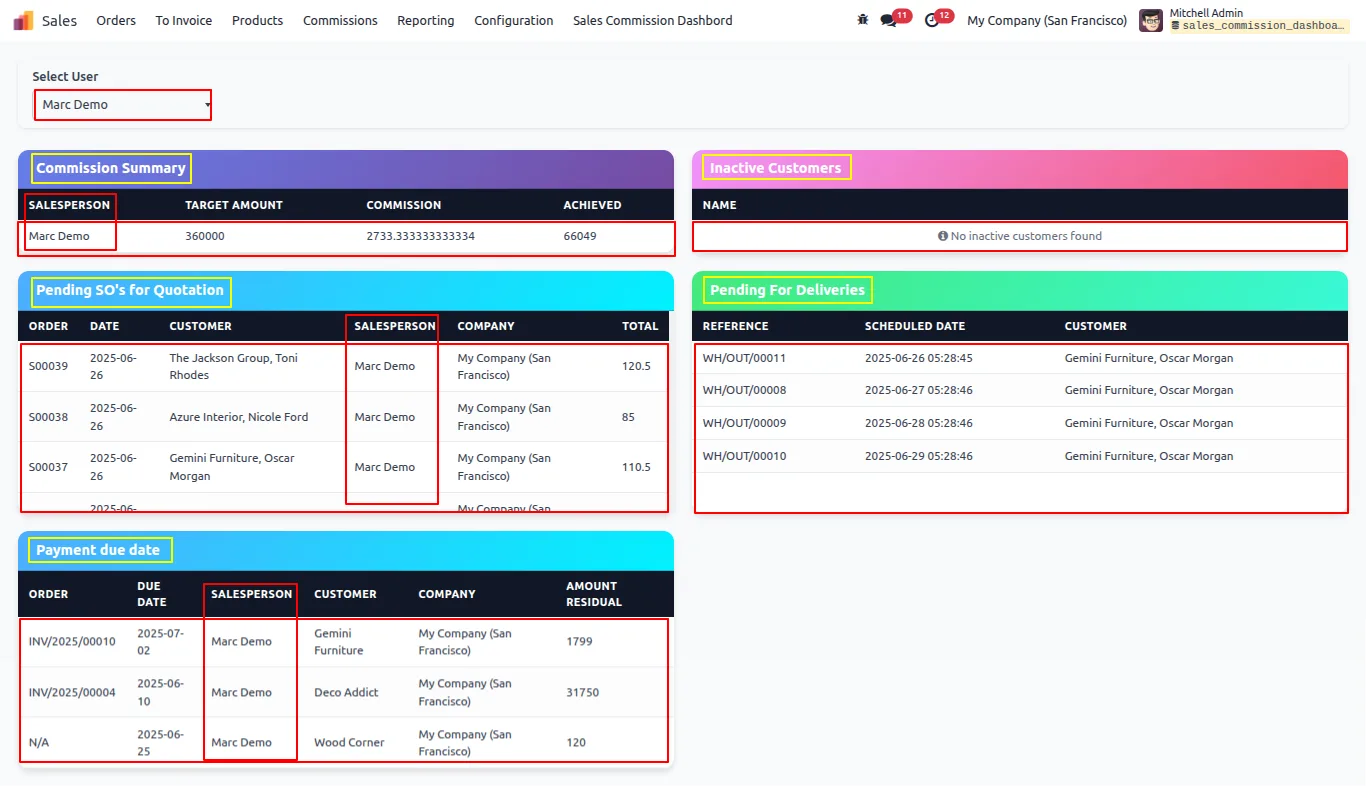
Built by TechUltra Solutions, the dashboard adds a user filter so a manager can see the whole team at once or zoom into a single salesperson. On Odoo 18, a Commission Summary tile tracks individual performance against sales targets, giving reps and team leads a clear view of where the commission for the period stands.
The module is designed for Odoo Enterprise and runs unchanged on Odoo Online, Odoo.sh, and on-premise deployments, with no extra configuration after install.
Key features
-
User filter dropdown
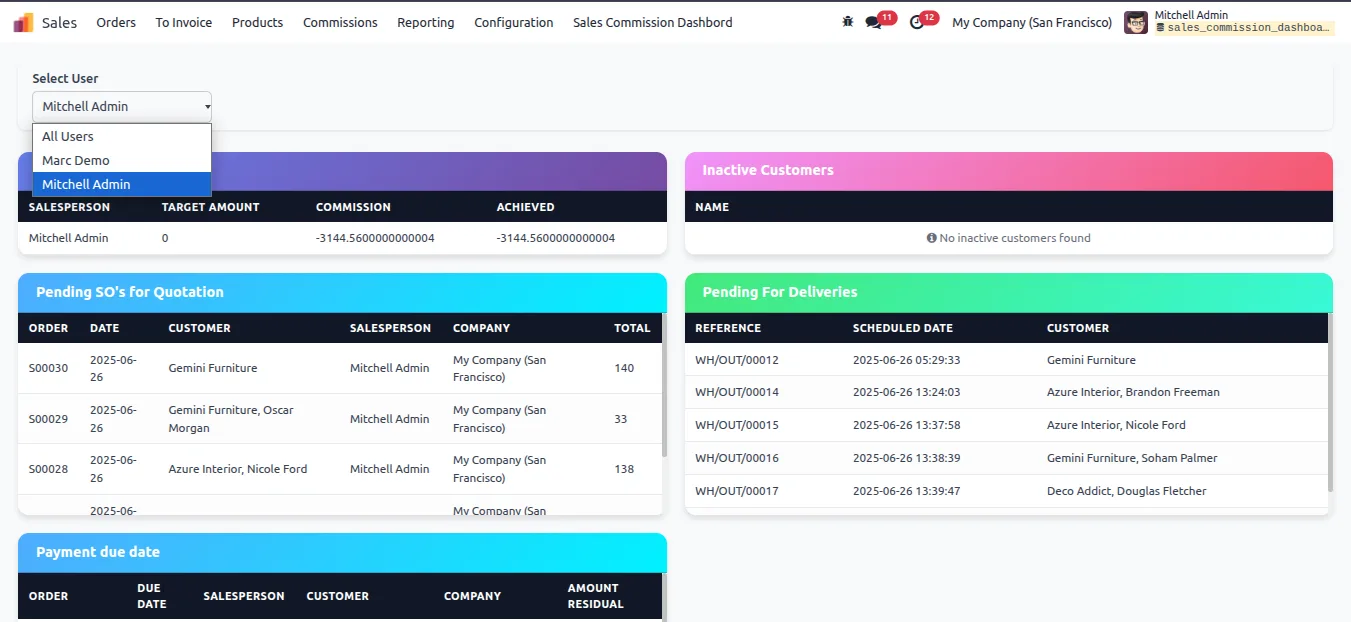
Filter every dashboard tile by an individual user or view all users at once, so managers and reps see exactly the slice of activity they care about.
-
Commission summary (Odoo 18)
On Odoo 18, the Commission Summary tile tracks each user's performance against their sales target — useful for reps watching their commission and team leads coaching on it.
-
Pending sales orders
Shows sales orders that are in the Quotation Sent state, so the team can see exactly which deals still need a confirmation push.
-
Pending deliveries
Displays outgoing pickings in progress that have not yet been delivered, making it easy to spot orders held up in fulfilment.
-
Inactive customers
Lists active customers with no sales order history, so account managers can act on accounts that have gone quiet.
-
Upcoming invoice payment due dates
Surfaces invoices coming due, which helps the team track receivables and follow up on overdue payments before they age further.
-
Modern UI with colour-coded panels
Each metric sits in a clearly colour-coded panel so managers can read the state of the pipeline at a glance.
-
Real-time data updates
Tiles refresh against live Odoo data, so what the dashboard shows is what the sales pipeline actually looks like right now.
Sales Commission Dashboard in Odoo
Every screen, in the order you meet it — configuration first, then the module in use.
Technical details
Specification
- Publisher
- TechUltra Solutions Private Limited
- Technical name
- sales_commission_dashboard
- Odoo versions
- 16.0, 17.0, 18.0, 19.0, 20.0
- Lines of code
- 517
- License
- Odoo Proprietary License v1.0 (OPL-1)
- Price
- $23.30 (one-time)
Deployment
- Odoo Online
- Odoo.sh
- On-premise
Odoo dependencies
- Sales
- Invoicing
- Discuss
Support
90 days of bug-fix support, Monday to Friday (10:00–19:00 IST). Raise a ticket at support@techultra.in.
Setup & configuration
From install to first call — here is the path.
- 1
Install the module
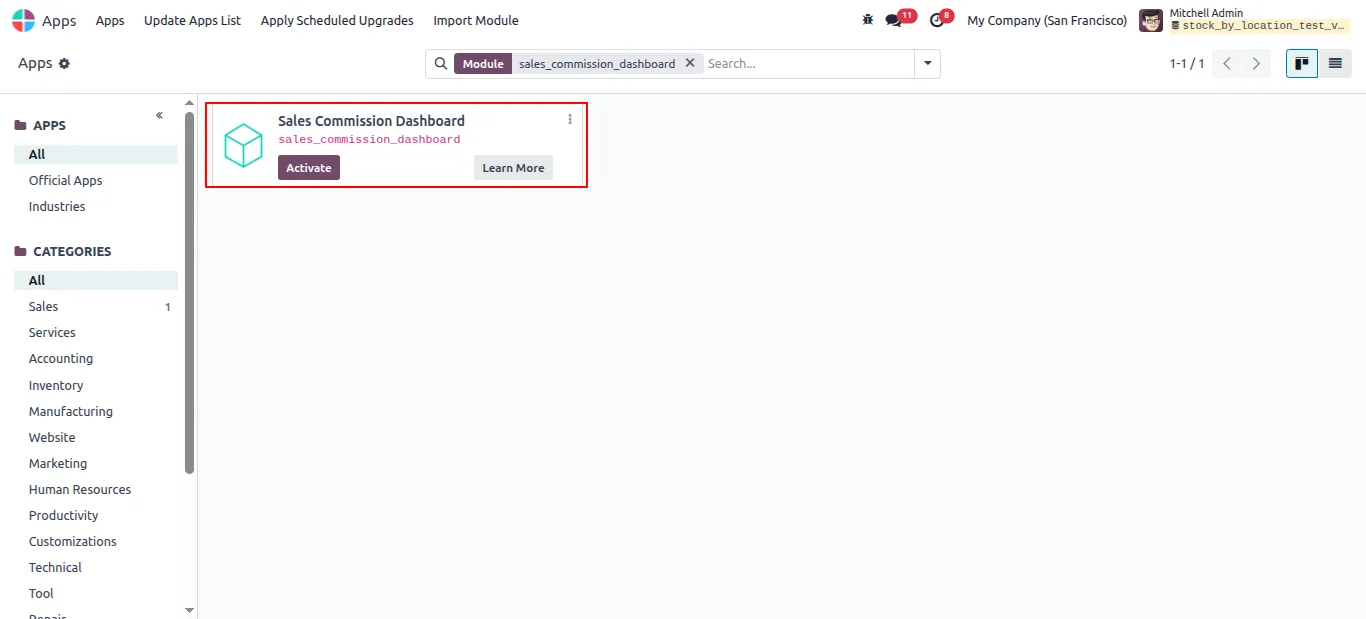
In Odoo, open Apps, remove the Apps filter, search for “Sales Commission Dashboard”, and click Install.
- 2
Open the dashboard
Navigate to Sales → Sales Commission Dashboard. The dashboard loads with the user filter defaulted to All Users.
- 3
Filter by user
Use the user dropdown to switch between an individual salesperson and the full team — every tile re-scopes to match.
- 4
Review the tiles
Walk through the panels — pending sales orders, pending deliveries, inactive customers, and upcoming invoice due dates — to act on the items that need attention.
- 5
Track commissions on Odoo 18
On Odoo 18, open the Commission Summary tile to track individual performance against sales targets for the current period.
Frequently asked questions
-
Which Odoo versions are supported?
Sales Commission Dashboard supports Odoo 16.0, 17.0, 18.0, 19.0, and 20.0, and is built for the Enterprise edition.
-
Does it work on Odoo Online and Odoo.sh?
Yes. The module is available for Odoo Online, Odoo.sh, and on-premise deployments.
-
Is the Commission Summary available on every Odoo version?
The Commission Summary tile is currently Odoo 18 only. The rest of the dashboard tiles — pending orders, deliveries, inactive customers, and upcoming invoice due dates — work across all supported versions.
-
Can I see data for just one salesperson?
Yes. The user filter at the top of the dashboard lets you switch between an individual user and All Users, and every tile re-scopes to match.
-
What does the Pending Sales Orders tile actually count?
It counts sales orders that are still in the Quotation Sent state — the deals that have been sent to the customer but not yet confirmed.
-
How does the Inactive Customers tile help?
It surfaces active customers with no sales order history, so account managers can re-engage customers who have stopped ordering.
-
Is any configuration required after install?
No. After installation, open Sales → Sales Commission Dashboard and the dashboard works out of the box.
-
Is support included with the purchase?
Yes. The module includes 90 days of bug-fix support, Monday to Friday, 10:00–19:00 IST.
Listing verified against the Odoo App Store:
Related services
Get the most out of this module with senior TechUltra consultants.
Odoo Customization Services
Odoo customization from a Gold Partner: custom modules, workflows, reports and Studio changes, written upgrade-safe and quoted at a fixed scope. Free scoping call.
Hire Odoo Developers
Hire certified Odoo developers from a Gold Partner: one developer or a team, full-time or part-time, 70–160 hours a month. Silver, Gold or Platinum plan, free trial.
Odoo Support Services & Maintenance
Odoo support services from a Gold Partner: functional and technical support plus server cover for Enterprise and Community, 30-minute P1 response, 24/7 option.







