
Odoo App · Reporting & PDF
Sale Order Report Secure ZIP
Bulk-export Sales Orders and Quotations into one password-protected ZIP file.
Overview
Sale Order Report Secure ZIP turns Odoo's one-PDF-at-a-time download into a true bulk export. Sales reps select the Sales Orders or Quotations they need to share, click one button, and Odoo packages every QWeb-generated PDF into a single ZIP file — ready to email a customer, hand to a manager, or post to a shared drive.
Built by TechUltra Solutions, the module adds an export action to both the Sales Order and Quotation tree views, plus matching server actions. The wizard offers an optional password, so commercial documents containing pricing, discounts, and customer terms stay protected in transit.
Because the bulk export uses Odoo's existing QWeb sales reports, every PDF inside the ZIP is identical to what each record produces individually — no separate template to maintain, no formatting drift between single and batch downloads.
Key features
-
Multi-document selection
Select multiple Sales Orders or Quotations for export in one go from the standard Odoo tree views — no record-by-record clicking.
-
Batch export capability
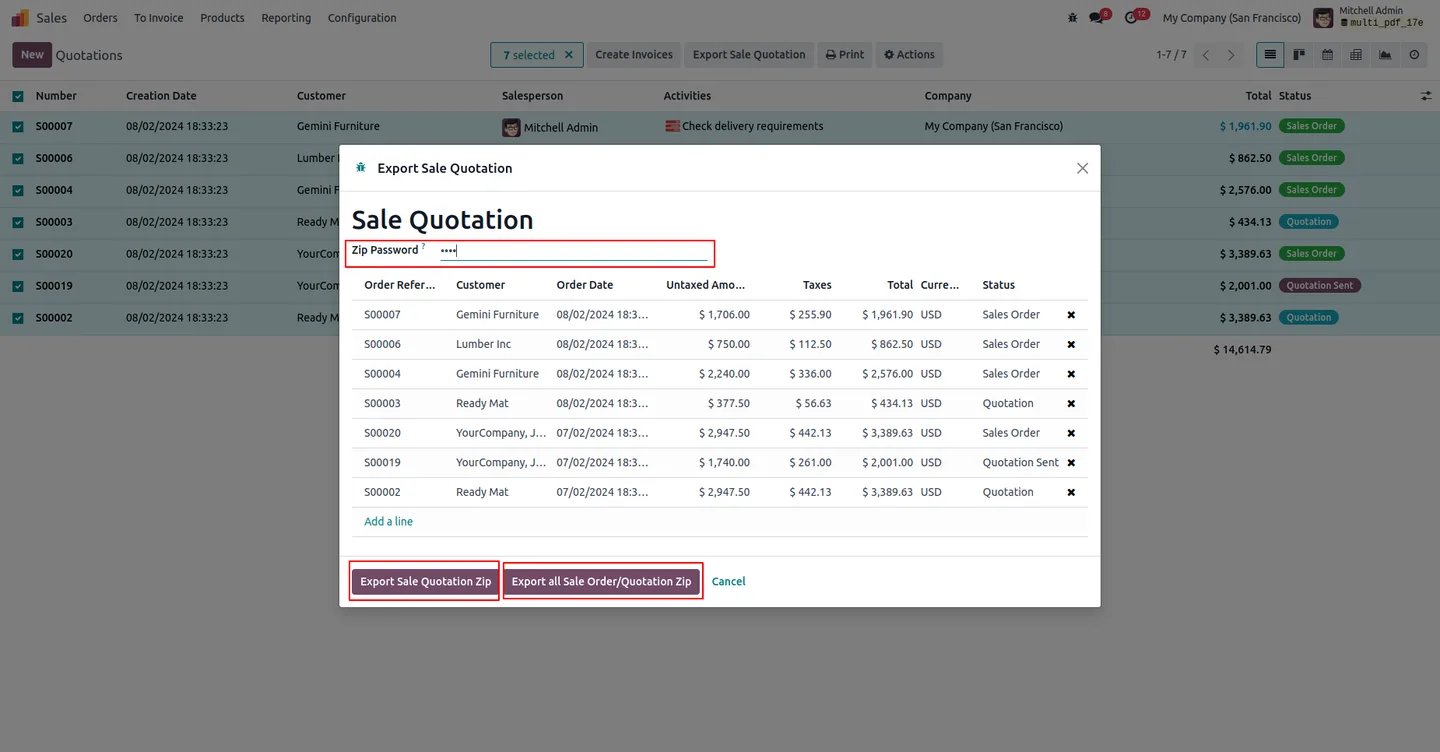
Export multiple selected QWeb reports at once into a single ZIP file, with both Export Sale Quotation Zip and Export All Sale Order/Quotation Zip options available from the wizard.
-
Password protection
Create a password-protected ZIP file, ensuring the security of your sensitive documents — pricing, discounts, and customer terms stay locked until the recipient enters the password.
-
File compression
Reduces the overall file size by compressing the reports, so the archive is faster to upload, faster to email, and lighter on storage.
-
Data security
Secure sensitive QWeb report information by implementing a password requirement on the archive before it is shared with stakeholders.
-
Simplified management
Collect all selected QWeb reports into one compressed file, so there is one attachment to track instead of one per Sales Order or Quotation.
-
Time efficiency
Save time by eliminating the need to download reports individually and zip them by hand on the desktop.
-
Easy distribution
Distribute a single, password-protected ZIP file to stakeholders or team members in one upload, instead of dozens of individual PDFs.
-
Standard extraction
Simplify the extraction and viewing process with standard ZIP file tools — no proprietary client to install on the receiving end.
Sale Order Report Secure ZIP in Odoo
Every screen, in the order you meet it — configuration first, then the module in use.
Technical details
Specification
- Publisher
- TechUltra Solutions Private Limited
- Technical name
- saleorder_report_zip_secure
- Odoo versions
- 14.0, 15.0, 16.0, 17.0, 18.0, 19.0, 20.0
- Lines of code
- 268
- License
- Odoo Proprietary License v1.0 (OPL-1)
- Price
- $15.14 (one-time)
Deployment
- Odoo Online
- Odoo.sh
- On-premise
Odoo dependencies
- Sales
- Discuss
- Invoicing
Support
90 days of bug-fix support, Monday to Friday (10:00–19:00 IST). Raise a ticket at support@techultra.in.
Setup & configuration
From install to first call — here is the path.
- 1
Install the module
In Odoo, open Apps, remove the Apps filter, search for “Sale Order Report ZIP Export with Password Protection”, and click Install.
- 2
Enable the export field on your user
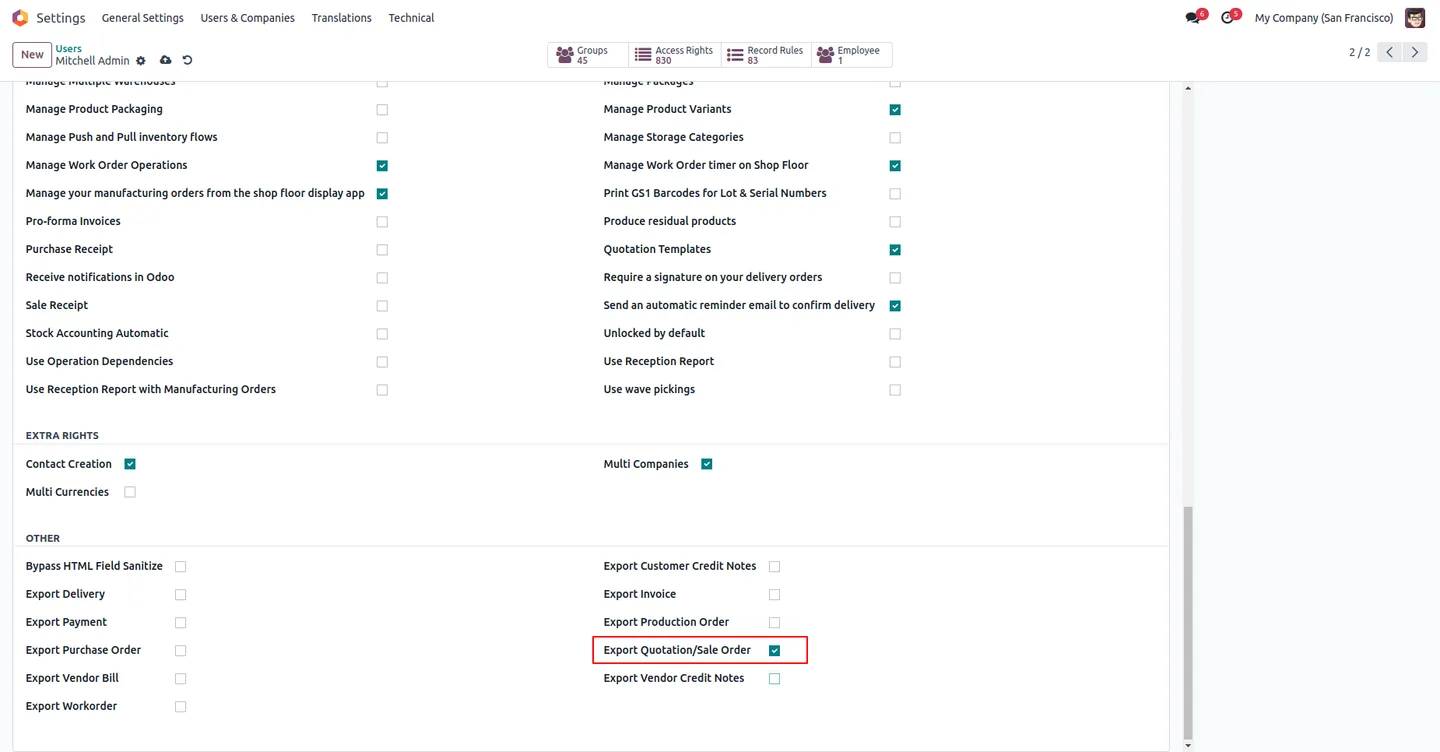
Open Settings → Users, edit the users who need access, tick the Export Quotation/Sale Order field, then refresh the page so the new buttons load.
- 3
Export quotations
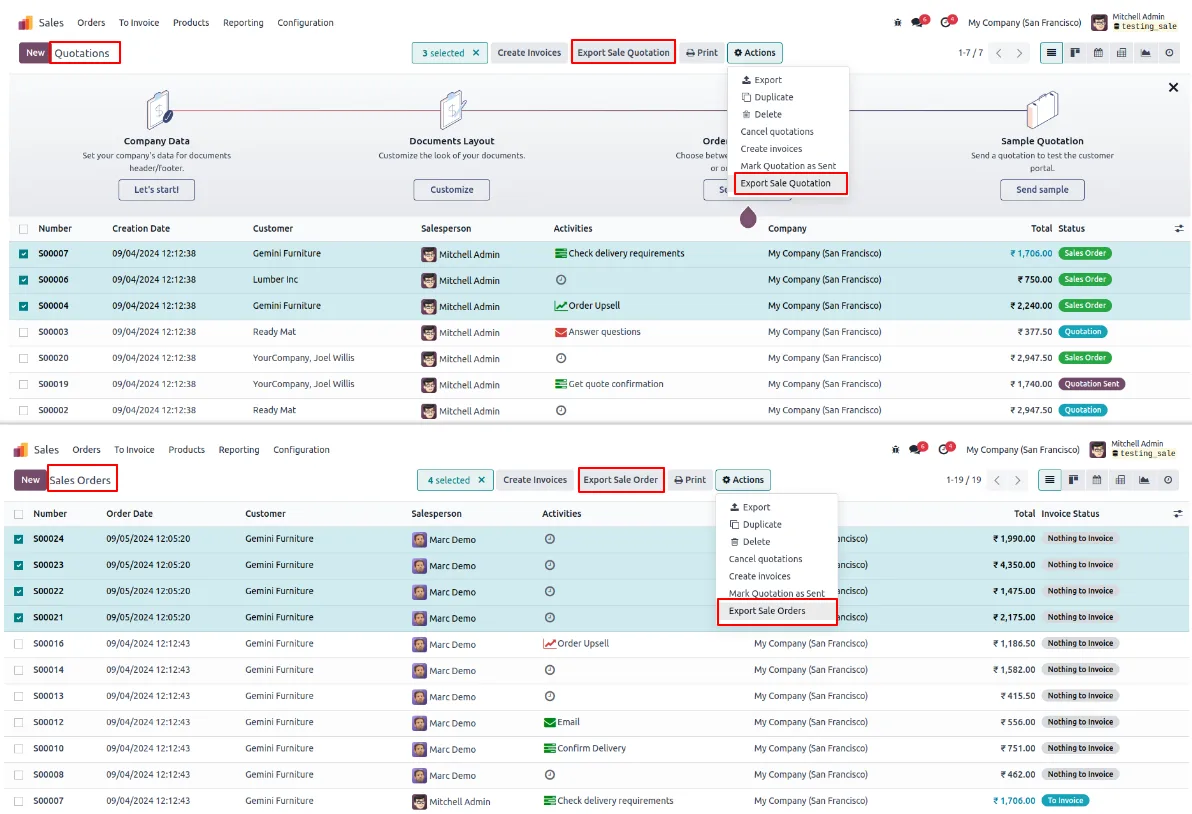
Open Sales → Quotations. Tick the records to bundle, click Export Sale Quotation, and pick either Export Sale Quotation Zip or Export All Sale Order/Quotation Zip in the wizard. Enter an optional ZIP password and run the export.
- 4
Export confirmed sales orders
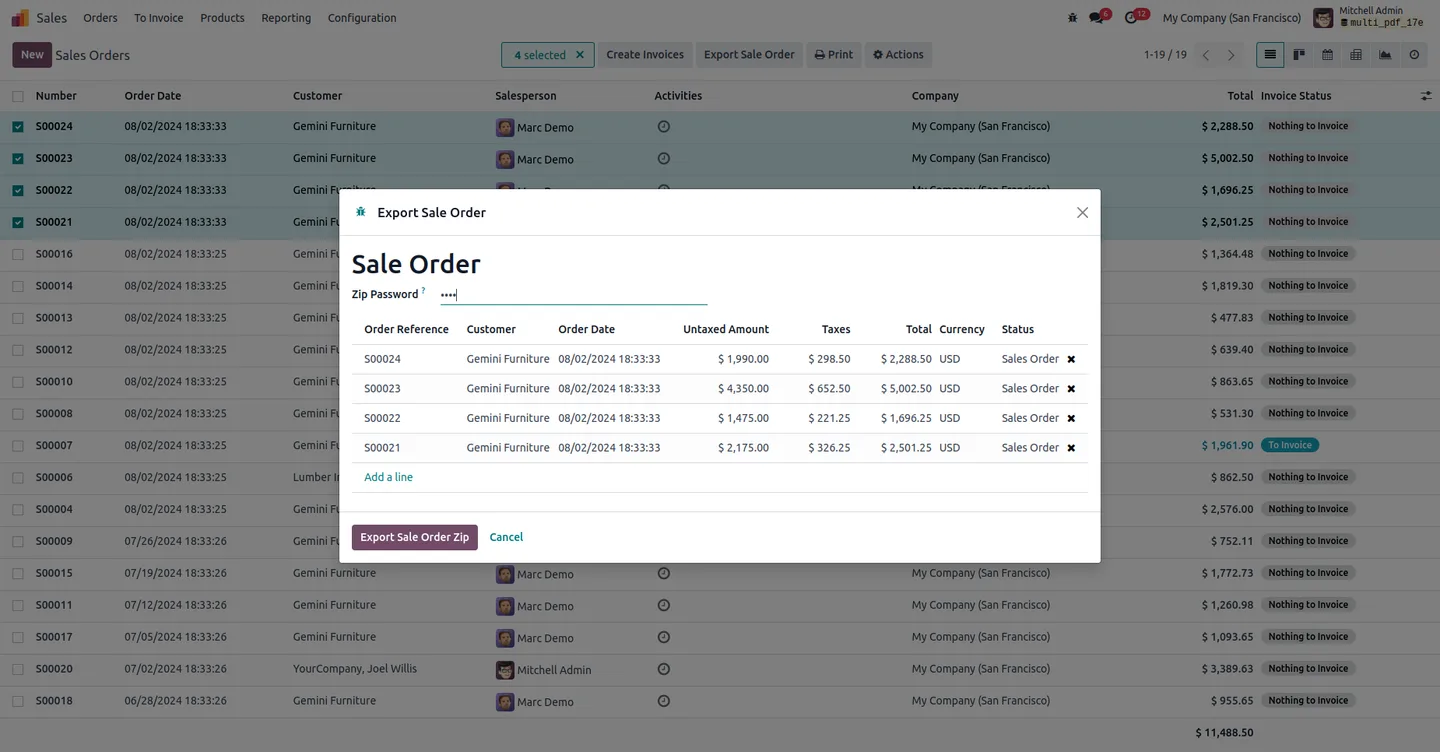
Open Sales → Orders, select the records to bundle, click Export Sale Order, set a password (or leave blank), and click Sale Order Zip to download the archive.
- 5
Open the archive
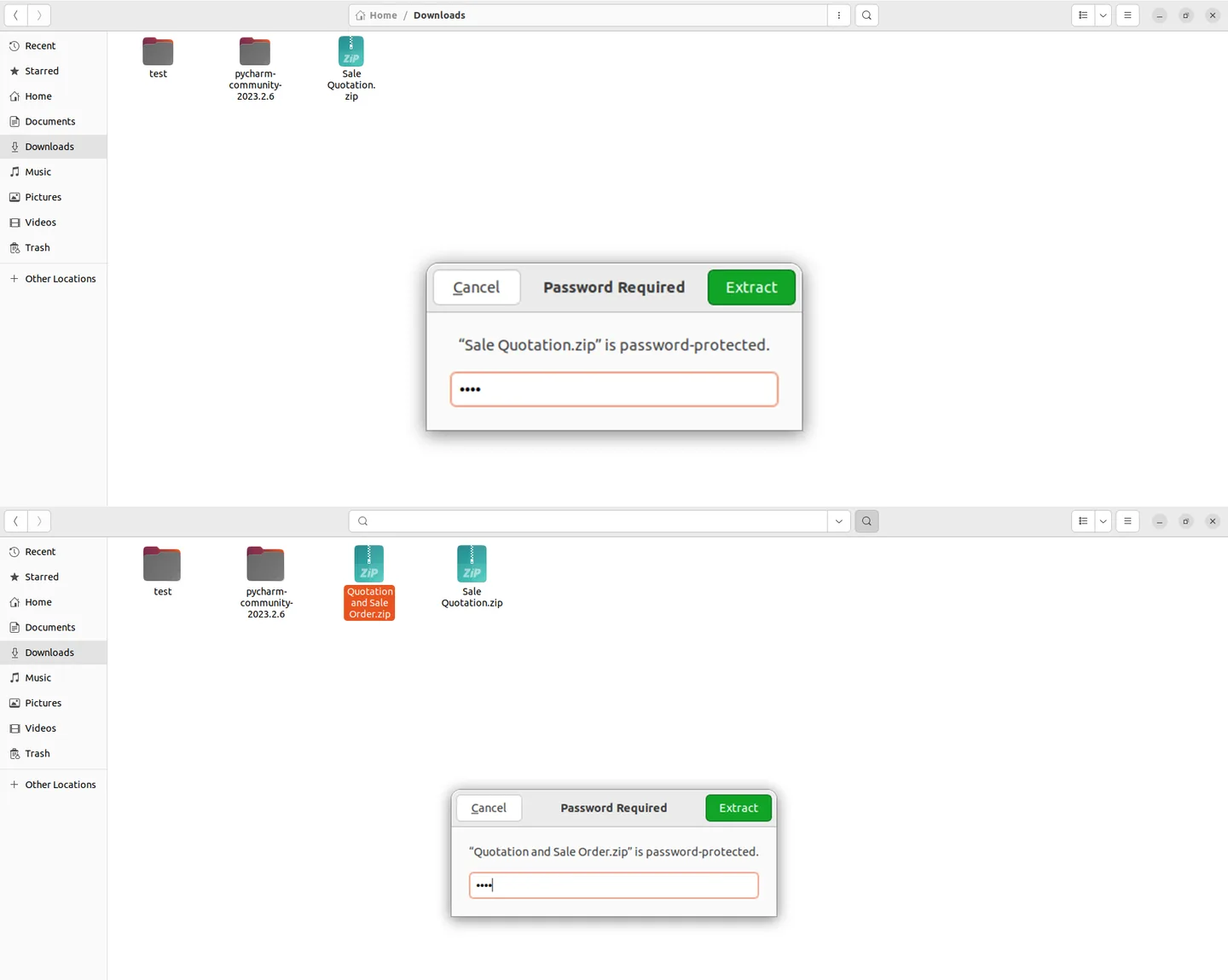
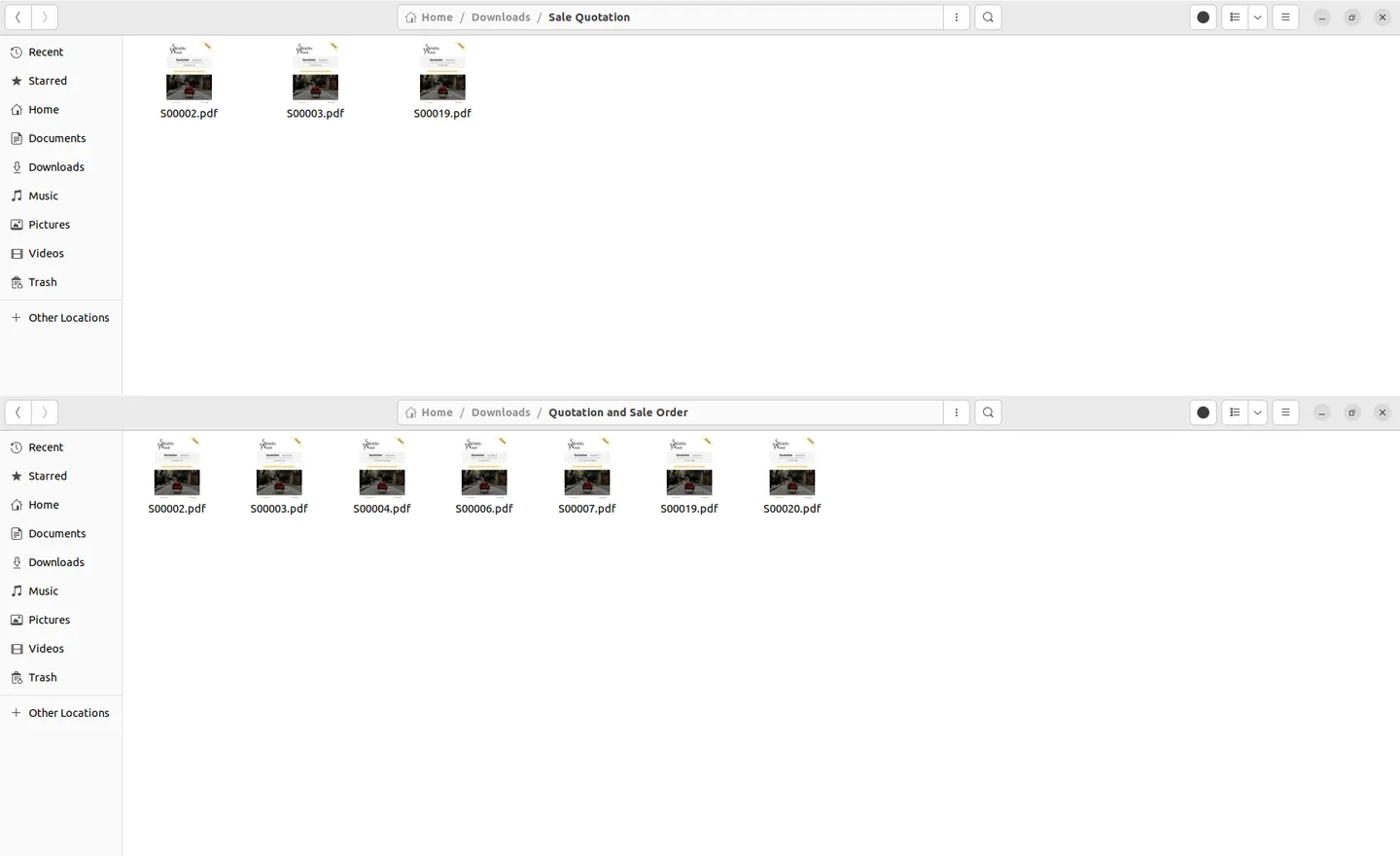
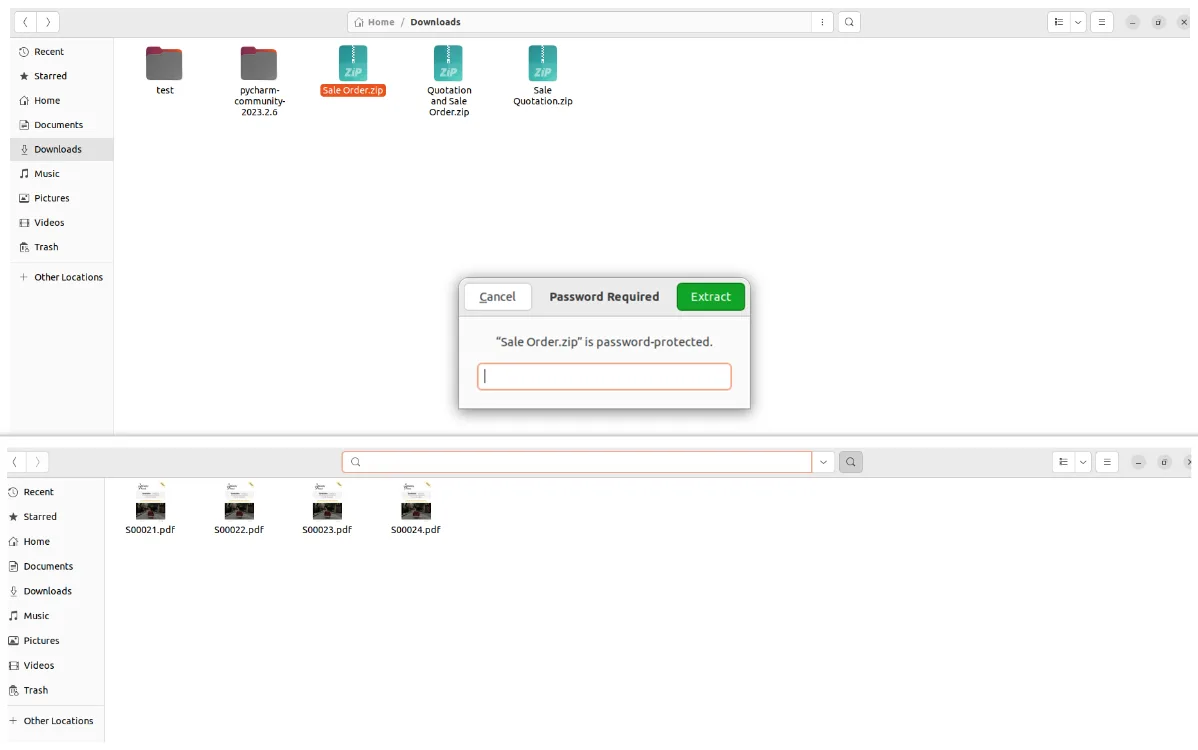
On the desktop, any standard ZIP tool prompts for the password (if set) and extracts the bundled Sales Order or Quotation PDFs for review or distribution.
Frequently asked questions
-
Which Odoo versions does this module support?
The module supports Odoo 14.0, 15.0, 16.0, 17.0, 18.0, 19.0, and 20.0 in both the Community and Enterprise editions.
-
Can I export Quotations and confirmed Sales Orders?
Yes. The module adds Export Sale Quotation on the Quotations tree view and Export Sale Order on the Sales Orders tree view, so both document types can be bundled into ZIP archives.
-
What is the difference between the two wizard options?
Export Sale Quotation Zip bundles the selected quotations only. Export All Sale Order/Quotation Zip bundles every related document type into a single archive in one operation.
-
Is password protection mandatory?
No. The ZIP Password field in the export wizard is optional. Leave it blank for an unprotected archive, or enter a value to lock the ZIP before download.
-
Where does the export button appear?
Once the Export Quotation/Sale Order field is enabled on your user, the buttons show up directly in the Quotations and Sales Orders tree views, and also in Odoo's standard server-actions menu.
-
Why don't I see the export button after installing?
The action is gated by the per-user Export Quotation/Sale Order field under Settings → Users. Tick it on the relevant users and refresh the page — the buttons will appear immediately.
-
How do I open a password-protected ZIP file?
Any standard ZIP tool that supports password-protected archives — including the built-in extractors on Windows 11 and the standard utilities on macOS and Linux — will prompt for the password before unpacking the PDFs.
-
Is support included with the purchase?
Yes. The module includes 90 days of bug-fix support, Monday to Friday, 10:00–19:00 IST. Raise a ticket at support@techultra.in.
Listing verified against the Odoo App Store:
Related services
Get the most out of this module with senior TechUltra consultants.
Odoo Customization Services
Odoo customization from a Gold Partner: custom modules, workflows, reports and Studio changes, written upgrade-safe and quoted at a fixed scope. Free scoping call.
Hire Odoo Developers
Hire certified Odoo developers from a Gold Partner: one developer or a team, full-time or part-time, 70–160 hours a month. Silver, Gold or Platinum plan, free trial.
Odoo Support Services & Maintenance
Odoo support services from a Gold Partner: functional and technical support plus server cover for Enterprise and Community, 30-minute P1 response, 24/7 option.







