

Odoo App · Telephony & CTI
RingCentral Integration
Cloud telephony, call logging, recordings & analytics — inside Odoo.

Overview
RingCentral Integration connects RingCentral's cloud phone system to Odoo, so your team places and receives calls, logs every conversation, and reviews recordings and transcripts without ever leaving the ERP.
Built by TechUltra Solutions, it embeds the official RingCentral Embeddable Widget inside the Odoo web client — a native RingCentral calling experience, not a re-build — and keeps call data current through OAuth 2.0, real-time webhooks, and a scheduled background sync.
Every call is matched to the right Odoo contact automatically; recordings and AI transcripts attach to the call record; and a built-in KPI dashboard turns the activity into charts and pivot tables managers can act on.
Key features
-
Secure OAuth 2.0 authentication
OAuth Authorization Code flow with automatic token refresh. Account-level authentication powers webhooks and background sync without users having to re-authenticate.
-
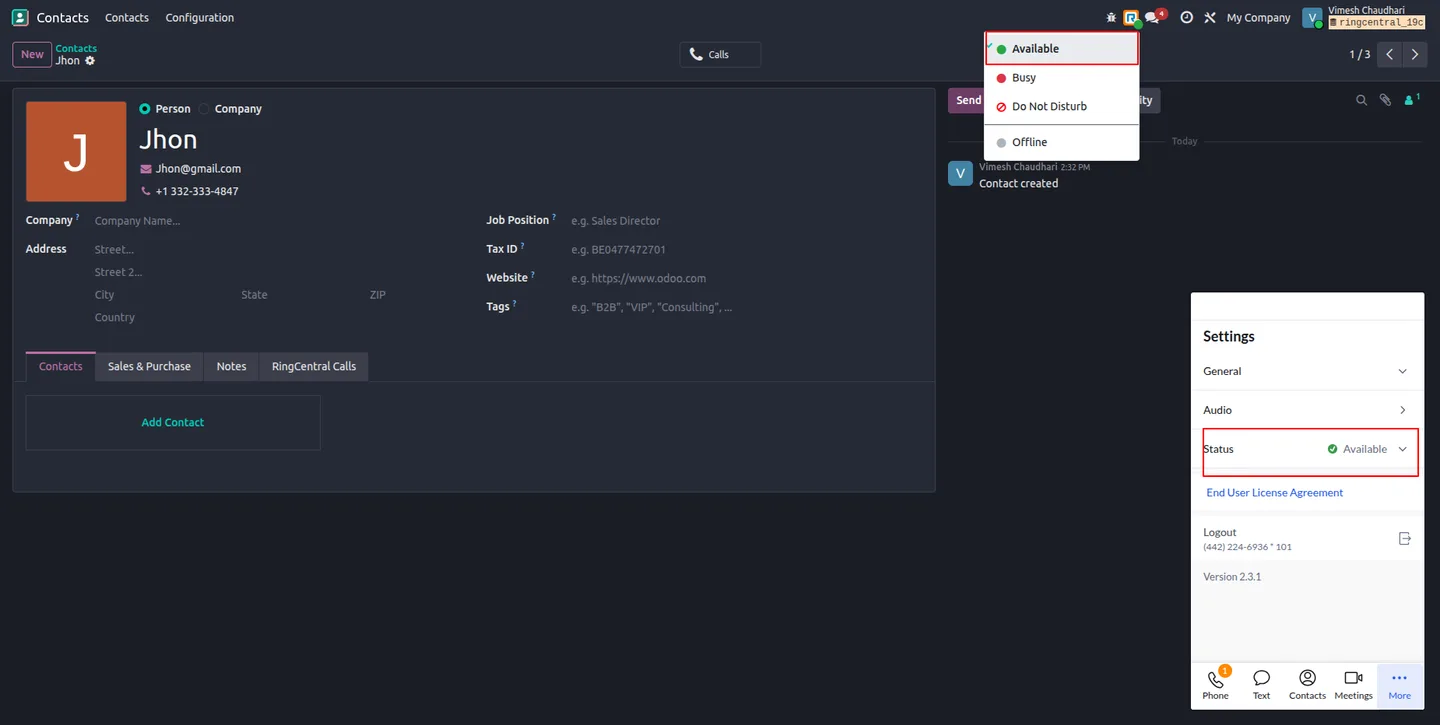
Embedded RingCentral calling
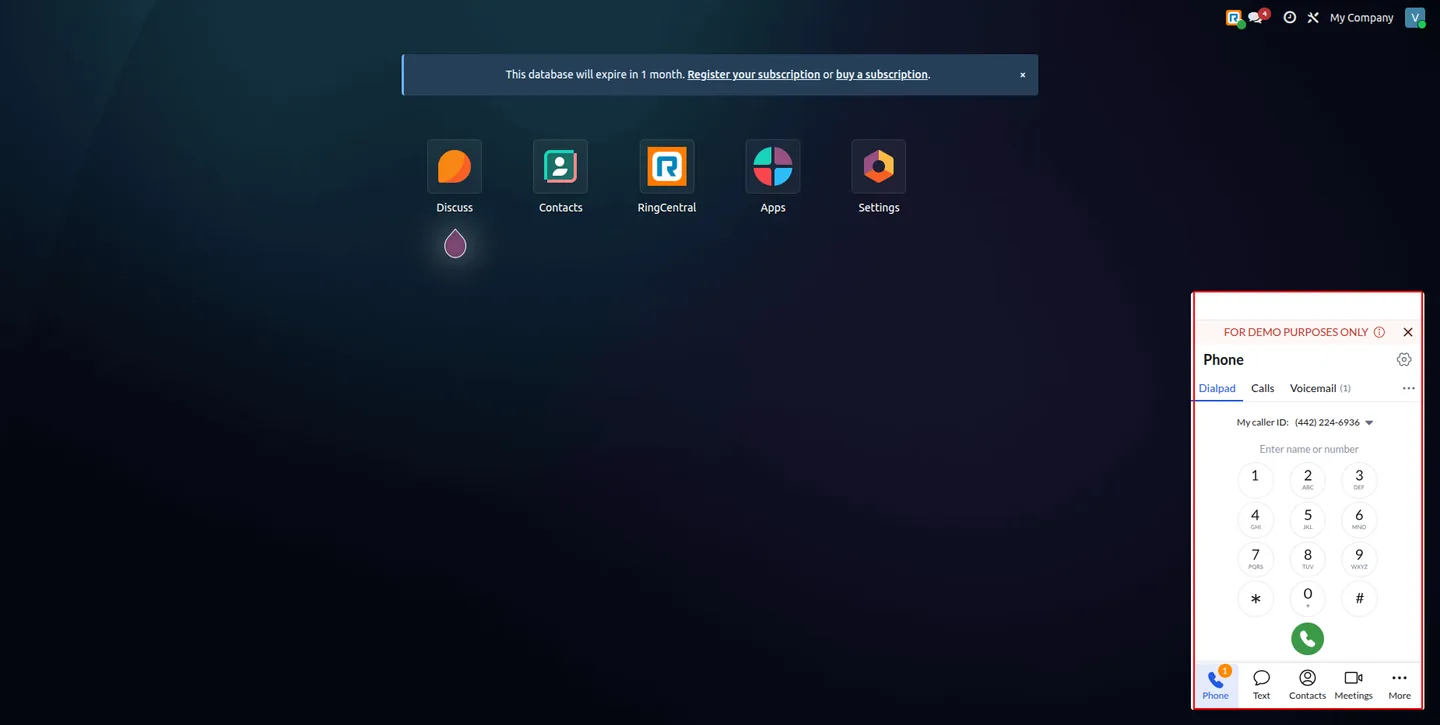
The native RingCentral Embeddable Widget runs inside Odoo — full dialer, call controls, and presence management — not a thin re-build of it.
-
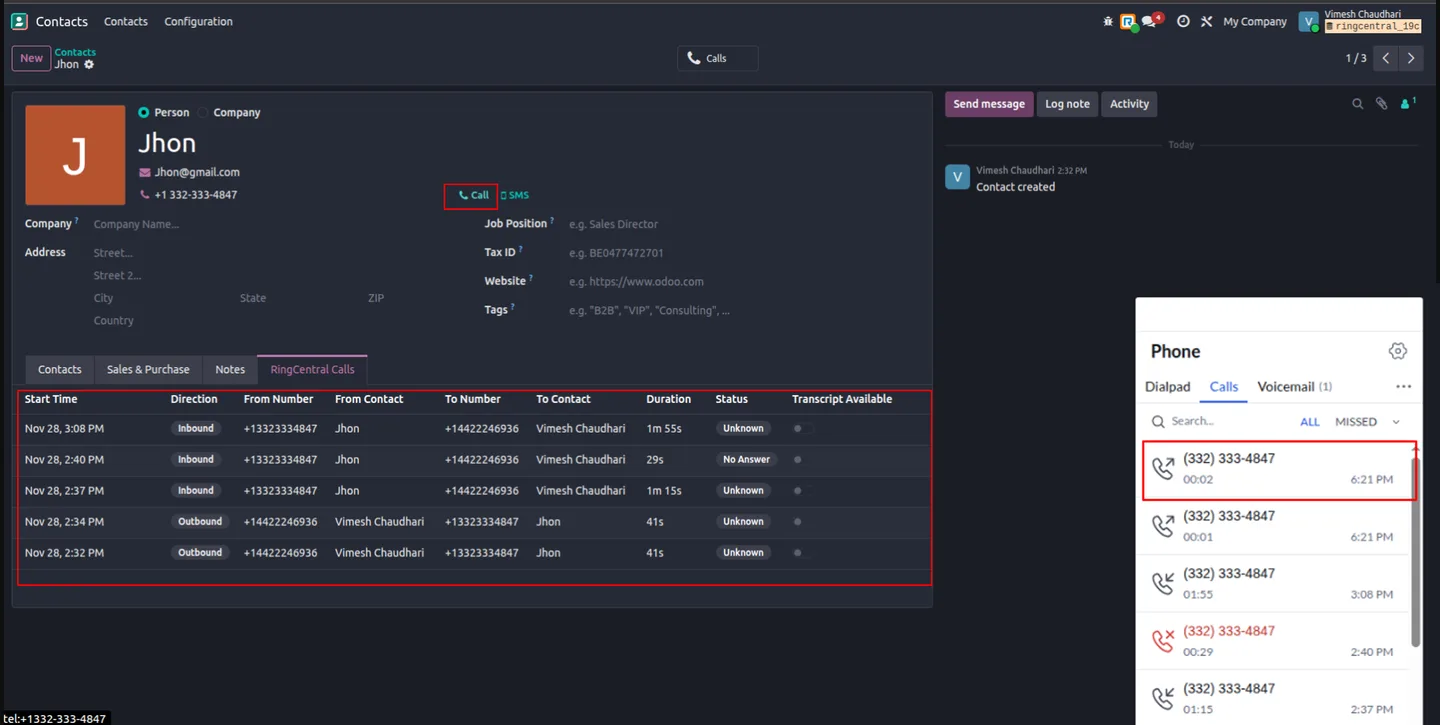
One-click calling from any record
Call straight from a partner record: the dialer is populated automatically and the call placed through the embedded widget.
-
Intelligent contact mapping
Inbound and outbound calls link to the correct Odoo contact by phone number, with multiple matching strategies and latest-contact priority when duplicates exist.
-
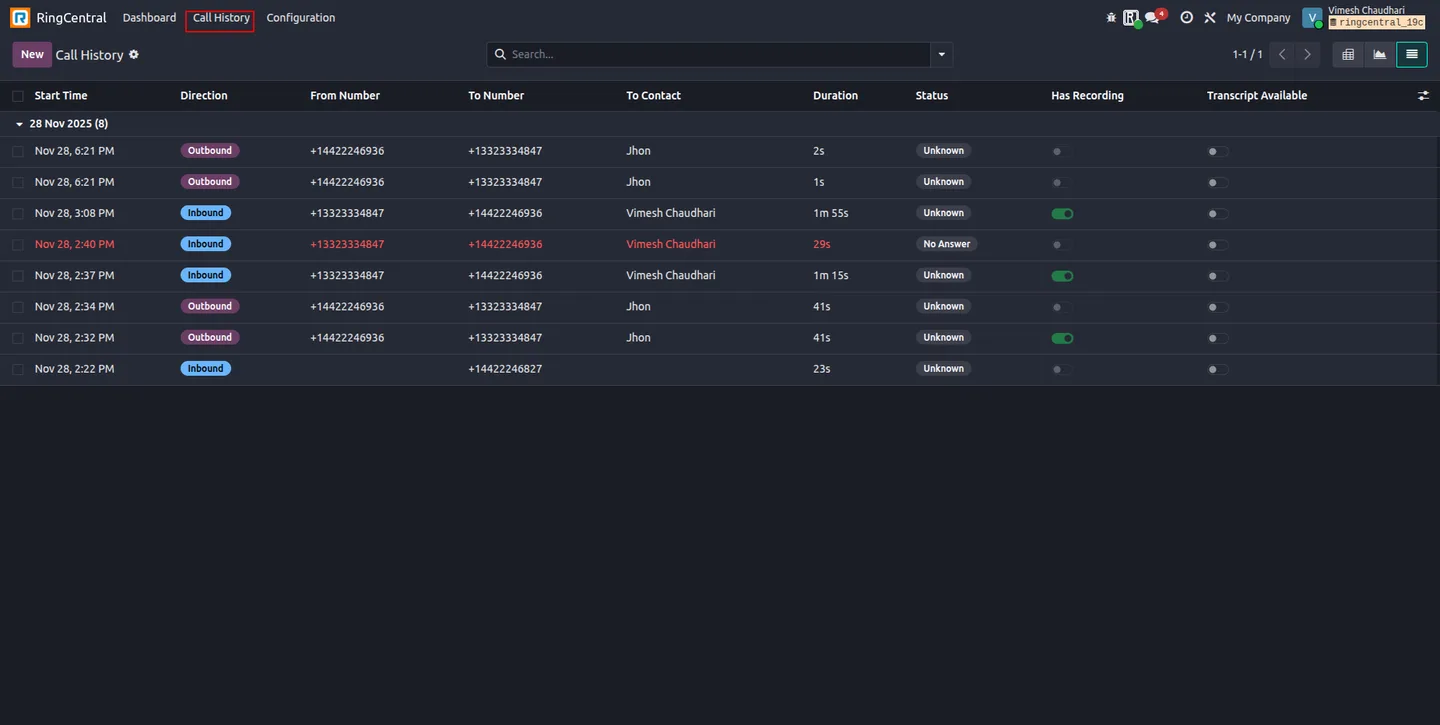
Automatic call history
Every call is logged with direction, duration, timestamp, status, and the linked contact — fully searchable and auditable inside Odoo.
-
Call recordings & AI transcripts
Recordings play back in Odoo through an authenticated proxy; RingCentral AI transcripts are stored automatically on the matching call record.
-
Real-time webhook events
Webhook subscriptions deliver call events, recordings, and transcripts the moment they happen — no polling required.
-
System-tray status indicator
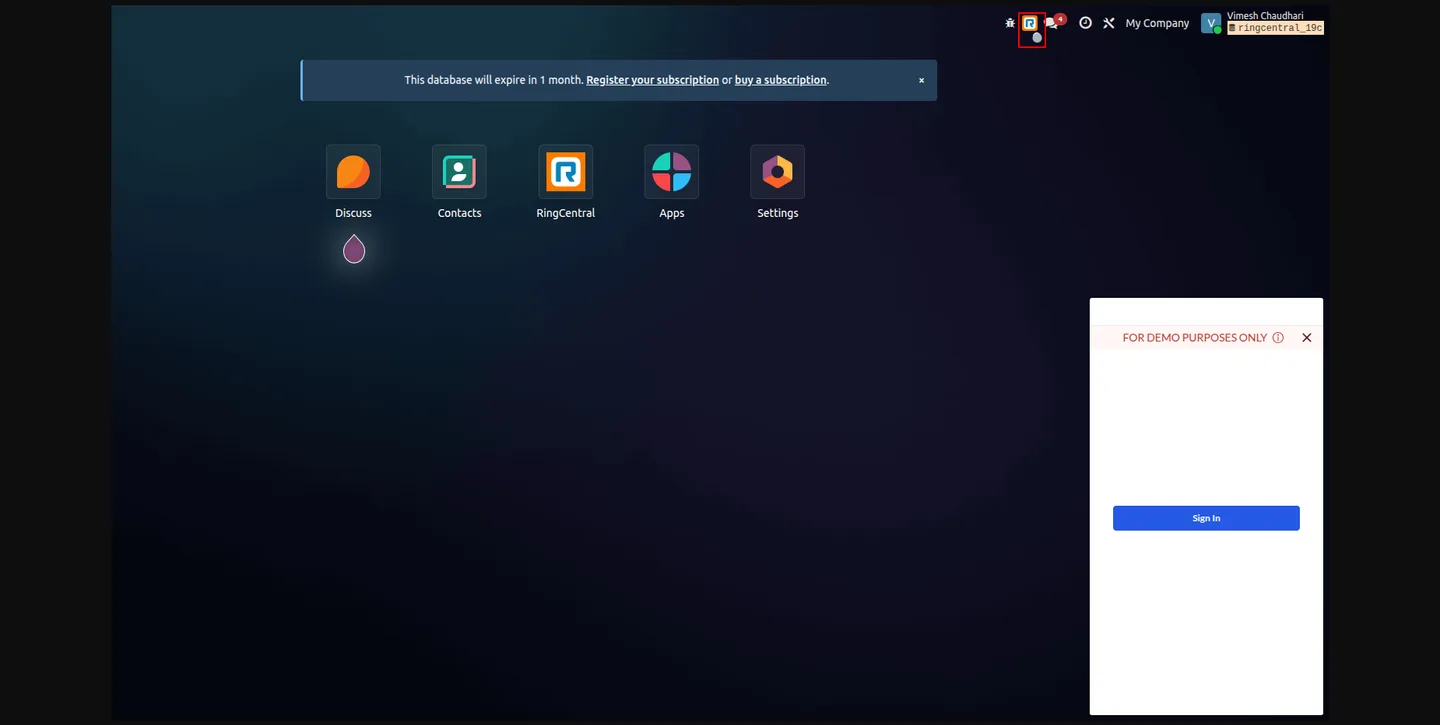
A colour-coded systray icon shows the RingCentral connection status and gives quick access to the widget and user-presence controls.
-
Scheduled background sync
Scheduled jobs sync call history, refresh access tokens, and renew webhook subscriptions — continuous operation with no manual upkeep.
-
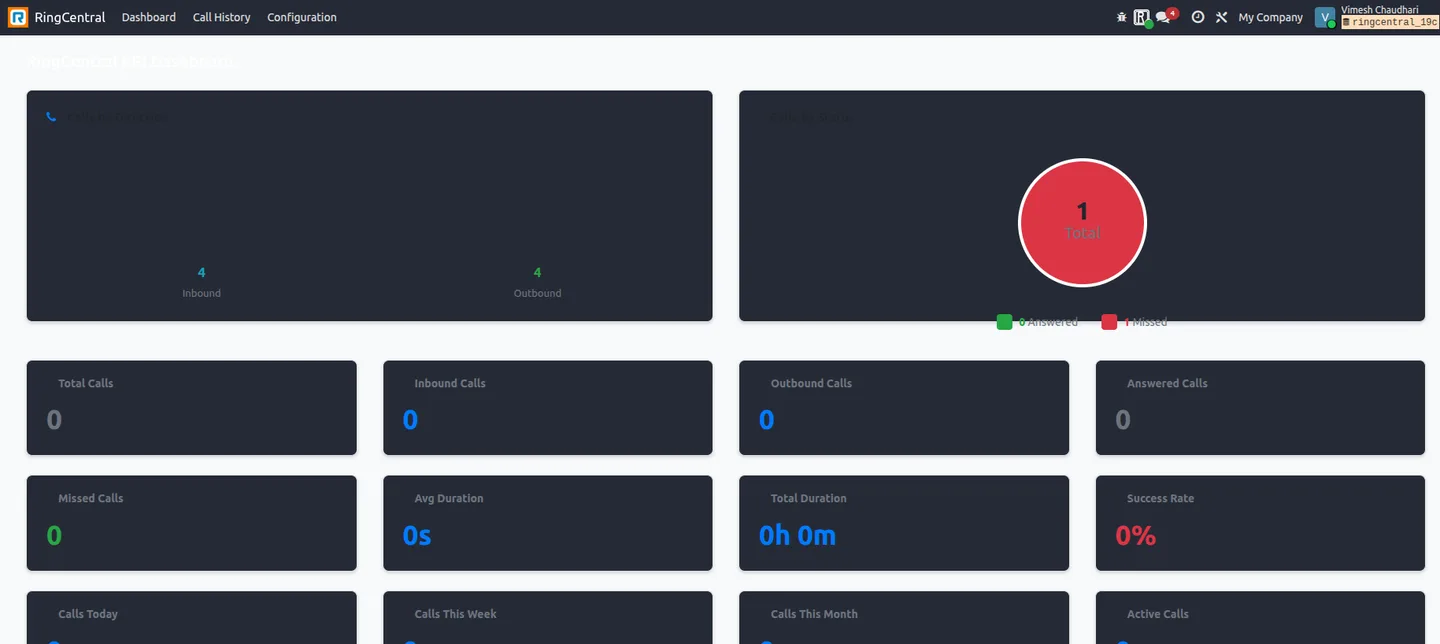
Analytics dashboard
Line, bar, and pie charts plus pivot tables and KPIs, with filters by direction, status, date range, and contact.
-
Enterprise proxy support
Configurable HTTP/HTTPS proxy settings and SSL-verification controls for locked-down enterprise networks.
RingCentral Integration in Odoo
Every screen, in the order you meet it — configuration first, then the module in use.
Technical details
Specification
- Publisher
- TechUltra Solutions Private Limited
- Technical name
- ringcentral_integration
- Odoo versions
- 18.0, 19.0, 20.0
- Lines of code
- 3,468
- License
- Odoo Proprietary License v1.0 (OPL-1)
- Price
- $499 (one-time)
Deployment
- Odoo Online
- Odoo.sh
- On-premise
Odoo dependencies
- Contacts
- Discuss
Support
90 days of bug-fix support, Monday to Friday (10:00–19:00 IST). Raise a ticket at support@techultra.in.
Setup & configuration
From install to first call — here is the path.
- 1
Install the module
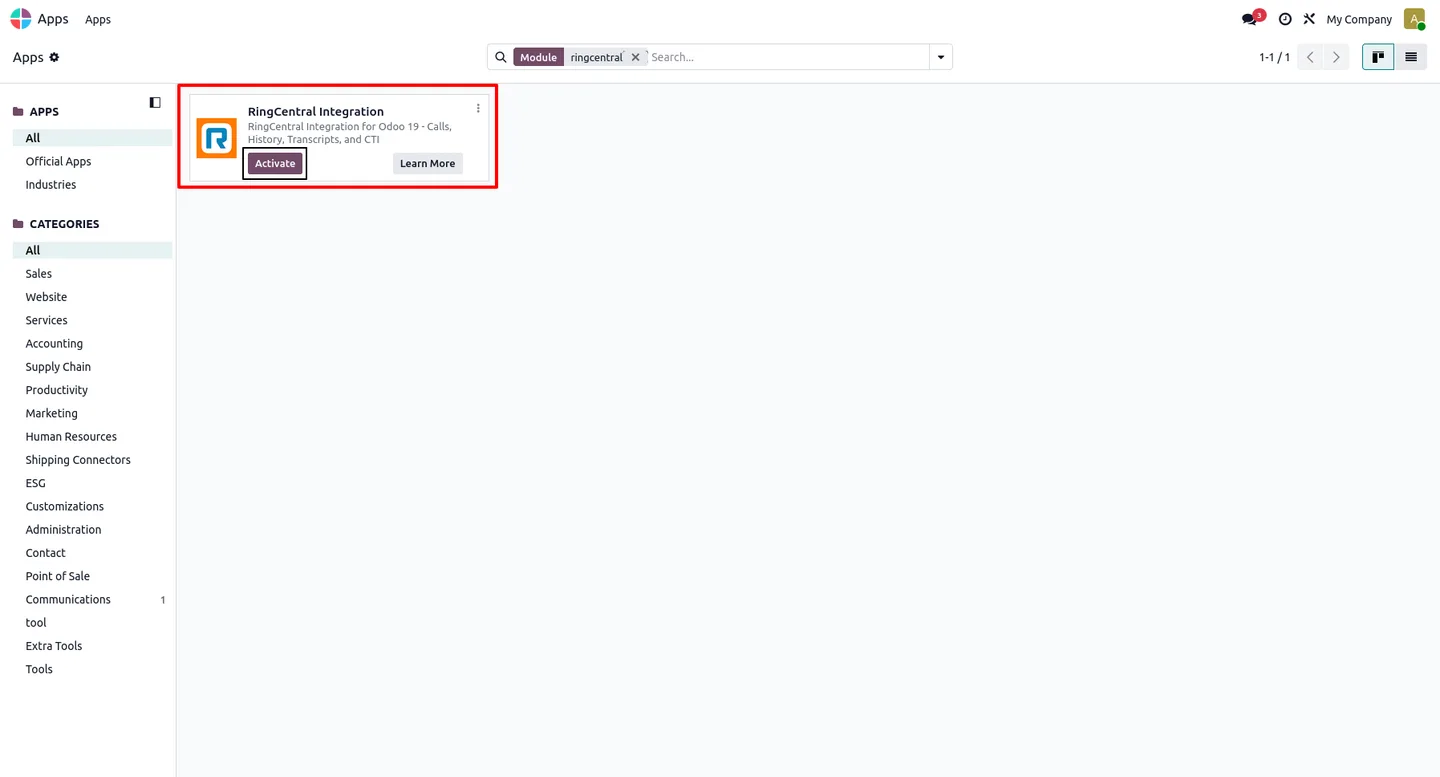
In Odoo, open Apps, remove the Apps filter, search for “RingCentral Integration”, and click Install.
- 2
Create a RingCentral app
In the RingCentral Developer Portal, create an application, choose the 3-legged OAuth authorization-code flow, set the OAuth redirect URIs, enable refresh tokens, and select the required scopes. Copy the Client ID and Client Secret.
- 3
Configure the connection in Odoo
Under RingCentral → Configuration, create a record with the Client ID, Client Secret, and server URL. Use Test Connection to verify DNS, HTTPS, proxy, and SSL.
- 4
Connect via OAuth
Click Connect (OAuth), sign in with your RingCentral account, and authorize. The module then creates the webhook subscription, enables automatic token refresh, and schedules call-history sync.
- 5
Assign user roles
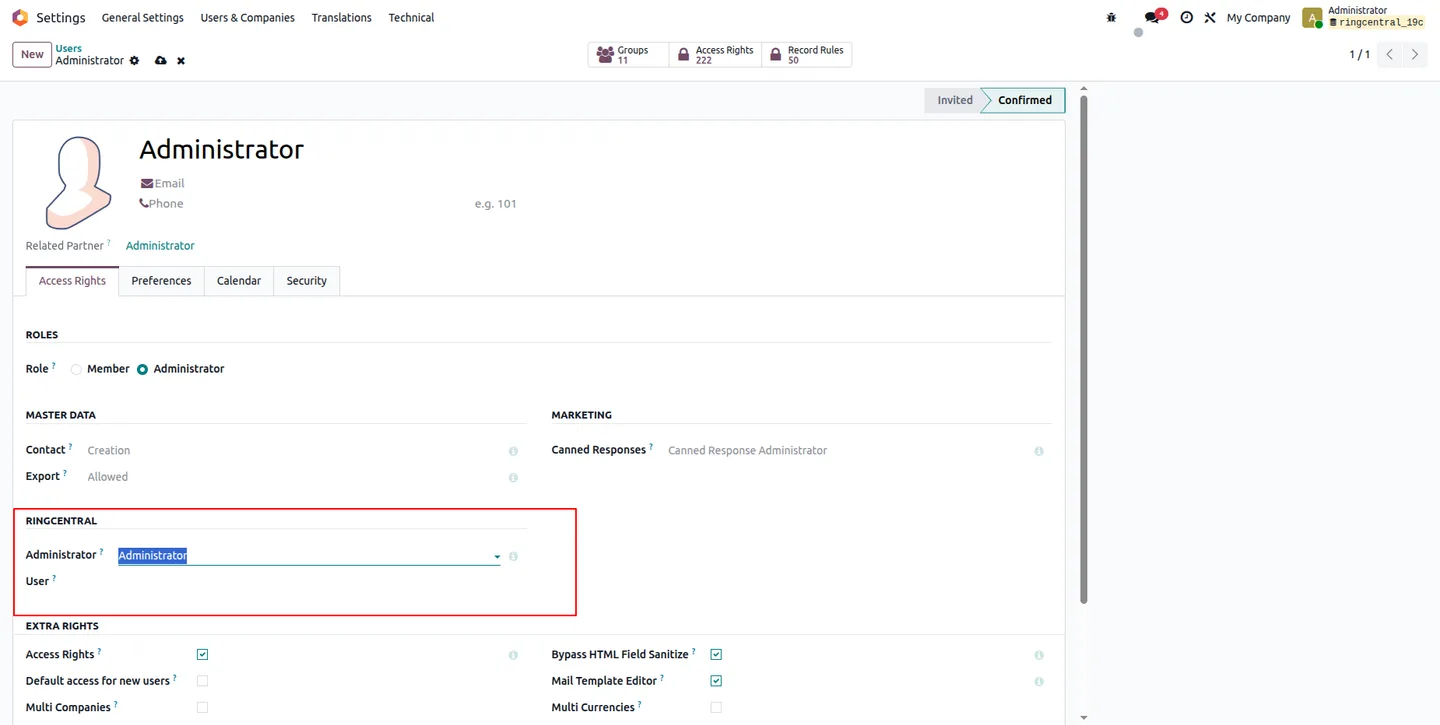
Give configuration owners the Administrator role and calling agents the User role. Each user signs in with their own RingCentral account through the embedded widget.
Frequently asked questions
-
What is intelligent contact mapping?
Intelligent contact mapping automatically links incoming and outgoing calls to the correct Odoo contact based on phone numbers. It supports multiple matching strategies and prioritises the most recently created or updated contact when duplicates exist.
-
How are call transcripts handled?
Call transcripts generated by RingCentral AI are stored in Odoo automatically. You can open them directly from call-history records — no manual upload or synchronization.
-
Can I access call recordings inside Odoo?
Yes. Recordings are retrieved through an authenticated proxy and attached to the matching call-history record, playable in Odoo's built-in audio player.
-
Does the module support real-time updates?
Yes. The integration uses RingCentral webhooks for real-time events — call status updates, recordings, and transcripts. No polling is required.
-
What is the system-tray status icon for?
The systray icon is a colour-coded indicator of the RingCentral connection status, with quick access to the embedded widget and user-presence controls.
-
How does automatic synchronization work?
The module runs scheduled tasks to synchronize call history, refresh access tokens, and renew webhook subscriptions — ensuring continuous operation without user intervention.
-
Is proxy support available?
Yes. You can configure HTTP or HTTPS proxy settings for environments with strict network rules, with controls to enable or disable SSL certificate verification.
-
What analytics features are included?
The analytics dashboard includes line charts, bar charts, pie charts, and pivot tables. Filters allow analysis by call direction, status, date range, contact, and other parameters.
Listing verified against the Odoo App Store:
Related solutions
Whole-platform solutions that complement RingCentral Integration.
Related services
Get the most out of this module with senior TechUltra consultants.
Odoo Customization Services
Odoo customization from a Gold Partner: custom modules, workflows, reports and Studio changes, written upgrade-safe and quoted at a fixed scope. Free scoping call.
Hire Odoo Developers
Hire certified Odoo developers from a Gold Partner: one developer or a team, full-time or part-time, 70–160 hours a month. Silver, Gold or Platinum plan, free trial.
Odoo Support Services & Maintenance
Odoo support services from a Gold Partner: functional and technical support plus server cover for Enterprise and Community, 30-minute P1 response, 24/7 option.







