

Odoo App · Security & Access
Restrict Product, Variant & Customer Creation
Stop unauthorised users from creating products, variants, and contacts anywhere in Odoo.
Overview
Restrict Product, Variant & Customer Creation gives administrators per-user control over who can add new master records in Odoo. Switch the restriction on for a user and the Create button vanishes from product, product variant, and contact views — and from the quick-create that normally appears inline when typing into a many2one or one2many field.
Built by TechUltra Solutions, the module enforces the restriction across the modules where these records get accidentally created: Sales, Purchase, Invoicing, CRM, Inventory, and the standard Contacts and Products apps. Users see a clear validation message instead of silently creating a duplicate from a sales line.
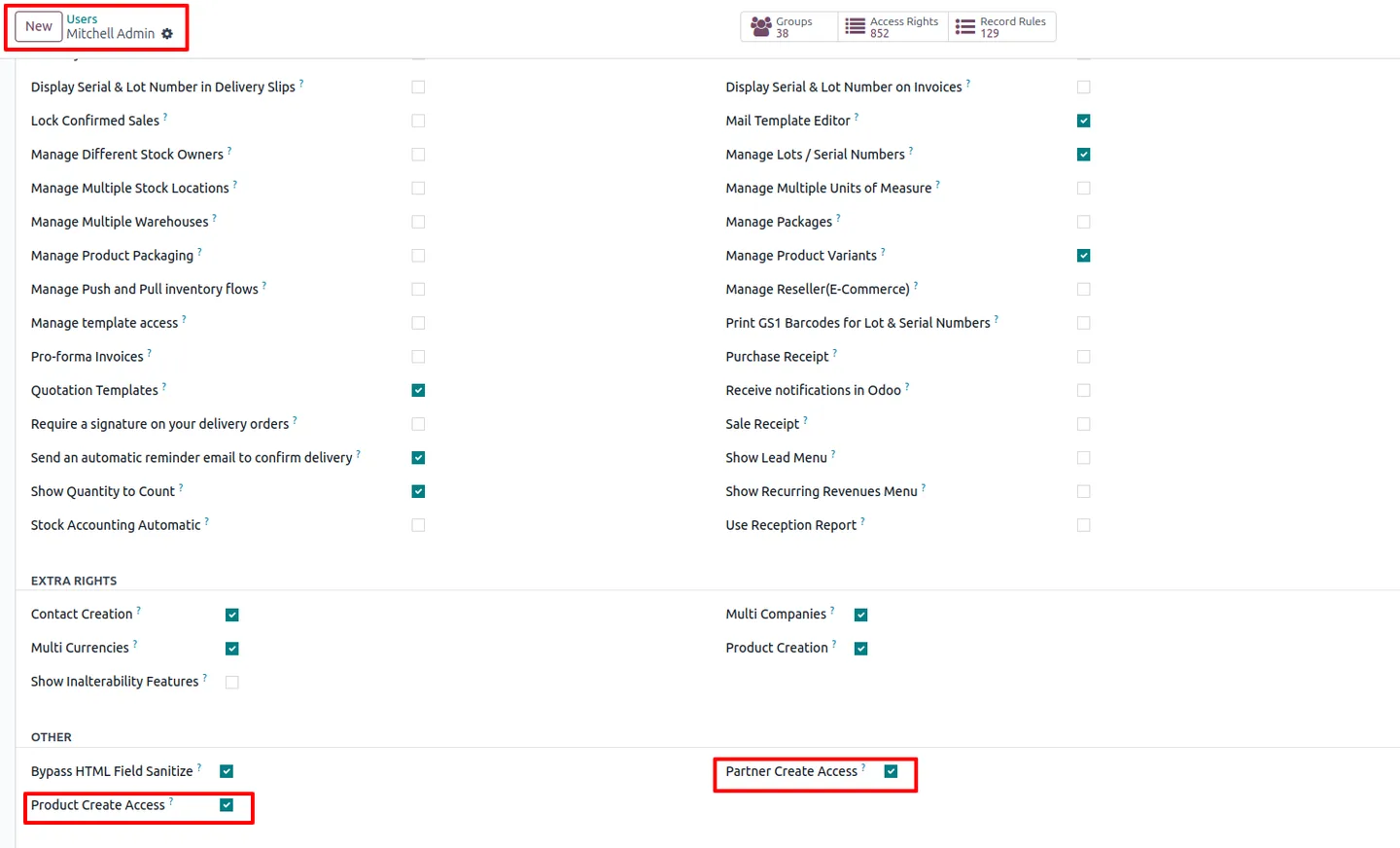
Configuration is two checkboxes on the user record — no developer mode, no record rules to maintain. Use it to protect a clean product catalogue, prevent duplicate customers from sales reps in a hurry, or lock down master data while still letting users transact freely.
Key features
-
Per-user restriction switches
Administrators flip two checkboxes on each user record to control whether that person can create new products and variants, new customers, or both.
-
Hides the Create button
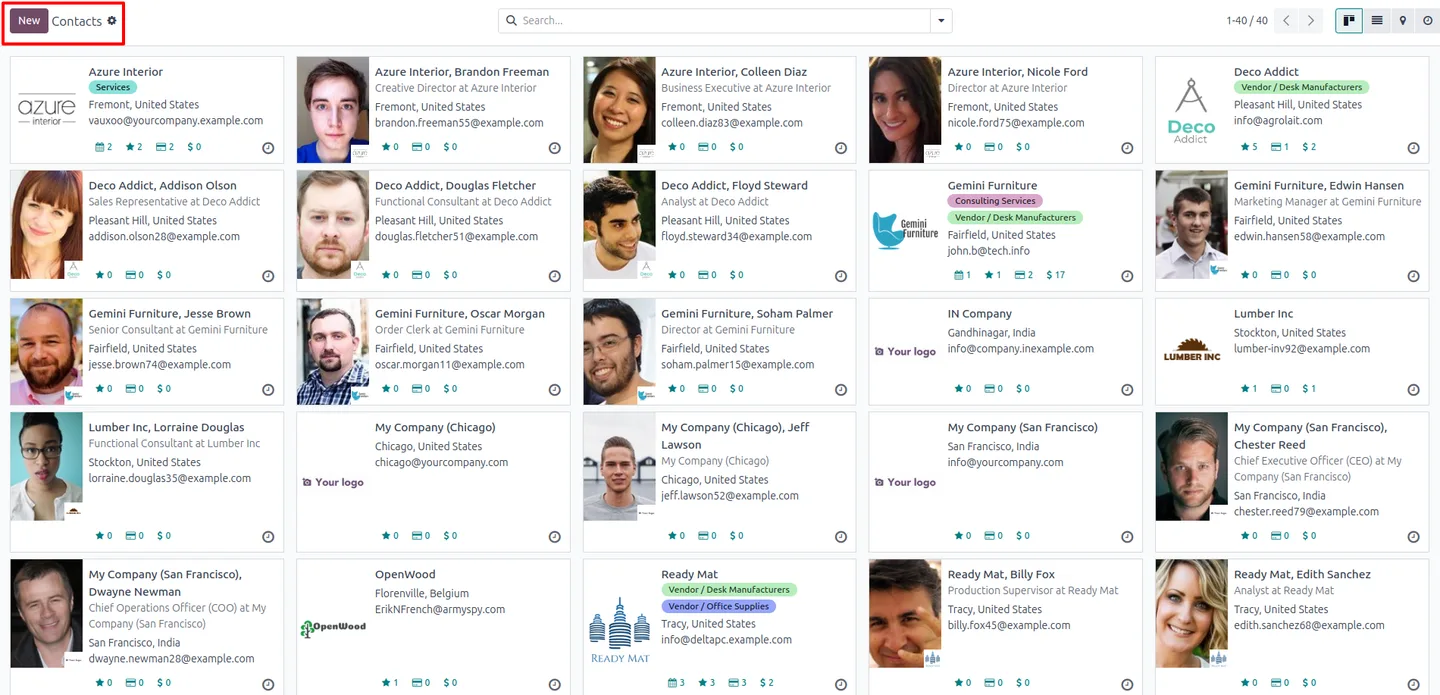
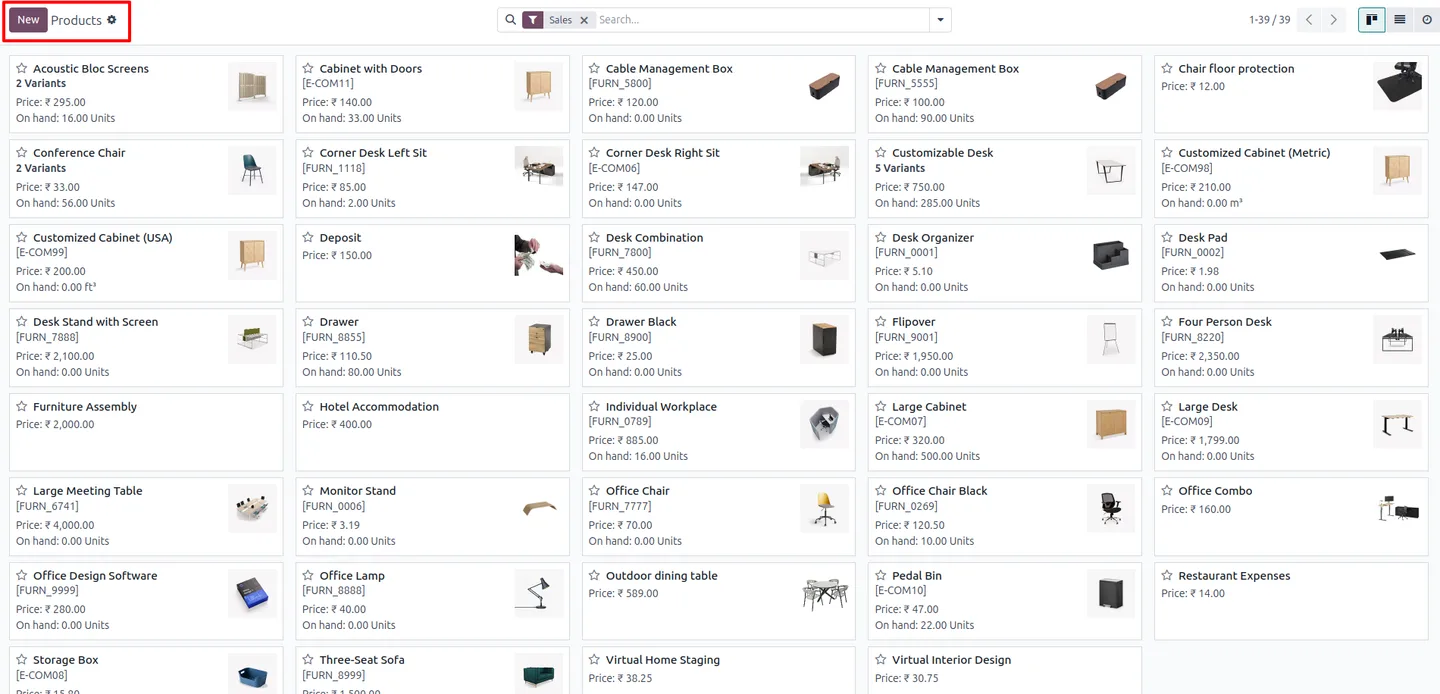
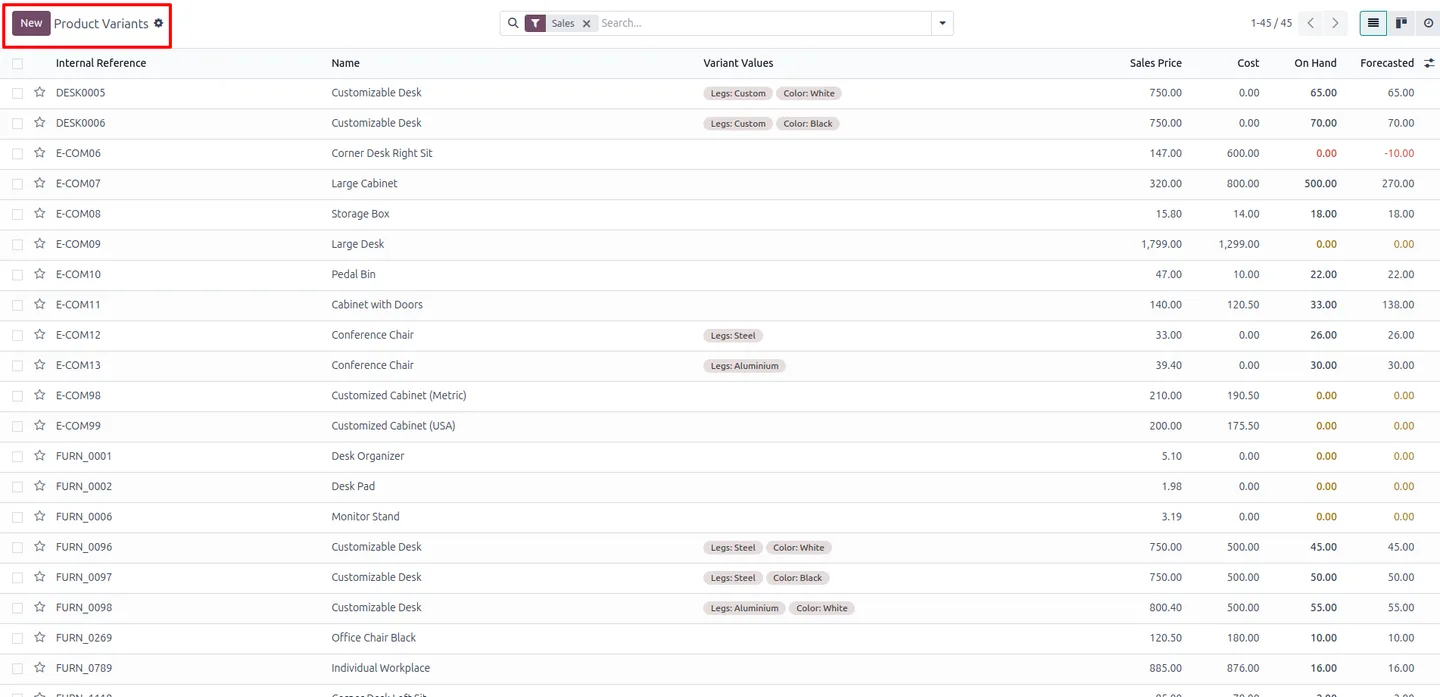
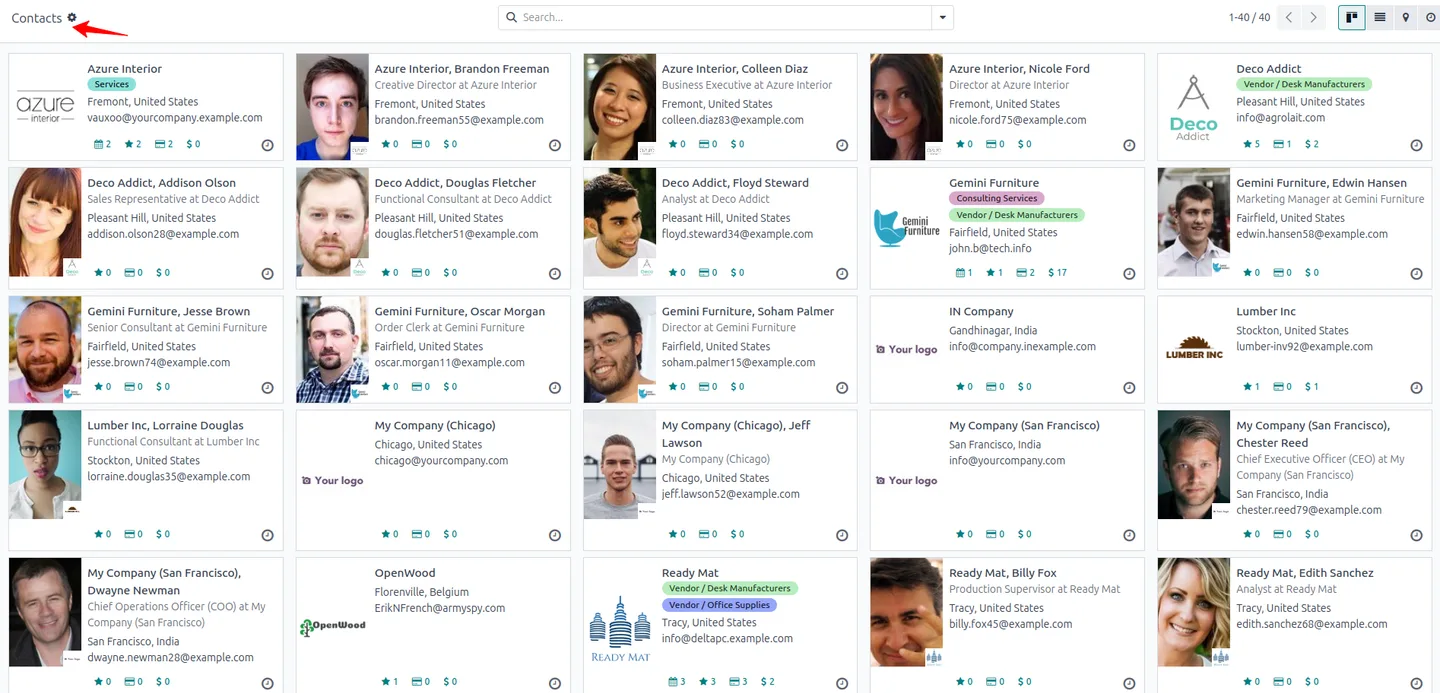
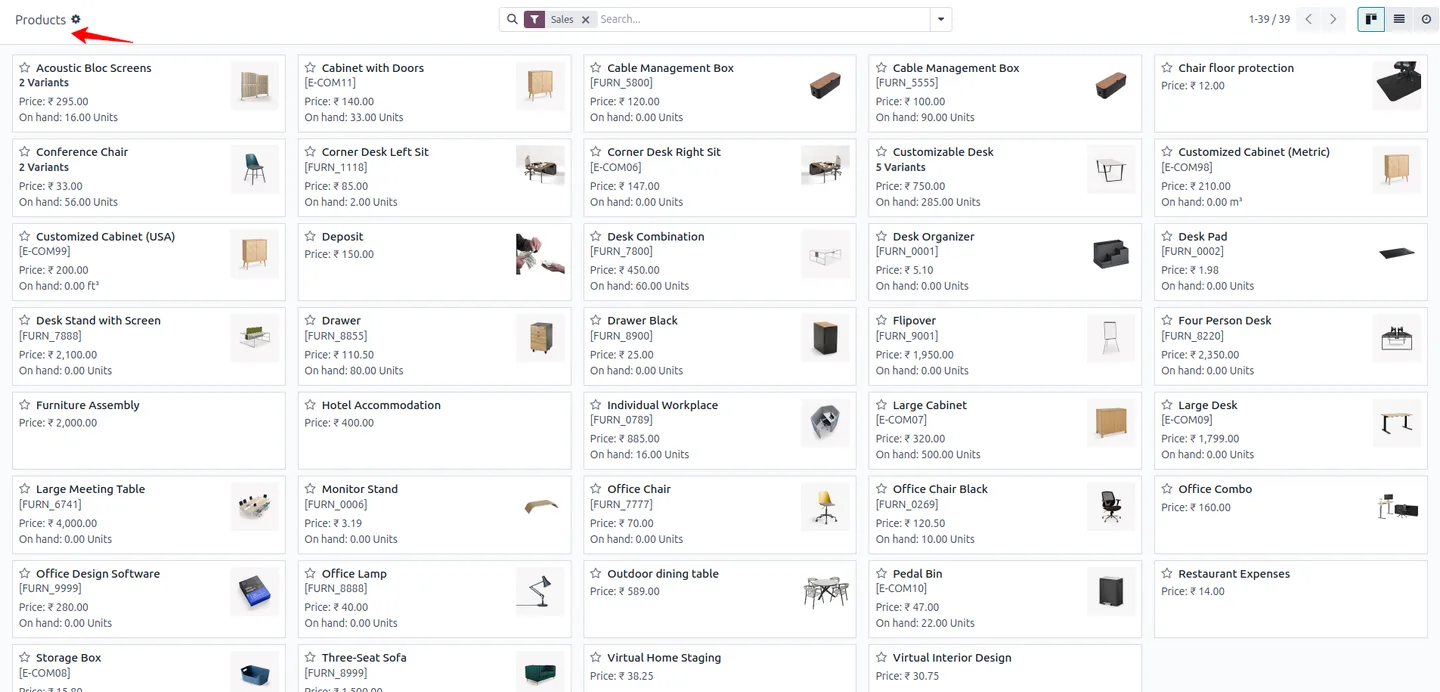
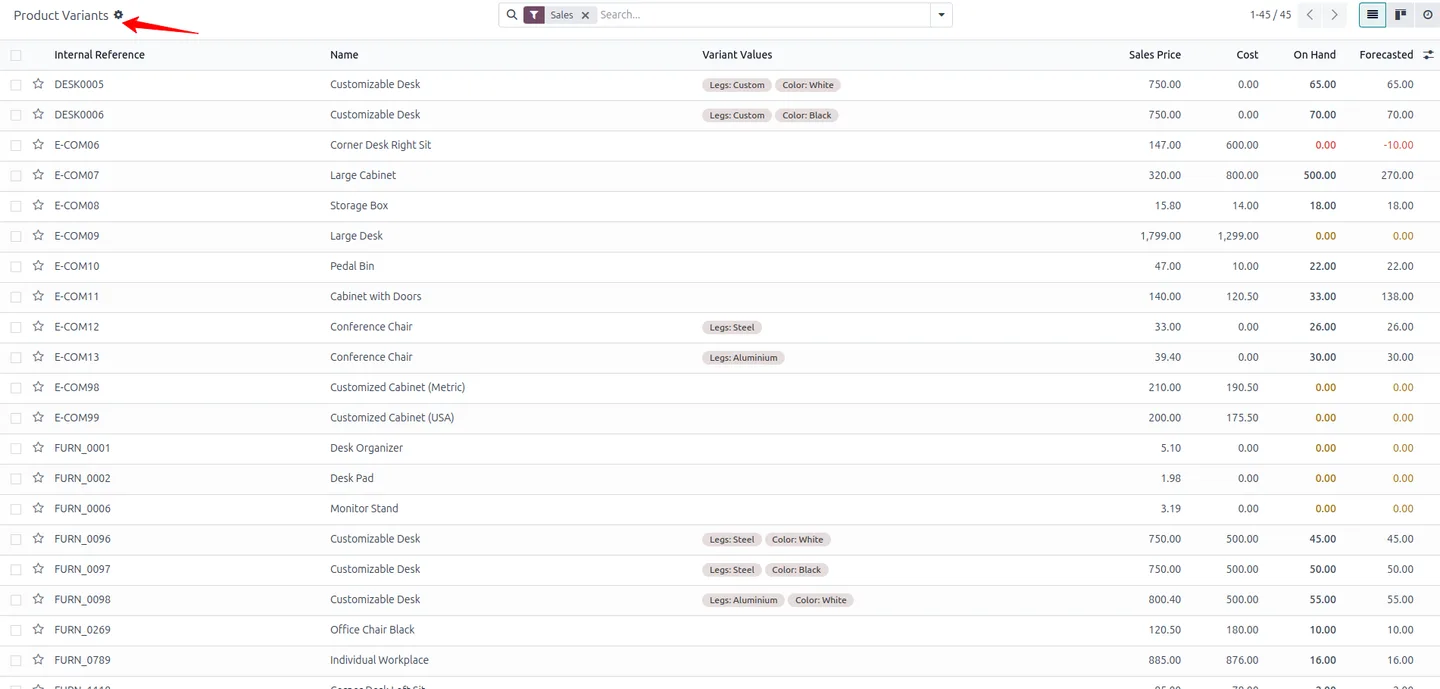
Once restricted, the Create button disappears from product, product variant, and contact list and form views — there is no entry point to add a new record.
-
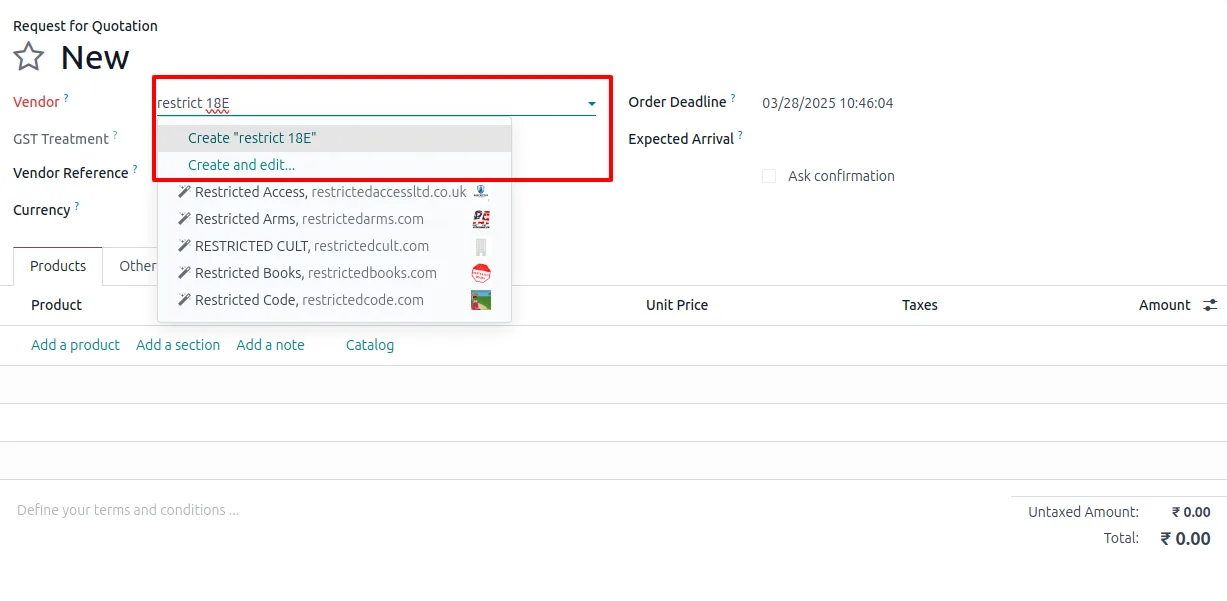
Blocks many2one quick-create
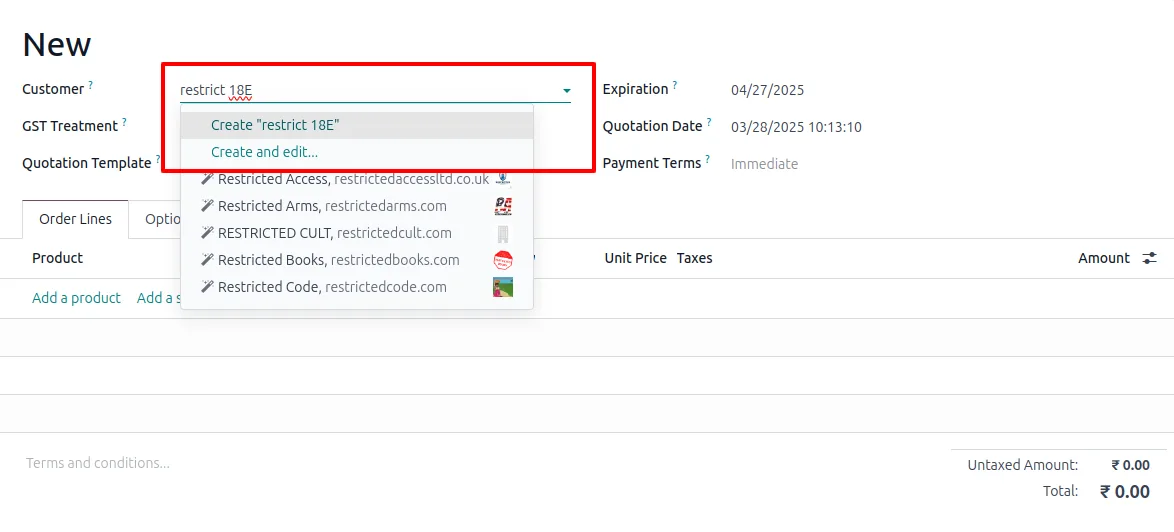
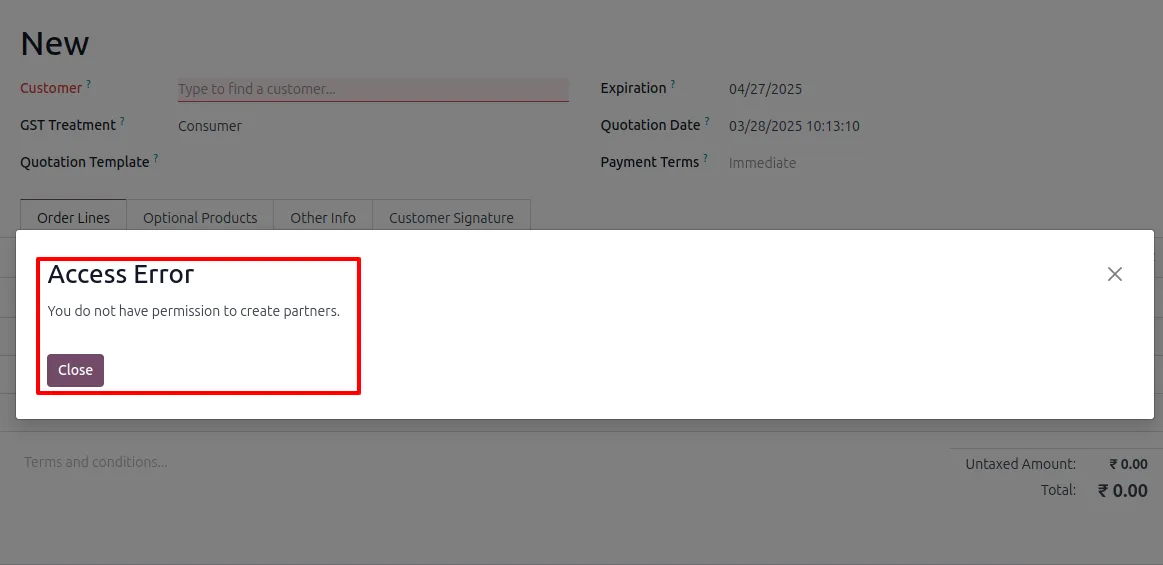
Restricted users cannot create a new product or customer by typing into a many2one field on a sales order, purchase order, or invoice. The inline Create option is removed.
-
Blocks one2many line creation
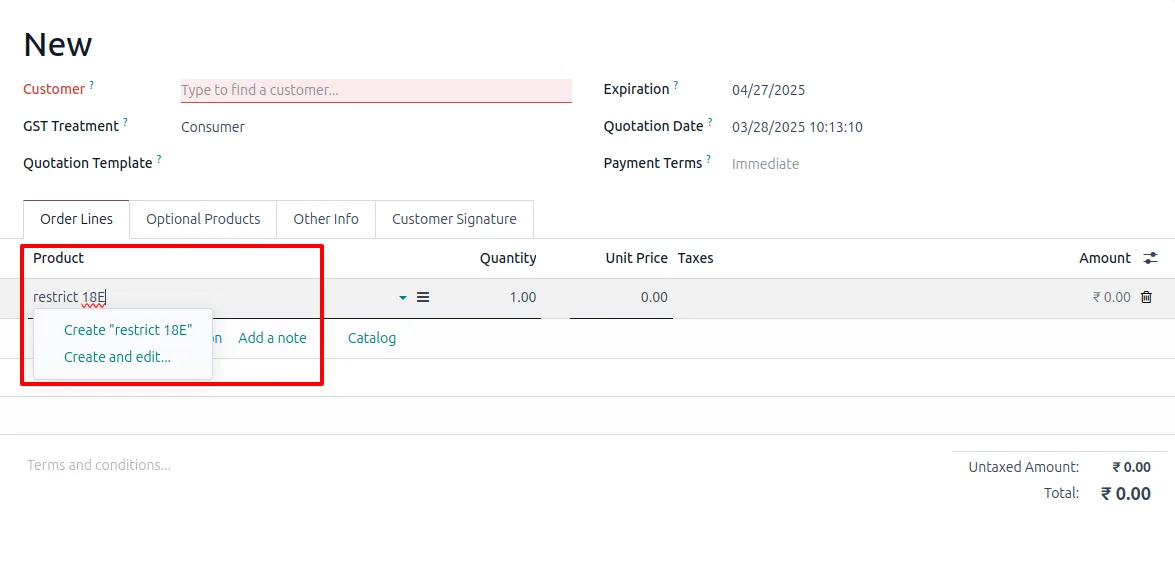
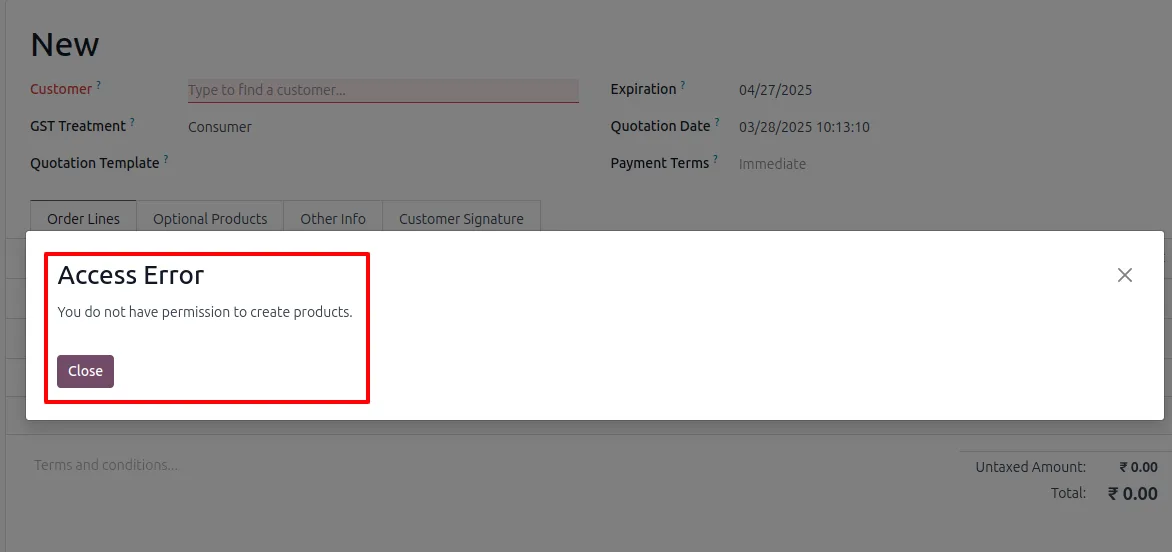
The same restriction applies to one2many lines such as order lines and invoice lines, so users cannot smuggle a new product or contact in through a child table.
-
Works across Sales, Purchase, and Invoicing
The restriction is enforced wherever Odoo would normally let a user quick-create a product or contact — Sales, Purchase, Invoicing, CRM, and Inventory all respect the setting.
-
Clear validation messages
If a restricted user tries to submit a record that would create a new product or customer, the module returns an explicit error explaining the action is not allowed.
-
Prevents duplicate master data
By forcing record creation through approved users only, the module eliminates the duplicate product and customer entries that creep in when every sales rep can add their own.
-
Dynamic, configurable per user
Restrictions can be enabled or disabled at any time from the user form — no module reinstall or developer changes needed when responsibilities shift.
Restrict Product, Variant & Customer Creation in Odoo
Every screen, in the order you meet it — configuration first, then the module in use.
Technical details
Specification
- Publisher
- TechUltra Solutions Private Limited
- Technical name
- restrict_create_product_customer
- Odoo versions
- 16.0, 17.0, 18.0, 19.0, 20.0
- Lines of code
- 205
- License
- Odoo Proprietary License v1.0 (OPL-1)
- Price
- $14 (one-time)
Deployment
- Odoo Online
- Odoo.sh
- On-premise
Odoo dependencies
- Sales
- Invoicing
- Discuss
Support
90 days of bug-fix support, Monday to Friday (10:00–19:00 IST). Raise a ticket at support@techultra.in.
Setup & configuration
From install to first call — here is the path.
- 1
Install the module
In Odoo, open Apps, remove the Apps filter, search for “Restrict Create Product, Product Variants & Customer”, and click Install.
- 2
Open the user record
Go to Settings → Users & Companies → Users and open the user you want to restrict.
- 3
Enable the restriction options
On the user form, switch on the option to restrict product and variant creation and/or the option to restrict customer creation, then save.
- 4
Verify the restriction
Log in as the restricted user and confirm the Create button is gone from Products, Product Variants, and Contacts, and that the quick-create option is not offered on sales-order and purchase-order lines.
- 5
Repeat per user
Apply the same two switches to each user who should not be able to create products, variants, or contacts. Leave administrators and master-data owners unrestricted.
Frequently asked questions
-
Which records can I stop users from creating?
The module covers products, product variants, and contacts (customers and vendors). Two separate switches let you restrict products and variants independently from contacts.
-
Does the restriction also block the quick-create on a sales order line?
Yes. Restricted users cannot use the inline Create option in many2one fields or in one2many lines such as order lines and invoice lines.
-
Will restricted users still be able to use existing products and customers?
Yes. They can search for, select, edit, and transact on existing products, variants, and contacts — the restriction only hides the ability to create new ones.
-
Which Odoo apps respect the restriction?
Sales, Purchase, Invoicing, CRM, Inventory, Contacts, and the Products app — anywhere standard Odoo would otherwise allow a user to create a product or contact.
-
Which Odoo versions are supported?
The module supports Odoo 16.0, 17.0, 18.0, 19.0, and 20.0, in both the Community and Enterprise editions.
-
Do I need developer mode to configure it?
No. The restriction settings are visible on the standard user form once the module is installed — no developer mode, record rules, or technical configuration required.
-
Can I turn the restriction on or off later?
Yes. Toggle either checkbox on the user record at any time. Changes take effect on the user's next page load.
-
Is support included?
Yes. The module includes 90 days of bug-fix support, Monday to Friday, 10:00–19:00 IST.
Listing verified against the Odoo App Store:
Related services
Get the most out of this module with senior TechUltra consultants.
Odoo Customization Services
Odoo customization from a Gold Partner: custom modules, workflows, reports and Studio changes, written upgrade-safe and quoted at a fixed scope. Free scoping call.
Hire Odoo Developers
Hire certified Odoo developers from a Gold Partner: one developer or a team, full-time or part-time, 70–160 hours a month. Silver, Gold or Platinum plan, free trial.
Odoo Support Services & Maintenance
Odoo support services from a Gold Partner: functional and technical support plus server cover for Enterprise and Community, 30-minute P1 response, 24/7 option.







