

Odoo App · Productivity
Quickchat
Read and post Odoo chatter messages, logs, and notes from the list view.

Overview
Quickchat removes a small but constant friction in Odoo: to check or add a chatter note, you normally have to open a record's full form view, read or type, then navigate back to the list. Multiply that by dozens of records a day and it adds up.
Built by TechUltra Solutions, the module surfaces each record's chatter directly in the list view. You see messages, logged events, and internal notes, and you can post a reply or a note without leaving the list — useful when triaging quotations, sales orders, or invoices in bulk.
It works with any chatter-enabled Odoo model, so the same faster workflow applies across Sales, Invoicing, and the rest of the apps your team uses every day. There is nothing to configure — install the module and the chatter is available from the list.
Key features
-
Chatter in the list view
Open a record's chatter directly from the list view — no need to click into the full form to see the conversation.
-
Read messages, logs, and notes
View the complete chatter for a record: discuss messages, automatically logged events, and internal notes, all in one panel.
-
Post messages instantly
Send a chatter message to followers from the same screen, so updates go out without a detour through the form view.
-
Add internal notes
Log an internal note against a record straight from the list — handy for quick reminders and hand-offs between team members.
-
Team discussion from the list
Keep a record's discussion moving while you work through a list of quotations or orders, instead of opening each one in turn.
-
Works on chatter-enabled models
Compatible with any model that already has a chatter, including Quotations, Sales Orders, Invoices, and more.
-
No configuration required
Install the module and the chatter is immediately available from the list view — there are no settings to set up first.
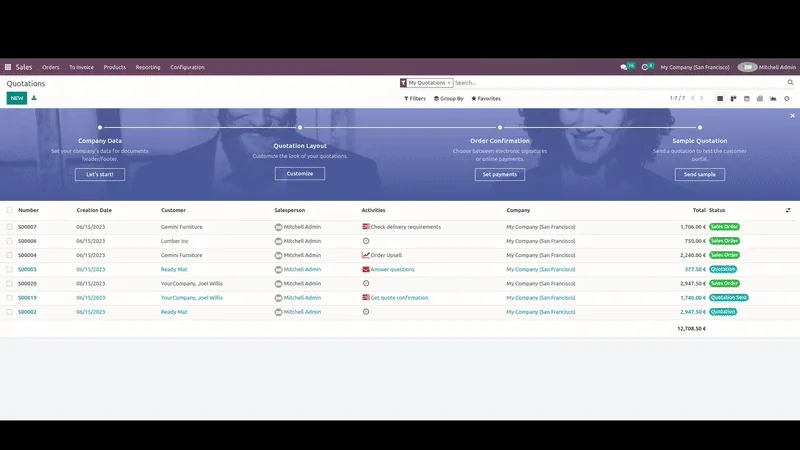
Quickchat in Odoo
Every screen, in the order you meet it — configuration first, then the module in use.
Technical details
Specification
- Publisher
- TechUltra Solutions Private Limited
- Technical name
- tus_quickchat
- Odoo versions
- 16.0, 18.0, 19.0, 20.0
- Lines of code
- 66
- License
- Odoo Proprietary License v1.0 (OPL-1)
- Price
- $33 (one-time)
Deployment
- Odoo Online
- Odoo.sh
- On-premise
Odoo dependencies
- Discuss
Support
90 days of bug-fix support, Monday to Friday (10:00–19:00 IST). Raise a ticket at support@techultra.in.
Setup & configuration
From install to first call — here is the path.
- 1
Install the module
In Odoo, open Apps, remove the Apps filter, search for “Quickchat”, and click Install.
- 2
Open a list view
Go to any app with a chatter-enabled model — for example Sales → Quotations or Accounting → Invoices — and switch to the list view.
- 3
Open the chatter from a row
Use the Quickchat control on a list row to open that record's chatter panel without leaving the list.
- 4
Read and post
Review the messages, logs, and notes, then post a chatter message or add an internal note directly from the panel.
Frequently asked questions
-
What does Quickchat do?
Quickchat lets you open a record's chatter — messages, logged events, and internal notes — from the Odoo list view, and post messages or notes without opening the full form view.
-
Which records does it work with?
It works with any chatter-enabled Odoo model, including Quotations, Sales Orders, and Invoices. If a model has a chatter on its form, Quickchat can show it from the list.
-
Can I add internal notes from the list?
Yes. You can log an internal note against a record straight from the list view, alongside reading the existing logs and posting chatter messages.
-
Which Odoo versions are supported?
Quickchat supports Odoo 16.0, 18.0, 19.0, and 20.0, in both the Community and Enterprise editions.
-
Does it need any configuration?
No. Once the module is installed, the chatter is available from the list view immediately — there are no settings to configure first.
-
Does it replace the standard chatter?
No. It uses Odoo's existing chatter for each record; Quickchat simply makes that chatter reachable from the list view as well as the form.
-
Is support included?
Yes. The module includes 90 days of bug-fix support, Monday to Friday, 10:00–19:00 IST.
Listing verified against the Odoo App Store:
Related services
Get the most out of this module with senior TechUltra consultants.
Odoo Customization Services
Odoo customization from a Gold Partner: custom modules, workflows, reports and Studio changes, written upgrade-safe and quoted at a fixed scope. Free scoping call.
Hire Odoo Developers
Hire certified Odoo developers from a Gold Partner: one developer or a team, full-time or part-time, 70–160 hours a month. Silver, Gold or Platinum plan, free trial.
Odoo Support Services & Maintenance
Odoo support services from a Gold Partner: functional and technical support plus server cover for Enterprise and Community, 30-minute P1 response, 24/7 option.







