

Odoo App · Sales & eCommerce
Product Attribute Restrictions
Control which product attributes each Odoo user can access and assign.

Overview
Product Attribute Restrictions adds per-user control over product attributes in Odoo. Administrators define exactly which attributes each user is allowed to access and assign, so product records stay structured and consistent.
Built by TechUltra Solutions, the module enforces those limits with real-time validation: when a user tries to use an attribute outside their allowed list, the system blocks it and shows an error message. That stops unauthorized attribute assignments before they reach the database.
Allowed attributes are set directly on the user form, which makes the module quick to configure. Users in the "Manage Product Attributes" group bypass every restriction and keep full access, so administrators and product managers are never slowed down.
Key features
-
User-based attribute access control
Define per-user permissions that decide which product attributes each person can access and assign in Odoo.
-
Permissions set on the user form
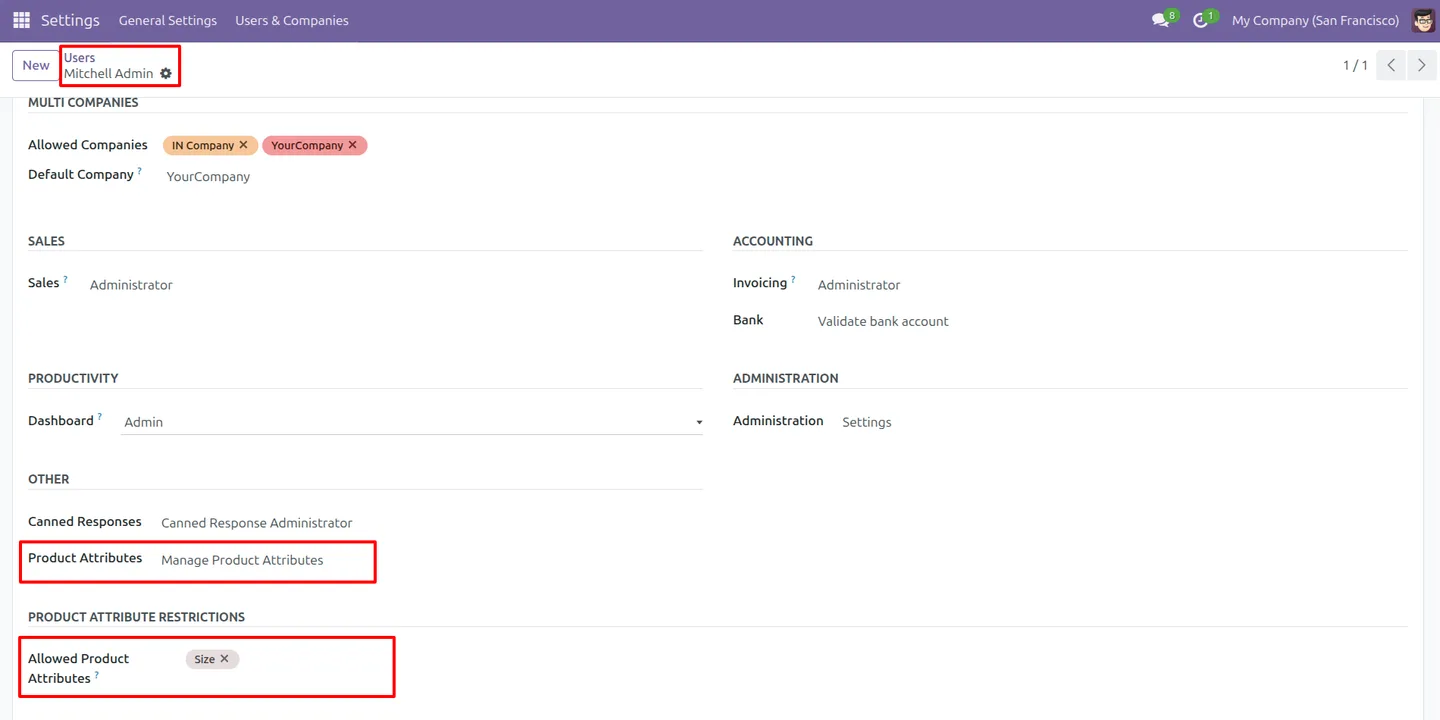
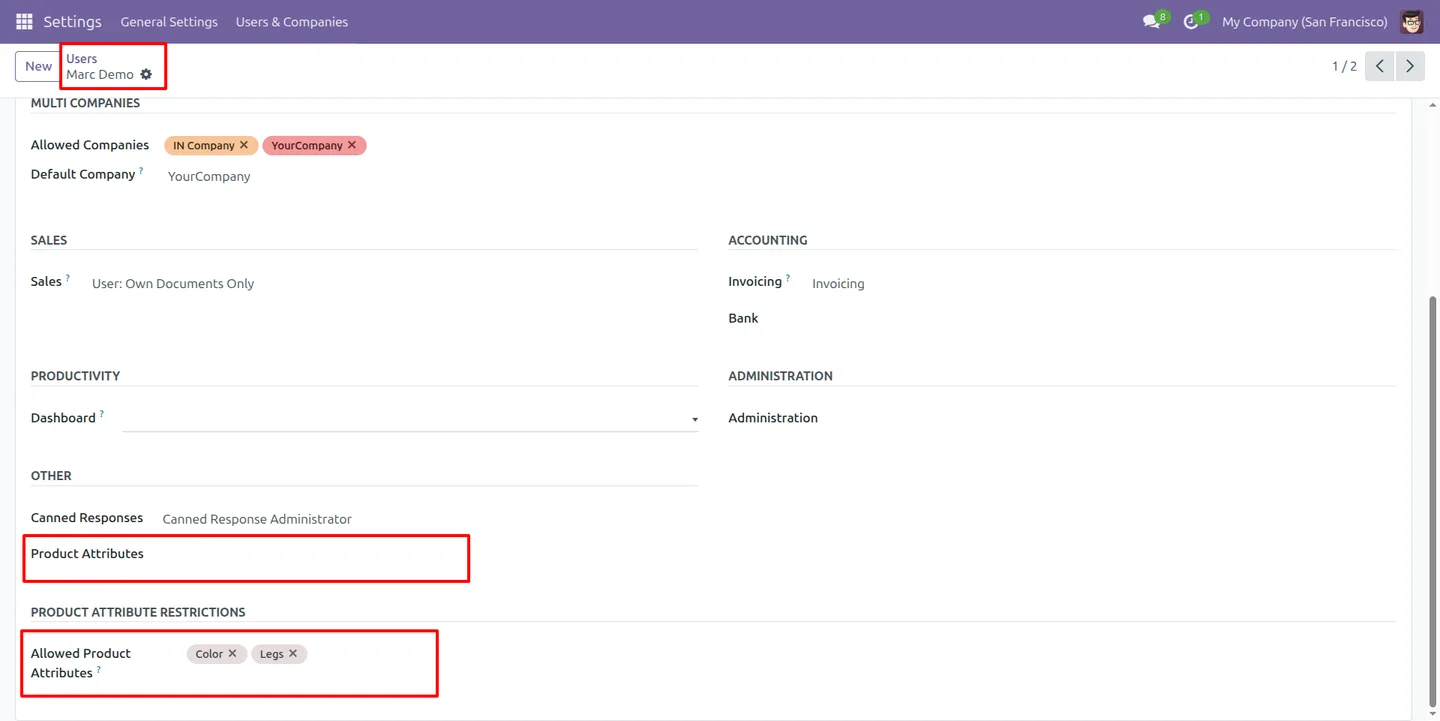
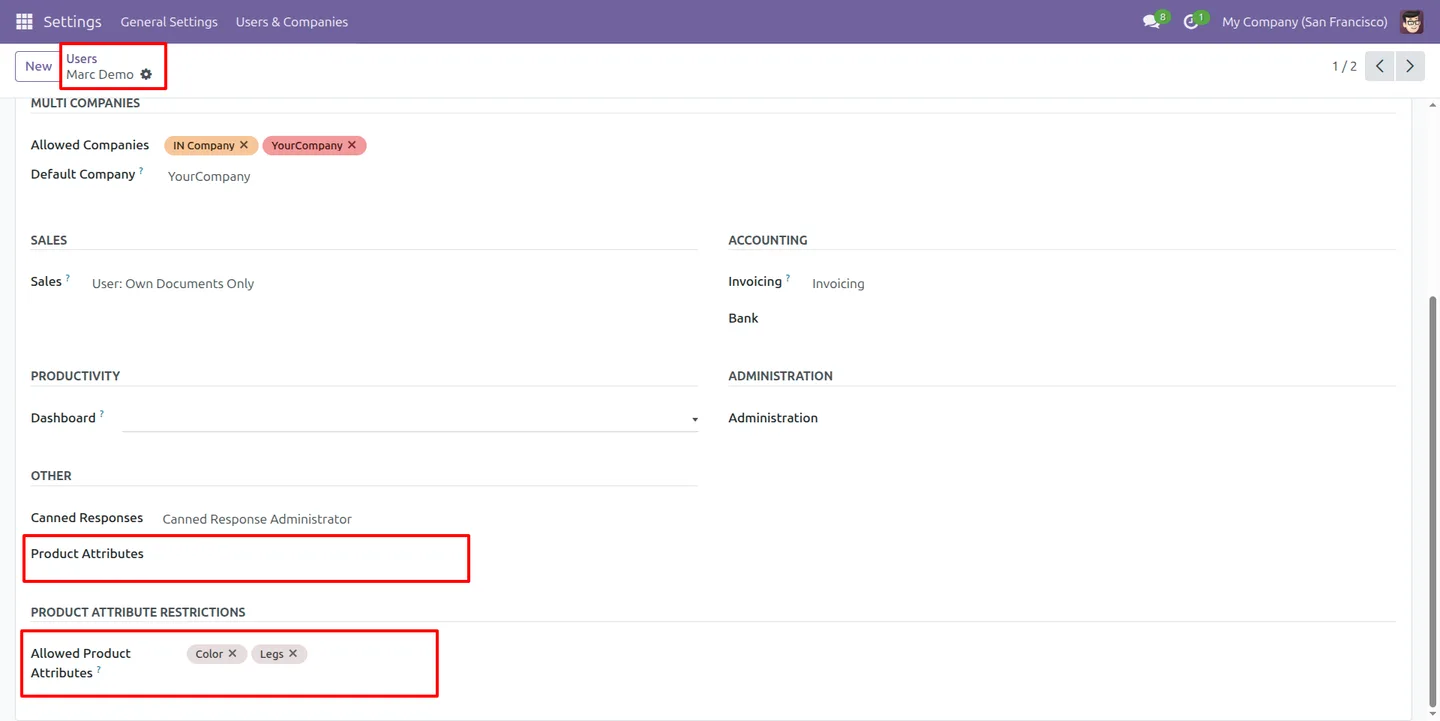
Allowed attributes are assigned directly from the user form, so configuration is a short, familiar task in Odoo's user settings.
-
Real-time validation
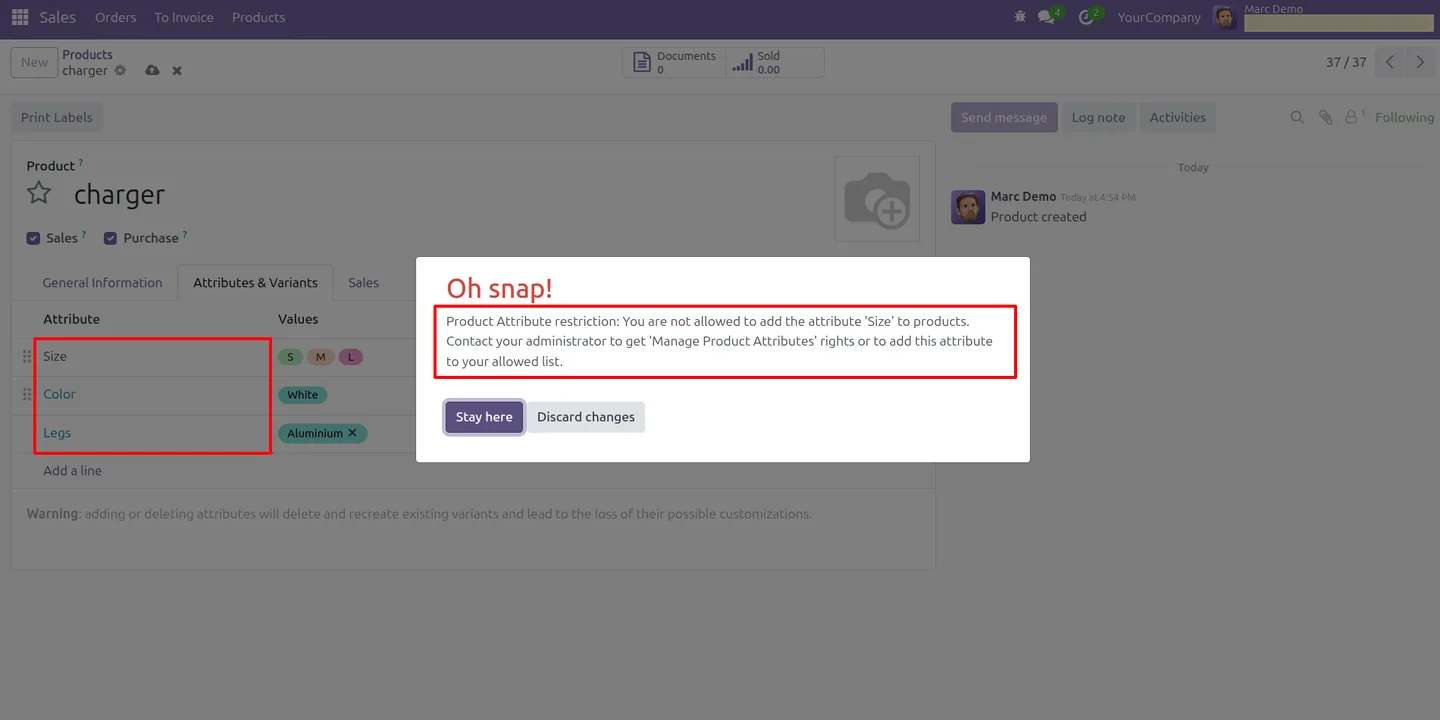
When a user tries to apply a restricted attribute, the system blocks it immediately and shows an error message — before the change is saved.
-
Attribute manager role
Users in the "Manage Product Attributes" group bypass every restriction and keep full, unrestricted access to all attributes.
-
Blocks unauthorized attributes
Attributes not assigned to a user cannot be used by them, which prevents unauthorized or accidental attribute assignments on products.
-
Consistent product data
By limiting who can apply which attributes, the module enforces structured, standardized product data across the organization.
-
Attribute-level security
Permissions are fine-grained, applied at the level of individual attributes rather than whole product records.
Product Attribute Restrictions in Odoo
Every screen, in the order you meet it — configuration first, then the module in use.
Technical details
Specification
- Publisher
- TechUltra Solutions Private Limited
- Technical name
- product_attribute_restriction
- Odoo versions
- 16.0, 17.0, 18.0, 19.0, 20.0
- Lines of code
- 177
- License
- Odoo Proprietary License v1.0 (OPL-1)
- Price
- $20 (one-time)
Deployment
- Odoo Online
- Odoo.sh
- On-premise
Odoo dependencies
- Sales
- Inventory
- Discuss
Support
90 days of bug-fix support, Monday to Friday (10:00–19:00 IST). Raise a ticket at support@techultra.in.
Setup & configuration
From install to first call — here is the path.
- 1
Install the module
In Odoo, open Apps, remove the Apps filter, search for “Product Attribute Restrictions”, and click Install.
- 2
Decide who needs full access
Assign the “Manage Product Attributes” group to administrators and product managers who should keep unrestricted access to all attributes.
- 3
Open a user record
Go to Settings → Users & Companies → Users and open a user who should be limited to specific product attributes.
- 4
Assign allowed attributes
On the user form, select the product attributes that user is permitted to access and assign.
- 5
Test the restriction
Log in as the restricted user and try to apply an attribute outside their allowed list to confirm the validation blocks it.
Frequently asked questions
-
What does Product Attribute Restrictions control?
It controls which product attributes each Odoo user can access and assign. Administrators set an allowed list of attributes per user, and the module enforces it.
-
What happens if a user picks a restricted attribute?
The module's real-time validation blocks the action immediately and shows an error message, so the unauthorized attribute is never saved to the product.
-
Can some users keep full access?
Yes. Users in the "Manage Product Attributes" group bypass all restrictions and have full, unrestricted access to every product attribute.
-
Which Odoo versions are supported?
Product Attribute Restrictions supports Odoo 16.0, 17.0, 18.0, 19.0, and 20.0, in both the Community and Enterprise editions.
-
Where do I assign a user's allowed attributes?
Allowed attributes are set directly on the user form under Settings → Users & Companies → Users, which keeps configuration simple.
-
Why use attribute-level restrictions?
Limiting who can apply which attributes prevents inconsistent or incorrect product data, reduces errors, and keeps product records standardized across teams.
-
Does this restrict whole products or individual attributes?
It works at the attribute level. Permissions apply to individual product attributes, giving fine-grained control rather than blocking entire product records.
-
Is support included with the module?
Yes. The module includes 90 days of bug-fix support, Monday to Friday, 10:00–19:00 IST.
Listing verified against the Odoo App Store:
Related services
Get the most out of this module with senior TechUltra consultants.
Odoo Customization Services
Odoo customization from a Gold Partner: custom modules, workflows, reports and Studio changes, written upgrade-safe and quoted at a fixed scope. Free scoping call.
Hire Odoo Developers
Hire certified Odoo developers from a Gold Partner: one developer or a team, full-time or part-time, 70–160 hours a month. Silver, Gold or Platinum plan, free trial.
Odoo Support Services & Maintenance
Odoo support services from a Gold Partner: functional and technical support plus server cover for Enterprise and Community, 30-minute P1 response, 24/7 option.







