
Odoo App · Website & eCommerce
Product 3D AR Viewer
Interactive 3D and Augmented Reality product previews for the Odoo webshop.
Overview
Product 3D AR Viewer brings 3D and Augmented Reality previews to the Odoo webshop. Instead of static photos, shoppers can spin a product, zoom in on detail, and view it inside the product gallery — all in the browser, with no app to download.
Built by TechUltra Solutions, the module uses Google's model-viewer to render interactive 3D models and supports both .glb and .usdz files so AR works across Android and iOS devices. A floating "View in AR" button lets customers place the product in their own room using the device camera.
3D models, poster images, and multiple views are managed per product from the Odoo backend. Auto-rotation, camera controls, and the AR button label are all configurable, so each product page can be tuned without touching code.
Key features
-
Interactive 3D product rendering
Products render as interactive 3D models directly in the browser using model-viewer. Shoppers rotate and zoom to inspect detail before they buy.
-
Cross-platform AR support
The module supports both .glb and .usdz model files, so the Augmented Reality experience works across Android and iOS devices.
-
View in real-world space
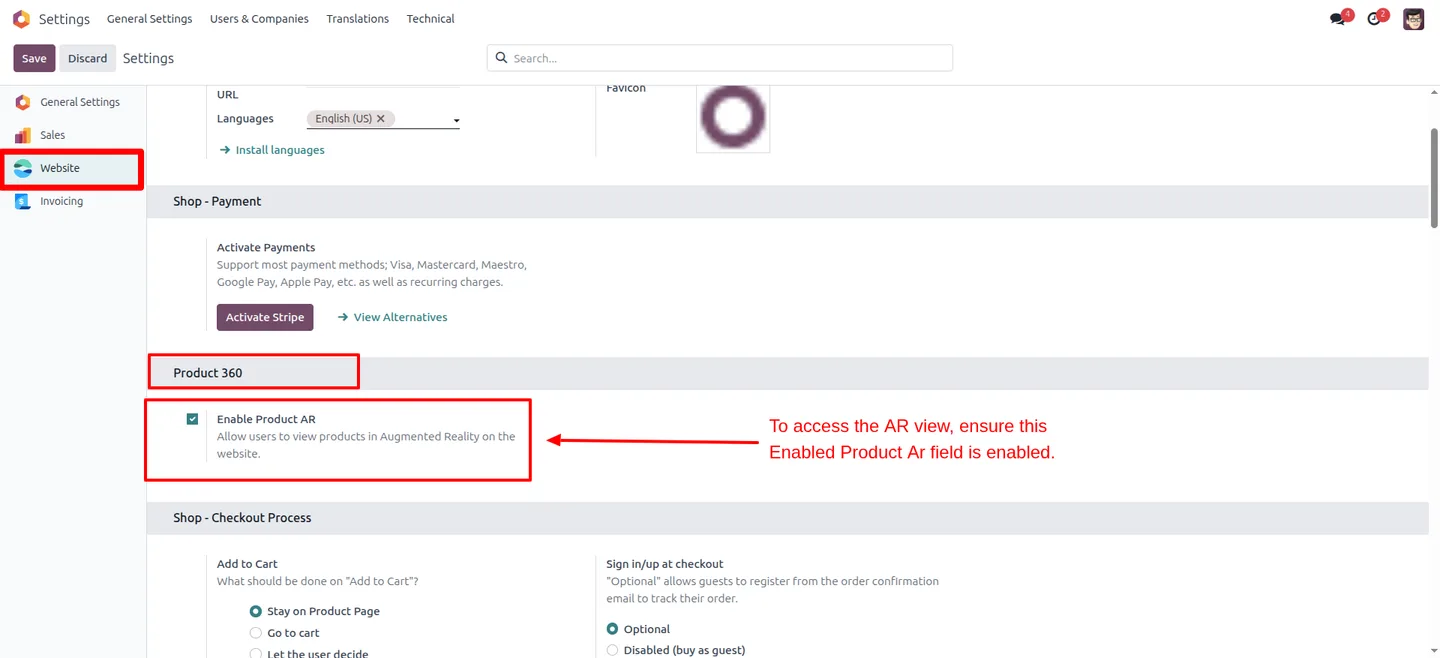
A floating "View in AR" button lets customers place the product in their own room or workspace using their mobile device camera.
-
Glassmorphism AR button
The floating AR button uses a modern glassmorphism design with smooth animations, so it sits cleanly on the product page without looking bolted on.
-
Integrated model carousel
3D models slot directly into the existing product gallery carousel alongside product images, keeping the page layout familiar to shoppers.
-
Per-product configuration
Auto-rotation, camera interaction, and a custom button label are set per product, so every item's 3D preview can be tuned independently.
-
Backend model management
3D model files, poster images, and multiple views per product are uploaded and managed from the Odoo product form — no developer involvement needed.
-
Optimized file delivery
Model files are delivered with optimized loading so 3D previews appear quickly without slowing down the product page.
Product 3D AR Viewer in Odoo
Every screen, in the order you meet it — configuration first, then the module in use.
Technical details
Specification
- Publisher
- TechUltra Solutions Private Limited
- Technical name
- odoo_product_ar_view
- Odoo versions
- 17.0, 18.0
- Lines of code
- 624
- License
- Odoo Proprietary License v1.0 (OPL-1)
- Price
- $29 (one-time)
Deployment
- Odoo Online
- Odoo.sh
- On-premise
Odoo dependencies
- eCommerce
- Website
- Invoicing
- Discuss
Support
90 days of bug-fix support, Monday to Friday (10:00–19:00 IST). Raise a ticket at support@techultra.in.
Setup & configuration
From install to first call — here is the path.
- 1
Install the module
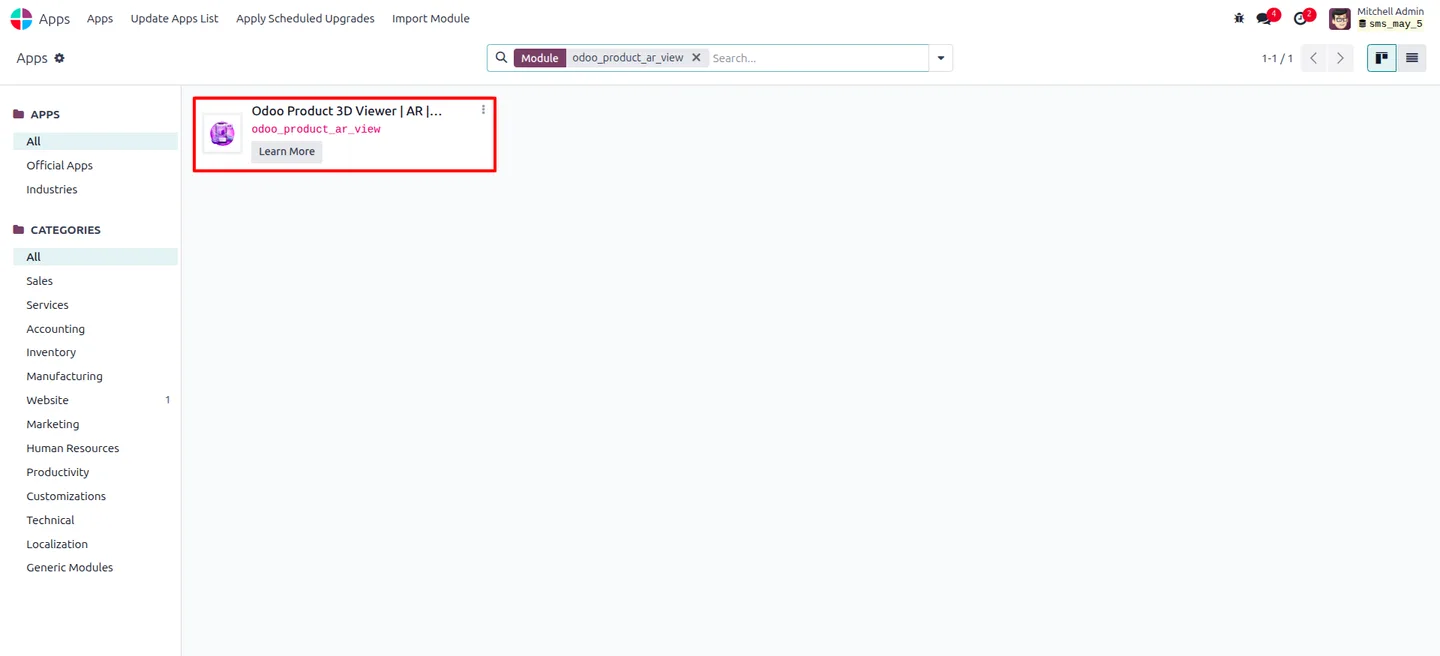
In Odoo, open Apps, remove the Apps filter, search for “Product 3D AR Viewer”, and click Install.
- 2
Open a product
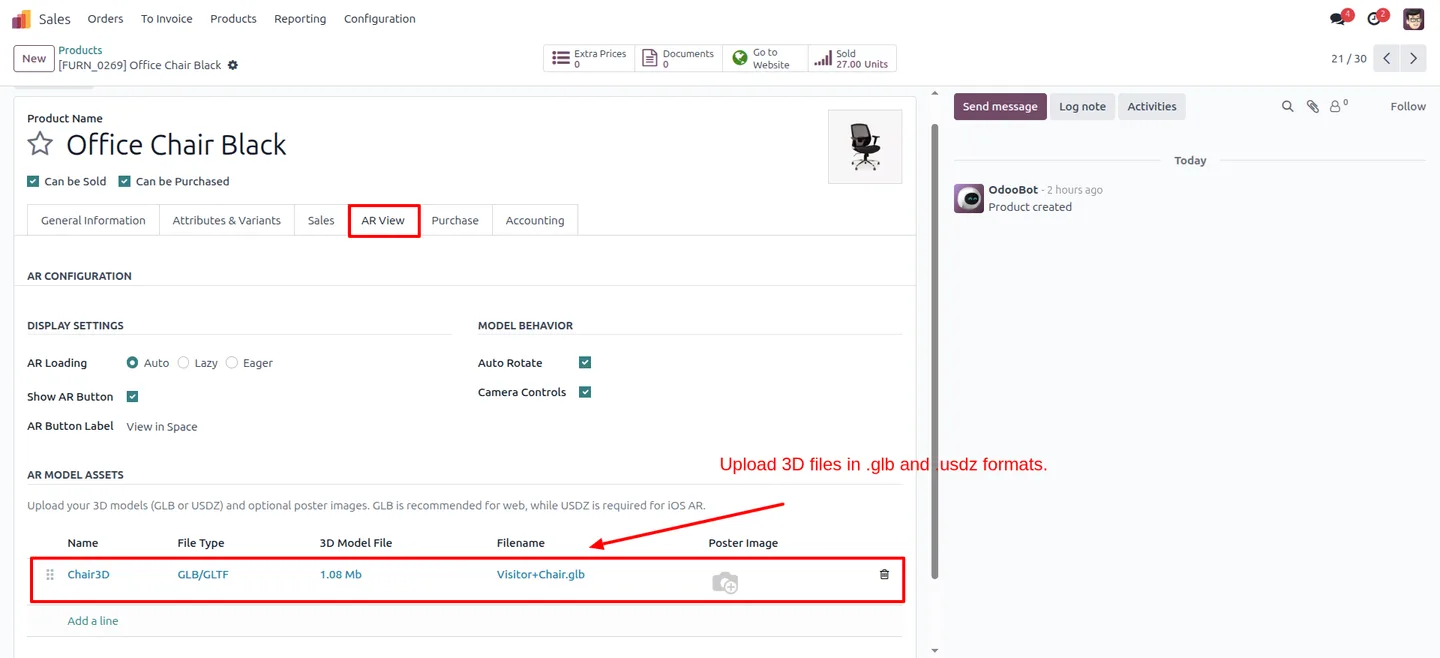
Go to Website or Sales, open the product you want to show in 3D, and find the Odoo Product 3D Viewer configuration panel on the product form.
- 3
Upload 3D model files
Upload a .glb model for in-browser 3D and Augmented Reality on Android, and a .usdz model so AR also works on iOS devices.
- 4
Add poster images and views
Add a poster image shown while the model loads, and add any additional views you want available per product.
- 5
Set 3D and AR options
Configure auto-rotation, camera interaction, and the custom label for the floating View in AR button to match the product.
- 6
Preview on the storefront
Open the product page on the website, rotate and zoom the 3D model, and test the View in AR button on a mobile device.
Frequently asked questions
-
What 3D file formats does the viewer support?
The module supports .glb files for in-browser 3D rendering and Augmented Reality on Android, and .usdz files so the AR experience also works on iOS devices.
-
Do shoppers need to install an app to use AR?
No. The 3D viewer runs directly in the browser, and the View in AR button uses the device's built-in camera and AR support — there is nothing for the customer to download.
-
Which Odoo versions are supported?
Product 3D AR Viewer supports Odoo 17.0 and 18.0, in both the Community and Enterprise editions.
-
Where do I upload the 3D models?
3D model files, poster images, and additional views are uploaded per product from the Odoo Product 3D Viewer configuration panel on the product form in the backend.
-
Can I control how the 3D model behaves?
Yes. Auto-rotation, camera interaction, and the label on the floating View in AR button are all configurable per product.
-
Does the 3D model show alongside product photos?
Yes. The 3D model integrates into the existing product gallery carousel, so it sits next to standard product images on the page.
-
What does the AR feature do for shoppers?
It lets customers place the product in their own real-world space — a room, desk, or shelf — through their phone camera, which helps them judge size and fit before purchase.
-
Is support included with the module?
Yes. The module includes 90 days of bug-fix support, Monday to Friday, 10:00–19:00 IST.
Listing verified against the Odoo App Store:
Related solutions
Whole-platform solutions that complement Product 3D AR Viewer.
Shopify + Odoo Integration
Native Shopify-to-Odoo bidirectional sync. Products, inventory, orders, customers, refunds, accounting entries in real time. Multi-store, multi-currency, B2B.
WooCommerce + Odoo Integration
Native WooCommerce-to-Odoo bidirectional sync. Products, inventory, orders, refunds, subscriptions, accounting entries. WP-Cron-free, reliable, B2B-ready.
Amazon (Seller / Vendor Central) + Odoo Integration
Native Amazon-to-Odoo sync — Seller Central (FBM/FBA), Vendor Central, multi-marketplace. Orders, inventory, fees, reimbursements reconciled to Odoo accounting.
Related services
Get the most out of this module with senior TechUltra consultants.
Odoo Customization Services
Odoo customization from a Gold Partner: custom modules, workflows, reports and Studio changes, written upgrade-safe and quoted at a fixed scope. Free scoping call.
Hire Odoo Developers
Hire certified Odoo developers from a Gold Partner: one developer or a team, full-time or part-time, 70–160 hours a month. Silver, Gold or Platinum plan, free trial.
Odoo Support Services & Maintenance
Odoo support services from a Gold Partner: functional and technical support plus server cover for Enterprise and Community, 30-minute P1 response, 24/7 option.







