
Odoo App · Security & Access
Print & Action Buttons Access
Hide Odoo's Print and Action buttons from users outside an allowed security group.

Overview
Print & Action Buttons Access adds a permission layer on top of Odoo's standard access rights. Out of the box, Odoo shows the Print and Action buttons to every user — even those who have no business running a particular report or server action. This module removes that gap.
Built by TechUltra Solutions, it ties button visibility to a single security group. Add a user to the allowed group and the buttons appear; leave them out and the buttons are hidden at the interface level, so the option is never presented in the first place.
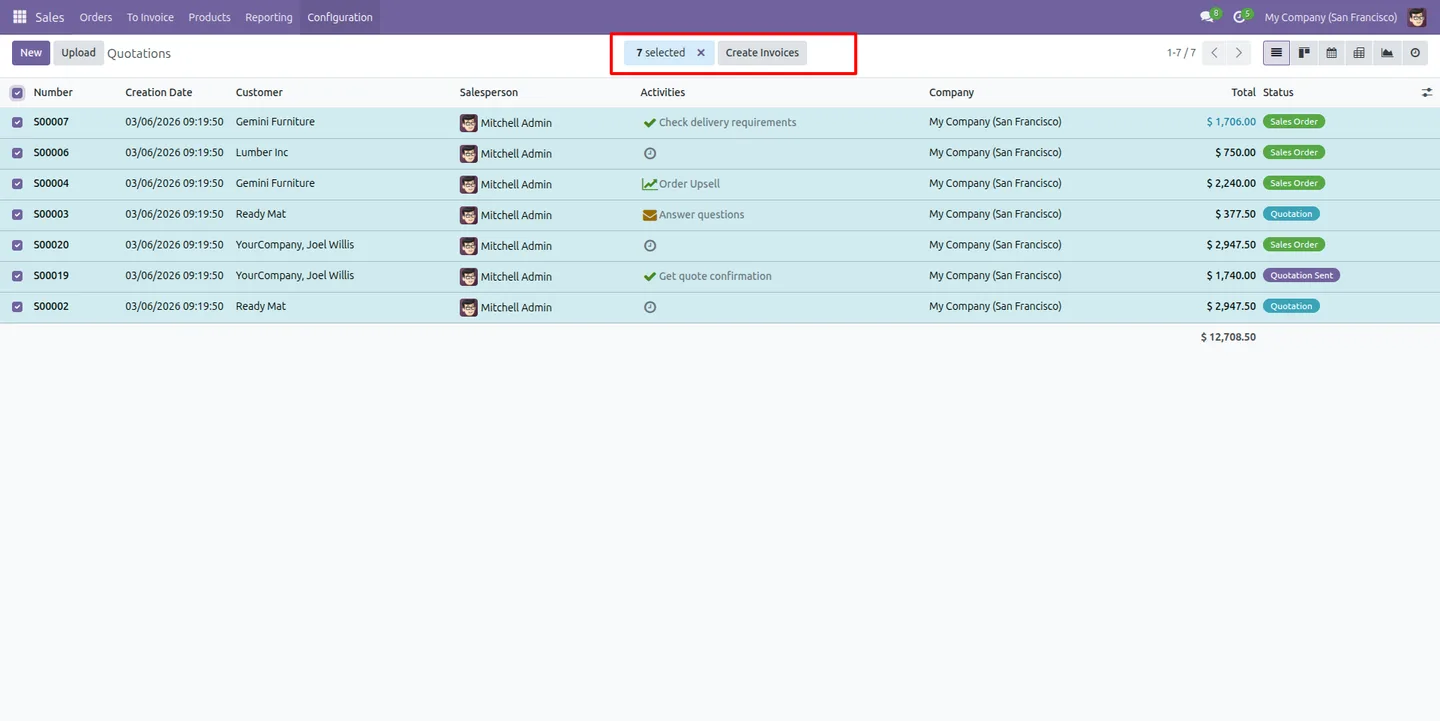
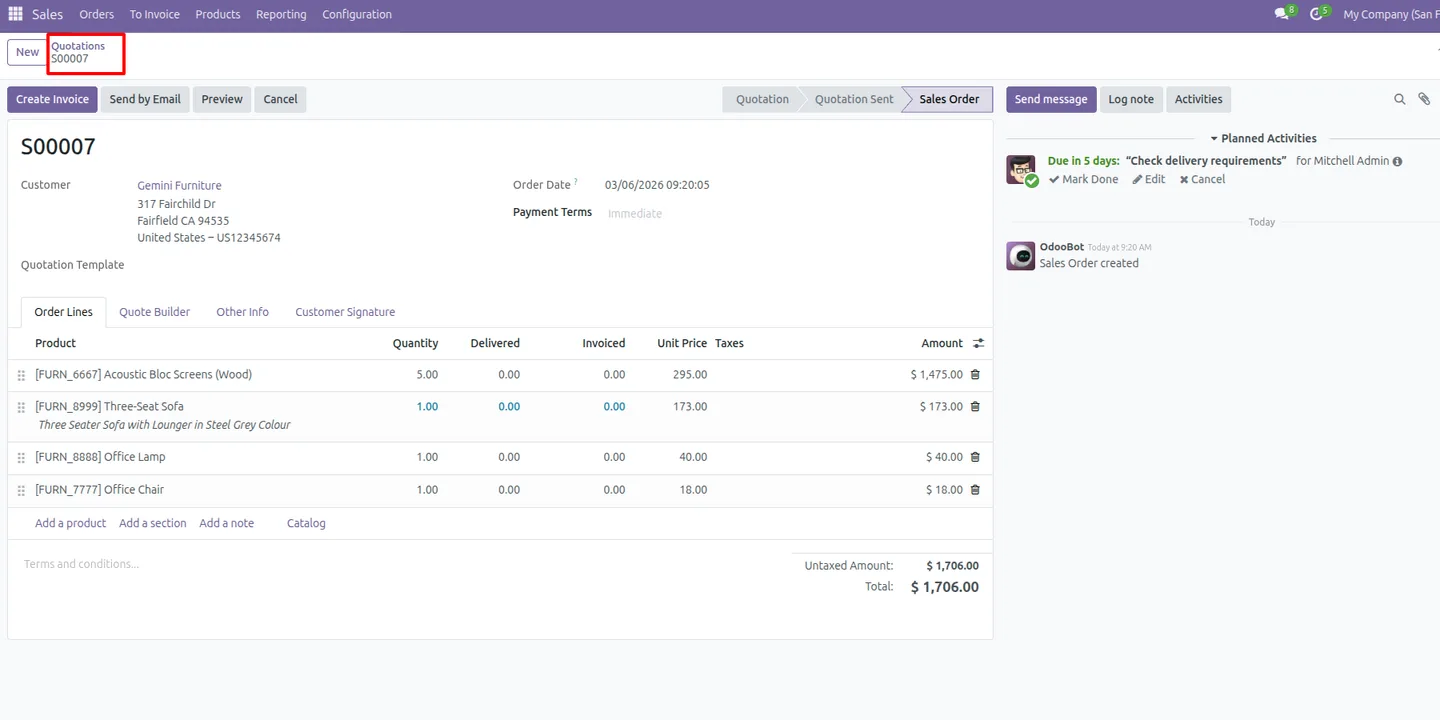
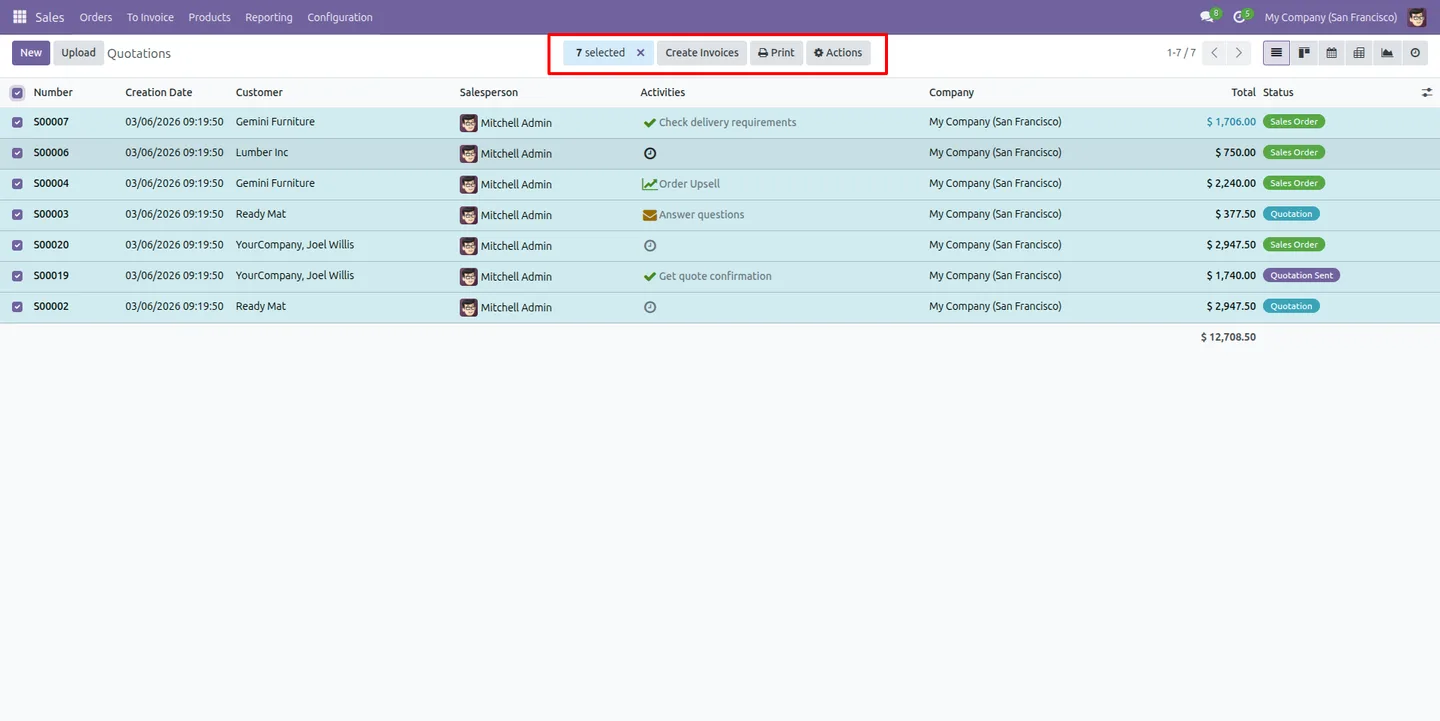
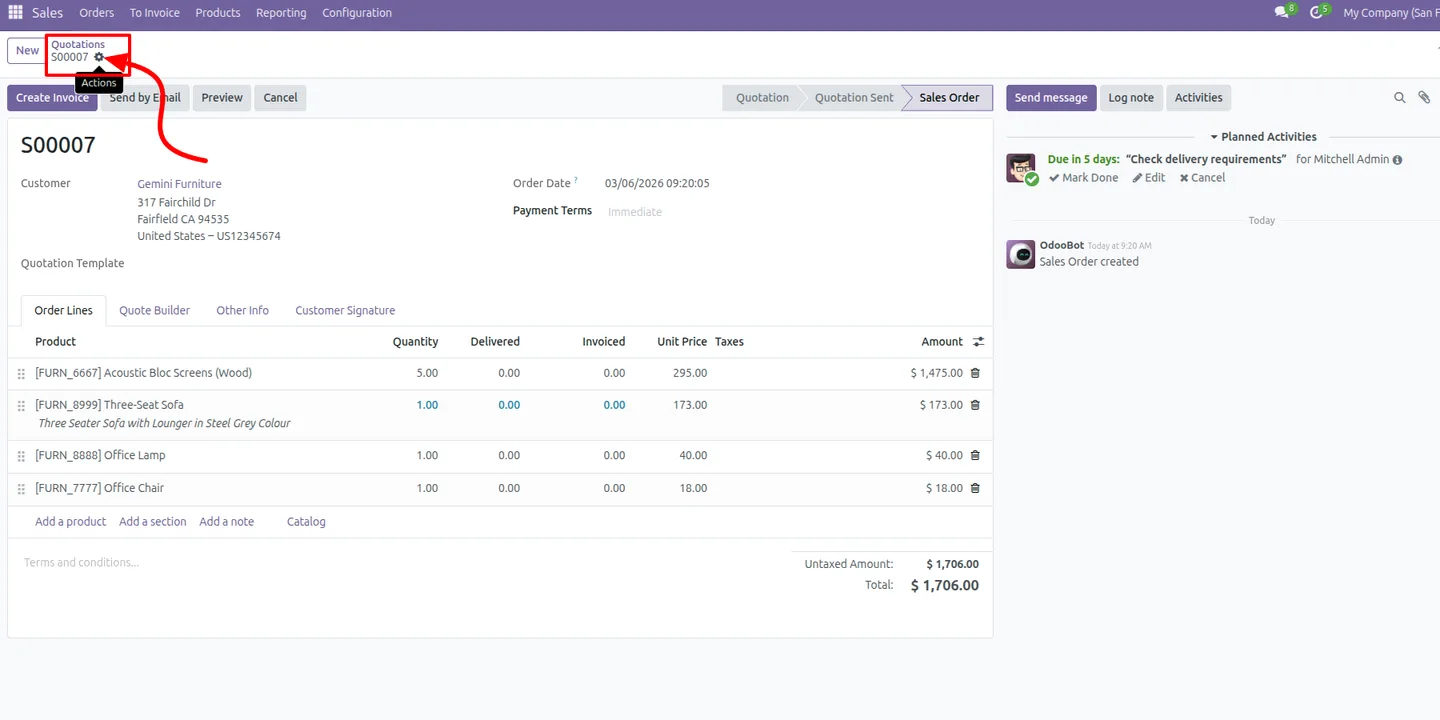
The restriction is applied consistently across both form views and list views, and the Settings gear icon hides alongside the buttons. The result is a cleaner interface for restricted roles and tighter control over who can print documents or trigger server actions.
Key features
-
Restrict the Print button
Hide the Print menu from users outside the allowed group, so report output stays with the roles that are meant to produce it.
-
Control Action button visibility
Hide the Action menu — and the server actions behind it — from unauthorised users, preventing accidental or unwanted bulk operations.
-
Group-based security
Visibility is driven by one access group. Add a user to the group to grant access; users not in the group automatically lose it.
-
Interface-level enforcement
Buttons are removed from the user interface itself when permission is absent, so the option is never shown rather than shown and blocked.
-
Works across form and list views
The same restriction applies in both form views and list views, keeping access consistent wherever a record is opened.
-
Settings icon hidden too
The Settings gear icon hides along with the Print and Action buttons, so restricted users see a tidy, focused toolbar.
-
Protect sensitive reports
Keep reporting options out of reach for personnel who should not generate or export specific documents.
-
Lightweight and consistent
A small, focused module that applies a single, predictable rule across Odoo without changing existing access rights or workflows.
Print & Action Buttons Access in Odoo
Every screen, in the order you meet it — configuration first, then the module in use.
Technical details
Specification
- Publisher
- TechUltra Solutions Private Limited
- Technical name
- print_action_buttons_access
- Odoo versions
- 16.0, 17.0, 18.0, 19.0, 20.0
- Lines of code
- 132
- License
- Odoo Proprietary License v1.0 (OPL-1)
- Price
- $10.01 (one-time)
Deployment
- Odoo Online
- Odoo.sh
- On-premise
Odoo dependencies
- Settings
Support
90 days of bug-fix support, Monday to Friday (10:00–19:00 IST). Raise a ticket at support@techultra.in.
Setup & configuration
From install to first call — here is the path.
- 1
Install the module
In Odoo, open Apps, remove the Apps filter, search for “Print & Action Buttons Access”, and click Install.
- 2
Open Users & Companies
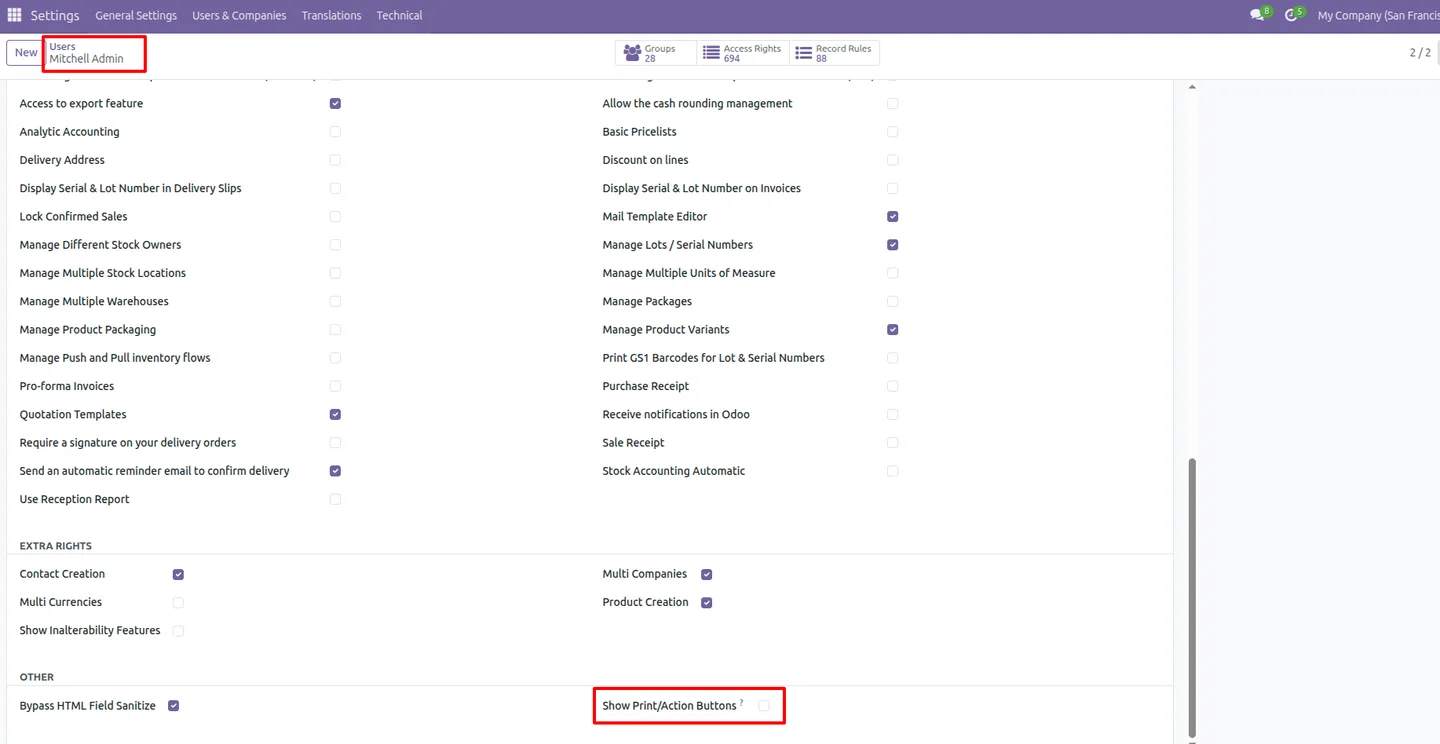
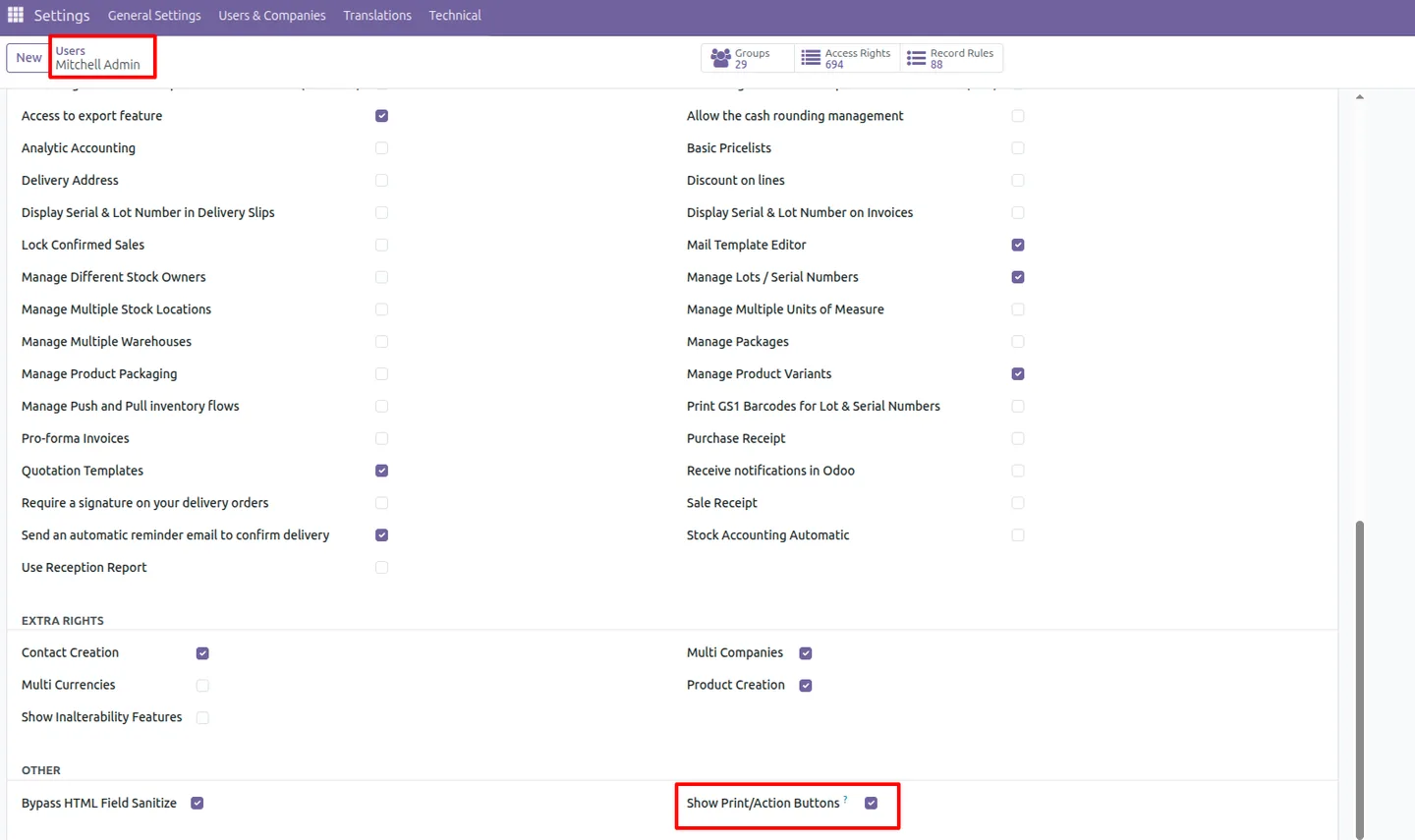
Enable developer mode, then go to Settings → Users & Companies → Users to manage which users will keep access to the Print and Action buttons.
- 3
Assign the access group
On each authorised user, add the “Show Print Action Button” access group. These users keep the Print and Action buttons in every view.
- 4
Verify restricted users
Open Odoo as a user who is not in the group and confirm the Print button, Action button, and Settings gear icon are hidden in both form and list views.
Frequently asked questions
-
What does this module hide?
It hides the Print and Action buttons — and the Settings gear icon — from users who are not in the allowed access group. The buttons stay visible for everyone in the group.
-
How is access granted?
Access is controlled by a single security group called “Show Print Action Button”. Add a user to that group to keep the buttons visible; users outside the group lose access automatically.
-
Does the restriction apply to list views as well as form views?
Yes. The restriction is enforced consistently in both form views and list views, so a restricted user cannot reach the buttons from either layout.
-
Does it change Odoo's standard access rights?
No. The module adds a visibility layer at the interface level. It works alongside Odoo's existing access rights and record rules without replacing them.
-
Can a restricted user still run server actions?
The Action menu, which is where server actions are launched, is hidden for restricted users. Removing the button removes the entry point to those actions in the interface.
-
Which Odoo versions are supported?
The module supports Odoo 16.0, 17.0, 18.0, 19.0, and 20.0.
-
Is support included?
Yes. The module includes 90 days of bug-fix support, Monday to Friday, 10:00–19:00 IST.
Listing verified against the Odoo App Store:
Related services
Get the most out of this module with senior TechUltra consultants.
Odoo Customization Services
Odoo customization from a Gold Partner: custom modules, workflows, reports and Studio changes, written upgrade-safe and quoted at a fixed scope. Free scoping call.
Hire Odoo Developers
Hire certified Odoo developers from a Gold Partner: one developer or a team, full-time or part-time, 70–160 hours a month. Silver, Gold or Platinum plan, free trial.
Odoo Support Services & Maintenance
Odoo support services from a Gold Partner: functional and technical support plus server cover for Enterprise and Community, 30-minute P1 response, 24/7 option.







