
Odoo App · Point of Sale
POS Referral Loyalty Reward
Referral codes in POS that pay out loyalty points when a referred customer buys.
Overview
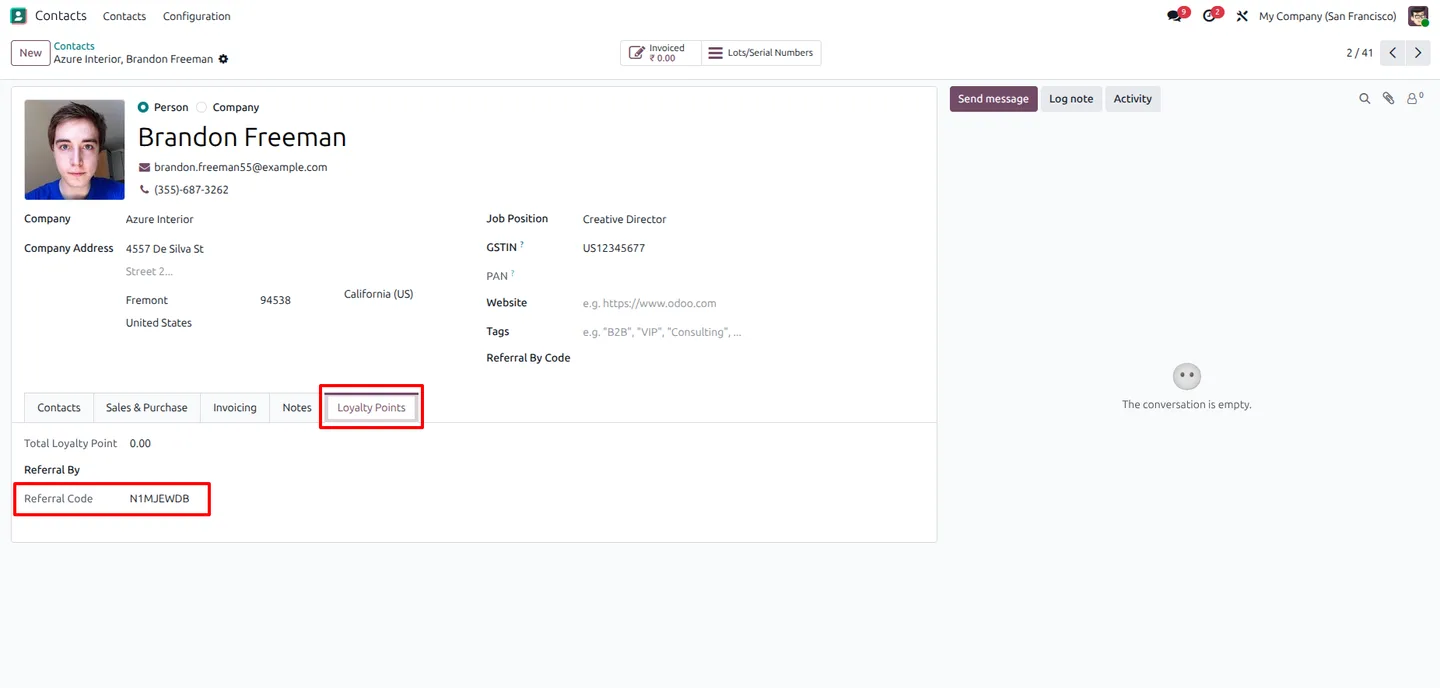
POS Referral Loyalty Reward turns Odoo's Point of Sale into a referral engine. Every customer is assigned a unique referral code, and when a new buyer enters that code at POS checkout the original customer earns loyalty points automatically — no manual tracking spreadsheet, no separate app.
Built by TechUltra Solutions, the module plugs straight into Odoo's loyalty programmes, so the reward points it issues behave like any other loyalty points: visible on the customer's loyalty card, redeemable through normal loyalty rules, and targetable to specific products, categories, or tags.
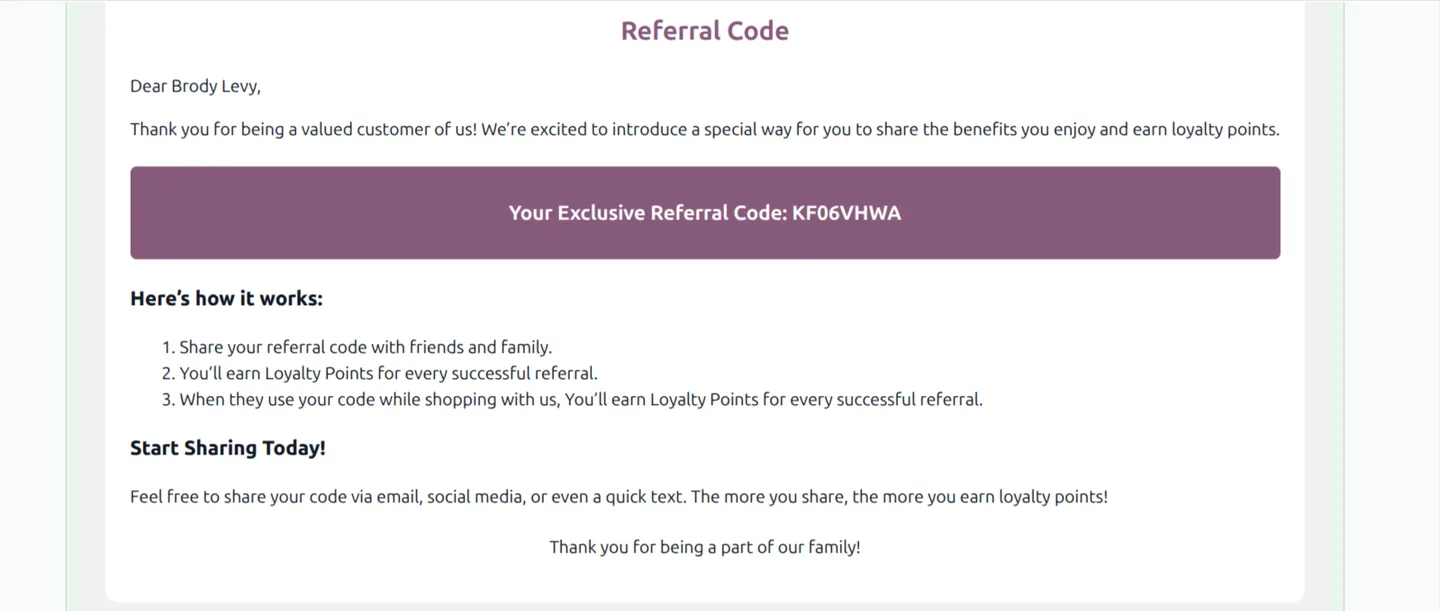
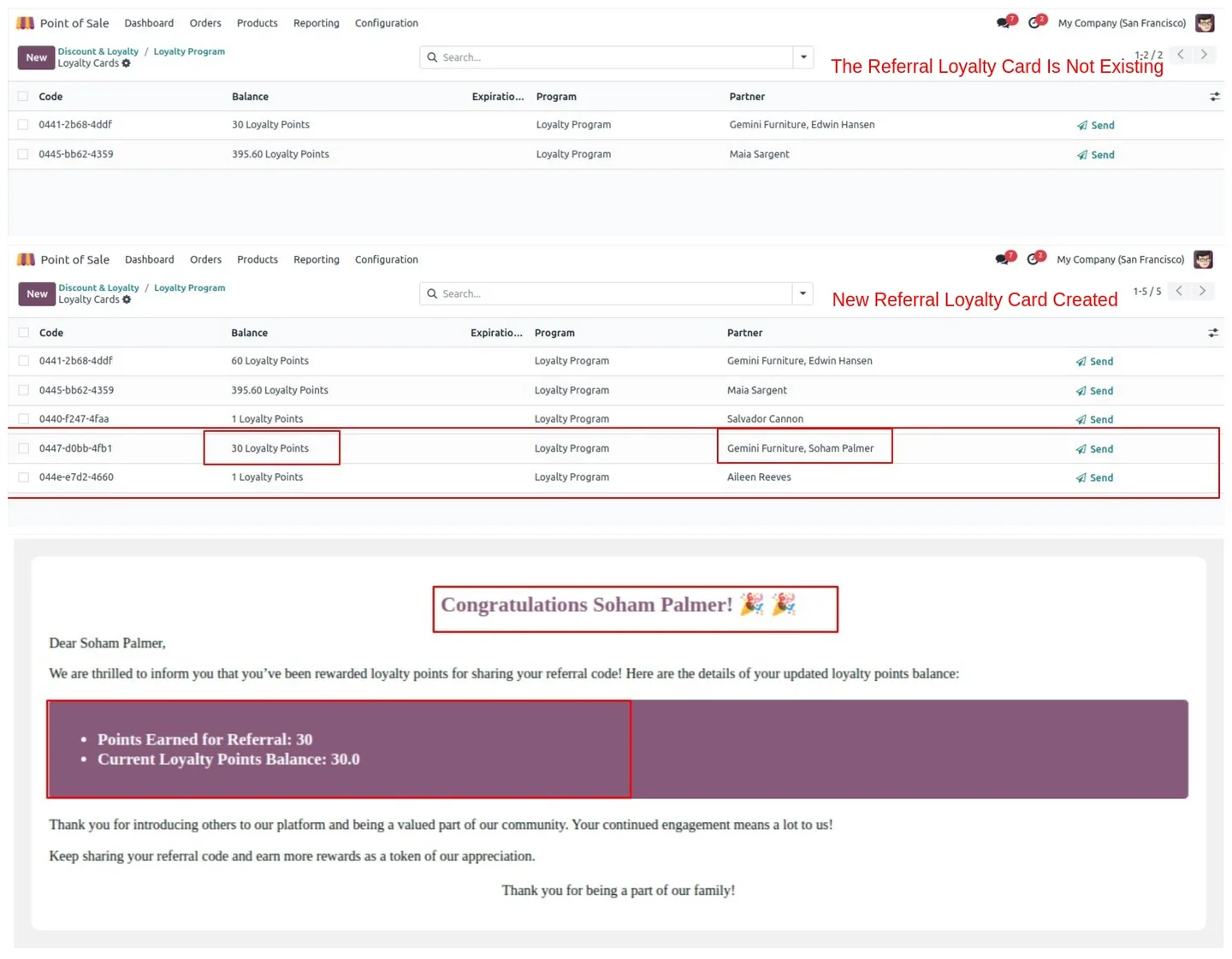
Cashiers can refer new customers directly from the POS interface, and the module emails the new contact their welcome details and referral code. Existing customers also receive their codes via email at install time, so the programme can launch the same day the module is enabled.
Key features
-
Referral reward points
Grant referral loyalty points to customers when their referred individuals make purchases at the POS, so word-of-mouth turns into measurable rewards.
-
Email notifications with referral codes
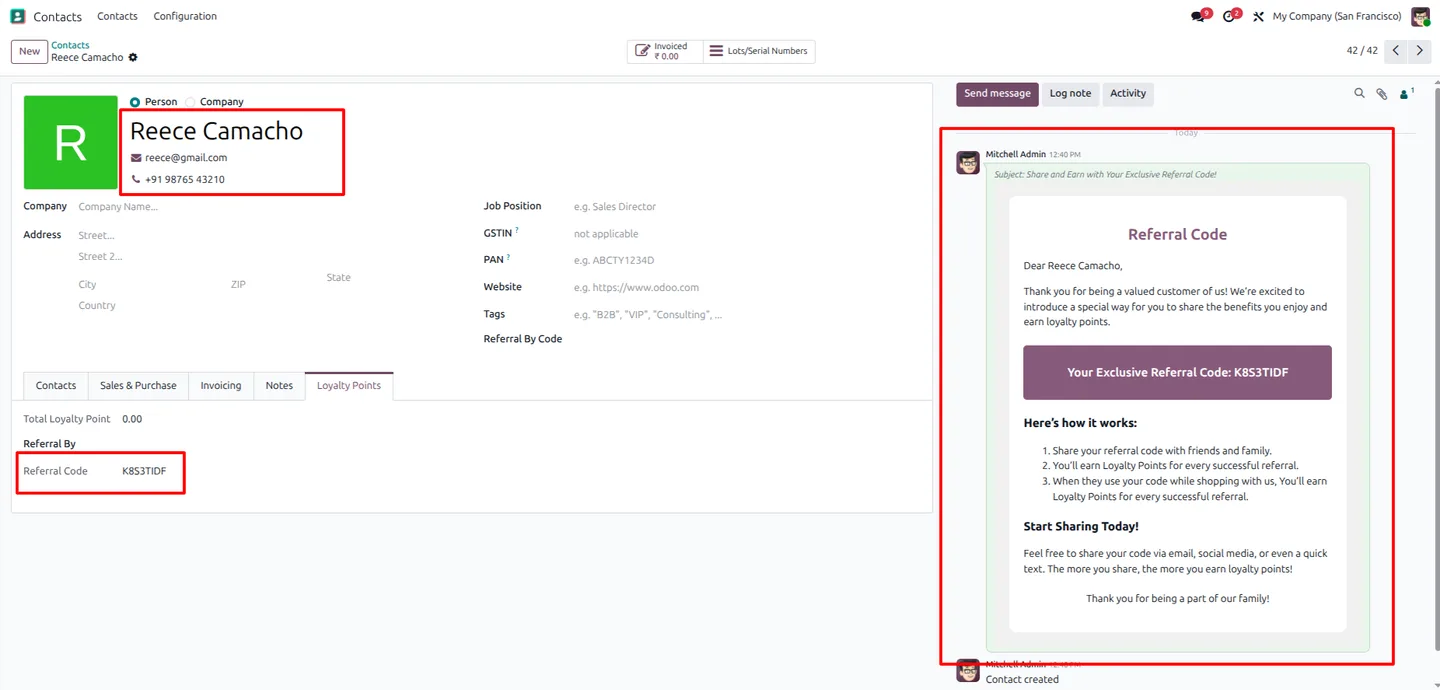
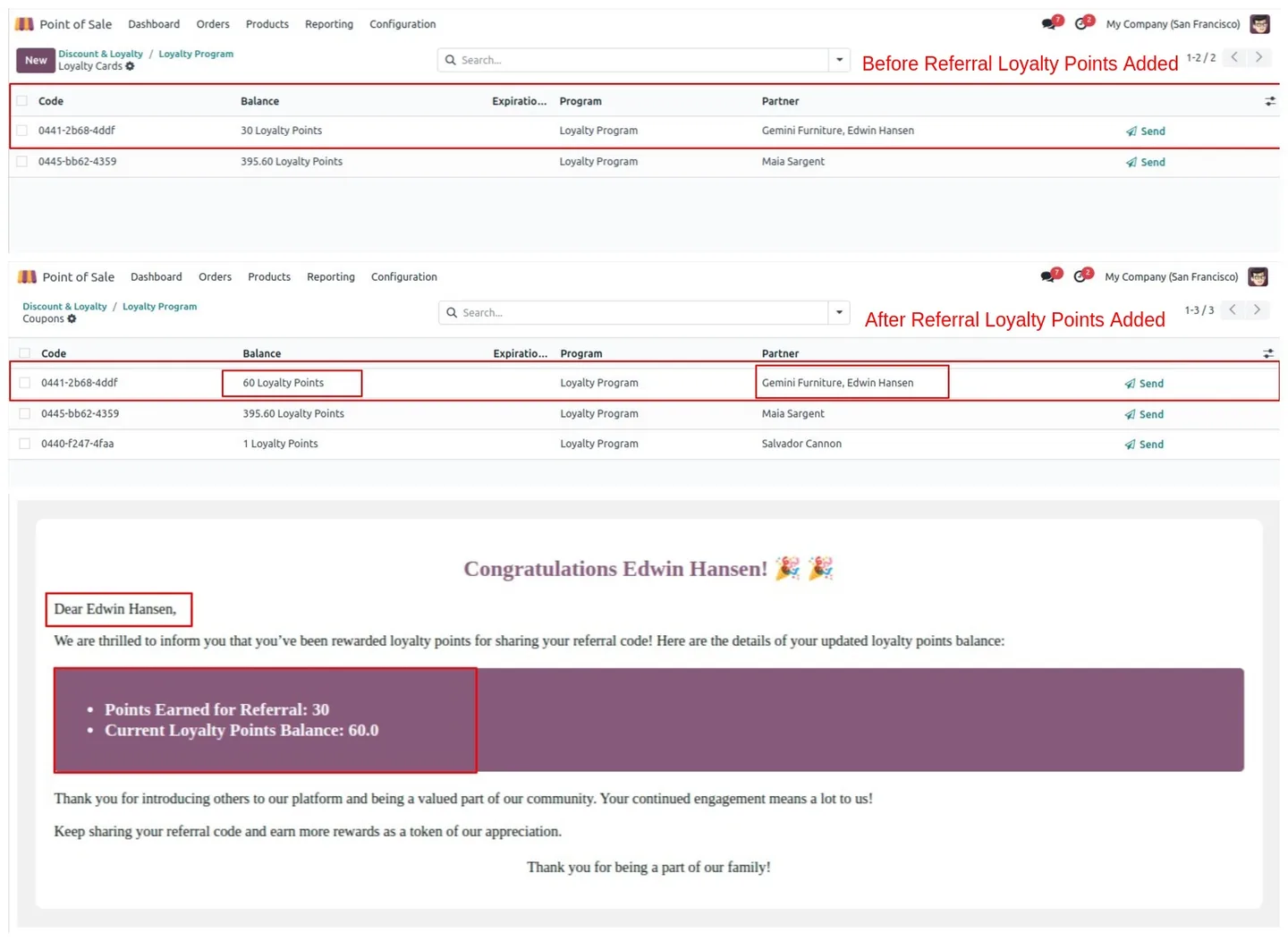
Automatic emails go to customers about the loyalty points they have earned from referrals, and include their own unique referral code for sharing.
-
Real-time points on the POS screen
Earned referral loyalty points show in real time on the POS screen for both referrers and referred customers — cashiers and shoppers see the reward immediately.
-
Native Odoo loyalty integration
The module integrates seamlessly with existing Odoo loyalty programmes, so referral rewards stack with your standard points, vouchers, and gift card rules.
-
Refer customers from POS
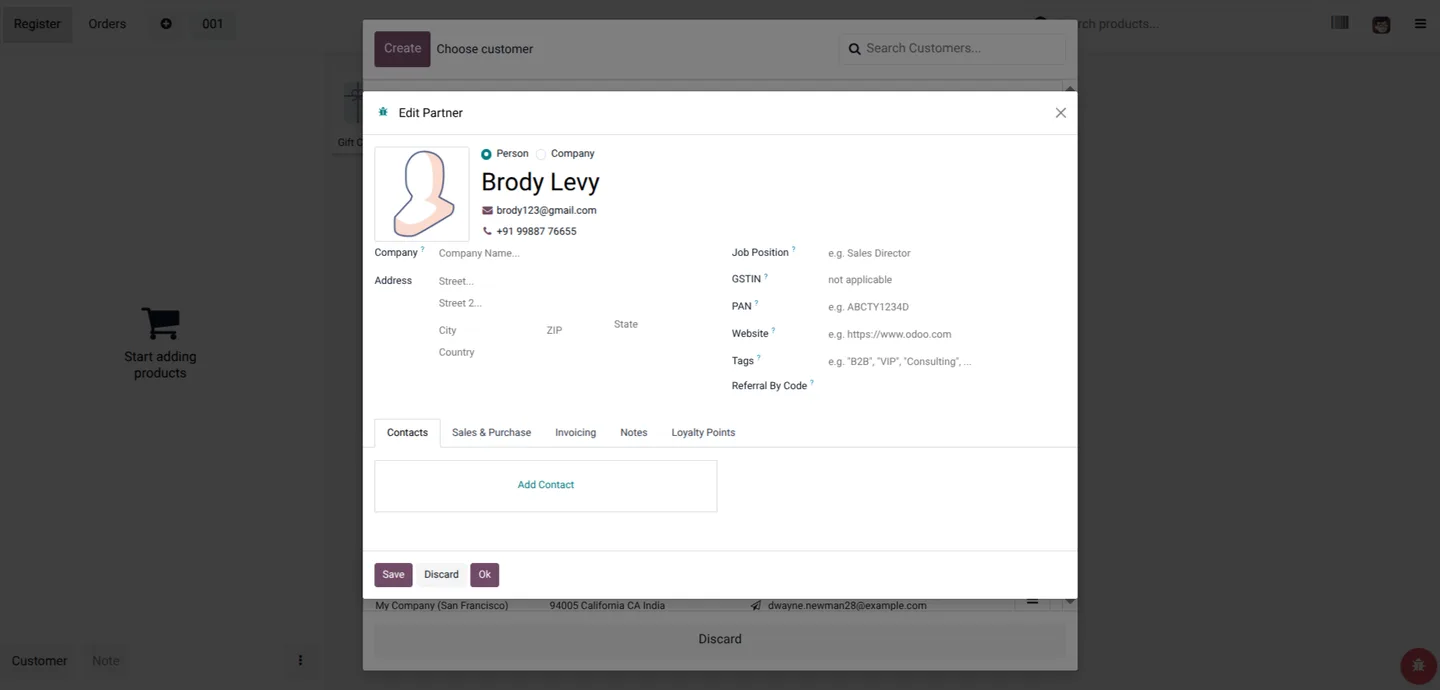
Cashiers can refer new customers directly from the POS interface — no need to leave the session and open the Contacts app.
-
Configurable points per referral
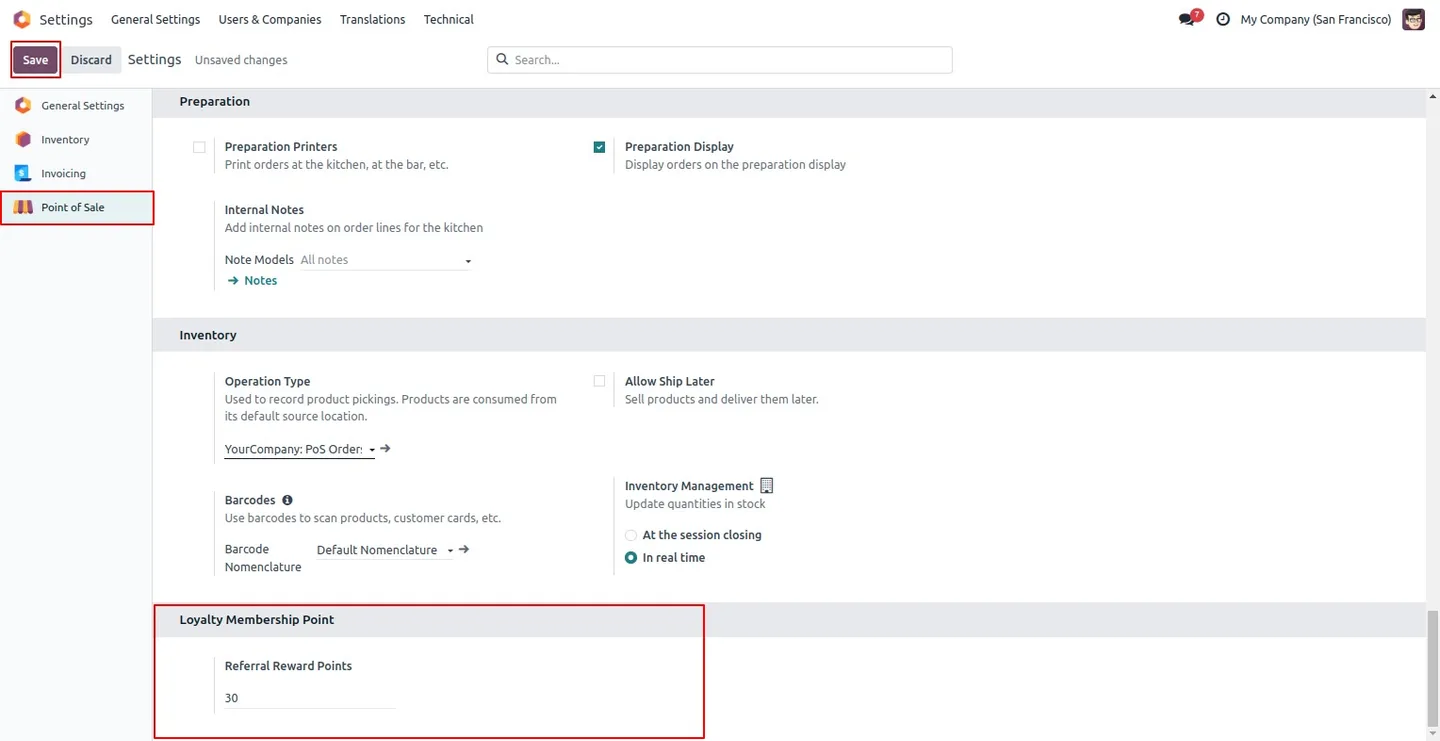
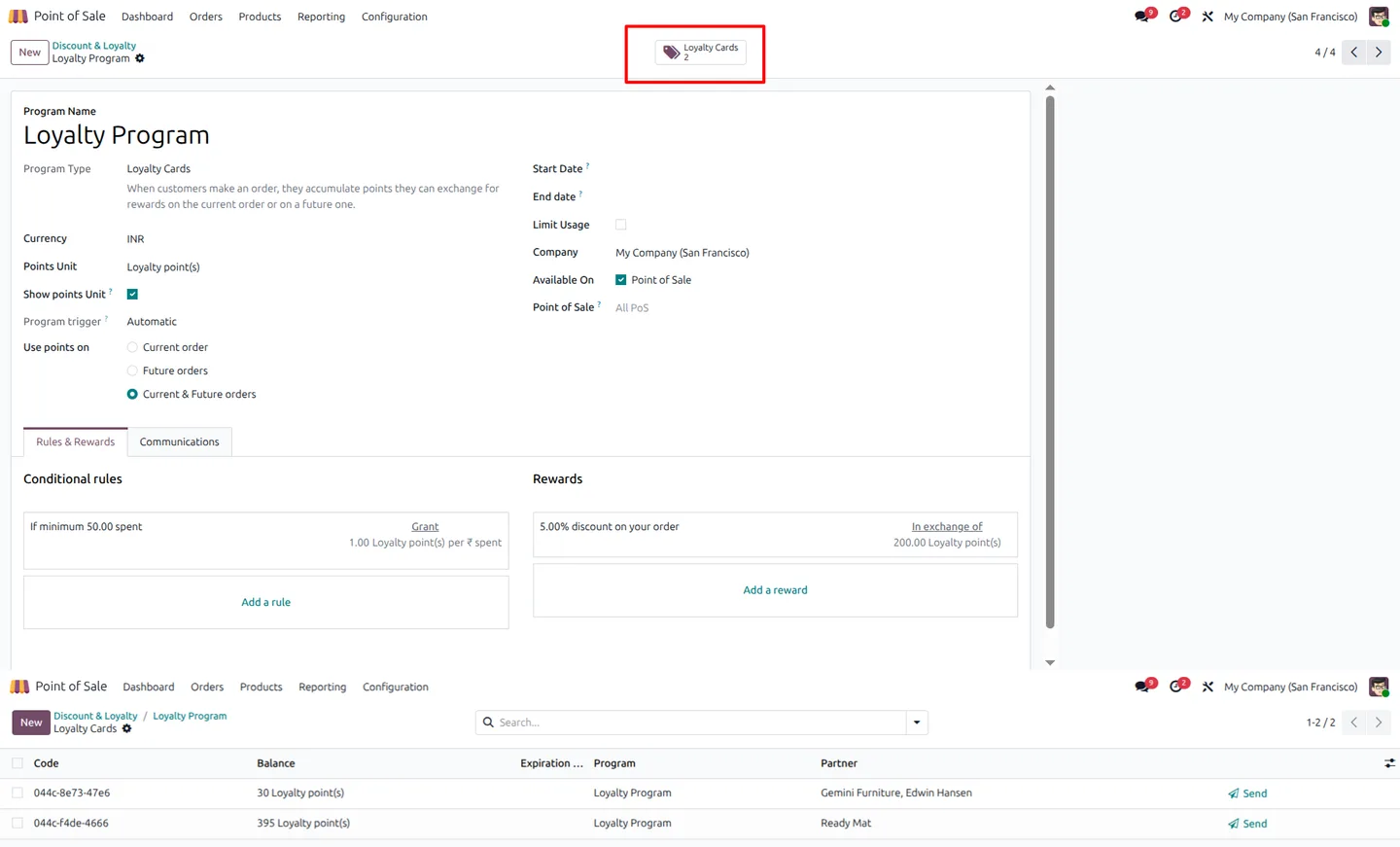
Configure how many loyalty points are awarded per successful referral, so promotions can be tuned to your margin and basket size.
-
Targeted programmes
Apply the loyalty programme to specific products, product categories, or product tags, so referrals only reward purchases you want to incentivise.
-
Automatic codes for existing customers
Every existing customer is assigned a referral code at installation time, so the programme can launch immediately across your whole customer base.
POS Referral Loyalty Reward in Odoo
Every screen, in the order you meet it — configuration first, then the module in use.
Technical details
Specification
- Publisher
- TechUltra Solutions Private Limited
- Technical name
- pos_refer_customer_and_earn_loyalty_point
- Odoo versions
- 16.0, 17.0, 18.0, 19.0, 20.0
- Lines of code
- 479
- License
- Odoo Proprietary License v1.0 (OPL-1)
- Price
- $29.45 (one-time)
Deployment
- Odoo Online
- Odoo.sh
- On-premise
Odoo dependencies
- Point of Sale
- Invoicing
- Inventory
- Discuss
Support
90 days of bug-fix support, Monday to Friday (10:00–19:00 IST). Raise a ticket at support@techultra.in.
Setup & configuration
From install to first call — here is the path.
- 1
Install the module
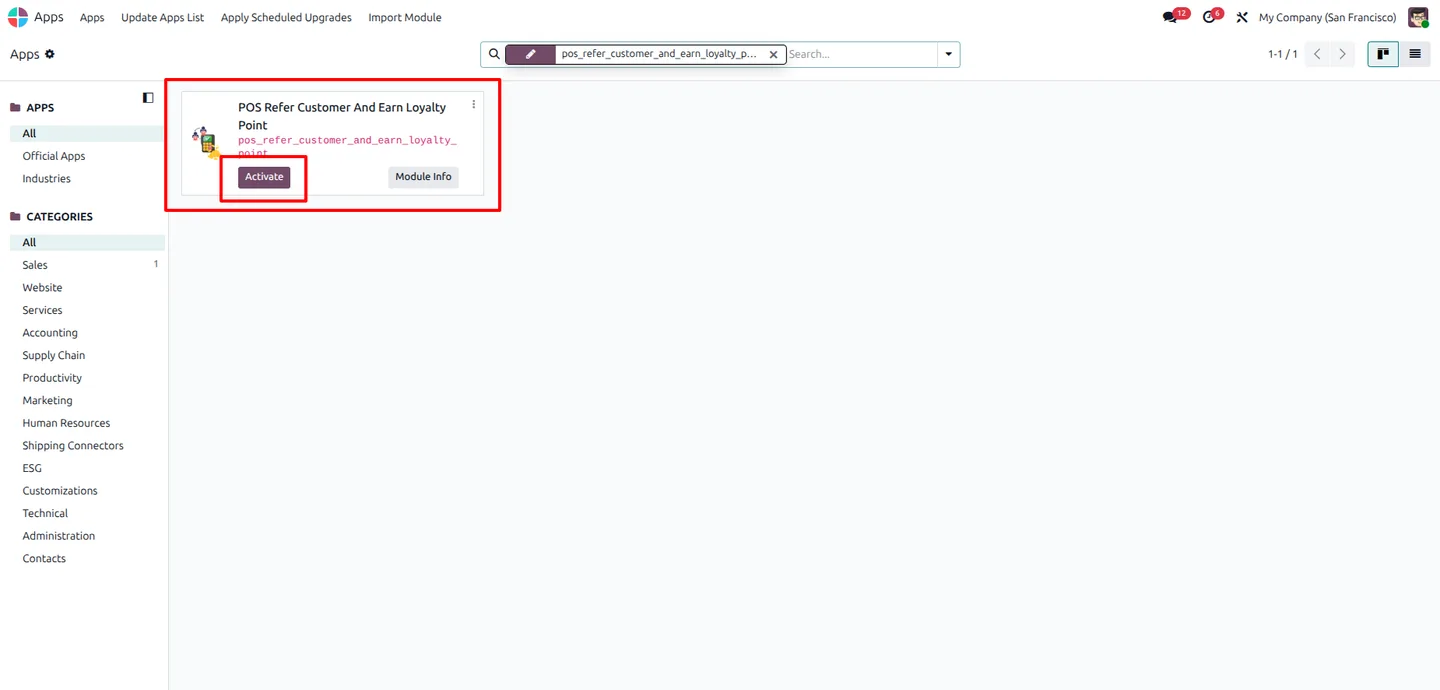
In Odoo, open Apps, remove the Apps filter, search for “POS Refer Customer and Earn Loyalty Point”, and click Install. Every existing customer is assigned a referral code automatically during installation.
- 2
Configure referral reward points
Open Settings → Point of Sale → Loyalty Membership Point and set the number of points awarded per successful referral.
- 3
Confirm required contact fields
Customer name, mobile, and email are mandatory for the referral flow. Duplicate mobiles or emails trigger validation alerts.
- 4
Generate referral codes on the fly
When new contacts are created from the Contacts app or directly inside the POS, a referral code is generated automatically and emailed to the customer with their code.
- 5
Reward referrers at checkout
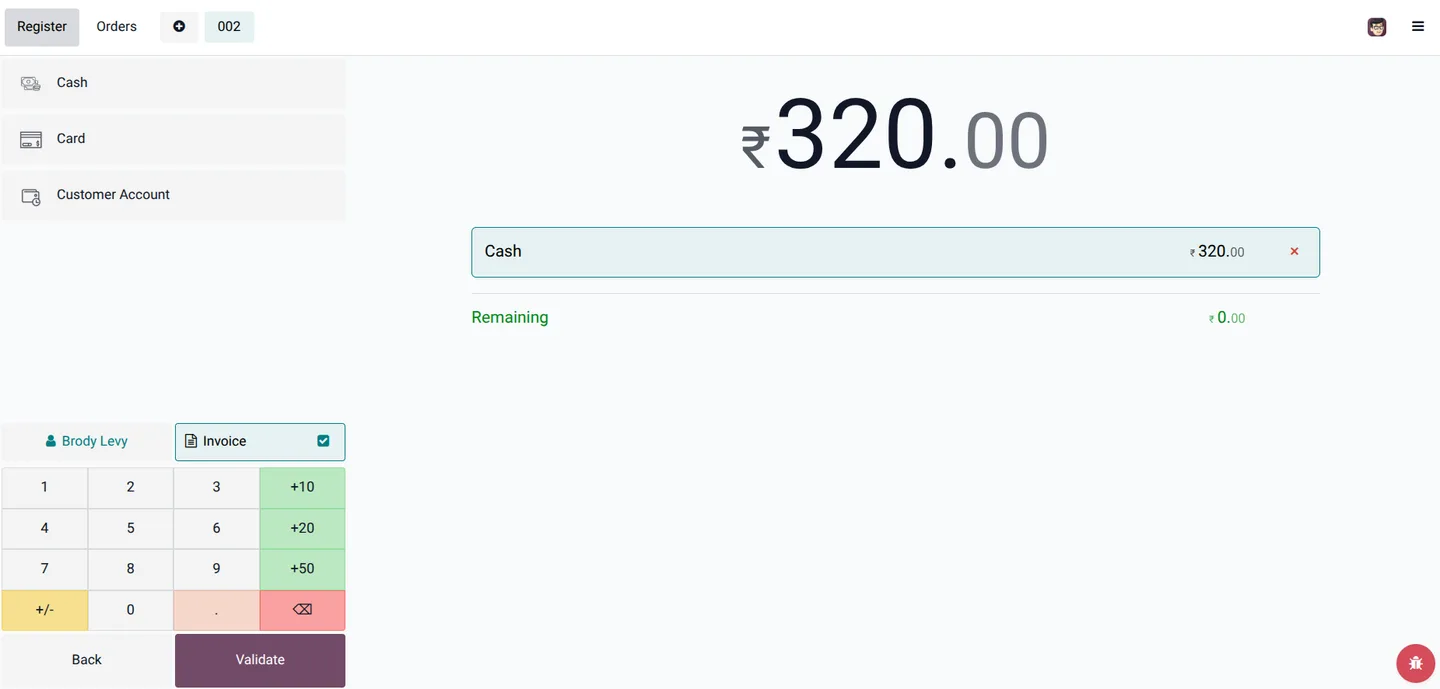
When a new customer enters a referral code at the POS, the referrer receives the configured referral reward points automatically.
- 6
Track referral activity
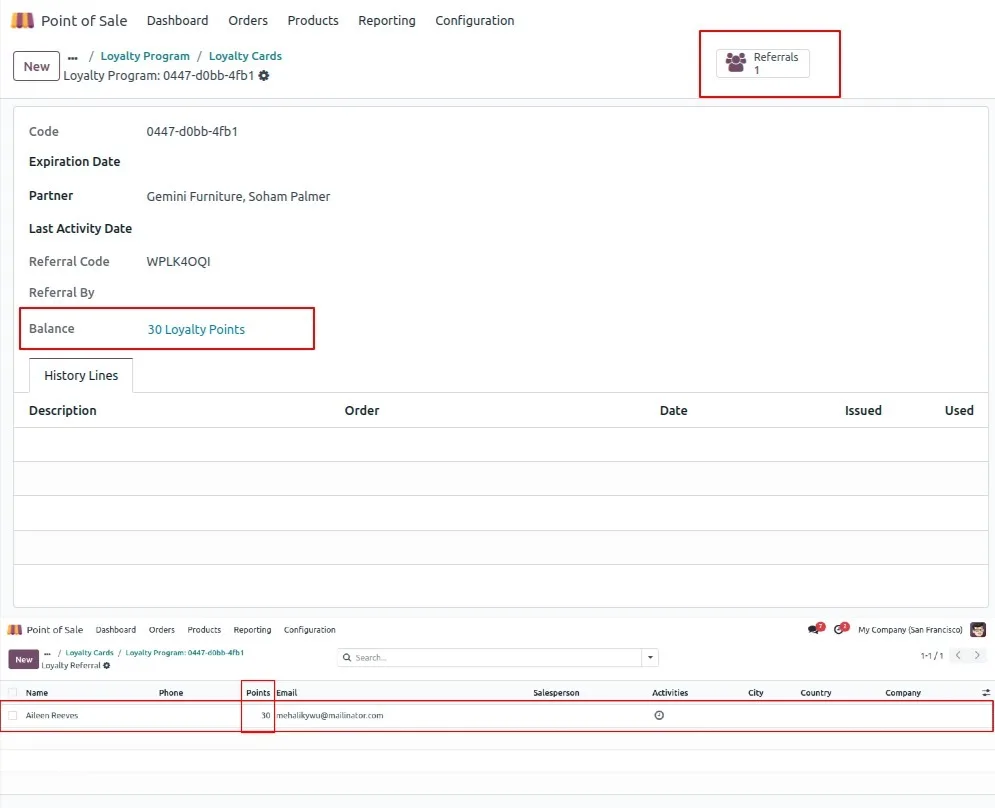
Open Point of Sale → Products → Discount & Loyalty → Loyalty Cards to monitor card balances and referral usage history for each customer.
Frequently asked questions
-
How does a customer use a referral code at POS?
At checkout, the cashier enters the referral code on the new customer's order. The module then awards the configured loyalty points to the original referrer and links the new purchase back to that referral.
-
Are existing customers covered automatically?
Yes. Every existing customer is assigned a referral code at installation time, so the programme can launch without having to onboard customers one by one.
-
Where do customers see the points they have earned?
Earned referral points appear in real time on the POS screen during the order and are stored on the customer's standard Odoo loyalty card, alongside any other loyalty points they hold.
-
Can I limit referrals to specific products?
Yes. Because the module uses native Odoo loyalty programmes, you can target the referral reward to specific products, categories, or tags — referrals only pay out when the new customer buys qualifying items.
-
How are new contacts notified about their referral code?
When a new contact is created in Contacts or via the POS interface, the module emails them automatically with their referral code so they can start sharing it immediately.
-
Are referral points different from regular loyalty points?
No. Referral rewards are issued through Odoo's standard loyalty programmes, so they are redeemable, reportable, and visible alongside the rest of a customer's loyalty balance.
-
Which Odoo versions are supported?
The module supports Odoo 16.0, 17.0, 18.0, 19.0, and 20.0, in both the Community and Enterprise editions.
-
Is support included?
Yes. The module includes 90 days of bug-fix support, Monday to Friday, 10:00–19:00 IST.
Listing verified against the Odoo App Store:
Related solutions
Whole-platform solutions that complement POS Referral Loyalty Reward.
Related services
Get the most out of this module with senior TechUltra consultants.
Odoo Customization Services
Odoo customization from a Gold Partner: custom modules, workflows, reports and Studio changes, written upgrade-safe and quoted at a fixed scope. Free scoping call.
Hire Odoo Developers
Hire certified Odoo developers from a Gold Partner: one developer or a team, full-time or part-time, 70–160 hours a month. Silver, Gold or Platinum plan, free trial.
Odoo Support Services & Maintenance
Odoo support services from a Gold Partner: functional and technical support plus server cover for Enterprise and Community, 30-minute P1 response, 24/7 option.







